AI 项目展示 / 灵感交流 / 共创迭代

做出来的灵感,值得被看见。

发作品、看灵感、贴卡点、找帮手。跑起来的值得被看见,还差一步的也可以被讨论、被接力完成。

晒作品
作品大赏
找思路
灵感交流
接上话
共创迭代

项目广场

先扫热门方向,再按类别或热度继续找灵感。
KissFocus
大赏
已上线
效率cursor

KissFocus

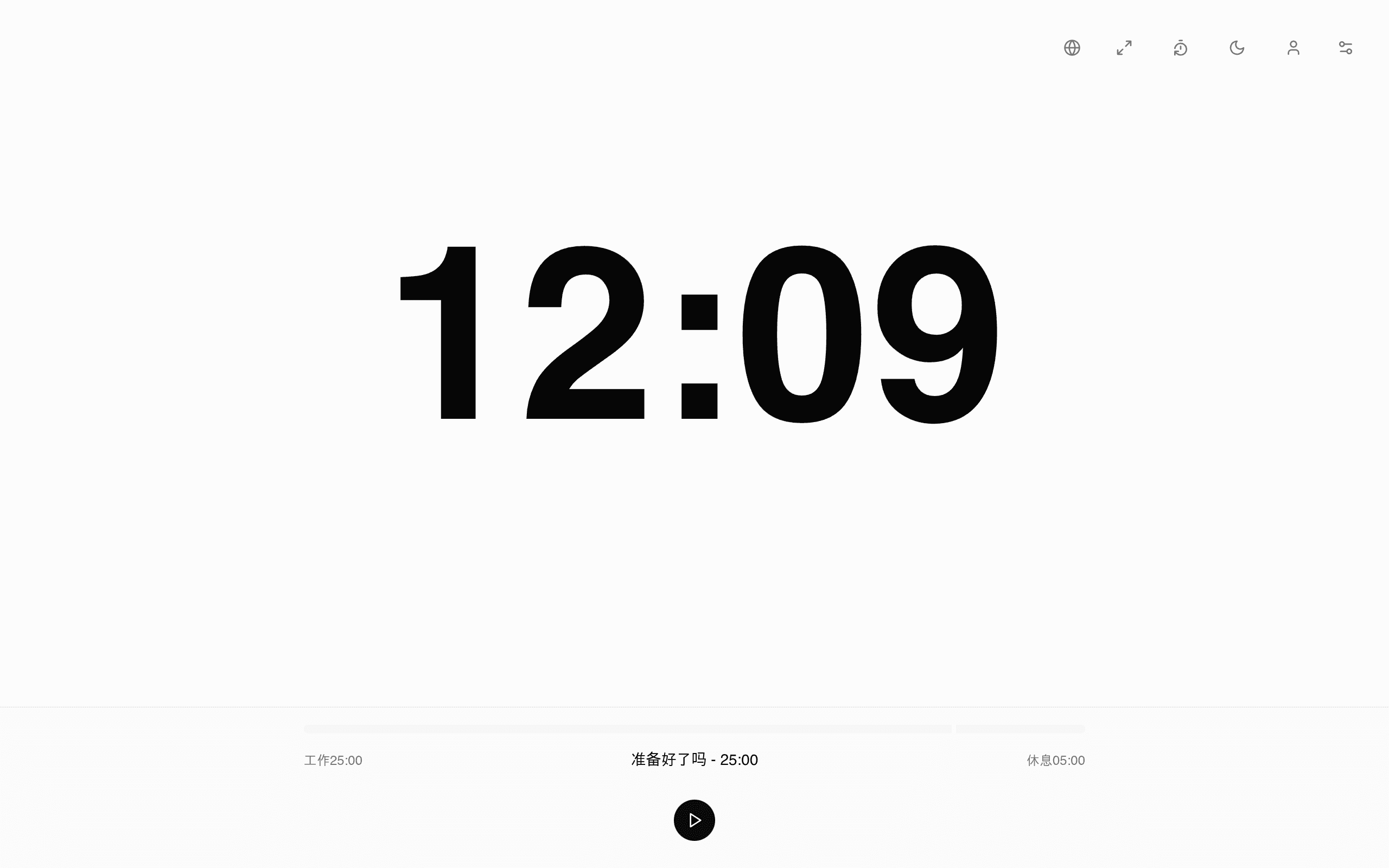
极简在线番茄钟:大字计时器、工作 25 分钟 / 休息 5 分钟,Cursor 半天纯 AI 写完并一键部署到 Cloudflare。

KissFocus 是一个极简在线番茄钟:打开即用的大字计时器,工作 25 分钟 / 休息 5 分钟,附带播放控制、历史记录与深色模式,部署在 Cloudflare 上,手机和电脑都能直接用。 作者在 V2EX 原帖(t/1144660)写道:"用 Cursor 半天时间做了一个在线番茄钟……纯 AI 撸完代码,一把梭让 Cursor 部署到 Cloudflare"。技术栈也是作者原话:Next.js + Tailwind CSS + shadcn/ui + Cloudflare。站点至今持续在线,计时器实测运行正常。

FocusBlox
大赏
已上线
效率lovable

FocusBlox

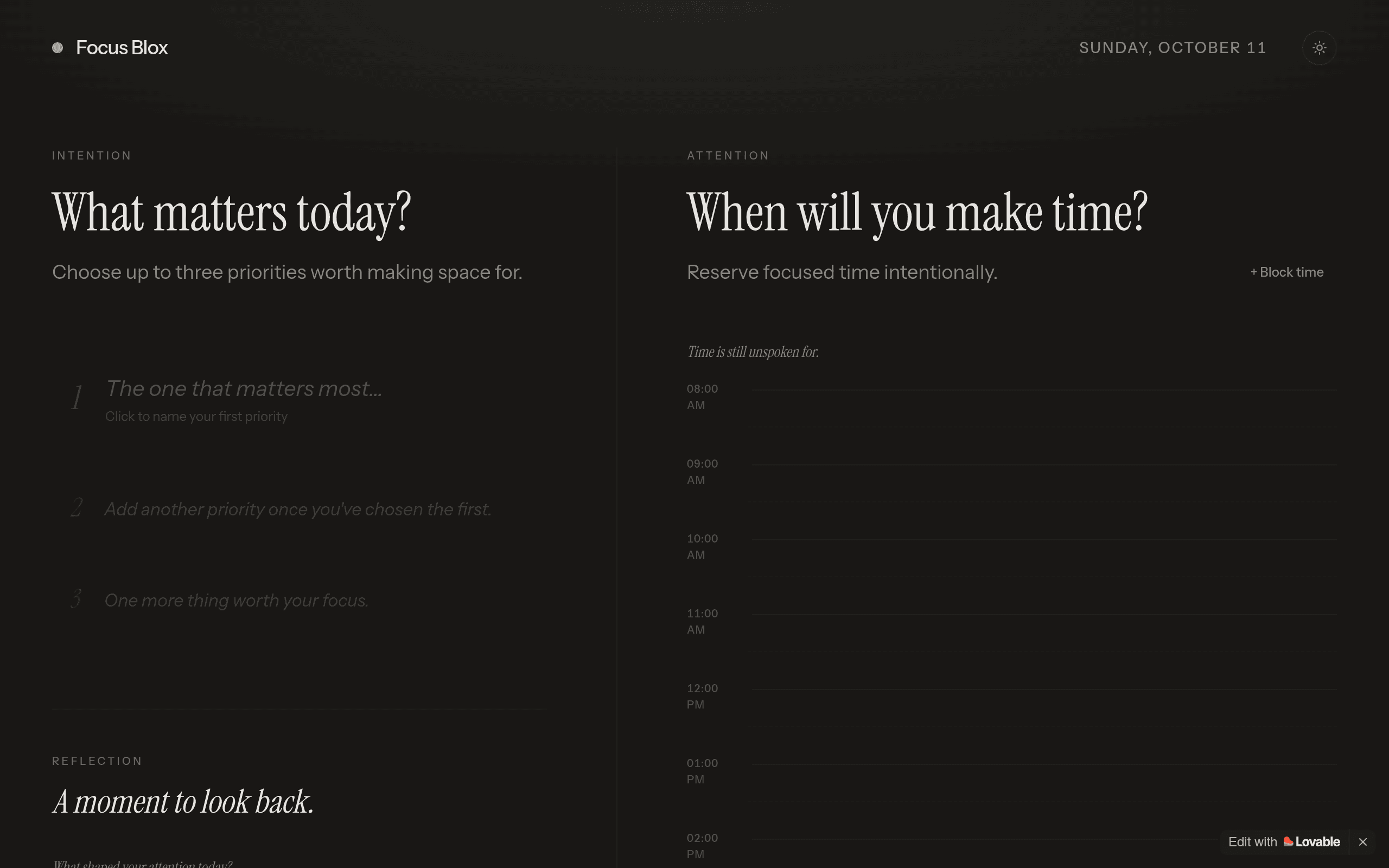
A calm daily-planning workspace that starts from intention: pick up to three priorities, block focused time, and close the day with a short reflection.

FocusBlox is a daily planning workspace built around a simple idea: start the day from intention, not from an inbox. Each morning you choose up to three priorities worth making space for, block focused time for them on a quiet timeline, and close the day with a short reflection on what shaped — and stole — your attention. No task-list anxiety, no gamified streaks. The interface is deliberately calm: serif headlines, generous spacing, and a day view that asks two questions — "What matters today?" and "When will you make time for it?" This is a Lovable build through and through: the repo carries a .lovable project folder, the demo runs at focusblox.lovable.app, and the live page still shows the "Edit with Lovable" badge. Under the hood it's React, TypeScript, Tailwind CSS and Vite.

SayKuku
大赏
已上线
效率

SayKuku

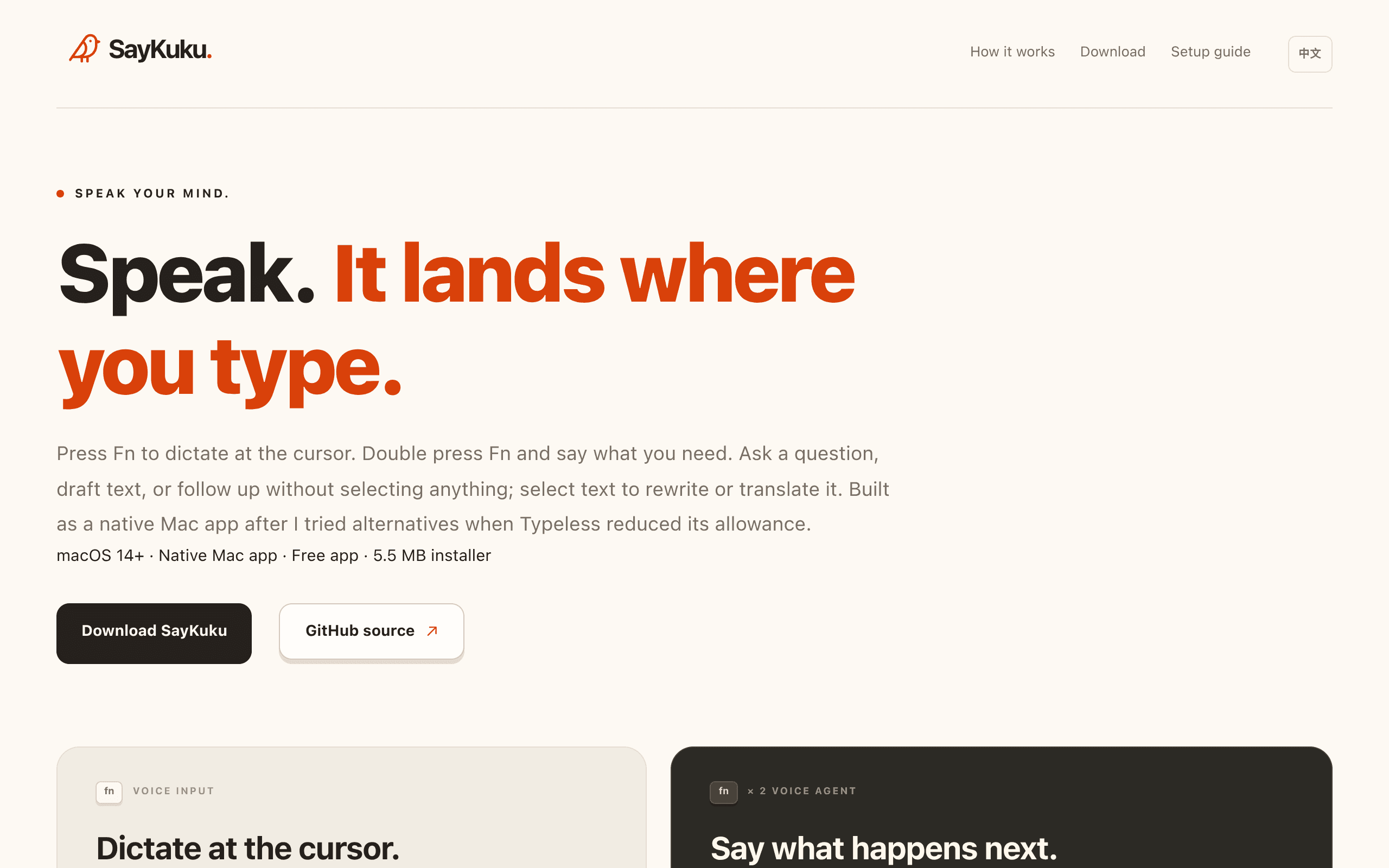
免费开源 macOS 原生语音输入:按 Fn 在光标处听写,双击 Fn 唤起语音助手

SayKuku 是免费开源的 macOS 原生语音输入应用:按 Fn 直接在光标处听写,双击 Fn 唤起语音助手做改写、翻译与问答;免费、Apache 2.0 开源、自带 Qwen API Key(BYOK)。 作者在仓库的 Product Hunt 发布文档中写道:"I vibe coded SayKuku to keep the cursor where I already am"。仓库创建于 2026-09-20,已有 339 次提交与 2 个 release,技术栈为 Swift 6 / SwiftUI / AppKit(均为作者明确声明)。

TL;DR Peek
大赏
已上线
效率

TL;DR Peek

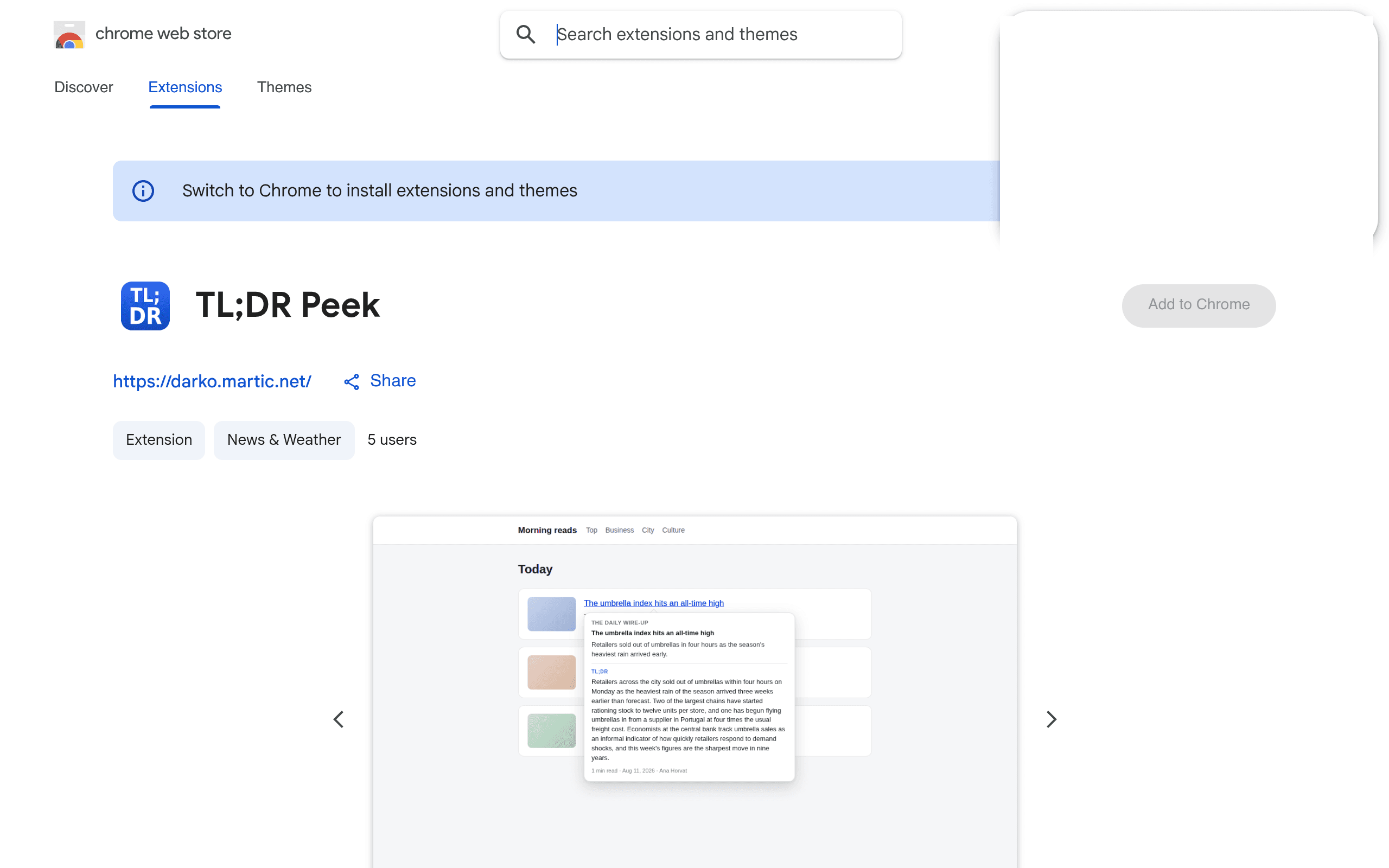
Hover any link to preview the article's TL;DR before you click — a vibe-coded Chrome extension, fully local, zero tracking.

TL;DR Peek is a Chrome extension that shows you what an article says before you open it: enable it per site, hover any link, and a balloon pops up with the page's own description plus a TL;DR built from the article text itself — plus reading time, publication date and byline. Everything stays on your machine: the hovered page is fetched, its text extracted with Readability.js, and sentences are ranked and picked locally. No server, no API, no account, no analytics, nothing sent anywhere. Author Darko Martić writes on Medium that it is his first published extension: "My first published extension. Vibe coded, built for myself, now yours too." and "This was vibe coded from start to finish, and I'm not going to be coy about it."

Flowcus
大赏
已上线
效率boltnew

Flowcus

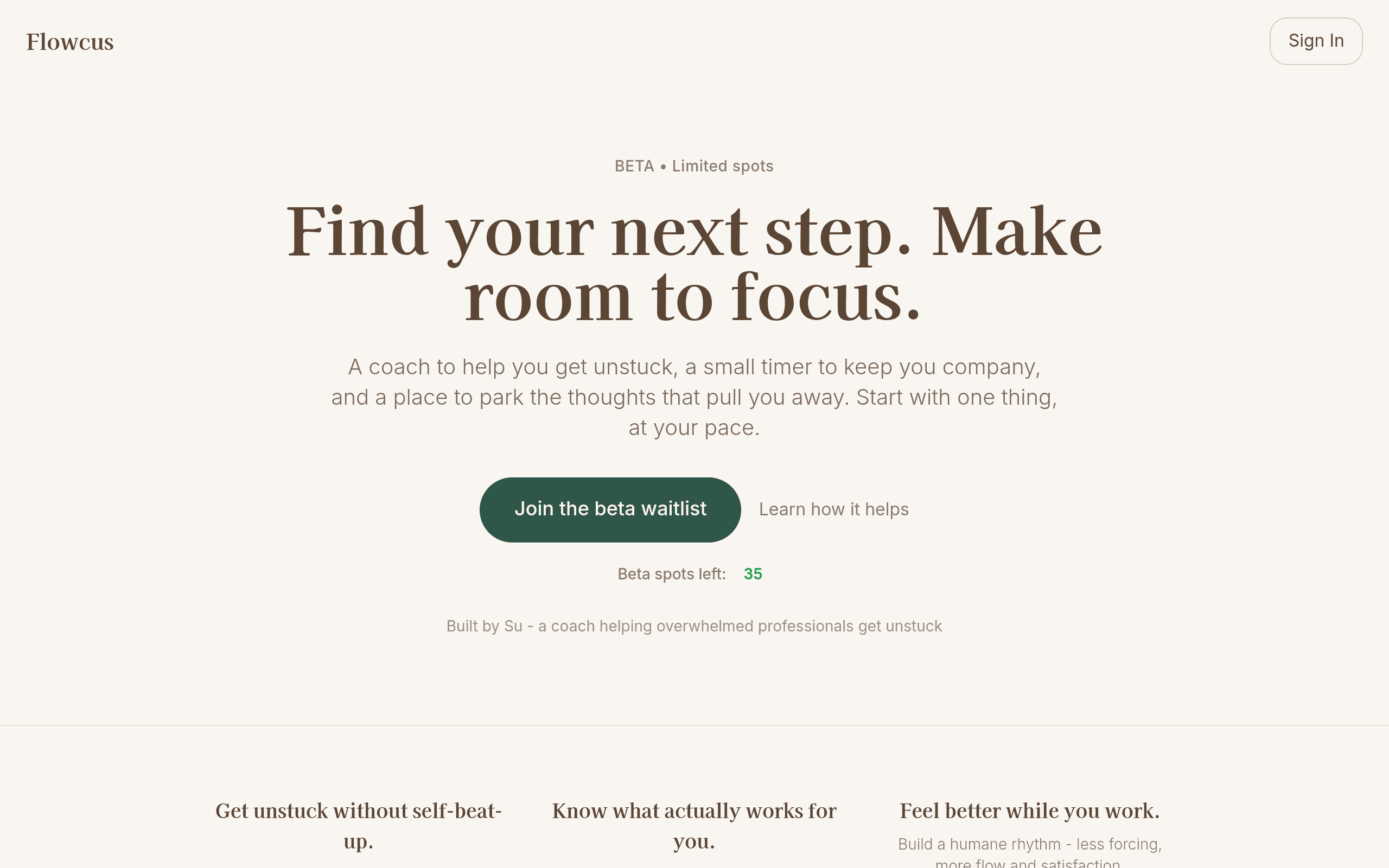
A focus coach for getting unstuck: gentle prompts, a companion timer, and experiments that learn.

Flowcus (formerly Flowbound) is a focus coach built by Su for people who procrastinate: short in-the-moment prompts to move through anxiety, confusion, or boredom; a small companion timer; and a place to park the thoughts that pull you away. Instead of willpower theatrics, it runs quick focus experiments and remembers what actually lifts your energy — a "personal playbook" approach to getting unstuck. The build story is documented in Lenny's Newsletter's "What people are vibe coding (and actually using)": listed as "Find out what's blocking your flow, by Su using Bolt," with Su's own words: "Flowbound is an app that gives me games/exercises to do when I find myself procrastinating on something (which is often)." The site itself says "Built by Su — a coach helping overwhelmed professionals get unstuck," with account data in Supabase and companion responses generated by Anthropic and OpenAI models. It kept evolving after the newsletter feature: the product rebranded from Flowbound to Flowcus and now runs a limited beta with simple transparent pricing and a waitlist. A vibe-coded productivity tool with real users, real iteration, and a refreshingly humane design thesis. curated by the VibeFix editors

Mojito
大赏
已上线
效率claude-code

Mojito

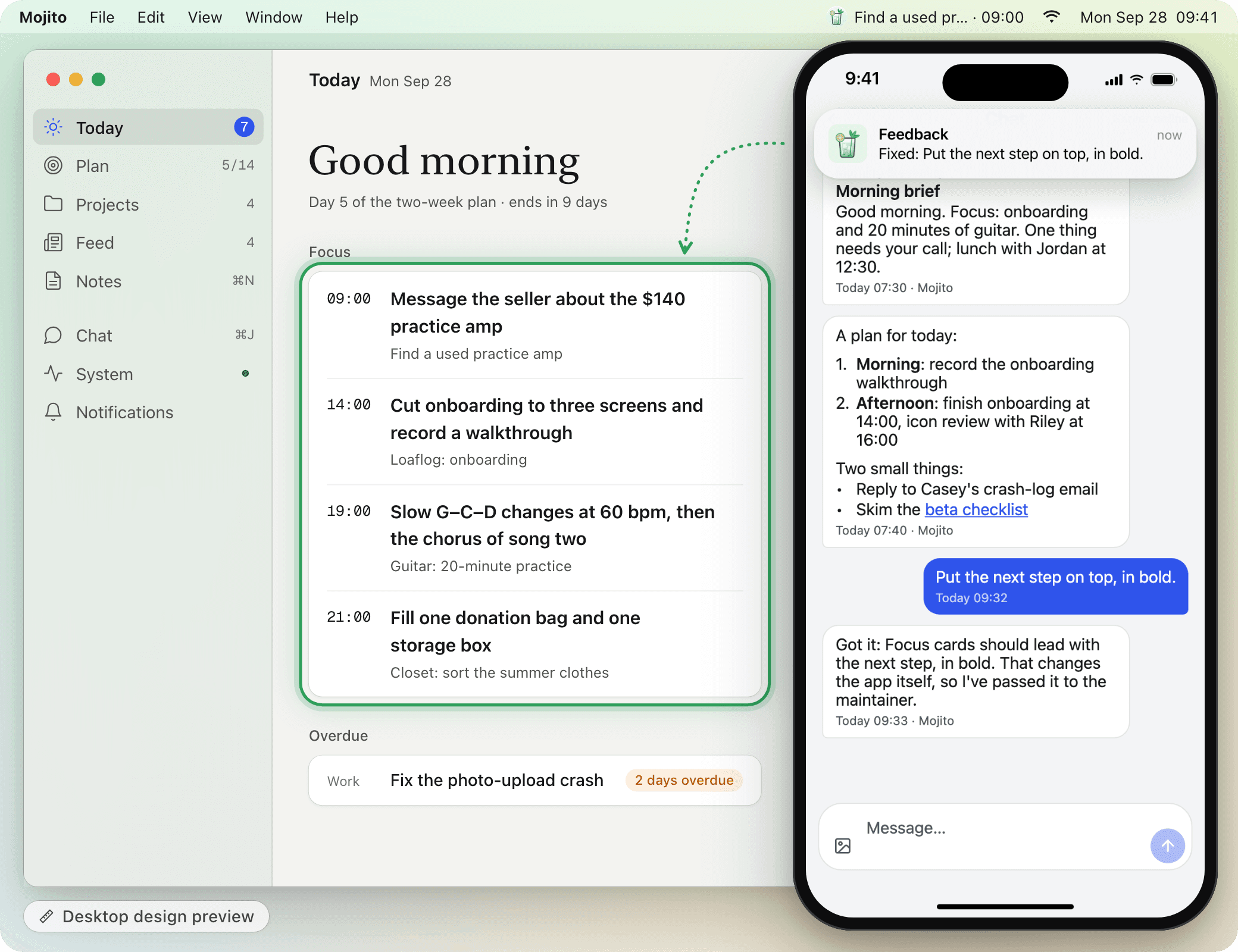
本地优先、会自我进化的个人 AI 日程应用:日程、计划、笔记、信息流与对话,一个应用装下你的一天。

Mojito 是一个「本地优先、会自我进化」的个人 AI 日程应用:Today、计划、项目、信息流、笔记、对话,一套界面装下你的一天。它最特别的设定是「自我进化」——你可以直接在聊天里说「把下一步置顶加粗」,应用就会把这条反馈转交给维护者,界面真的会变。 作者在 README 里写得很坦白:"Most of its code was written by Claude Code sessions working under the rules in `CLAUDE.md`, `docs/design.md` and `docs/api.md`."(github.com/timelovercc/mojito,94★,2026-09-29 创建,2026-10-05 仍在推送,MIT 开源) 作者声明的技术栈:FastAPI + SQLite(hub 后端)、Expo(移动端)、Tauri(桌面端)、PWA。演示站 https://zhimeng.page/mojito/ 带样例数据可直接试用,无需注册。 curated by the VibeFix editors

AI Workplace Productivity Assistant
大赏
已上线
效率lovable

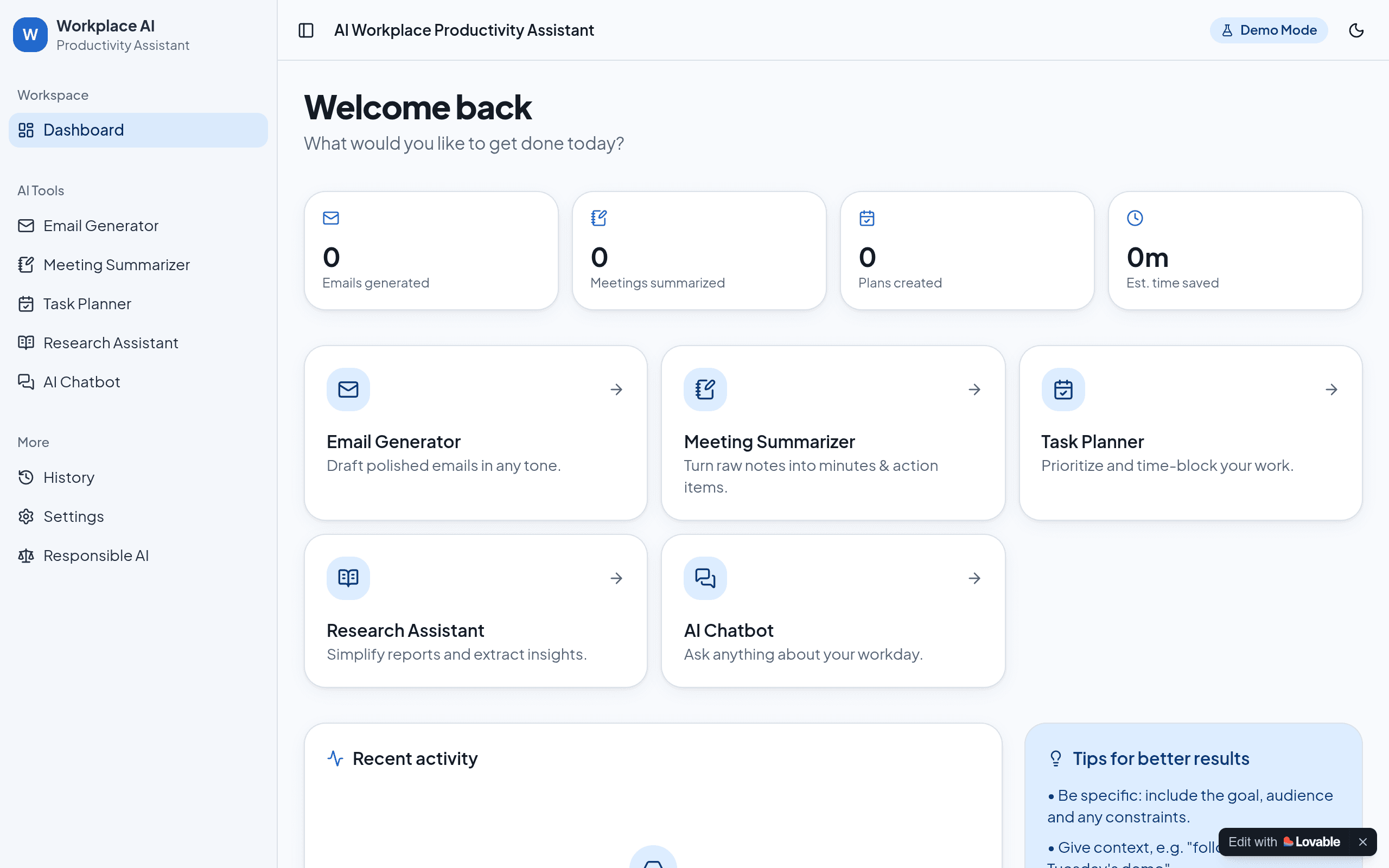
AI Workplace Productivity Assistant

AI workplace dashboard: draft emails, summarize meetings, plan your day, research topics and chat with AI — no login, data stays in your browser.

AI Workplace Productivity Assistant is a responsive web dashboard that helps professionals automate repetitive work with AI: drafting emails in any tone, turning raw notes into meeting minutes and action items, prioritizing and time-blocking tasks, researching topics, and an AI chatbot for workday questions. Its highlight is the backend-free design — open and use, no login needed, all data stored in the browser's localStorage. It can connect to OpenAI (ChatGPT) or Google Gemini APIs, and ships with a demo mode (simulated responses) so you can try it without a key. The project was built as part of the CAPACITI AI Skill Accelerator Programme. GitHub: 0 stars (new, updated 2026-10-09).

Immerse
大赏
已上线
效率claude-codecodex

Immerse

iOS focus timer with 5 visual timer styles, custom backgrounds, stats, and app blocking

Immerse 是 iOS 专注计时器 App:5 种可视化计时样式、可自定义背景、专注数据统计,外加 App 屏蔽功能,已上架 App Store。 作者 Nika 在 dev.to 的完整开发复盘里写道:"I built most of it using Claude Code and Codex… I didn't manually edit the code myself. Instead, I described what I wanted in normal language, tested what the AI built, found problems, and kept iterating." 提示词甚至用语音输入(Wispr Flow)。文章约两天前发表,第一版发布后还在持续迭代,新增了 App 屏蔽和统计功能。

Voice Memo
大赏
已上线
效率claude

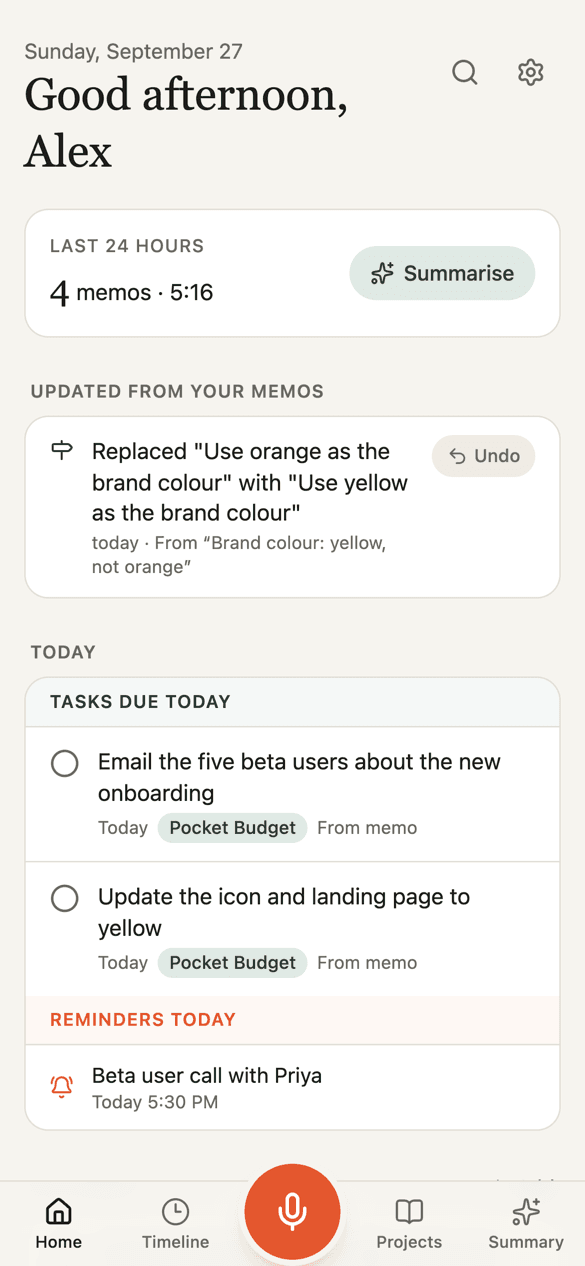
Voice Memo

Voice-first second brain: record a voice note, get it transcribed, filed into projects, and searchable by meaning

Voice Memo is a voice-first second brain, open source (MIT) and self-hosted. Record a 15–30 second voice note on your phone or Mac and it gets transcribed, cleaned up, and split into ideas, tasks, decisions, open questions and reminders — filed into projects automatically and indexed for semantic search. Its signature trick is that it keeps up when you change your mind: say "yellow, not orange" in a later memo and the old decision is marked replaced, the old task leaves your list, and every change shows up on Home with Undo. A built-in MCP connector (14 tools, OAuth-protected) lets Claude read your memos, add action points and set reminders directly. The whole thing runs on free tiers — Cloudflare (Workers, D1, R2, Vectorize, KV, Workers AI) plus free AI APIs with Groq first — so self-hosting costs nothing per month. Web, Android and Mac apps included. The vibe-coding story is unusually clean: the author's README opens with "vibe coded with Claude from the first line," and the git history's commits are co-authored by "claude". A serious multi-platform productivity system, pair-programmed with an AI from line one.

RioShot
大赏
已上线
效率claude-code

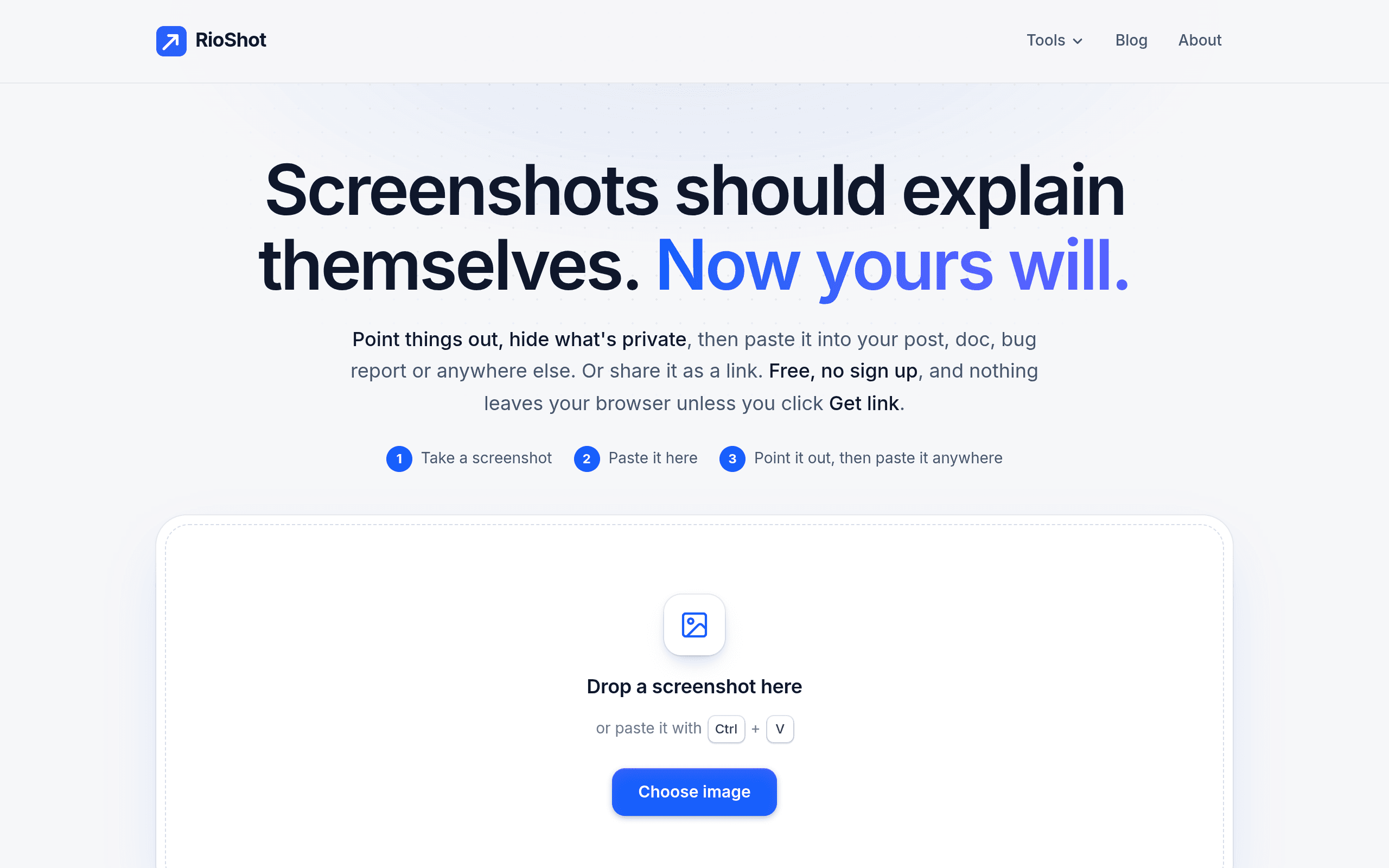
RioShot

A free screenshot editor that never uploads your images — annotate, redact, and paste anywhere, all in-browser

RioShot is a free screenshot editor built around a radical simplicity: take a screenshot, paste it (Ctrl+V), annotate it, and paste the result anywhere. No upload, no account, no watermark. Everything happens inside your browser — the only time an image leaves your device is when you click Get link to share it. The toolkit matches how makers actually communicate: arrows, highlights, blur and redact to hide private details, zoom callouts to point at tiny buttons, and a dark spotlight that dims everything except the number that matters. Fourteen before/after examples on the homepage show how much a single annotated screenshot can say. It is also a vibe-coding case study. Maker Alberuni Azad announced it in the vibecodinglife Facebook group on October 1, describing “building and launching a free screenshot editing app called RioShot in a single sitting … development with Claude Code and the Opus 5.5 model” — from idea to domain purchase, testing, deployment and launch in one session. Private by design, instant, and free — the rare annotation tool that never makes you wonder where your screenshots went. curated by the VibeFix editors

Relokato
大赏
已上线
效率

Relokato

Cross-border moving planner built end-to-end on Lovable: visa checklists, costs, official sources

Relokato takes the most paperwork-heavy project of an adult life — moving to another country — and turns it into a guided plan. Enter your nationality, destination, and household, and it generates a relocation roadmap with visa thresholds, document checklists, deadlines, and a cost budget — every requirement linked to the official source it came from, with the date it was last reviewed. The build story is on its madewithlovable.com project page, verbatim from the maker: "Built end-to-end on TanStack Start, Tailwind CSS, and Lovable Cloud." (Added October 1, 2026.) A live freemium SaaS with real pricing ($19/mo, $149 Move Pass), a live demo, and destination guides from Portugal to Costa Rica. It's the kind of unglamorous-but-useful domain where AI builders shine: high trust requirements, heavy research work, and a checklist that would take a human team months to assemble. Relokato ships it as a working product. curated by the VibeFix editors

ChromeSideBar
大赏
已上线
效率

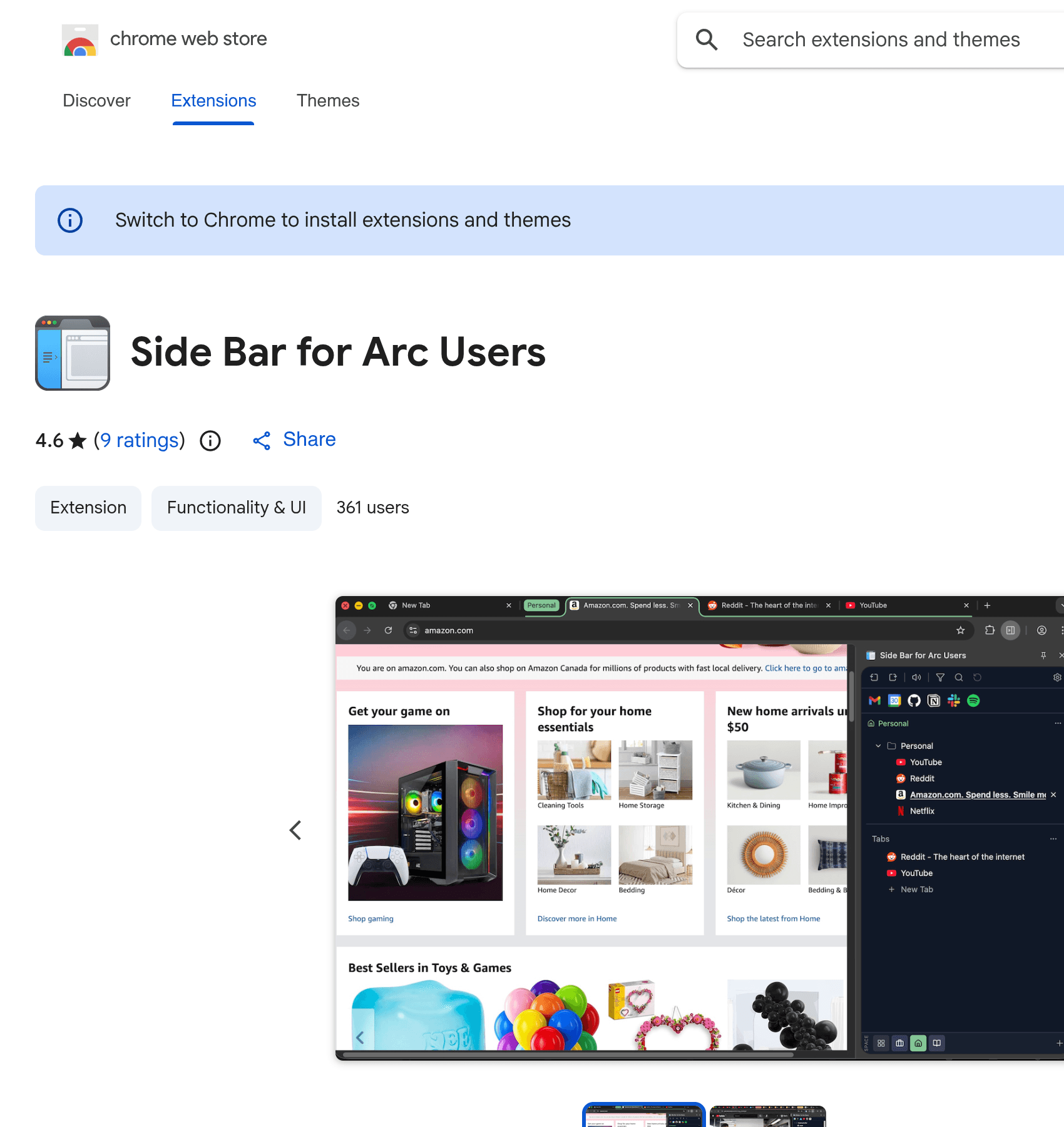
ChromeSideBar

The Arc browser's vertical sidebar, vibe-coded for Chrome: Spaces, pinned tabs and one-click Arc import in a side panel.

ChromeSideBar is a Chrome extension that brings the Arc browser's vertical sidebar to Chrome. Its author, monehsieh of monemone-org, is refreshingly direct about how it got made: "So I vibe-coded this extension to bring that to Chrome." The extension displays pinned sites, bookmarks and active tabs in a side panel that recreates the Arc sidebar experience — including Spaces for tab grouping, IDE-style tab history, drag-and-drop organization, and one-click import from Arc. It is open source under Apache-2.0, rated 4.6 stars on the Chrome Web Store (v1.0.326, updated July 2026), and the GitHub repo shows steady work with a commit two weeks before this write-up. Browser extensions are a good stress test for AI-written code — they live inside a host's API surface, handle real user data, and ship to a store with review. ChromeSideBar clears all of that and is genuinely useful for the Arc-curious who won't leave Chrome. A clean example of vibe coding shipping production software. curated by the VibeFix editors

Tempus
大赏
已上线
效率claude-code

Tempus

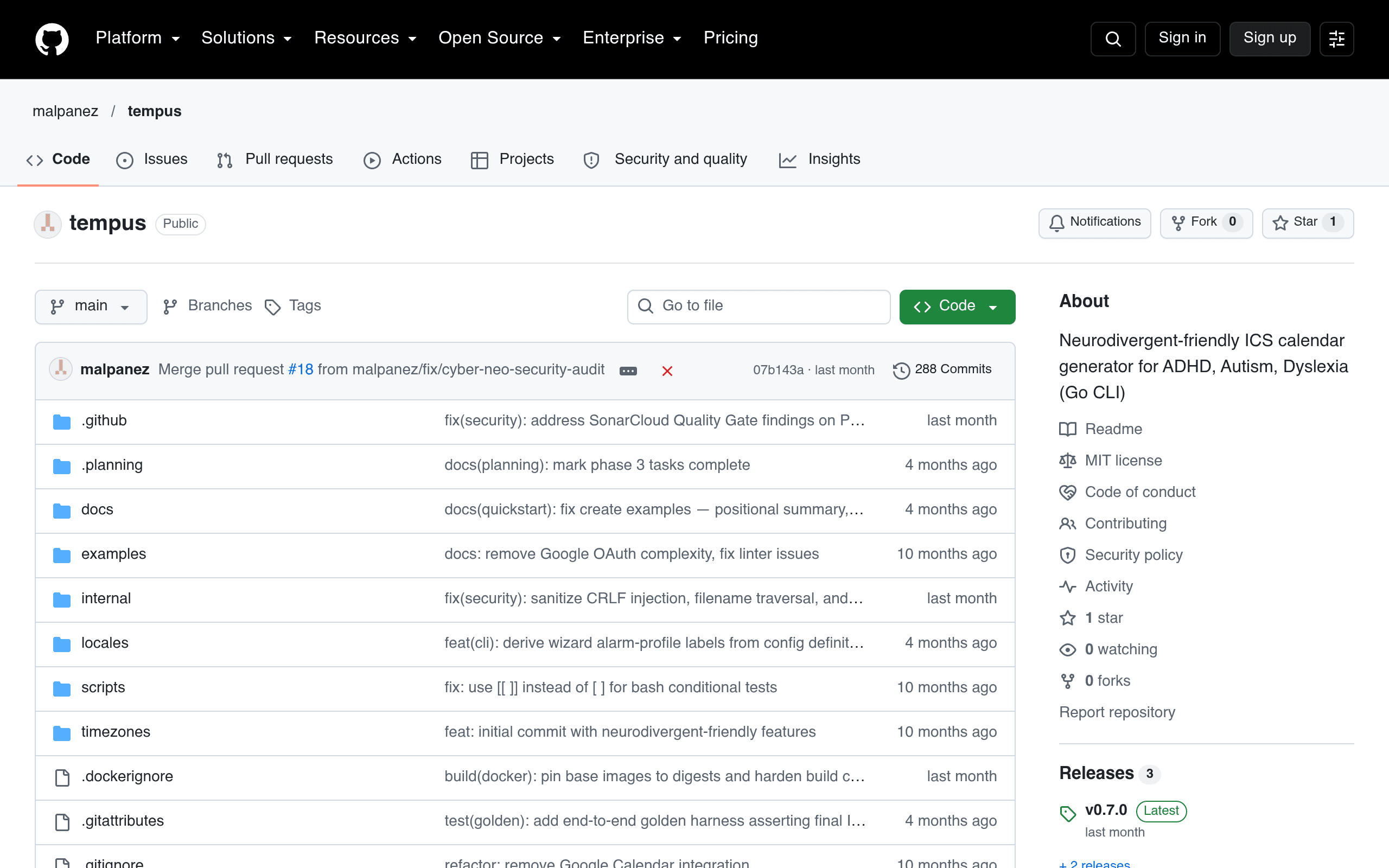
A neurodivergent-friendly Go CLI calendar: time-only input, typo fixing, ADHD alarm profiles — outputs standard ICS files.

Tempus is a calendar tool built for neurodivergent brains — ADHD, autism, dyslexia — as a Go CLI. Type "10:30" instead of a full timestamp, let it auto-fix your typos (meetting to meeting), get multiple countdown reminders with ADHD-tuned alarm profiles, automatic prep-time buffers before meetings, conflict detection and overwhelm warnings when you over-schedule. Batch mode builds a whole calendar from CSV/JSON/YAML with reusable templates for medication, routines and travel. Everything compiles down to RFC 5545-compliant ICS files that import cleanly into Google, Apple and Outlook calendars. It is multilingual (English, Spanish, Portuguese, Irish), ships prebuilt binaries for all platforms plus Docker, and runs fully local — no account, no subscription. 288 commits, 3 releases, MIT licensed. The author's own disclosure: built with Claude Code. curated by the VibeFix editors

EchoNote
大赏
已上线
效率claude-code

EchoNote

A local-first voice-to-action desktop app: press a hotkey, speak, and your words are transcribed and filed as a task, reminder, idea or note — all offline.

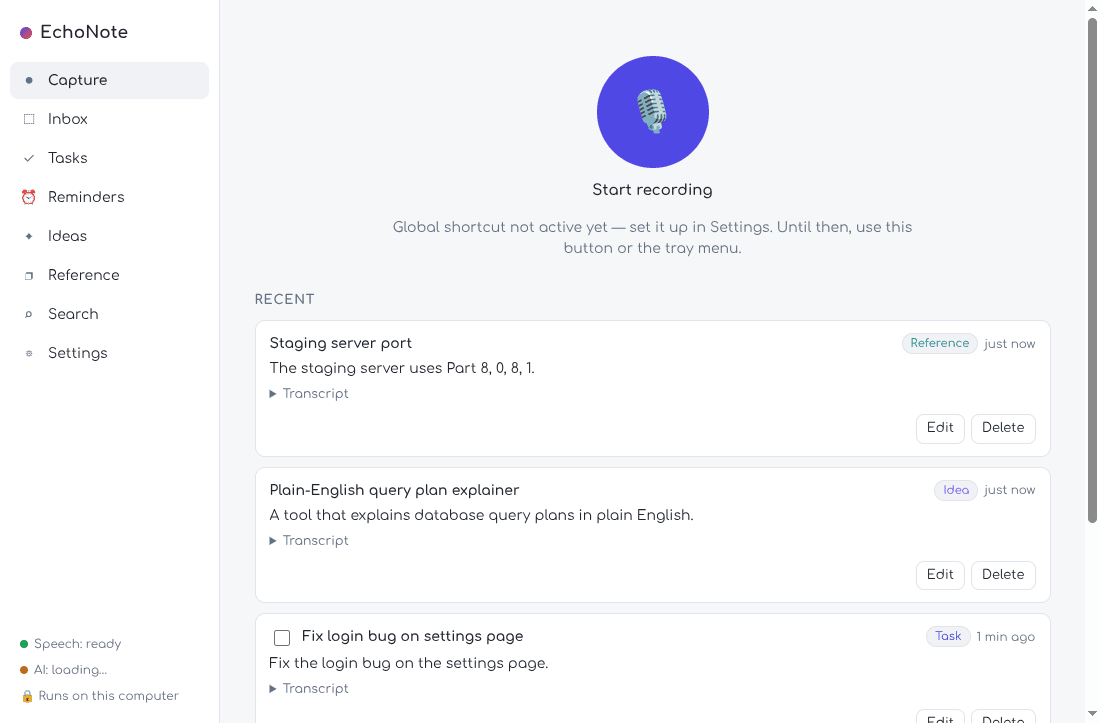
EchoNote is a voice-to-action desktop app built around a dead-simple loop: press `Alt + Shift + Space`, say whatever's on your mind, press it again and go back to work. It transcribes what you said and files it as a task, reminder, idea or note — "Remind me to call the dentist tomorrow" becomes an actual reminder with the date. And everything runs locally on the laptop: your voice, your notes and the AI processing never go to a server. The build story is peak vibe coding. The author doesn't know how Linux apps are made — his words: "claude made this app possible" — and the dev diary shows Claude Code doing serious engineering work. Speech-to-text is whisper.cpp, understanding is Google's Gemma 4 E2B running locally through llama.cpp, storage is SQLite, and the original transcript is saved before the AI processes it, so a note is never lost even if the AI is down. Then the agent kept going: a 2.7-second shortcut delay hunted down to 17–27 ms through a named pipe, Wayland's refusal to register global shortcuts solved with a GNOME custom-shortcut fallback, inference servers cleaned up when the app is killed, and 96 unit tests plus 8 real-model tests plus 7 end-to-end workflows driving the built app with WAV files as the microphone — including a full capture with the network interface down. First launch downloads about 1.1 GB of models from Hugging Face (CPU-only is fine, GPU acceleration is on the roadmap); after that, no internet needed. The demo screenshots show the real capture screen — a big mic button, the recent list filed into Reference/Idea/Task with transcripts, and "AI: loading…" honestly sitting in the sidebar. Made for the Hacktoberfest "Build for a Friend" weekend challenge, MIT licensed, installs in about five minutes. Note: This project is curated by the VibeFix editors from public sources. All rights belong to the original creator.

VibeNotes
大赏
已上线
效率google-antigravity

VibeNotes

Windows sticky notes for developers, vibe-coded with Google Antigravity: Markdown, code blocks, SQLite storage, and an MCP server AI agents can use.

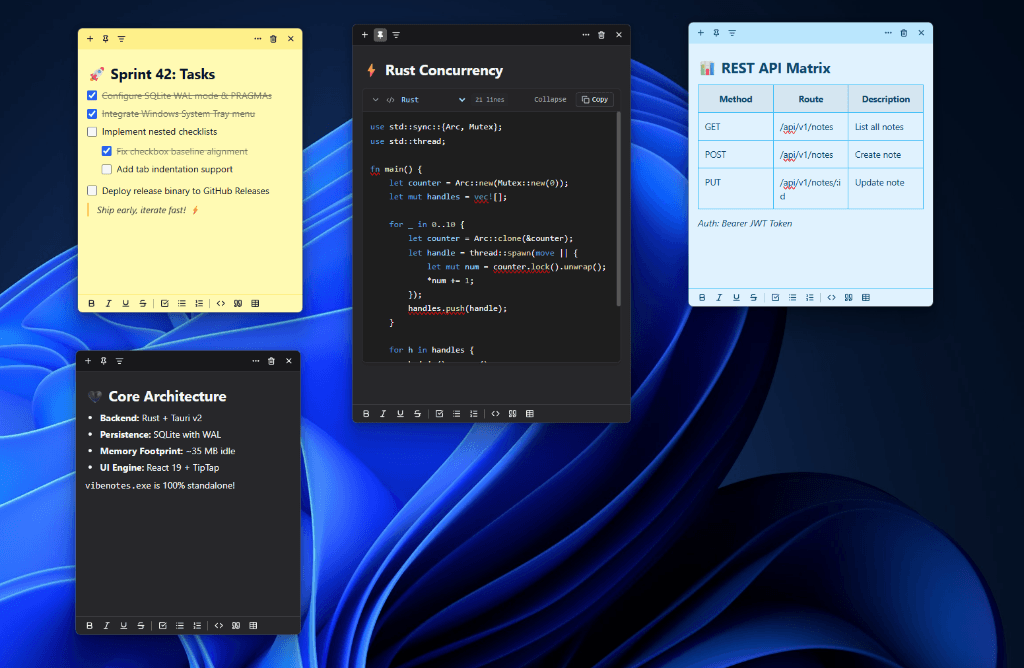
Windows Sticky Notes, but for people who live in code. VibeNotes is a lightweight desktop app — under 40 MB idle RAM, "zero Chromium bloat" thanks to Tauri v2 — that gives you floating frameless sticky notes with native Markdown editing, VS Code Dark+ styled syntax-highlighted code blocks (collapsible, with line counts and one-click copy), interactive checklists, tables, and drag-and-drop images. Seven color themes, system tray integration, Windows startup support, and a central Notes Hub for searching and organizing everything. The killer feature is the one that could only exist in 2026: a native Rust MCP server embedded directly in the .exe. Any AI agent — Claude Desktop, Cursor, Claude Code, Cline, Windsurf, Google Antigravity — can create and manage your sticky notes over stdio with zero Node.js dependency. "Create a blue sticky note titled 'Sprint 42 Deliverables' with a checklist for today's tasks" is a real example prompt from the README. Your notes become a surface your agents can read and write. It is vibe-coded with Google Antigravity, ships as a single ~18 MB executable with in-app auto-updates, and persists everything in a local SQLite database with WAL mode. The screenshot shows the whole pitch at a glance: sprint tasks, Rust concurrency snippets, and an API matrix, all floating over the desktop. Note: This project is curated by the VibeFix editors from public sources. All rights belong to the original creator.

Vela Slides
大赏
已上线
效率claude

Vela Slides

An AI-native presentation engine for Claude.ai: describe your deck in chat and get interactive slides — 21 block types, presenter mode, vector PDF export.

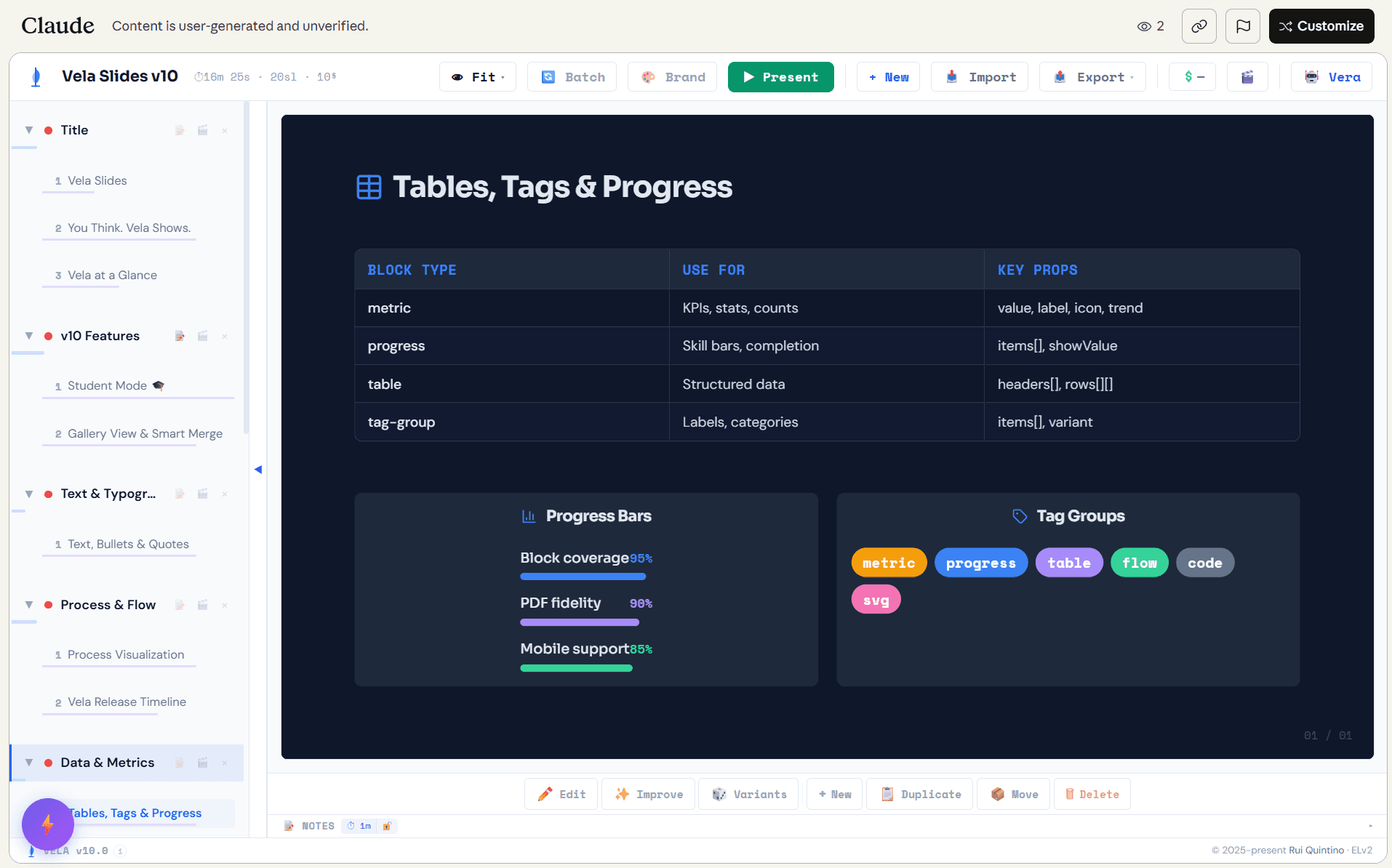
Vela Slides doesn't want you to click through menus. It's a presentation engine that lives inside Claude.ai artifacts: you describe the deck — "Create a 10-slide deck on the future of AI agents" — and Claude generates structured slide JSON, assembles it into the Vela engine, and hands you an interactive artifact you can present from. The tagline in the README is "Vela is Latin for 'sail' — because presentations should carry your ideas forward." The engine itself is substantial: 21 semantic block types (flows, grids, metrics, timelines, SVG diagrams, code blocks — not just text boxes), a built-in AI assistant called Vera that can search your deck, batch-edit across slides, and restyle sections mid-conversation, plus presenter mode, vector PDF export, dark/light themes, drag-and-drop reordering, and WYSIWYG inline editing. The screenshot shows it running inside Claude.ai with the full toolbar: Fit, Batch, Brand, Present, Import, Export, and the Vera chat panel. The build story is the headline: 12,650+ lines, 100% vibe-coded, with the README stating flatly that no human has ever reviewed the source code. It's validated instead by 250+ automated tests and AI code reviews — a genuine experiment in what "unreviewed but tested" software looks like. There's even a security bounty program, which is refreshingly honest about the tradeoff. You can try it three ways: browse the example deck gallery on GitHub Pages (no account needed), open the live artifact on Claude.ai, or install it as a Claude.ai skill so every conversation becomes a slide generator. For anyone who's ever lost an afternoon to PowerPoint alignment guides, describing slides into existence feels like the future arriving early. Note: This project is curated by the VibeFix editors from public sources. All rights belong to the original creator. --- ---
slides
大赏
已上线
效率

slides

A self-hosted markdown slide-deck editor in one Rust binary: live reveal.js preview, an MCP endpoint, and an in-app agent with review-mode changesets.

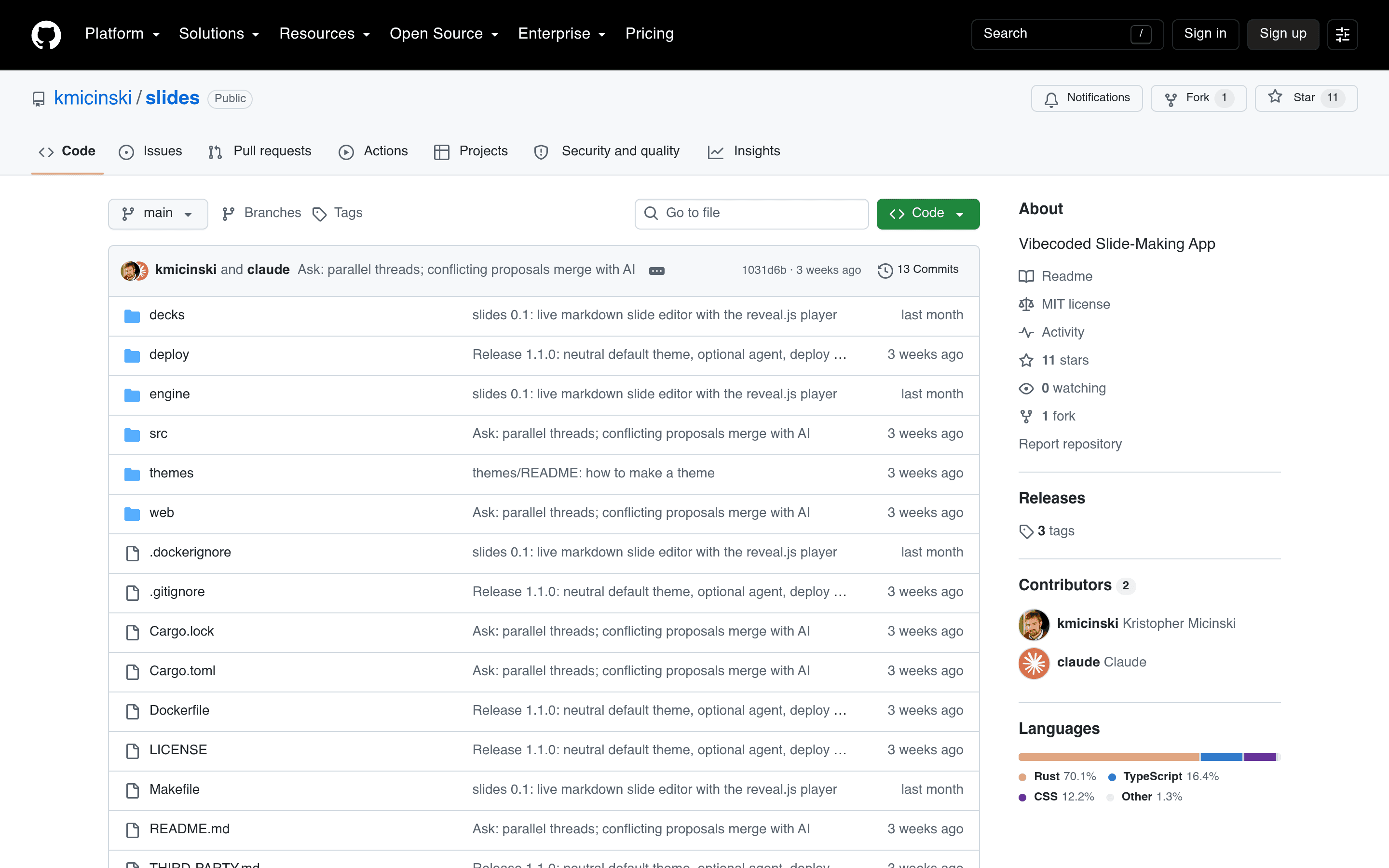
slides is a hosted editor for markdown slide decks with an unusual guarantee: what you see while typing is exactly the reveal.js player your audience opens. One Rust binary renders the markdown server-side (pulldown-cmark for prose, KaTeX for math — so formulas never pop in after the slide appears), and the preview iframe receives positional patches over WebSocket, swapping changed slide bodies in place so the preview never flickers. Rendering a 2,000-line deck takes milliseconds, so every keystroke re-renders everything — no incremental bookkeeping to get wrong. The author verified parity slide-by-slide across 818 existing course slides. The tool-facing design is where it gets interesting. There's a full HTTP API plus a JSON-RPC MCP endpoint, so a Claude Code session on another machine can drive decks programmatically: list decks, replace slides by position, fetch assets, even cut regions out of PDFs into PNGs. Tool edits arrive as *proposals* grouped into changesets that the author accepts or rejects slide-by-slide, with conflicts (two writers touching the same slide) resolved by merging with AI. And the ✦ Ask tab opens a chat with an in-app agent — a headless `claude -p` run whose only tools are the server's own MCP endpoint — so you can say "add three slides after slide 14" and review the result as a diff. The repo description says it all: "Vibecoded Slide-Making App." A PL professor's course tooling, rebuilt as a single binary with agent-native editing, review workflows, and three deploy recipes (TLS-only, basic auth, Authelia) in `deploy/`. Note on the screenshot: slides is a self-hosted Docker app with no public demo and no product shots in the README, so the repo page stands in as the last-resort image per our screenshot rules — the project itself is verified live and actively developed. Note: This project is curated by the VibeFix editors from public sources. All rights belong to the original creator.

VMark
大赏
已上线
效率

VMark

A local-first Markdown editor with MCP support: dual editing modes, LaTeX math, Mermaid diagrams, beautiful themes — written entirely by AI.

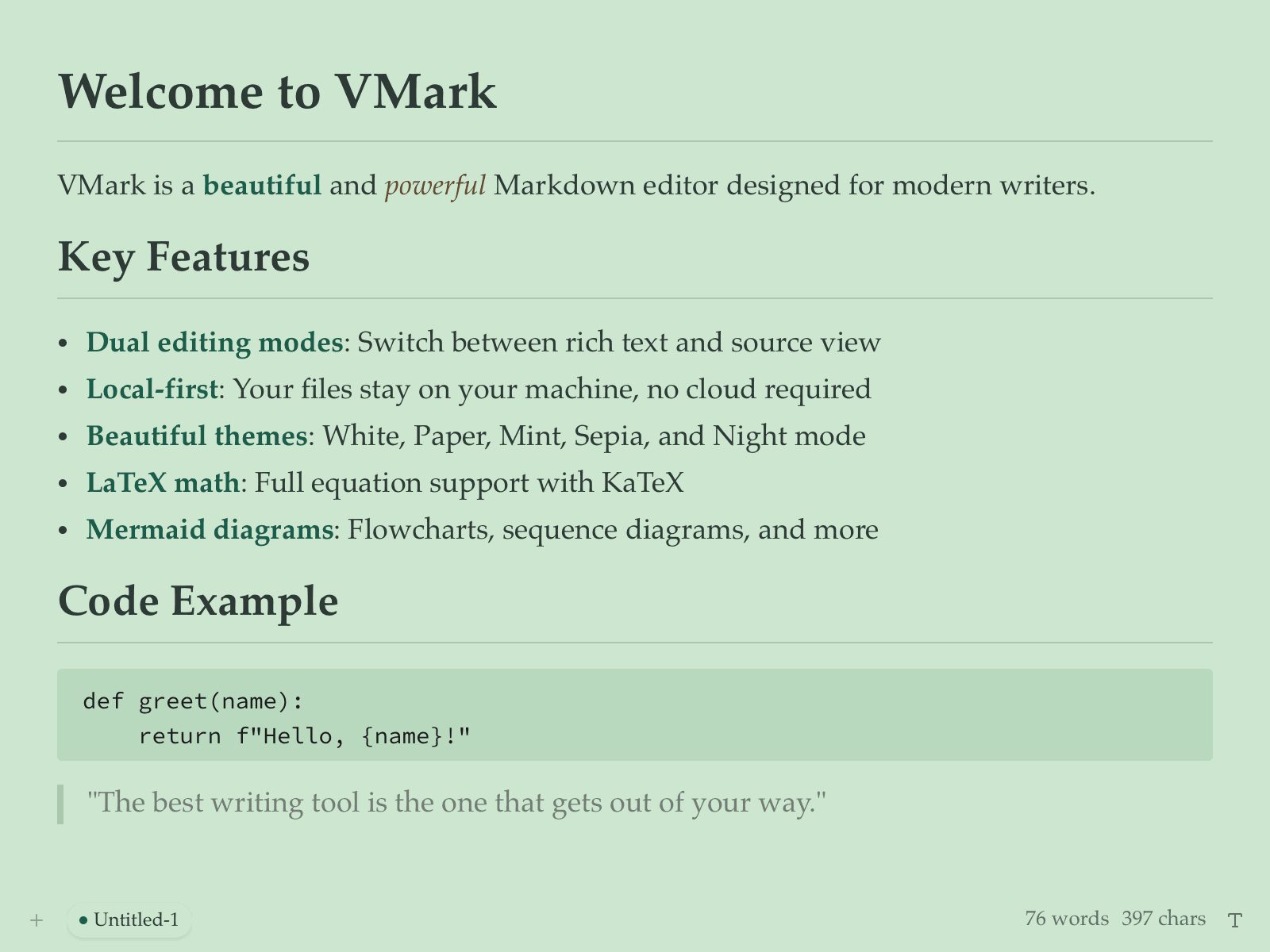
VMark is a Markdown editor for people who write in Markdown all day and are tired of editors that either look dated or phone home. Its README makes the vibe-coding claim plainly: "vibe-coded — written entirely by AI under human supervision." The result is a polished Tauri v2 desktop app (Rust backend, React 19 frontend) that feels like it had a design team: dual editing modes (rich text and source), local-first files, LaTeX math via KaTeX, Mermaid diagrams, code blocks with CodeMirror 6, and a set of genuinely attractive themes — White, Paper, Mint, Sepia, Night. The MCP support is the forward-looking part. VMark can expose itself to AI coding agents through the Model Context Protocol, which means your notes and documents become context your agents can actually read and work with. For a Markdown editor in 2026, that's the right bet: the editor isn't just where you write, it's where your AI collaborators meet your thinking. There's also a lovely bit of recursion in the repo: it ships ready-made configuration for Claude Code, Codex CLI, and Gemini CLI, so the AI-written editor is set up to be extended by AI coding tools. A serious, daily-driver-grade writing app, openly AI-built, with the receipts in the README. Note: This project is curated by the VibeFix editors from public sources. All rights belong to the original creator.

Better Naukri
大赏
已上线
效率gemini-38-flash

Better Naukri

A Chrome extension that fixes Naukri.com job browsing: employer trust badges, cleaner job cards, application insights — 100% vibe coded with Gemini 3.8 Flash.

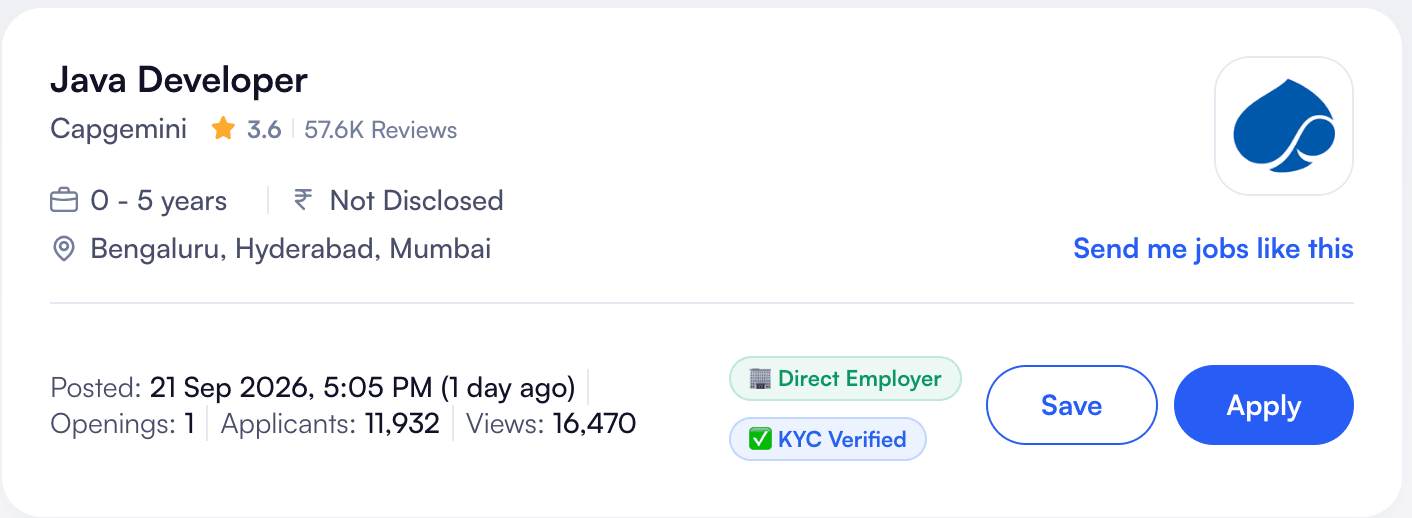
Better Naukri is a Chrome extension that does one thing well: it makes Naukri.com — India's biggest job board — less painful to use. The README is refreshingly specific about its origin: "100% vibe coded using Gemini 3.8 Flash." No framework, no build step theatrics — just Manifest V3, vanilla JavaScript and CSS, and a MutationObserver that watches the page and injects improvements as job listings render. The improvements are the kind you only think of after scrolling through hundreds of listings. Trust badges surface on each job card — "Direct Employer" and "KYC Verified" — so you can tell at a glance whether a posting is from the actual company or a middleman. Posted dates get humanized ("21 Sep 2026, 5:05 PM (1 day ago)"), applicant and view counts are surfaced inline, and the card layout gets cleaned up. Small touches, but they compound across a job hunt that involves opening dozens of tabs a day. There's a nice symmetry here: an AI-coded tool that helps humans navigate a job market increasingly shaped by AI screening. The project is young (created September 2026, a dozen commits) and narrowly scoped — exactly the kind of itch-scratching extension that used to require a weekend of DOM spelunking and now takes an evening of describing what annoys you. Note: This project is curated by the VibeFix editors from public sources. All rights belong to the original creator.

ClipShelf
大赏
已上线
效率

ClipShelf

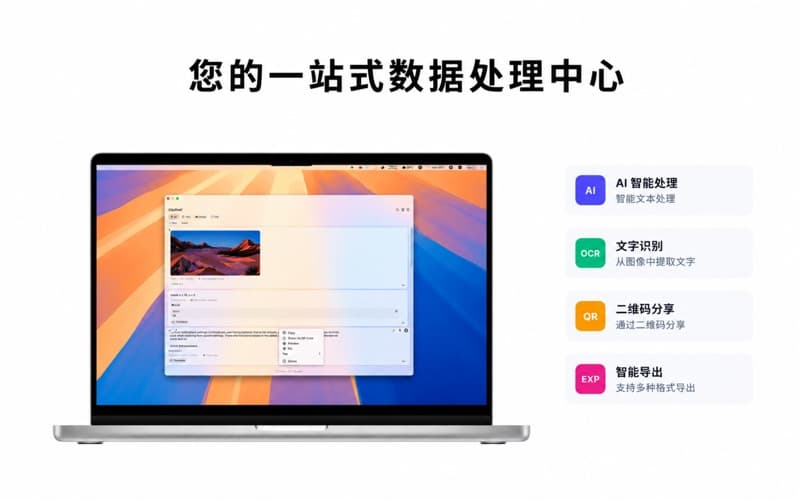
crossoverJie 的第二次 AI Coding 实践:macOS 剪贴板管理工具,嫌 Paste 太贵就自己做了一个,还支持局域网剪贴板共享。

ClipShelf 和本批第 1 个项目 SkillDeck 是同一个作者(crossoverJie),但这是两个完全不同的产品,值得各占一位。故事的起因很真实:作者一直在用 Paste 这款剪贴板 App,"主要是看中它的颜值比较高,但它的售价并不便宜",市面上的开源替代又"都或多或少缺一些我需要的功能"。在用 Vibe Coding 做出 SkillDeck、验证了"AI Coding 可以解决不熟悉领域的问题"之后,他决定自己做一个定制化的剪贴板工具。 功能上对标 Paste 但有自己的加料:自动捕获剪贴板内容(文本/图片/文件)、双击卡片或 ⌘1-9 快捷键快速粘贴、中文智能分词(一键把文本拆成词块精准选取)、拖放支持、彩色标签管理。最特别的是支持局域网内的剪贴板数据共享——"这对使用非苹果生态的设备非常有用",纯本地存储、零外部依赖、不上传任何数据。 商业模式是免费+订阅:基础功能免费,Pro(无限条目、文件支持、快速粘贴、自定义快捷键)¥6/月、¥60/年或 ¥198 买断,含 7 天试用。已上架 App Store,作者在博客园发了 20 个兑换码请读者体验提反馈。从"嫌贵"到"自己用 AI 做一个",这是 vibe coding 最经典的动机之一:为自己造工具,顺手做成产品。 注:本项目由 VibeFix 编辑从公开渠道精选收录,版权归原作者所有。