Feature-flag gradual rollout: four steps for small projects to ship safely
A feature flag is the cheapest way for a small project to change its mind after launch. This guide covers the smallest usable flag, a four-step rollout from internal users to everyone, the three metrics to watch, and the cleanup step most teams skip.
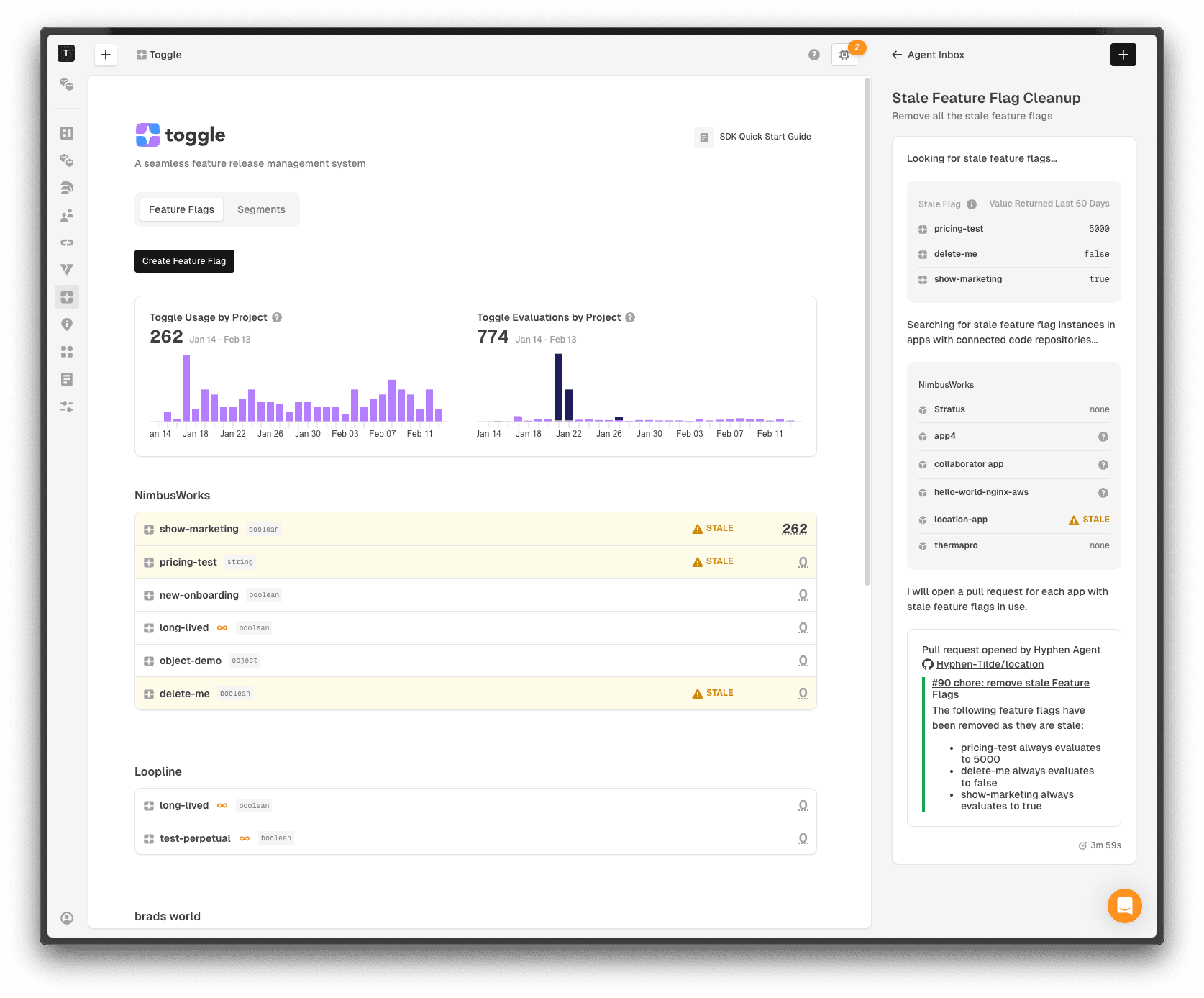
First, the point: a feature flag is not a "fancy feature," it is a way to change your mind
Many small projects hear about feature flags and think, "that is something only big companies need; my little project does not." That judgment is wrong. A feature flag is not a product of scale; it is a product of risk. As soon as you have one experience of "a new feature broke something after launch, and I wanted to turn it off immediately but could only redeploy," you need one. And small projects need it more, because they have no staged rollout platform, no on-call team, no rollback rehearsals — redeploying costs more and risks more.
The essence of a feature flag is simple: a check in the code — if the flag is on, run the new logic; if off, run the old logic. The flag's state lives in configuration, changeable without touching code. So "shipping" and "releasing" come apart: code can ship first with the flag off; when you are confident, turn the flag on; if something breaks, turn it off and the new feature is instantly gone, with no code change.
That separation buys more than rollback. It makes "try it with 1% of users first" possible, "let only the internal team use it first" possible, and "compare groups of users" possible. Without flags, those things require deploys, branches, and hardcoded user lists — clumsy and error-prone. With flags, they become configuration changes.
The smallest usable flag: one config file is enough
Do not start by adopting a feature-flag service, SDK, and console. For personal projects and early products, the smallest usable flag is a config file, or an environment variable. The file says: new export feature, on or off; new homepage, on or off. Code reads the config and branches. Change the config at deploy time, not the code.
The boundary of this approach is clear: it fits the stage where flags are few, changes are infrequent, and only you edit them. As a rule of thumb, fewer than ten flags and a few changes per week — a config file is plenty. Beyond that, config files lose control: who changed a flag, when, and why, all go unrecorded. That is when a dedicated tool earns its keep.
Whatever form you use, three rules apply from day one. First, a flag must have a default, and the default must be "off." New features default off, so that if config is lost or unreadable, the system falls back to old behavior — the safest failure direction. Second, flag names must be self-explanatory, like new_export_csv, not flag1 or test2. Third, every flag must record what feature it controls, who owns it, and when it is expected to be deleted.
Rollout in four steps: from yourself to everyone
Gradual rollout means: do not push a new feature to everyone at once; release it in steps. The recommended steps are four: step one, only yourself and the internal team; step two, 1% to 5% of users; step three, 20% to 50% of users; step four, everyone. Between steps, leave observation time and confirm nothing is wrong before moving on.
Step one's goal is "step on the rake yourself." The internal team runs the new feature through real flows and checks for obvious bugs, interface problems, and performance regressions. Problems found here are cheapest to fix, because no outside user is affected yet. Do not skip this step and go straight to users — a feature the team has not run is a feature tested on users.
Step two's goal is "see real data." One percent of users is enough to surface problems internal testing missed: a browser compatibility issue, an edge case in some data format, a network problem in some region. At the same time, 1% is small enough that even if something breaks, only a few users are affected and the flag can be switched off fast.
Step three's goal is "see performance and cost." Only at 20% to 50% do you see the new feature's real impact on server load, database pressure, and third-party API calls. Many features look fine in internal testing and only reveal a slow query or a rate limit once traffic grows — step three exists to catch exactly that.
Step four is not "done"; it is "start wrapping up." After full rollout, the flag itself becomes legacy to clean up. Cleanup gets its own section below, but remember now: full rollout does not end the work; deleting the flag ends it.
What to watch while rolling out: three metrics are enough
During each step's observation window, do not stare at a dozen metrics. Three suffice: error rate, core-flow completion rate, and performance. Error rate asks "did the new feature introduce new errors," comparing flag-on users with flag-off users for a clear rise. Core-flow completion asks "can users finish the key flow," for example, for export, "of users who clicked export, how many got their file." Performance asks "did the new feature slow pages or APIs," looking at average latency and the share of slow requests.
These three share one trait: they map directly to user experience, not technical detail. How much CPU the server used or how much memory grew are means, not ends. Users do not care about your CPU; they care whether pages got slower, features errored, or flows broke. Watching these three keeps rollout decisions from being dragged off course by secondary data.
How long should an observation window be? There is no universal answer, but a rule of thumb: at least one full user usage cycle. If your users mainly work on weekdays and weekend traffic is tiny, observe at least one weekday. If users span time zones, observe at least 24 hours. A window too short is no observation at all — problems have not had time to surface before you already went to full rollout.
Fictional example: a full rollout of an export feature
Here is a fictional example (fictional, for process demonstration only, not a real project). Suppose you add CSV export to a to-do tool and plan a gradual rollout. Step one: add a flag new_export_csv to the config, default off, keeping both old and new export paths in code, with the old path as default.
Step two, internal: turn the flag on only for internal test accounts. After a day of internal use, the team finds that exporting large files freezes the page — fix it, observe another day, confirm clean. Step three, 1%: assign 1% of users to the new feature by user ID modulo. Observe 24 hours: no error-rate rise, export success rate matches the old path — move on.
Step four, 30%: raise to 30%, observe two days. This time an edge case appears: some users' to-do titles contain special characters, and the exported CSV opens garbled in Excel. Fix it, add a regression test, observe one more day. Step five, full rollout: flag on for everyone, observe a week, confirm all three metrics stable. Then delete the flag and the old path, keeping only the new path, and ship a cleanup release.
The two most important moves in this flow: every step up has a clear entry condition (the previous step's metrics are stable), and every problem found has a clear fallback (switch the flag off, no redeploy needed). Gradual rollout is not "pushing slowly"; it is "every step has conditions and an exit." A rollout with no exit is just a delayed launch.
Three ways flags die: long-lived, zombie, and ghost flags
The biggest risk of feature flags is not misusing them but forgetting to delete them. The industry calls it technical debt; flag debt is its most hidden kind. Every undeleted flag leaves a permanent branch in the code. As branches multiply, code gets harder to read, harder to change, and harder to touch. Eventually nobody dares delete any flag, because nobody knows what deleting one will do.
Three deaths to watch for. Long-lived flags: meant as temporary rollout aids, they stay because "nothing broke," and six months later they are permanent configuration. Zombie flags: the feature went to 100% long ago, the flag is still on, the old path is never taken by anyone, but nobody dares delete it. Ghost flags: even the person who added the flag forgot which feature it controls, there is no documentation, and only an unreadable name remains in code.
There is only one cure: give every flag an expiry date at creation. When creating a flag, write down the expected full-rollout date, the expected deletion date, and the owner. When the deletion date arrives, deal with it no matter how busy you are: either delete the flag and the old path, or postpone with a written reason. A flag with no expiry is destined to become a zombie.
Deleting a flag: more important than adding one
Deleting a flag follows fixed steps: first confirm the flag has been at 100% and stable for a while (at least a week is suggested); then delete the branch and the old path from code, keeping only the new path; finally delete the flag entry from config, and ship a cleanup release. The cleanup release itself should roll out gradually — deleting the wrong branch is a common accident.
The easiest deletion mistake is "delete the config, not the code." With config gone but the branch still in code, the branch may fall to its default — and if the default is off, your new feature quietly goes offline. Deletion must remove code and config together, and after deletion, run the full test suite to confirm the new path is the only path.
Another good habit: when deleting a flag, write one line in the changelog — "removed the old logic for feature X; the feature itself is unaffected." That line is written for future you — three months later, reading the log, you will know that cleanup happened and what it cleaned, instead of guessing.
When not to use a feature flag
Flags are not universal. Three cases do not suit them. First, database schema changes: a flag controls which code path runs, but not what shape data takes. If you change a table, the old path may not understand the new data, and turning the flag off will not save you. Data migrations need migration scripts and a compatibility period, not just a flag.
Second, security fixes: on discovering a vulnerability, the first response should be to fix it and ship to everyone immediately, not to "patch 1% of users first." Gradual rollout is for quality risk, not security risk — the 99% unpatched users are still exposed while you roll out slowly.
Third, when the flag is more complex than the feature: if a three-line change requires a flag service, a management console, and three sets of config, the cure is worse than the disease. Small changes should ship directly; if they break, fix them directly. A flag's cost must be smaller than the risk it guards against, or it is over-engineering.
A landing checklist for vibe coders: start today
The checklist has five items, and finishing them gives your project basic rollout ability. One: pick a feature shipping soon, give it a flag, default off, keep the old path. Two: write down the flag's name, owner, and expected deletion date, in a code comment or project doc.
Three: walk the four steps — internal, 1%, 30%, everyone — leaving an observation window at each step, watching error rate, core-flow completion, and performance. Four: after a stable week at 100%, delete the flag and the old path, ship a cleanup release, and note the cleanup in the changelog. Five: review once — what problems did this rollout catch? Which step was most valuable? Which step can shorten next time, and which must lengthen?
After one full round, your understanding of "release" changes: release stops being a single moment of going live, and becomes a process — from off to on, from small to large, ending in a clean deletion. It feels like extra work at first, but the first time you catch a problem at midnight and stop the bleeding by changing one config value, you will be glad you spent the time. What a feature flag buys is not glamour — it is the right to change your mind gracefully when something goes wrong.
Comments (0)
Related articles

A project that works in Chrome can break in Safari or on an older phone. This guide gives solo teams a progressive enhancement workflow: set a baseline, write in three layers, detect capabilities instead of sniffing browsers, and run a 30-minute smoke test.

Sharing is not a button, it is a chain: system sharing, a fallback chain, platform share links, preview cards, and honest measurement. This guide gives solo teams a shippable outbound sharing workflow.

A changelog is the cheapest trust tool a vibe project has, yet most small projects write it badly or not at all. This guide gives a stable four-category format, the action-object-impact rule for each entry, a fictional example, and a copy-paste template.