A Model That Fixes Its Own Pictures: SenseTime Open-Sources SenseNova U1.6
On November 24, 2026, SenseTime open-sourced SenseNova U1.6, an 8B unified visual model that proofreads its own pictures: UltraTextBench dense infographics rise from 86.04 to 92.28 with self-correction on. Apache 2.0 weights, ComfyUI support on day one — but 35 GB of weights, 24 GB of VRAM, and vendor-only numbers so far.
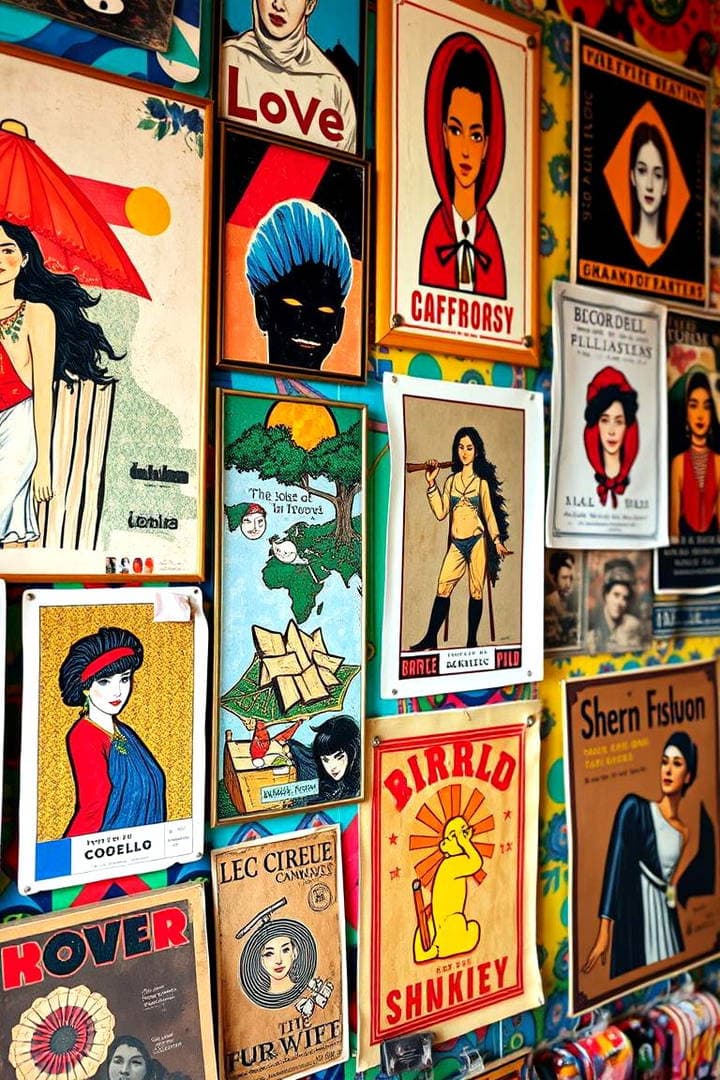
On November 24, 2026, SenseTime open-sourced SenseNova U1.6. It is an 8-billion-parameter unified visual model that can understand images, generate them, and edit them — and this release has exactly one headline feature: it checks its own work. When the text in a picture is misspelled or the layout goes wrong, the model looks at its own image, compares it against the prompt, and draws a corrected version. No switching tools, no manual redrawing: the same model is both the artist and the proofreader.
Start with why that is worth a story on its own. The most common failure in AI image generation has never been style; it is the text inside the picture. A poster title with one wrong stroke, a data label that slips a row in an infographic, a misspelled dish on a menu — one wrong character ruins the whole image. The old fix was to re-roll the prompt and hope, or to open an editor and fix it by hand. U1.6 builds the check into the model: it draws a first draft, reviews that draft against the original prompt, lists what is wrong, and fixes only the wrong parts while keeping the typography and layout intact.
SenseTime states the workflow plainly in its official repository: generate an infographic, review it against the prompt, and fix text errors while preserving expressive typography and layout. This is not "draw another one and hope." It is "keep fixing this one until it is right." For anyone making posters, infographics, or product images, the difference matters: the first approach re-rolls the dice every time, the second converges toward the correct result.
On numbers, SenseTime offers a checkable claim. On the dense-infographic tasks of UltraTextBench, self-correction delivered a 7% average relative improvement over single-pass generation. The same result in more detail: U1.6 Lite scored 86.04 on a single pass and 92.28 with self-correction enabled, a relative increase of about 7% (92.28 / 86.04 - 1 = 7.25%). The two statements corroborate each other — 7% is not a made-up number, it is the same test expressed two ways. The caveat is that these numbers come from SenseTime's own testing, with no independent reproduction yet. The credibility ceiling of the 7% is exactly the phrase "vendor-reported."
Besides self-correction, the other focus of U1.6 is aesthetics. SenseTime says the new version concentrates on portraits, posters, and illustrations, with finer textures, more varied creative ideas, and a more contemporary style; in subjective user evaluations, overall aesthetic quality improved by 10% over U1.5. "Subjective evaluation" deserves a discount: there is no ground truth for taste, and 10% is SenseTime's own user-study result, not a benchmark score. But the direction is clear — U1.6 does not only want to be a model that spells correctly, it wants to be a model whose pictures look good.
To place U1.6, you need the series it belongs to. SenseNova-U is SenseTime's family of native multimodal unified models, built on the NEO-unify architecture. One model understands an image, generates or edits one, and produces outputs that alternate between text and images. U1 introduced the approach in May 2026; U1.5 followed on August 20 with an 8B-MoT model, an encoder-free visual path, a VAE-free visual path, spatially coherent image reconstruction, and native 4K generation. U1.6 builds on U1.5 and concentrates its changes in three places: refined aesthetics, creative expression, and native self-correction.
The name 8B-MoT is worth unpacking. 8B is 8 billion parameters; MoT is Mixture of Transformers. The idea is related to the familiar MoE (mixture of experts): the model holds several sub-structures and activates them dynamically by input, instead of running every parameter every time. SenseTime has not published the exact number of experts or the activated parameter count for MoT, which is less transparent than some models released in the same month. What is confirmed is the release format: the weights ship as a sharded BF16 checkpoint, alongside 4-step and 8-step distilled LoRAs, FP8 and INT8 conversions, and GGUF quantized builds in Q4_0, Q6_K, and Q8_0 — the last of which means it can run locally with llama.cpp-style tooling.
The phrase "encoder-free and VAE-free" is a signal to anyone who has used image models. In a traditional text-to-image pipeline, the image is first compressed into latents by a VAE and decoded back to pixels after generation, and fine structures like text are the first thing lost in that round trip. U1.6 handles images directly at the pixel level, without those two steps, so the strokes and layout of text pass through one less lossy conversion. That is the technical basis for making "accurate text" a selling point: not prompt tricks, but one fewer layer in the architecture that eats detail.
The scope of the open release should be stated clearly. U1.6 weights are released under the Apache 2.0 license, with no extra restriction on commercial use. The repository also ships inference examples, training code, and documentation — not just a weight file dropped on the internet. On the same day, November 24, ComfyUI announced official support for U1.6, which matters a lot in practice: ComfyUI is the most widely used node-based tool for image workflows, and official support means self-correction can be wired into existing workflows immediately, without waiting for a community plugin.
The bar for running it locally is also stated. The official quick-start guide says the balanced setup needs one CUDA GPU with 24 GB of memory, 64 GB of system RAM, and about 35 GB of disk space for the weights. Keep the 35 GB in mind: it is far larger than a 7B language model, and only consumer GPUs with 24 GB or more can reach it. The good news is that the GGUF quantized builds lower the bar, with the Q4_0 version able to run on smaller memory — at the cost of image quality and text accuracy, by an amount the official pages do not quantify.
Look at the cadence of the series. U1.5 shipped on August 20, its technical report followed on September 11, an 8-step LoRA v2 arrived on September 24, U1.5 TailSteer — a full checkpoint for more stable multi-turn image editing — shipped on November 4, and U1.6 arrived on November 24. Four releases in three months is a steady pace. The repository's star count says people are watching: as of November 25, OpenSenseNova/SenseNova-U1 had 7075 stars, 542 forks, and 402 commits. That is not a viral hit for an open visual model in half a year, but it is far from ignored.
Put side by side with the rest of November, U1.6's position gets clearer. November 2026 was a crowded month for open models: Tencent open-sourced the Hy-MT3 translation model on the same day, KRAFTON shipped the full version of Raon-1 mini, and AMD released the Nitro-P pixel-space image framework on November 20. U1.6's differentiation in that crowd is not parameter count — 8 billion is not large today — but the specific feature of self-correction. It does not answer "how well can the model draw," it answers "what happens when the model draws it wrong."
That is also my judgment: U1.6's real selling point is not another open image model, but moving the "checking" step from a human job into the model itself. A decade of progress in image generation has all been about "drawing better," while checking and fixing stayed human work. A model that can spot "this line has one extra stroke" means the most annoying part of the workflow — re-rolling, eyeballing, manual rework — can be automated for the first time. The 7% number itself is small, but the direction it points to matters more than the number.
Still, some cold water. First, self-correction has only been demonstrated on SenseTime's own test set. UltraTextBench covers dense-infographic tasks — posters and charts packed with text. Whether it still works on handwriting, artistic lettering, or vertical text is unproven in public data. Second, a model checking itself has a built-in blind spot: what it cannot see, it cannot fix. Self-correction repairs "errors discoverable by comparing against the prompt"; if the prompt itself is wrong, or the model systematically misunderstands how a character is written, the check step inherits the same mistake.
Third, the 35 GB of weights and the 24 GB memory requirement shut out many individual users. The GGUF quantized builds are a way in, but the official pages publish no text-accuracy numbers for them, so nobody knows whether Q4_0 self-correction matches the BF16 original. Fourth, U1.6 has no technical report yet. U1.5 got a full arXiv technical report (arXiv:2609.11929); U1.6 so far has only repository guides and showcase pages, with no comparable disclosure of training data, evaluation details, or failure cases. Until that report lands, the repository and the showcase are all there is to judge by.
For vibe coding readers, there is a direct takeaway: product shots, landing-page art, and infographics for slide decks used to mean a loop of generate, check, re-roll, check again. Now the check step can be handed to the model. U1.6's self-correction is not magic, but it turns "there is a typo in the picture" from a problem that needs a human safety net into a step that can be written into a workflow. ComfyUI support landed on day one, so a "generate, self-correct, ship" pipeline can be tried today.
How self-correction actually runs is worth one more paragraph. U1.6 does not generate in a single pass; it works in interleaved text and image steps: the model produces a first draft, then reads that draft back as input, looks for problems against the original prompt, and produces a corrected version. The loop works because the U series has been a unified model from the start — understanding and generation share the same weights, so the model can read what it drew. In a split pipeline with separate understanding and generation models, this step would need two models in relay, with worse control over both quality and cost.
Compared with U1.5, the change is focused rather than sweeping. U1.5 sold native 4K generation, image editing, and interleaved output, and its September technical report laid out the architecture, training, and evaluation in full. U1.6 changes no architecture and no parameter count; it moves three things: aesthetics, creative expression, and self-correction. That small-steps cadence is a healthy sign for an open model: each release moves a few things, so a regression is easy to trace. Anyone looking for a revolution in U1.6 will be disappointed — it was not designed as one.
Speed is worth a look too. U1.6 ships with 4-step and 8-step distilled LoRAs. Steps here mean diffusion sampling steps: fewer steps, faster images, usually lower quality. The 4-step version is for "fast over perfect" scenarios such as live preview and bulk drafting. The official pages publish no text accuracy for the 4-step version, so whether self-correction still works at low step counts is an open question. A sensible test is to run the same prompts through the 50-step base, the 8-step LoRA, and the 4-step LoRA, and count typo rates in each.
Access comes in three lines: SenseNova Studio and the platform API are SenseTime's own services, ComfyUI is the open workflow, and the weights on Hugging Face and ModelScope are for local deployment. The three lines serve different people: Studio for the fastest trial, ComfyUI for wiring into an existing pipeline, weights for self-hosting. Registered users can also try some of the capability free through the Token Plan. Open releases often ship weights only; U1.6 laying out service, tooling, and weights on the same day is thorough work.
Chinese text deserves a note of its own. The official announcement's title carries the phrase zi zhun yi da — characters accurate, meaning delivered. Chinese is the hardest case for image text: many strokes, complex structures, look-alike characters, and a model can easily add or drop a stroke. The UltraTextBench dense-infographic tasks test exactly this, and a score of 92.28 would be genuinely useful for Chinese users if it reproduces on Chinese posters. The same warning applies: the showcase examples are curated, and your own prompts and layouts need your own testing.
One detail that is easy to miss: the weights are large, but the structure is clean. The BF16 sharded checkpoint is the default quick-start version; the Native build adds FP8 W8A8 and INT8 ConvRot conversions, and the GGUF build offers Q4_0, Q6_K, and Q8_0. The tiers are not random: BF16 for people chasing quality, FP8 and INT8 for people who want to save memory without losing too much precision, GGUF for people running on a local CPU or a small-memory card. Pick the tier by your hardware first, then by your tolerance for typo rates.
Back to the opening question: what does a model that fixes its own pictures actually change? The old flow was generate, check by hand, rework; the check step was manual and the most time-consuming part. With U1.6 it becomes generate, self-correct, spot-check by hand. Humans do not disappear, but they move from "check every image" to "sample a few." For a batch of dozens of images — a marketing poster set, a picture book, a product catalog — the time saved is large. The premise, of course, is that self-correction is reliable, and so far only SenseTime's own numbers vouch for that.
There is a wider angle too: once the "generate, check, fix" loop works in one place, it can move elsewhere — code generation that runs its own tests and fixes itself, document generation that checks its own numbers, translation that re-reads the source and fixes itself. U1.6 matters because it turns that loop into a shipping product feature in one concrete scenario, not just an idea in a paper. Whether other teams follow depends on whether U1.6's self-correction holds up in real workflows.
For ordinary users, trying U1.6 is cheap. SenseNova Studio runs online with no 35 GB download, and ComfyUI's official support means there are workflows to copy. A good first test: take the kind of image you make most often — a poster with three lines of Chinese title, say, or an infographic with data labels — run the same prompt five times with single-pass generation and five times with self-correction, and count the typos. Your own numbers beat any vendor number.
Four things are worth watching next. First, when the U1.6 technical report appears, and whether its training data and evaluation details are disclosed as fully as U1.5's were. Second, whether the ComfyUI community quickly produces workflow templates built on self-correction — official support is only the start; the workflows people actually use usually come from the community. Third, whether any independent evaluation reproduces the 86.04-to-92.28 numbers, or finds different results in other text-heavy scenarios. Fourth, how the GGUF quantized builds actually perform, and whether Q4_0 self-correction is usable on a 12 GB card.
Finally, the four points to remember so no headline misleads you: first, what is new on November 24 is self-correction, not the U series itself; U1.6 is still an 8-billion-parameter unified model, unchanged in scale. Second, the 7% improvement is SenseTime's own UltraTextBench dense-infographic result; other scenarios may differ. Third, the weights are open under Apache 2.0, but the 35 GB download and the 24 GB memory requirement are real barriers. Fourth, self-correction fixes "errors discoverable by comparing against the prompt," not every error. Keep those four in mind and no report on U1.6 will lead you astray.

Comments (0)
Sources
Related articles
On November 24, 2026, Tencent open-sourced Hy-MT3: 102 languages (up from 38), three sizes from 1.8B to 30B-A3B, and a 1.8B GGUF build of about 1.35 GB that runs on a laptop. The 30B model claims flagship-beating quality at under 1 TFLOP per sample — vendor-tested, with its own TransRubric as the ruler.
Weights landed November 12, 2026 and the public announcement followed on November 16: NVIDIA released Sigma, the first large-scale continuous diffusion language model family, with 14 checkpoints at 3B and 8B. Its six-task average of 71.16 beats same-size discrete diffusion and autoregressive baselines, the distilled version matches its 256-step teacher in 8 steps, and self-speculative decoding runs up to 4.2x faster — but context is only 4K and all scores are NVIDIA's own.
On November 24, 2026, OpenAI added nine manuscripts to its public math repository, one claiming the matrix multiplication exponent is exactly 9/4. The October upper bound is real; the new lower bound would close a 56-year gap — but the preprint is unreviewed, the Lean formalization covers only division-free circuits, and no faster program follows from it.