Two-Way Calendar Sync in Practice: Wiring Google and Outlook Calendars into Your Vibe Project
When a user edits an event in Google Calendar, your app notices in seconds, syncs incrementally, and writes back without conflicts: syncToken/deltaLink cursors, watch push renewal, external-ID mapping with deletion tombstones, updated-timestamp conflict resolution — a calendar sync engine built to stay stable for months.
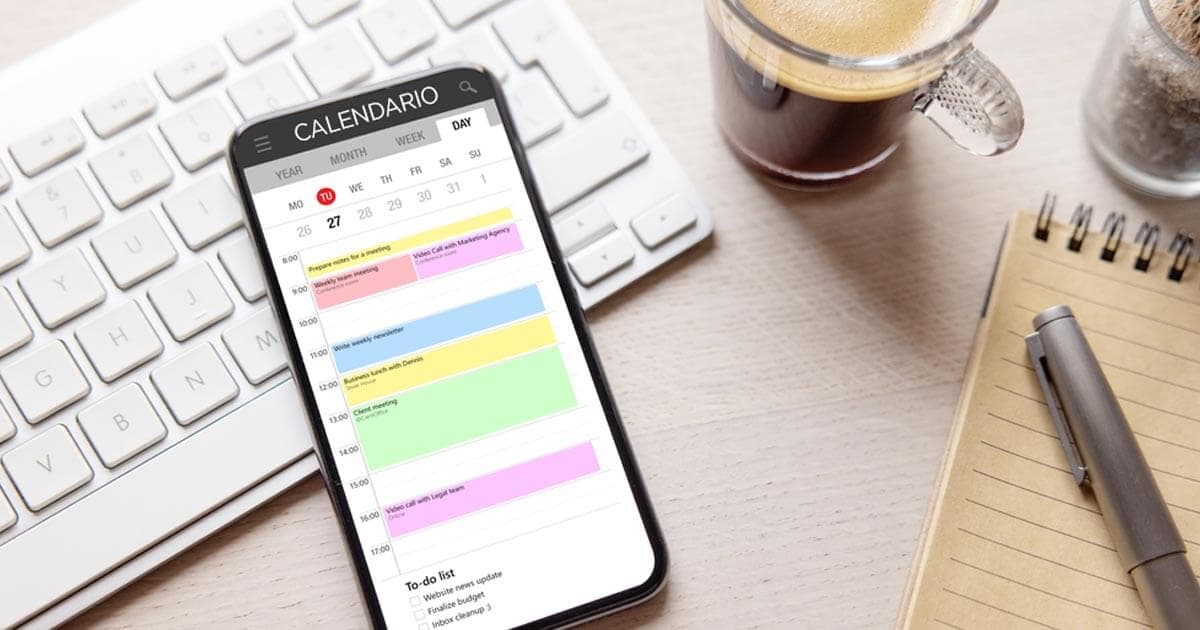
Three boundary lines first, so this doesn't collide with existing guides on the site: this article does not cover building booking UIs or timezone display — for building your own scheduling feature (the three timezone laws, RRULE, conflict-detection SQL, booking state machines), see the Calendar Booking in Practice guide; nor does it cover in-app notification centers (the bell icon, unread counts, push channel orchestration) — that's the Notification System guide's territory. This article answers exactly one question: when a user creates, edits, or deletes an event in their Google / Outlook calendar, how does your app notice within seconds, sync incrementally, and write back changes made in your app without conflicts?
This is the classic "looks simple, mines everywhere" feature. The three most common blowups in vibe projects: first, full-pulling the user's calendar every 5 minutes — once the user has real volume you slam into API quotas and get throttled by Google; second, trusting webhooks on arrival with zero signature verification, which is a public write endpoint for the whole internet; third, the user deletes an event on Google's side and your database still has it — the two calendars never agree again, and that's how trust dies.
This guide gives you the complete playbook: a three-tier integration-depth decision table + least-privilege OAuth + Google syncToken incremental sync + watch push renewal + Outlook delta query + change notification subscriptions + external-ID mapping with deletion tombstones + conflict resolution + timezone sync pitfalls + quota backoff + a compliance checklist. Every section ships with drop-in code. Follow it and you can turn a "working" calendar sync into a "trustworthy" one in a weekend.
1. Decide first: which tier of integration do you actually need?
90% of rework comes from picking the wrong tier on day one. Calendar integration splits into three tiers by "how two-way it is", and the cost differs by an order of magnitude:
| Tier | Capability | Typical scenario | Engineering cost |
|---|---|---|---|
| A. Read-only display | Pull the user's events for display, never write back | Schedule aggregation pages, "see how busy you are next week" | Low: one OAuth + scheduled pulls |
| B. One-way write | Only write events into the user's calendar (e.g. booking confirmations) | Booking systems, sending meeting invites | Medium: write API + idempotency keys |
| C. Two-way sync | Both sides read and write, with conflict resolution | Calendar apps, CRM timelines | High: everything in this article |
Decision advice: start at A by default; if B suffices, don't build C. The complexity of two-way sync isn't "calling the API" — it's conflict resolution, deletion propagation, token expiry, and push renewal, all that long-tail state. A practical litmus test: if the user edits an event title in Google Calendar, must your app reflect it within one minute? If "sometime tomorrow is fine", tier A plus hourly incremental pulls is enough — don't buy tier-C complexity.
One more upfront decision: which provider first. Google Calendar API v3 and Microsoft Graph map conceptually one-to-one (incremental tokens, push subscriptions, deletion markers), but the details differ everywhere. Recommendation: fully nail one provider first (Google is recommended — best docs, easiest sandbox), abstract a "sync engine" interface, then add the second behind an adapter. This article's architecture diagram is drawn exactly that way: the engine sits behind one adapter per vendor API.
2. OAuth: smallest possible scope, store tokens like passwords
The first gate of calendar integration is OAuth, and the pitfalls here aren't in code — they're in permission scope and compliance.
The two Google scopes you'll actually use:
https://www.googleapis.com/auth/calendar.readonly  # read-only: enough for tier A
https://www.googleapis.com/auth/calendar.events      # read/write events: tiers B/C
# Avoid https://www.googleapis.com/auth/calendar (full read/write incl. settings)
# unless you truly need to modify calendars themselves
The Outlook (Microsoft Entra ID) equivalents:
Calendars.Read        # read-only
Calendars.ReadWrite   # read/write events
# Prefer delegated permissions (user signs in and consents);
# application permissions need admin consent and can't subscribe to /me/events
Three hard rules:
1. Minimize scope, and be honest on the consent screen. Calendar scopes are restricted scopes at Google — going to production requires completing OAuth verification, including a third-party security assessment (CASA). That step routinely takes weeks, so queue it up on day one of the project, not the week before launch. Also, read-only scenarios should never request write scope: user drop-off on a consent screen showing "view and edit your calendar" is in a different universe from one showing just "view".
2. Encrypt refresh tokens at rest, and handle rotation. Access tokens live one hour; background sync runs on refresh tokens. Store them like passwords: encrypt with KMS/a key before writing to the database, never log them. Two Google specifics: there's a cap on refresh tokens per user per client (exceed it and the oldest gets revoked), and when a user removes your access in their Google account page, your next refresh fails outright — treat that as a "user disconnected" event, not something to retry three times and then error.
3. Disconnect means delete. When the user clicks "disconnect calendar" in your app, or a refresh failure tells you authorization was revoked, the sync engine must do three things: stop that user's push subscriptions/watch channels, delete (or at least tombstone as unavailable) the locally mirrored events, and write an audit log entry. This is a compliance red line — and the cheapest way to earn back user trust.
// Classified handling of token refresh failures (pseudocode, Google/Outlook alike)
async function refreshAccessToken(user) {
  try {
    return await oauth2.refresh(user.encryptedRefreshToken);
  } catch (err) {
    if (err.code === 'invalid_grant') {
      // User revoked access or token was revoked: not "retry", it's "disconnect"
      await handleDisconnect(user, 'user_revoked');
      return null;
    }
    throw err; // network jitter etc. - exponential backoff retry
  }
}
3. Google incremental sync: syncToken is the single source of truth
Google Calendar API v3's incremental sync is built around one opaque string, syncToken. The flow: your first events.list call goes without a syncToken (a full sync), and the response comes back with a nextSyncToken; persist it, pass it on the next call, and Google returns only events changed since then, plus a fresh nextSyncToken. Your entire sync state is that one string — lose it and you start over from scratch.
// Google incremental sync main loop (Node.js + googleapis)
async function incrementalSync(user, calendarId = 'primary') {
  let syncToken = await db.getSyncToken(user.id, calendarId); // may be null
  let pageToken = null;

  do {
    const params = {
      calendarId,
      singleEvents: true,   // expand recurring events into instances:
                            // full and incremental syncs MUST match!
      showDeleted: true,    // deleted events come back as status=cancelled - don't miss them
      maxResults: 250,
      ...(syncToken ? { syncToken } : {}),
      ...(pageToken ? { pageToken } : {}),
    };
    let res;
    try {
      res = await calendar.events.list(params);
    } catch (err) {
      if (err.code === 410) {
        // syncToken expired (Google retires old tokens periodically):
        // the only correct action is a full resync
        await db.clearSyncToken(user.id, calendarId);
        return fullSync(user, calendarId);
      }
      throw err;
    }
    for (const ev of res.data.items ?? []) {
      await applyEvent(user, ev); // see section 6: mapping + tombstones
    }
    pageToken = res.data.nextPageToken ?? null;
    if (!pageToken && res.data.nextSyncToken) {
      // nextSyncToken is only valid once ALL pages are consumed -
      // persisting it early drops events
      await db.saveSyncToken(user.id, calendarId, res.data.nextSyncToken);
    }
  } while (pageToken);
}
Three pitfalls, each one bitten in production somewhere:
1. singleEvents must be consistent end to end. If the full sync used singleEvents=true (recurring events expanded into instances), every incremental sync must too; mixing them makes Google treat it as a changed query and hand you a 410. Either choice works for your data model (see section 6) — just never change it afterward.
2. A 410 is not an error, it's a signal. syncTokens expire (Google makes no lifetime promises); the standard response to a 410 is: clear the old token, run one full sync, store the new token. People who treat 410 as an alert get woken by PagerDuty many nights — write it into code as a normal branch.
3. Persist nextSyncToken only after the last page. Save the token mid-pagination and the next incremental run starts from the middle — events on the skipped pages are lost forever. Loop on nextPageToken; persist the token when there is no next page.
4. Google push: the watch channel just "shouts"
Incremental pulls answer "how to ask efficiently"; push answers "when to ask". Google's events.watch POSTs a notification to your HTTPS endpoint when the calendar changes — but note: the notification carries zero event data, only a few X-Goog-* headers (channel id, resource id, resource state). The only correct action on receiving a push is to go back and run the section-3 incremental pull. Push is the trigger, pull is the source of truth — that's where the architecture diagram's hard rule comes from.

// Create a watch channel (one per calendar)
const { v4: uuid } = require('uuid');
async function createWatchChannel(user, calendarId = 'primary') {
  const channelId = uuid(); // channel id must be globally unique - use a UUID
  const res = await calendar.events.watch({
    calendarId,
    requestBody: {
      id: channelId,
      type: 'web_hook',
      address: 'https://api.yourapp.com/webhooks/google-calendar',
      token: signChannelToken(user.id, calendarId), // your own opaque string, anti-forgery
      params: { ttl: '604800' }, // seconds; default 604800 (7 days), must renew before expiry
    },
  });
  // res.data.expiration: millisecond timestamp - persist it for the renewal cron
  await db.saveChannel(user.id, calendarId, {
    channelId, resourceId: res.data.resourceId, expiration: res.data.expiration,
  });
}

// Webhook receiver (Express)
app.post('/webhooks/google-calendar', async (req, res) => {
  // 200 first - Google won't wait while you process; queue the work
  res.sendStatus(200);
  const channelId = req.header('X-Goog-Channel-Id');
  const channelToken = req.header('X-Goog-Channel-Token');
  const resourceState = req.header('X-Goog-Resource-State');
  if (resourceState === 'sync') return; // test message sent on channel creation - ignore
  const binding = await db.findChannel(channelId);
  // Verify the token: mismatch means discard - this is your webhook's only auth
  if (!binding || !verifyChannelToken(channelToken, binding)) return;
  await syncQueue.push({ userId: binding.userId, calendarId: binding.calendarId });
});
Three operational notes on the push side:
1. Channels expire — renew them. The ttl defaults to 7 days (604,800 seconds), and Google won't remind you when it lapses — it just quietly stops pushing. The right setup is a daily cron: find channels expiring within 48 hours and re-watch with a new channel id (Google requires unique ids; you can't reuse the old one), then retire the old one after success. Alert on renewal failure, because "push silently stopped" is the hardest failure to notice.
2. Push is unreliable; polling is the safety net. Google's own docs say push delivery isn't 100% guaranteed. So architecturally, always keep a fallback: run an incremental pull for active users every 30–60 minutes. Push is the fast lane, polling is the guardrail — walk on both legs.
3. The address must be public HTTPS and pass Google's reachability check. For local debugging, tunnel with cloudflared/ngrok (see section 11). Also, the webhook endpoint should only "verify + enqueue" — any slow work goes to queue workers. Google is sensitive to response timeouts, and slow handling counts as failed delivery.
5. The Outlook side: delta query + change notifications
Microsoft Graph maps one-to-one onto Google's concepts with different names: syncToken becomes @odata.deltaLink, events.watch becomes change notification subscriptions. After building the Google side, Outlook is mostly "translation" work — with a few unique pitfalls.
Incremental: calendarView/delta. Note Outlook uses calendarView/delta (a time-window view), not events/delta — it returns pre-expanded instances, which is naturally friendly for tier-A display scenarios:
// Outlook incremental sync: the deltaLink mechanism
async function outlookIncrementalSync(user) {
  let url = await db.getDeltaLink(user.id)
    ?? 'https://graph.microsoft.com/v1.0/me/calendarView/delta'
     + '?startDateTime=2026-01-01T00:00:00Z&endDateTime=2027-01-01T00:00:00Z';

  while (url) {
    const res = await graph.get(url); // with access token
    for (const ev of res.value) {
      if (ev['@removed']) {
        await applyTombstone(user, ev.id, ev['@removed'].reason); // deletion tombstone
      } else {
        await applyEvent(user, ev);
      }
    }
    // nextLink means more pages; only when you hold a deltaLink are you
    // "caught up" - that's when it's safe to persist
    url = res['@odata.nextLink'] ?? null;
    if (!url && res['@odata.deltaLink']) {
      await db.saveDeltaLink(user.id, res['@odata.deltaLink']);
    }
  }
}
Pitfall: deltaLinks go stale too (e.g. the user hasn't synced in ages) — Graph then errors and asks you to redo the full delta flow. Handle it exactly like Google's 410: drop the old link and start over. Also, @removed tells you "deleted" but not what it looked like before deletion, so your tombstone table should at minimum record the external ID and deletion time — useful for audits and "undo delete" compensation logic.
Push: change notification subscriptions. Creating a subscription is two steps: first POST /subscriptions, then Graph immediately sends a GET validation request with a validationToken to your notificationUrl — you must echo that token back (plain-text 200) within seconds, or the subscription is never created. This is where most first-time integrations fail: the validation request is a GET, not a POST, and the timeout is short.
// 1) Create the subscription (official max for event resources: ~7 days / 10080 minutes)
POST https://graph.microsoft.com/v1.0/subscriptions
{
  "changeType": "created,updated,deleted",
  "notificationUrl": "https://api.yourapp.com/webhooks/outlook-calendar",
  "resource": "me/events",
  "expirationDateTime": "2026-10-25T16:00:00Z",  // <= now + 10080 minutes
  "clientState": "<your-random-string>"      // echoed back on every notification - verify it
}

// 2) Validation endpoint: on ?validationToken=xxx, echo it back verbatim
app.get('/webhooks/outlook-calendar', (req, res) => {
  if (req.query.validationToken) {
    res.set('Content-Type', 'text/plain');
    return res.status(200).send(req.query.validationToken);
  }
  res.sendStatus(400);
});

// 3) Notification receiver: verify clientState, then only "trigger an incremental pull"
app.post('/webhooks/outlook-calendar', async (req, res) => {
  res.sendStatus(202);
  for (const n of req.body.value ?? []) {
    if (n.clientState !== expectedClientState(n.subscriptionId)) continue; // anti-forgery
    if (n.lifecycleEvent === 'reauthorizationRequired') {
      await syncQueue.push({ type: 'resubscribe', subscriptionId: n.subscriptionId });
      continue;
    }
    // The payload only says "something changed", never "changed into what" -
    // a delta pull is the truth
    await syncQueue.push({ type: 'delta', userId: n.userIdHint });
  }
});
Three Outlook-specific notes: renew subscriptions with PATCH /subscriptions/{id} updating expirationDateTime, ideally 24 hours before expiry; lifecycle notifications (e.g. reauthorizationRequired) are Graph's official channel for telling you "this subscription is about to die" — catching them beats blind scheduled renewal; and one subscription per user — creating duplicates is the fastest way to get throttled.
6. Data model: external-ID mapping table + deletion tombstones
The heart of the sync engine is one mapping table. It answers three questions: which local record does an external event map to? How far did the last sync get? And how do you prove something was deleted?
-- external_events: external calendar event <-> local event mapping
CREATE TABLE external_events (
  id            UUID PRIMARY KEY DEFAULT gen_random_uuid(),
  user_id       UUID NOT NULL REFERENCES users(id),
  provider      TEXT NOT NULL CHECK (provider IN ('google','outlook')),
  external_id   TEXT NOT NULL,          -- Google: event.id; Outlook: event.id
  local_id      UUID REFERENCES events(id),
  external_updated_at TIMESTAMPTZ,     -- the provider's updated field: for conflict resolution
  etag          TEXT,                  -- Google eTag: optimistic concurrency on write-back
  deleted_at    TIMESTAMPTZ,           -- tombstone: non-null = deleted on provider side
  UNIQUE (user_id, provider, external_id)
);
-- sync_state: per-user sync cursors
CREATE TABLE sync_state (
  user_id UUID, provider TEXT, calendar_id TEXT,
  cursor TEXT,            -- Google: syncToken; Outlook: deltaLink
  cursor_updated_at TIMESTAMPTZ,
  channel_id TEXT, channel_expires_at TIMESTAMPTZ,  -- for push subscription renewal
  PRIMARY KEY (user_id, provider, calendar_id)
);
How to store recurring events? Google stores a recurring meeting as one parent event with an RRULE (instances link via recurringEventId); Outlook uses a seriesMaster plus occurrences. Two strategies: tiers A/B should store expanded instances (simple queries, aligns naturally with singleEvents=true / calendarView); tier C only needs parent + exception instances if you support "edit this instance vs the whole series" write-back. Choosing the expanded strategy means doing reverse aggregation on write-back — the most grinding part of tier C, and one more reason for "use B if you can".
Deletions go through tombstones, never hard deletes. If the provider deletes an event and you hard-DELETE your row, the next full resync won't resurrect it (it's gone from the full set too) — so why tombstones? Troubleshooting and audit: "the user says Wednesday's meeting vanished from the app" — with a tombstone you can answer "synced as deleted from Google on Oct 14, 09:02"; without one you can only shrug. Keep tombstones 90 days, then archive (see the data-archiving guide's approach).

7. Conflict resolution: define the ruling before writing code
In two-way sync, conflicts aren't a matter of "if" but "when": the user changes a meeting time in Google Calendar while also editing its location in your app, and the two syncs meet inside the window. Code without a ruling rule can only guess blindly when they collide.
A practical resolution ladder for indie developers, in recommended order:
1. Timestamp LWW (last-write-wins): compare both sides' updated timestamps; newer overwrites older. Simplest to implement, good enough for 95% of personal-schedule scenarios. Watch out for clock skew: always use the provider API's returned updated, never the time you received the push — the latter is your clock, the former is the truth.
2. Field-level merge: time fields defer to the calendar side, description/notes defer to the app side. Fits products where "each side owns its turf", but write down the field-ownership table — otherwise in six months nobody remembers why locations keep getting overwritten.
3. Ask the user: when both sides changed the same event inside the sync window, mark it conflicted and let the user pick in the UI. That's the Notion/Linear-grade answer, but for a small team it means a conflict UI plus a state machine — unless conflicts are genuinely frequent, LWW plus a change notification ("your in-app edit was overwritten by Google") is the better deal.
// LWW resolution: Google-side event vs local mirror
async function resolveConflict(local, remote) {
  const remoteUpdated = new Date(remote.updated);          // the provider's truth clock
  const localUpdated = local.external_updated_at;          // provider time at last sync
  const localDirty = local.local_updated_at > local.last_synced_at; // local edits?
  if (!localDirty) return { action: 'apply_remote' };
  if (remoteUpdated <= localUpdated) return { action: 'push_local' }; // provider unchanged, write back
  // both sides changed: LWW
  return remoteUpdated > local.local_updated_at
    ? { action: 'apply_remote', notify: 'local_overwritten' }
    : { action: 'push_local', notify: 'remote_overwritten' };
}
One more guard on the write-back path: Google supports optimistic concurrency via eTag (If-Match); Outlook recommends re-reading before update for compare-and-swap. For a vibe project, "write-backs go through a queue + serialized per user" already clears the bar — queuing one user's writes in order eliminates most races.
8. Timezones: three pitfalls from the sync perspective
(Display-layer timezone questions — "what time to show" — belong to the booking guide's three timezone laws. This section is only about the sync-side pitfall of "how to store without losing information".)
1. Persist the provider's timeZone verbatim; don't convert to UTC and discard. In a Google event's start: { dateTime, timeZone }, the timeZone is the creator's intent ("9am meeting in Beijing time"). Converting to UTC for storage is fine, but you must also keep the original timeZone — when daylight saving flips, UTC times drift but intent doesn't.
2. All-day events have no time. Google uses start.date: "2026-10-20" (no dateTime) for all-day events; Outlook uses isAllDay: true. Parsing them as timed events is the standard cause of "all-day event off by one day" bugs. Give all-day events their own boolean column in the data model; don't mix them with timestamps.
3. Recurring instance timezones shift. A weekly standup created in Beijing time will have different UTC offsets on some instances after a DST transition. If you store expanded instances, always trust the per-instance times the provider returns on each incremental sync — don't compute them from the RRULE yourself. Let Google/Outlook do calendar math; you just move boxes.
9. Quotas, backoff, and batching: don't blow up the day you get users
Calendar API quotas are the "invisible until fatal" kind. Google Calendar API has per-project/per-user rate limits; Graph has finer-grained throttling (429 + Retry-After). Three life-saving strategies:
1. Route every API call through one rate limiter. Bucket by user, not by process — with multiple instances, process-level limiting is no limiting. Use Redis for a distributed token bucket, or a queue's built-in rate limiter like BullMQ's (see the background-jobs guide).
2. Exponential backoff + jitter on every 429/5xx. Base 1s, factor 2, 20% random jitter, cap 5 minutes. When Graph returns an explicit Retry-After header, obey it. Make "a 429 automatically slows that user's sync cadence" a policy, not a manual intervention.
3. Use batch endpoints, but don't abuse them. Google's batch endpoint packs multiple API calls into one HTTP request — great for "user just connected, first full sync". But individual failures inside a batch come back as a 200 with per-item error bodies, so check each one. Treat batch as "fewer TCP round trips", not "quota evasion".
10. Compliance and security: gates to clear before launch
1. Queue up Google OAuth verification early. Calendar scopes are restricted; production requires Google's OAuth verification flow including a third-party security assessment (CASA). Submission to approval is measured in weeks — start it in Google Cloud Console on day one. Have a privacy policy page and a data-deletion explanation ready — reviewers actually click them.
2. Least privilege plus a downgrade path. If your product later discovers "read-only was enough", you need a path from calendar.events down to calendar.readonly: re-consent, swap scopes, drain the write-back queue. Products whose scopes only ever escalate get challenged in security reviews eventually.
3. The webhook endpoint is a public endpoint. Google side: channel token; Outlook side: clientState plus the validation handshake. Beyond that: separate the validation endpoint from the receiver (GET validates / POST receives), dedupe notifications (Google may redeliver), and log source IP ranges for post-hoc audits. Never do heavy work inside the webhook — the day it gets hammered is the day your sync stalls.
4. The deletion chain must actually work. User disconnects → stop subscriptions → delete local mirrors → delete tokens, all in one transactional flow — and click through it yourself. "We have a delete button" and "delete actually deletes everything" are two different things under audit or user complaint.
11. Testing: time is the hardest thing to mock
The testing difficulty of calendar sync is "time" plus "an external system":
1. Keep two dedicated test calendar accounts. One each for Google and Outlook, test events with a fixed prefix (e.g. [synctest]), auto-cleaned after CI. Never run tests against your personal primary account — the day CI deletes your real schedule, don't say I didn't warn you.
2. Tunnel for local webhook debugging. cloudflared / ngrok exposing local port 3000 as public HTTPS; point the watch address at the tunnel. Tunnel URLs change on restart, so script automatic watch-channel recreation at startup.
3. Time-travel tests. Write dedicated cases: set the clock to one hour before channel expiry (did the renewal cron run?), to a DST transition day (are recurring instance times right?), and force a 410 (did the full resync run? was data lost?). These three cases cover 80% of production incidents.
4. Idempotency tests. Apply the same event three times in a row; the result must equal applying it once. This is the sync engine's lifeline — push redelivery, overlapping polls, and users hammering the "sync" button all manufacture duplicate deliveries.
12. Launch checklist
Check each item before shipping:
- Scopes are the minimal usable set; consent screen copy is honest
- Refresh tokens encrypted at rest; invalid_grant takes the "disconnect" branch, not retry
- Google: persist syncToken only after the last page; 410 takes the full-resync branch
- Google: watch channels have a renewal cron (48h before expiry), with a fresh channel id each time
- Google: webhook verifies X-Goog-Channel-Token; state=sync messages ignored outright
- Outlook: persist deltaLink only when received; @removed goes to tombstones
- Outlook: validationToken endpoint is GET and answers in milliseconds; clientState verified on every notification
- Outlook: subscriptions renewed (24h before expiry) or lifecycle notifications caught
- Push + poll dual-track: if push drops, the 30–60 minute poll catches it
- Conflict ruling documented; LWW uses the provider's updated timestamp
- User disconnect: stop subscriptions, delete mirrors, delete tokens — clicked through once
- Google OAuth verification submitted (or approved); privacy policy page reachable
One honest closing note: calendar sync is the kind of feature that takes an afternoon to get working and three months to make stable. Its complexity isn't in the APIs — it's in state. Tokens expire, pushes get lost, users revoke access, daylight saving wreaks havoc. Build this article's sync engine as an isolated module (one adapter each for Google/Outlook plus one set of cursor/tombstone/conflict logic), and you'll find the second calendar provider costs a third of the first. And the "incremental cursor + push trigger + tombstone deletion" trio transfers directly when you later build email sync, file sync, or CRM sync — the thinking is the same.
Comments (0)
Related articles

A customer pastes one line of script into their site, and your chat/booking/review component must run stably inside someone else's DOM: iframe + postMessage protocol, Shadow DOM style isolation, publishable keys with domain allowlists, version pins and performance budgets — the embeddable widget playbook.
Bots scraping your content, images, and product data around the clock? From Cloudflare's four-layer detection and JA3/JA4 fingerprints to signed URLs, watermark forensics, and an ROI checklist — a costed anti-scraping playbook for small site owners.
Buried in Claude Code's October 14 changelog: two quiet fixes for a bug that sent your third-party gateway API key to Anthropic on six request types — feature flag, startup, fast mode, profile, feedback, and server-managed settings. The model traffic was fine; the side requests were not. No CVE, no advisory. If you use ANTHROPIC_BASE_URL, upgrade, rotate your key, and audit your managed settings.