Signing the Deal Is Just the Start: Customer Success Playbook for Vibe Projects
Signing an enterprise customer is only day one. This guide gives solo developers a practical Customer Success playbook: a one-person health-score model, a 90-day onboarding plan, a 30-minute QBR one-pager, three expansion plays, a 5-step churn intervention SOP, and a minimal tool stack.

Let me draw the boundaries first, so you open the right guide: if you haven't signed your first enterprise customer yet, read The Solo Developer's Sales Basics (solo-dev-sales-guide) — that one covers before the signature: how to find customers, negotiate, and sign contracts. This guide covers after the signature: the money is in, but will the customer stay, renew, and grow into a second deal? That's Customer Success (CS). The technical side of going B2B — SSO, enterprise architecture, org-level multi-tenancy — has its own guide (vibe-project-sso-org-upgrade-guide). And if you're running a B2C subscription with users churning one by one and needing win-back, that's a different playbook (vibe-project-retention-winback-guide). Each covers one leg of the journey; this one only answers "how do you nurture an enterprise customer after the contract is signed." The short answer: a solo founder can absolutely run CS — as long as CS is a fixed SOP, not vibes and goodwill.
1. Why You Need Customer Success: B2B Renewal Logic Is Nothing Like B2C
B2C subscriptions sell on impulse and habit: users renew when it feels useful and quietly leave when it doesn't — all you get is a cancellation email. Enterprise customers are completely different: a renewal is never automatic; it's a re-sale. The person who signed (the decision-maker), the people who use the product daily (the users), and the person who approves the renewal budget are often three different groups. You can serve them perfectly, but if the decision-maker has heard your name once all year, someone will ask "are we still using this tool?" in the renewal review — and the money is gone.
The ROI math for a solo developer doing CS is actually excellent. Do the arithmetic: a ¥30k/year enterprise customer churns, and replacing them means a 2-month sales cycle at 5 hours a week — 40 hours plus months of uncertainty. Keeping an existing customer healthy costs you 1–2 hours a week: glance at the health score, reply to a few emails, make one 30-minute call per quarter. More importantly, retention and expansion compound — every year an old customer renews is one new customer you don't have to sell; every 10 seats they add is half a new customer sold, at near-zero acquisition cost.
So CS isn't a luxury reserved for big companies — it's the cheapest way to protect your most expensive revenue. What follows is a stripped-down solo version: no CS manager role, no elaborate customer tiers — every action compressed into a fixed routine that takes 1–2 hours a week.
2. Solo Health Score: Start With 5 Signals, Every Score Must Trigger an Action
A health score is the CS dashboard: it turns "is this customer doing well?" into a number from 0 to 100. The solo version needs no machine learning and no dozens of dimensions — 5 signals is enough to start. They share one requirement: you can compute them weekly from data you already have, with no extra tooling.
2.1 The Five Signals and Their Weights
| Signal | Meaning | Weight | Scoring rule (example) |
|---|---|---|---|
| Weekly active seat rate | Share of purchased seats with ≥1 login per week | 30% | ≥80% → 100 pts; 60–79% pro-rated; <60% → 0 pts |
| Core feature adoption | Share of monthly active seats using your 1–2 defined core features | 25% | ≥70% → 100 pts; 40–69% pro-rated; <40% → 0 pts |
| Seat utilization | Activated seats ÷ purchased seats | 15% | ≥90% → 100 pts; 70–89% → 60 pts; <70% → 0 pts |
| Ticket health | Open tickets + repeat reports of the same issue in 30 days | 15% | 0 open → 100 pts; −25 pts per extra ticket, floor at 0 |
| Key contact stability | Is the original sponsor/contact still there; any change in the last 30 days | 15% | Still in seat, no change → 100 pts; changed with handover → 50 pts; unreachable → 0 pts |
Total = sum of signal scores × weights. Example: a customer bought 20 seats; 17 active weekly (85% → 100 pts), 12 using core features (60% → ~86 pts), 19 seats activated (95% → 100 pts), 2 open tickets (100−50 = 50 pts), contact unchanged (100 pts). Total = 100×0.3 + 86×0.25 + 100×0.15 + 50×0.15 + 100×0.15 = 30 + 21.5 + 15 + 7.5 + 15 = 89 — green.
2.2 Red/Yellow/Green Thresholds With Mandatory Actions
A score that triggers nothing is decoration. The solo version has three bands, each bound to one action:
- Green (≥80): do nothing — but add this account to your "expansion candidate pool." Green accounts expand at 3×+ the rate of yellow ones (a consistent finding in community playbooks); don't waste that.
- Yellow (60–79): send a "light touch" email this week. A fixed three-sentence template: "Saw your team used XX heavily last week (specific number) — quick check, is that earlier ticket fully resolved? We have XX on next quarter's roadmap, interested?" The goal isn't problem-solving, it's staying on their radar so the decision-maker remembers you're alive.
- Red (<60): launch the 5-step intervention SOP from Section 6 within 48 hours. No email — book a call directly. Red accounts don't get "let's see next week."
 Figure 1: Customer health score data flow — analytics, tickets, and billing feed 5 signal extractors → weighted score (0–100) → red/yellow/green thresholds → each band binds a mandatory action
Two details matter: first, few signals, dead-simple thresholds. The classic solo-founder mistake is overbuilding the score until nobody maintains it. Five signals, updated weekly, 15 minutes. Second, watch the trend, not the absolute number: an account dropping from 92 to 78 is more dangerous than one parked at 65. Add a "last week" column; any drop over 10 points auto-flags red.
3. The Enterprise 90-Day Onboarding Plan: From Signature to First Value Moment
The first 90 days after signing are the danger zone. Community health-score retrospectives keep confirming the same pattern: customers who never reach a "first value moment" (their first reportable win with your product) within 90 days renew at less than half the rate. The 90-day plan splits those 90 days into 4 milestones, each with a deliverable and an acceptance bar:
| Phase | Timing | Milestone | Acceptance bar |
|---|---|---|---|
| Go-live | Day 0–14 | Accounts working: SSO connected, seats assigned, admin trained | 50% of purchased seats complete first login |
| First value moment | Day 14–30 | Help the customer produce one result they can put in a weekly report with your product | Contact confirms in their own words: "this saved us X hours / solved XX" |
| Full rollout | Day 30–60 | Core features reach 70%+ of purchased seats | Weekly active seat rate ≥70%; inactive list cleared or explained |
| Value recap | Day 60–90 | One-page value summary sent to the decision-maker | Decision-maker replies confirming; renewal intent clear; no major blockers |
Day 14–30's "first value moment" is the soul of the whole table. The classic solo-developer mistake is treating go-live as delivery — SSO wired up, accounts sent out, job done. But the customer didn't buy "usable"; they bought "useful." Take the initiative: in the first post-signature call, ask "what change do you want to see after 30 days?" — then personally walk them through it once. Script: "Manager Wang, I'd like to help you produce a Q3 recap with our reporting feature before month-end — I'll import the data and set up the template, you just confirm once. That gives you material for your internal reporting too." Don't wait for the customer to figure it out; walk the first lap for them.
At day 90, if all four milestones are green, the account moves to "steady state": weekly health-score checks, one QBR call per quarter. If any milestone missed, do not move to steady state — flag the account red and run the Section 6 SOP. An account that never finished onboarding renews on luck.
4. Solo QBR: A One-Page Template, Prep Compressed to 30 Minutes
QBR (Quarterly Business Review) is the B2B standard ritual: 30 minutes with the decision-maker each quarter to review usage, show value, align on roadmap, and tee up expansion. Enterprise QBRs take a week to prepare; the solo version must fit in 30 minutes of prep + 30 minutes of meeting. The trick is one unchanging one-pager with four blocks:
| Block | Content | Prep method (under 10 min) |
|---|---|---|
| 1. Usage review | Active seats this quarter, core-feature trend, vs. last quarter | Copy 3 numbers from the health-score sheet, draw one trend line |
| 2. Value story | 1–2 quantifiable wins: hours saved, business supported | Reuse the value moment from onboarding + wins the contact mentioned in passing |
| 3. Roadmap alignment | 2–3 features you plan next quarter; ask which they want most | Pick from your own dev plan — no custom builds for one customer |
| 4. Expansion hook | One expansion suggestion grounded in usage data (see Section 5) | Check seat utilization and activity trend; mention it live |
Meeting rhythm: first 10 minutes on usage and value ("this money was well spent"), middle 10 on roadmap ("this product keeps growing"), final 10 on expansion or referrals. Always close with one question: "If you recommended us to another department, how would you describe us?" — that single line confirms value and plants the referral seed at once.
The automated-QBR case studies from companies like PandaDoc point to a useful insight: 80% of QBR material can be assembled from existing data; the human is the other 20%. The solo version takes this to the extreme — fixed template, numbers copied from the health sheet, only four numbers and one sentence change each time. Never rebuild slides per customer; that's the road to burnout.
5. Three Expansion Plays: Usage-Triggered, Timing Beats Script
Expansion comes in three plays, ordered by trigger sequence. Timing is everything: propose when usage is climbing and perceived value is peaking, and it lands; propose right after they filed a bug while the score is yellow, and it's suicide.
5.1 Seat expansion: the easiest play
Trigger: seat utilization ≥90% for 4 straight weeks, or a "waitlist" (the contact mentioned "a few more people want in").
Script: "Li, I see 19 of your 20 seats are active, and marketing asked about access last week. Want to bump to 30 now? On annual billing I'll keep the new seats at your current price — no waiting for the price increase." Key point: argue with their data, not "our product is great" but "you've already outgrown it."
5.2 Tier upgrade: from basic to pro
Trigger: the customer asked twice in two months about pro-only features (API, advanced reports, audit logs), or "core feature adoption" sits at max — the basic tier no longer contains them.
Script: "Noticed your team asked about API access three times last month — that's a pro feature. I ran the numbers: upgrading your 20 seats to pro costs less per year than buying 10 more basic seats, and once the API is wired up your internal system stops needing manual exports. Want me to open a 2-week trial? Decide after you've run it." Key point: trial first, money later — turn the upgrade into "an already-validated decision."
5.3 Cross-department replication: from one team to the whole company
Trigger: the decision-maker volunteers in a QBR that "another department is asking," or a second domain from the same company shows up in signups/trials.
Script: "Manager Wang, at the last QBR you mentioned the East China region wants in too. I can put together a multi-department package: separate workspace for them, data isolation, and a company-wide bundle priced 20% below separate purchases. It also saves you from running procurement twice." Key point: lower the decision-maker's internal cost of pushing it through — the biggest blocker for cross-department deals is never money; it's that nobody wants to run the process again.
Don't invert the order: seats first (most natural), then upgrade (needs value groundwork), then cross-department (needs the decision-maker's sponsorship). Log every win in the health sheet as an "expansion record" — future-you will be grateful at NRR (net revenue retention) time.
6. Churn Early Warning & Win-Back: The 5-Step Intervention SOP Below Threshold
Red accounts (<60) get no "let's observe." Run these 5 steps within 48 hours, in fixed order, each with a defined output:
- Confirm the decision-maker (within 2 hours): first figure out who calls the shots now. The most common truth behind B2B churn is "the original signer left," and the newcomer never knew you existed. Output: one sheet naming today's decision-maker, day-to-day owner, and budget approver.
- Restore the call (within 24 hours): no email — book a 15-minute call. Fixed opener: "Zhang, I noticed your team's usage dropped recently and wanted to ask directly: is the product falling short somewhere, or has the business direction shifted?" — translate "you stopped using us" into an answerable question; never ask "is there anything I can help with," which only ever gets "no, all good."
- Clear the ticket queue (within 48 hours): zero out every open ticket for this account in one go. Fix what can be fixed overnight; for the rest, ship a workaround with a dated plan. Ninety percent of a customer's "feeling valued" comes from "someone owns my problems."
- Unblock (within 1 week): take the single biggest blocker surfaced on the call — nobody knows how to use it, a missing feature, an internal process jam — and kill it within a week. If it's a missing feature, give an honest ETA plus a temporary workaround; if it's "nobody knows how to use it," run a 30-minute training yourself.
- Front-load the renewal (within 2 weeks): once the blocker is gone, pull the renewal negotiation forward immediately. Don't wait until a month before expiry — by then you have no leverage. Script: "We've fixed the issue. To avoid going passive again, shall we move the renewal up to this month? I'll lock your current pricing and add 2 months free."
 Figure 2: Customer lifecycle intervention flow — signature → 90-day onboarding → QBR loop → continuous health-score monitoring → red alerts run the 5-step intervention SOP, green accounts with growth signals run the three expansion plays
One harsh truth to accept: let go of accounts the 5 steps can't save. A solo founder's time is the scarcest resource; burning a month on a doomed account costs you the expansion of two healthy ones. The SOP's purpose isn't only rescue — it's fast identification of the unsalvageable, so you can stop the bleeding. Archive it after the run, write three lines of retro (why it went red, which step failed, how to catch it earlier next time), and give your hours back to the green accounts.
7. Minimal Toolchain: Spreadsheet + Calendar + Email Templates, Runnable Solo
Solo CS needs no CS platform (Gainsight-class tools are for teams of dozens). The minimal stack is three things, all free or already in your hands:
7.1 The spreadsheet health dashboard
One online sheet (Google Sheets or Feishu/Lark tables): fixed columns — customer | contract end | decision-maker | weekly active seat rate | core feature adoption | seat utilization | ticket health | contact stability | total score | last week's score | status (red/yellow/green) | next action. Update every Monday morning, 15 minutes. Bake the weighting into formulas, color the bands with conditional formatting. This sheet is your CS system — don't underestimate it.
7.2 Calendar reminders: turn CS into fixed rhythm
- Every Monday 9:00: refresh the health sheet (15 min); flag yellow/red accounts to contact this week.
- Start of each quarter: send QBR invites to every green account, staggered — max 2 per week.
- 90 / 60 / 30 days before contract end: three-tier reminders. Day 90: send the value summary. Day 60: book the renewal call. Day 30: confirm the signing process is complete.
7.3 Email templates: three is enough
One template each for the yellow check-in, the QBR invite, and the renewal follow-up. Leave blanks (name, numbers, dates); change only the blanks each time. Note: red accounts don't get templates — they get phone calls. Templates save time on "fine" and "great" customers; firefighting needs a human voice.
The final accounting: 15 minutes weekly for the sheet + 1 hour for yellow emails and calls + 1 hour per customer per quarter for QBRs. With 10 enterprise accounts, that's ~2 hours a week in exchange for renewal rates that go from "luck" to "predictable" — plus a steady stream of expansion. That's the whole secret of solo CS: there is no secret, only fixed motions.
Signing the deal just gets the customer through the door. CS is what makes them stay, renew, and bring the neighbors. Starting today: every Monday morning, open your health sheet — your enterprise customers are worth those 15 minutes.
Comments (0)
Related articles

When enterprise procurement asks about security compliance, a solo developer is stuck between paying hundreds of thousands for certification and losing the deal. This guide breaks down the real cost of SOC 2 Type I/II, the budget path to stay in the pipeline (Type I first + security questionnaire + pen test report), how to pick Trust Services Criteria, automating evidence collection, and when you can skip certification entirely.

German users paying 5% extra in conversion fees on $19? This guide covers three currency strategies, the price-display pipeline, PPP localized pricing, anti-arbitrage, Stripe Tax compliance, and local payment rails — with code and a launch checklist.
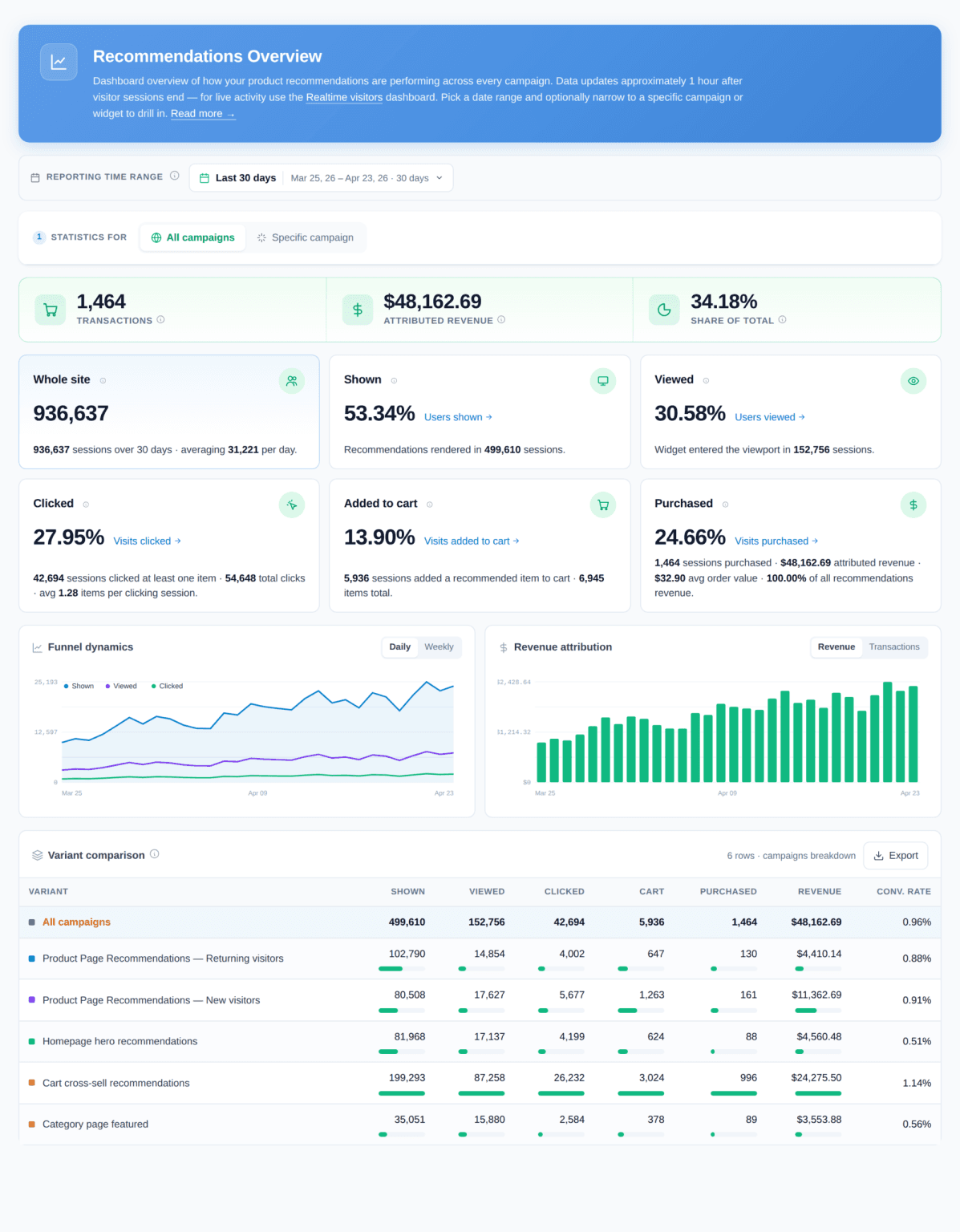
No ML team? No problem: rule-based ranking ships on day one, collaborative filtering kicks in after a few hundred events, vector retrieval joins when content scales — a three-stage roadmap with copy-paste SQL and scripts, plus cold-start tactics and 8 pitfalls.