Don't Leave Your Fans Nowhere to Pay: Donations and Tipping for Vibe Projects
Tipping is not begging: it is the smallest way for people who like your product to pay you. This guide covers the four tipping forms, tier design, the right moments to ask, copy that respects users, platform vs self-built integration, fraud and refund handling, and the three metrics worth watching.
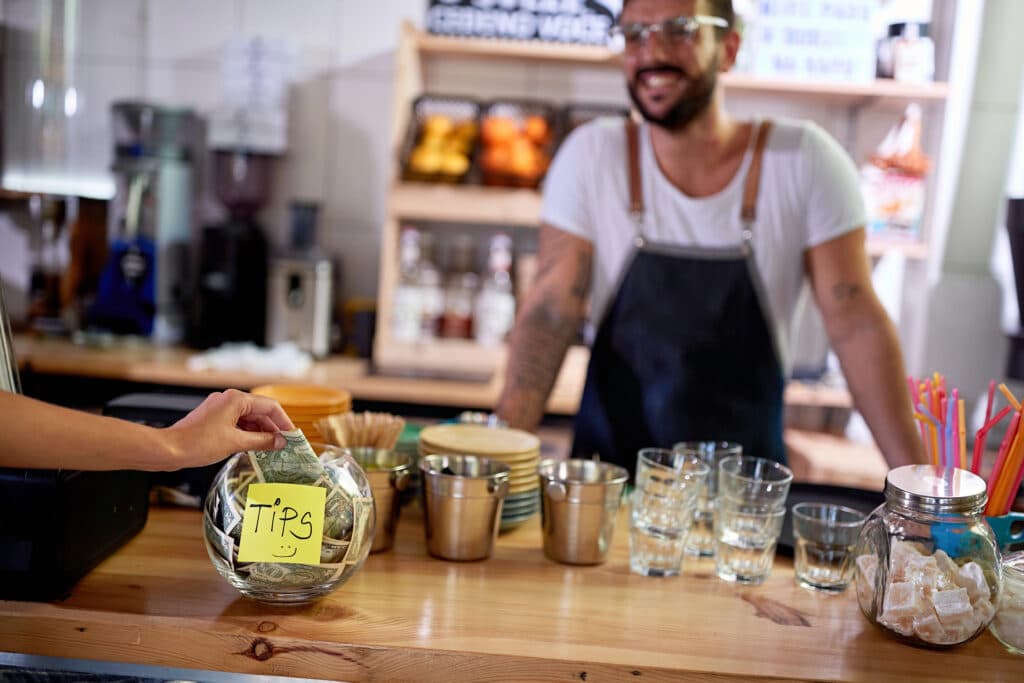
People use your product every day. Some praise it in a group chat, some forward it to friends — and your revenue column still reads zero. It is not that users are stingy. You have never given them a place to pay. Donations and voluntary payments are that place: no paywall, no locked features, just the smallest possible way for people who like your work to say so with money. This guide is about opening that slot in the right place, with dignity, and in a way that keeps paying.
First, the boundaries. The site already has a guide on four ways indie developers monetize open source — sponsorships, open core, dual licensing, paid hosting. This guide covers the hands-on implementation of just one of those paths inside a product: the forms tipping can take, the amounts, the timing, the copy, and the integration. Another published guide covers pricing and paywall design — what to charge and when to charge. Tipping is not a paywall. A paywall says "pay or stop using it." Tipping says "use it freely, and pay if you like it." Paywalls protect the revenue floor; tipping adds upside on top. This guide does not cover subscription pricing or paywalls — only voluntary payment.
All products, people, and figures in this guide are fictional examples: the fictional product is "Squirrel Notes," a personal note-taking tool, and the fictional user is "A-Yuan." All donation figures are illustrative fictional numbers, not revenue data from any real product.

1. First, check whether your product deserves tips
Not every product should add tipping. Run three checks first. Fail any one of them, and fix the product before you add a tip jar.
Check one: is there an "aha moment"? That is the first time a user does something with your product that they could not do — or could only do with great effort — on their own. For Squirrel Notes, the aha moment is pasting a messy meeting transcript and getting a clean to-do list back with one click. Without an aha moment, users do not even reach "I like this," let alone "I will pay for this." A quick test: look through your user feedback. If anyone has ever written "this feature saved me" or "I use it every day," you pass check one.
Check two: do you have enough frequent users? Tipping is a low-frequency behavior. Conversion typically runs from a few per thousand to about one percent. If your product has only two hundred monthly active users, a 1% conversion rate means two tips a month — not worth the maintenance cost of the feature. A rule of thumb: consider tipping once monthly actives pass one thousand. Below that, spend the energy on acquisition and retention instead.
Check three: is the user the beneficiary? Tool products collect tips most easily because the person using the tool is the person benefiting from it. If your product helps A do work so that B pays for it — say, a reporting tool used by employees but bought by their boss — tipping struggles: the user has neither the money nor the motive. Confirm that the person using it and the person willing to pay are the same person.
Pass all three and keep reading. Fail one and do not despair: tipping is cheap to build, so put it on the backlog and add it when the user base grows.
2. Four forms — pick the right one before you build
Tipping is not just "paste a payment code somewhere." There are four common forms, each with its own fit. Picking the wrong form is worse than doing nothing.
One-time tips. The user clicks, picks an amount, pays, and leaves. This is the classic fit for tool products. The advantage is the lowest possible barrier — no commitment, no psychological weight. The disadvantage is unstable income: tips arrive this month and may not arrive next month. Best for free tools and solo-maintained side projects. It is also the cheapest to build: a single payment link is enough.
Recurring sponsorships. The user gives a fixed amount every month, like a monthly show of support. The advantage is predictable income — you can tell whether next month justifies full-time work. The disadvantage is a much heavier decision for the user, so conversion runs an order of magnitude lower than one-time tips. Best for products with a loyal core audience and steady updates. One red line: once a recurring sponsorship comes with sponsor-only features, it stops being a tip and becomes a subscription, and pricing, refunds, and tax must be handled as a subscription. Do not sell subscriptions under the banner of tipping.
Goal-based tipping. You set a concrete goal — "when we reach $500, I will build PDF export" — with a public progress bar. The advantage is the strongest possible reason to pay: money is tied to a feature the user wants. The disadvantage is that missing the goal burns trust, so assess whether you can deliver before you announce a target. Best for products with a clear backlog that users keep asking about.
Tips with acknowledgment. After tipping, the user gets something non-functional in return: their name on a thank-you wall, a personalized thank-you note, a special badge. The advantage is the feeling of being seen, which produces the highest repeat-tip rate. The disadvantage is the ongoing work of maintaining the thank-you wall. Best for products with a strong community element.
The decision is simple: ask what the user wants most right now. If they want to "say thanks," pick one-time tips. If they want you to "keep shipping," pick recurring sponsorships. If they want "that feature, faster," pick goal-based tipping. If they want to "be remembered," pick tips with acknowledgment. Do not launch all four at once: the more entry points, the less users know which one to click, and conversion drops. Ship one, watch the data for a month, then decide whether to add a second.
3. Amount design: default tiers matter ten times more than custom amounts
Here is a counterintuitive finding: users do not refuse to tip because they cannot decide how much. They refuse because deciding costs effort. Hand them the "how much" question and they close the dialog. Give them preset tiers and they only have to choose, not invent.
How many tiers? Three is enough. The low tier is the price of a coffee — say $1 or $2 — so a first-time tipper feels zero pressure. The middle tier is the price of a lunch — say $5 or $10 — and this is the tier most people pick, so make it the preselected default. The high tier is a serious show of support — say $20 or $50 — for your most loyal users. Keep the tiers roughly in a 1:5:15 ratio. Too close together and there is no meaningful choice; too far apart and nobody clicks the top tier.
Keep a custom-amount field, but do not put it front and center. A small "custom amount" link under the tiers, opening an input on click, is enough. In practice fewer than 5% of tippers use it — but without it, high-tier supporters feel boxed in. Keep it, but do not count on it for revenue.
One more detail: say where the money goes. "Support the developer to keep maintaining this" works far better than a bare "Donate" button. Even better, be specific: "Your tip pays the server bill." Users are not unwilling to pay; they are unwilling to throw money into a black hole.
4. Timing: ask when the user is happiest
Where the tip prompt appears, and when, decides about 80% of your conversion rate. The rule is one sentence: show it right after the user has just finished something worth celebrating, and leave them alone the rest of the time.
The three best moments: first, right after completing a core task. A Squirrel Notes user has just tidied a messy note and hit export — a light prompt like "Like this feature? Buy the developer a coffee" converts best here. Second, at usage milestones — day 7, day 30 of consecutive use — shown once, not daily. Third, right after the product solved a painful problem, when gratitude is at its peak.
The three worst moments, never to be touched: first, the moment the app opens, before the user has gotten any value. Second, right after an error — your product just broke, and you want money? Third, every single time the app opens. The first time is a reminder; the third time is harassment, and users uninstall.
Frequency has a hard number: the same user sees a tip prompt at most twice in 30 days, and users who have already tipped are not prompted again for 90 days. Encode this rule; do not rely on willpower. For the permanent entry point, a link in Settings or on the About page is enough — people who want to find it will find it, and people who do not want it will never be bothered. Pop-up prompts appear only at the three good moments above, must be dismissible with one click, and must stay dismissed once closed.
5. Copy: how to ask without sounding like begging
Tipping copy fails in two ways. One is groveling — "please support us, the author can barely afford food" — which makes users close the dialog. The other is entitlement — "if it is useful, pay up" — which makes users uninstall. Both are wrong. The right tone is: eye-level, specific, and always offering a way out.
Eye-level means you and the user are equals: you delivered value, the user voluntarily returns it. No sob stories, no guilt trips. Pity buys one sympathetic tip, never a steady income; guilt buys an unfollow. Before shipping any copy, read it once and ask: if I were the user, would I feel respected?
Specific means connecting money to something concrete. "Buy me a coffee" beats "support us" because it paints a picture; "your tip pays the server bill" beats "support the developer" because the user knows where the money goes. The worst copy is the word "Donate" next to a payment code, with no reason to give at all.
Offering a way out means there is always a "No thanks" option, and it is just as easy to click as the tip button. When a user clicks "No thanks," do not follow up, do not rephrase and ask again. One refusal is a refusal. Respect the people who decline, and they may come back to pay later.
Here are three templates you can adapt. After a core task is done: "Done! If this feature saved you time, how about buying the developer a coffee?" At a milestone: "You have used Squirrel Notes for 30 days straight — you are an old friend now. If you like it, a coffee keeps it updated." As the permanent entry point in Settings: "Squirrel Notes is free to use. Your tips pay the server bill. Giving is optional — what matters most is that it works well for you."
6. Integration: use an existing platform first, do not build your own on day one
There are two tiers of integration. Tier one is an existing platform: Buy Me a Coffee, Ko-fi, Patreon, or Afdian. Create an account, get a link, drop it into your product, and you are live in half a day. The advantage is zero development — payments, refunds, and tax are the platform's problem. The disadvantage is the platform's cut (usually around 5% to 10%, varying by platform — check the fee page at the time you sign up) and the fact that users leave your product to pay, which costs conversion.
Pick a platform on three points. First, where your users are: for a mostly Chinese audience, Afdian or WeChat tipping is smoother; for a mostly overseas audience, Buy Me a Coffee or Ko-fi is more universal. Second, how easy it is to withdraw: check the rules before signing up — minimum withdrawal, payout timing, fees — and do not discover after three months that your money is stuck. Third, whether the platform might change its rules overnight: keep the tip link configurable, never hard-coded, so you can swap platforms in ten minutes.
Tier two is a minimal self-built setup: Stripe Payment Links, or your local payment provider's payment-link capability, wired to your own tip page. This fits products that already have paying users and more than roughly $150 a month in tips. Self-built means lower fees, smoother UX, and full ownership of the data — at the cost of handling refunds, invoices, and tax yourself. The decision rule is simple: if a platform's yearly cut exceeds two days of your pay, self-build is worth it; otherwise, stay on the platform.
When you self-build, keep at least four tables: tip records (who, how much, when, which channel), refund records, user tipping status (have they tipped, when was the last time — used for frequency control), and goal progress (if you use goal-based tipping). Do not store tip amounts and user identity in the same table — if data leaks, the damage is halved. Always verify the signature on payment webhooks. Log the callback first, then process the business logic, and never trust a callback that has not been verified — forging a "payment succeeded" callback is cheaper than you think.

7. Risk control: fraud, refunds, and tax surprises
Three things will come knocking after you launch tipping. First, fraud: someone tips you with a stolen credit card; days later the bank files a chargeback, and you refund the money plus a chargeback fee. Countermeasures: cap single tips (say $80), route anything above the cap to manual confirmation, hold tips from new users for 24 hours before settlement, and block multiple rapid tips from the same payment account.
Second, refunds. A user tips and changes their mind; platforms generally support the refund. The principle: do not fight over small amounts. Arguing over a few dollars costs more in time than the money itself. Publish the refund policy under the tip button: "Refunds available within 7 days of tipping — contact us at ..." A clear refund policy actually makes hesitant users more comfortable tipping.
Third, tax. Tip income is income, not a gift. Once it passes your local threshold it must be declared — in China, individual developers typically report it as labor remuneration or business income, subject to local rules; do not invent your own classification. Start bookkeeping from the very first tip: export the platform statement monthly and keep a separate ledger. Catching up when the tax office comes knocking costs ten times more than keeping records from day one.
8. Metrics and review: watch just three numbers
After launch, check three numbers a week. More than that is noise. First, tip conversion rate: tippers divided by monthly active users. A healthy range is roughly 0.3% to 2%. Below 0.3%, your entry point is too deep or your timing is wrong. Above 2%, your users love you deeply — time to add recurring sponsorships. Fictional example: Squirrel Notes has 5,000 monthly actives and received 40 tips in a month — a 0.8% conversion rate, inside the healthy range.
Second, average tip size: total tip revenue divided by number of tips. If it hugs the lowest tier, your tiers are set too high, or the middle tier is not preselected. If it keeps hitting the top tier, add an even higher one. Fictional example: 40 tips totaling $360 gives an average of $9 — right on the middle tier, which means the tier design is working.
Third, repeat-tip rate: the share of tippers who tip again within three months. Above 20%, your acknowledgment and thank-you wall are working. Below 5%, users forget you after tipping — the problem is not the amount, it is that the product has not given them a new surprise since.
Review monthly, thirty minutes, one change at a time: this month the tiers, next month the timing, the month after the copy. Change one variable at a time or you will never know which change worked. If all three numbers stay flat for three straight months, tipping has hit its ceiling — put the energy back into the product.
9. Launch checklist and common pitfalls
Tick every item before launch: the tip prompt appears only at the three good moments, never on first open or after an error; the same user sees it at most twice in 30 days, and tippers are not prompted again for 90 days; three default tiers are set, the middle one preselected, custom amount kept; the copy has been read three times — no sob story, no guilt trip, and a clear "No thanks" exit; payment webhooks are signature-verified, and the tip, refund, and user-status tables exist; the refund policy sits under the tip button with a real contact email; the tip link is configurable so a platform problem can be swapped out in ten minutes; the bookkeeping sheet exists and can record the first tip the day it arrives.
Finally, the five most common pitfalls. One: a full-screen tip modal the user cannot close — the fastest way to get uninstalled. Two: only two tiers, $1 and $200 — users find one insulting and the other absurd, and click neither. Three: no acknowledgment at all after a tip, not even a thank-you — they will not tip twice. Four: planning next half-year's expenses around tip income — tipping is a bonus, not a foundation. Five, the easiest to overlook: on launch day, write one line in the changelog — "Added a tip option. If you like it, you can buy the author a coffee." Long-time users will feel respected, not harvested.
Tipping is simple when you strip it down: build the product well first, so that at some moment a user genuinely thinks "this helped me" — and then, at exactly that moment, hold out an empty cup and ask, "would you like to buy me a coffee?" Too early and it is begging. Too late and it is a missed chance. Right on time, it is a dignified little business.
Comments (0)
Related articles
A gift card is not a coupon with a different name: the giver pays first, the recipient spends later, and the money is a liability until it is spent. This guide covers the three forms, the five-step purchase flow, redemption code design against brute force, the balance ledger, fraud prevention, refunds and support, and a 14-item launch checklist.

A user asks to pause for two months — and the only button you have is cancel. This guide splits pause, downgrade, and cancel into three choices, explains Stripe's two pause modes and the three invoice behaviors, covers read-only access and data retention during the pause, walks through the three things that break at resume time, and ends with a save funnel and a 12-item launch checklist.

Users sign up and then hear nothing for 30 days — and quietly leave. This guide builds the lifecycle email sequence that fills that gap: a welcome and activation run for days 0, 1, 3, and 7, three behavior-triggered habit emails after the aha moment, at 80% of quota, and after 14 days asleep, plus win-back execution, frequency caps, unsubscribe rules, and how to measure it with activation conversion instead of open rates.