Email Verification and Password Recovery: The Practice Guide for Vibe Projects
Email verification and password recovery are two locks on the same door: one proves an address is yours, the other proves you can get back in after losing the key. This guide covers link vs code, token rules, session handling, rate limits, special cases, and a 15-scenario launch checklist.
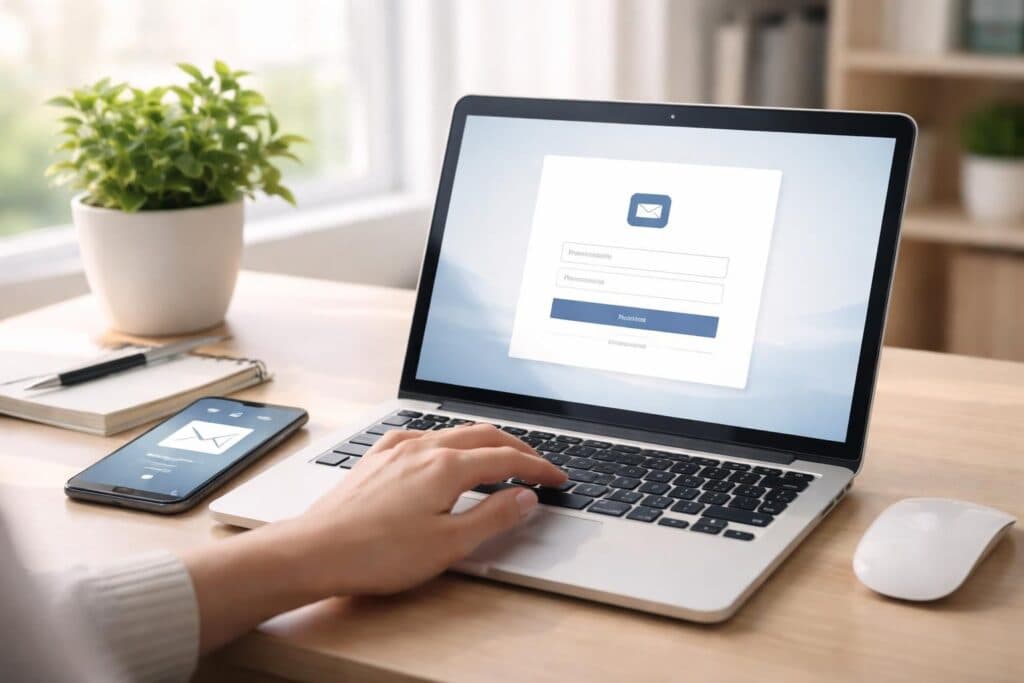
First, the conclusion: verification and recovery are two locks on the same door

Many vibe projects launch with a signup flow of three steps: enter an email, set a password, land on the home page. It looks done, but it hides two time bombs. First, you do not know whether that email actually belongs to the user, so notifications, bills, and password-recovery mail may all go to someone else. Second, once a user forgets the password, there is no reliable way back — only manual support, or churn. These two things are two locks on the same door: email verification proves "this address is yours", password recovery proves "you can prove it is you after losing the key". Fitting both before launch is far cheaper than retrofitting them after.
All examples in this guide are fictional (people, product names, and figures are illustrative). They describe generic practice, not any specific framework or provider. Map them onto your own stack as you read: the mail service, database field names, and frontend routes may all differ, but "a token is single-use, must expire, and must not reveal whether an account exists" holds in every stack.
Email verification: link or code — which one?
The two common approaches are verification links and numeric codes, each fitting a different context. Links suit desktop-first products: the user clicks in their inbox and returns to the site verified. The steps are few and the error rate low — but some corporate mailboxes auto-visit links for security scanning, so a link can arrive "already used" before the user ever clicked it. The fix: the link should open a confirmation page, and only a second click on "confirm verification" completes it. Scanners open pages; they do not click buttons.
Codes (usually 6 digits) suit mobile-first products, or users who mostly sign up on a phone: no bouncing between inbox and app, just copy a number and continue. The cost is three extra states to handle — wrong entry, expiry, resend — plus brute-force protection: six digits is only a million possibilities, and without rate limiting that is no protection at all. Either way, set expiry: links typically 24 hours, codes typically 10 to 15 minutes. When expired, do not quietly extend — let the user request a resend.
One state is often overlooked: what can an unverified account actually do? I suggest two tiers. Tier one: browsing and basic features work, but money, publishing content, and changing critical settings require verification. That keeps new users out of a wall while blocking high-risk actions before ownership is confirmed. Tier two: verification required before entry at all — right for finance, healthcare, and paid products. Choose by product risk, not convenience — and if you choose tier one, document which actions are locked, so users do not discover it at the payment step.
Five details of the verification email itself decide whether it lands in spam
First, a fixed sender domain and a human-sounding sender name. Not noreply@ on a random subdomain, and not a different sender name every time. Users recognizing you in the inbox raises both open rates and trust. Second, a subject line that states the action and the product name, such as "Please verify your email for [Product]" — not "Important notice", which says nothing. Third, one thing only in the body: the link or code, the expiry time, and "if you did not sign up, please ignore this email". Do not upsell new features in a verification email; at this step, distraction is the last thing users want.
Fourth, resends need restraint: at least 60 seconds between resends, and a daily cap per address (say, 5), beyond which the message is "please try again later" rather than another send. That prevents harassment and stops someone from using your sending quota to bombard another person's inbox. Fifth, changing email re-triggers verification: when a user changes their address in settings, the old verification status must not carry over; the new address goes through verification, and the old address gets a "your account email was changed" alert. Many account takeovers enter through the "change email without verification" gap.
Password recovery: four iron rules for the token
Recovery centers on a reset token with four iron rules: single-use, expiring, unguessable, and silent about account existence. Single-use means the token dies after one use — even if the user refreshes the new-password page or submits twice, the second attempt must request a new token. Expiring means reset links typically expire in 1 hour, never more than 24; an expired page should say plainly "this link has expired, please request a new one", not vaguely "an error occurred".
Unguessable means tokens come from cryptographically secure randomness, at least 32 bytes — never from auto-increment IDs, timestamps, or hashes of user IDs. Store only the token's hash in the database, not the plaintext: if the database leaks, an attacker gets hashes, not usable reset links. The same logic as password hashing applies: anything directly usable gets hashed before storage.
Silent about account existence is the easiest rule to miss. After entering an email on the recovery page, the page must show the same sentence whether or not the address is registered — for example, "If this email is registered, you will receive a reset email". Showing "email sent" for registered addresses and "this email does not exist" for unregistered ones hands attackers a directory of registered emails. Likewise, recovery mail only goes to registered addresses, but the page copy stays identical.
Three traps inside recovery: old password, sessions, notification
The first trap is the old password. After a reset, the old password must die immediately — obvious. What gets missed: sessions logged in on other devices. My advice: after a password reset, invalidate all other sessions by default, keep only the current session, and tell the user "other devices have been signed out". A user who just went through a "maybe my account was stolen" flow will feel reassured; if the attacker's session survives the reset, the whole flow was pointless.
The second trap is session state during reset. If the browser is still logged into the old account when the user opens the reset link, do not skip identity checks; if it is logged into a different account, sign out first. The clean approach: the reset page does not depend on login state, only on the token; after a successful reset, the user signs in again with the new password instead of auto-entering the old session. One extra sign-in buys a clean, auditable flow.
The third trap is notification. After a successful reset, send the account email a "your password was just changed" notice with the time and approximate device or IP location (city level is enough — not street level), plus "if this was not you, contact us immediately". This notice is not spam; it is the user's last line of defense for spotting something wrong. Note: the notification must contain no reset link and no new password — it notifies, it does not open another door.
Rate limiting and abuse: do not let verification become someone's free mail machine
Verification and recovery endpoints are among the easiest to abuse site-wide, because they need no login. Limit every request type on three axes: IP, email, and device. For example, at most 20 recovery requests per IP per hour, 5 per email per day; beyond the limit, return a uniform message, and do not reveal which axis tripped. Should the limit message differ from the normal message? No — quite the opposite: the more uniform the outward response, the harder it is for attackers to probe via response differences. Log which axis tripped internally, for your own debugging.
Code guessing needs limits too: after 5 consecutive wrong entries, the code dies and the user must request a new one; do not give precise "attempts remaining" feedback — vagueness is safer. Should you add CAPTCHAs? My view: rate limits plus invalidation cover most cases; if automated attacks genuinely target you, add a challenge at the resend and recovery entries — not a gate for every user from day one. Users ultimately pay the cost of security friction; one fewer gate is one fewer gate.
Logging and audit: after an incident, you must answer four questions
Logs for verification and recovery must answer four questions: who requested verification or recovery, and when? When was a token generated, used, or expired? When was the password changed? Was there an anomalous login afterwards? Do not log token plaintext or new passwords — only a hash prefix, the time, and the result. Keep logs 90 days to a year per your compliance needs, then roll them off.
Audits also catch "slow attacks": one IP trying twice a day looks harmless, but hundreds of IPs doing it together only show up in aggregated logs. Review anomaly stats weekly (spiking failure rates, one email requested at high frequency, odd late-night peaks) — far more useful than digging through logs after an incident. For a vibe project, no heavy security platform is needed; a scheduled script producing simple stats is enough. What matters is that someone actually reads it.
Three special users: social login, email change, lost email access
First, social login (GitHub, Google, and similar). These users may have no password in your system at all, so the password-recovery flow does not apply to them. The right approach: say so plainly in account settings ("You currently sign in with [Provider] and have no site password") and offer a "set a site password" entry that goes through email verification rather than setting one directly. Conversely, if a user signed up by email and later linked a social account, un-linking the social account must first confirm they still have a usable sign-in method (email password or another provider) — do not let them lock themselves out. The list of sign-in methods should be visible at a glance in settings, not buried in a database field.
Second, email change. The flow should be: the new address only takes effect after verification passes; until then the old address stays usable; and the old address gets an alert. Do not make it "type a new address and it takes effect instantly, old address dead at once" — one typo and the account is unrecoverable. Changing email needs its own protection: require one identity check first (enter the current password, or click a confirmation link in the old inbox), then new-address verification. Both steps complete, then the change is done.
The hardest case is the third: the user cannot access the registered inbox at all. Self-service cannot help; only manual verification can. Set the manual standard in advance and write it into the support handbook: check registration time, last successful login device, recent order information, a bound phone number (if any). After passing, support should "help the user re-bind to a new email", not "reset the password to a value and tell the user" — the latter means support holds the user's password, which is riskier. Log every manual action: who did it, which items were checked, when the re-bind happened. A manual flow without audit records is the source of the next security incident.
Deliverability: only three things directly tied to verification
Verification-mail deliverability is its own topic; here are only three things directly tied to the verification flow. First, handle bounces: when a verification email bounces (address does not exist, inbox full), mark that address "delivery failed" instead of resending forever. On next sign-in, prompt: "Your verification email bounced — please check whether the address is correct". Second, send verification mail through a dedicated transactional channel, not the same sending domain and IP pool as marketing mail — a marketing complaint spike can drag verification mail into spam with it. Third, the verification link's domain must match your product's main domain; do not route through a link shortener, a classic phishing-mail trait that both mail providers and users distrust.
None of this requires becoming a deliverability expert, but each item directly decides "does the user actually receive the verification email". However rigorous the flow, if users never receive the mail, it is all zero. Before launch, beyond the fifteen scenarios below, send yourself a real test mail: register a test account and check Gmail, Outlook, QQ, and 163 each — confirm the verification mail lands in the inbox, not spam. Ten minutes of testing can block a whole class of "launched but nobody can verify" incidents.
Test checklist: run these fifteen scenarios before launch
Verification side: receiving mail after signup, completing verification by clicking the link, expired-link prompt to resend, old link invalid after resend, corporate pre-scanning not causing false verification, high-risk actions correctly blocked before verification, old verification invalid after email change with new address re-verified, duplicate-signup prompt for the same email not leaking information. Recovery side: receiving mail after requesting, expired-link prompt, used-link second open rejected, old password invalid after reset, other-device sessions kicked, reset-success notification delivered, unregistered-email page copy identical to registered, consecutive wrong codes causing invalidation. Write these fifteen as test cases and pass them all before launch; any failure maps to a moment real users will actually hit.
One last reminder: users never notice good verification and recovery — until the day they switch phones, forget a password, or suspect a theft, when they suddenly discover whether the system saves them or blocks them. Fit these two locks first, then build the visible features. That order is what makes a product one people can trust.
Comments (0)
Related articles

A coupon is not a discount, it is a rule set: who can claim, how many times, where it applies, whether it stacks, what happens on expiry and refund. This guide covers four code types, stacking, abuse prevention, thresholds, subscriptions, channel tracking, and a launch checklist.

This guide covers what happens after someone leaves: the departure checklist, the handover pack, external-first revocation order, audit and review, and a simplified version for small teams where one person wears many hats. All example products and people are fictional.

Good prompts scatter across chat histories and must be found and tested again each time. This guide shows how to build a reusable prompt template library: a five-part template structure, task-based organization, variables and versions, three pre-entry test groups, and measuring, deprecating, and promoting, with an entry checklist.