Never demo on luck: the five-minute live demo script, backups, and recovery lines for vibe projects
A demo is not a feature tour: in five minutes the audience can only remember one story, one image, and one moment of contrast. This guide gives the five-minute script — one problem, one spine, one climax — plus the iron rules for demo accounts and demo data, a backup for every common failure, thirty-second recovery lines for when it stalls, remote-demo adjustments, and Q&A preparation.
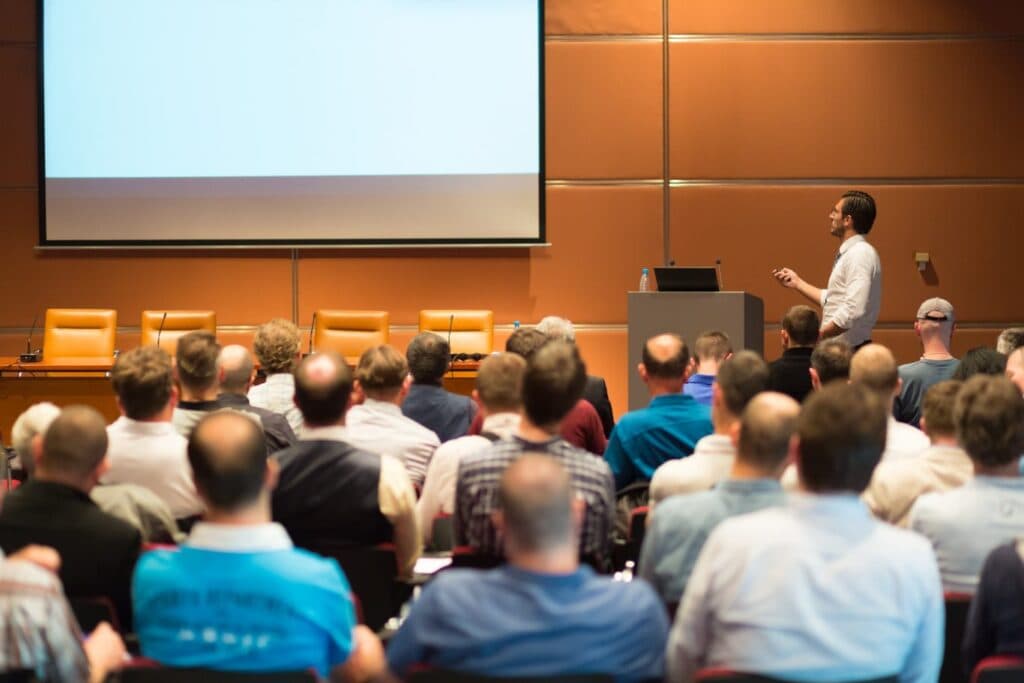
A demo is not a feature tour; it is five minutes to earn belief

Your vibe project is about to be demoed for the first time: to investors, a customer, hackathon judges, or just colleagues at a team meeting. You prepare a long list of features, open the laptop, start from the first page, and by the third page the network stalls; the fourth feature opens onto blank data; you say "this usually works" while refreshing, and the audience's attention is already gone. Demo failures are rarely about the product being bad. They are about the wrong logic: a demo is not walking through every feature in order. It is five minutes to make the audience believe one thing — "this product solves a real problem, and it already works." A feature list belongs in documentation. A demo belongs to people, and people can only remember one story, one image, and one "so that's how it works" moment in five minutes.
A boundary first, because nearby guides on this site are easy to confuse with this one. The Product Hunt launch-day guide covers launch-day marketing rhythm — when to post, how to answer comments, how to climb the ranking: the problem of "launch-day traffic." The private-beta playbook covers beta process — recruiting testers, collecting feedback, iterating: the problem of "beta validation." This guide covers the live demo itself — you on stage, on camera, or in a meeting room, opening the product and operating it in front of people for five minutes: the problem of "not embarrassing yourself on the day, and being remembered." The timing differs: beta comes before the demo, the demo comes on or before launch day, launch-day marketing comes after the demo. Mixing the demo guide with the launch-day guide produces content like "post something during the demo" that serves neither purpose.
The five-minute script: one problem, one spine, one climax
The standard five-minute structure has three parts: minute one states the problem, minutes two to four walk the spine, and the final minute lands the climax. Minute one says exactly one thing: who, what trouble they face, and how they cope today. No market size, no architecture, no vision — in minute one the audience only needs to confirm "this problem is real, and I understand it." For example, do not say "we built an LLM-powered intelligent task management platform." Say "solo developers copy task status by hand across five tools every day, and one copy error scrambles the whole project." The first is a product pitch; the second is a problem statement. A demo opening needs only the second.
Minutes two to four are the spine: one user journey, from problem to solution, without a single detour. Every step on the spine must map to the problem from minute one: if the problem is "copying status by hand," the spine is "open the product, import once, status syncs to all five places" — and the audience can see exactly how the problem gets solved. Every feature off the spine, however cool you think it is, stays out of the demo. Each detour costs you twice: it dilutes the chance the audience remembers the spine, and it adds a new failure point — one more click is one more chance to stall, blank out, or error. The discipline of a five-minute demo is: one spine, walked to the end, everything else held for Q&A — where showing it becomes "at the audience's request," a completely different effect from "by the way."
The final minute is the climax: an "so that's how it works" moment. The climax is not the most complex feature; it is the biggest contrast: something that used to take ten minutes now takes one click; something that needed five tools now fits on one page; something that used to break now does not. The climax must be visible — a number changing, a status changing, a page changing — not you saying "so this is much faster now." Audiences remember images, not narration. Close with one sentence that returns to minute one: "so this is how that problem gets solved now." Bookended like that, the audience leaves with one complete story.
Demo accounts and demo data: never real data, never empty data
Demo data has two iron rules. First: never use real user data. Real data contains real names, real emails, real business content — the moment it is projected, recorded, or screenshotted, that information is public; and real data is uncontrollable, since you never know which record hides something embarrassing on the day (a test profanity, a client's internal note). Second: never use empty data. An empty page reads as "nobody uses this product" — blank lists and zero records make the audience think "this product is empty," not "this interface is clean." Demo data should be "carefully invented, plausible-looking, entirely fake": ten to twenty records, fictional names, typical business cases, recent dates, varied states — some done, some in progress, one that triggers exactly your climax step.
The demo account deserves the same treatment: a dedicated demo account, an easy password, a session already logged in, permissions set to "can walk the spine, cannot delete data." Do not demo from your everyday account — it holds real projects, real settings, real notifications, and one real notification mid-demo breaks the whole rhythm. Do not register a fresh account a minute before the demo either — a fresh account is empty, violating the rule above. The correct procedure: build the demo account and data a day early, walk the spine once, confirm every screen looks the way you want it, then freeze the account and data — on demo day, change nothing, add nothing, "quickly improve" nothing. Freezing is the hardest demo discipline to enforce, and the most important one.
Backups: every place it can fail needs an escape that does not require live repair
Demo failures come from a short list of causes, and each one can be prepared for. Network: prepare an offline or locally running version so the spine never depends on venue Wi-Fi; if you must be online, test the venue network in advance and keep a phone hotspot ready. Login: stay logged in beforehand, keep the demo password written beside you — never recover a password live, never wait for a verification code on stage, since a code that does not arrive is one of the most common on-stage failures. Data: keep a screenshot or recording of the demo data as the final fallback — if live operation truly stalls, you can say "the venue network is struggling, let me show you the recorded result," and play the recording. A recording is not cheating; it is standard professional practice, and even major keynotes do it.
Operator error: keep a demo checklist beside you listing, in order, every button to click, every line to say, and every screen to watch for — do not memorize, do not improvise, since improvisation under nerves is how you click and say the wrong thing. Equipment: test projection, resolution, and font size at the venue a day early — a font that looks fine on your laptop may be unreadable on a big screen; close unrelated browser tabs, silence notifications, turn on do-not-disturb. Running over time: prepare two versions, a full five-minute version and a compressed three-minute version — if the earlier part overruns, switch to the compressed version, cut non-critical middle steps, but never cut the climax. A demo without its climax is not a demo.
Recovery lines: when it stalls, what you say matters more than what you fix
When a demo stalls, the audience does not care how fast you fix it; they care whether you panic. The recovery formula is "acknowledge, redirect, continue" — never argue, never pretend it did not stall, never say "this usually works." Acknowledge in one sentence: "We have a small issue here live, let me skip this step" — no explanation of cause, no assignment of blame. Redirect: "Let me show you the result directly" — cut to the recording, the screenshot, or the next prepared screen. Continue: "The result of that step is this" — explain the skipped step in one sentence, then return to the spine. The whole recovery should take under thirty seconds: five to acknowledge, ten to redirect, fifteen to continue. Past thirty seconds of live repair, the audience's attention does not come back.
Some ready-made lines for common scenes. An audience member asks about an unprepared feature: "Good question — here is how we handle that today" — then show the closest prepared feature, or honestly say "that is still in development; the current workaround is this." Honesty beats inventing a feature that does not exist. An audience member points out an obvious bug: "Thank you, noted" — do not argue "that is not a bug" on stage, and do not fix bugs live (live bug-fixing is demo suicide; the odds of fixing it cleanly are far lower than the odds of making it worse). Running over time and being reminded: "Good — let me jump straight to the result" — cut to the climax screen and close in one sentence; do not try to "speed through the rest," since sped-up narration just becomes noise. All these lines share one principle: the presenter's composure is itself part of the product's credibility. If you panic, the audience feels the product is shaky; if you stay calm, they feel "a small hiccup is nothing."
Remote demos: everything gets magnified on camera
Remote demos (video calls, livestreams, recordings) share half their preparation with in-person demos — script, demo account, demo data, backups — and differ on the other half. In a remote demo, the audience cannot see your body language; they see only your screen and hear only your voice, so every on-screen detail is magnified. Fonts should be one size larger than usual — a font that looks fine on your laptop may turn to mush after video compression. Move the mouse slowly and steadily — a fast, jittery cursor becomes a blur on video, and the audience cannot follow what you clicked. Speak half a beat slower than usual — network latency puts your narration out of sync with the picture, and slower speech shrinks the damage. Before the demo, rehearse remotely with one person and ask them: which text was unreadable, which steps were too fast, where narration and picture diverged — you cannot spot these yourself, because you know your product too well to notice what you are mentally filling in.
Remote demos carry two risks in-person demos do not. First, "you think you are sharing your screen, but you are not" — before starting, confirm screen sharing is on and that you are sharing the right window (a single app window is safest; sharing the whole desktop exposes notifications, other tabs, and private files). Second, "your voice" — test the microphone in advance, silence anything that might chime, keep spare earphones ready. Many remote demos fail not on product but on "the audience cannot hear what you are saying" — and if they cannot hear, the story stops. One small trick: keep a tiny progress cue on screen — for example, "Step 1: import data" as a caption — so that an audience member who zones out can instantly see where you are. In person, body language helps them rejoin; remotely, there is no such cue, and the progress note is their anchor.
Q&A preparation: the demo ends, the real exam begins
The five minutes are only the opening; Q&A is where the audience truly tests the product. Preparing for Q&A does not mean predicting every question; it means preparing three kinds of answers. First, "prepared demos": for the two off-spine features the audience is most likely to ask about, prepare a one-minute quick demo each — when asked, you operate it live rather than describing it, and "on request" showing beats "by the way" showing by a wide margin. Second, "honest boundaries": list three things your product explicitly cannot do yet, with the workaround for each — when asked, honest admission beats inventing a feature, and "knowing what you cannot do" is itself evidence of professionalism. Third, "written-down questions": keep a notebook or document and record each question verbatim during Q&A — the act of writing it down tells the audience "I value your question," and those questions are the truest feedback source for your next iteration.
Q&A has three disciplines. First, never change code or fix bugs live during Q&A — live fixing during Q&A is as dangerous as during the demo, and it makes the whole audience wait, at even higher time cost. Second, when you do not know an answer, do not guess — say "I need to confirm that; I will send you the answer after the demo," and actually send it within 24 hours. "Follow-up answers" are not a lost point; keeping your word is a gained one. Third, manage Q&A time: if time is nearly up and questions remain, do not rush through all of them — answer the most important one properly, say "let's continue after the demo" for the rest, and actually stay to continue. A demo's goal was never "answer every question"; it is "leave the audience with one clear story, and willing to keep talking."
The 24-hour checklist
The day before: walk the full flow and time it, confirming both the five-minute and three-minute versions work; freeze the demo account and data; record the fallback video and test that it plays; test venue network, projection, and resolution; print or stage the demo checklist. One hour before, on site: walk the spine once more (confirm only — change nothing); silence notifications, turn on do-not-disturb, close unrelated tabs; confirm the phone hotspot works; write the demo password beside you; take one breath and remind yourself: the goal is not "show every feature" but "leave the audience with one story." Within 24 hours after: write down the audience's questions — they are the truest feedback for your next iteration, more accurate than any survey; write down where the demo stalled — that is where your next backup plan starts. A demo is not a one-off performance; it is a rehearsal of your product's story — the more you rehearse, the better the story gets, and the product itself becomes clearer in the process.
Comments (0)
Related articles

If the signup email lands in spam, there was no signup: verification, password reset, and order emails are the product's entrance, not an accessory. This guide works through the three deliverability gates — SPF, DKIM, and DMARC authentication, sender reputation with separated subdomains, and spam-safe content — plus the four metrics to watch, a copy-ready launch checklist, and a five-point troubleshooting order for when mail goes missing.

When a vendor raises prices, changes terms, or shuts down a plan, it will not ask your permission first. This guide gives a vendor-exit plan: three vendor grades, three advance preparations, a six-step replacement, a T-7 to T+7 switchover calendar, and five hard rollback triggers.

'Improved the experience, fixed known issues' says nothing wrong and tells users nothing. This guide gives a five-section structure for three reader groups, good-versus-bad examples, a four-step workflow from code changes to notes, five common pitfalls, a ten-phrase ban list, and a copy-ready template.