Before You Ship the Link: A Pre-Launch Checklist for Vibe Projects
Most vibe-project launch disasters are not unfinished features but unchecked ones: sign-up that stalls, payments whose callbacks never arrive, rollbacks that cannot roll back. This guide gives a two-tier pre-launch checklist — blockers that must pass and nice-to-haves that can wait — plus three fictional accident post-mortems and rules for who ticks, who reviews, and what happens to stuck items.
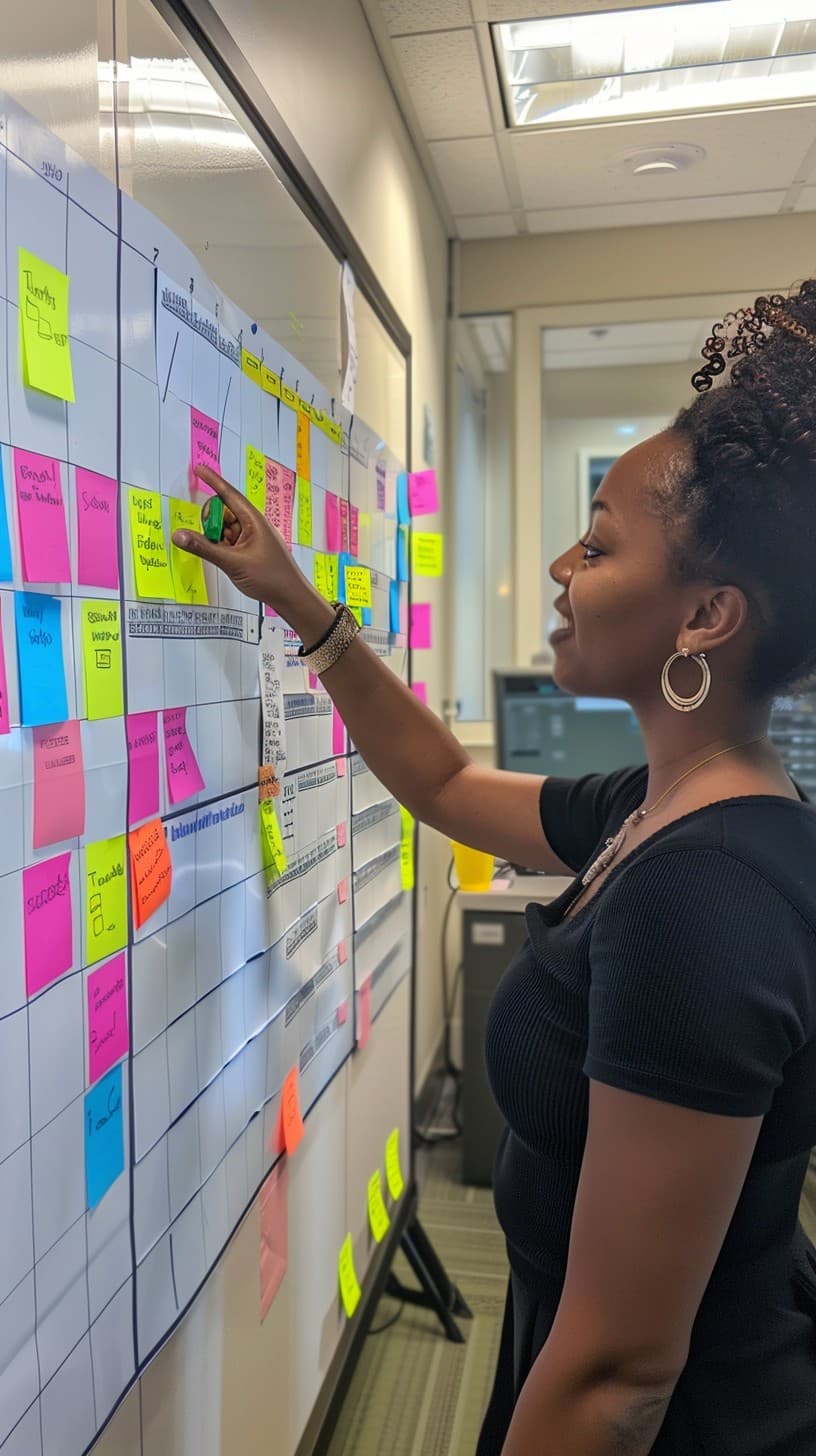
The most common way launch night dies: nobody walked through a checklist

Many vibe-project launch stories follow the same script: you excitedly drop the link in a group chat on Friday night, and by Saturday morning you learn that sign-up stalls at step three, the payment page breaks on mobile, and the site title still says "Create Next App". The problem is rarely "the core feature isn't finished". It is that nobody walked the whole thing through once. Vibe coding made "building something" fast, but it did not automatically add the "confirming it works" step — and a pre-launch checklist is the cheapest tool for that step. It is not a methodology, just a list: before launch, tick every item, and anything that fails blocks the launch. This article gives you a list you can copy outright, split into blockers and nice-to-haves, with the traps vibe projects fall into at each step. The example project "Ledger Buddy" is entirely fictional; its numbers and flows are invented to explain the points, not records of any real product.
First, one iron rule: the list has two tiers, and a failed blocker means no launch. Blockers are the things where, if they break, users are hurt immediately or you are up all night fixing them: sign-up and login, the core flow, payments, data safety, backups and rollback. Nice-to-haves are things the launch survives without but is better with: SEO, share images, analytics, help docs. Many launch accidents come from mixing the two tiers — someone holds the launch for a missing share image, while someone else ships with untested payments because "we'll fix it after launch". Tiering makes the decision simple: blockers are red lines, nice-to-haves get scheduled, and there is no "close enough" in front of a red line.
Tier one blockers: accounts, the core flow, and payments
Test account flows three ways first: sign up, log in, and recover a password. Each must be walked in the real production environment with a real email address and a real phone, not just clicked through locally with a test account. Vibe projects fail here in a particular way: AI-generated login flows are usually smooth on the happy path and full of holes at the edges — verification links that expire too fast, password-reset links that error when clicked twice, third-party login callbacks that strand users on a blank screen. Password recovery deserves special attention precisely because nobody uses it until the day they do. One more often-missed item: is there a way to delete an account, and is data really handled as promised afterwards? That is both a compliance question and a trust question.
Walk the core flow as a first-time user, not as the developer who knows where to click. Find someone who has never used the product, give them a task, give them no hints, and see whether they can complete the single most important thing within five minutes. For Ledger Buddy that is "log an expense, view the report, edit an entry" — if a new user needs a tutorial just to log an expense, the flow is broken. Vibe-generated interfaces often "look right" while missing feedback between steps: no confirmation after saving, double-submission when the network is slow, a raw error code instead of a human sentence when something fails. Those missing pieces are invisible in a demo and fatal in real users' hands.
Payments are the strictest blocker tier, and the test order should be: sandbox passes, a real small payment passes, a refund passes, and the failure cases pass. The sandbox only proves the code logic; a real tiny payment (say, one unit of currency) is what proves the merchant configuration, callback URL and signing keys are all correct. Walk a refund before launch, because refunds are where users get angriest and customer support has no time to invent a process. Failure cases need explicit answers for at least three scenarios: the user paid but the callback was lost, the user paid twice, and the user closed the payment page halfway — what is the order status in each case? Every answer needs an owner. If your project takes no money at all, cross this tier out — but write "this project has no payment feature" on the list rather than leaving it blank. A blank and a "confirmed not needed" look identical to the next reviewer, and they are not the same thing.
Tier two blockers: data, performance, and rollback
Data safety means checking three places: backups, permissions, and secrets. A backup counts only if you have proven it restores — run a restore drill before launch, bring the data back into a throwaway environment, and confirm the data is right and the app runs. Permissions means testing for broken access control: can user A see user B's data by editing a URL parameter? That is one of the most frequent flaws in AI-generated code, and the test is simple — take two accounts and cross-access each other's resource links. Secrets means sweeping code and logs: API keys and database passwords in the repository, passwords or tokens printed verbatim into logs. Vibe projects need this check most, because an AI will sometimes write a key into a sample config "to make the demo work" and the developer commits it in delight.
Performance checks do not need to be heavy, but there must be a floor: can the first screen show its main content within three seconds on a throttled 4G connection, do core endpoints survive 100 concurrent requests without timing out, and are images and static assets compressed and cached? The crude tests work fine: throttle a phone and click through, get ten friends to click at once, and look at whether the three largest images exceed 500KB. A common vibe-project performance trap is piling on animations and large images because the AI made them look good; the first screen looks gorgeous and loads slowly. Pull the first-screen asset list before launch and cut or lazy-load anything over budget — do not wait for users to discover it on mobile data.
Rollback is the item most often skipped and most likely to save you. Before launch, write down: which command rolls back, how many minutes it takes to return to the previous version, whether the database migration reverses, and whether users mid-action lose work. More importantly, rehearse it once rather than only documenting it. Many teams rehearse rollback for the first time during a real incident, hunting through docs with shaky hands. The rehearsal is simple: ship a deliberately broken version to staging, roll it back by following the doc, time it, note where you got stuck, and fix the doc until it can be followed. The pass standard is: a half-asleep person at 3 a.m. can roll back by following the doc.
Nice-to-haves: SEO, sharing, analytics, and help docs
Once blockers pass, look at nice-to-haves. SEO minimum: every public page has its own title and description, no staging noindex leaked into production, and the sitemap loads. Share images need a separate check: paste the link into WeChat, X and Slack and look at what each shows — title, description and image. Many projects ship with a scaffold default image or a blank one, wasting an exposure. Analytics does not need to be complete on day one, but the core funnel must be there: sign-up, the core action, and payment, all verified as reporting before launch — otherwise you will spend two weeks after launch not knowing where users get stuck.
Help docs and a support contact are the highest-value nice-to-haves. Help docs do not need to be long: the five most common questions are enough — how to sign up, how to use the core feature, how to cancel, how to get a refund, and who to contact when something breaks. One sentence plus one screenshot per question beats ten pages of manual. The support contact must be findable where problems happen: the page footer, the settings page, inside error messages — at least one way to reach a human, whether email, a form or a group link, but never "please search for it yourself". Early users of a vibe project are often willing to report problems, provided the reporting path is short.
How to run the list: who ticks, who reviews, what happens when stuck
A list alone does nothing; three rules make it work. First, every item needs a ticker and a reviewer, and they must not be the same person. Vibe projects are often built by one person end to end, and self-review is no review — even asking a friend to click through beats ticking your own boxes with your eyes closed. Second, every pass standard must be a verifiable sentence, not a feeling. "Sign-up passes" should read: "sign up, verify, log in and recover a password with a fresh email, all four steps complete, each with a clear success or failure message". "Performance passes" should read: "main content appears within three seconds on throttled 4G". The more specific the standard, the less arguing at review time. Third, stuck items go into a post-launch to-do list with an owner and a date — not crossed out to pretend they passed. Shipping honestly with known issues is far safer than shipping while pretending there are none: known issues can be monitored and fixed first, unknown ones can only wait for complaints.
Finally, a usable rhythm: freeze new features three days before launch and fix blockers only; walk the full list the day before launch, and delay the launch if a blocker fails rather than shipping for an auspicious date; keep half of launch day free for monitoring and response, with no new work scheduled; and review the to-do list daily for three days after launch, filling in nice-to-haves by priority. This rhythm matters most for vibe projects because AI makes "adding one more feature" too easy — without a freeze, launch eve will always attract "one small addition", and every small addition can smuggle in a new blocker. The list's real meaning, in the end, is not the sheet itself but the act of stopping before launch and looking carefully.
Three launch accidents a checklist would have caught
Three fictional but typical accidents show where the list bites. The first is a sign-up accident: on launch day, new users never receive verification emails, because the project was still configured with a test mail provider from development and nobody switched the keys and domain for production. The list's account item demands a walk-through with a real email in the real environment — the first registration would have shown the email never arrives. The usual excuse afterwards is "it worked locally", and the list exists to force the opposite standard: local success does not count; production success does. Environment drift is the number-one source of launch accidents, and the list forces verification where it matters.
The second is a payment accident: on day one a real payment arrives but the order stays "pending", because the callback URL points at an internal address the payment provider cannot reach. The list's payment item demands a real small payment and an explicit answer for lost callbacks — the problem would surface before launch. Worse, fixing it after launch costs far more than preventing it: every paid user needs manual reconciliation, status fixes and apologies, and the trust damage compounds. Payment problems also rarely all appear on day one; they tend to erupt once volume rises, by which time the data is already messy.
The third is a rollback accident: a new version miscalculates the core report, the team tries to roll back, and discovers the database migration has no reverse script and the old code is already overwritten — so they must fix forward under pressure. The list's rollback item demands one rehearsal; a rehearsal would have revealed the irreversible migration in advance, forcing either a reverse script or a staged migration. The worst part of a rollback accident is not the outage itself but the feeling of "wanting to retreat and finding no way back". Many post-mortems end with "we should have rehearsed once" — the list simply moves that sentence to before launch.
Maintaining the list: after launch it is the next round's starting point
A checklist is not disposable; after launch, do three things with it. First, add every problem actually encountered on launch day that could have been caught earlier, together with its verification method. That way the list grows into something fitted to your project rather than a generic sheet copied from the internet. Second, clear the post-launch to-do list on schedule: shipping with known issues is normal, but a known issue left untouched for three months stops being a known issue and becomes the product's default behaviour, much harder to change later. Review weekly, ranked by users affected times cost to fix, and clear high-impact cheap items first. Third, prune regularly: an item that passes first time three launches in a row at high verification cost can drop to spot-checks, while an item that needs rework every time signals a broken process underneath, not a box to keep ticking.
For a solo vibe project, execution can be lightweight but not optional. Keep the list in the README or an issue template, copy it before each launch, tick through it, and paste the result into the release record. Solo review is genuinely hard, but there is a workable substitute: recruit two or three target users before launch, give them tasks without hints, and let them walk the core flow while you watch recordings or listen to where they stall. That beats self-review, because developers suffer from "I know where to click" blindness and new users do not. Remember the list's final purpose: not to make launch feel more ceremonial, but to turn launch from a gamble into a verification. The most dangerous sentence on launch eve is not "this has a problem" but "this is probably fine". The list exists to replace "probably" with "confirmed".
Comments (0)
Related articles

Release notes are a letter to users, not a copy of the changelog: after reading, users should know what changed, how it affects them, and whether they must do anything. This guide gives a four-section structure, plain-language rules, version-number discipline, per-channel adaptations, five anti-patterns, and a fill-in template.

A public profile page is not read by you, but by a stranger clicking in for the first time: within ten seconds they judge who you are, what you have made, and whether you are worth following. This guide covers the three-layer field model, a bio formula, featured-work choices, privacy switches within reach, anti-harassment and anti-scraping, and a stranger-view walkthrough before launch.

What indie developers and small teams lack most is not exposure but a channel that can reach users again and again. This guide covers newsletter positioning, a three-type content mix, subscribe and unsubscribe, a fixed cadence template, growth and retention metrics, and three pitfalls to avoid.