Stop guessing version numbers: semantic versioning and automated releases in practice
Should 1.2.3 become 2.0.0 or 1.3.0? Only the public API decides. This guide follows the semver.org spec and the official Changesets docs through version bumps, pre-release ordering, a breaking-change checklist, the three-step Changesets loop, and the trade-off with conventional commits, plus how to recover from a bad release.
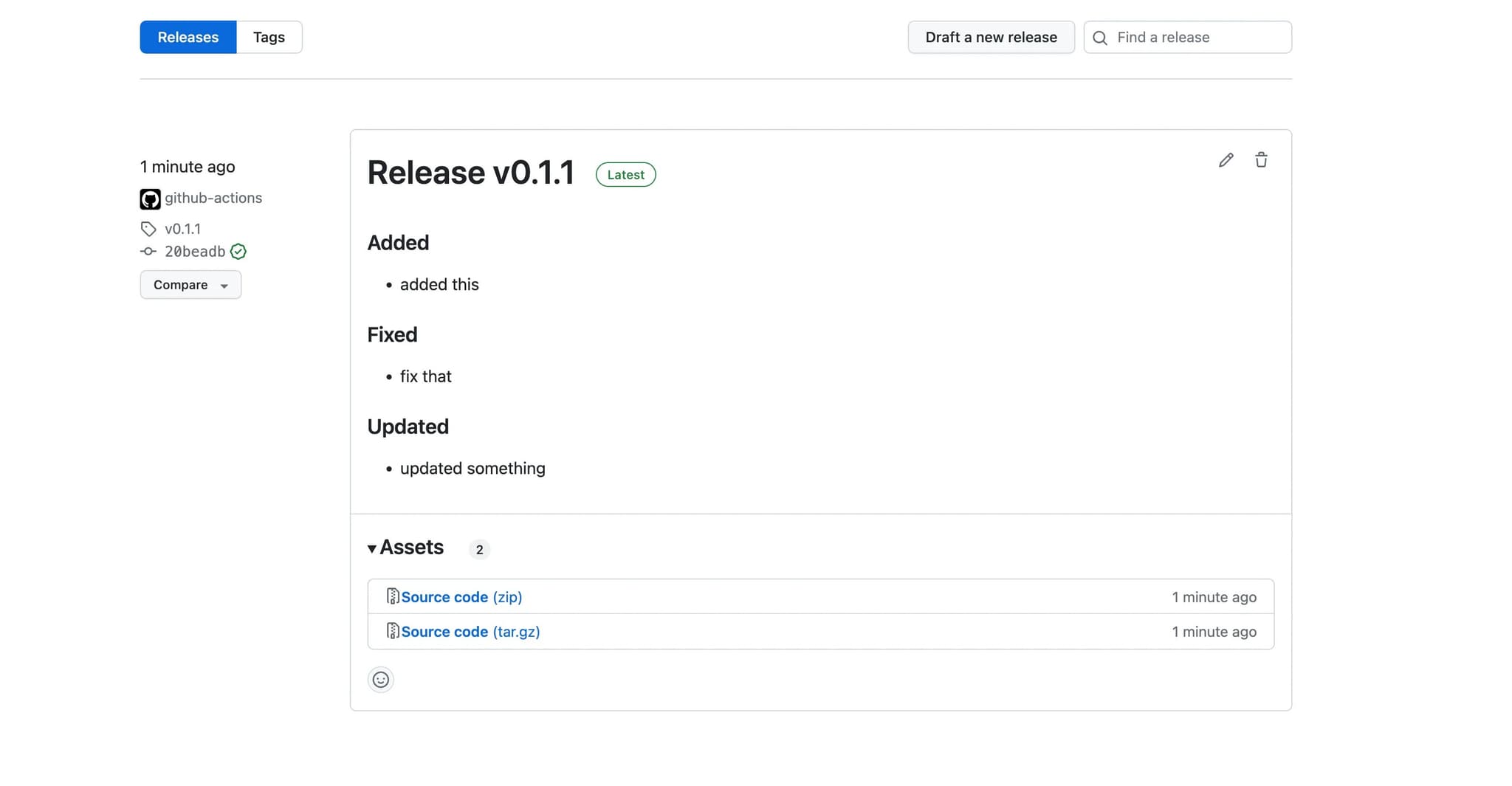
First, the boundaries. This site already has several guides about "shipping," but none of them is this one. The changelog writing guide covers how to write a changelog people actually read, and mentions in three sentences that version numbers should follow semantic versioning; this guide is about the version number itself — how to decide it, and how the release steps run after it is decided. The release notes writing guide covers how to write release notes. The API versioning and deprecation SOP covers version strategy, deprecation notices, and migration windows for public APIs. The minimal CI/CD pipeline guide covers how code travels from commit to production. This guide covers the missing stretch in the middle: from "what kind of version is this change" to "the number goes up, the package goes out, the tag goes on." Writing a changelog tells users "what changed this time." This guide makes sure "the version number for this change is not wrong, and no release step is skipped."
The "tiny-table" project used below is a fictional practice project: a small npm library that turns tables into Markdown, with one package and one author. Every version number, commit record, and release command built around it in this article was invented to explain the method. It is not a real record. All rules about semantic versioning come from the official specification at semver.org, and all steps about Changesets come from the official Changesets documentation. The sources are in each article's meta information and evidence record.
Define the public API before talking about version numbers
The first rule of the semantic versioning specification is written in uncompromising terms: software using SemVer MUST declare a public API. That API can live in the code itself, or exist only in documentation — but it must be clear and complete. Why must the API come before the version number? Because every digit of the version number measures "did the public API change, and how." Without a public API there is nothing for MAJOR, MINOR, and PATCH to measure, and the version number degrades into a number written down at random.
For a small npm library, the public API is what it exports: exported function names, parameters, return values, errors thrown, and the fields users fill into the configuration file. For a website or an app, the public API wears a different face: the interface users can see, the endpoints offered to the outside, the format of saved files, the link addresses other people depend on. Write that list down and pin it somewhere visible — in the README or in the repository. That list is what you check off before every release from now on.
The specification also states something that is often overlooked: once a versioned package has been released, the contents of that version MUST NOT be modified. If you find a bug in 1.2.0 — even if it is just one wrong character — release 1.2.1. Do not go back and quietly swap the contents of 1.2.0. Users who already installed 1.2.0, and lockfiles that already pinned 1.2.0, have no reason to believe that a modified 1.2.0 is the same thing as the one they hold. A version number is an agreement between you and your users: the same number is always the same contents. Change the contents, change the number.
How the three numbers go up: MAJOR, MINOR, PATCH
A version number is three numbers, X.Y.Z: MAJOR first, MINOR second, PATCH third. There are only three rules, and once you memorize them you can use them: if you only fix bugs and the fix is backward compatible, increment PATCH; if you add functionality in a backward compatible manner, increment MINOR; if you make incompatible API changes, increment MAJOR. When you increment one number, the numbers to its right reset to zero: adding an incompatible change to 1.2.3 makes 2.0.0; adding a compatible feature to 1.2.3 makes 1.3.0. And one rule that is easy to get wrong: the three numbers are compared numerically, not as strings — after 1.9.0 comes 1.10.0, not "the next 1.9.1."
The trickiest edges are at the boundaries between the first two rules. The precondition for "a bug fix increments PATCH" is that fixing the bug did not touch the public API. Fixing a miscalculated number inside a function increments PATCH; fixing a bug and changing the function's parameters along the way is MAJOR, not PATCH. The second rule has a detail that is often missed: marking a piece of public functionality as deprecated also increments MINOR — because "deprecated" is itself a change to the public API, even though the feature still works. The specification leaves one opening: substantial new functionality or improvements inside private code MAY increment MINOR. But that is a "may," not a "must." Do not use it as an excuse to write a bug fix as a MINOR.
Version 0.y.z is reserved for projects still getting started. The specification is blunt: with a major version of zero, the public API SHOULD NOT be considered stable, and anything MAY change at any time. The least-effort approach in practice is to start at 0.1.0 and increment MINOR with each release: 0.1.0, 0.2.0, 0.3.0… and when the API settles down and real people depend on it in production, release 1.0.0. There is a sentence in the specification's FAQ worth pinning to the wall: if your software is being used in production, it should probably already be 1.0.0; if you are worrying a lot about backward compatibility, it should probably already be 1.0.0. Staying on 0.x is not a free pass to never be responsible. Dragging out 1.0.0 only leaves users unsure whether you are stable or not.
Pre-release versions are for versions that are not ready to be called final. Append a hyphen after the patch version, then a series of dot-separated identifiers: 1.0.0-alpha, 1.0.0-alpha.1, 1.0.0-beta, 1.0.0-rc.1. The ordering has a complete chain, and the specification gives the example directly: 1.0.0-alpha < 1.0.0-alpha.1 < 1.0.0-alpha.beta < 1.0.0-beta < 1.0.0-beta.2 < 1.0.0-beta.11 < 1.0.0-rc.1 < 1.0.0. Note three things: a pre-release version always has lower precedence than its associated normal version; numeric identifiers are compared numerically (beta.2 < beta.11 — comparing them as strings gives the wrong answer, beta.11 < beta.2); and numeric identifiers always have lower precedence than non-numeric ones. Build metadata is a different matter: append a plus sign, as in 1.0.0+20130313144700, and it records build information that is completely ignored when determining precedence — 1.0.0+001 and 1.0.0 have the same precedence.
What counts as breaking: a checklist to run before release
"Backward incompatible" is five words in the specification and a dozen shapes in real code. Before a release, run down this checklist one by one. If any item hits, this release is a MAJOR.
The first group is removing things: removing an exported function, a configuration option, a command-line flag, or an endpoint users depend on. Once it is gone, users' existing code stops running. That is the most direct form of breaking. The second group is changing signatures: adding a required parameter to a function, removing a parameter, swapping parameter order, changing a return value from an object to an array. The third group is changing behavior: the same input used to return A and now returns B; something that used to not throw now throws; a feature that used to be on by default is now off by default. The fourth group is changing formats: a configuration file changes a field name, a saved file changes structure, an API response renames a field. The fifth group is upgrading dependencies: a library you depend on releases a major version that is itself incompatible, and your users feel it second-hand.
There are three more groups that show up most often in vibe-coded projects. The first is the "helpful refactor": the AI tidies up the code, the exported names stay the same, but a function's parameter order gets swapped, or the wording of an error message gets changed — and error message text is part of the public API too, because users' code matches on that text. The second is "fixing a bug too hard": users have come to depend on the buggy behavior — for example, a function returns an empty array in an edge case and user code says "skip it if it is an empty array." You fix the bug so it throws instead, and the user's skip logic never runs again. The third is "changing a default": pagination goes from 10 items by default to 20, a timeout from 5 seconds to 30. It looks small, but every user who relied on the default changes behavior.
Here is how to use the checklist: before every release, first write one sentence saying "which item of the public API changed in this release," then check it against the list. If you cannot write that sentence, or if writing it reveals a hit on the list, do not hesitate — go straight to MAJOR. The cost of getting the version number wrong is asymmetric: writing MINOR when it should have been MAJOR costs users at most a delayed upgrade; writing MAJOR as MINOR breaks users' code quietly on upgrade, and when it breaks nobody will think to blame the version number for lying.

The Changesets workflow: let the person writing the changelog decide the version
With the version number decided, the next question is: who decides it, and when? Changesets answers: let the person making the change decide it while making the change. A changeset holds two pieces of information: what version type this change counts as under semver, and one sentence to add to the changelog. The person changing the code knows best whether the change is breaking, a feature, or a bug fix. Writing it down on the spot is far more accurate than guessing from commit history on release day.
The whole loop has only three steps. Step one: when you change code, add a changeset along with it. Run npx @changesets/cli; it asks which package you changed, what version type it counts as, and what sentence should go into the changelog. When it finishes, it creates a Markdown file under the .changeset directory, which you commit along with the code. Step two: when you are ready to release, run changeset version. It consumes all the waiting changesets, bumps each package to the most appropriate semver version based on what they say, and writes the changelog entries into each package's CHANGELOG.md. Step three: review the bumped versions and the written changelog entries, and once you are confident they are correct, run changeset publish. It runs npm publish in each package whose version is later than the one currently listed on npm.
Setting it up is simple too. The official documentation gives two commands — pick one: yarn add -D @changesets/cli && yarn changeset init, or npx @changesets/cli init. After initialization the repository gains a .changeset directory and a config.json. The official documentation also includes a piece of advice that is easy to overlook: the version and publish steps can be made part of a CI process, but between version finishing and publish running, keep a human checkpoint — look at whether the bumped versions are right and whether the changelog entries read like human writing. Automation automates the "doing" part, not the "thinking" part.
Changesets was originally designed for monorepos, and that is where it is truly worth its price — something you cannot see in a single-package project. If a change to package A is breaking and package B depends on A, Changesets bumps B's dependency on A along with it, so you do not have to work out dependency versions package by package. It also states a discipline in the other direction: not every change requires a changeset. Changes to tests only, documentation only, or internal scripts do not need a release or a changelog entry, so they do not need a changeset. The official documentation puts it plainly: do not add a blocking check that stops contributions when there is no changeset. Changesets serves releases and changelogs only.
Minimal setup for a single package: a one-page release SOP
If your project has one package and no monorepo, the three-step Changesets loop still works — but you can also start lighter, with a one-page SOP. The SOP has only five lines. One: change the code, and write clearly in the commit message what changed. Two: check the breaking-change checklist and decide whether this is MAJOR, MINOR, or PATCH. Three: change the version field in package.json, bumping the number by the rules. Four: add a section to CHANGELOG.md saying what changed and who is affected. Five: tag it, publish it, and write the Release: git tag v1.3.0 && git push --tags, then npm publish, then create a Release on GitHub and paste in the paragraph from the CHANGELOG.
The lines most often skipped are line four and the "write the Release" part of line five. Many people publish the package and never write a Release, leaving users to dig through the CHANGELOG or the commit history. The Release is the first place users look at a release: the title carries the version number, and the body says what changed and how to migrate breaking changes. This site's release notes writing guide already explains how to write a Release in full, so here is just one rule: shipping a release without writing a Release is the same as shipping it without telling anyone.
Once these five lines run smoothly, bring Changesets in to replace lines two, three, and four of the SOP: the version is no longer bumped by hand — changeset version bumps it automatically from the version type written in the changeset; the CHANGELOG is no longer written by hand — changeset version writes in the sentences from the changesets automatically. What is left for you is line one (add a changeset while changing code) and line five (check, then publish). Moving from a hand-written SOP to Changesets changes only "who calculates the version number and who writes the changelog." The order of the release and its checkpoints stay exactly the same.
Two automation routes: Changesets or conventional commits
There are two mainstream routes to automated releases, and the choice depends on what your project looks like. Route one is Changesets: a person writes a changeset, and the machine does what the changeset says. The decision about the version type stays with the person changing the code, and the machine only executes. Route two is conventional commits plus semantic-release: nobody writes a changeset; the machine reads commit messages to decide the version — a message starting with feat: means MINOR, one starting with fix: means PATCH, and one containing BREAKING CHANGE: means MAJOR. The machine reads them, bumps the version, writes the changelog, and publishes the package, all by itself.
The difference between the two routes is not "how much is automated" but "who holds the decision." Changesets leaves the decision with people: the person changing the code judges on the spot what type it is, and if the judgment is wrong, it can still be fixed while reviewing the changelog. Conventional commits hand the decision to the format of the commit message: write the format right and nobody has to do anything; write it wrong and the version number is wrong with it — and you usually only discover that after the release. For a solo project where commit messages have always been written neatly, conventional commits are the least work. For a multi-package monorepo, or a team where everyone writes commit messages differently, Changesets is steadier, because it does not depend on everyone writing commit messages in the same format.
There is one more test: does your project have release content beyond the "public API"? A changeset in Changesets carries a version type plus one human sentence for the changelog. A changelog from conventional commits is assembled by the machine from commit messages, and it reads much less like human writing. If your users read the changelog carefully and decide from it whether to upgrade, the human sentences in Changesets are worth more. If your users only look at the version number and upgrade entirely through the lockfile, the convenience of conventional commits is worth more. Both routes work. Pick one and run it to the end — do not mix them in the same repository. Mixing them means the same change gets two answers: Changesets says MINOR, the commit message says PATCH, and two voices say two different things.
Pre-release channels: do not push a beta as the latest
When a new feature needs testing by a smaller group first, do not ship it as a final release. Use a pre-release channel. It works on two layers. On the version layer, ship 1.3.0-beta.1 or 1.3.0-rc.1 — versions carrying a pre-release identifier. On the distribution layer, put it on npm under a dist-tag like next or beta, not under latest. Put it under latest and you are telling the world "installing the newest version installs this one" — one npm install and a user has a version that is not ready yet.
GitHub Releases has a matching switch: when you create a Release, there is a "Set as a pre-release" checkbox. Check it, and the Release is marked as not production-ready. When the final version ships, check "Set as the latest release" instead. The two checkboxes look small, but they govern the same thing: never let a test version pose as a final version in front of users. And do not let a pre-release test drag on too long: if a beta has had no feedback for more than a month, the problem is not that too few people tested it — it is that nobody cares about the version being tested. Either ship the final version, or admit the feature is not worth shipping.
One more detail: how pre-release version numbers go up. If 1.3.0-beta.1 gets a bug fix, the next version is 1.3.0-beta.2, not 1.3.1-beta.1. Only when the beta is done and the final version ships does it become 1.3.0. The number after the pre-release identifier only goes up within the same pre-release series; the PATCH number only moves when the final version ships. Get this order wrong and users will see a version like 1.3.1-beta.1 with no idea what it has to do with 1.3.0.
When a release goes wrong: never edit a published version
Shipping a wrong version happens to every maintainer. There is only one way to handle it: do not touch the version that already went out. The specification is blunt: once a versioned package has been released, its contents MUST NOT be modified; change it, and you must release a new version. There are three common ways a release goes wrong, and each has its own fix.
The first is shipping an incompatible change as a MINOR. The specification's FAQ gives the standard answer: as soon as you realize it, release a new minor version that corrects the problem and restores backward compatibility. Note what it says: "restores compatibility" — not "change the version number to MAJOR and ship it again." The MINOR version that already went out is wrong, and wrong it stays. The remedy is to make the code compatible again, not to rewrite history. The second is shipping a version with a serious bug. The fix is the same shape: fix the bug, ship a PATCH version, and write in the CHANGELOG that "this version fixes a problem in the previous version." The third is shipping a package that does not work at all, or shipping the wrong package. On npm you can run npm deprecate to mark that version "not recommended." The text of a GitHub Release can be edited to add "this version has a problem, please use a newer one." But the commit a tag points to and the contents of the package — leave those alone.
Deleting a package and re-publishing the same number is the reddest line of all. npm has its own restrictions on deleting packages, and in many cases deleting and re-publishing the same number is simply not allowed. Even where it is technically possible, users who already installed the old package and lockfiles that already pinned the version will stop matching, because "the same number, two different contents" cannot be reconciled. If you ship the wrong thing, admit it and ship a new version. Users tolerate "shipped the wrong thing, then shipped a fix" far more than "the same version number was one thing yesterday and another thing today."
Five anti-patterns
Anti-pattern one: bumping versions by mood. Today the change feels big, so MINOR; tomorrow it feels about the same, so PATCH; the day after, feeling cheerful, jump straight to 2.0.0. A version number is not a mood index. It is a record of how the public API changed. How it goes up depends only on the checklist, never on how it feels.
Anti-pattern two: bumping MINOR for a bug fix and PATCH for a feature. A bug fix bumps PATCH, a feature bumps MINOR — swap those two and everything users read from the version number is wrong. They think an upgrade is a bug fix and find new features after installing; they think an upgrade adds features and find only a bug fix. Lie with a version number once, and users will never read version numbers again.
Anti-pattern three: shipping a breaking change as a PATCH. This is the most expensive mistake of all. Users' lockfiles say "PATCH upgrades are automatic," and one PATCH upgrade breaks their code. Every breaking change, no matter how small, is a MAJOR. There are no exceptions.
Anti-pattern four: editing a published tag or package. The tag was wrong, the package has an extra file in it — so go back, change the tag, and re-publish the same number. Once a tag and a package are published, they are history. Changing history means everyone who already has the old version holds something that no longer matches. Wrong? Ship a new version. Do not edit history.
Anti-pattern five: shipping without a changelog or a Release. The version number went up, the package went out, and users have no idea what changed, whether to upgrade, or what to watch for. The last mile of a release is "telling users," not "pushing the package out." The paragraph in the CHANGELOG matters just as much as the version number itself.
Checklist: run through it before the next release
Before the release: is the public API list written down? Against the checklist, does this change count as MAJOR, MINOR, or PATCH? For a 0.x project, is it time to ship 1.0.0? Is the pre-release version under the next tag — and definitely not under latest?
During the release: is the changeset written, and is the version type right? After changeset version runs, did you check the version numbers and the CHANGELOG? Before npm publish, did you confirm the package being published is newer than the one on npm? Is the tag on, and is the Release written?
After the release: on a clean machine, run npm install once and confirm the new version is what gets installed. Open the Release page and confirm the body describes this release, not the previous one. If this was a MAJOR, is the migration guide written, and is the old version marked deprecated? Version number, changelog, tag, Release — when all four line up, the release is truly finished. A release does not end when the package goes out. It ends when users can install it, understand it, and decide whether to upgrade. When all four of those are done, the version number finally means something.
Comments (0)
Sources
Related articles
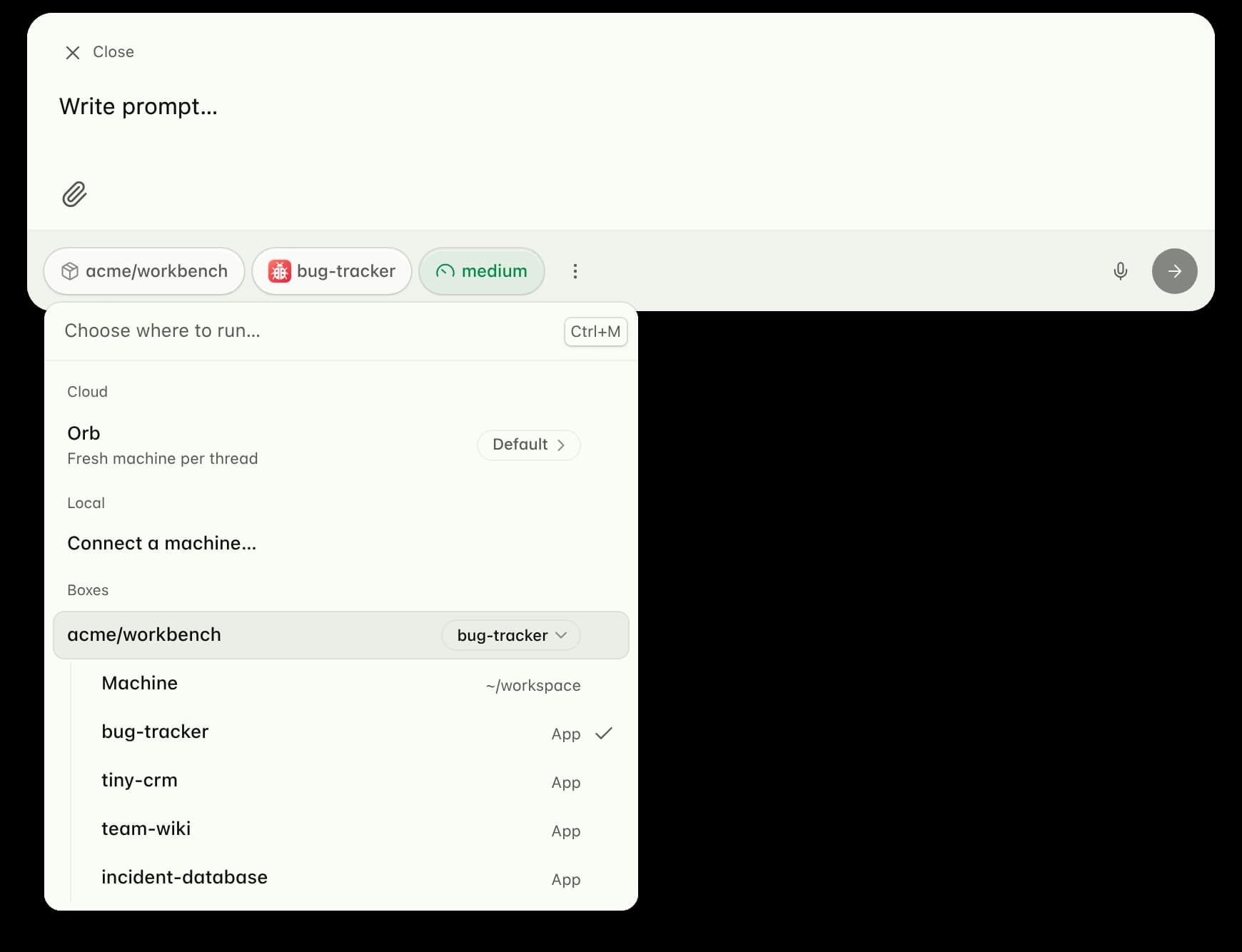
On 10 November 2026, Amp launched Boxes: always-on mini-computers from $18 a month for deploying software you built with an agent. Each box runs its own runner, so the agent can edit live production data right there; the same month Amp also shipped Spaces, retired the Dial, and arrived on Windows — the agent's workplace is moving off the laptop into the cloud.

localStorage only stores strings and has no indexes. IndexedDB is a real database in the browser: structured data, far larger capacity, indexes, and transactions. Following MDN's Using IndexedDB, IDBDatabase, and IDBObjectStore: the five-step routine, opening, upgrades, keys, indexes, transactions, add versus put, get, cursors, ranges, and multi-tab upgrades.

You already call functions every day; this guide names what you have been doing. Following MDN's Functions, Arrow function expressions, and Rest parameters: declarations versus expressions, parameters and arguments, default values, rest parameters, spread syntax, return values, arrow function shorthand, the this trap, callbacks, and scope.