Don't Tough Out a Bad Release: Version Rollback for Your Vibe Project
When a new version ships broken, the first instinct should not be to patch it in place: this guide covers the three rollback routes, the five pieces to prepare before shipping, the 15-minute decision, the seven steps on rollback day, and the database migration trap. All example projects, people, and numbers in this guide are fictional.

At 9 p.m. on a Friday, Lao Zhou shipped a new version of "QuickLedger". The change was small: a category filter on the ledger page, plus a tweak to how amounts were formatted. He tapped through it on his own phone, the numbers all looked right, and he hit publish. At 9:20, a user named A-Xia posted a screenshot in the group chat: she had just logged 380 yuan of rent, and after saving, the bill showed 38 yuan. Lao Zhou's stomach dropped. He opened the app on his own phone — his numbers were fine. Ten minutes later, seven or eight more people said their numbers were wrong: some had an extra zero, some were missing one. That was when he understood: the new version miscalculated amounts on one particular phone OS version, and his phone happened not to be one of them.
Two things first. The walkthrough project "QuickLedger", the maker "Lao Zhou", the user "A-Xia", and every time and number in this guide are fictional, invented only to make the process clear. Second, the boundaries: this site has already published several neighbouring guides — "Canary Release" is about rolling a new version out slowly, which is a question of controlling risk before shipping; "Feature Flags" is about switching one feature off online; "Status Page" is about telling users what happened; "Failure Postmortem" is about writing up what happened afterwards; "Database Backup and Disaster Recovery" is about getting lost data back. This guide repeats none of them. It covers one thing only — when a new version ships broken, how to roll it back fast and safely. Canary releases limit how much breaks, feature flags switch off one broken feature, rollback takes the whole version back. They solve different problems.

1. Rollback is not "undo shipping": it is three escape routes
When many people hear "rollback", they picture one button that takes you back to the previous version. That picture is only one third right. A product that is already running has three different routes back, each rolling back something different, each with a different level of difficulty. Sort them out before you ship, or you will roll back the wrong thing when it matters.
The first route is the code route: swapping the code running online back to the previous version. This is the most common rollback and the easiest one: the previous build or image is still there, and the deploy platform can switch to it in a click. Lao Zhou actually had this route that night — the previous build was sitting on the deploy platform, one click away. But it never occurred to him. His first instinct was "ship a hotfix", and the hotfix fixed the amounts but broke syncing, so the group chat got angrier. From 9:20, when the problem surfaced, to 2 a.m., when it was finally fixed, users spent more than four hours logging expenses in a broken version.
The second route is the configuration route: changing switches, copy, prices, and rules back to their previous values. Many incidents are not code bugs at all but configuration mistakes: a price table with an extra zero, a switch that shipped enabled when it should not have been, a rule that swept every user into a test group. These incidents do not need a redeploy — changing one setting stops the bleeding, provided you know what the previous value was and the place where you change it is somewhere people actually use, not somewhere you have to go hunting for. The configuration route is the easiest to overlook, because configuration lives scattered everywhere: some in the admin panel, some in the code repo, some in a third-party service console. Hunting for it during an incident works by luck, not by plan.
The third route is the data route, and it is the hardest. Rolling code back does not roll data back: the expenses users logged, the orders they placed, and the details they edited in the broken version are already written to the database. A-Xia's 380 yuan logged as 38 yuan will not turn back into 380 yuan on its own just because the code went back to the previous version. When data goes wrong, rolling back code cannot fix it — the only way is forward: write a script to find the wrong records, fix them by rule, and confirm them with the affected users one by one. There is no one-click button for the data route. There is only "thought about it in advance" and "cleaning up afterwards", and cleaning up usually costs ten times as much as preventing it.
So the first lesson of rollback is: before shipping, ask yourself three questions — can the code go back, can the configuration go back, and can the data go back? Ship only when all three have answers. If one does not, fix that one first. Lao Zhou could only answer the first of the three that night. His configuration was scattered across three places and he had no plan at all for fixing data, so when things broke he could only patch frantically, and the patching caused a second problem.
2. Lay the escape routes before shipping: five pieces
Escape routes are not built after things break. They are laid before shipping. Each of the five pieces below is simple, but missing any one of them adds at least half an hour to a rollback. Half an hour in the middle of a night-time incident is the difference between losing users and keeping them.
First, keep the old version for at least 14 days. Do not delete the previous build, image, or deploy record the moment the new version ships. Fourteen days is a useful number: almost every shipping incident surfaces within a week, so 14 days gives you double the margin. When you keep the old version, jot down three lines with it: the version number, the ship time, and the code commit it matches. Those three lines save ten minutes of digging when you roll back. Many teams roll back slowly for exactly one reason: nobody knows which version "the previous version" actually was.
Second, a rollback button that someone can actually click on a normal day. The rollback entry point should live on the same platform as shipping, two clicks to run — not a three-act play of asking ops for permission, writing a script on the spot, and uploading a build by hand. More importantly, the button needs to have been clicked before: during the monthly drill, really click it and confirm it still works. A button nobody has touched in three months will very likely greet you on incident day with expired permissions, a missing build, or a changed process. A rollback button is like a fire extinguisher: unused most days, but it must not be expired.
Third, a switch for every important feature. Not every feature needs a switch, but any feature that is new, that touches core logic, or that involves money should ship with a switch that can turn it off online. A switch buys time: amounts are miscalculated, so switch off the new ledger entry first and let users log expenses through the old entry while you fix things, then switch it back on. A switch and a rollback are different tools: a switch turns off one feature, a rollback takes the whole version back. Use them together: switch off first to stop the bleeding, then calmly decide whether the whole version needs to go back.
Fourth, database changes that stay backward compatible. This is the most technical of the five pieces and the most important one; section 6 covers it on its own. For now, remember one sentence: new code must be able to read old data, and old code must be able to read new data. When that holds, rolling code back will not fail because the data format no longer matches. When it does not hold, clicking the rollback button achieves nothing — the old version fails to start and you are back to patching frantically.
Fifth, a drill once a month. The drill does not need to be formal: pick a quiet time, pretend something broke online, and walk the whole path — detection, decision, execution, verification — while timing it. The point of the drill is to make the team's hands familiar, not to make the process look pretty. A practised team does not spend incident time asking "who clicks the button?"; everyone knows their job. A team that has never drilled spends half the incident asking each other who should act now.
3. Decide in 15 minutes: roll back or hotfix
After an incident surfaces, the first decision is usually not "how do we fix it" but "do we roll back or do we fix it in place". The longer that decision drags, the more users the broken version reaches. Set yourself a hard deadline: within 15 minutes of spotting the problem, you must decide between rollback and hotfix. Fifteen minutes is not a random number: it is enough to confirm how many people are affected, glance at the logs, and ask "how long would a fix take", without letting the broken version run for another hour.
The decision can be written as three rules. Pin them in the team chat and follow them when things break instead of debating from scratch.
- If money is involved or data is being written wrong, roll back immediately. Do not hesitate. Amounts miscalculated, double charges, user details overwritten — every extra minute these run, the clean-up afterwards grows. A hotfix fixes code; it does not un-write bad data. Roll back first to stop the bleeding; data repair can be done slowly afterwards.
- If the impact is small and a fix can be verified within 10 minutes, hotfix. A wrong word on a page, or a rarely used button that does not open — one line of code, one round of verification, and it ships. But take the "verified within 10 minutes" condition seriously: a fix you cannot verify is the same as no fix.
- When in doubt, roll back. This is the most important rule. The cost of a rollback is known: users go back to the previous version and miss the new features for a few days. The cost of patching in place is unknown: it might take ten minutes, or it might turn into a second problem the way it did for Lao Zhou. When you cannot tell, pick the side whose cost you know.
This guide's fictional example includes one set of drill numbers: teams that drill once a month manage to make the rollback call within 15 minutes in 85 out of 100 real incidents; teams that never drill manage it in only 39 out of 100. The numbers are fictional, but the point is real: whether you decide fast has nothing to do with luck on the day and everything to do with whether you practised. Write "decide in 15 minutes" into the shipping checklist, and on incident day you decide by checklist instead of by nerve.
4. The funnel: how far must the escape route go before users stop suffering
How much rollback preparation is enough? This guide's fictional example works it out over 100 releases. Out of 100 releases, 79 had a rollback plan ready before shipping — the old version kept, the button working, the switches in place. Of those 79, 58 had a rollback entry point that could be found and clicked within 5 minutes, instead of hunting for permissions or writing a script on the spot. Of those 58, 41 restored service within 10 minutes of rolling back, so users could log expenses, place orders, and open pages normally again. And of those 41, 26 ended with users noticing nothing: no data lost, no double charges, users never even knew something had gone wrong.

Those numbers convert into step-to-step rates: 79 divided by 100 is 79%, 58 divided by 79 is 73%, 41 divided by 58 is 71%, and 26 divided by 41 is 63%. Every step loses roughly a quarter to a third, leaving only about a quarter of releases "fully prepared, users unaffected". The biggest leak is from "plan ready" to "clickable within 5 minutes": only 58 of 79 made it, which means many teams' plans exist only in documents — when the moment comes, the button cannot be found, the permission has expired, or the build was deleted. The second-biggest leak is from "clickable within 5 minutes" to "service restored within 10 minutes": only 41 of 58 got there, which means the entry point was found but recovery was still too slow.
So fix the escape route in funnel order: first make sure a plan is genuinely ready before every release, then make sure the entry point is clickable within 5 minutes, then make sure service comes back within 10 minutes of rolling back, and only then worry about data being spotless. Doing it in reverse order is useless: the prettiest data-repair script helps nobody if the button will not click. These numbers are fictional, used to show that escape routes must be verified layer by layer, not to report any real product's statistics.
5. Seven steps on rollback day, in order
Once you have decided to roll back, what matters next is the order of operations. Get the order wrong and the rollback itself becomes a second incident. These seven steps run in the order "stop the bleeding first, then go back, then verify, then tell people". Follow them as written.
Step 1: stop the traffic first, then act. If the version went out to everyone, cut traffic to the new version first, or temporarily close the entry point, so the broken version stops taking on new users. It does not matter that current users are unaffected — block new impact first. This usually takes a minute and is the step most often skipped: in a panic, people click rollback directly, and while the rollback is still running, new users are still writing data into the broken version.
Step 2: confirm the target version. Which version are you rolling back to? "The previous version" is not an answer on its own: confirm the version number, the ship time, and the code commit, and make sure all three match. While confirming, check one more thing: does the target version have any known serious problem, or a vulnerability being fixed? Do not roll back from one broken version into another.
Step 3: snapshot the current state. Before rolling back, keep a copy of the database, the configuration, and the logs as they are now — a snapshot or a backup. If the rollback turns out to be wrong, you will have something to work from. The snapshot does not need to be exhaustive, but it must include the database backup, the current version number, and an export of the current configuration. Five minutes now saves hours of arguing later.
Step 4: run the rollback. Click the button, or follow the drilled process. One person operates while another watches: the operator calls out each step and the watcher checks it. Two people watching each other is far steadier than one person clicking alone in silence. When it finishes, do not announce "done" yet — verify first.
Step 5: verify the core flows. Do not stop at "the page loads". Verify the paths users actually walk: sign up, log in, log an expense, edit an expense, check a bill, pay once. Walk each one and check the numbers match before calling it verified. Use a real account for one pass and a freshly registered account for another, so both old and new users are covered.
Step 6: tell the users. Tell them only after verification passes — do not shout "we are fixing it" in the group chat while the rollback is still running. The message needs three sentences: what went wrong just now, how things stand now, and what affected users should do. Users whose data was damaged need a message of their own: A-Xia's 380 yuan logged as 38 yuan deserves a personal note telling her the figure has been fixed, or how to fix it herself. A broadcast "fixed" is not enough; people with corrupted data need a sentence addressed to them.
Step 7: lock shipping. After the rollback, lock the shipping entry point until the root cause is found and the fix is verified. Locking shipping is not a punishment; it stops someone from shipping another patch in the heat of the moment and breaking the situation you just stabilised. How long? Until the postmortem is written and the fix has been signed off — at minimum, overnight.
6. Database migrations: the biggest rollback trap
When rollbacks fail, more than half the time the database migration is to blame. Rolling code back to the previous version is easy, but the database has already changed: the new version added a field, changed a table, deleted a table, and the old code reads the new-shaped data and crashes on startup. Many teams' first failed rollback happens right here: the button was clicked, the old version would not start, and the only option left was to keep patching the new version.
There is only one way to prevent this trap: add, never change, and wait two weeks before deleting. Four practices follow from that, all of which can be settled before shipping.
- Add fields; do not change them. When the new version needs a field, add a new one. Do not change the type, name, or meaning of an old field. Keep the old field; old code can still read it. A few extra empty fields never hurt a database. What hurts is old code that cannot understand the new format.
- Write twice when logic changes. If the new version calculates something differently, let the old and new logic both write data for one to two weeks, confirm the new logic's numbers match the old logic's, and only then retire the old logic. Those two weeks of dual writing are your rollback safety window: roll back any time and the data is still right.
- Wait at least two weeks before deleting a field or a table. Deletion migrations ship on their own, never bundled with a feature release. After two weeks, confirm no old version still reads that field, then delete it. Back up before deleting, and keep a way to restore afterwards.
- Snapshot first for migrations that cannot be reversed. Some migrations are irreversible by nature, like converting data wholesale from one format to another. Before running one, snapshot the whole database, write down the recovery steps, and have someone actually restore from the snapshot once. A snapshot whose recovery has never been rehearsed is the same as no snapshot.
What these four practices share is that they turn rollback from an emergency operation on shipping day into a constraint written before shipping. When a migration is submitted, answer one question with it — "can this migration be rolled back?" A migration with no answer does not get merged yet. In Lao Zhou's incident, the amount-format change altered the type of a field: data written by the new version could not be read by the old version, so he could not roll back at all and had to patch until 2 a.m.
7. After the rollback: do not rush to ship again
A successful rollback does not mean the incident is over. It only means the bleeding has stopped. Three more things, done in order, close it out properly.
First, write the postmortem within 24 hours. It does not need to be long — one page is enough: timeline, impact, root cause, what was done, and how to prevent it next time. The timeline should be precise to the minute: when it was spotted, when the rollback call was made, when service recovered, when users were told. The impact should be numbers: how many users were affected, how many records were written wrong, how many people contacted support. The root cause should reach a layer you can change: "the amount format changed a field's type" is a changeable layer, and so is "tests did not cover this". "Bad luck" is not. A postmortem written more than 24 hours later is written from fading memory, and what comes out is mostly approximation.
Second, do not ship again until the root cause is fixed. This is the easiest rule to break: after a rollback, a team's first instinct is often to "get the fixed version out quickly and give users the new features back". But shipping again with the root cause unfixed is the same incident performed twice. Three gates before re-shipping: is the root cause fixed? Has the fix been verified? Is the rollback plan ready again? Ship only when all three pass. If one fails, wait another day.
Third, re-ship to 5% of traffic first and watch for 1 hour. Re-shipping is not shipping to everyone; it is a canary release: let 5% of users try the new version, watch errors and feedback for an hour, then go to 50%, watch another hour, and then go to everyone. The companion guide on canary releases covers the same practice in detail; the point here is that a version that has already been rolled back once deserves the canary treatment even more, because you have already crashed once and a second crash costs more.
8. Checklists: six items before shipping, six on rollback day
There are two lists. The first is ticked off before shipping; the second is followed on rollback day. Pin both in the team chat so nobody has to invent them under pressure.
Before shipping, six items: is the old version kept, for 14 days? Has the rollback button been clicked — drilled this month? Do the key features have switches, and has anyone tried them? Are database migrations add-only, with field deletions scheduled separately? Does everyone know the 15-minute decision rule, and is it settled who makes the call? Are the status page and the notification templates ready, so nothing has to be written from scratch when things break?
On rollback day, six items: is the traffic stopped? Is the target version confirmed — version number, ship time, and commit all matching? Is the snapshot done? Is someone watching while the rollback runs? Are the core flows verified, with both old and new accounts walked through? Have affected users been told individually, and is the shipping entry point locked?
A checklist exists not to look professional but to turn "remember to do it" into "do it while looking at the list". Late at night during an incident, nobody's brain works properly; the list is the only thing you can rely on. Every item on it should be something that can be verified on an ordinary day, not something attempted for the first time on incident day.
9. Five common traps
Trap 1: the rollback button has not been clicked in three months. The button exists, the permission exists, the build exists — any one of the three missing means it will not run. Drilling once a month keeps all three in working order.
Trap 2: rolling back code but not configuration. The incident was caused by configuration; the code goes back and the configuration stays wrong, which means nothing was rolled back. Before rolling back, ask whether the root is in code or configuration. When both need to go back, roll configuration back first — it is faster.
Trap 3: rolling back without a snapshot. Roll back to the wrong place or break something while rolling back, and with no snapshot you are reconstructing from memory. Five minutes for a snapshot; hours of arguing afterwards. The arithmetic is easy.
Trap 4: verifying only that "the page loads". A page loading does not mean the features work. Verify the core flows: log an expense, edit it, check the bill, pay. Walk each one and check the numbers before calling it done.
Trap 5: shipping again immediately after rolling back. Root cause unfixed, no canary rollout — re-shipping is a second incident. Three gates before re-shipping: root cause fixed, fix verified, rollback plan ready again.
Lao Zhou later wrote this whole approach into his team's shipping checklist: five pieces ticked off before every release; a decision within 15 minutes of any incident; seven steps walked through before telling users; a postmortem within 24 hours of every rollback, and no re-shipping until the root cause is fixed. Three months later "QuickLedger" had another incident: a new feature's switch shipped enabled by mistake and affected more than a hundred users. That time Lao Zhou decided to roll back within ten minutes, switched the feature off first to stop the bleeding, then rolled the version back, verified, told users, and locked shipping — forty minutes from start to finish, and not one user's data was written wrong. Rollback looks like spare preparation on an ordinary day. On incident day, it is the wall between the team and the users. A wall built in advance holds; a wall started during the incident is already too late.
Comments (0)
Related articles
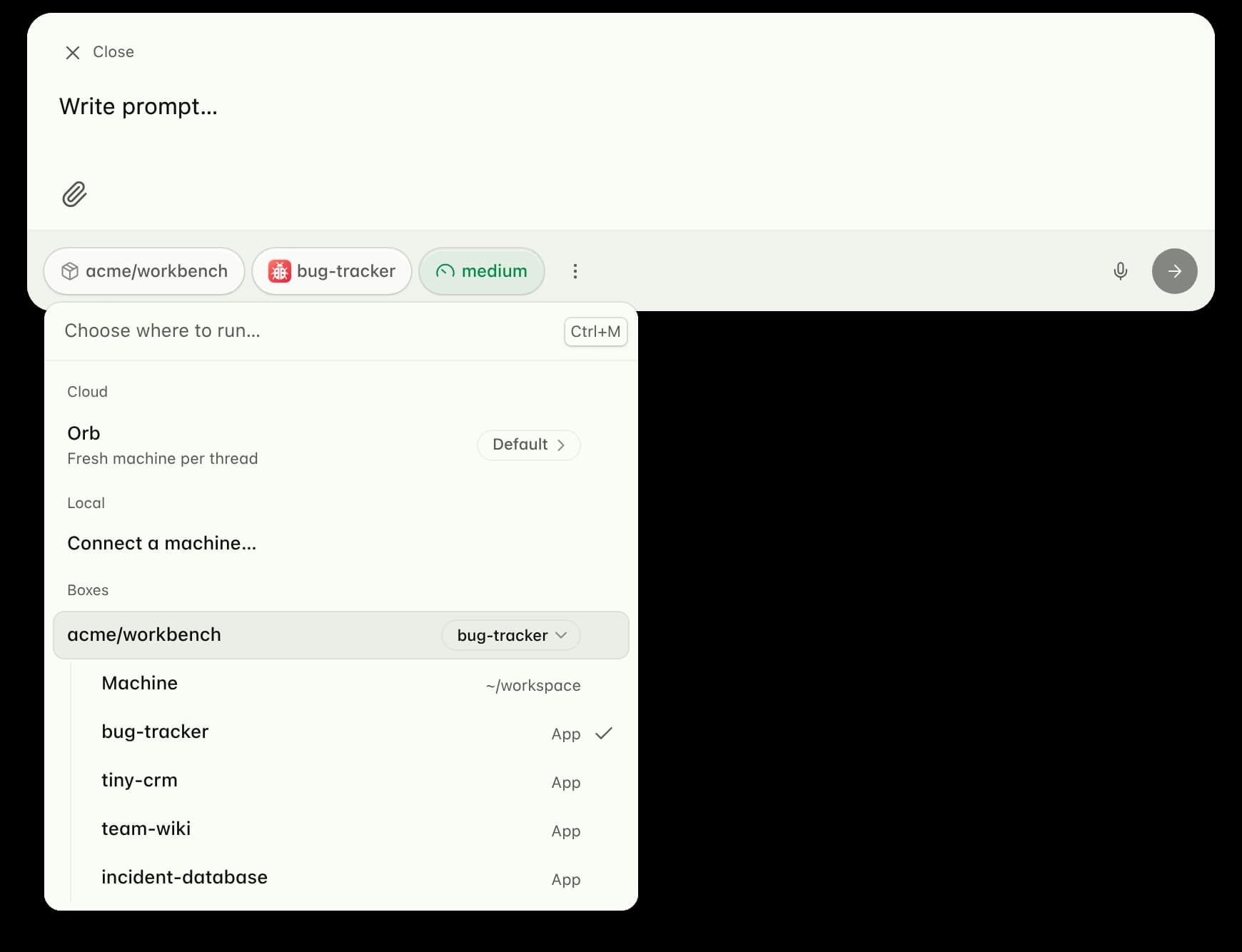
On 10 November 2026, Amp launched Boxes: always-on mini-computers from $18 a month for deploying software you built with an agent. Each box runs its own runner, so the agent can edit live production data right there; the same month Amp also shipped Spaces, retired the Dial, and arrived on Windows — the agent's workplace is moving off the laptop into the cloud.

Flexbox lays things out in one direction at a time, and when it is done right, the nav bar, the card wall, and the cart rows all behave. This guide follows MDN's Basic concepts of flexbox, Aligning items in a flex container, and Controlling ratios of flex items along the main axis: the two axes, containers and items, direction and wrapping, free space, the three flex properties, alignment on both axes, and gaps and auto margins.

One order is one object: table, dishes, total, paid — all filed by label. This guide follows MDN's Working with objects, JSON, and Object references: object literals, dot vs bracket notation, adding and deleting properties, for...in with hasOwn, methods and this, getters and setters, references vs copies, Object.assign and friends, null-prototype objects, JSON's strict rules, and stringify and parse with their number-precision trap.