AgentTerm Hits Show HN: A 'Super Terminal' Built for AI CLIs, One Window Per Session
On October 2, AgentTerm hit Hacker News' Show HN: a terminal extended for AI CLIs — one OS window per session, plans and reviews rendered inline for annotation, phone takeover by voice. The entire quick start: ask your agent.

On October 2, a boldly titled post appeared in Hacker News' Show HN section: "Show HN: A substantially expanded terminal for AI CLIs – I can't work without it." The star is AgentTerm (albertwujj/agent-term), an open-source terminal with the slogan "Tell them apart, drive to the finish, beyond the IDE." In 2026, with Warp, Ghostty, and AI IDEs already fighting it out — another terminal? But AgentTerm's angle is sharp: it's not competing with IDEs for "writing code"; it's competing for "managing agents."
Start with its worldview. The README opens with an observation: people run coding agents in IDEs, terminals, and vendor desktop apps — yet the terminal keeps pulling them back. Claude Code and Codex were born as terminal programs; Cursor and Copilot were born in IDEs but both added CLIs of their own. A decades-old form factor turns out to have exactly what an agent needs: text in, text out, with shell, git, and every other tool one command away. But a standard terminal's TUI can't give agents and users richer collaboration: you can't precisely annotate scrolling output, render a plan as a document, or tell five parallel sessions apart at a glance.
So AgentTerm takes "the second path": instead of moving the agent out into a bespoke app, treat the terminal as the core and extend it. Electron for the window, xterm.js for terminal emulation, node-pty for the shell connection — your CLI agent (Claude Code, Codex, Cursor CLI, and more) runs inside unchanged; only the terminal itself gets smarter. In the author's words: "A vendor's desktop app supports that vendor's agents and only those, and pulls you away from your shell. In this terminal, the agent can be of any kind and stay in your shell."
What it actually adds
AgentTerm's feature list reads like a "vibe coder pain-point checklist":
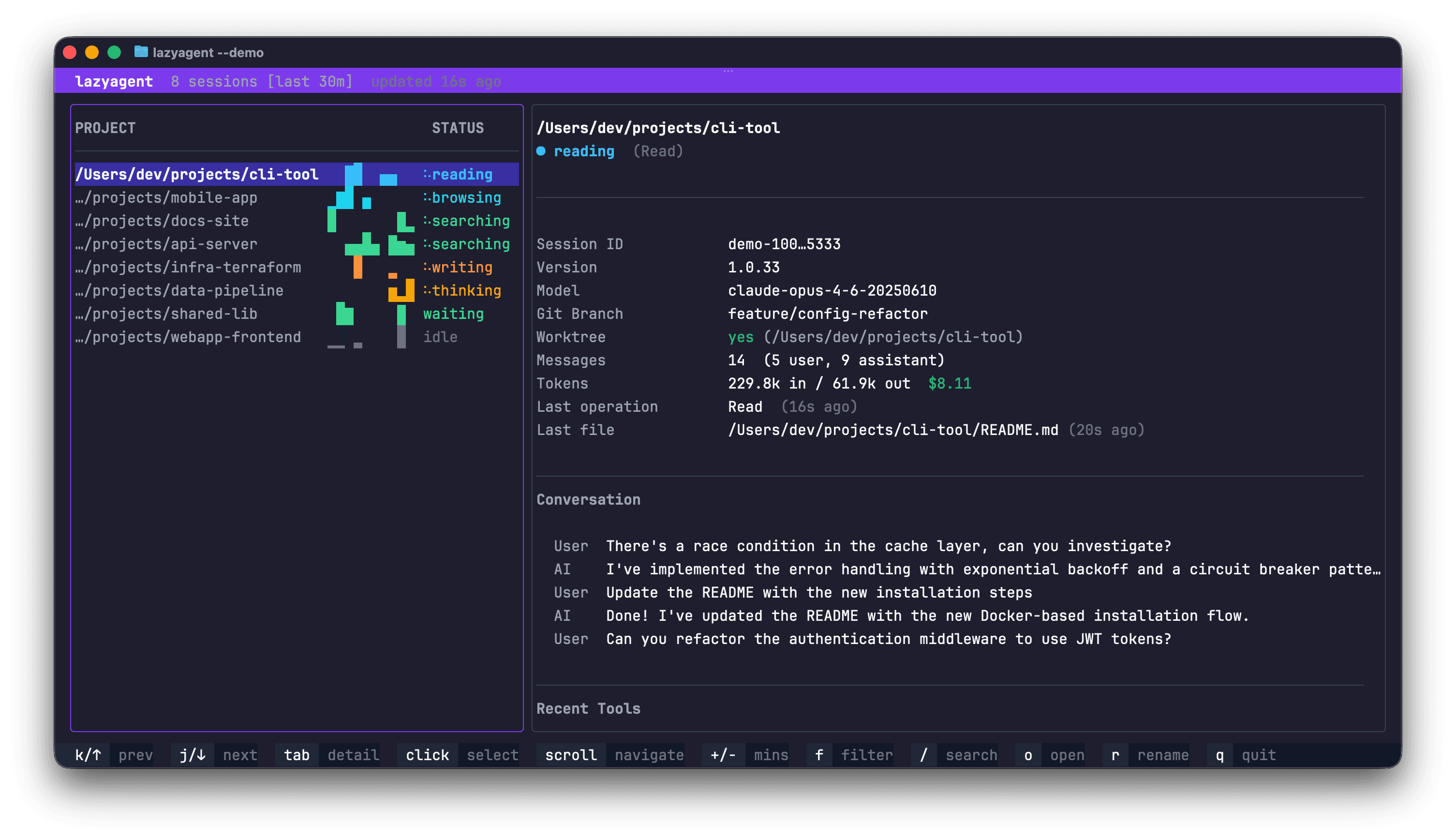
- Sessions: tell them apart. Each session gets its own OS window with a distinct taskbar button / Dock tile — five parallel agents distinguishable at a glance. The author explicitly explains why not tmux or a unified manager: do the opposite, and let "the OS you've used for decades" be the manager — taskbar, Dock, Mission Control, and Alt-Tab are battle-tested window management.
- Comment: annotate output precisely. Select anything the agent prints and comment on it directly, with the exact text quoted; the agent makes the change. An interaction the terminal era never had: previously, correcting an agent meant "describing in words" which passage to change in your next prompt; now you can point at it.
- Docs / Code: render plans and reviews. Ask the agent for a plan as a markdown file, click its name, and the document renders inside the terminal window — comment on any passage or write in it directly; the agent treats your edit as intent and writes it back into the source in its own words. Code review works the same way: the agent hands you a curated, narrated review with attention points called out; you comment inline, it fixes and replies in place.
- Phone: take over from your phone. See which agents need you across your machines, in the same layout as the desktop, and reply by voice. Long agent sessions' worst fear is "stuck on a confirmation prompt waiting for a human" — this feature aims straight at that pain.
- Long jobs / checkout lock / IDE integration. A CI run the agent starts reports its own completion back through the terminal, and the idle agent is prompted to pick it up. For collaboration, one @ mention lets the agent take a checkout lock and cut a branch before its first edit, so parallel agents don't step on each other. Click a file:line the agent cites and your IDE jumps to that exact line (read-only mode — a stray keystroke can't change code).
The cleverest part is the installation. The quick start is one sentence: ask your agent. You copy this prompt to the coding agent you're already using: "Clone https://github.com/albertwujj/agent-term to ~/agent-term, then set it up and launch it for my current project, following the basic setup in its docs/setup.md." Then the agent reads the docs, installs it, and launches it itself — a terminal designed for agents, installed by an agent. This "meta-narrative" is no longer a gimmick in 2026 but the standard move for new tools: your target users talk to agents all day, so the best onboarding is letting the agent do the onboarding.
Why "extend the terminal" instead of "rebuild the IDE"
The README contains a passage on this "battle of routes" worth quoting in full: the vendors' route is "move the agent out of the terminal into an app built around it"; AgentTerm's route is "treat the terminal as the core and extend it." The former's cost: panels are up before you type (distracting), only that vendor's agents are supported, and you're pulled out of your shell. The latter's philosophy: "extend on demand" — additions appear only when needed, and the window is a plain terminal again the moment you're done.
Behind that judgment is a theory of attention. IDEs and agent desktop apps think in "persistent panels": file trees, sidebars, panels always there. The agent era's workflow is "pulsed": most of the time you're waiting on the agent, occasionally intervening — glancing at a plan, annotating output, answering a confirmation. Every AgentTerm interaction is "summoned": select to comment, click to render, check the phone only when needed. The window is a clean terminal 95% of the time — hiding the heavy parts, keeping the light ones.
One technical detail shows real craft: the host and the agent communicate through "text patterns" as a stable interface. The terminal host parses file references and established conventions from output, while guide files teach agents to "print what the host understands." Both sides meet in the middle to form a protocol. The author's words: "established text patterns are a stable interface, and a helpful output style sticks around." No vendor SDK or API dependency — when agents change generations, as long as output styles persist, the terminal still understands. In 2026, when models and CLIs turn over every three months, that kind of "antifragile" design matters more than chasing new features.
"Let the agent install the terminal": a paradigm shift in onboarding
AgentTerm's one-sentence quick start — ask your agent — deserves its own chapter, more than the features do. Traditional software onboarding is "humans read docs, humans click next"; agent-era onboarding is becoming "humans give the agent one sentence; the agent reads docs, installs software, configures the environment." The author clearly gets it: my target users talk to agents all day, so the best installation is agent-performed installation.
The chain reaction is just beginning. When "have the agent set it up" becomes standard, the dimensions of tool competition change: documentation is no longer written for humans but for agents — clearly structured, atomic steps, explicit acceptance criteria; installation no longer pursues "one click" but "agent-executable"; even error handling must consider "what if the agent can't parse this." Evaluating a developer tool's usability may soon start with: "can your agent install it by itself?" The README's dedicated SECURITY.md explaining "what AgentTerm touches" exists precisely to answer the shared question of agents and users alike: when agents install things, where are the boundaries?
Deeper still, this foreshadows a power shift in software distribution. App stores and download pages used to be the entrance; tomorrow, an agent's "recommend + install" may be the bigger one — your agent saying "this terminal is good, let me set it up for you" beats any advertisement. Indie tool builders need to start thinking about "agent distribution": does your README have an agent-readable quick start? Can your install steps run unsupervised by an agent? AgentTerm's Show HN post is, in essence, a live demo of agent distribution.
My take: 2026 is the year of the "terminal renaissance"
AgentTerm is not alone. Warp turned the terminal into an agentic development environment and open-sourced it; Ghostty 1.3's Zig core is being embedded into tools everywhere; solo projects like herminal add agent dashboards to macOS terminals; Haibin's AgentTerm does multi-pane agent management with phone remote control — the terminal, pronounced dead several times over, is being rebuilt under pressure from agents. The 2026 terminal wars are no longer about "render speed or pretty themes" but "who understands agent workflows better."
Why is the terminal reviving instead of the IDE eating everything? Three reasons. First, agents are "text creatures": their input and output are text, and the terminal is their nearest habitat; the IDE's graphical interface is a translation layer. Second, the shell is the greatest common denominator: git, docker, ssh, scripts — agents can't do real work without the shell, and the terminal is the shell's home. Third, vendor neutrality: Claude Code, Codex, Gemini CLI, and Cursor CLI can all run in the same terminal — no vendor's app would ever allow that kind of multi-homing. The terminal's neutrality has become scarce goods in the agent warring-states era.
Admittedly, the IDE camp won't sit still. Cursor's CLI, Copilot's terminal integration, Zed's agent panels all try to "absorb the terminal's advantages into the IDE." But there's a structural tension: the IDE's moat is "editor experience," the terminal's moat is "shell neutrality" — the former keeps getting heavier, the latter keeps looking like "utilities." AgentTerm bets on the latter: when agents become the main workforce, the place developers spend the most time won't be the editor but "watching agents work, occasionally intervening." What that place looks like is undecided in 2026, but "terminal + on-demand extension" is clearly one of the candidate answers.
Practical advice for vibe coders: if you're already running 2+ agent sessions in parallel, it's time to take "session management" seriously — whether that's an extended terminal like AgentTerm or tmux plus naming conventions. The core is solving three problems: tell apart (which session is doing what), recover (how to resume a closed session), and don't lose (long jobs must not fail silently). AgentTerm's phone and long-job designs are essentially answers to the last two. Tools can change, but every heavy agent user will face these three problems sooner or later.
A splash of cold water: AgentTerm is MIT-licensed, zero telemetry, no account — and the author looks like an indie developer. The risk with such projects is never "bad idea" but "can maintenance keep up with agent iteration speed." When Claude Code or Codex change CLI output formats, the host's parsers can break; Electron's footprint is also a hard sell for "terminals should be light" fundamentalists. But then again, 2026's best tools almost all started as "an indie developer scratching their own itch." Let your agent install it for you, use it for a week, then decide whether it earns a place in your Dock — after all, a terminal that can install itself has already passed the first interview.
Sources
Related articles
On October 4, OpenAI's Codex engineering lead Tibo made a public pledge: for 28 days, ship one clear improvement every day for most Codex and ChatGPT Work users — on days the team fails, everyone gets a usage reset. Day 1 brought ~50% faster GPT-6 Astra / 6.1 Sol by default, Day 2 made Auto-review free for ChatGPT sign-ins, Day 3 put GPT-6 in the chat tab. This is an experiment in turning product iteration into a daily series.
Prompts in vibe projects live in code strings, admin text boxes, and docs — changed live, version unknown when things break. This guide shows how to treat prompts like code: a prompts/ layout, YAML frontmatter, semantic versioning, PR reviews, canary rollouts with one-click rollback, plus an evals baseline — and a real war story: one added sentence cost 12 points of classification accuracy.

The faster AI writes code, the more review matters. Four layers: diffs for logic (boundaries, errors, concurrency — plus auth, payments, SQL, encryption, secrets), runtime for behavior (type checks, lint, security scans go green first), AI for first-pass screening (a second model reviews, humans read only flagged parts), humans for the final call (AI never clicks merge). Includes commit norms, PR template, branch protection, rollback plans.