Treat Prompts Like Code: Prompt Version Control for Vibe Projects
Prompts in vibe projects live in code strings, admin text boxes, and docs — changed live, version unknown when things break. This guide shows how to treat prompts like code: a prompts/ layout, YAML frontmatter, semantic versioning, PR reviews, canary rollouts with one-click rollback, plus an evals baseline — and a real war story: one added sentence cost 12 points of classification accuracy.
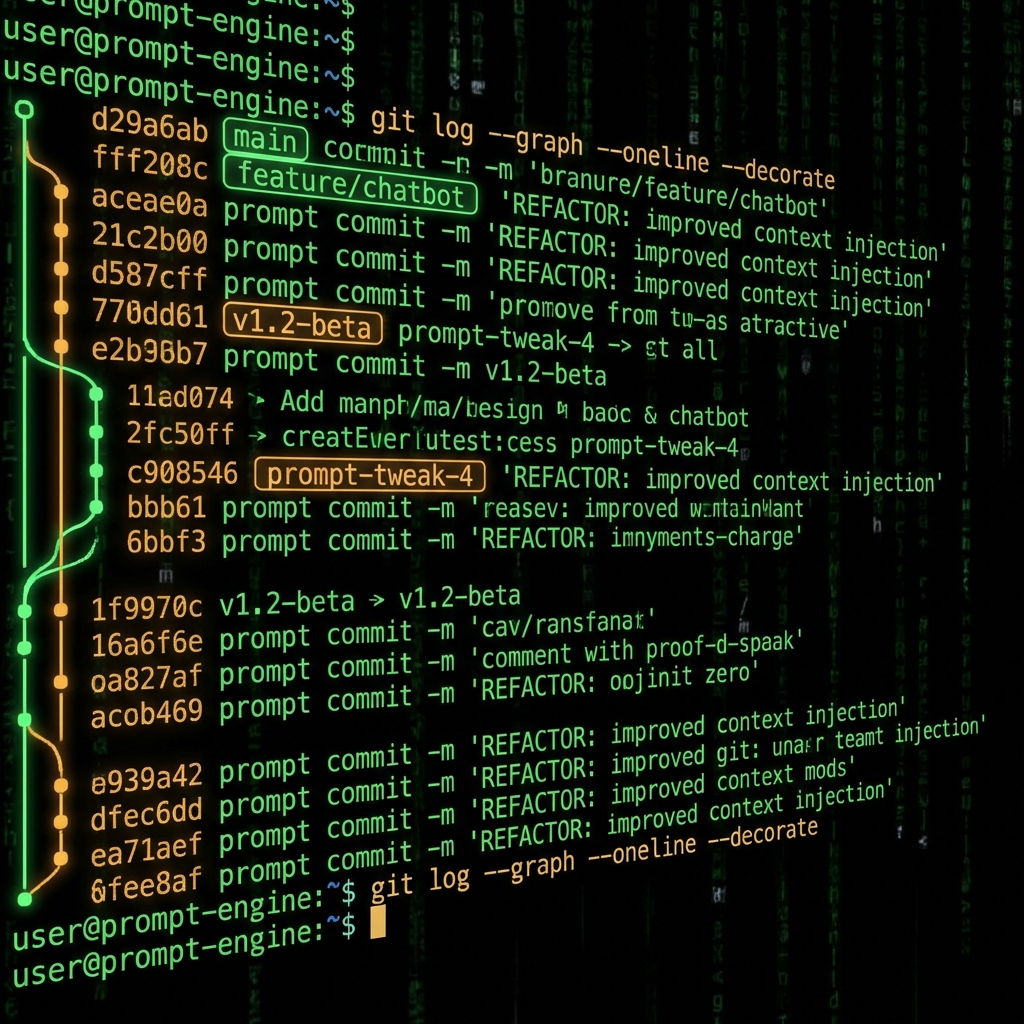
1. Your Prompts Are Already Production Code — Nobody Just Treats Them That Way
Open a typical vibe project and you will find prompts in three places: hardcoded in a string inside some chat.ts, sitting in a text box in an admin panel, or scattered across a section of a shared doc. All three share one trait: a change takes effect immediately, nobody knows what changed, and when something breaks nobody can say which version is actually running in production.
A prompt has three identities. First, it is code: it directly determines program behavior — one changed word can flip output from JSON to prose, as powerful as editing a line of core logic. Second, it is configuration: one click in a text box pushes it live, bypassing the CI/CD pipeline you carefully built. Third, it is an asset: a classifier prompt tuned over three months through dozens of hard lessons is genuine team know-how — lose it and you pay the tuition all over again.
Three identities deserve three kinds of management: into git like code, rollbackable like config, with an owner and a change log like an asset. Miss any of the three and your prompt is Schrödinger's code — it runs, but nobody knows which version it actually is.
The test is simple: if a production prompt breaks, can you state within 10 minutes which version it is, who changed it, what changed, and how to roll it back? If yes, your management is adequate. If not, build it.
2. Give Prompts a Home First: The prompts/ Directory and Naming Rules
Step one is moving prompts out of code strings. The rule: one prompt per file, all collected under a prompts/ directory at the repo root. Callers stop hand-writing prompt strings and load them by ID from files instead.
The recommended layout:
prompts/
  system/        # system prompts: personas, classifiers, moderators
    classifier.md
    summarizer.md
    moderator.md
  user/          # user prompt templates with variables
    review-rubric.md
    reply-draft.md
  evals/         # golden test sets, one per prompt
    classifier-golden-200.jsonl
  registry.json  # registry: id → current version → file
  CHANGELOG.md  # human-written change log
Three naming rules: split directories by purpose (system vs. user; split by business domain when it grows); lowercase hyphenated filenames that say what the prompt does at a glance; no versions in filenames — version info lives in the file's metadata header. Versioned filenames like classifier-v2.md are the beginning of disaster: does the caller reference the old filename or the new file? Which of the two files is current? Three months from now you will not be able to tell either.
registry.json is the single entry point for callers:
{
  "classifier": {
    "current": "1.3.0",
    "file": "system/classifier.md",
    "status": "active"
  },
  "summarizer": {
    "current": "2.0.1",
    "file": "system/summarizer.md",
    "status": "active"
  }
}
Business code only ever references the ID classifier; which version gets loaded is decided by the registry. That means a rollback edits one line of configuration, not business code — which is exactly what makes the one-click rollback in section 6 possible.
3. Metadata Headers: An ID Card for Every Prompt
At the top of every prompt file, write an ID card in YAML frontmatter:
---
id: classifier
version: 1.3.0
status: active    # active | canary | deprecated
owner: lee
updated: 2026-10-06
model: gpt-4o-mini
temperature: 0.2
change: Changed "strictly output JSON" to "output JSON only, no explanations" to fix parse failures
evals: evals/classifier-golden-200.jsonl
baseline:
  accuracy: 0.87
  parse_failure_rate: 0.02
  latency_p95_ms: 1200
---

You are a customer ticket classifier. Output JSON only, no explanations…
Keep every field — each one earns its keep: id is the unique identifier callers reference; version follows semantic versioning (detailed in the next section); status marks whether this version is live, in canary, or retired; owner is the first person to @ when something breaks; model and temperature pin the call parameters so you never get the invisible change of "the prompt is the same but the model moved"; change states in one sentence what changed and why — written for yourself three months from now; evals points at its golden test set; baseline records the metrics this version shipped with.
baseline is the easiest field to skip and the most lifesaving in a crisis. During a rollback you do not need to re-run tests — just read the header: "good" means accuracy 0.87 and parse failure rate 0.02. After rolling back, compare against those numbers; hit them and the recovery is real.
4. Semantic Versioning: Grading Prompt Changes
Borrow semver directly. Three version segments, each with a fixed meaning:
- major (X.0.0): behavioral change. Changing the output format, adding or removing constraints, redefining the persona, switching models. Example: the classifier goes from "output JSON" to "output a Markdown table". Requires PR + full evals + canary.
- minor (x.Y.0): wording refinement. Synonym rewrites, adding few-shot examples, reordering paragraphs — the output contract stays intact. Example: changing "please classify" to "please sort the ticket into one of these four categories". Requires PR + eval comparison, may go out as a small canary.
- patch (x.y.Z): typos and punctuation. Fixing misspellings, adding a missing comma, touching comments — no substantive wording changes. Example: fixing a misspelled word. Merges directly, but still gets a commit for the record.
The upgrade flow runs in reverse: first classify which level the change belongs to, then set the version number, then pick the release process. Never reverse the order — deciding "I want to ship a minor" and then bending the change to fit is digging your own hole.
The most common self-inflicted wound is labeling a behavioral change as a patch. "It's just one added sentence" — in the real war story in section 8, that one sentence cost 12 points of accuracy, and it had been labeled a patch. Remember: the honesty of your version numbers determines how much you can trust the diff during an incident. Mislabel a version and you hand yourself a wrong map at the scene of the accident.
5. Changes Go Through PRs: No Editing Production Prompts by Hand
Set one iron rule: every prompt change goes through a branch + PR; editing the production text box directly is equivalent to editing the production database by hand. There is no exception lane — only the exception process of "fix the fire first, file the retroactive PR within 24 hours". You may put out the fire first, but how the fire was put out must be written down, or the next firefighter walks in blind.
What a proper prompt PR looks like:
- Version in the branch name:
prompts/classifier-1.3.0— the branch alone tells you which prompt changed and the target version. - Three things in the PR description: what changed (link the diff), why (background and motivation), expected impact (did the output contract change? which callers are affected?).
- Three checklists for reviewers: did the output contract change (format, fields, constraints)? The eval baseline comparison (the new version's score on the golden set). Did anything break other callers (search for where this id is referenced).
- Run evals before merging: CI runs the golden set against both old and new versions, posts the scores on the PR, and auto-rejects anything that drops past the threshold.
- Update the registry and CHANGELOG after merging: the version in
registry.jsonand the human-written entry inCHANGELOG.md— it is not done until both are updated.
Reviewing prompts differs from reviewing code in one fundamental way: code review can spot wrong logic, but prompt review cannot spot bad performance. "This sentence reads smoother" does not mean "the model performs better". So in the PR process, eval results must outweigh reviewer gut feeling — gut feeling gets a vote, data gets a veto.
6. A/B in Production and One-Click Rollback
You cannot judge a prompt's effect by reading it — only a small live traffic test can. Ship the new version to 10% of traffic for 24 hours; go to 100% only if metrics hold. You do not need to build this yourself — two lines in the registry do it:
{
  "classifier": {
    "stable": "1.2.0",
    "canary": "1.3.0",
    "traffic": { "stable": 0.9, "canary": 0.1 }
  }
}
The caller looks up the registry by ID, picks a version by weight, and logs the version that actually served the request. The version in the logs is what lets a postmortem answer "which version served the failing requests" — without that log line, the whole A/B exercise is theater.
The rollback checklist — print it and put it on the wall:
- When an alert fires or a metric crosses its threshold, step one is freezing canary traffic, not finding the root cause. Stop the bleeding before diagnosing.
- Set the canary weight to 0 in the registry, stable back to 1.0. This is a config change — no redeploy needed.
- Confirm every production hit is back on stable, then watch the metric curves for 10 minutes.
- Mark the broken version
deprecatedin the registry and sync thestatusin its frontmatter, so nobody accidentally routes traffic back to it. - Write the incident record: version number, how far metrics fell, when it was found, a preliminary guess at the cause. The guess may say "under investigation", but the numbers must be written down.
Run a rollback drill every quarter: pick a random prompt, simulate a canary failure, walk all five steps, time it. The target is under 10 minutes from alert to recovery. Better to discover during a drill that registry changes take 5 minutes to propagate than to discover it during a real incident.
7. Git Is the Floor, Evals Are the Ruler
Git answers: who changed it, when, what changed, and one-click return to any historical version. That is the floor — non-negotiable. Prompt files live in git, in the same repo as the business code, and git log -- prompts/system/classifier.md should produce its complete change history.
But git cannot answer one question: "it feels worse lately". Last week classification felt sharp, this week it feels off — that feeling has to become a number, or PR review stays astrology. That is what evals are for.
The method is unglamorous: collect 50 to 200 real inputs with expected outputs, store them as JSONL — that is your golden set. Every time a prompt changes, run both versions across it and compare scores:
def eval_prompt(version, golden):
    correct, failed = 0, 0
    for case in golden:
        out = call_llm(load_prompt("classifier", version), case["input"])
        try:
            pred = json.loads(out)["category"]
        except Exception:
            failed += 1
            continue
        correct += (pred == case["expected"])
    return {
        "accuracy": correct / len(golden),
        "parse_failure_rate": failed / len(golden),
  }

old = eval_prompt("1.2.0", golden)
new = eval_prompt("1.3.0", golden)
assert new["accuracy"] >= old["accuracy"] - 0.03, "accuracy dropped more than 3 points, rejected"
Four metrics are enough: accuracy (is the task done right), parse failure rate (is the output contract honored — the most common way prompts die in production), p95 latency (longer prompts usually mean slower and pricier), and cost per call (tokens × unit price). The merge gate: an accuracy drop beyond 3 points is an automatic rejection; any other metric degrading badly needs an explanation in the PR.
Two moments to run evals: before every PR merge (stops bad changes); and on a weekly schedule (stops model-side drift — you changed nothing, the provider updated the model, performance moved anyway). The second one is written in scar tissue: most people first learn "I changed nothing but it got worse" from exactly this.
8. A Real War Story: One Added Sentence, 12 Points of Accuracy Gone
This September, a customer ticket classifier. v1.2.0 had been live for three weeks: 87% accuracy, 2% parse failure rate, everyone happy. On a Monday afternoon I wanted to make it "more rigorous" — some tickets arrived with missing information and the model would guess hard instead of hedging. So I added one sentence: "If information is insufficient, list the missing fields before making a judgment."
At the time it felt like pure optimization: no format change, no taxonomy change, just one extra reminder. By the rules in section 4 this was unambiguously a major — a new behavioral constraint — but my hand slipped and I labeled it a patch, with "minor wording tweak" in the PR description. The reviewer glanced at it: "Reads fine." Merged.
It went out as a canary per process: 10% of traffic, v1.3.0. Monday night was quiet. Tuesday 9 AM, someone in the support channel said the auto-classification "felt weird today — lots of tickets are obviously wrong". I opened the dashboard: accuracy down from 87% to 75%, parse failure rate up from 2% to 9%. Twelve points, overnight.
Here is how the diagnosis went. 9:04, git log -- prompts/system/classifier.md: one commit in the last three days, a 3-line diff — the added sentence plus the version bump from 1.2.0 to 1.3.0. 9:06, re-ran both versions over the 200-case golden set: 1.2.0 still at 87%, 1.3.0 at 74%, matching production — confirmed it was this change, not model drift. 9:08, after reading dozens of canary logs the root cause was clear: the new sentence induced the model to emit analysis text first ("Missing fields: order number…"), while the downstream parser demanded pure JSON. Once the model started analyzing, it could not stop explaining; the JSON ended up wrapped in prose, parsing failed, and the fallback logic classified at random. I wanted it "more rigorous" and personally destroyed the "JSON only" output contract.
9:09, rollback started: canary weight from 10% to 0 in the registry, stable back to 1.0. 9:12, every production hit was back on 1.2.0, the accuracy curve started climbing, and by 9:20 it was back at 87%. Ten minutes from detection to recovery. The broken version was marked deprecated, and the incident record read: v1.3.0, accuracy -12pt, parse failure +7pt, cause: new instruction broke the JSON output contract.
In the retro I did the math: without version management, that sentence would have drowned in 40-plus casual edits over three weeks — some in code strings, some in admin text boxes. Just answering "which version is actually live" could have taken half a day. That time it took me 4 minutes to localize, because the diff was 3 lines.
The real original sin was not that the sentence was badly written — its intent was right; insufficient information should not be guessed at. The sins were two: first, labeling a behavioral change as a patch, which dodged the full evals and reviewer vigilance it deserved; second, nobody watching the dashboard during the canary — 10% traffic ran all night until support noticed. We added two rules afterward: someone must watch metrics for the first 2 hours after a canary ships; and parse failure rate is the prompt's heartbeat — a rise beyond 2 points auto-freezes the canary, no human watching required.
A prompt's destructive power is asymmetric: one sentence can wipe out three months of tuning overnight. So managing prompts is not bureaucracy — it is insurance on that destructive power. Honest version numbers, evals that actually run, rollback within 10 minutes: get those three right and everything else is optimization.
9. Three Things You Can Do Tonight
No new project needed, no new tools to buy — one hour tonight sets up the frame:
- Create
prompts/and move the scattered prompts in. Out of code strings, out of admin text boxes, out of docs — one file per prompt. Do not edit while moving; move verbatim, then run once to confirm behavior is unchanged. - Add the metadata header to every prompt. id, version (start at 1.0.0), owner, change ("initial version, migrated from X"), evals (leave empty for now). Once the headers are on, version management has begun.
- Build the first golden set and record the first baseline number. Pull 50 real inputs from production logs, label expected outputs by hand, run once, write down the accuracy. That number is your definition of "good" — every future change gets compared against it.
Done with those three, you have: versions (git + frontmatter), a review gate (PRs), and a ruler (the evals baseline). A/B and auto-rollback can wait until next week — floor first, optimization later. Many teams kill their prompt management by trying to make it perfect on day one, but perfect is iterated into existence, never designed in one sitting.
One honest closing note: this whole apparatus looks like process, but it is really packaged scar tissue. Every field — owner, baseline, change — exists because of an incident where someone thought "I wish we had written that down". You can spend one hour building the frame tonight, or one day rebuilding it after your first production incident — either way the tuition gets paid; the only difference is whether you pay it voluntarily.
Related articles

The faster AI writes code, the more review matters. Four layers: diffs for logic (boundaries, errors, concurrency — plus auth, payments, SQL, encryption, secrets), runtime for behavior (type checks, lint, security scans go green first), AI for first-pass screening (a second model reviews, humans read only flagged parts), humans for the final call (AI never clicks merge). Includes commit norms, PR template, branch protection, rollback plans.

On October 7, OutSystems announced Agent Experience is generally available: its low-code platform is now open to any AI coding agent — Claude Code, Cursor, Codex, Kiro — with agents working at the design level, the platform generating code deterministically, and governance built in. This is the "vibe coding goes enterprise" playbook: taming shadow AI with a compliant path. But the 74% rework figure is vendor-survey data — discount it. The real bill is the hidden cost of platform lock-in.

Getting signups is only the start — users churn by day 3 and you have no horn to call them back. This guide covers notification systems for vibe projects: channel selection, email with Resend from day one, SPF/DKIM/DMARC done right, when SMS is worth the money, frequency caps and unsubscribe, retries and dead letters, plus a launch acceptance checklist.