Your Users Won't Open Your Site Every Day: A Hands-On Notification System Guide for Vibe-Coded Projects
Getting signups is only the start — users churn by day 3 and you have no horn to call them back. This guide covers notification systems for vibe projects: channel selection, email with Resend from day one, SPF/DKIM/DMARC done right, when SMS is worth the money, frequency caps and unsubscribe, retries and dead letters, plus a launch acceptance checklist.
Many vibe projects die the same way: a few hundred signups on launch day, single-digit DAU a week later. The problem isn't features — it's that once users leave, you have no way to call them back. Without a notification system, the relationship is one-directional: you only know about users when they show up, and you can only watch when they walk away.
So my position is simple: a project should have notification capability from day one. That doesn't mean building the whole suite on day one — it means every "we need to tell the user something" requirement goes through one unified notification entry point from the start. Email today, push, SMS, and chat-app bots tomorrow — each is just a new channel plugged behind that entry point, instead of hand-written send logic scattered across ten business files. AI-generated code loves to inline a smtp.send() at every call site, and three months later changing one sentence of copy means digging through ten files.
1. Get This Straight First: Notifications Solve "Recall", Not "Sending"
A notification system's KPI isn't "how many messages went out" — it's "how many dormant users came back". Once that's clear, most decisions make themselves:
- Transactional notifications (signup verification, orders, payments): the user must know right now; real-time first, interruption allowed.
- Security notifications (new-location login, password change): same as above, worth the most expensive channel.
- Re-engagement notifications ("you have 3 new replies", price-drop alerts, weekly digests): this is where a notification system's real value lives — and also the category most likely to be treated as spam. All frequency controls exist for it.
- Marketing notifications (new features, big sales): lowest open rates, highest unsubscribe rates; beginners are advised to skip them entirely.
My call: the first two categories are on by default and can't be unsubscribed; the last two are off by default or one-click unsubscribable. This isn't moral purity, it's arithmetic: one "mark as spam" from a user damages your domain reputation far more than the ten marketing emails you didn't send.
2. Channel Selection: Use a Decision Table, Not Gut Feeling
There are five common channels: email, in-app messages, push (app push / web push), SMS, and team-chat bots (Slack / Teams / Lark / Feishu). Score them on four axes and the choice becomes obvious:
- Email: near-zero cost, carries long content and links; a 20%–40% open rate counts as healthy. Downsides: asynchronous, spam-folder risk. Good for: verification, orders, digests, re-engagement.
- In-app messages: zero cost, highest open rates, but only reaches people willing to come back. Good for: second-touch alongside email, the little red dot on the bell icon.
- Push: high reach, real-time, but needs user permission — and you need an app or PWA. Web Push is the small-team substitute. Good for: instant interaction alerts.
- SMS: highest delivery rate, highest cost, most intrusive. Good for: verification codes, money-related events, security. Remember, SMS is the last resort, not the default.
- Team-chat bots: a B2B superpower. A build-failure alert with @all in the team channel beats email ten times over; for consumer products, don't touch it — users owe you no group membership.
My default priority: email > in-app > push > team-chat bots (B2B) > SMS. A freshly launched vibe project that nails email plus in-app messages covers 90% of notification scenarios. Talk about SMS and push when you actually have an app and actually have paying users.
3. Email in Practice: Use Resend From Day One, Don't Self-Host SMTP
This is the strongest stance in the whole guide: do not run your own Postfix / Sendmail. IP reputation, bounce handling, feedback loops, blacklist delisting — each one can eat a week of your time, and as a vibe developer your time belongs on the product. Resend's free tier covers 3,000 emails a month, the API takes five minutes to wire up, and domain verification is a guided click-through. When you cross ~100k emails a month, migrate to AWS SES (about $0.10 per thousand) — only then is the savings worth the hassle.
The send call looks like this, and it should be the only email exit point in the entire project:
from resend import Resend
client = Resend(api_key=RESEND_API_KEY)
client.emails.send({
  "from": "VibeFix <notify@mg.yourdomain.com>",
  "to": user.email,
  "subject": render_subject("order_paid", {"order_no": order.no}),
  "html": render_template("order_paid", user.locale, {"order_no": order.no}),
  "headers": {"List-Unsubscribe": "<https://yourdomain.com/unsubscribe?token=...>"}
})
Note the from address uses a subdomain, mg.yourdomain.com. My call: always send from a dedicated subdomain, never the root domain. If the sending domain's reputation ever takes a hit, your root domain's normal mail stays untouched — the cheapest insurance five minutes of DNS config can buy.
Then the domain trio — configure once, benefit forever:
- SPF: a TXT record declaring "which servers may send on my behalf". Example:
v=spf1 include:amazonses.com ~all. Beginners should use~all(soft fail) and switch to-all(hard fail) once everything checks out. Resend hands you ready-made records in its dashboard — just copy them. - DKIM: signs every outgoing email with a private key; receivers verify against the public key in your DNS. The record looks like a TXT at
resend._domainkey. Without DKIM, you're "a stranger claiming to be you" in Gmail's eyes. - DMARC: tells receivers "what to do when verification fails" and sends the reports back to you. Example:
v=DMARC1; p=none; rua=mailto:dmarc@yourdomain.com. The critical pacing: start withp=none, collect reports for two weeks, move toquarantineonly when nothing is misfiring, and end atreject. Jumping straight torejectwith one misconfigured character will nuke your own legitimate mail.
When mail lands in spam, work through this checklist: check domain reputation in Gmail Postmaster Tools; warm up new domains, starting at a few hundred emails a day in week one and ramping slowly; watch complaint rates — Gmail's bulk-sender rules demand spam complaint rates under 0.1%, throttling kicks in above 0.3%; no URL shorteners in the body, no image-only emails; and the unsubscribe link must work in one click — no "log in, dig through settings" dark patterns.
4. SMS and Push: Spend the Money Where It Counts
SMS is for exactly three categories: login / signup verification codes, money-related events (payment success, payout arrival), and security (new-location login, password changed). Marketing SMS is never worth it — conversion is too low to justify, and users can complain to carriers. The math: domestic SMS runs about $0.008–0.01 per message in the US (more in many regions); 10,000 users receiving one code a month is on the order of a hundred dollars — survivable for a small project, but most of it is unnecessary spend.
Here's an unpopular call: in 2026, if email verification codes plus TOTP cover the scenario, don't burn SMS money. Email codes cost nearly nothing, and TOTP (the Google Authenticator kind) costs literally nothing. Reserve SMS for the critical paths where "not receiving it" is catastrophic, like password recovery. Plenty of vibe projects wire up SMS verification on day one and burn thousands a year, when email verification would have served 90% of their users fine.
Push splits two ways: if you have a native app, use FCM / APNs — that's the proper path. If you don't, don't wrap a shell app just for push; Web Push is the small-team substitute — browser subscription, server sends via the Web Push protocol, and services like OneSignal have free tiers with one API covering web and app. Migrate to native push when the app is real; the migration costs far less than you'd expect.
5. Templates and Variables: Don't Let the AI Write Copy in Ten Files
Vibe coding has a classic trap here: you ask the AI to "send an order confirmation email" and it hand-writes HTML inside order.py; next you ask for a refund email and it hand-writes another inside refund.py. Three months later you want a unified footer with an unsubscribe link and you're digging through ten files. The right approach: templates live in the database; sending only passes a template code plus a variable dict.
Minimum viable schema: notification_templates(code, locale, subject, body_html, version, updated_at). Sending looks like: notify(user, "order_paid", {"order_no": "20261008001", "amount": "$99"}), and the notification module renders the template matching the user's locale. Copy changes touch the database, not the codebase; want A/B tests, add a variant column.
Two hard rules. First, render variables through a whitelist — no arbitrary expressions in templates. That's basic SSTI (server-side template injection) defense and it's non-negotiable no matter how small the project. Second, no business logic in templates: "is it $10 off or $20 off over $100" gets computed in business code and passed in; templates only handle layout. AI loves nesting {% if %} blocks in templates — flag it in review every time you see it.
6. Frequency Caps and Unsubscribe: Being Treated as Spam Costs More Than One Unsent Email
Re-engagement notifications are the dangerous ones: too few and users never return, too many and they mark you as spam. Gmail's bulk-sender rules are a hard line — complaint rates over 0.3% get throttled, and a damaged domain reputation takes months to rebuild. So frequency control isn't "experience polish", it's "asset protection".
- Digest / batching: a user gets 3 replies overnight — send one "you have 3 new replies", not 3 emails. Implementation is simple: re-engagement notifications enter a queue, aggregated every 30 minutes before sending.
- Per-user caps: marketing / re-engagement, max 1 per day and 3 per week per user. Over the cap gets dropped with a log line — don't queue it for tomorrow, stale re-engagement is worthless.
- Quiet hours: 22:00–08:00 in the user's timezone, no SMS or push unless urgent; email is fine, it's asynchronous anyway.
- One-click unsubscribe: every marketing email carries a
List-Unsubscribeheader and an in-body link; one click and it's done — no login, no second confirmation. Every obstacle you add makes the user click "this is spam" instead, and you can't afford that trade.
My call: unsubscribing is a user's legitimate right to vote with their feet, and products with frictionless unsubscribe end up with better domain reputation. The ones that hide the unsubscribe link all end up in the spam folder eventually.
7. Retries and Dead Letters: Failed Notifications Need an Aftermath
A failed notification send must never be silently swallowed — "payment succeeded but the user never got the confirmation email" is a support ticket you can only resolve with send logs. So the notification module needs three things: a status table, retries, and dead letters.
Minimum status-table fields: notification_logs(id, user_id, channel, template_code, status, provider_message_id, retry_count, created_at), with exactly four statuses: pending / sent / failed / dead. Every notification ever sent is traceable; a complaint gets located in 10 seconds.
Retries use exponential backoff: 1 min → 5 min → 30 min → 2 h → 12 h, max 5 attempts. Two details matter. First, idempotency keys: dedupe on event_id + channel and carry the key on retries, so a network timeout doesn't deliver two "payment succeeded" emails. Second, automatic provider failover: if Resend keeps failing, switch to SES — don't hang on one tree. After 5 failures it goes to the dead-letter pile (status=dead), and then alerts go to your own team-chat group. Remember: the notification system's own alarms must not travel through the notification system, or you'll be the last to know it's down.
8. The Preference Page: Give Users the Choice, One Page Is Enough
A solid notification preference page needs just three groups of toggles, placed somewhere prominent in settings:
- By category: transactional (on, locked), security (on, locked), product updates (on by default, can turn off), marketing (off by default, user opts in).
- By channel: email / push / SMS, letting users disable a channel (transactional SMS can't be disabled, but can be downgraded to email).
- Quiet hours: let users set their own, e.g. 23:00–07:00.
My call: marketing defaults to off. Products that dare default everything to on are burning domain reputation for short-term open rates — the bill always comes due. Every preference change must take effect immediately and be logged — "the user unsubscribed but still got the email" is among the most expensive support tickets under GDPR / PIPL-style regimes.
9. Launch Acceptance Checklist: Run Through It Before Anything Goes Out
Walk this list item by item before the notification system goes live. It's tedious; every skipped item returns as a support ticket:
- SPF / DKIM / DMARC all live (verify with
dig TXTor mxtoolbox), DMARC inp=noneobservation mode. - Sending domain is a dedicated subdomain (e.g.
mg.yourdomain.com), not the root domain. - mail-tester.com self-test scores 8+; seed inboxes at Gmail / Outlook / QQ / 163 all land in the inbox.
- Unsubscribe link works in one click; unsubscribed categories stop sending.
- Frequency caps work: 10 re-engagement triggers in one minute for one user produce a single aggregated message.
- Retry drill: mock the provider failing, confirm 5 backoff retries + dead letter + the alert chain all fire.
- Idempotency drill: send the same
event_idtwice, the user receives exactly one. - Preference page: every toggle takes effect immediately, changes are logged.
- Monitoring: alert when failure rate > 1%, when queue backlog passes threshold, and the moment a dead letter appears.
- Template audit: every template has both language versions, no stray placeholders outside the variable whitelist.
One honest closing thought: a notification system is among the highest-ROI infrastructure a vibe project can build. It's not flashy, it has no AI sparkle — but it's the only bridge between you and your users. Build the bridge and you can call churned users back, paying users get their confirmations, and when something breaks you can reach people. A weekend spent building it from this guide is a weekend well spent.
Related articles

Every vibe project eventually needs scheduled jobs: daily syncs, expired-order cleanup, billing reconciliation, scheduled reports. AI's first version is usually setInterval — fine for dev, fatal in production. This guide maps four scheduling options, cron expressions and timezone traps, idempotency, distributed locks against overlap, failure retries and alerting, run-log observability, and cron endpoint auth — plus a launch checklist.

On October 3, engineer Kevin Liao published a polemic that hit the HN front page: agent memory plugins are a lottery over RAG snippets; what agents need is a documentation workspace. The essay's diagnosis, its open-source Operator Memory plugin, the two strongest objections, and the minimal practice you can start tonight.
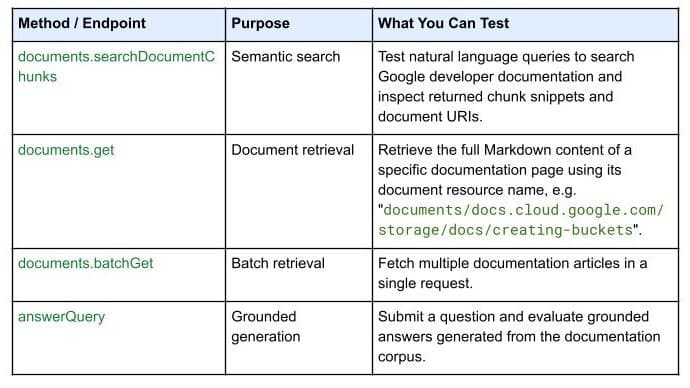
On October 7, 2026, Google Developers launched the Developer Knowledge API ecosystem: official Google Cloud, Firebase, and Android docs as a programmatic source of truth, with a gcloud CLI surface, an official Agent Skill (one-line install), an MCP server, and multi-language client libraries. Why 'docs as APIs' uproots vibe coding's classic failure of models misremembering APIs.