Vibe Coding Safety Red Lines: The Biggest Risk Is Not Knowing What the AI Did
ZCode's silent uploads, Moltbook's leak, hallucinated-package attacks — vibe coding's biggest risk isn't ugly code, it's not knowing what the AI did. Seven red lines plus a 30-minute hardening routine; guardrails, not restraints.

Talk about vibe-coding security and most people's first thought is "is the code ugly." Wrong. Ugly is a taste problem. The real safety risk is: you don't know what the AI did. Which files did it read? Which APIs did it call? Did it send anything out? Many people can't answer — not because they're careless, but because they never asked.
My take: vibe coding doesn't need "more caution," it needs red lines. Red lines aren't restraints — they're guardrails, and guardrails are what let you drive fast. Four real cases first (each maps to one red line), then a 7-item red-line list, then the most overlooked question: matching security investment to stage.
Case 1: ZCode packaged entire workspaces for upload (September 2026)
The September 18 security disclosure: Z.ai's AI coding tool ZCode would quietly package entire workspaces for upload — .git history included — without users knowing. Note: this wasn't a student's side project but a major vendor's official tool with hundreds of thousands of users. Days later, Z.ai was forced to fully open-source ZCode under Apache 2.0 to stop the bleeding.
The terrifying part: what broke wasn't "AI-written code" but "the AI tool itself." We're used to reviewing AI's output and forgot to review AI's behavior. Did your agent read ~/.ssh? Who did it send your environment variables to? Were its "suggestions" generated only after uploading your code? Before the ZCode incident, almost nobody asked these seriously.
The red line (No. 1): audit the tool itself. Before adopting any new tool, three questions: where does its privacy policy say data goes? Any training-data clause (does your code become its training set)? Can you verify at the network level (capture packets, see where it phones home)? Can't answer — use it in an isolated environment first. Tools work for you; they don't get to inspect your house.
Case 2: Moltbook's data-leak lesson
Moltbook (covered on this site) — the AI-only social network acquired by Meta three months after launch, a glamorous story. But early versions had a data leak. An AI-driven social product inherently handles mountains of user data — and AI-generated code is weakest exactly at data boundaries: it doesn't know which fields are PII, what GDPR is, or that "this endpoint returns data the frontend should never see."
The red line (No. 2): isolate production data from experiments; AI never touches real user data. Dev and test on scrubbed/fake data — iron law. "Let the agent connect to prod to take a look" is among the most dangerous operations there is — it might dump an entire table into logs "to help." Data tiers: public, internal, sensitive — three levels; AI touches level one by default, level two with approval, level three never.
Case 3: Package names the AI hallucinated — attackers already registered them
A real attack surface from 2024–2026: AI hallucinates nonexistent package names while writing code (pip install super-utils-v2 — a package that doesn't exist). Attackers learned the pattern and started registering the names AI commonly invents, stuffed with malware. It's dependency confusion with an AI-era twist: attackers no longer guess what you'll install — they wait for AI to invent a name, then lie in wait.
More subtle: even AI-recommended "well-known libraries" can be wrong — version mismatches, changed maintainers, or outright typosquats. Typosquat packages on npm/PyPI keep growing in 2026.
The red line (No. 3): verify every AI-recommended dependency before installing. Three steps: search the official registry — does it really exist? Check downloads and maintainers (think twice under 1k weekly downloads); pin versions + lockfile, run npm audit / pip audit in CI. Don't call it hassle — one supply-chain hit costs more than a lifetime of "hassle" combined.
Case 4: Secrets "helpfully" written into the repo
The most frequent AI-project security incident: you paste an error log containing a key into a prompt, and the AI "helpfully" writes the key into code; or the AI-generated .env gets committed along. GitHub's secret scanning flags these daily, many contributed by AI-generated projects.
The red line (No. 4): secrets never enter agent context in plaintext. Four iron rules: secrets live in a secret manager (or at minimum .env + .gitignore); scrub logs before pasting to AI (a 5-minute script that auto-redacts); pre-commit hooks running secret scans (gitleaks and friends); rotate keys regularly — assume they've leaked. Remember: a secret the AI has seen should be treated as public. Not alarmism — basic prudence after ZCode.
The 7 red lines (print and pin to the wall)
- Red line 1: Audit the tool itself. New tool? Ask where data goes and about training clauses; verify with packet capture. Maps to Case 1.
- Red line 2: AI never touches real user data. Scrubbed data for dev/test; the production database is a no-go zone. Maps to Case 2.
- Red line 3: Verify every dependency before install. Check existence, maintainers, pin versions, run audits. Maps to Case 3.
- Red line 4: Secrets never enter agent context in plaintext. Secret manager + scrubbing + pre-commit scanning + rotation. Maps to Case 4.
- Red line 5: Every AI change passes git diff review. However small — eyeball the diff before merging. Cheapest habit with the highest return: a 5-minute review blocks 80% of absurd operations. Pair with "auto-commit per subtask" discipline and there's always a way back.
- Red line 6: Local sandbox + least privilege. Following the September local-sandboxing idea from GitHub Copilot: filesystem, network, credentials — three permission classes configured per project, tight by default. An agent's permissions should match exactly what its task needs, not what your account happens to have.
- Red line 7: Run a security scan before any public release. Always-on scanning like Codex Security Cloud is becoming infrastructure (OpenAI launched it at September's DevDay), trickling down through Pro tiers and raising the baseline for indie devs. Scan before shipping, and look hardest at the medium-severity items outside "high confidence" — those are exactly what human review misses.
The critical reminder: match security investment to stage
After listing 7 red lines, the counterpoint: excessive security kills iteration speed. Building a weekend hackathon demo with a secret manager, full auditing, and dependency review from minute one means building nothing at all. Red lines are tiered:
- Personal demo / jam entry: hold lines 4 and 5 (no leaked secrets, eyeball the diff). The rest is optional — a demo's job is proving the idea, not passing compliance.
- Side project with real users: hold 1–6. User data is trust; betray it once and it's gone. At this stage, security spending is your cheapest customer acquisition ("we take your data seriously" is itself a selling point).
- Products handling payments / health / sensitive data: all 7, plus external audit. At this stage "AI wrote it" is no excuse — after an incident, nobody forgives you for vibe coding.
The essence of tiering: security investment should track the cost of screwing up. Cheap failure — prioritize speed; expensive failure — prioritize safety. The two dumbest modes: military-grade security for a demo (self-indulgence), demo-grade standards for production (self-destruction).
Appendix: a 30-minute hardening session for your main project
Theory done; here's tonight's executable list. Open your main project, 30 minutes on the clock:
0–5 min: sweep secrets. Globally search sk-, api_key, secret, password. Found hardcoding? Rotate immediately (revoke at the provider first, then fix code). Check .gitignore covers .env; if not, add it. Install gitleaks, run it over history — don't fear what you'll find; found beats unfound.
5–12 min: audit dependencies. Compare the lockfile against package.json for ghost dependencies (in lock but not json, or vice versa). Run npm audit / pip audit; fix highs and up. Pay special attention to those "obscure but handy" packages the AI installed — verify on the official registry that they exist with sane maintainers.
12–18 min: review permissions. What directories can your agent read right now? Which APIs can it call? List "what it needs" versus "what it has" — the difference is what you take back. If your tool supports sandbox/permission config (like Copilot's local sandboxing), configure it now; if not, at minimum separate work and life directories and make ~/.ssh unreadable.
18–24 min: look at data. Any real user data in the project? Is the test database a "copy" of production containing real rows? If yes, switch to scrubbed data tonight. Red line 2: AI never touches real user data, no exceptions.
24–30 min: establish discipline. Set pre-commit hooks (secret scan + lint), adopt one rule for the team (or yourself): "AI changes don't merge without diff review." Print the 7 red lines where you'll see them. Discipline's value isn't "always followed" — it's "when you don't follow it, you know you didn't."
After 30 minutes your project won't be "absolutely secure" — but it'll go from streaking to clothed. Security is a spectrum; every step forward raises attacker cost. And all it cost you was one pomodoro.
One-line summary
Vibe-coding security is ultimately a visibility problem: you can't see what the AI did, so you either don't dare use it (throwing the baby out) or use it blindfolded (streaking). Red lines turn "invisible" into "visible": audit tools, isolate data, verify dependencies, guard secrets, review diffs, sandbox locally, scan before release — each cuts one more slit into the black box.
Red lines don't make you drive slow; they let you dare to drive fast. Race drivers floor it because they know there are guardrails, helmets, medics. The 7 red lines are your guardrails. This week's actions: grade your main project against all 7, mark the reds, order the fixes; then give your primary agent least-privilege sandboxing (filesystem/network/credentials, three clean cuts in the Copilot-local-sandboxing spirit). Thirty minutes buys the kind of sleep where you don't wake up at 3 AM — that's a trade worth making.
Related articles
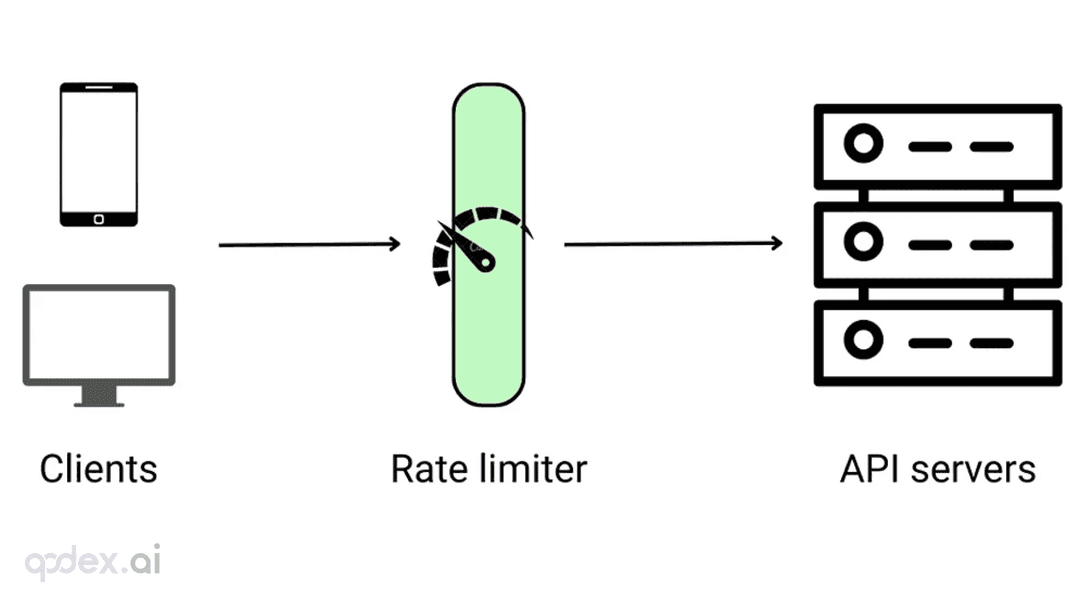
Every public endpoint will be called beyond your expectations some night. This guide builds a one-person-team rate-limiting system: algorithm choice (sliding window vs token bucket), four-layer defense, AI-endpoint money-burning protection, quota design, 429 response conventions, false-positive triage, and a launch checklist.

On October 3, engineer Kevin Liao published a polemic that hit the HN front page: agent memory plugins are a lottery over RAG snippets; what agents need is a documentation workspace. The essay's diagnosis, its open-source Operator Memory plugin, the two strongest objections, and the minimal practice you can start tonight.

Gergely Orosz visited OpenAI, Anthropic, Cursor, and Ramp and wrote up the 2026 state of the industry: near-100% AI-generated code, agent PRs up ~10x in eight months, code review degrading into theater, the IDE declared legacy. Key takeaways plus three verdicts and four actions for vibe coders.