Don't Wing Exports, Don't Crash on Imports: Data Import & Export in Practice for Vibe Projects
Import is the dirty-data inlet, export is the data-sovereignty outlet. This guide covers the three-stage import pipeline (stage, validate and preview, confirm), five validation categories, idempotent upserts, streaming export, async queues with signed links, and a ten-item anti-pattern list — with copy-pasteable TypeScript snippets.

Intro: Three Real-World Disasters on a Monday Morning
Let me start with three stories, all taken from real indie-hacker group chats, names withheld.
Story one: an import took down production. The maker of a bookkeeping SaaS built a "bulk import historical bills" feature. On day one, a customer uploaded a 120,000-row CSV. The server read it into memory with fs.readFile in one go, then inserted row by row. Ten minutes later, the 2GB VPS ran out of memory, the process restarted, and the database was left with 40,000+ half-baked rows — half imported, failed midway, nobody knew which rows made it. The author spent the whole weekend hand-writing SQL to delete the dirty data.
Story two: the exported CSV was pure mojibake. The maker of a CRM tool added an "Export customer list" button. Users clicked it happily, opened it in Excel — and every Chinese character turned into little boxes. A user left a comment: "can't even get export right," with a screenshot attached. That's when the author learned that Excel opens a UTF-8 CSV without a BOM using the system's local encoding by default. The fix was one line of code: '\uFEFF'. But the reputational damage can't be patched with one line.
Story three: the soul-searching question on renewal eve. The biggest customer of a small team tool emailed a week before renewal: "We might switch systems next year — can we export all our data to Excel?" The author's answer was "not supported yet." The customer never replied, and the renewal never came. The author later wrote in a retrospective: "The first time a user takes your product seriously is often the moment they ask whether they can take their data with them."
All three stories point to the same badly underestimated feature: data import & export. It's not flashy, won't trend on Product Hunt, isn't worth a social post — but in B2B and tool products, it's the triple switch for renewal, migration, and reputation. This guide covers the full playbook in one sitting.
Core Thesis: Answer Four Questions Before Writing a Single Line of Code
My core argument: import and export are not variants of "file upload/download" — they are two independent product features. Import is the "dirty data inlet," export is the "data sovereignty outlet." One handles things coming in, the other handles things going out; their design logic is completely different, so never paper over that with one shared codebase.
Before you start, answer four questions. The answers determine every technical decision downstream:
| Dimension | Question | Where the two answers lead |
|---|---|---|
| Who | Is the button clicked by an end user or by your own ops team? | End user → strong validation, foolproofing, templates; ops → can be rough, but must be auditable |
| How big | Typical row count? Peak row count? | < 10k rows → synchronous is fine; > 50k rows → async + streaming required |
| How fast | How many seconds can the user wait? | < 30s → synchronous; longer → queue + notification |
| How dirty | How unreliable is user-uploaded data? | The dirtier → the more preview confirmation and error replay matter |
Remember this mantra: for export, decide "how big" first; for import, decide "how dirty" first. Export's biggest pitfalls are memory and timeouts; import's biggest pitfalls are dirty data and duplicate submissions. Get it backwards and you'll build a beautiful preview nobody looks at for export, and streaming optimization for import while the data stays dirty.
Part 1: Export in Practice — Handing Data Over Gracefully
3.1 Format Choice: One Decision Table to End the Debate
The most common debate in vibe projects is "CSV or Excel for export?" My advice: default to CSV, treat Excel as a paid feature, and JSON as the developer feature. The reasoning is pragmatic: CSV is cheapest to generate, smallest in size, and consumable by any system; real Excel (.xlsx) needs libraries, styling, merged-cell handling — an order of magnitude more expensive, and a fine differentiator for a Pro plan.
| Format | Best for | Cost | Watch out |
|---|---|---|---|
| CSV | Default export, data migration, feeding other systems | Lowest | Must add BOM, or Excel mangles CJK text |
| XLSX | Print-ready reports, multi-sheet workbooks | High (exceljs etc.) | Good paid-tier differentiator |
| JSON | Developers, API users, backups | Lowest | Use English keys, not localized column names |
| Invoices, statements — "finalized" documents | Highest | This is a layout problem, not a data problem — build separately |
3.2 The First Two Lines of Code: BOM and Filename
The lesson of story two, condensed into two lines. Prepend \uFEFF (UTF-8 BOM) to CSV content and Excel will parse it as UTF-8 — no more mojibake. When the filename contains non-ASCII characters, encode Content-Disposition per RFC 5987, or some browsers will download it as %E8%AE%A2%E5%8D%95.csv:
// The minimal correct way to export CSV (Node.js)
const BOM = '\uFEFF';
const csv = BOM + rows.map(r => r.map(escapeCsvCell).join(',')).join('\n');
res.setHeader('Content-Type', 'text/csv; charset=utf-8');
res.setHeader(
  'Content-Disposition',
  `attachment; filename="export.csv"; filename*=UTF-8''${encodeURIComponent('订单列表.csv')}`
);
res.send(csv);

// Cell escaping: wrap in quotes when containing comma/quote/newline, double the quotes
function escapeCsvCell(v: unknown): string {
  const s = String(v ?? '');
  return /[",\n]/.test(s) ? `"${s.replace(/"/g, '""')}"` : s;
}
Note that escapeCsvCell is not optional: user-entered notes will absolutely contain commas and newlines, and unescaped cells shift columns. This is the most frequent hidden bug in CSV export.
3.3 The Life-or-Death Line for Large Exports: Never Load the Whole Table into Memory
This is the most dangerous pitfall on the export side. The classic disaster code looks like this: const rows = await db.order.findMany() — 500k rows into memory at once, and the Node process dies. The correct approach is streaming export: fetch from the database in batches with a cursor, write to HTTP as a stream, and keep only one small batch in memory at any time.
import { Readable } from 'node:stream';

// Streaming export: memory stays constant at BATCH size, independent of total rows
async function streamExportCsv(res: Response, where: object) {
  const BATCH = 1000;
  let cursor: string | undefined;
  res.setHeader('Content-Type', 'text/csv; charset=utf-8');
  res.setHeader('Content-Disposition', `attachment; filename*=UTF-8''${encodeURIComponent('orders.csv')}`);
  res.write('\uFEFF');
  res.write('order_id,amount,created_at\n'); // header written once

  const source = new Readable({
    async read() {
      const batch = await db.order.findMany({ where, take: BATCH, ...(cursor ? { cursor: { id: cursor }, skip: 1 } : {}) });
      if (batch.length === 0) { this.push(null); return; }
      for (const o of batch) this.push(`${o.id},${o.amount},${o.createdAt.toISOString()}\n`);
      cursor = batch[batch.length - 1].id;
    },
  });
  source.pipe(res);
}
Rule-of-thumb numbers: under 10k rows can be exported synchronously; over 50k rows, or any single query taking longer than 10 seconds, must go async. The middle ground (10k–50k) depends on server memory — when in doubt, just stream; it's only a few more lines of code.
3.4 Async Export: Queue + Signed Links + Notifications
When an export takes longer than ~30 seconds, a synchronous HTTP request will be killed by gateway timeouts (Vercel/Cloudflare default to 30–60s). Time to switch to async mode, architected as follows:

Five key details of async export:
- Task state machine: pending → processing → done/failed, so users can watch progress on an "Export history" page instead of staring at a spinner.
- Write files to object storage (S3/R2), never local disk — with multiple instances, a local file is unfindable.
- Signed download links: use presigned URLs with a 24-hour expiry. Never make the bucket publicly readable "to save trouble" — that's a real-world data leak pattern.
- Notify on completion: push an in-app message or email saying "your export is ready" with a directly clickable link. Users won't sit on the page for 20 minutes.
- Auto-cleanup: delete export files after 7 days and tell users about the expiry. Disk and storage bills are real money.
3.5 Export Is a Hotbed for Broken Access Control
An easily overlooked point: export endpoints are a hotspot for horizontal privilege escalation. The list page has permission checks; the export endpoint is usually added later, and one GET /api/export/orders that forgets the tenant condition in its where clause can drain the entire database. The rule is simple: the query conditions for export must use the exact same permission-filter function as the list page — never hand-write a second one.
// Anti-pattern: hand-written where in the export endpoint, tenant isolation missing
// const rows = await db.order.findMany({ where: { status: 'paid' } }); // dangerous!

// Correct: reuse the list page's permission filter
const where = buildOrderScope(req.user, req.query); // same function, shared by list & export
await streamExportCsv(res, where);
Two more export-side security items: mask sensitive fields on export (e.g., star out the middle digits of phone numbers), and rate-limit exports (N per user per day) so nobody scripts your database empty.
Part 2: Import in Practice — Keeping Dirty Data Out
If export is "handing data over gracefully," import is "taking it in ungracefully." In a user-uploaded Excel file, a date might be 2026/10/14 or 45291 (an Excel serial number); phone numbers may hide spaces and dashes; the same batch may be uploaded three times. The design goal of import is singular: make dirty data show itself before it enters the database, not after it explodes inside.
4.1 The Three-Stage Pipeline: Upload → Validate & Preview → Confirm Import
This is the most important architectural decision for import: never do "upload means import." The correct flow has three stages, and skipping any one is a trap:

- Upload to staging: the file lands in a temp area (object storage or local temp dir) and you return an
uploadId. Business tables are untouched. - Parse & validate: the server streams the file, runs validation rules on every row, and produces a preview report: "N rows pass, M rows have problems."
- Preview & confirm: the user sees the preview — passing row count plus the problematic rows (line numbers + reasons) — and only clicks "Confirm import" to actually write to the database. Optionally: "import only the passing rows."
Why is preview mandatory? Because users are always overconfident about their own data quality. Without preview, they'll blame 300 errors on you; with preview and error replay, those same 300 errors send them back to fix their own spreadsheet. That's the dividing line between "your bug" and "their data problem."
4.2 Give Them a Template Before Talking About Validation
The cheapest way to reduce dirty data isn't stronger validation — it's a downloadable template file that just works. The template includes: a header row, 2–3 example rows, required columns highlighted, and Excel data-validation dropdowns for enum columns. From real-world experience, providing a template cuts import error rates by more than half.
The key detail: the template's column order and the validation rules must be generated from the same code. The most common rot: template v1 calls a column "Phone," three months later the code validates "Mobile," and old templates fail wholesale. Define one IMPORT_SCHEMA that both template generation and row validation derive from:
// One schema, two consumers: template generation + row validation
const IMPORT_SCHEMA = [
  { key: 'name', header: 'Name', required: true },
  { key: 'phone', header: 'Phone', required: true, pattern: /^1\d{10}$/ },
  { key: 'level', header: 'Tier', enum: ['Basic', 'VIP', 'Black'] },
  { key: 'joinedAt', header: 'Join date', type: 'date' },
] as const;

// Template: header + example rows
function buildTemplate() { /* generate xlsx from IMPORT_SCHEMA */ }
// Validation: run the same schema row by row
function validateRow(row: Record<string, string>, lineNo: number) { /* validate per IMPORT_SCHEMA */ }
4.3 The Validation Engine: Five Categories, One Net
Split validation into five categories — each independent, testable, and individually toggleable. Order matters too: cheap checks first, expensive ones later:
| Category | What it checks | Example | Cost |
|---|---|---|---|
| 1. Format | Types, regex, length | 11-digit phone, email format | Lowest — run first |
| 2. Required | Non-empty, non-blank | Name must not be empty | Lowest |
| 3. Enum / range | Value in allowlist, number in interval | Tier must be Basic/VIP/Black | Low |
| 4. Foreign key | Referenced record exists | Store code exists in the stores table | Medium (DB lookup — preload in batch) |
| 5. Duplicates | Duplicates within the file, or against the DB | Same phone appears twice in the file | Medium |
Two engineering details: never check foreign keys row by row — collect all store codes from the file first, fetch them back with one IN query, then compare per row; N queries become 1. Excel dates need special handling: a cell can be a Date object, a 2026-10-14 string, or a serial number like 45291 — handle all three, or "the entire date column failed" is the ticket you will definitely receive.
Run per-row validation with a schema library like zod rather than hand-writing ifs. Hand-written validation is where tech debt breeds: three months later, nobody dares touch those 200 lines of ifs.
4.4 Error Replay: Give Users Their Line Numbers Back
The heart of the preview page isn't "how many rows passed" — it's "what exactly is wrong with the rows that didn't." Error replay must do three things:
- Pinpoint the line number: error messages must carry the real Excel line number (mind the header on row 1 — data starts at row 2; don't be off by one).
- Speak human: don't show
ValidationError: phone pattern mismatch; show "Row 8: phone number "138 1234 5678" is malformed — remove the spaces and retry." - Downloadable error report: generate a CSV of only the error rows (original row data + an error-reason column) so users can fix and re-upload. This single step cuts support workload by an order of magnitude.
Cap the display: beyond 200 errors, don't list them all — show the first 200 and note "1,342 rows have problems; download the error report for the full list." Rendering 100k error rows will freeze the browser, which is a frontend concern too.
4.5 Idempotent Import: Let Users Double-Click in Peace
Users will absolutely submit twice: the network lags and they click again, the import is slow so they refresh, the same file gets uploaded three times. Without idempotency, your database ends up with tripled data. This is the most expensive import bug because post-hoc deduplication is nearly impossible — you can't tell which rows were hand-entered and which are duplicates.
The idempotency trio:
- Business-key dedup: define a natural business key per import scenario (order number for orders, phone for members) and use
upsertinstead ofinsert. Re-importing the same batch turns the second pass into updates — no new rows. - Batch ID: generate an
importBatchIdper import and tag every row. When something goes wrong, you can roll back or investigate by batch — the ops team's "undo button." - File fingerprint: hash the uploaded file with SHA256; if the same user uploads an identical fingerprint within 24 hours, prompt "This file was already imported (batch #1234). Re-import anyway?" instead of silently importing again.
// Idempotent import core: upsert + batch ID
await db.member.upsert({
  where: { phone: row.phone },          // business key: phone
  update: { name: row.name, level: row.level, importBatchId: batchId },
  create: { ...row, importBatchId: batchId },
});
4.6 Batching & Transactions: Isolate Failures
For 100k rows, don't open one giant transaction spanning 100k writes — the lock is held too long and rollback on failure is slow. But don't do one transaction per row either — unacceptably slow. The middle path is batched commits: 500–1,000 rows per batch, one transaction each. If a batch fails, only that batch rolls back; record the checkpoint and re-run.
Combined with the batch IDs from 4.5, successful batches are clearly tagged in the database even after a mid-way failure, so a re-run can skip already-imported business keys. That's a down-to-earth implementation of "resume from checkpoint" — no fancy infrastructure needed.
4.7 Large Files: Stream-Parse, Don't readFile
Mirroring the export side, the biggest import pitfall is also reading the whole file at once. fs.readFile + full parse can eat 1GB+ of memory for a 100MB Excel file. The right approach: stream-parse CSV (e.g., csv-parse in stream mode); for .xlsx (a zip package under the hood) use a streaming reader (e.g., exceljs's streaming read) — parse and validate as you read, with constant memory.
Also set file-size limits: cap it at the gateway/Nginx layer first (say 50MB), then once more at the app layer, with a clear message to the user. For anything bigger, guide them to split into multiple files — far cheaper than supporting 500MB uploads.
Part 3: Progress Feedback — Don't Leave Users Guessing at a Spinner
Import/export waits are measured in minutes. Without progress feedback, users assume the worst — "it's stuck" — then refresh, re-upload, and file tickets. Three tiers of feedback:
| Duration | Feedback | Notes |
|---|---|---|
| < 5s | Button loading state + disable double-click | Synchronous completion is fine |
| 5s – 2min | Progress bar (real progress via SSE) | Progress must be real: processed rows / total rows |
| > 2min | Async task + completion notification | User can close the page; notify them when done |
One anti-pattern deserves special criticism: the fake progress bar. Frontend setInterval creeping to 90%, then stuck, then jumping to 100% when the backend actually finishes. Users aren't fooled — the second time, they'll never trust your progress bar again. Is pushing real row counts over SSE hard? Push once every 500 rows in the import loop — a dozen lines of code.
In-app notification on completion is enough; email is a bonus. Include a result summary in the notification: "Import complete: 9,820 rows succeeded, 180 failed — view the error report." The user closes the loop in one click instead of hunting for the entry point.
Part 4: Ten Anti-Patterns — Each One Paid for in Tuition
- Upload means import: no preview confirmation; dirty data lands in the DB, and cleanup costs 10× what upfront validation would have.
- Export queries the whole table first:
findMany()without pagination — OOM as soon as data grows. - CSV without BOM: Excel mojibake; one line of code traded for a one-star review.
- Errors that just say "error": no line numbers, no reasons, no downloadable report — you're keeping the support workload for yourself.
- No idempotency: one extra click doubles the data, and you can never prove which rows are duplicates.
- Export endpoint skips permission filters: the list page has tenant isolation, the export endpoint doesn't — a built-in data-drain backdoor.
- Large jobs done synchronously: past the gateway timeout, the user sees a 504 while your task keeps running — every click spawns another run.
- Template and validation drift apart: template updated but validation not (or vice versa) — users fail validation while following the template.
- Fake progress bars: burn user trust; worse than no progress bar at all.
- Export files that never expire: signed links without expiry, files never cleaned up — a security risk and a storage bill.
One-Page Checklist: Tick Before Launch
- □ Export: synchronous under 10k rows, async over 50k, streaming in between
- □ Export: CSV with BOM, RFC 5987-encoded filenames, escaped cells
- □ Export: reuse the list page's permission filter, mask sensitive fields, rate-limit
- □ Export: async tasks get a state machine, 24h signed links, 7-day auto-cleanup, completion notifications
- □ Import: three stages (stage upload → validate & preview → confirm import); never upload-means-import
- □ Import: template and validation share one schema; template includes example rows
- □ Import: five validation categories (format/required/enum/FK/duplicates); batch-preload FKs; handle all three Excel date forms
- □ Import: error replay with exact line numbers, human-readable reasons, downloadable error report
- □ Import: business-key upsert idempotency + batch IDs + file fingerprint against re-uploads
- □ Import: batched commits (500–1,000 rows/txn), isolated failures, re-runnable
- □ Import: stream-parse large files; size limits at gateway + app layers
- □ Progress: real progress over SSE; completion notifications with result summaries
Boundaries with Existing Guides on This Site
A few published guides are easy to confuse with this one, so here's the line: the transactional-email infrastructure guide is about "how to send email reliably" — this guide only uses email as a completion-notification channel, no more; the data-backup guide is about "ops-level full-database backup and restore" — this guide is about "user-level self-service import/export," one is for emergencies, the other for daily life; file upload/download is a separate topic — the staging upload here is only step one of the import flow, not a discussion of chunked uploads or instant-upload dedup.
Back to the opening question: is import/export worth a week of work? My answer: if you're building tools or B2B products, yes — and the earlier the better. It won't win you customers, but it will keep the ones who use your product seriously — and those serious users are exactly the ones most likely to renew, and most likely to take their data elsewhere. Make "taking it elsewhere" graceful, and they're more likely to stay.
Comments (0)
Related articles

Web Push looks like a half-hour job until production hits you with iOS no-delivery, VAPID 401s, and a rotting subscription table. This code sequel walks the full chain: VAPID key generation and safekeeping, permission timing, Service Worker push/click handling, server-side web-push in practice, iOS 16.4 adaptation, 410 subscription cleanup, and a debugging checklist — all code ready to ship.

Backups answer whether data is lost; disaster recovery answers how much comes back and how fast. This hands-on guide covers RPO/RTO targets, a five-scenario failure matrix, copy-pasteable PITR setups for Postgres, Supabase, Neon and SQLite, automated weekly restore drills, a one-page runbook template, and degradation switches.
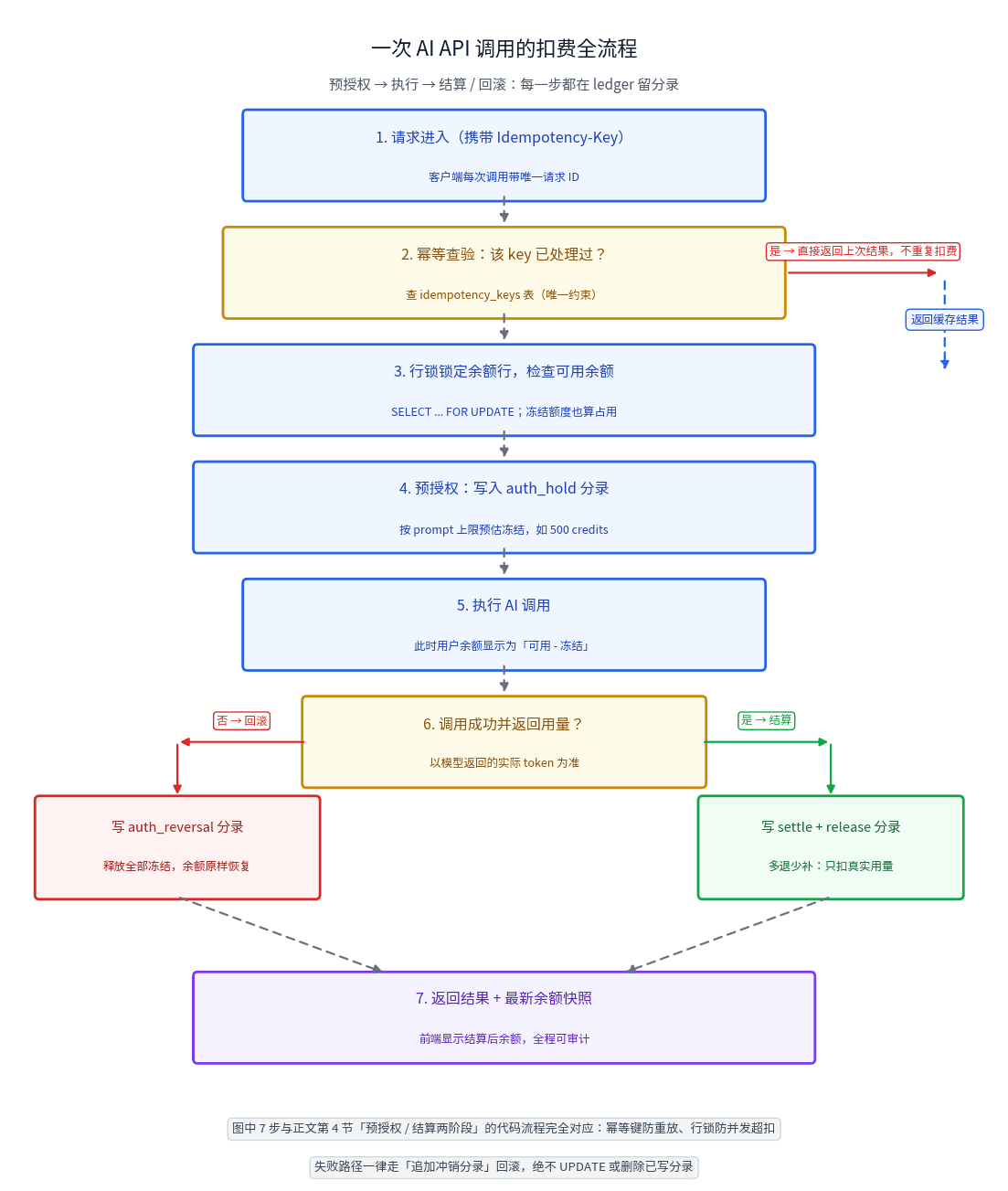
Your users' credits are not a balance column — they're a journal. This guide builds a double-entry credits ledger for AI SaaS: immutable journal schema you can copy, idempotent deduction with row locks, two-phase pre-auth/settle for unpredictable token usage, refund and expiry write-backs, a three-way daily reconciliation, negative-balance circuit breakers, and an anti-abuse checklist.