A Backup You've Never Restored Is Just Paper: Database Backup and Disaster Recovery for Vibe Projects
Backups answer whether data is lost; disaster recovery answers how much comes back and how fast. This hands-on guide covers RPO/RTO targets, a five-scenario failure matrix, copy-pasteable PITR setups for Postgres, Supabase, Neon and SQLite, automated weekly restore drills, a one-page runbook template, and degradation switches.
Drawing the line first: how this differs from the October 6 backup guide
On October 6 we published "Don't Let the Agent Delete Your Prod Database: Backup Playbook for Vibe Projects," which covered how to make backups: a three-layer backup strategy, drawing permission lines for agents, and the iron rule that "an untested backup is no backup." If you haven't read it, start there — it's the prerequisite for this one.
This guide covers what happens after the backup: when disaster really strikes, can you bring the service back before your users notice? Between a backup file sitting in S3 and a working database restored from it at 3 AM lies a huge gap. That gap is called disaster recovery (DR).
Backups answer "is the data lost?"; disaster recovery answers "how much comes back, and how fast?" These are two completely different questions — and 99% of indie developers have only answered the first.
The core argument: a backup you've never restored is just paper
A quick honesty test: does your project have backups? Good. Second question: when did you last actually perform a restore? Not the green checkmark that says "backup succeeded" — a real restore from backup into a working database, running through login, checkout, and data reads.
If your answer is "never," your backup posture is essentially no different from having no backups. That's not alarmism — it's determined by the traps hiding inside every restore process:
1. The backup may be unreadable. pg_dump got killed by the OOM killer halfway through, producing a 0-byte "success"; the cron error email went to spam and nobody looked for three months.
2. The restore procedure may be half-missing. The database is back, but where are the new environment variables to connect to it? Do the migration scripts match the backup's version? Are the user-uploaded files in object storage from the same point in time as the database snapshot?
3. The restore may take unacceptably long. You assumed pulling 500GB from S3 and importing it takes 20 minutes; in reality it may take 6 hours — and the first time you learn that number is the day real disaster strikes.
So this guide's stance is blunt: backups are a cost; recovery is a capability. Backups cost a few dollars a month; recovery capability costs a few hours of drills each quarter. In a real disaster, the former is worthless and the latter decides survival.

Step one: set RPO and RTO for your project (the two-minute version)
Every DR conversation starts with two metrics. Don't let the jargon scare you — in plain language:
RPO (Recovery Point Objective): when disaster strikes, how much data loss can you accept? RPO = 24 hours means you back up daily and accept losing a day's data; RPO = 5 minutes means you need near-real-time log replication.
RTO (Recovery Time Objective): when disaster strikes, how long can the service stay down? RTO = 4 hours means the whole recovery process, from detection to users being back to normal, must complete within 4 hours.
Indie projects don't need to copy big-tech "four nines," but they need to write the numbers down. Unwritten means no target; no target means making it up on the spot when disaster hits. A three-tier reference for vibe projects:
| Project stage | Suggested RPO | Suggested RTO | Corresponding measures |
|---|---|---|---|
| Toy / side-project validation | 24 hours | 24 hours | Daily automated full backups, manual restore |
| Has paying users | 1 hour | 4 hours | WAL archiving + weekly automated restore drills |
| Core revenue / compliance needs | 5 minutes | 1 hour | Real-time log replication + one-click failover + runbook |
The key insight: RPO is determined by your backup strategy; RTO is determined by your drills. Bump backup frequency to hourly and RPO naturally drops to an hour; but RTO doesn't come from tuning parameters — it comes from actually running restores. Your first-ever restore is always 3–5x slower than you imagined.
The failure-scenario matrix: the disasters you imagine vs. the real ones
Mention disaster recovery and most people picture Hollywood scenes like "the data center caught fire." But in real incident postmortems from indie developers we've observed, the top five causes aren't natural disasters at all:
| Scenario | Typical trigger | What's lost | Recovery approach |
|---|---|---|---|
| Accidental deletion | An agent runs DROP TABLE; you delete the prod bucket by hand-slip | Some or all data | Point-in-time recovery (PITR) to 5 minutes before the incident |
| Logic errors | A bad migration wipes a column; a bug batch-corrupts data | Data "correctness" | PITR + pinpointing the bad-data time window; note: the latest backup contains bad data too |
| Ransomware / leaked keys | Keys leaked to GitHub; attacker deletes DB and backups | Data + the backups themselves | Separate-account, immutable backups; rotate all keys |
| Regional outage | A cloud region goes down | Service availability | Cross-region read replica + traffic cutover |
| Vendor lock-in / shutdown | A niche BaaS raises prices, shuts down, or changes terms | The whole stack | Regular full exports in open formats; keep a portable architecture |
See it? The first two (accidental deletion, logic errors) dominate real incidents — and they are exactly the scenarios where "having backups" may not save you. The insidious thing about logic errors: your diligent automated backups faithfully backed up the corrupted data three times over. That's why the recovery tool must be PITR (go back to any point in time), not "overwrite with yesterday's full backup" — yesterday's full backup may already contain the corruption.
The third scenario maps to a hard-won rule: backups must live in a different permission domain than production. The storage account for backups should be separate from the production account; ideally enable Object Lock so backups can't be deleted even by you during the retention window — it stops hand-slips, attackers holding your keys, and over-permissioned agents alike.
Tooling in practice: recovery setups for four common stacks
Theory done — here's the actionable part. Copy-pasteable setups for the four data stacks most common in vibe projects.
1. Self-hosted Postgres: pg_dump + WAL archiving (wal-g)
The classic combo that pushes RPO to minutes. Full backups solve "restore from zero"; WAL (write-ahead log) archiving solves "go back to any point in time":
# Daily full backup (cron)
0 2 * * * pg_dump --format=custom --file=/backups/db-$(date +\%F).dump $DATABASE_URL

# Continuous WAL archiving: postgresql.conf
archive_mode = on
archive_command = 'wal-g wal-push %p'
# wal-g's storage backend points at a separate-account S3 bucket with server-side encryption
To restore: load the most recent full backup, replay WAL logs in chronological order, stop at the target point in time. That's PITR. wal-g also supports integrity checks — wal-g backup-list shows whether each backup is healthy. Feed that check into your monitoring too.

2. Managed Postgres (Supabase / Neon): turn on PITR, don't rely on defaults
Supabase and Neon both offer point-in-time recovery, but watch two things: first, PITR is usually a paid-tier feature — free-tier backup retention is short, so if your RPO target is one hour, the free tier's default backup policy won't hold up; second, managed PITR covers the database, not user uploads in object storage nor your edge function configs — files and configs need separate versioned backups.
Neon has a unique advantage in its branching: restore drills can spin up a branch from any point in time for verification, so drills never pollute production — a natural fit for the "verification layer." On Supabase, align the PITR retention window with your RPO: 7 days of retention means you can go back to any point in the last 7 days — if the bad migration shipped 10 days ago, PITR can't save you. Discovery latency for logic errors is itself an input to RPO design.
One more commonly forgotten backup target: database credentials and connection topology. Restoring a bare database is only half the win — the app needs connection strings, pool configs, IP allowlists, and VPC peering to reach it. Keep infrastructure config in version control (Terraform / Pulumi), or you'll spend two hours digging through chat history for a connection string mid-disaster. DR restores not just data, but "data plus the road to the data."
3. SQLite (Turso / local files): litestream
Don't underestimate the SQLite stack — plenty of vibe projects run on it. litestream replicates SQLite's WAL to S3 in real time, giving second-level RPO, and restore is download + replay in a single command:
# litestream.yml
dbs:
  - path: /data/app.db
    replicas:
      - url: s3://my-backup-bucket/app.db
# Restore: litestream restore -o /data/app.db s3://my-backup-bucket/app.db
4. Object storage and secrets: versioning + offline backups
User avatars, generated images, and exported files live in object storage: turn on versioning so accidentally deleted files can be recovered at any version, plus a lifecycle rule moving old versions to cheap storage. Secrets and .env files take a different path: encrypted offline backups (secrets managers like 1Password / Doppler keep version history) — never stuff production secrets into Git alongside code, as the October 6 guide already covered.
The selection logic in one line: your RPO target decides whether you need WAL / real-time replication; your RTO target decides whether you need one-click restore scripts and drills. Targets first, tools are just implementation.
Automated backup verification: let the machine press "restore" for you
We said "a backup you've never restored is just paper," but pressing the button by hand doesn't scale — you remember this month and forget next month. The right approach: turn the restore drill into a cron job that presses it for you weekly.
A minimal automated drill script (runs Sunday early morning):
#!/bin/bash
# restore-drill.sh — automated restore drill
set -e
STAMP=$(date +%F)
# 1. Restore from the latest backup into the DRILL database (never touch prod)
pg_restore --clean --dbname=$DRILL_DB_URL /backups/db-latest.dump
# 2. Smoke tests: core tables readable, row counts in a sane range
psql $DRILL_DB_URL -c "SELECT count(*) FROM users;" | grep -q '[0-9]'
psql $DRILL_DB_URL -c "SELECT count(*) FROM orders WHERE created_at > now() - interval '30 days';"
# 3. Time it and report: this is your measured RTO watermark
echo "drill_ok duration=${SECONDS}s date=${STAMP}" | curl -X POST $METRICS_ENDPOINT -d @-
# On failure, set -e exits non-zero and the cron alert catches it
Three details matter: first, the drill database is physically isolated from production — the first commandment of restore drills is don't turn the drill into a second disaster; second, smoke tests should check business semantics ("there are orders in the last 30 days"), not just "the table exists" — an empty table passes an existence check; third, record every drill's duration — that's your measured RTO watermark. Plot it, and three months from now you'll thank yourself.
When a drill fails, don't just fire an alert — answer three questions: is the backup file itself corrupt? Are restore steps missing? Or did it exceed RTO? Each answer maps to a different fix; fix it and verify again next week. Failing in a drill is profit; failing in a real disaster is loss.
The DR runbook: a one-page template
When disaster strikes, the human brain goes down too — the runbook is the cue card for a downed brain. It must satisfy one bar: woken by a phone call at 3 AM, half-asleep, you can still follow it correctly. Here's the template — copy and adapt:
# Disaster recovery runbook — <project name>
RPO target: ____  RTO target: ____  Last drill date: ____

## 1. Assess (5 min)
- Symptoms: ____ (e.g., site-wide 500s / data looks wrong / ransom note received)
- Check the monitoring dashboard first: <link>; confirm partial vs. total outage
- Partial outage → normal troubleshooting, do NOT trigger disaster recovery

## 2. Stop the bleeding (10 min)
- Flip the read-only degradation switch: <env var / config key> (preserve read traffic, stop writes from widening damage)
- Post on the status page / group chat: "We're working on a data issue, ETA X hours"

## 3. Pick the restore point
- Accidental deletion / bad migration: PITR to 5 min before the incident (command: ____)
- Ransomware / backups deleted: use separate-account immutable backups (location: ____)
- Regional outage: cut over to the cross-region read replica (connection string: ____)

## 4. Restore and verify (start the clock)
- Run the restore command: ____
- Smoke-test trio: login / core read endpoints / row counts for the last N days
- All pass → cut traffic back to writes; any failure → roll back to the previous restore point and retry

## 5. Wrap up
- Turn off read-only degradation, restore writes
- Fill in the postmortem (next section) and send it within 24 hours
- Update this runbook with every actual duration and every gotcha hit
Three rules for runbooks: commands must be copy-pasteable (never write correctly-useless lines like "restore the database"); links must be bare URLs (mid-incident you may not even find your bookmarks bar); update it after every drill and incident (a stale runbook is more dangerous than none — it gives false confidence).

Failover and degradation: survive first, recover second
Recovery takes time — tens of minutes at best, hours at worst. What users see during that window decides whether you "had an incident" or "lost a cohort of users." The strategy: degrade first, recover second.
Three degradation switches for vibe projects, escalating by severity:
1. Read-only mode: disable all writes (orders, comments, uploads) while reads keep working. The highest-ROI bleeding stop — users can look but not write, and with an honest announcement most will wait. Implement it as one environment-variable master switch rather than per-endpoint checks:
// Middleware: one switch puts the whole site in read-only
if (process.env.READ_ONLY_MODE === "1" && ["POST","PUT","PATCH","DELETE"].includes(req.method)) {
  return res.status(503).json({ error: "Read-only maintenance, writes paused", retryAfter: 3600 });
}
This switch should be wired up in normal times and genuinely flipped during drills — degradation code written for the first time mid-incident is itself a new source of failure.
2. Static degradation page: when the database is fully unreachable, serve a static status page from the CDN telling users what happened, the ETA, and where to follow progress. A well-written 503 page beats ten timing-out blank screens.
3. Core-feature subset: if your product has multiple modules, restore the most critical one first. A content community restores "reading posts" first; replies and DMs can wait two hours. Recovery has priorities too — write the order in the runbook.
Degradation switches need drills as well: a "read-only mode" switch that has never been flipped is no different from an unwritten one. Add it to the quarterly drill checklist — flip it, confirm write endpoints are actually blocked, flip it back.
The postmortem: fill one out after every drill or incident
Compound interest on DR capability comes from postmortems. Skip them and you'll step in the same hole next time. The form doesn't need complexity — five boxes:
| Item | What to write |
|---|---|
| Timeline | Detection → assessment → recovery complete, minute-precise |
| RPO / RTO met? | Actual data lost and downtime vs. targets — check or cross |
| Root cause | Ask "why" five times until you find the fixable one |
| One thing done well | Keep it next time (e.g., a runbook command that worked first try) |
| One thing to improve | Exactly one — more than one means none; assign an owner and a deadline |
A counterintuitive truth about drills: a drill's value isn't in "passing" but in "failing." An all-green drill only proves last week's config was right; a failed drill tells you what to fix next week. So don't chase 100% drill pass rates — chase "every drill surfaces one real problem."
Our take: recovery capability is a vibe project's coming of age
Vibe coding lets one person ship a product in a day, but between "shipped" and "responsible" lies exactly this: disaster recovery. Users hand you their data trusting not your backup cron, but that you can get their data back when things break.
Do the math: wal-g + separate-account S3 storage costs a few dollars a month; weekly automated drills run on machines while you only watch alerts; a one-page runbook takes one writing session plus quarterly updates. The total costs less than a rounding error on your monthly coffee budget. What it prevents is the chain reaction of "deleted database → user churn → reputation collapse → project death."
One thing to take away: spend 30 minutes this weekend restoring your database from backup. If it works first try, congratulations — your RTO is real. If it doesn't, congratulations too — you just bought, for 30 minutes, the most expensive thing on real disaster day: knowing in advance.
Backups are a cost; recovery is a capability. Starting today, be someone with recovery capability.
Comments (0)
Related articles

Import is the dirty-data inlet, export is the data-sovereignty outlet. This guide covers the three-stage import pipeline (stage, validate and preview, confirm), five validation categories, idempotent upserts, streaming export, async queues with signed links, and a ten-item anti-pattern list — with copy-pasteable TypeScript snippets.
Web Push looks like a half-hour job until production hits you with iOS no-delivery, VAPID 401s, and a rotting subscription table. This code sequel walks the full chain: VAPID key generation and safekeeping, permission timing, Service Worker push/click handling, server-side web-push in practice, iOS 16.4 adaptation, 410 subscription cleanup, and a debugging checklist — all code ready to ship.
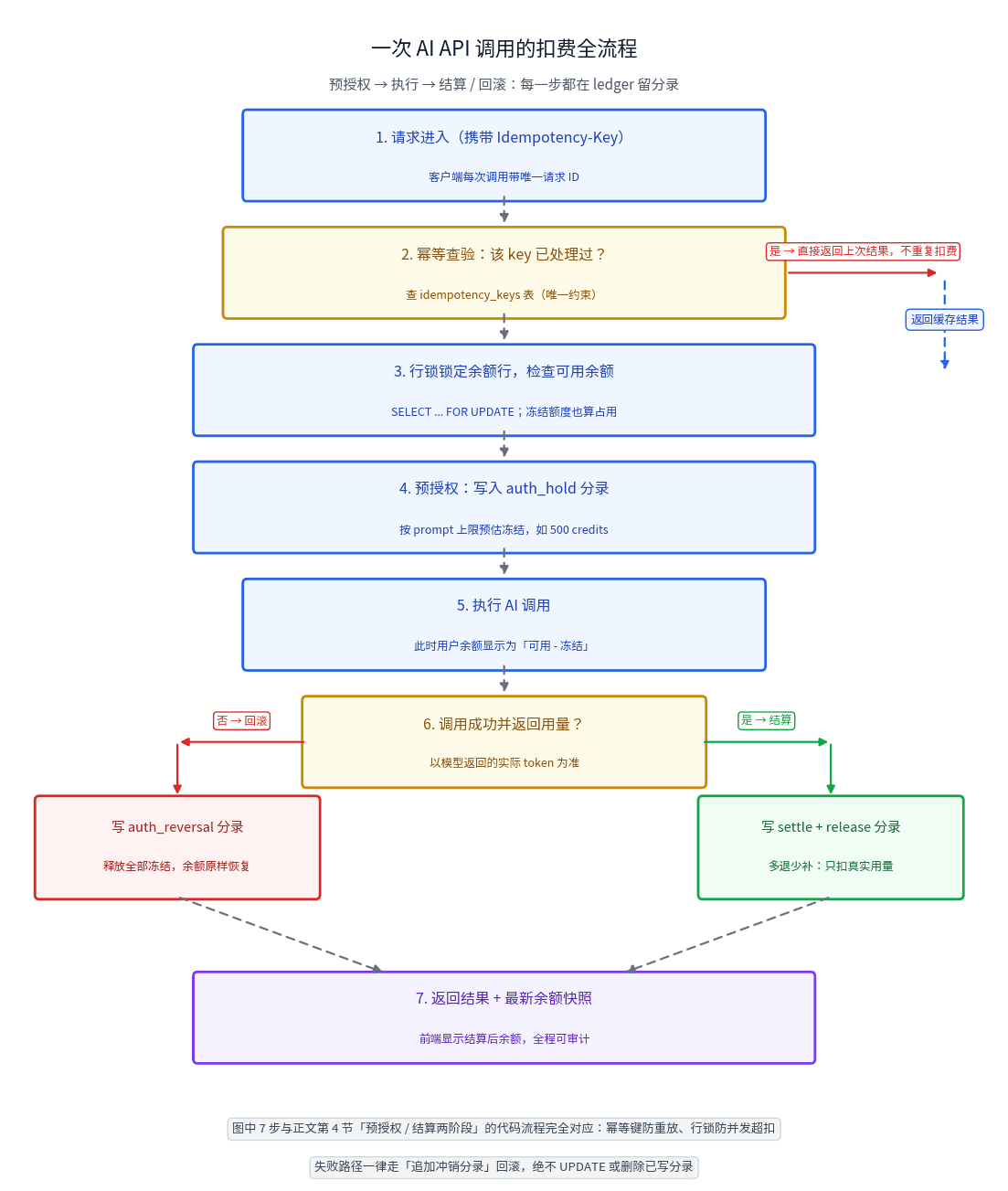
Your users' credits are not a balance column — they're a journal. This guide builds a double-entry credits ledger for AI SaaS: immutable journal schema you can copy, idempotent deduction with row locks, two-phase pre-auth/settle for unpredictable token usage, refund and expiry write-backs, a three-way daily reconciliation, negative-balance circuit breakers, and an anti-abuse checklist.