Don't Let User Issues Vanish: Building a Support Ticket System for Vibe Projects
User issues scattered across email, Discord, and Twitter? This guide covers the unified inbox, ticket state machine, auto-triage, a realistic four-tier SLA, handling SOPs, and satisfaction follow-ups — with copy-paste reply templates and a two-week launch plan.
We previously published a user-feedback-loop guide about the product decision loop: how to collect feedback, prioritize it, build it into the product, and tell users "we shipped it". This article covers the other loop: the support delivery loop — a user hits a problem (payment fails, data disappears, a feature errors out), it becomes a ticket, and goes through triage, handling, resolution, and closure — with deadlines, records, and follow-ups throughout. One loop decides "what to build", the other decides "how fast to fix". The former determines how far the product goes; the latter determines whether users stay. They're sister articles; this one is only about the latter.
Without a ticket system, your issues live in five places
The typical solo-team support setup looks like this: a user leaves a message in the on-site form, emails your personal inbox, @s you on Discord, DMs you on Twitter, and hits the "report bug" button in the app. Your daily work becomes hunting for messages: email in the morning, Discord at noon, Twitter at night. The result:
- Dropped tickets: a Discord message sinks; three days later the user churns and you never learn why.
- Repeated work: the same bug asked in three channels by three people — you answer three times.
- No prioritization: "payment failed" and "please add dark mode" sit in the same inbox; you pick by mood.
- No retrospection: at month's end you want to know "what did users complain about most" — and drown scrolling chat history.
A ticket system is one sentence: collect scattered issues into one pool, and give every ticket a number, a priority, and a timer. It doesn't solve support problems — it makes them visible. And visibility is the first step to solving anything.
The ticket lifecycle: 6 states
 Figure 1: The ticket lifecycle. Three key design decisions: SLA starts ticking at "open", pauses at "pending_user", and "resolved" tickets can be "reopened" instead of filed anew.
The state machine is the skeleton of a ticket system. Three decisions matter most:
- SLA ticks from "open" and pauses at "resolved": what the user feels as waiting time is your SLA time. Don't start counting at "triaged" — users don't care about your internal process.
- "Pending user" pauses the clock: you asked the user for logs and they went silent for three days — those three days aren't your response time. A dedicated state exists precisely to keep the timing fair.
- "Reopen", don't "re-file": when a user is unhappy with the resolution, one click sends the ticket back to "in progress" with all context (history, attachments, assignee) intact. Filing a new ticket forces the user to explain everything again — the most hated design in support UX.
The data model (Prisma) mirrors the state machine directly:
model Ticket {
  id            String       @id @default(cuid())
  number        Int          @unique @default(autoincrement()) // public ticket #1024 — memorable
  title         String
  status        TicketStatus @default(OPEN)
  priority      Priority     @default(P3)
  channel       String       // form | email | widget | discord | inapp
  reporterEmail String
  reporterId    String?      // link logged-in users
  assigneeId    String?      // owner — on a solo team, that's you
  firstReplyAt  DateTime?    // first-response time, for SLA
  resolvedAt    DateTime?
  satisfaction  Int?         // 1-5 post-closure survey score
  createdAt     DateTime     @default(now())
  replies       TicketReply[]

  @@index([status, priority]) // the triage board lives on this index
}

enum TicketStatus {
  OPEN
  TRIAGED
  IN_PROGRESS
  PENDING_USER
  RESOLVED
  REOPENED
  CLOSED
}

enum Priority { P1 P2 P3 P4 }

model TicketReply {
  id        String   @id @default(cuid())
  ticketId  String
  ticket    Ticket   @relation(fields: [ticketId], references: [id], onDelete: Cascade)
  author    String   // user | agent | system
  body      String   @db.Text
  internal  Boolean  @default(false) // internal note — invisible to the user
  createdAt DateTime @default(now())
}
Note the internal field: internal notes and user-visible replies must be physically separated. Sending "this user is a nightmare" to the user themselves is the most socially fatal class of support incident. One boolean field blocks the entire category.
Channel unification: every entry point into one inbox
 Figure 2: Channel unification. The rule: where the user comes from doesn't matter — every ticket must land in the same pool, or you'll hunt for messages forever.
Wire channels up one by one, in this order:
- On-site form first: you control the fields (issue type, repro steps, contact), so the data is the most structured and triage is easiest.
- Email-to-ticket second:
support@yourdomain.comwired in; every email auto-creates a ticket. Watch for duplicates: the same user sending 3 emails in 10 minutes usually means "no reply yet, sending again" — merge by sender + similar subject instead of creating 3 tickets. - Chat widget third: the little bubble at the bottom-right. Its value isn't "real-time chat" (a solo team can't do 24/7) — it's catching users who want to talk before they leave for Twitter to complain publicly. Offline, the widget switches to "leave a message" mode; messages still land in the ticket pool.
- Community/Discord last: community is for discussion, not support. The play is redirection: a bot detects help-seeking keywords and auto-replies "ticket #1024 created for you — click here to add details", moving the conversation back into the ticket system.
One opinion: the more channels, the more the unified inbox matters. Every channel not wired into the inbox is a new message black hole. The acceptance test for wiring a channel is a single question: can an issue from this channel be numbered, prioritized, and timed in the inbox?
Auto-triage: the solo team's time lever
Triage is the highest-ROI automation in a ticket system: it decides "which ticket gets seen first". A solo team doesn't need ML — keyword routing + rule-based grading is enough:
// Auto-triage: keyword routing + priority grading (runs on ticket creation)
// (Chinese keywords included because the product serves Chinese-speaking users)
const ROUTES: Array<{ keywords: string[]; priority: "P1" | "P2" | "P3" | "P4"; tag: string }> = [
  { keywords: ["payment failed", "charged", "扣款"], priority: "P1", tag: "billing" },
  { keywords: ["data lost", "不见了", "500", "crash"], priority: "P1", tag: "critical" },
  { keywords: ["can't login", "登录不上", "打不开", "error"], priority: "P2", tag: "account" },
  { keywords: ["suggestion", "建议", "feature request"], priority: "P4", tag: "feedback" },
];

export function triage(title: string, body: string) {
  const text = `${title} ${body}`.toLowerCase();
  for (const r of ROUTES) {
    if (r.keywords.some((k) => text.includes(k.toLowerCase()))) {
      return { priority: r.priority, tag: r.tag, auto: true };
    }
  }
  return { priority: "P3", tag: "general", auto: true }; // fallback: default P3, human review
}

// P1 auto-escalation: unclaimed for 15 minutes → SMS/call to wake you up
export async function escalateOverdue() {
  const overdue = await db.ticket.findMany({
    where: {
      status: "OPEN",
      priority: "P1",
      createdAt: { lt: new Date(Date.now() - 15 * 60 * 1000) },
    },
  });
  for (const t of overdue) await notifyOwner(`P1 ticket #${t.number} unclaimed for 15 min!`);
  // runs in cron, every 5 minutes
}
After triage, the auto-reply is the second lever. A user who gets "received — ticket #1024, expect a reply within 4 hours" ten seconds after filing is half as anxious. An auto-reply template has three elements: the ticket number (trackable), the expected time (expectation set), and a self-help link (common issues solved in 2 minutes). Note: an auto-reply is not a brush-off — it promises "we saw it", not "we solved it". Expectation management is half of support work.
SLA: grade first, serve second
 Figure 3: A realistic SLA for solo teams. Define the SLA before writing code: a ticket system without grading means every ticket is P1 — which means nothing is.
SLA (service-level agreement) sounds like big-company stuff, but solo teams need it more — because your time is the scarcest resource. Figure 3 shows a realistic four-tier version for indie developers:
- P1 critical (payments down, data lost): respond in 15 minutes, resolve in 4 hours. The only tier allowed to wake you up.
- P2 severe (core feature unusable): respond in 1 hour, resolve in 24 hours.
- P3 normal (UX issues, minor bugs): respond in 4 hours, resolve in 72 hours.
- P4 suggestion (feature requests, questions): respond in 24 hours, resolve in 7 days — most of these flow into the feedback loop's idea pool.
Three practical counsels:
- Put the SLA in the auto-reply: "P3 issues resolved within 72 hours" — once users know what to expect, they stop nudging every 2 hours. Expectation management, again.
- Warn before SLA breach, don't retro after: a cron job scans every 15 minutes for tickets "due within 1 hour and unresolved" and pings you. Retros are for improving; warnings are for surviving.
- P1 count is a health metric: more than 3 P1s in a week means it's not a support problem, it's a product-quality problem — stop new features and fix the P1 root causes first.
The handling SOP: four steps from first reply to closure
Ticket handling hates improvisation. Solo teams need SOPs even more, because your brain runs dev, support, and ops concurrently:
- First reply: restate the problem + state the next step. "Got it — CSV export shows garbled Chinese, right? Let me reproduce it and I'll sync progress here." Restating avoids "I misunderstood" rework.
- Escalate: if it's not crackable in 15 minutes, mark "needs deep investigation" and give the user a time — don't go silent. "This is trickier than expected; I need to check the logs. I'll have a conclusion by noon tomorrow." Give a time, not hope.
- Resolve: tell the user what was done, not just "fixed". "Fixed: export now forces UTF-8 with BOM; Excel opens it cleanly." Users need "cause + action" — that's where trust comes from.
- Close & follow up: 48 hours after resolution, auto-send a 1–5 satisfaction survey. Scores ≤ 2 auto-reopen — give unhappy users a one-click reopen exit instead of letting them leave a one-star app-store review.
Tickets → idea pool: connecting to the feedback loop
This is where the two loops intersect. P4 "feature requests" and recurring P3s (say, 10 people asking "can I export PDF?") are no longer support issues — they're product requirements. The standard move:
- Tag the ticket
feedbackand one-click it into the idea pool (the requirements table from the feedback-loop article). - Carry over the original ticket number and the user's own words — at requirements review, "10 users' verbatim quotes" beats "the PM thinks so" by 10x.
- When the feature ships, go back to each ticket and reply to the users who asked: "the PDF export you asked for is live." That's the ammunition for the feedback loop's "tell users we shipped it" — and the ammunition comes from the ticket system.
So the relationship is: the ticket system is the entrance and exit for "issues"; the feedback loop is the factory for "requirements". Unified entrance, separate processing, reflux at the exit — that's the support + product double loop of a one-person team.
Template library: four letters, copy-paste ready
Solo teams don't have time to compose every reply from scratch. Four templates cover 90% of cases. A template's soul is specificity — "we'll handle it soon" is noise; "by 6 PM tomorrow" is a promise:
Template 1: auto-reply on ticket creation
We've received your message — ticket #{{number}}.
We'll reply within {{sla_first_reply}}.
In a hurry? Check the help center — most common issues resolve themselves in 2 minutes.
Template 2: requesting more info
Thanks for reporting! To locate this faster, could you add two things:
1. The steps that triggered it (what you clicked, what you typed)
2. Browser/phone model + a screenshot of the error
I'll follow up as soon as I have them — the ticket stays "pending your reply" and won't expire.
Template 3: escalation / delay
Quick update: this is trickier than expected — it involves {{one-line cause}}.
I'll have a conclusion by {{specific time}}, and I'll sync any findings here.
Sorry to keep you waiting.
Template 4: resolution & closure
Resolved: {{one-line cause}} — {{one-line action}}.
You can verify by {{how to verify}}.
If anything's still off, just hit "reopen" — no need to re-describe.
Got 10 seconds for a rating? 👇 (1–5)
Note template 4's last line: embed the satisfaction survey in the resolution notice, not in a separate "please rate us" email. User patience peaks the moment their problem is solved — one extra email halves the response rate.
5 minutes a week: the support data retro
A ticket system's biggest hidden value is data. Five minutes a week on four numbers:
- Ticket volume trend: up 30% week-over-week? Check whether a release introduced new bugs before assuming "more users".
- Median first-response time: median, not mean — the mean gets skewed by one or two ancient tickets. If the median passes half your SLA, your staffing (i.e., you) is insufficient.
- Top 5 tags: "billing" #1 three weeks running? The payment flow needs refactoring, not more ticket replies.
- Reopen rate: above 15% means your "resolved" bar is broken — many tickets were "thought resolved". Reopen rate is the most honest support-quality metric there is.
All four answer one question: "is support firefighting, or filling holes?" Firefighting is normal; refilling the same hole (the same root cause burning repeatedly) means stopping to fix it. Support without data is firefighting forever.
Three pitfalls: don't crash on the ticket system
Pitfall 1: turning the ticket system into a public forum. Some think "transparency is good" and make all tickets public. Result: users won't write real details ("my order number is…"), and you're left pretending not to see private info in public. Remember: tickets are private by default. Want transparency? Publish a "top 5 fixes this week" post — same effect, zero risk.
Pitfall 2: no full-text search. "I think someone asked this last month" — without search, you're scrolling on memory. Index ticket titles + replies (Postgres tsvector is a few lines of config); search history on each new ticket and 30% resolve by copying a previous answer. The second time-lever after triage.
Pitfall 3: attachments detached from ticket records. The user uploaded a screenshot in the ticket; you view it in another system — or the attachment lives on a third-party link that expired. Acceptance test: opening a ticket must show all its context (history, attachments, internal notes, linked requirements) on one screen. A ticket system with scattered context is worse than none — it gives you the illusion of "it's all recorded".
Build vs. buy: three tests
By now you'll ask: don't Crisp / Plain / Intercom already do all this? Why build? Three tests:
- Volume: under ~20 tickets/day, self-built is plenty — the Prisma model above plus one admin page is the whole thing. Over ~50/day, buy — don't burn dev time on a support system.
- Customization: need deep linkage with your own order/subscription data (e.g., see the user's plan inside the ticket)? Self-build wins. Standard flows? Off-the-shelf is stabler.
- Cost: off-the-shelf tools charge per seat/volume — support cost grows with users. Self-build is one-time. Do the math.
My take: self-build the minimal viable version first; evaluate migration past ~30 tickets/day. Building forces you to figure out "what's my SLA, what are my triage rules" — that understanding transfers to any tool. Buying the priciest suite on day one outsources the thinking, and you end up with rules nobody uses.
The two-week plan: 0 → 1
If you have no ticket system today, ship in two weeks on this cadence:
- Days 1–3: Prisma models (copy the Ticket/Reply models above) + an admin list page (filter by status + priority; replying works).
- Days 4–5: on-site form + email-to-ticket (don't forget dedup) + creation auto-reply.
- Days 6–7: auto-triage rules + the four SLA tiers + breach-warning cron. End of week one: a usable system.
- Days 8–10: chat widget (message mode) + community bot redirection + the four reply templates loaded.
- Days 11–14: satisfaction follow-ups + the weekly data retro board + full-text search. Experience and data loops closed.
The logic behind the order: first make tickets "arrive and be seen" (inbox), then "sorted and never expired" (triage + SLA), and only then "pleasant and measurable" (widget + data). Reverse it and you get a beautiful system that drops tickets.
Launch checklist
- Unified inbox: every channel lands in one pool — numbered, graded, timed
- 6-state ticket machine + reopen + internal-note isolation
- Auto-triage: keyword routing + priority grading + P3 fallback with human review
- Auto-reply within 10 seconds of creation: ticket number + expected time + self-help link
- Four SLA tiers defined, written into auto-replies, cron breach warnings
- P1 auto-wakes you if unclaimed for 15 minutes
- Four-step SOP (first reply / escalate / resolve / close) — escalations must name a time
- Satisfaction survey 48h after closure; ≤2 auto-reopens
- P4s and recurring P3s one-click into the idea pool, with users' verbatim quotes
- When features ship, notify the users who originally asked
Back to the opening: a ticket system doesn't solve support problems — it makes them visible. And for a one-person team, a visible problem is half solved — because the other half of your time was spent hunting for messages everywhere.
Comments (0)
Related articles
German users paying 5% extra in conversion fees on $19? This guide covers three currency strategies, the price-display pipeline, PPP localized pricing, anti-arbitrage, Stripe Tax compliance, and local payment rails — with code and a launch checklist.
Avatars in ./uploads blew up in week one? This guide covers presigned-URL direct uploads, three storage policies for public/private/image-variant files, zero-egress selection with R2, orphan cleanup, environment isolation, and migration — with a launch checklist.
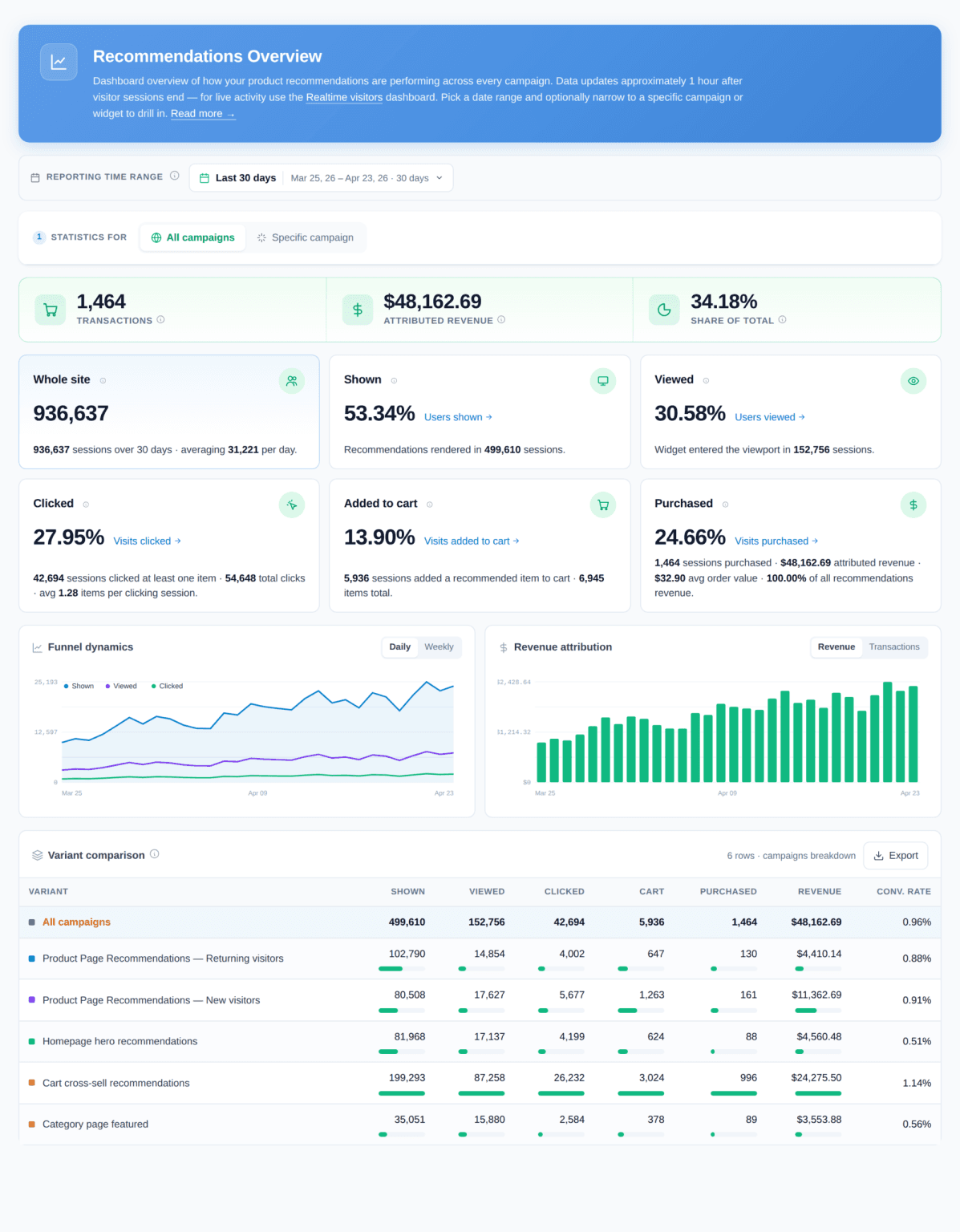
No ML team? No problem: rule-based ranking ships on day one, collaborative filtering kicks in after a few hundred events, vector retrieval joins when content scales — a three-stage roadmap with copy-paste SQL and scripts, plus cold-start tactics and 8 pitfalls.