One 4K Upload Away from Meltdown: Video Pipelines for Vibe Projects
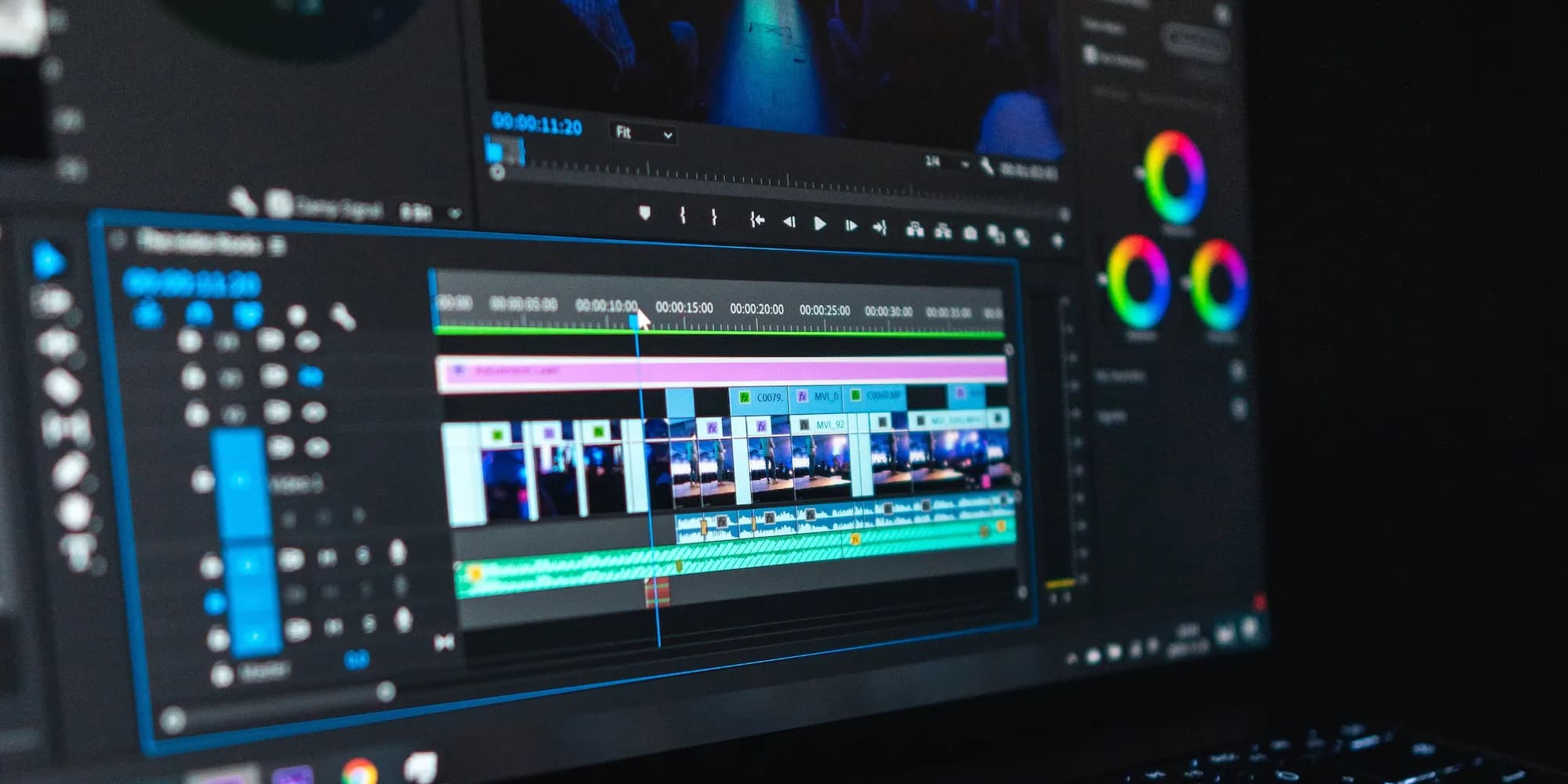
Uploaded video is just the start: it needs transcoding, multi-bitrate renditions, HLS packaging and an async queue before smooth playback. This guide gives you the full pipeline diagram, FFmpeg recipes, the HLS sweet spots, a BullMQ state machine, thumbnail/subtitle/moderation branches, and the three cost multipliers to calculate before launch.
Scope first: what this guide does NOT cover
Three published guides overlap with this topic. Here is the division of labor so you don't read the same thing twice:
- "File Upload in Vibe Projects" covers getting files up — signed direct uploads, chunked uploads, resumable transfers. This guide doesn't repeat that; it covers only video-specific stages (codec validation, transcoding, packaging).
- "File Storage & CDN in Vibe Projects" covers where uploads live and how they're served — object storage choices, CDN caching. This pipeline ends where that guide begins: finished multi-bitrate renditions go to storage and CDN.
- "Dynamic OG Image Generation" covers social share previews. This guide covers in-player thumbnails and sprite sheets — a different scene entirely.
This guide answers one question: after a user uploads a video, what is the invisible pipeline that turns it into smooth playback? Transcoding, HLS packaging, async queues, thumbnails, subtitles, and the cost math — the unglamorous work none of the above covers.
Why video is "file upload on hard mode"
An uploaded image can be displayed as-is. An uploaded video is just the beginning. Video has three hard constraints images never face:
- The browser codec matrix is fragmented. An iPhone shoots HEVC in a .mov container that Chrome can't play on many platforms; ProRes and AV1 support is spotty. You cannot assume the browser plays whatever the user uploads.
- Size differs by orders of magnitude. One minute of 4K 30fps easily hits 300–500MB. Serve that raw and your CDN bill teaches you economics first.
- Users expect playback to start in 2 seconds. Images can lazy-load; a video that spins for 3+ seconds gets closed. You need segmentation plus adaptive bitrate so even weak networks can watch.
Conclusion: video must go through transcode (normalize codecs) → multi-bitrate → segmentation (HLS), and transcoding takes minutes, so it must be asynchronous. That is why the pipeline exists.
Pipeline overview: the diagram first

A complete video pipeline = 5 backbone stages (upload → validate → queue → transcode → HLS package → storage → CDN → player) + 3 parallel branches (thumbnails, subtitles, moderation) + 1 failure path (retry / dead-letter / alert). Every section below fills in this shape.
Step 1: upload — never route video traffic through your server
For the generic upload path (signed direct upload, chunking, resume), see the file-upload guide. Video-specific concerns are three:
- Validate on the client before uploading. Read duration, videoWidth, and videoHeight locally via
HTMLVideoElementand enforce hard caps up front: longer than 10 minutes? Over 4K? Container outside the mp4/mov/webm allowlist? Reject it there. A failed upload wastes the user's time and your signing quota. - Force chunked uploads above ~100MB. Phone-shot videos are routinely hundreds of megabytes; a single PUT that fails is expensive to retry. Chunking plus resume is a requirement, not an optimization.
- "Upload complete" is just an event. The client calls
POST /videos/completewith the file key; the server inserts a DB row (statusuploaded) and pushes one job onto the transcode queue. The HTTP request ends there — everything after is async.
// Pseudocode: the complete endpoint only "registers + enqueues"
POST /videos/complete { fileKey, clientMeta: { duration, width, height } }
  → videos.insert({ status: 'uploaded', ... })
  → queue.add('transcode', { videoId }, { jobId: `transcode:${videoId}:v1` })
  → 200 { videoId, status: 'uploaded' }   // transcoding takes minutes; poll status
Step 2: transcoding — the heart of the pipeline and the biggest bill
Why transcode at all: normalize the zoo of inputs into H.264 + AAC MP4 (the compatibility king) and produce 1080p / 720p / 480p renditions in one pass. It solves "won't play" and "costs too much" together.
One FFmpeg command to rule them all (master this before optimizing):
ffmpeg -i input.mov \
  -c:v libx264 -preset medium -crf 23 -pix_fmt yuv420p \
  -c:a aac -b:a 128k \
  -vf "scale=-2:720" output_720p.mp4
# -crf 23 is the H.264 sweet spot: lower balloons size, higher visibly degrades
# -preset medium balances speed vs compression; veryfast when rushed, slow for overnight batches- Three rungs are enough: 1080p / 720p / 480p. A 4K rung only matters for film-grade products; below 480p isn't worth shipping. Every extra rung is linear growth in storage and transcode cost.
- Skip hardware acceleration at first. NVENC / QuickSync transcode 5–10× faster but with slightly worse quality-per-bit and machine lock-in. The solo-dev order: start on CPU spot instances, revisit GPUs once monthly transcode hours are stable in the hundreds.
- Workers must be separate from web servers. Transcoding is CPU-bound and long-running; sharing CPUs with your API means login slows down during upload peaks. Separate containers / queue consumers — non-negotiable.
Step 3: HLS — make it watchable on weak networks
Transcoded MP4s served directly still stall on bad networks. Adaptive streaming (HLS) solves "everyone has different bandwidth":
- Master m3u8 + bitrate variants + ts segments. The player fetches the master playlist, then silently switches between 1080p / 720p / 480p as bandwidth changes. On the subway it drops to 480p; above ground it's back at 1080p. The user just feels "always smooth".
- 6-second segments are the sweet spot. Longer (10s+) makes bitrate switching sluggish and seeking slow; shorter (2s) explodes segment counts and CDN requests. Only low-latency live needs 2s — don't bother for VOD.
- Player choice: hls.js for Chrome / Firefox / Edge, native HLS in Safari (a
videotag plays m3u8 directly). video.js is the batteries-included wrapper — don't build your own player as a solo dev. - Use fmp4 (CMAF), not ts, for new projects. One set of segments serves both HLS and DASH, halving storage. FFmpeg's
-hls_segment_type fmp4does it in one flag — no reason to start a new project on pure ts in 2026.
# Transcode + HLS package in one pass (720p rung example)
ffmpeg -i input.mov -c:v libx264 -preset medium -crf 23 \
  -c:a aac -b:a 128k -vf "scale=-2:720" \
  -hls_time 6 -hls_playlist_type vod \
  -hls_segment_type fmp4 -hls_segment_filename "720p_%03d.m4s" \
  720p.m3u8
# Repeat for 1080p/480p, then hand-write a master m3u8 linking the three
Step 4: async architecture — transcoding takes minutes; design around it
The most important section. Transcoding 5 minutes of 1080p takes roughly 2–10 CPU minutes (order of magnitude; depends on preset and machine). Any design that "waits synchronously for transcode" is wrong.
- The state machine is the pipeline's skeleton:
uploaded → queued → transcoding → packaging → ready, with failures going tofailed. The frontend polls (or SSE-streams) this state and shows "Processing 42%". Without a state machine, debugging is guesswork. - Queue choice follows what you have: BullMQ if you already run Redis; SQS if you're fully managed. Job IDs must be idempotent (
transcode:{videoId}:v1) — queue retries that double-transcode are money on fire. - Progress reporting: FFmpeg's
-progressemits progress every second; the worker writes it to Redis and the frontend polls every 2s. Don't reach for websockets just for progress. - Retry policy: exponential backoff × 3 → dead-letter queue → alert. Hard-won lesson: ~90% of transcode failures are bad source files (corrupt, exotic codecs, zero duration). Retries won't fix those — give ops a "mark failed and ask user to re-upload" button.
- Observability is the precondition for saving money: log input metadata (duration/resolution/codec), transcode time, and output size per job. Three months from now, that table is how you'll optimize costs.
Branch 1: thumbnails — the first frame is usually black
Grabbing frame 0 as the poster gives you a black screen more often than not (encoder warm-up frames). Do this instead:
- Capture at 10% / 25% / 50% and pick the highest luminance variance. Real content has variance; black frames have ~zero. One Python + PIL script, no ML model needed.
- Sprite sheets for scrub previews: tile dozens of thumbnails into one image and crop by coordinates on hover. One request replaces hundreds — that's how YouTube does it.
- GIF previews: pretty but pricey. A 5-second GIF is easily megabytes; 20 videos on a listing page is 100MB of traffic. Use only at small sizes, or replace with sprite + CSS animation.
Branch 2: subtitles — the underrated text asset
- WebVTT is the standard; the
<track>tag gives you multi-language tracks in one line of HTML. - AI transcription + human review: Whisper (local or API) drafts, ops fix typos before publishing. Never ship fully automatic — names, jargon, and brand terms fail far more often than you'd expect.
- Subtitles are your search index. Video content isn't searchable; subtitle text in your DB is what makes "find the sentence at 3:20" possible. A natural handoff to the site-search guide.
Branch 3: moderation — user uploads are risk exposure
The moment you accept user videos, moderation stops being a "later" problem:
- Sampled-frame review: one frame every 10 seconds through a moderation API (every cloud vendor has one). Full frame-by-frame is money-burning; user-reports-only is naked.
- Put moderation in the state machine:
pending_review → approved / rejectedbeforeready. For solo teams, review-before-publish — being woken at 3am over an abusive video is a lesson you only need once. - Keep rejected source files 30 days for legal, delete transcode outputs immediately to save storage.
The cost math: three multipliers, calculate before launch
Video costs have three multipliers. Run the numbers before you ship:
- Transcode compute: billed in CPU hours. One minute of 1080p at
mediumpreset costs roughly 0.5–2 CPU minutes (order of magnitude). Three rungs = ×3. A hundred 5-minute uploads a day burns dozens of CPU hours daily. - Storage bloat: three rungs + segments + thumbnails ≈ 3–5× the source size. Delete the source after transcode, or keep it? Keeping doubles storage; deleting means "user wants the original" is unanswerable — decide up front.
- CDN traffic: video is the heaviest traffic category there is. The m3u8 is tiny; the ts/m4s segments are real money. 10k full plays × 500MB ≈ 5TB — multiply by your per-GB price.
Three ways to save (ordered by impact):
- Transcode on demand: ship 720p only at upload; transcode 1080p when the first user taps "HD". 80% of videos are never watched twice — don't prepay transcodes for them.
- Ladder trimming: mobile defaults to 720p and below; 1080p needs a manual switch. On a phone screen almost nobody sees the difference.
- Cap duration and rungs: short-video products cap at 3 minutes; start with three rungs, not 4K.
Build vs. buy decision table:
| Option | Fits | Cost |
|---|---|---|
| Self-hosted FFmpeg (queue + workers) | Stable transcode volume, some ops capacity | 2–3 days to build, lowest marginal cost |
| Mux / Cloudflare Stream | Dozens of hours/month, ship in a day | Per-minute pricing, notably pricier at scale |
| AWS MediaConvert | AWS shop, compliance audits | Highest unit price, least compliance headache |
Rule-of-thumb inflection: past a stable few hundred transcode hours per month, self-hosting wins (order of magnitude, 2026 cloud pricing trends). Before that, buy and spend the time on product.
Security: sign playback URLs too; Referer hotlink protection is paper
- Sign the m3u8 and segment URLs. Signing uploads but not playback is locking the front door while the windows stand open. Two-hour expiry; the player refreshes before resuming.
- Referer hotlink protection stops casual abuse, not attackers — know its ceiling, and pair it with expiring signatures + domain rate limits for real protection.
- DRM (Widevine / FairPlay): 99% of vibe projects don't need it. DRM means license servers, player integration, and legal overhead. Unless you're selling Hollywood content, signed URLs + watermarking are enough.
- Watermarking is the best value: burn the user ID invisibly during transcode; leaks become traceable at near-zero cost.
Pre-launch checklist: 10 items, check each
- 5GB chunked upload + resume-after-disconnect tested end to end
- Client-side pre-checks reject over-limit videos before a byte uploads
- Transcode workers deployed separately; pegged CPU never slows login
- Three rungs + fmp4 segments verified in hls.js and native Safari
- State machine observable end to end: every video's status and failure reason queryable
- 3 retries → dead-letter → alert; ops UI has a "mark failed" button
- Thumbnails aren't black (spot-check 20), sprite scrub previews work
- Subtitle tracks load; AI transcripts pass human review
- Playback URL signatures expire in ≤ 2h; resume-after-expiry tested
- Cost dashboard: transcode CPU hours / storage / CDN traffic all visible
Troubleshooting cheat sheet: transcode failure → inspect the source first (ffprobe metadata; zero-duration/corrupt files are ~90%); playback stutter → check bitrate-switch logs (stuck at 1080p?); subtitle drift → WebVTT timestamp base; black thumbnails → move capture from 0% to 10%.
Closing: pipeline thinking separates video features that work
A video feature without a pipeline is "upload and pray". With a pipeline, every stage is observable, retryable, and accountable. Treat "upload complete" as the starting line, not the finish line, and your video feature is truly launched.
Related guides: "File Upload in Vibe Projects" (upload) → this guide (processing pipeline) → "File Storage & CDN in Vibe Projects" (storage & delivery) — together, one complete media chain.
Comments (0)
Related articles

FATAL: too many clients already is not a slow query or the wrong database — it's connection exhaustion. This guide covers the pooling math, PgBouncer's three modes, Supabase/Neon pooler setup, the Prisma prepared-statement gotcha, and a troubleshooting table.
Feature flags decouple deploy from release: code ships first, features turn on later. Four flag types and a selection matrix, a one-table minimal implementation, the fallback iron rule (new features fail-closed, kill-switches freeze), flag-rot governance, and how flags pair with canary releases.

From 'coffee near me' to live courier tracking: store WGS84, convert for GCJ-02/BD-09 at render, query nearby in two phases (geohash coarse + precise distance), pick a map SDK by compliance first, cache reverse-geocoding by geohash, and treat precise location as sensitive personal data from collection time.