"Don't Build an App": A Web-vs-Native Decision Guide for Solo Teams
For solo teams, a native app is not a starting point but a growth tax — only worth paying in front of validated demand. This guide argues why the AI era favors web-first, lists the five exceptions that truly require native, and gives you a three-dimensional scoring matrix, a 2026 PWA capability map, four data triggers for going native, three migration paths, a weekly maintenance-tax comparison, and a 10-question decision template for a conclusion in 30 minutes.

Every vibe coder has had this thought at some late night: the product is live, the numbers look decent, "should I also build an app and ship it to the App Store?" It feels like the natural next step, but it may be the most expensive decision you make this year. Not expensive because building it is hard — AI can scaffold a React Native project for you in an afternoon — but because from that day on you carry a tax you can never shake off: dual-platform compatibility, review queues, push certificates, version fragmentation, store commissions. For a team of one, that tax is often more lethal than the development itself.
Here is this article's conclusion up front; the next few thousand words are its argument: for a solo team, a native app is not a starting point — it is a growth tax, only worth paying once a validated growth need demands it. Before paying it, build for the web. Almost always, build for the web first.
1. Why the AI Era Makes the Web's Advantage Even Bigger
Many people's gut feeling is "AI lowered the cost of all development, so the gap between native and web has shrunk too." That instinct is half wrong: AI did push down the absolute cost of both, but it amplified the web's relative advantage. Three reasons, each hitting a solo team exactly where it hurts.
1. Iteration speed: the web is "edit and it's live"; native is "edit and wait for review"
Web deployment is push-to-main and the whole world gets it. With platforms like Vercel or Cloudflare Pages, the distance from AI finishing your code change to users getting the new version is measured in minutes. Native? An iOS release goes through App Store review — normally a few hours to a day or two, and one rejection plus fixes plus re-queueing eats half a week. Android review is much faster, but you now maintain two build pipelines, signing certificates, and version-number bookkeeping. For a solo team, iteration speed is the lifeline: how fast you validate an idea equals how fast you pay tuition for a lesson. The web lets you validate three times a day; native lets you validate twice a week — and the AI era hasn't closed that gap, it widened it, because AI made web iteration even faster.
More insidious is the cost of hotfixes. A crash bug goes live on the web: you change one line, redeploy, and five minutes later the whole network has recovered. A crash bug in a native app waits for users to update — and a good chunk of users never turn on auto-update, so you write version-compatibility logic, ship forced-update dialogs, and watch the long tail of old versions drag your crash-rate dashboard for two weeks. That's maintenance "interest," collected every single week.
2. Zero-friction distribution: the link is the channel
A native app's acquisition funnel looks like this: see a recommendation → jump to the store → download (tens of MB) → install → sign up → first use. Every extra step leaks 20%–40% of people. The web funnel is: click the link → just use it. Drop your product link into a tweet, a group chat, a comment section, and users try it at zero cost — decisive for a solo product's cold start. Your first 100 users will almost certainly come from links you posted by hand, not from App Store search traffic.
Don't forget the long tail of SEO and sharing. Web pages are naturally indexable by search engines, unfurlable as social cards, and linkable by others. A native app's content is a black box inside the store's walls — Google can't find that brilliant piece inside your app. For a solo product that grows on content and word of mouth, the web's distribution power is something native simply can't give you.
3. AI writes web code best — it's the job it knows best
This is the most underestimated one. In LLM training corpora, HTML/CSS/JS/React outweigh SwiftUI and Kotlin Compose by orders of magnitude. In practice: ask AI for a complex web interaction and it nails it on the first try noticeably more often; ask it for native UI and, once platform API pitfalls appear (permission flows, lifecycles, background modes), the hallucination rate climbs visibly. Not to mention debugging: web errors paste straight into the chat, and browser DevTools are information-dense; native build errors drag in Xcode configuration, Gradle dependency conflicts, expired signing certificates — "environment-type" problems where AI has always been weak.
In short: with the same you-plus-AI combo, building for the web makes AI your 10x teammate; building native turns it, from time to time, into an intern whose messes you have to clean up. Your solo hours are your scarcest resource — spend them on the battlefield where AI is strongest.
2. The Five Exceptions Where Native Is Mandatory
Web-first is not web-only. In the five situations below, native isn't optional — it's the required answer. The test is simple: if your core value proposition ceases to exist without native capabilities, build native; if native would merely make it nicer, build web first.
Exception 1: push-dependent — push IS the product
Note: "push-dependent," not "wants push." Almost every product wants push; only a few die without it: instant messaging (late messages kill the product), food-delivery / ride-hailing status updates, flash-sale alerts, security alarms. The test: "if users got zero pushes for three days, would the product still work?" If the answer is no, that's native.
But don't conclude yet — read Section 4 first. PWA Web Push in 2026 already covers a good share of "medium-intensity" push needs; since iOS 16.4, web apps installed to the Home Screen can receive pushes too (source: Apple's WebKit blog). Only "must arrive 100% of the time, must be rich media, must wake silently" grade requirements lock you into native.
Exception 2: hardware sensors — you need hardware the web can't reach
Bluetooth peripherals (smart-device pairing), NFC (access control, payment terminals), USB serial (industrial device debugging), ARKit-grade AR, sub-meter background positioning — these are the browser's forbidden zones; web APIs either don't exist for them or are neutered on iOS. The counter-examples matter too: the web can fully use the camera, microphone, geolocation, and accelerometer. Many assume "scanning QR codes needs native," but browser camera scanning is thoroughly mature today. Before deciding, check MDN's compatibility tables — don't decide on impressions from 2019.
Exception 3: always-on background — the app must keep working with the screen off
Music playback, navigation, workout tracking, download managers, VoIP calls — anything where "the user switches away and the app keeps running in the background" is natively native territory. Browser background capabilities (Service Worker background sync, periodic sync) partly work on Android and are essentially nonexistent on iOS: the moment an iOS web app goes to the background, timers and network requests get killed by the system quickly. If your core scenario is "still running with the screen locked," build native without hesitation.
Exception 4: app-store organic traffic — the store is your main acquisition channel
This is the most commonly misjudged one. First the conclusion: for 99% of solo products, organic traffic from app stores is effectively zero. Thousands of apps launch in the App Store daily; a new app with no external traffic has near-zero visibility in category charts. The genuine exceptions are exactly two: utility apps with precise search intent (keywords like "PDF scanner" or "white noise" do eat long-tail ASO traffic), and audiences who only trust store downloads (older users in some regions, enterprise clients). The test: search your core keywords in the App Store and check whether any of the top 20 is a newcomer from the last year surviving without paid promotion. If not, store traffic doesn't exist for you.
Exception 5: hard performance floor — the web's frame rate just can't pass
3D games, real-time video effects, 4K video editing, large CAD viewers — workloads with hard GPU and memory requirements where the web's performance ceiling is real. The keyword is "hard floor": not "the web feels a bit laggy," but "the web fundamentally can't run it." The bottlenecks of most CRUD, content, and AI-chat products sit in networking and model inference, not the render layer — don't use "performance" as an excuse. When genuinely unsure, prototype on the web first and measure frame rates; data beats gut feeling.
None of the five apply to you? Then build web first. That's not conservatism, that's arithmetic.
3. Decision Matrix: A Three-Dimensional Scorecard of Scenario × Team × Stage
The exception list is qualitative; this section gives you a quantitative scoring method. Three dimensions, each scored −2 to +2 (+2 must go native, +1 lean native, 0 neutral, −1 lean web, −2 must go web). Add them up: total ≥ +3 → build native; ≤ −3 → build web; in between → consider the PWA middle path in Section 4.
| Dimension | +2 (must go native) | +1 (lean native) | 0 (neutral) | −1 (lean web) | −2 (must go web) |
|---|---|---|---|---|---|
| Scenario | Hits exceptions 2/3/5 (hardware / background / hard performance floor) | Hits exception 1 (push-dependent), or audience is mobile-only and trusts only stores | Desktop and mobile matter equally | Content/tool type, acquires via links and SEO | Still validating PMF; requirements change weekly |
| Team | Has dedicated native experience (you personally wrote native for 2+ years) | Used React Native/Flutter; can handle certificates and submissions solo | 2–5 person team; someone can share dual-platform maintenance | Pure solo, no native experience, AI fills the gap | Solo and AI is your only "teammate"; the web is where AI is strongest |
| Stage | PMF validated; native is a proven growth bottleneck (see Section 5 triggers) | Stable revenue, can afford the "growth tax," wants store traffic | Growing; testing multiple channels in parallel | Cold start; acquisition is links you post by hand | Idea validation; nobody uses even the web version yet |
Two examples. Example A: solo, you vibe-coded an AI workout check-in tool whose core loop is "remind me to check in daily" — scenario is push-heavy (+1), team is solo with no native experience (−2), stage is cold start (−1), total −2: build web first + PWA push (Section 4 covers the how), and only consider native once daily actives pass ten thousand and push deliverability genuinely becomes the bottleneck. Example B: you're building for a Bluetooth smart lock that needs the Bluetooth API (scenario +2), you personally wrote iOS for three years (team +2), the hardware is in mass production with real users (stage +1), total +5: go native directly, no hesitation.
The matrix's real value isn't the score — it's forcing you to translate "I feel like we need an app" into three testable propositions. Most people get stuck on the "scenario" row — on reflection, the so-called "must go native" is merely "native would be nicer," which scores at most +1 and can't swing the outcome.
4. PWA: The Seriously Underrated Middle Path, and Its True Boundaries
PWA (Progressive Web App) is the most important card in the web-first hand: users "Add to Home Screen" from the browser and get a fullscreen, chromeless, independently-iconed, offline-capable, push-receiving "app-like" experience — while you still maintain one web codebase with one deploy reaching the world. The 2026 PWA is long past its half-baked years, but its boundaries are still crisp, and you must check each one before deciding.
PWA Capability Map (as of October 2026)
| Capability | Desktop Chrome/Edge | Android Chrome | iOS Safari | Notes |
|---|---|---|---|---|
| Add to Home Screen / standalone window | ✅ | ✅ | ✅ (user must manually do Share → Add to Home Screen) | iOS has no automatic install prompt (beforeinstallprompt unsupported) — you must walk users through the steps yourself |
| Web push notifications | ✅ | ✅ | ⚠️ Only for web apps installed to the Home Screen, iOS 16.4+ | Source: Apple's WebKit blog; iOS 18.4+ adds Declarative Web Push with better reliability |
| Offline access (Service Worker caching) | ✅ | ✅ | ✅ | iOS is more aggressive with storage quotas and cache eviction |
| Background / periodic sync | ✅ (periodic sync requires installation) | ✅ | ❌ | One of the PWA's biggest gaps on iOS |
| Camera / microphone / geolocation | ✅ | ✅ | ✅ | Scanning, recording, and location needs are fully served by the web |
| Bluetooth / NFC / USB | ✅ (desktop Chrome) | ✅ (partial) | ❌ | Smart-hardware pairing needs go straight to native |
| App badges / home-screen widgets | ✅ (badges) | ✅ | ⚠️ Limited support | Test in the field if you depend heavily on widgets |
| App-store distribution | — | ⚠️ Can enter Google Play via TWA (Trusted Web Activity) | ❌ | If you want store traffic, don't count on PWA |
Three Practical Moves to Make a PWA Feel Like an App
First, write an iOS install guide page. This is the watershed for PWA conversion on iPhone: since Safari never shows an install prompt, your product needs a three-step illustrated guide — tap Share → Add to Home Screen → open from the Home Screen. Don't sneer at how crude it is; this step alone can lift iOS PWA install conversion from near-zero to workable. Only show the guide when you detect iOS without installation (display-mode is not standalone) — don't nag users who already installed.
Second, build Web Push subscription into onboarding. On iOS, push permission can only be requested inside an installed web app, and only from a user gesture. The right move: after the user completes something valuable (creating their first reminder, receiving their first message), show an "enable push so you never miss updates" subscribe button, completing "install to Home Screen + allow notifications" in one flow. Technically it's the standard Push API + VAPID — one server-side codebase serving Android, desktop, and iOS alike, no Apple Developer membership required (source: Apple's developer documentation on Web Push).
Third, accept and design for the degraded state. The PWA philosophy is progressive enhancement: guarantee 100% usability in the browser first, then layer offline and push on top for installed users. Never invert it — never build a PWA that "doesn't work unless installed"; that throws away the web's distribution advantage with your own hands.
One line to summarize PWA's position: it's the "upgraded edition" of the web-first route, not a native replacement. It can defer your "native or not" decision by 6–12 months — and those 6–12 months are the most precious window you'll ever have for validating PMF.
5. When Paying the "Growth Tax" Becomes Worth It: Triggers for Going Native
Say you took the advice above, built web-first, and the product is working. When should you seriously consider native? Not "when we have money," not "when users say they want an app" — users will always say they want an app, the way diners always say "wish you'd open one on my street." Paying the tax needs trigger signals, and they must be data signals:
Signal 1: mobile traffic exceeds 70% of total, and mobile conversion lags desktop significantly. Check your analytics: if seven in ten users arrive on phones but phone signup/payment conversion is half of desktop's, don't blame the web first — use this site's guide "Half Your Traffic Is on Phones: The Mobile Experience Checklist for Vibe Projects" to get mobile web experience to 90 points. If the gap persists after the experience is genuinely good, users aren't asking for "a better mobile website" — they're asking for "an app," and only then does native have clear ROI.
Signal 2: push deliverability becomes a measurable revenue leak. "We'd like to send push" is not a signal; "because pushes don't arrive, we lose $X per month" is. Ship PWA Web Push first, run it for three months, measure subscription rate, delivery rate, and click-through, and compute the real revenue push drives; then estimate how much more near-100%-delivery native push (APNs/FCM) would add. Only when that delta × 12 months exceeds the total cost of building the native app (plus the yearly maintenance tax after) is it worth doing.
Signal 3: app stores have precise traffic you can't eat. Search your core keywords in the App Store / Google Play: if competitors hold the top ranks via ASO long-term and their review sections are full of your exact target users, while your web version can't crack Google's top three — the store is a real acquisition channel then, worth paying the "entry tax" for a share. If the results are all giants, you'd just be cannon fodder anyway.
Signal 4: users will pay for an "app version." This is the hardest signal. Add an option on your pricing page or paywall — "App-exclusive edition, +30%" — or email paying users asking "if we shipped an app version, how much extra would you pay?" When 20%+ of paying users explicitly say they'd pay more for the native experience, the demand is validated. Remember the principle: for a solo team, native development is not a starting point but a "growth tax," only worth paying in front of validated demand. The word "validated" is worth its weight in gold.
None of the four signals firing? Keep polishing the web version. Your time belongs on making the product better, not on making the product "more app-like."
6. Three Real Paths: Migration Patterns from Web to Native
The trigger fired; you've decided to pay the tax. How do you pay it cheapest? Three paths, ordered by code reuse from high to low:
Path A: shell app (WebView wrapper) — reuse 95% of your code
Wrap your existing web app in a native shell with Capacitor or Tauri Mobile and ship it to the stores. Your web code barely changes; the shell does exactly three jobs: provide a native push channel (APNs/FCM), cover native APIs the web can't reach (e.g., more reliable background location), and get you listed in the app stores. Tauri Mobile is the new option worth watching in 2026, with bundle sizes an order of magnitude smaller than the Electron family; Capacitor has the more mature ecosystem, its plugin marketplace covering most common needs.
The truth about this route: it solves distribution and push, not experience. Your app is still the web underneath — startup speed and scroll feel won't transform. If your trigger was Signal 2 (push) or Signal 3 (store traffic), a shell app is the most economical choice; a solo dev can ship a first TestFlight build in a week. But if users complain about "lag" and "jank," a shell won't save you — see Path C.
Path B: progressive enhancement — one codebase, native replacements on demand
For teams on React Native / Expo: write new features natively, keep old ones in WebViews, both coexisting in one app, replacing hot pages gradually. Expo's EAS Build makes "build iOS packages without a Mac" real — a solo team can complete the submission flow without buying a Mac mini as a build machine.
This route's trap is the maintenance cost of the in-between state: two UI paradigms, two navigation systems, two state-management approaches fighting in your head. Practical advice: replace in order of "user dwell time" — native-ify the home screen and core flows users see 10 minutes a day first, not the settings page they open once a year. Set a clear finish line — e.g., "100% native core flows within six months" — or you'll be stuck in the middle forever, paying both taxes.
Path C: rewrite — admit the web version was the MVP and native is 2.0
The most expensive, but sometimes the only correct choice. When your product's shape fundamentally changed during web validation (from "tool website" to "social app"), or a hard performance floor genuinely exists, rewriting is cheaper than patching the old architecture. Exactly one key move: reuse the backend and APIs, not your frontend fantasies. Your user system, data model, business logic, and AI capabilities all live server-side; the native client is just a new "skin." Many solo rewrites fail not because native is hard, but because they rebuilt the backend too — fighting on two fronts, one person always loses.
Which path depends on which signal fired: Signals 2/3 (push / store traffic) → Path A; Signal 1 (mobile experience gap) → Path B or C; Signal 4 (users will pay for the app) → ask the paying users what they want, then choose A or C. And one real-world reference: Google's 2017 Twitter Lite is the classic "web-first" specimen — a sub-1MB PWA that carried native-app-grade user acquisition in emerging markets (source: Google Developers blog). Web-first-then-native was never a compromise; it's a sequence many big companies have validated.
7. Cost Comparison: What Dual-Platform Maintenance Really Eats from a Solo Team
The table below estimates weekly time cost for a solo team once the product is in steady maintenance. Note this is maintenance mode, not build mode — the one-time build investment is separate, while the maintenance tax auto-deducts weekly, holidays included.
| Cost item | Web only | Web + shell app | Web + dual native |
|---|---|---|---|
| Routine feature iteration | Baseline (100%) | 110% (one extra shell build + smoke test) | 180%–220% (same feature written two to three times) |
| Emergency hotfixes | Deploy in minutes, effective network-wide | Web part in minutes; shell-level issues go through store review | Fix, wait for review, users converge across versions and platforms — typically 3–7 days |
| System / dependency upgrades | Node dependency upgrades, one set | Plus Capacitor/Tauri plugin compatibility checks | iOS SDK, Android SDK, Xcode, Gradle — four upgrade tracks, a major exam after every WWDC / Google I/O |
| Push channel maintenance | One Web Push (VAPID) setup, configured once server-side | Web Push + APNs/FCM dual channel, certificates renewed yearly | APNs/FCM + vendor channels (Android in China); expired push certificates are a classic 3 AM page |
| Store compliance | 0 | Privacy policies, permission declarations, rejection-fix cycles — every release goes through it | Same ×2, plus Apple occasionally changes rules (e.g., mandatory "Sign in with Apple") — comply or get delisted |
| Bug-report triage | Repro environment = a browser, remotely debuggable | One extra "shell version × web version" matrix | "iOS 18.2 / App 3.4.1 / iPhone 13"-style fragmentation triage; repro by guesswork |
| Total weekly fixed tax (est.) | ~2 hours | ~4 hours | ~8–12 hours |
For a solo team with 10–20 product hours a week, this means: web-only, 90% of your time goes to "making the product better"; dual native, half your time goes to taxes. More brutal is the opportunity cost — those 8 weekly hours could have run three growth experiments, shipped four SEO articles, or answered 50 user emails. And growth experiments are the real fuel a solo product runs on.
One more line item: store commissions. Apple's App Store Small Business Program (under $1M annual revenue) takes 15%, standard is 30%; Google Play takes 15% on the first $1M as well (sources: Apple Developer site, Google Play policy pages). If your web version collects via Stripe at ~3%, the jump from 3% to 15%–30% — that 12–27 point spread — is also part of the "growth tax." Only this time it's real money.
8. One-Page Decision Template: 10 Questions, a Conclusion in 30 Minutes
Print it out (or copy it into your notes) and answer honestly. Yes = 1 point, no = 0. Score ≥ 7: go build native; ≤ 3: build web first; 4–6: take the PWA middle path and re-test in three months.

- Does your core feature depend on Bluetooth, NFC, USB, or ARKit-grade capabilities? (yes = native direction)
- After users switch your app to the background, must it keep running (playback, navigation, tracking)?
- If you couldn't send any push for three days, would your product's core loop stop turning?
- Is there concrete evidence — not "I feel it would" — that app-store search traffic can bring you users?
- Have you measured your web prototype and confirmed frame rate / memory genuinely can't clear a hard floor?
- Is your mobile traffic already over 70%, with mobile conversion still lagging significantly after mobile web experience reached 90 points?
- Have 20%+ of paying users explicitly said they'd pay extra for an app version?
- Do you (or your AI workflow) have experience completing the full "certificates → build → submission → rejection → fix" cycle solo?
- Have you done the math: incremental revenue from native × 12 months greater than total app cost plus yearly maintenance tax?
- If the App Store delisted your app for 7 days tomorrow, would your business still run? ("Yes" means no single-point dependence on the store — all the more reason to build web first.)
Question 10 is deliberately inverted. Many don't realize: listing in an app store hands half your distribution lifeline to someone else. One Apple rule change, one Google policy tweak, and your acquisition can stall. The web version is forever your own turf — your domain, your servers, your user relationships. Own your turf first, then rent a stall in the store. Don't reverse the order.
Closing: Move "Build an App" from Your To-Do List to the "Growth Tax" Ledger
Back to the opening conclusion: for a solo team, a native app is not a starting point but a growth tax. Taxes aren't bad — every grown company pays them. The only question is timing: paying early, before the product is validated, before revenue, before real demand is pushing you — that costs you your life.
So the decision flow should be: build web first, use PWA to get mobile experience to 80 points; run it for three months and read the data; when one of the four trigger signals lights up, pay the tax via the cheapest of the three paths. And don't throw away the web version after paying — it's your SEO entry, your sharing vehicle, and your final safe harbor.
When the day comes that you do decide "we're doing mobile," there's a separate checklist for the experience layer: this site's "Half Your Traffic Is on Phones: The Mobile Experience Checklist for Vibe Projects" assumes you've already made that decision and covers how to get mobile experience to 90 points. That one is the "how"; this one is the "whether" — don't reverse the order.
Comments (0)
Related articles
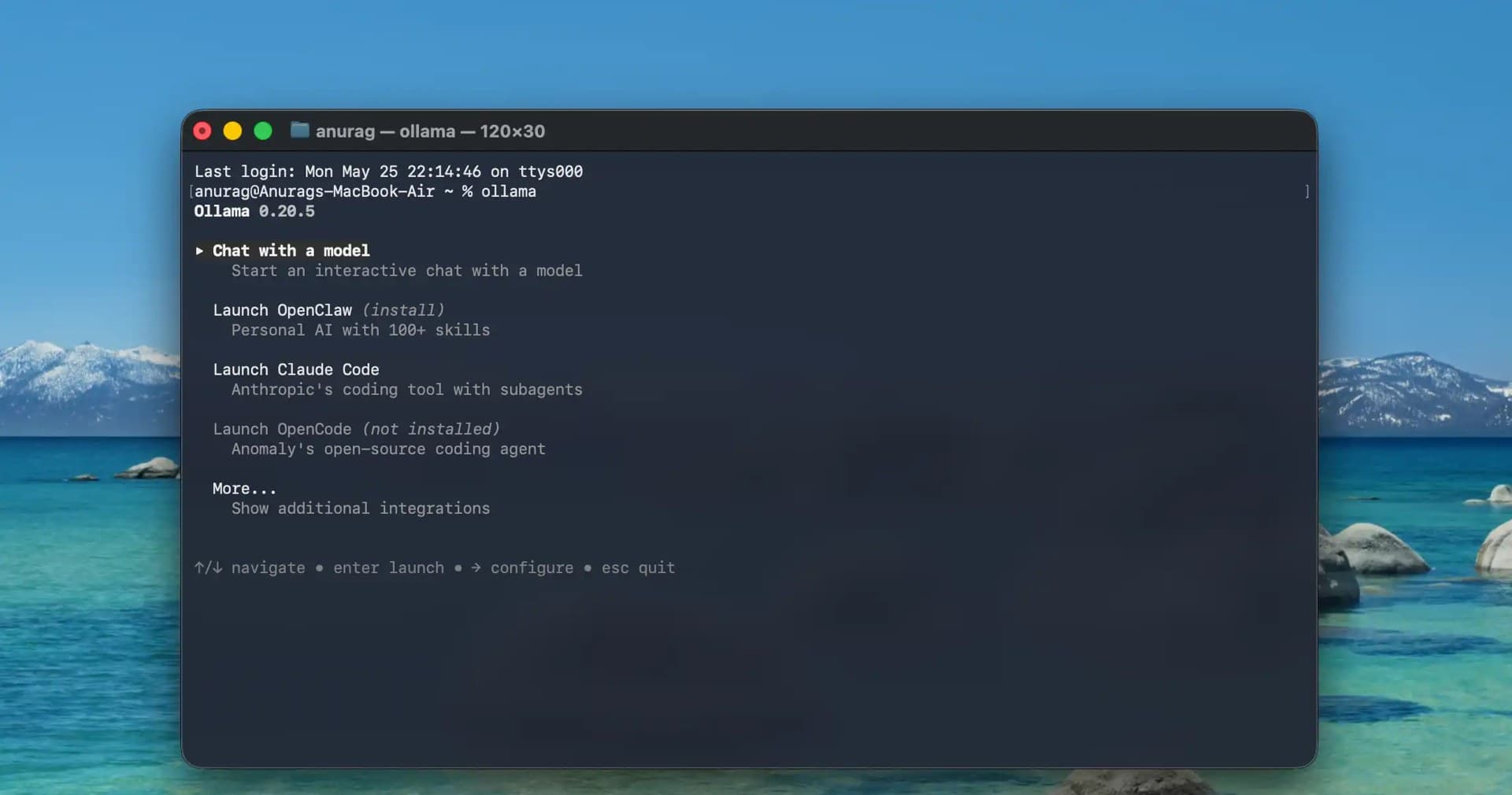
The cheapest GPU is your user's GPU. This guide shows indie teams how to push suitable inference workloads to the browser and edge — WebGPU, transformers.js, WebLLM, llama.cpp, Ollama, Apple MLX compared; 1B–8B quantized models mapped to tasks; an edge-first degradation chain with drop-in fallback code; packaging "data never leaves the device" as a selling point; hard limits on load size, memory and heat; and a two-week pilot SOP. Cloud stays only as the safety net.

You can ship code but break into a sweat at 'want to chat?' Indie-developer sales isn't a persuasion performance — it's a structured way to help users decide: discovery, diagnosis, demo, objection handling, and closing as five repeatable moves, with copy-paste call scripts, a follow-up cadence table, and a lightweight CRM board. Introverts can sell too.
October brought two Copilot retirement waves, GPT-5.5 leaving Codex, and 17 OpenAI API model identifiers shutting off — model swaps are now operations, not upgrades. This field guide delivers a complete swap SOP: three abstraction layers, a 30-minute minimum eval baseline, a four-step shadow-to-full rollout, 10-minute weekly notice monitoring, the true cost formula, three real failure modes, and a one-page copy-paste checklist.