Writing Requirements for AI: The PRD Method That Gets Agents to Nail It First Try
After a year of AI coding, the bottleneck moved from 'writing code' to 'saying clearly what you want.' A seven-section PRD template for agents, three real bad-vs-good cases, and four advanced techniques — plus why PRD skill is replacing coding skill as the scarce ability.

After a year of writing code with AI, my biggest realization isn't "models got stronger" — it's this: the bottleneck moved from "writing code" to "saying clearly what you want." The same requirement, expressed in a good PRD (product requirements document), gets you a working version from an agent in one shot. Expressed badly, three rounds of prompt revisions still lose to writing it yourself. This article breaks down my complete methodology for writing requirements for agents — essentially a writing discipline for "translating fuzzy ideas into machine-executable specs."
First, a counterintuitive conclusion: requirements for AI must be stricter than requirements for humans, not looser. Many people think "it's AI, a couple of casual sentences will do." Wrong. Human colleagues fill your gaps with shared context, experience, and "you know what I mean." An agent executes literally — what you didn't write, it will either hallucinate or skip. 80% of rework in vibe coding traces back to the requirements doc.
What an Agent-Executable PRD Looks Like
My template has seven sections, each with a clear purpose. Note: this isn't an investor-facing PRD — it's a "construction blueprint" for the agent:
- 1. One-sentence goal. State what the thing is, who it's for, and what problem it solves — in one sentence. Example: "A minimal Pomodoro web app for indie developers, solving the problem that phone apps are bloated and slow to open." If you can't say it in one sentence, you haven't thought it through, and the agent certainly won't.
- 2. Non-goals. The most underrated section. Explicitly list what you're NOT doing this round: no user accounts, no multi-device sync, no offline support. An agent's "over-delivery" is a rework factory — without boundaries, it'll add login, dark mode, and animations you never asked for.
- 3. User stories (3–5). Write core flows as "As a…, I want…, so that…". Don't write 20 — the agent will lose prioritization. Each story is one shippable, verifiable delivery line.
- 4. Functional spec: pages, APIs, data. List pages (elements and interactions per page), data models (fields, types, relations), and input/output of key endpoints. No UML needed, but field names and types must be exact — this is where agents "improvise" most.
- 5. Technical constraints. Specify the stack, required libraries, forbidden things ("don't introduce a new CSS framework, use Tailwind"), deployment target. The more specific the constraints, the more controllable the agent's latitude.
- 6. Acceptance criteria. 2–3 verifiable criteria per user story, phrased as "When…, it should…". This is your review checklist for deliverables — and the agent's self-check basis.
- 7. Milestone breakdown. Split the work into 2–4 independently shippable phases, each ending with something runnable. Never let an agent deliver everything at once — context will explode and quality will collapse.
Three Real Cases: Bad Requirements vs. Good Ones
Case 1: the bad requirement. "Build a nice-looking todo app with stats." The agent delivered a monster with 5 chart types, 3 themes, a Pomodoro timer, and a tagging system — when all you wanted was a daily checklist. Problems: no non-goals, no acceptance criteria, and "nice-looking" can't be verified.
Rewritten: "Minimal todo web page (goal). Non-goals: user accounts, tags, stat charts, mobile adaptation. User story: as a user, I open the page daily to see today's tasks and check them off. Acceptance: first paint under 1 second; tasks persist in localStorage; only one 'Today' view." Same agent — right the first time.
Case 2: the cost of vague fields. "The user table needs basic info." The agent built a table with just name and email; round two you ask for avatars, round three for timezones — every schema change needs a data migration. Rewrite as "user table fields: id (uuid), name (string, required), email (string, unique), avatar_url (string, nullable), timezone (string, default UTC)" — done in one pass.
Case 3: acceptance criteria saved the day. "Search should be fast." The agent used the simplest frontend filter — fine for 100 rows, frozen solid at 100,000 after launch. Rewrite as "Acceptance: search responds in under 300ms over 100k records; must use a database index, not frontend filtering" — the agent picks the right approach itself.
Four Advanced Techniques
Technique 1: let AI write the PRD with you. Throw your rough idea at the AI: "I want to build X — draft it as a PRD using the seven-section template, then ask me the 5 questions you most need clarified." You'll find the quality of the AI's questions exposes exactly where your thinking is fuzzy. Answer those 5 questions and the PRD is 80% done.
Technique 2: define boundaries with counter-examples. Beyond saying what you want, say what you don't want it to be like: "Interactions should reference Linear's simplicity, not Notion's heavy editor." Counter-examples constrain an agent's latitude better than positive ones.
Technique 3: write the "why" into the doc. After key decisions, add a parenthetical: "Using localStorage instead of a backend (because this is a single-file demo that needs no server)." Once the agent grasps the intent behind a decision, its subsequent improvisation aligns with your thinking instead of mechanically executing the letter of the spec.
Technique 4: the PRD is alive — update it every iteration. Many people write the PRD once and abandon it; by round three of requirement changes the agent starts "dissociating" — new instructions fighting the old doc. The right practice: for every significant change, update the PRD first, then let the agent touch code. Docs and code, always in lockstep.
My View: PRD Skill Is Replacing "Coding Skill" as the New Scarce Ability
This time last year, the vibe coding community was still debating whether "prompt engineering is pseudoscience." A year on, the answer is clear: what matters isn't prompt tricks, but the ability to "state things clearly" — requirements analysis, boundary definition, acceptance design. The basic toolkit of traditional product managers is becoming required coursework for every developer in the AI era.
One level deeper: the essence of PRD writing is making tacit knowledge explicit. The parts in your head that go "this obviously should work like that" are exactly what agents guess wrong most often. Writing the PRD is the process of translating your expert intuition, line by line, into machine-executable spec. No model, however strong, can replace this — because "what we want" will always be a human's job.
So stop bookmarking "100 god-tier prompts." Spend one afternoon writing a serious seven-section PRD, feed it to your go-to coding agent, and compare the delivery quality. That single exercise will pay back more than every prompt tutorial you've ever read.
Related articles

On October 3, engineer Kevin Liao published a polemic that hit the HN front page: agent memory plugins are a lottery over RAG snippets; what agents need is a documentation workspace. The essay's diagnosis, its open-source Operator Memory plugin, the two strongest objections, and the minimal practice you can start tonight.
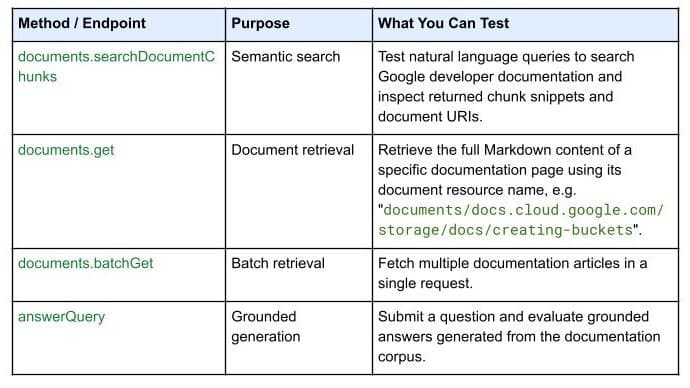
On October 7, 2026, Google Developers launched the Developer Knowledge API ecosystem: official Google Cloud, Firebase, and Android docs as a programmatic source of truth, with a gcloud CLI surface, an official Agent Skill (one-line install), an MCP server, and multi-language client libraries. Why 'docs as APIs' uproots vibe coding's classic failure of models misremembering APIs.

Gergely Orosz visited OpenAI, Anthropic, Cursor, and Ramp and wrote up the 2026 state of the industry: near-100% AI-generated code, agent PRs up ~10x in eight months, code review degrading into theater, the IDE declared legacy. Key takeaways plus three verdicts and four actions for vibe coders.