Project Directory

Browse all indie developer projects and co-creation requests

Active: Showcase
Showcase
Online
No-codeclaude

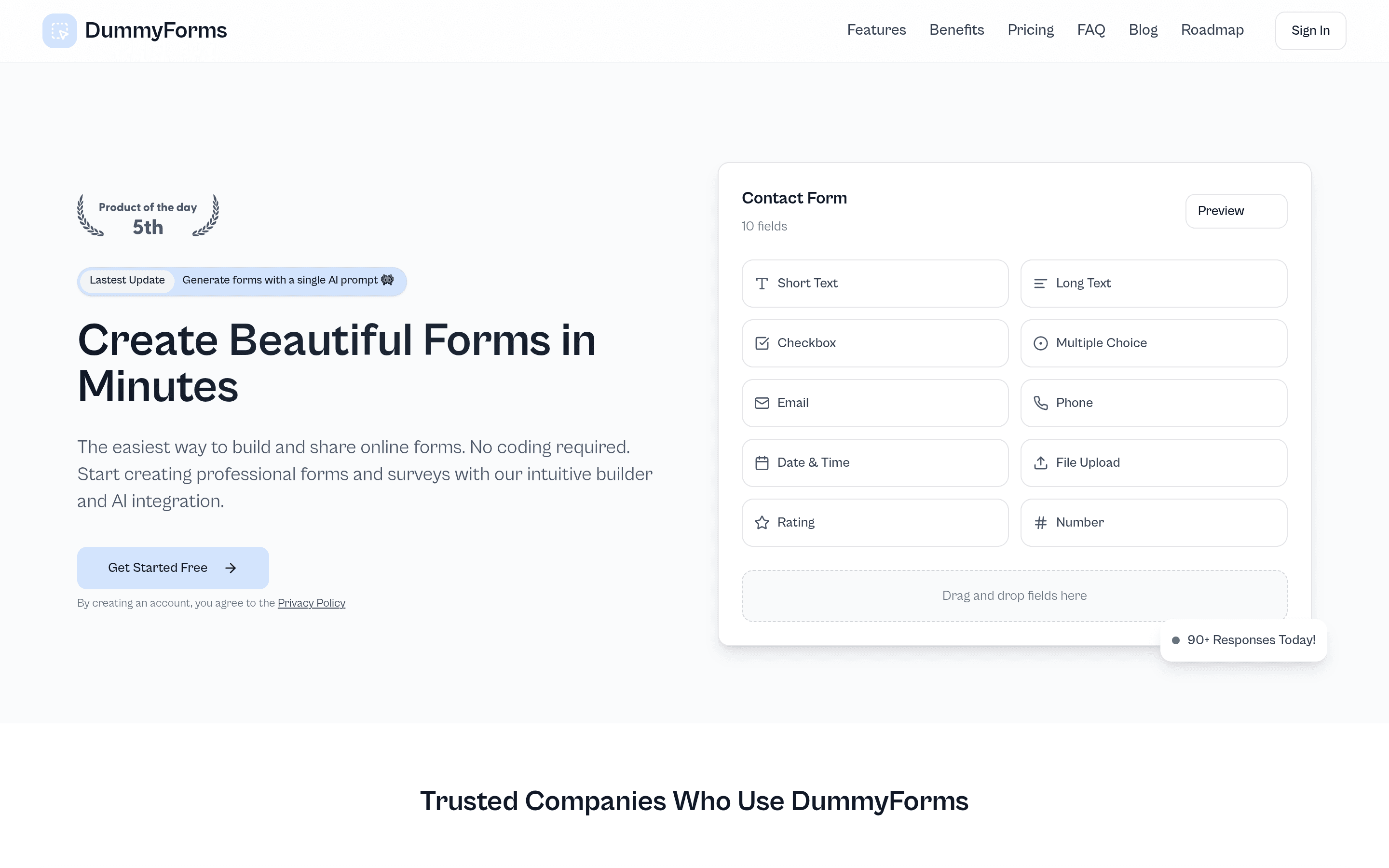
DummyForms

A no-code online form builder — drag-and-drop fields, single-prompt AI form generation, conditional logic.

DummyForms is a no-code online form builder: drag-and-drop fields (short text, multiple choice, file upload, ratings and more), conditional logic, real-time analytics, and sharing via link or QR code. The latest update generates entire forms from a single AI prompt, and the free plan allows unlimited forms. The product is listed on madewithlovable.com as "Made with Lovable", and the maker self-declared "Built with" stack is Lovable, Supabase and Cursor (with Claude by Anthropic) — a textbook no-code, vibe-built SaaS. It won #3 on the Christmas Hackathon by Lovable. A live, growing product with 90+ form responses collected the day this was listed.

Showcase
Online
Design & Creative

app-landing

A mobile app landing page template — hero, screenshots, pricing, reviews, FAQ, dark/light themes.

app-landing is a mobile app landing page template that covers everything a launch page needs: hero with App Store and Google Play buttons, an app screenshot gallery, a features grid, pricing tiers, testimonials, FAQ and a privacy policy page — plus dark and light theme support, all statically exported. In the author's own words: "100% vibe-coded mobile app landing page template — built with Next.js, React, and Tailwind CSS. Drop in your app's content, deploy, done." The template has earned 223 GitHub stars and was last pushed on October 1, 2026. A practical starter for shipping app marketing pages fast — the live demo itself is the template.

Showcase
Online
Educationclaude-code

WhatDatBird

A worldwide bird photo-identification quiz — click any spot on the map and test your bird ID skills.

WhatDatBird is a bird identification quiz that works anywhere in the world. Pick a location on the map — or tap the crosshair to quiz where you stand — and it generates questions from live GBIF/iNaturalist data. Distractors come from the nearest related species, with four difficulty levels and an audio mode for call-based quizzes. Wikipedia identification tips and a local leaderboard round it out. The author says it was "Built entirely with Claude Code." The project was pushed two days before this listing and the GitHub Pages site is live. A lovely education app that makes biodiversity data playable — built with zero stars but very much alive.

Showcase
Online
Developer Toolsclaude-code

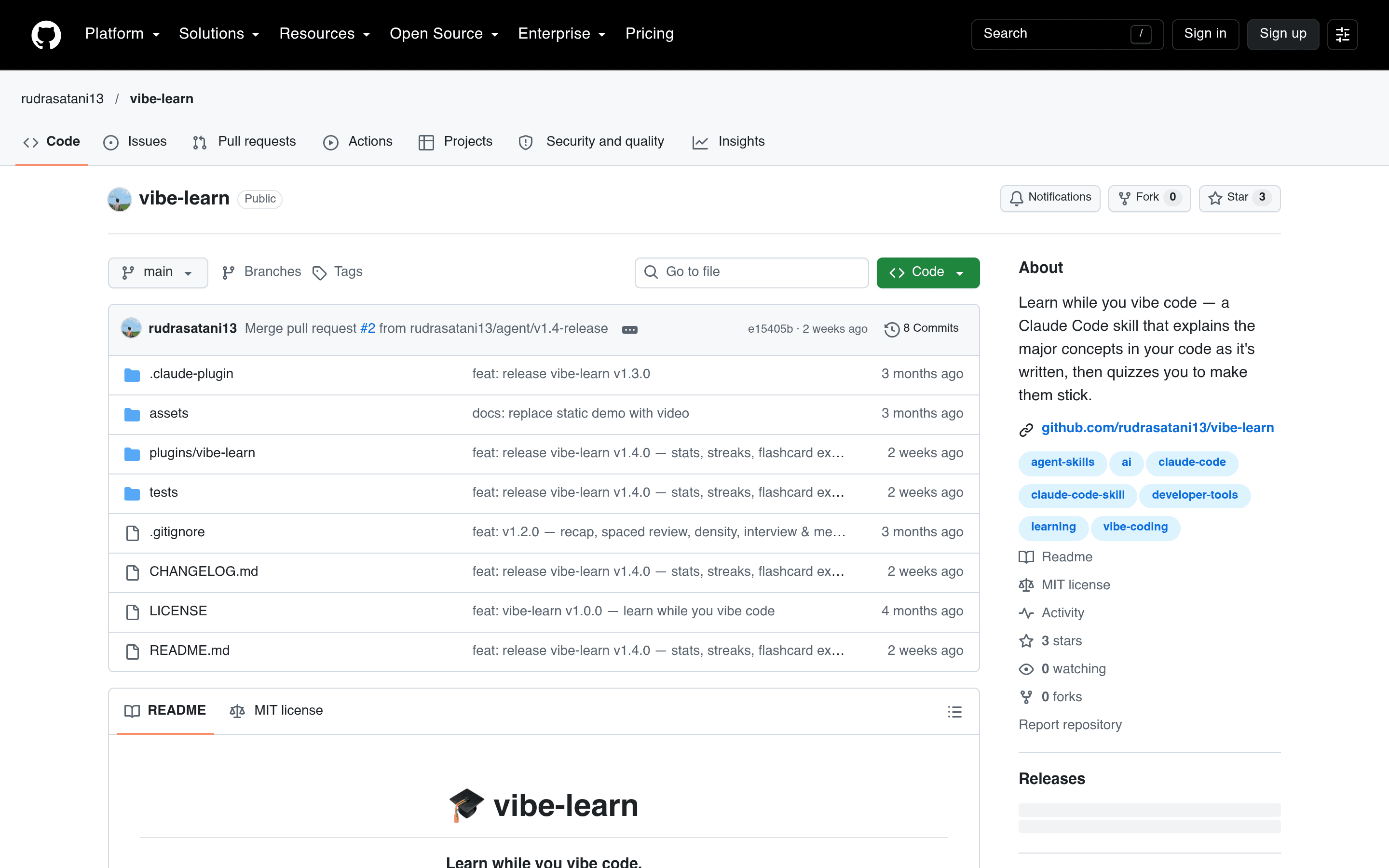
vibe-learn

A Claude Code skill that teaches you core concepts while the AI codes — with quizzes and spaced repetition.

vibe-learn is a Claude Code skill that flips the usual AI-coding dynamic: while the AI writes your code, it also explains the core concepts behind it. Non-blocking mini-quizzes check your understanding without breaking your flow, and cross-session progress memory keeps track of what you have learned. A spaced-repetition review system brings concepts back at the right time, and you can export everything as Anki, CSV or Markdown flashcards. The author writes in the README footer: "Built with Claude Code." The repo holds 3 stars and was last pushed on October 4, 2026.

Showcase
Online
Health & Fitnessclaude-codeclaude-sonnet-45

Fitness Pizza

Track your macros like slices of pizza — a lightweight, privacy-focused PWA for macros, measurements and workouts.

Fitness Pizza is a lightweight, privacy-focused Progressive Web App that turns macro tracking into something fun: your daily intake is visualized like slices of a pizza. It covers macros, body measurements and workouts, with trend views and a setup wizard that calculates your TDEE and suggests macro targets. Food photos can be analyzed by AI (Claude Sonnet 4.5) to estimate nutrition. The author states in the README: "Entirely vibe-coded with Claude Code." The repository was pushed on October 16, 2026, the day before this listing. A fresh, zero-star personal project with a live app — a clean example of what a vibe-coded PWA looks like in the wild.

Showcase
Online
Entertainment

Universe Clicker

A cosmic incremental clicker: earn units, unlock worlds, and grow your universe — vibe-coded in a single file.

Universe Clicker is an incremental clicker game where you earn "units" by clicking a planet, buy upgrades like Exo-Scraps, Rusty Drills, Energy Cells and Basic Drones, and unlock new worlds as your power grows. A news ticker keeps the universe feeling alive, and a "Void Garden" mechanic unlocks at World 3. The whole game ships as a standalone browser application built on a single-file architecture of raw HTML, CSS and JavaScript. It was last updated on October 13, 2026 and is actively maintained by its solo developer UniverseClickerdev. In the developer's own words on the itch.io page: "by the way I used AI to make this game so I basically vibe coded it."

Showcase
Online
Music & Audio

Folia

以全屏沉浸式歌词动画为核心的音乐播放器,支持网易云、Navidrome 与本地音乐库

Folia(辞曲新境)是一个把"看歌词"做成主角的音乐播放器。它的核心不是歌单管理,而是全屏沉浸式的歌词舞台——内置多种歌词动画主题(浮名、流光、心象、云阶、群唱、倾诉),每种主题有不同的排版氛围和可调参数,播歌时歌词像文字 PV 一样动起来,同时兼顾响应式布局,窗口大小随便拖都不乱。 音源方面覆盖得挺全:网易云、酷狗、Navidrome 私服,外加本地音乐库。本地歌曲会自动匹配在线歌词与封面,匹配不准可以在右侧面板手动修正;也支持同目录同名歌词文件(.lrc/.vtt/.ttml/.qrc/.yrc/.krc)和音频内嵌歌词。还有个有意思的功能是 AI 主题生成——根据歌曲情绪和歌词内容自动生成沉浸式背景和视觉参数,每首歌的"舞台"都不一样。另外支持通过系统 Now Playing 服务接入外部播放器的歌曲、时间轴和歌词信息,反过来驱动 Folia 的舞台视图。 多端都齐了:Electron 桌面端(Windows/macOS/Linux,开箱即用),Web 版可以一键部署到 Vercel。另有可选的官方同步服务端 sync-server,自托管后能在多设备间同步外观设置和 AI 主题库。 作者在 README 中明确写道"本项目在 AI 的广泛协助下开发",是一个 vibe-coded 项目。开源协议 AGPL-3.0,仓库地址 https://github.com/Jirankun/folia-major。

Showcase
Online
AI Apps

Sidelong

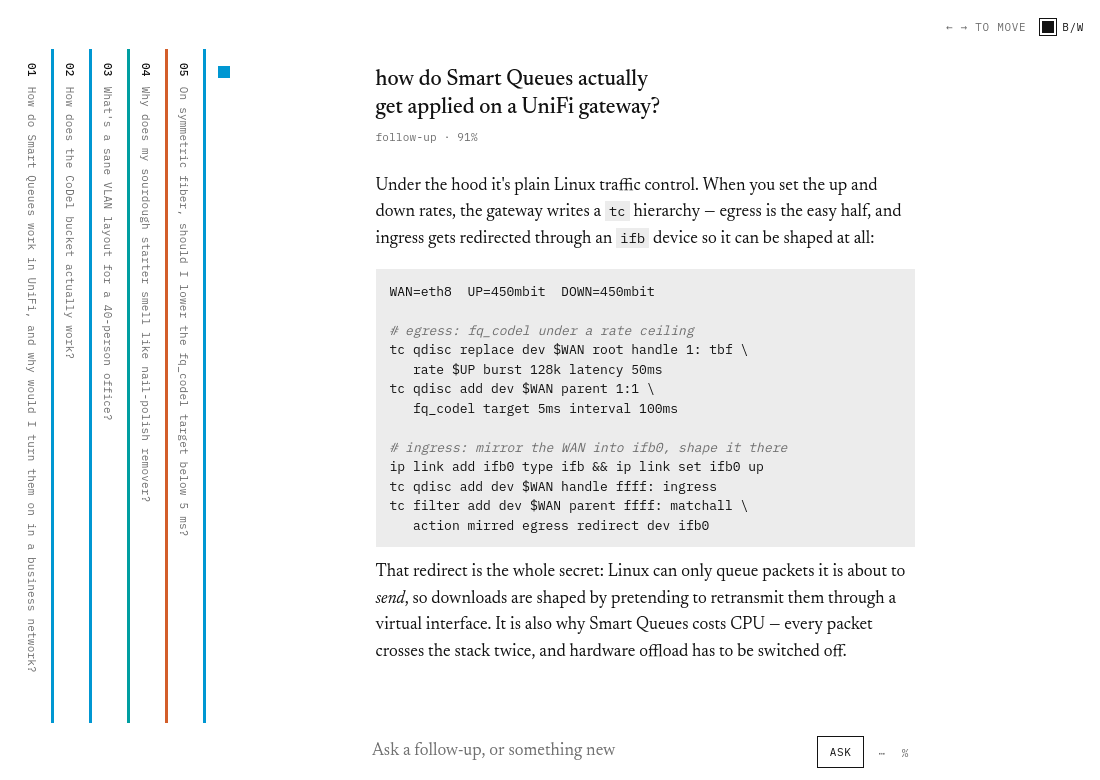
A sideways LLM chat interface — every Q&A is a page, topics get color codes, and chat runs on your own Claude Code subscription.

Sidelong is a chat interface laid out sideways — and it fixes a real annoyance with LLM conversations. Instead of one endless vertical scroll where topics blur together, every question-and-answer pair becomes a page: the open page sits in the middle of the screen while older pages collapse into thin vertical strips on the left, so a long session reads as a row of tabs. Each page gets a colored mark — hue encodes topic, saturation encodes classifier confidence — so follow-ups share their thread's color and you can spot a conversation in a stack of twenty pages without reading a word. There are no API keys to manage: chat runs through the Claude Code CLI you're already logged into, billed to your normal Claude subscription like any other claude session (one deck = one resumed Claude session, turn by turn). Topic embeddings come from a local Ollama model and never leave your machine — the whole thing is local-first by design. The author says it plainly in the Show HN thread: "It's vibe coded, but I think it's actually a better way to not get stuck in a loop of forgetting everything while you use them." Scouted the day after it was created, with two stars — a one-day-old experiment in rethinking how we talk to LLMs.

Showcase
Online
AI Appsclaude-codecodex+1

ImageAI

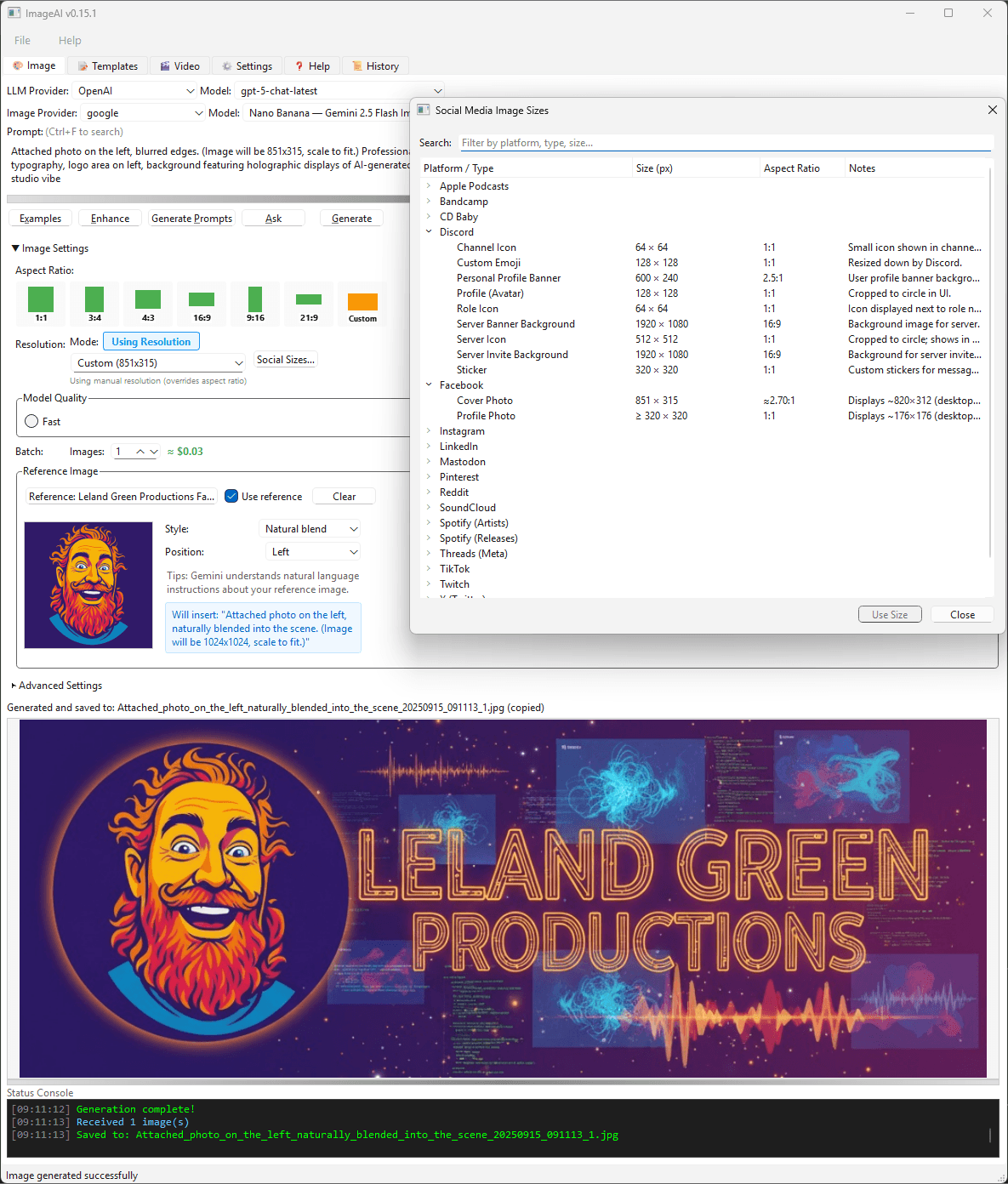
Desktop + CLI client for multi-provider AI image and video generation — prompt tools, social-size presets, cost estimates, MIDI-synced video workflows.

ImageAI is a desktop application and CLI for multi-provider AI image and video generation — the kind of power-user client the big labs never ship themselves. Pick an LLM provider and model (OpenAI, Google's Gemini 2.5 Flash Image, and more), tune aspect ratio, resolution, batch size and reference-image blending in natural language, and generate; a built-in social-media size table covers every platform from Discord emojis to Facebook cover photos, and there's even a MIDI-synced karaoke/video workflow for the adventurous. The app is enterprise-flavored in a way most vibe-coded toys aren't: multiple authentication methods, provider failover, prompt-enhancement tools, a status console with per-generation cost estimates ("≈ $0.03"), and a full history view. Version 0.49.1 was current at scouting time. The author is unusually transparent about the build: "Created primarily with Anthropic Claude Code, with PyCharm IDE and AI assistance from Junie (early-on), Codex." With 15 stars and commits three days before scouting, it's a living example of a complex, multi-provider AI desktop app assembled almost entirely by agents.

Showcase
Online
Officeclaude-code

Job Tracker

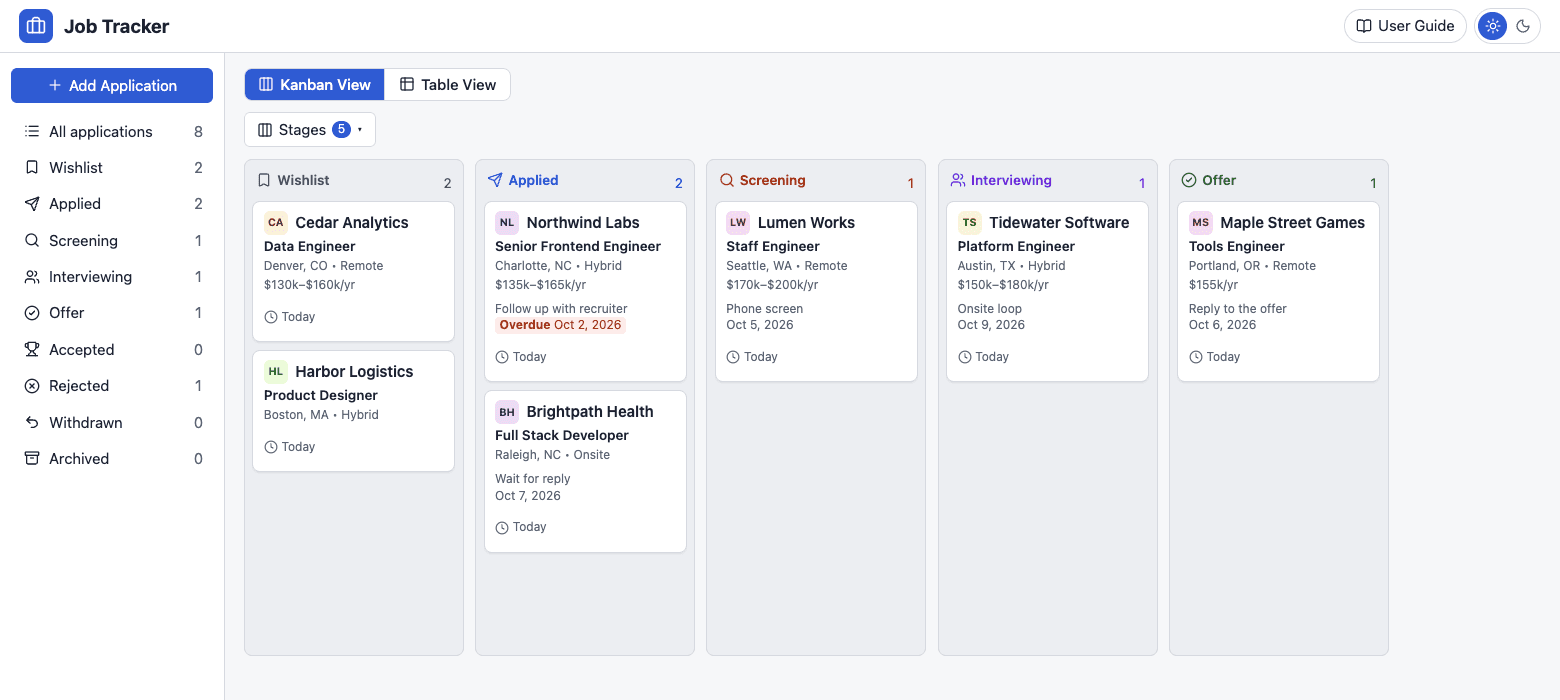
A spec-driven job application tracker — kanban board, table view and follow-up reminders for your entire job hunt.

Job Tracker is a personal tracker for job applications, and a neat case study in spec-driven vibe coding. Every feature starts as a written spec in docs/specs/ before a line of code exists, with the planned build order tracked in a public roadmap. The app itself covers the full job-hunt loop: a kanban board (Wishlist → Applied → Screening → Interviewing → Offer → Accepted/Rejected), a table view, and per-application pages with requirements, timelines and contacts. Under the hood it's a TypeScript monorepo — Express backend, React frontend, SQLite storage, npm workspaces — with light and dark themes, drag-and-drop between stages, and follow-up reminders (the screenshots even show an "overdue" nudge on a stalled application). The author notes the screenshots use made-up sample data. The repo description says it directly: "built with Claude Code using Spec Driven Development." Zero stars and five days of commits at scouting time — a fresh, honest, small-scope office app that does one job well.

Showcase
Online
Tools

X-Shot

Screenshot capture and editing from your system tray — global hotkey, automatic PII masking, OCR, and polished presentation exports.

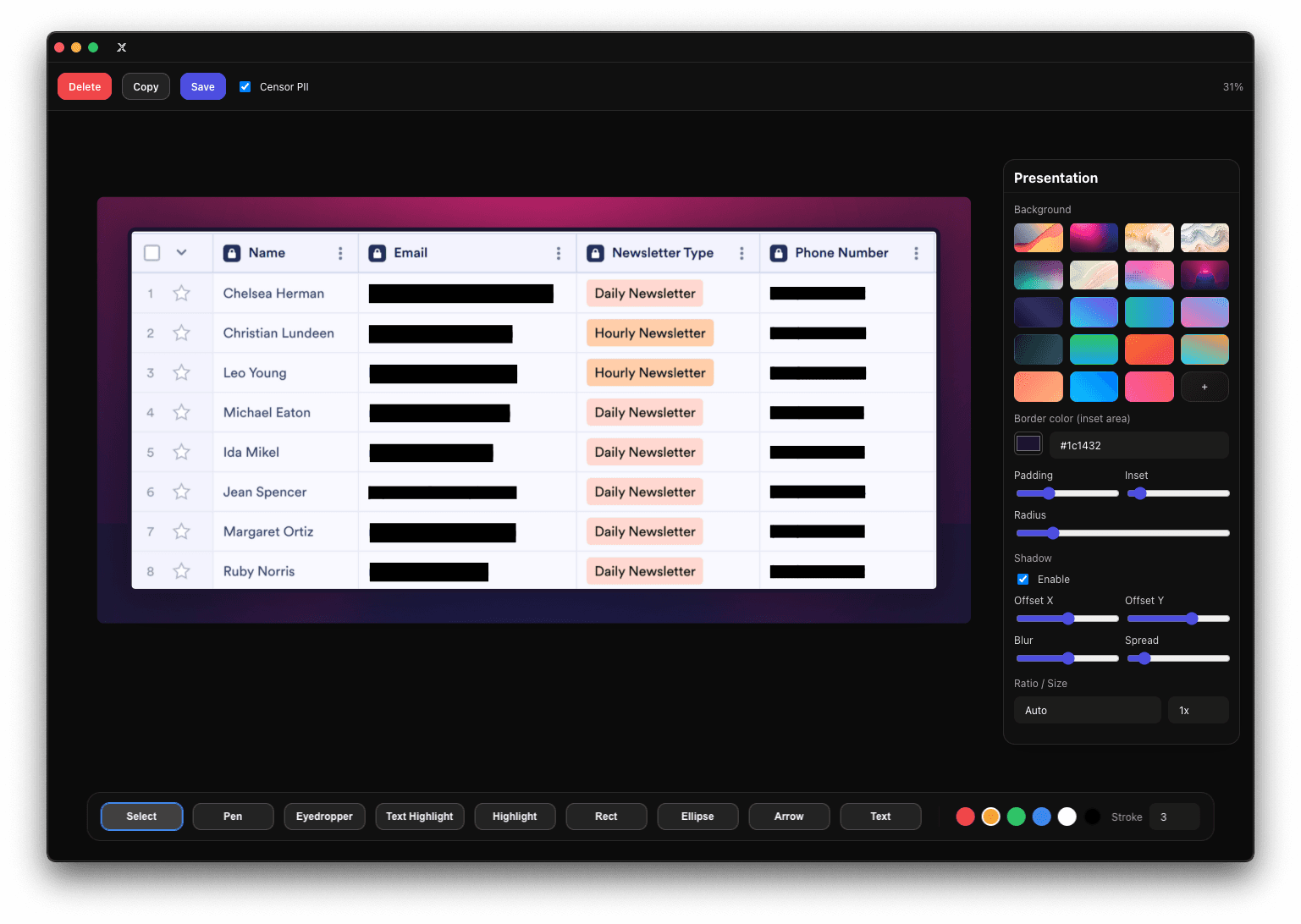
X-Shot is a screenshot capture and editing app that lives in your system tray: hit the global hotkey, grab any screen or window, and land in an editor with rectangle, ellipse, arrow, freehand pen and text tools. Its standout trick is PII masking — it automatically detects and blacks out sensitive data in your screenshots, plus OCR text extraction via Tesseract.js for pulling text out of any capture. The presentation mode is what sets it apart from bare-bones snipping tools: background gradients and images, padding, radius, shadows and aspect presets turn a raw screenshot into a polished share-ready graphic. Exports go to clipboard or file with configurable filename patterns, multi-display capture is supported, and it runs on macOS, Windows and Linux. The author's repo description says it straight: "Majority of this was Vibe coded." Built with Electron and React, tested with Jest and Playwright smoke tests, and maintained since 2025 — this is a vibe-coded utility with real staying power, not a weekend throwaway.

Showcase
Online
AI Agents

BlindPilot

A screen-reader-first desktop frontend for AI coding agents — run ten agents in real windows NVDA, JAWS and VoiceOver can actually read.

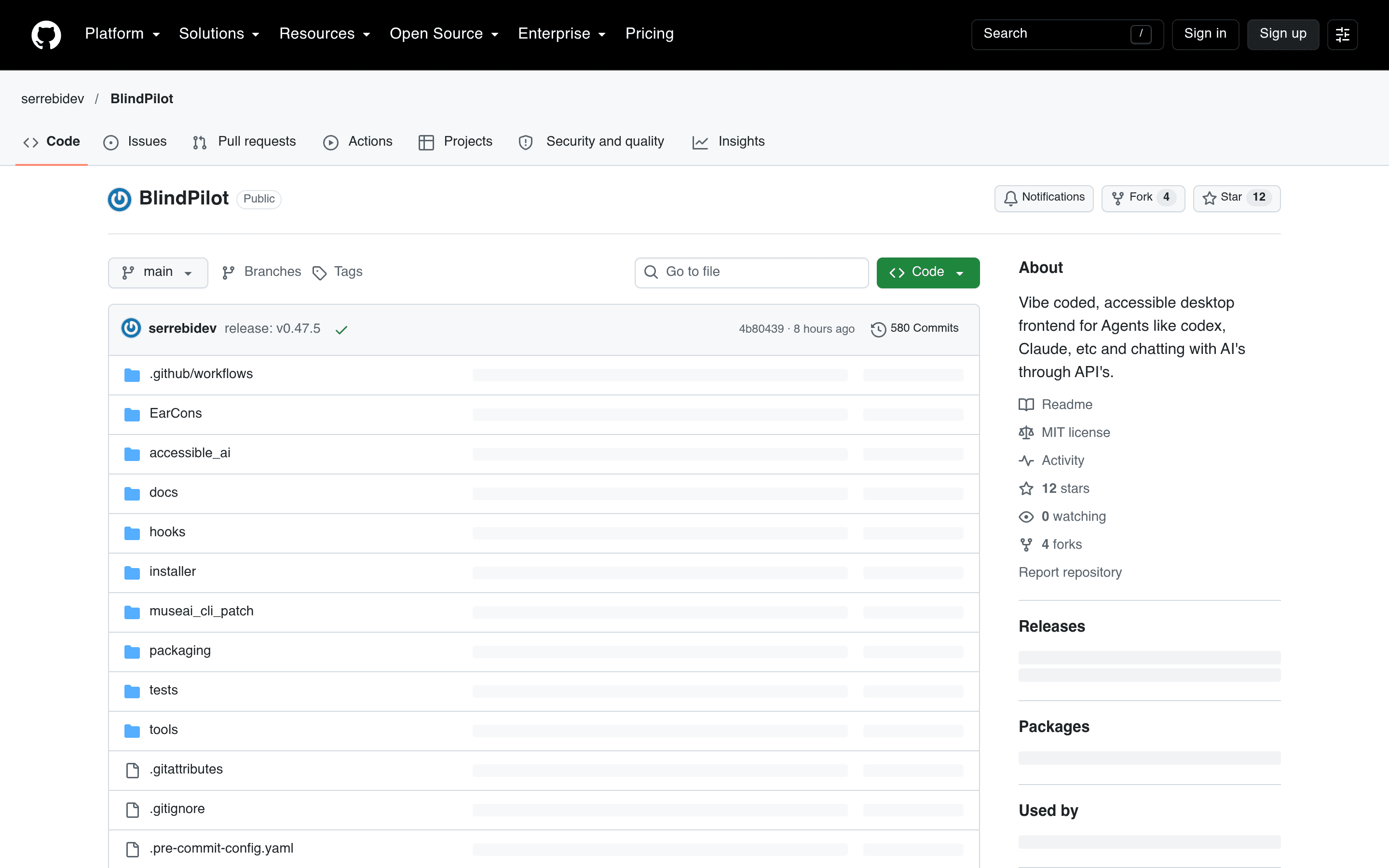
BlindPilot is a screen-reader-first desktop app for AI coding agents — and a genuinely different take on the agent UI problem. Coding agents live in terminals, and terminals are miserable with a screen reader: output scrolls past, the screen redraws under you, and you can't tell if the thing is working, stuck, or waiting on you. BlindPilot puts the agent in a real window your screen reader understands — every answer becomes a list you can arrow through, and it announces when something happens. It runs ten coding agents in tabs (Claude Code, Codex, FreeBuff, opencode, Hermes, Muse Code, muse.ai, Command Code, Gemini CLI, Antigravity CLI), splits every answer into navigable rows (one per heading, paragraph, code block, tool step), reads answers aloud as they arrive, and can even run agents in bypass-permissions mode for uninterrupted flows. It ships on Windows, macOS and Linux with installers on the releases page. The author states it verbatim in the README: "BlindPilot is vibe-coded. I use it every day." It started as a fork of Claude Code Reader, keeps that project's accessibility design, and is being shipped at a furious pace — v0.47.5 landed hours before it was scouted, with 580 commits behind it. Accessibility-first agent tooling is a rare corner of the vibe-coding wave, and this is one of its most serious entries.

Showcase
Online
Tools

Evlat

A thin strip on your Mac's screen edge that shows which AI coding agent is waiting on you — one click jumps back in.

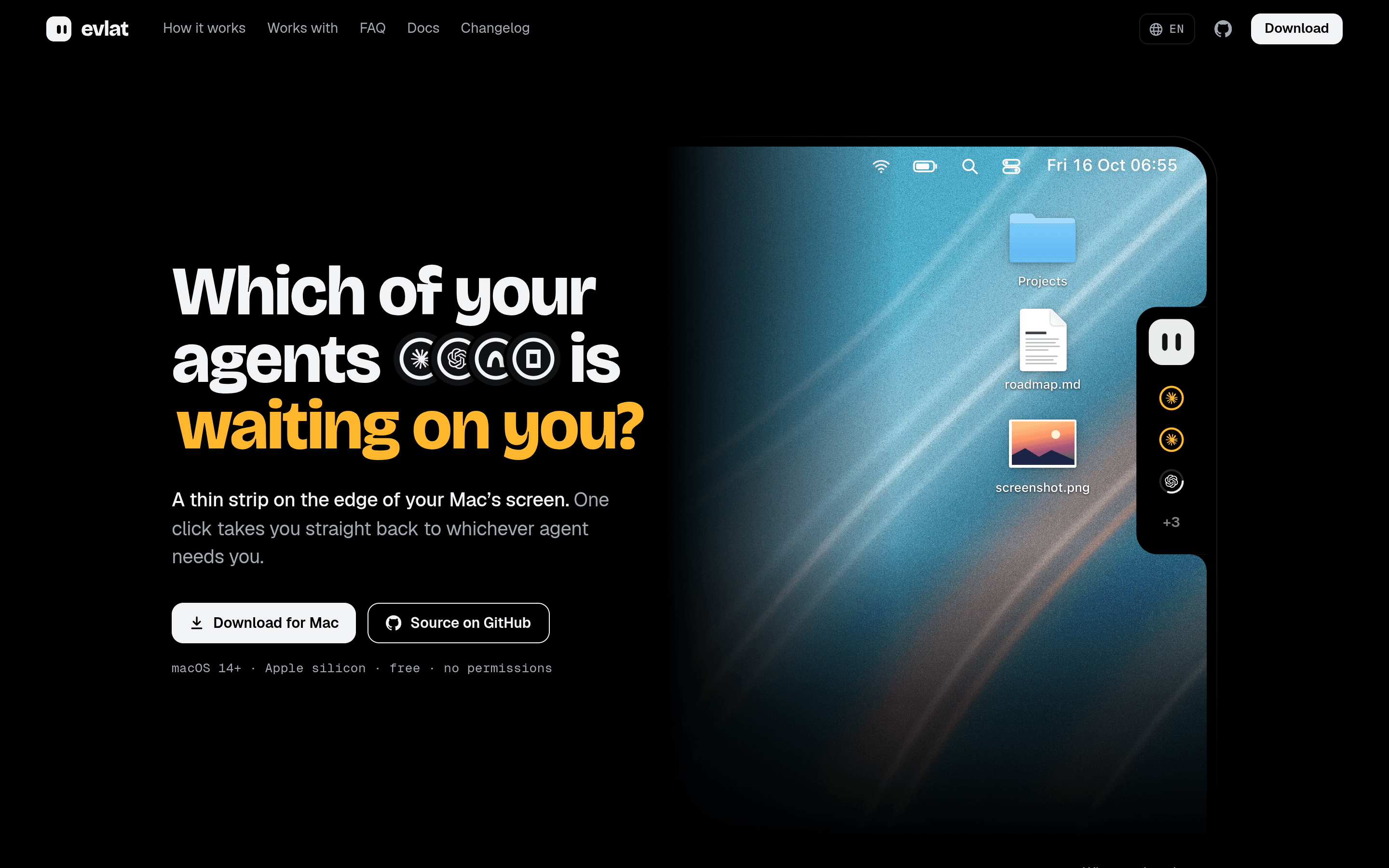
Evlat is a thin strip docked to the edge of your Mac's screen that answers one question at a glance: which of your AI coding agents is waiting on you? One ring per Claude Code, Codex, Antigravity or OpenCode session, one face for all of them — and an amber pulse the moment a session needs your input. One click takes you straight back to whichever agent needs you, no more alt-tabbing through a dozen terminal windows. It runs on macOS 14+ (Apple silicon), asks for zero macOS permissions, updates itself, and speaks twelve languages including Simplified and Traditional Chinese. Session state is read from each agent's local hooks and logs, and the built-in chat bubble can answer permission prompts or drop files onto a session without switching windows. A playful extra: the strip's mascot is fully customizable, and the site ships a guide for having your own coding agent design one. The author says it plainly in the Show HN thread: "I'm the vibe coder of Evlat app. I use it everyday for tracking my cc sessions." The repo (12 stars, pushed four days before scouting) is a native Swift app with signed and notarized releases, and the whole thing reads like a tool built by someone who lives inside parallel agent sessions — because it was.

Showcase
Online
Music & Audiocodex

XY Music Notation

Sheet music reimagined in base-12: full scores rendered with pitch-class note heads, built with Codex.

XY Music Notation is a working answer to a niche musician's itch: what if sheet music were written for a base-12 world? The site renders full scores — Satie's Gymnopedie No. 1, Clair de Lune, Fur Elise, the Moonlight Sonata, Chopin nocturnes — in a custom notation where every note in 12-tone equal temperament is a number, N in (0,1,2,3,4,5,6,7,8,9,X,Y), with the pitch class printed right on the note head. The idea is to make the notation isomorphic to a new kind of music keyboard the author has been tinkering with, so you can sight-read a part by interval shape without decoding every note the traditional way. The rendering engine is the clever bit: a music-score backend built on MuseScore with custom note heads that display each note's pitch class. The author built it with Codex — his own words on Hacker News: "I used codex to build a music score rendering backend based on MuseScore with custom note heads that display the pitch class of each note." He had been playing with the isomorphic keyboard himself and wanted real sheet music to practice on; the site is the tool he wished existed. It is genuinely usable, not just a demo. Each score gets a playback bar with measure scrubbing, speed and volume controls, optional external MIDI output, PDF download, and a link to the original score — sources are marked cc-zero. Press play and follow along as the custom notation plays; click any note to preview that moment, click a rest to seek. The Hacker News thread (83 points, 79 comments) turned into a lively debate about whether alternate notations help or hurt sight-reading, with guitarists and isomorphic-keyboard owners weighing in. Even the skeptics conceded the rendering itself is impressive. For musicians curious about notation beyond the staff, XY Music is a rare thing: a vibe-coded tool with real craft behind it.

Showcase
Online
Music & Audio

Stemyla

Split any song into 6 instrument stems in your browser — Rust + WebGPU, vibe-coded, nothing leaves your computer.

Stemyla does one thing that used to require a studio: it splits a song into its individual instruments — bass, drums, other, vocals, guitar and piano — entirely in your browser, on your own GPU. Drop an MP3 or WAV onto the page, press "Separate 6 stems", and you get six lanes you can mute, solo, slow down without changing pitch, loop a section of, and save as WAV or MP3. Nothing ever leaves your computer: the page, the model and your songs all stay local. The engineering is the interesting part. The app is written in Rust and compiled to WebAssembly — including the GPU code. The separation model is BS-RoFormer SW, running on WebGPU through hand-written WGSL kernels, which is how it manages serious neural audio separation with no server involved. On a laptop GPU, separating a 3.5-minute song takes about seven minutes. The page needs a one-time 350 MB model download (kept in the browser's own storage), and it runs in Chrome or Edge on macOS, Windows and ChromeOS, Safari 26, or Firefox 141 and later on Windows. The backstory is pure vibe coding. The author's own repository description tags it "Vibe-coded!", and the README explains it plainly: "It started as a winter-holiday project for learning to build software with AI, and to hear the guitar part of a song on its own." The repo went up on October 13, 2026, and the published page is live with a demo song you can separate in one click. One honest caveat the author flags himself: the trained model weights come from an unknown trainer on Hugging Face with no stated license, so the repo ships the app without them and leaves it to you to judge whether you may use the weights. For learners, remixers and the merely curious, that transparency is part of the charm — an AI-built tool for pulling music apart, with its rough edges documented in the open.

Showcase
Online
Productivity

Wattle Notes

A gentle desktop Markdown notebook with encrypted Google Drive sync for macOS, Windows and Linux — mostly vibe coded with AI assistance.

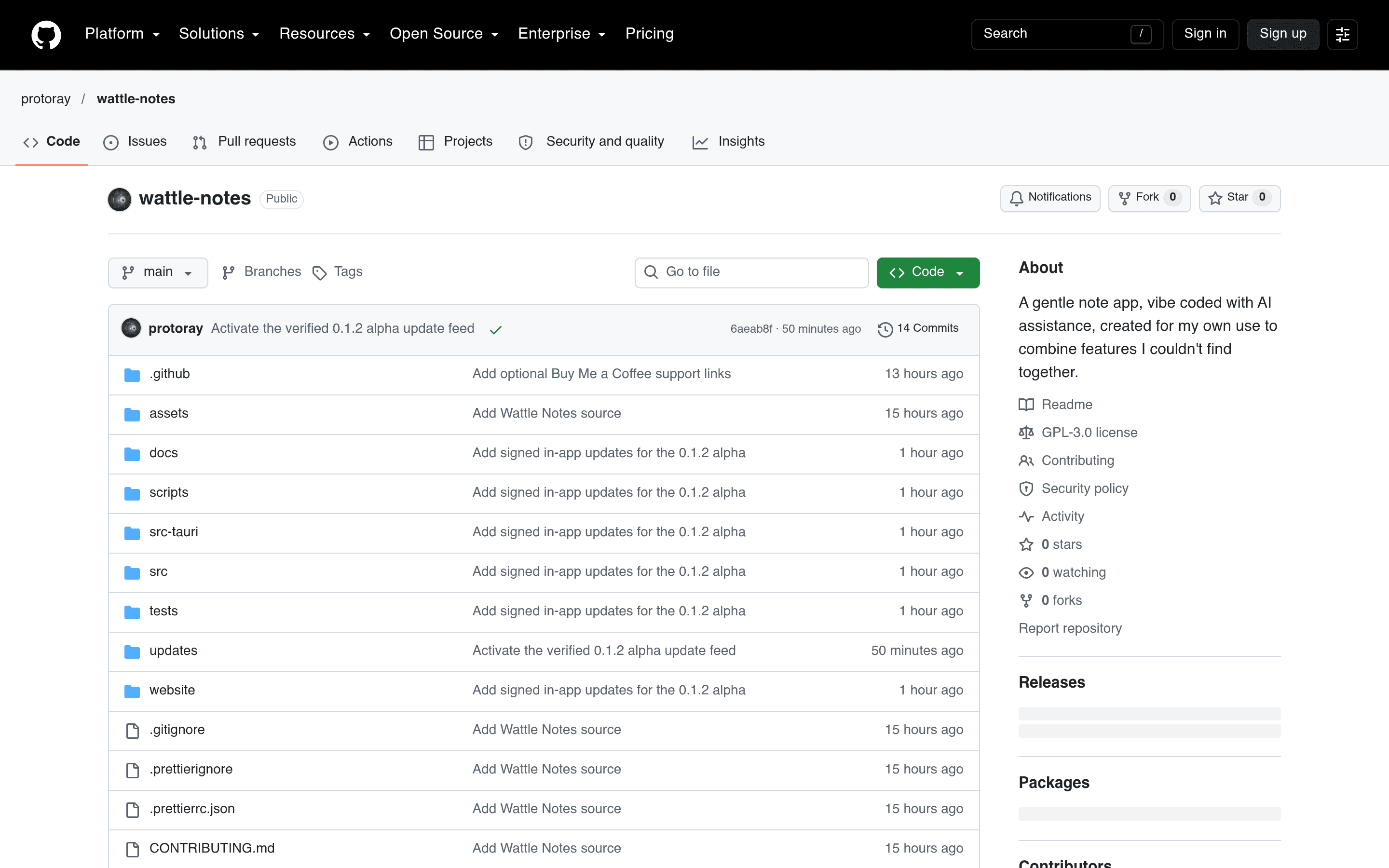
Wattle Notes is a desktop Markdown notebook that started as a very personal itch: its maintainer wanted a specific combination of note-taking features — ordinary Markdown folders, wiki links, backlinks, split preview, and encrypted cloud sync — that he couldn't find together in any existing app. The answer was to build it himself, with AI assistance doing most of the implementation while the design decisions stayed human. The app runs on macOS, Windows, and Linux as a native desktop build (Tauri 2, React, CodeMirror 6, Rust). Notes live as plain Markdown files in folders with YAML frontmatter tags, so nothing is locked into a proprietary format. Writing views include split preview, directly editable reading views, keyboard shortcuts, and five saved appearance themes; local full-text search, wiki links, and backlinks round out the note-taking core. Where it gets ambitious is sync and safety. Wattle Notes can mirror notes to Google Drive with passphrase-protected encryption — local copies and revision history are encrypted before upload, and no note content ever goes to an AI service or telemetry backend. Optional Nextcloud/WebDAV encrypted backups with verified restore, three-way merging of non-overlapping edits, and a conflict screen for overlapping ones handle the messy realities of editing on multiple machines, with signed in-app alpha update checks arriving in the 0.1.2 builds. It is public alpha software (v0.1.2-alpha.1 was cut the same day it was written about here), open source under GPL-3.0, and it carries its origin proudly: the README and release notes both describe it as mostly vibe coded with AI assistance — Joplin, Obsidian, and Zettlr informed the feature goals without contributing a line of code. The honest framing matches the product: a real tool for real note-taking, built the way its author wanted to build it.

Showcase
Online
Security & Privacy

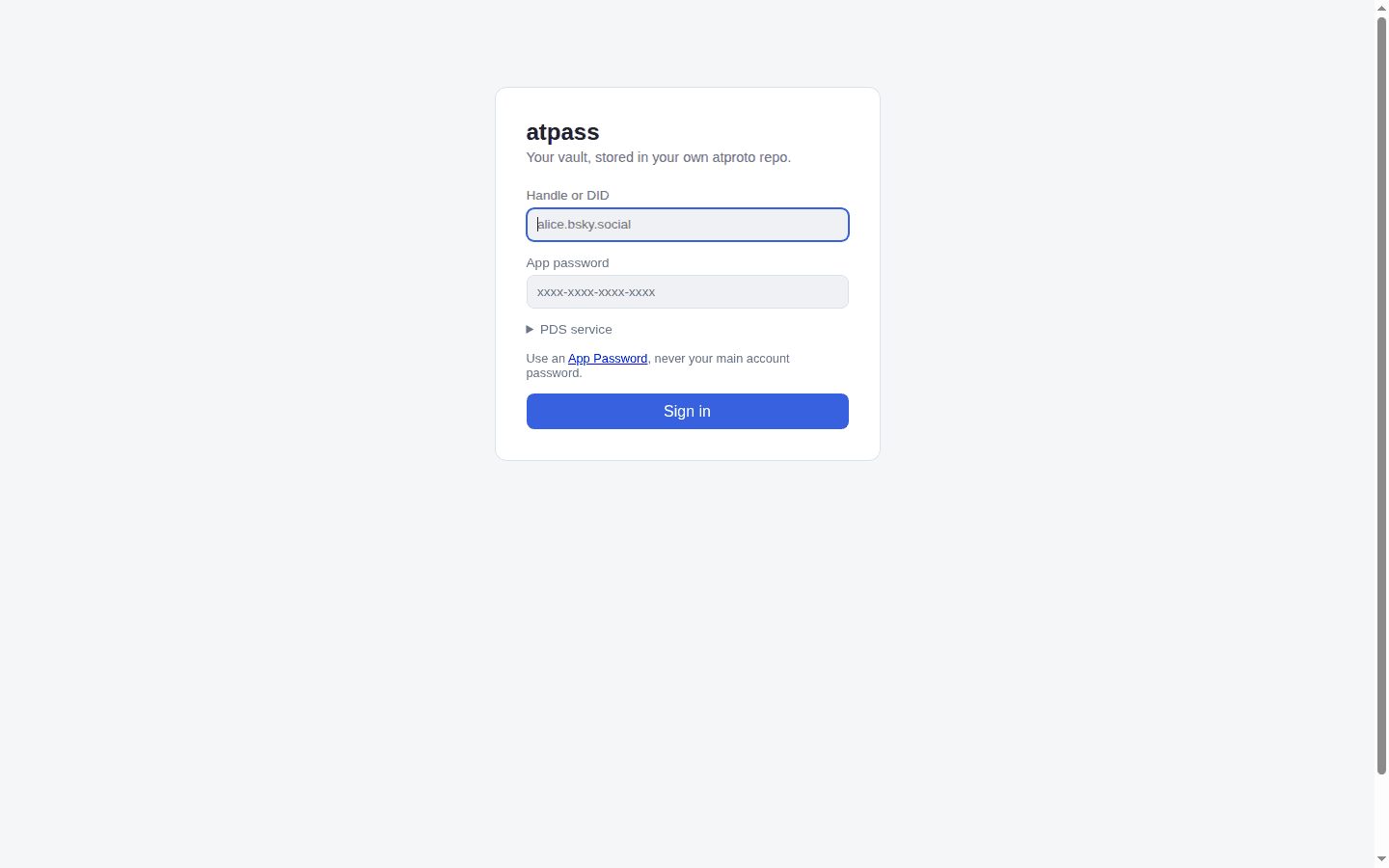
atpass

A password manager that keeps your vault as end-to-end encrypted records in your own atproto (Bluesky) PDS repo — no proprietary server.

atpass is a password manager with an unusual home for your vault: instead of a proprietary server, it stores every vault item as an end-to-end encrypted record in your own atproto (Bluesky) PDS repo. Your PDS operator — and anyone who can read your public repo — sees only ciphertext: how many items you have and roughly when they changed, never titles, usernames, passwords, URLs, or notes. The master password never leaves your machine; it is run through Argon2id to derive a 256-bit key that encrypts each item with AES-256-GCM, with the record key bound in as additional authenticated data so records can't be swapped between items. It ships as three clients sharing one crypto core: a commander-based CLI, a client-only static web app (Vite + React) that talks directly to your PDS from the browser with the vault key living only in that tab's memory, and a Firefox Manifest V3 extension that autofills vault items into login forms — the derived key stays in the background script's memory and never passes through the popup. The Node and browser crypto adapters (node:crypto with @node-rs/argon2 versus Web Crypto with hash-wasm) are verified byte-for-byte interoperable, so a vault item added from the CLI decrypts correctly in the web app and vice versa. Formal record schemas live in lexicons/ as xyz.atpass.vault.meta and xyz.atpass.vault.item. The author's own framing is the whole pitch and the whole warning, verbatim: "Vibe-coded AF" — and "This is a testbed for vibe-coding and atproto. This is not something you should trust real passwords with." The README's security-model section is admirably blunt about the threat model: a malicious PDS operator learns nothing about contents, but a weak master password or a compromised local machine is not covered, the handle-plus-App-Password login means the PDS momentarily sees your App Password at sign-in (full OAuth is not implemented yet), and the project has not been independently audited. Recent commits show the author hardening it anyway — randomized 128-bit record keys so item titles can't be fingerprinted, and CLI session tokens encrypted at rest. It is early — 27 commits, one v0.1.0 release, pushed two days ago — and reads as a working proof-of-concept rather than a Bitwarden replacement. As an experiment in what password management looks like when the "server" is infrastructure you already own, it is one of the more interesting uses of atproto to show up this month.

Showcase
Online
Social & Communityclaude-code

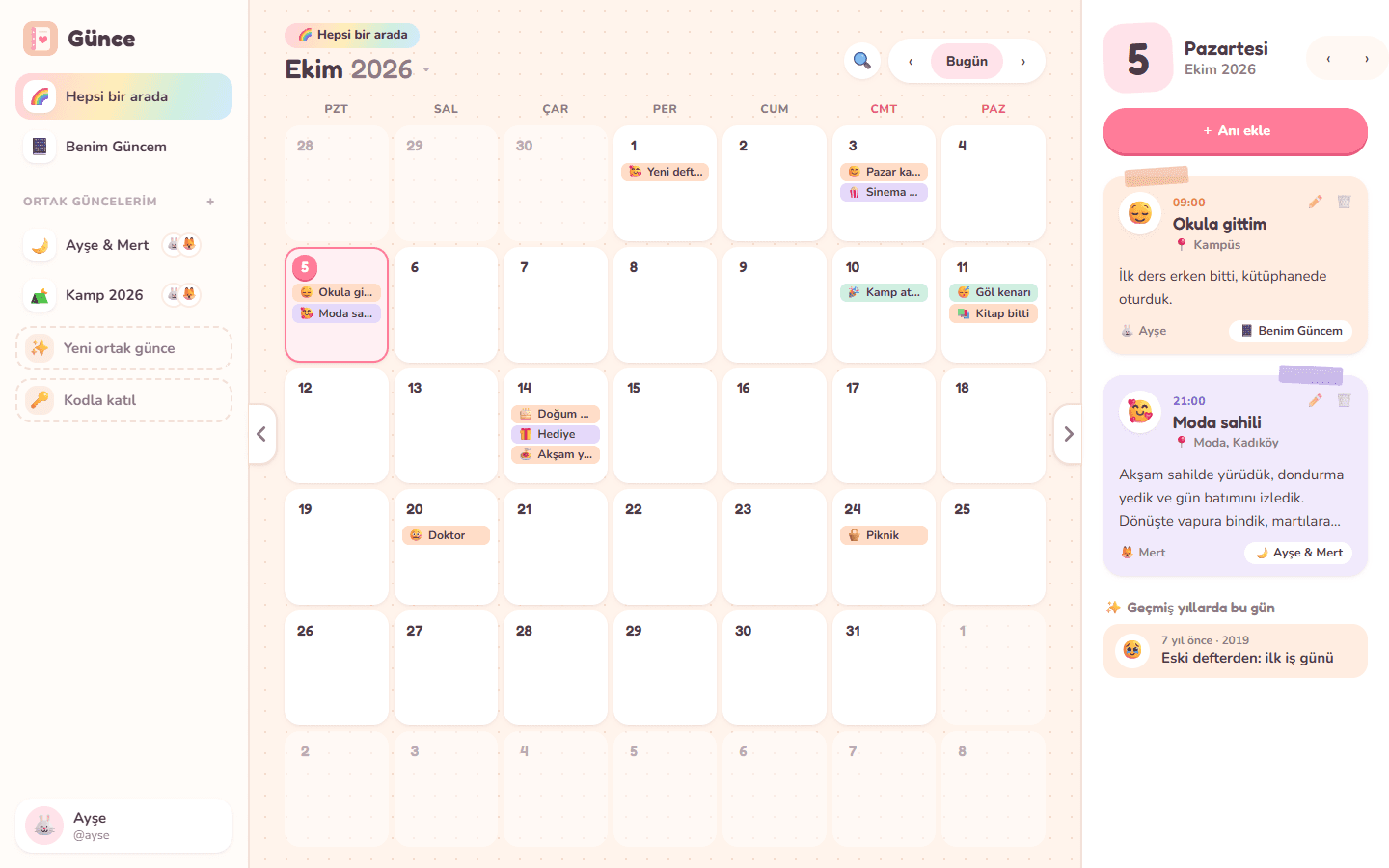
Günce

A cozy journal you keep alone or together — unlimited shared journals with friends and family on a calendar with no year limit.

Günce — an old Turkish word for "diary" — is a cozy journaling app built around a simple idea: some memories are yours alone, and some belong to the people you made them with. Everyone gets one personal journal, and you can start as many shared journals as you like with friends, partners, or family. Write about your morning in your own journal, then write about tonight's dinner in the journal you share with the people you went with. Shared journals are joined with an 8-character code or a /join/CODE link, and every member can add, edit, and delete memories. Everything sits on a monthly calendar with deliberately no year limit — any year from 1 to 9999, dates handled as plain strings so 1987 behaves exactly like 2026. A memory holds an optional time, a mood emoji, a short title, a place, and free text. The "everything together" view merges all your journals onto one calendar, colored by journal; the day panel shows "on this day" entries from other years; search spans titles, text, and places; and any journal exports to JSON. Auth is username plus scrypt-hashed passwords with sessions in HttpOnly SameSite cookies, and the privacy notes are refreshingly plain: only members of a journal can read it, and when you delete your account your personal journal is deleted while shared ones pass to the longest-standing member. The build story is stated verbatim in the README: "This project was vibe coded. It was built by describing the idea in plain language to an AI coding assistant (Claude Code) and iterating on the result together. A person tested it and steered the design, but no one wrote it line by line." The stack is kept small on purpose — Node.js 20 with Express, SQLite through better-sqlite3 stored in a single file, and a frontend of plain HTML, CSS, and ES modules with no framework and no build step, plus API tests via node:test. Deployment is a one-click Railway deploy or a Docker run; SQLite lives on one disk, "plenty for friends and family." It is young — created October 5, 2026, 14 commits, 2 stars, pushed within the last week — and honest about what's missing: no photos on entries yet, no reactions or comments, no real-time updates (open tabs refresh every 45 seconds), and the UI speaks Turkish and English. For a shared family or friends journal that you host yourself, that is a fair trade.
Showcase
Online
Content & Mediaox-alpha-glm-53-flash

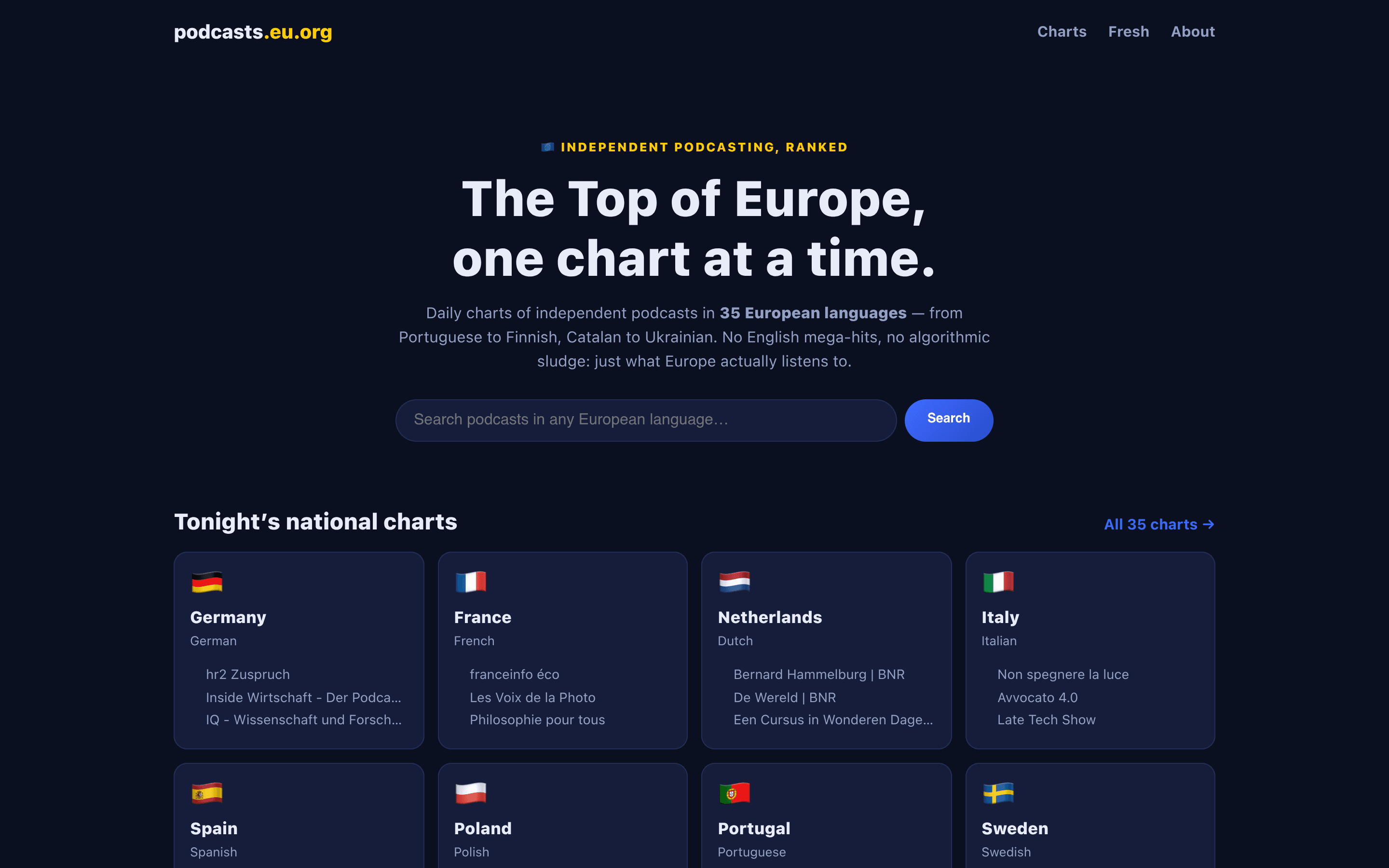
Euro Podcast Charts

Daily independent-podcast charts in 35 European languages — from Portuguese to Finnish, Catalan to Ukrainian.

Euro Podcast Charts is a daily chart site with a simple, stubborn editorial idea: every European language gets its own podcast ranking, computed on equal terms. Thirty-five language codes are covered — Portuguese to Finnish, Catalan to Ukrainian, plus stateless languages like Welsh, Basque, Galician, and Breton. English-language mega-hits are deliberately out of scope ("there are already ten directories for those"), so what you see is what Europe actually listens to, not an algorithmic sludge of US networks. The pipeline is refreshingly legible. Once a day the site pulls trending feeds from the open Podcast Index, filtered to its 35 supported language codes (regional variants included, e.g. de-AT and pt-PT — Portugal's chart filters out Brazilian variants so Lisbon isn't drowned out). The Top 50 per language is snapshotted into a local SQLite database, which the site reads directly, and chart-movement arrows compare against the previous day's snapshot. An hourly "Fresh from Europe" radar records newly discovered feeds in European languages, so the index keeps growing on its own. The author built it with Ox-alpha — Z.ai's GLM-5.3-Flash coding model — during its free unlimited preview week, saying on Hacker News it was "yet another project I did with Ox-alpha (glm-5.3-flash) when it was unlimited." The backend is PHP running on an Oracle free-tier VPS with 1 GB of RAM, which makes the whole thing a small monument to how far a focused side project can go on almost no infrastructure. Whether you want to discover what's charting in Slovenia or just enjoy watching Catalan rank next to German, it's live and updating daily.

Showcase
Online
Photo & Videoclaude-code

AfterFrame

Local-first photo library for Mac & Windows — browse, cull, edit and AI-annotate thousands of photos without leaving one app.

AfterFrame is a local-first photo workspace for photographers drowning in exported images: point it at folders scattered across drives and it unifies everything into one catalog you can browse, filter, rate, tag, and collect — while the originals stay exactly where they are. The demo library on its site shows 872 assets in one catalog; the app's own documentation screenshots show real working libraries of 5,562 assets with folder trees, EXIF panels, and AI annotation sidebars. Under the hood it's an Electron + React (Vite, Tailwind) desktop app with a Python sidecar process and a SQLite database living inside each .afcatalog bundle. Beyond browsing, it covers the full culling-to-delivery loop: crop with a proper aspect-ratio and transform panel, text overlays with depth effects, collage batches, camera-style frames (Canon, Hasselblad), people search, and video chapters. The AI features — style-transfer repaint and auto-annotation that generates captions, tags, and location guesses — run in bring-your-own-key mode, and a bundled MCP server lets Claude Code or any MCP client drive your library in natural language. The origin story is the point: the author states verbatim in the README that "this project was vibe-coded with Claude Code," and the commit history reads like an agentic-coding logbook — look-alike photo detection via perceptual hashing, an Electron Playwright e2e suite, and platform-specific builds (signed macOS .dmg, Windows installer) landing within days of each other. With 243 stars and commits shipping the same week it was scouted, it's one of the more serious open-source Lightroom alternatives to come out of the vibe-coding wave: downloads for macOS 12+ and Windows 10/11 are on the releases page, and there's a try-in-browser option on the site.