When AI-Generated Code Has Bugs: 5 Patterns for Getting the Agent to Fix Them Itself
AI writes code fast but debugs slowly — because you're still directing the agent with pre-AI debugging habits. "Fix it" is the most expensive instruction. Five patterns: reproduce first, give full context at once, bisect the search space, require a regression test, and cap attempts at three. Debugging is one of the last moats for programmers in the AI era.

The uncomfortable truth first: how you direct bug-fixing determines the token bill
AI writes code fast now, but nearly every vibe coder has lived through this moment of despair: one bug, 40 minutes, 12 revisions from the agent, each version worse — until you tearfully git checkout back, with a long new entry on the token bill.
The problem is usually not the model; it's your instructions. Most people say exactly one sentence when fixing bugs: "There's an error here, fix it." That's the most expensive instruction possible, because it pushes all the locating, reproducing, and verifying work onto the agent groping in the dark — and every minute of groping is billed per token.
In the human-debugging era you relied on experience and intuition; in the agent era you must explicitly teach the agent a debugging methodology. The five patterns below can each be pasted straight into your prompt.
Pattern 1: Reproduce first, then touch code — no direct edits allowed
This is the most important one. The agent's first instruction should always be: "First write a minimal script that reliably reproduces this bug, run it, show me the output — only start fixing after I confirm the reproduction."
Why? Three reasons. First, the repro script is the acceptance criterion — run it after the fix and you know whether it's fixed, no manual clicking needed. Second, it forces the agent to understand the bug before guessing at a fix. Third, many "unfixable" bugs are ones the agent never actually reproduced — it's been fixing an imaginary problem.
Practical template: "Do not modify source code yet. First write a minimal repro script under /tmp/repro/, run it with the xxx command, and paste the output. I'll confirm the reproduction before you start localizing."
Pattern 2: Give the full context at once — no toothpaste-squeezing
The agent's most common failure mode is starting to guess with incomplete information. You paste the first line of the traceback and it confidently refactors the whole function. The right move: full stack trace, relevant logs, repro steps, recent changes (git log/diff), runtime environment — all at once.
A simple litmus test: if you took this information away, could a human engineer localize the problem? If not, neither can the agent — it will just manufacture more hallucinations with more tokens. Toothpaste-style conversation (one question, one answer) is a token incinerator.
Also, explicitly tell the agent which files are read-only reference and which directory is the suspect zone. Shrinking the search space speeds up localization by an order of magnitude.
Pattern 3: Bisect — make the agent think like git bisect
Faced with "something's broken somewhere," don't let the agent read the whole repo. Teach it bisection: "List the 3 most likely failure points, ranked by probability; for each, design an experiment verifiable in 1 minute; start with the most likely and eliminate one by one."
The stronger move: have it literally use git bisect. "This bug was introduced in the last 20 commits — use git bisect with the repro script to pinpoint the exact commit and paste me that commit's diff." Machines excel at this kind of boring binary search; don't waste their strength.
The key mindset shift: localizing and fixing are two separate tasks — issue them as two separate instructions. Mix them together and the agent guesses while editing, producing three new bugs.
Pattern 4: Every fix needs a regression test — an untested fix is no fix
"Fixed" in the agent's world often means "it didn't error this run." Your instructions need a hard requirement: "After fixing, write a regression test for this bug, add it to the suite, and run the full suite to confirm nothing else broke."
This pays off twice: short-term, it forces the agent to prove the fix isn't whack-a-mole (like swallowing the error in a catch block); long-term, your test suite quietly gets thicker — every fixed bug becomes a guardrail. Three months later you may find your AI-written project has better coverage than many human-written ones, because "every bug fix needs a test" is a rule machines follow better than humans.
Note: have the agent run the existing suite first to confirm a green baseline. Otherwise it may blame itself for already-red tests, or vice versa.
Pattern 5: Cap attempts at three — switch approaches when stuck
This is the ultimate money-saver. Agents have a bad habit: when one path fails, they try the same wall at a different angle, 20 times, burning the price of a meal. Set the cap in your instructions: "If the same approach fails 3 times, stop. Roll back all changes, summarize in 200 words what you've ruled out and what possibilities remain, then wait for my call on switching approaches."
The logic: three consecutive failures almost certainly mean the initial hypothesis is wrong; further attempts are sunk cost. A human engineer's instinct is "this path is wrong, try another"; agents lack that instinct — you have to install it.
Companion habit: git stash or branch before debugging. Let the agent thrash in a sandbox and merge back only when fixed — rollback cost drops from "tearful rewrite" to "one command."
Three anti-patterns — stop on sight
First, the "fix it" instruction: no repro, no scope, no acceptance criteria — a license for the agent to freestyle with your money. Second, changing multiple places at once: five files edited simultaneously means you'll never know which change broke things — one suspect at a time. Third, merging without reading the diff: always eyeball the agent's diff, especially deletions, condition changes, and migration scripts — the red lines from the earlier security guide, worth repeating.
Closing: debugging is the most durable skill of the AI era
Writing code is something AI already does faster than most humans. But "localizing a weird bug" — understanding systems, forming hypotheses, designing experiments, ruling out noise — remains core human-engineer value that AI won't replace soon.
Better yet, the five patterns above are essentially "good human debugging habits" made explicit. Teaching methodology to the agent trains your own debugging intuition too. In the AI era, people who ask questions are worth more than people who write answers — and debugging is the art of asking questions.
Next time a bug appears, don't rush to say "fix it." Ask the agent first: "Where's the repro script?"
Related articles
Every vibe project has the same darkly comic moment: your site goes white-screen and a friend tells you before your monitoring does. This guide builds a one-person-team error monitoring system: a 5-minute Sentry loop, error boundaries, report context design, backend structured logging, AI-call-specific protection, alert tiers, and a launch checklist.
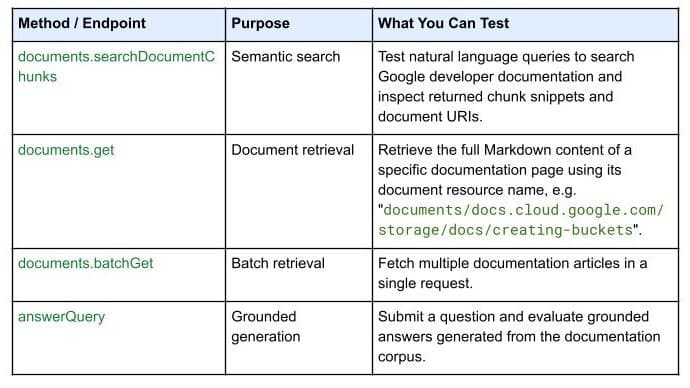
On October 7, 2026, Google Developers launched the Developer Knowledge API ecosystem: official Google Cloud, Firebase, and Android docs as a programmatic source of truth, with a gcloud CLI surface, an official Agent Skill (one-line install), an MCP server, and multi-language client libraries. Why 'docs as APIs' uproots vibe coding's classic failure of models misremembering APIs.

On September 30, 2026, Bitdefender launched AI Guardian in public beta: a security layer for autonomous AI agents that verdicts every tool call, file access, and credential use as allowed, flagged, or blocked. First on macOS, free during beta, supporting Claude Code and OpenClaw. Why this 'agent behavior firewall' arrives right on time for vibe coders.