Stop Typing: Cursor's Agents Now Take Voice Calls
On November 6, 2026, Cursor shipped Voice Chat with Agents: realtime two-way voice calls in the Agents Window, IDE, web, and iOS, powered by Grok Voice while your chosen coding model keeps writing the code. A day after Live Apps, the IDE moves from typing instructions to speaking them. This article walks through how calls start, what the voice agent can do, the limits, and the open questions.
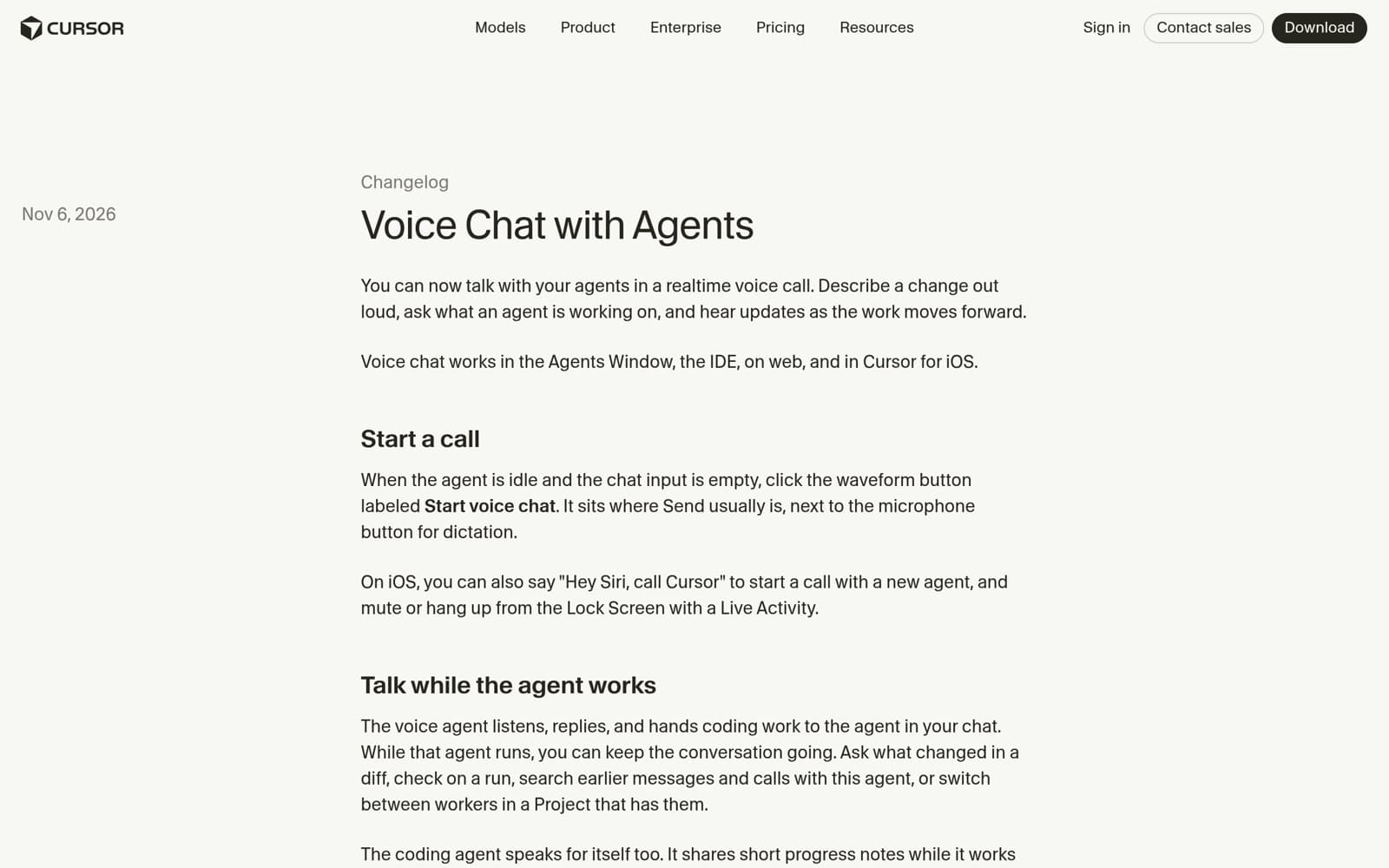

On November 6, 2026, Cursor shipped Voice Chat with Agents: you can now talk to your agent in a realtime voice call. Describe a change out loud, ask what it's working on, and keep the conversation going while it writes code. It works in the Agents Window, the IDE, on the web, and in Cursor for iOS.
The timeline matters, because it is part of the news. The day before, on November 5, Cursor shipped Live Apps — say a sentence and a cloud agent builds your app, deploys it, and hands you a link. Today, November 6, it's the other end of the job: giving instructions. No more typing. Just say it. Two releases in two days, and together they point in one direction: Cursor wants the IDE to move from "type your instructions" to "say your instructions."
This isn't Cursor's first encounter with voice. The IDE already had a dictation feature, formerly called Voice Mode and now called Dictation: you speak, it turns your speech into text in the chat input, and you review it before hitting send. That's voice input. Voice Chat is something else: a two-way conversation where the agent talks back and coding work gets handed off during the call, without you typing a message. One helps you type. The other talks to you and does the work while you talk. The difference matters enough that the official docs devote a whole section to it — these are two features, don't mix them up — and we'll come back to that.
1. What actually shipped
The official changelog is short, but plain: a realtime, two-way voice call with your agents. You talk, the agent listens and replies, and it hands coding work to the agent in your chat. While that agent runs, you can keep talking. Ask what changed in a diff, check on a run, search earlier messages and calls with this agent, or switch between workers in a Project that has them.
The first thing worth noting is coverage. Voice chat isn't a desktop-only extra. It launched in four places at once: the Agents Window, the IDE, the web, and Cursor for iOS. Whether you're at your desk writing code, checking a cloud agent's progress in a browser, or out with your phone, you can talk to the same agent. That fits the direction Cursor's agent system has been moving for two years — agents that live in the cloud and keep working when you're not at your computer. Voice chat fills the last gap: how do you stay in touch with an agent when you're not in front of a screen?
The second thing worth noting is the division of labor. The voice layer runs on Grok Voice: it listens, it speaks, and you can pick from many voices — the changelog names Ara, Eve, Leo, Rex, and Sal, among others. The coding agent, meanwhile, keeps using whatever model you picked for it. Speaking doesn't switch your coding model. Listen and speak belong to Grok Voice; writing code belongs to the model you chose. The changelog and the docs both spell this out, and it's worth remembering, because it sets the ceiling of the whole feature: however natural the voice sounds, the quality of the code still depends on the coding model you picked.
2. How to start a call
The way you start a call hides a small detail: the waveform button only appears when two conditions are met at once — the agent is idle, and the chat input is empty. It sits where the Send button usually is, next to the microphone button for dictation. The docs lay out the steps precisely: open an agent chat — in the Agents Window that can be any chat, including a new one; in the IDE the chat needs at least one message — clear the input, click the waveform button labeled "Start voice chat," allow microphone access when your system asks, and the call connects. If you don't say anything, the agent will check in after a few seconds.
On the phone, the path is shorter. On iOS you can say "Hey Siri, call Cursor" to start a call with a new agent — your iPhone needs to be unlocked. Once the call is going, if the system call screen can't show it, it appears on the Lock Screen as a Live Activity and in the Dynamic Island, where you can mute and hang up without unlocking the phone. Cursor is clearly treating this as a phone call, not a floating widget inside the app.
Two things to know before you start. First, a call needs a signed-in Cursor account. Sessions authenticated with an API key can't start voice chat — you'll see the button, but the call won't connect, and the docs say so explicitly. Second, if you denied microphone permission earlier, Cursor will tell you the microphone is blocked, and you'll need to turn it back on in your system or browser settings before dialing again.
3. What you can do on a call — and what you can't
Once you're on a call, there are really two agents at work: the voice agent you're talking to, and the coding agent in the chat that's writing the code. Say "make the login button darker" and the voice agent hands the task to the coding agent and keeps talking with you. The coding agent runs in the background. You don't wait for it, and you don't hang up.
The docs list five things the voice agent can do during a call. It can hand off work, sending a task or a follow-up to the coding agent in the current chat. It can answer questions about your work — reading diffs, runs, and agents to tell you what changed and what's still running — and these lookups are read-only, so it won't quietly change anything while answering. It can search this agent's history, looking through earlier messages and calls. In a Project with workers, it can switch the call to a different worker. And when you say you're done, it hangs up.
Nothing said on the call just evaporates. The docs say the call transcript appears in the chat, and cloud agent transcripts sync to your other devices while the call is live — unless Privacy Mode is on. That matters more than it sounds: a voice instruction is only useful if there's a written record of what was asked and what was promised. For developers used to keeping a paper trail in text, this is the feature that makes voice safe to use for real decisions. Talk all you want; the decisions still land in writing, where you can check them later.
One more detail that's easy to miss: the coding agent speaks for itself, too. While it works, it shares short progress notes; when it finishes, a brief answer. The official wording is that you usually hear a short update instead of the full written reply. The full reply stays in the chat for you to read. In other words, the voice report is a summary, not the text itself. That trade-off runs through the whole design, and we'll come back to it.
4. Grok Voice does the talking; your coding model doesn't change
Handing the voice layer to Grok Voice is the most interesting move in this release. Since xAI's acquisition of Cursor was announced in June 2026, the open question has been how the two companies would fit together: Grok's models coming into Cursor for coding was one step; Grok's voice capability coming in for conversation is another. November 6 is that second step.
The split is clean. Grok Voice only handles listening and speaking. The voices you pick — Ara, Eve, Leo, Rex, Sal, and the rest — are Grok Voice's voices. You can set a default in Voice settings, change it mid-call, and the choice sticks to the agent you're talking to; an agent with its own saved voice uses that one instead. The coding agent is untouched: it keeps the model you chose for it. How good the voice sounds and how fast it responds is Grok Voice's job; whether the code is right is your chosen model's job.
Privacy Mode gets a clear answer, too. Both the changelog and the docs state it: with Privacy Mode on, voice chat runs with zero data retention. Transcripts don't sync to your other devices either — the docs say so directly. Cursor's Privacy Mode already existed for users who don't want their data retained, and voice chat didn't break that line. For anyone who cares about this, it's a promise you can check yourself: turn Privacy Mode on, make a call, and nothing is kept or synced.
But there are things the launch didn't say. There's no mention of pricing or plan changes for voice calls, and the daily call limit's actual number isn't published — the docs only say there is a daily limit, and that Cursor will tell you when you can call again if you hit it. Whether calls cost extra, or draw on your existing usage allowance, the changelog and the docs don't say. Go in with that expectation: the free allowance and the limits are either coming in a later announcement, or something you'll discover from the prompts in the app.
5. Don't confuse it with dictation: two features, not one
Cursor's voice features now run on two tracks, and the docs draw the line with a comparison table. Dictation turns your speech into text in the chat input; you review it and send it yourself. Voice chat is a spoken reply from the agent, with the task handed straight to the coding agent. The buttons differ, too: voice chat is the waveform button labeled "Start voice chat"; dictation is the microphone button — "Start voice input" in the Agents Window, "Voice Input" in the IDE, "Record voice" on iOS.
Shortcuts belong to dictation's side only. In the IDE, Cmd+Shift+Space still toggles dictation; in the Agents Window, holding Ctrl+M talks to dictation. Voice chat has no dedicated shortcut — you click the waveform button. When dictation was still called Voice Mode, plenty of people thought of it as "Cursor's voice feature." Now that Voice Chat has arrived, the names collide, so the docs spell it out: the old Voice Mode is today's Dictation. Remember that mapping, or tutorials and other people's write-ups won't line up.
The distinction isn't naming pedantry; it decides which tool you reach for. Want precise control over every word, and a chance to check before sending? Use dictation. Want to hand work off while your hands and eyes are busy, and hear progress while it runs? Use voice chat. One is an input method. The other is a phone call. Keeping both is the right call.
6. The limits, stated up front
How good a new feature is depends half on what it can do and half on where it stops. The docs are unusually frank about the limits, so here they are before you run into them yourself.
First, the account. You must be signed in to Cursor with your account; API-key sessions can't start voice chat. The button still shows up when you're signed out or on an API key, but the call itself needs the account — sign in, then start the call again. It's a slightly awkward design, a button you can see but not use, but the rule itself is clear: voice chat is an account feature, not a local one.
Second, the daily limit. The docs confirm there is a daily limit on voice calls, but the number isn't published. If you reach it, Cursor tells you when you can call again. So heavy users shouldn't expect to keep a voice line open to an agent all day. The feature, as it stands, is positioned more as "a few calls a day" than "an all-day intercom." What the limit is, and whether it differs by plan, is something the company hasn't said — watch for a later announcement, or find out from the app's own prompts.
Third, the silence hang-up. By default, a call hangs up after about 10 minutes of silence from you while the agent has no work in progress. That's the default the docs publish. It's a sensible design — a call nobody is speaking on shouldn't stay connected — but it also means voice chat isn't meant to sit open as background noise you occasionally speak into. If you want a long call, keep talking, or keep the agent busy.
Fourth, the button isn't everywhere. It doesn't show in subagents and Project workers, archived chats, Claude Code chats, or chats owned by another teammate. In the IDE it's also hidden for cloud agents that are still streaming, and when dictation is turned off. If you follow the docs and still can't find the button, check that list before blaming your version — though the docs add the obvious last resort: if none of these apply, update Cursor.
7. From "type your instructions" to "say your instructions": what two days in a row really mean
On its own, voice chat is a useful feature. Read together with the previous day's Live Apps, it's a statement of direction. Live Apps, on November 5, answered "what happens after the agent finishes?": the cloud agent builds the app, deploys it, and gives you a link, without you sitting at the computer waiting for the deploy. Voice chat, on November 6, answers "how do you tell the agent what to do?": you don't type. You say it. One day solved the exit for the work; the next solved the entrance for the human. Together, Cursor wants you further from the keyboard: the work runs in the cloud, and you direct it over the phone.
There's a practical foundation under that direction: cloud agents. Voice chat is most useful exactly when the agent isn't on your machine — it's running in the cloud, you're on the road, in the kitchen, or between meetings, and you want to know where it is or change a requirement on the fly. Without cloud agents behind it, voice chat would just be a shortcut for people too lazy to type. With them, it becomes a way to direct work when you're not at your computer at all. Live Apps and voice chat landing on consecutive days isn't a coincidence; they're two steps on the same line.
But "say your instructions" has a problem that won't go away: speech is vaguer than typing. When you type, you can write the requirement precisely, paste the exact path, copy the error verbatim. When you speak, you say "that button," "the thing from before," "make it look nicer." Whether the agent understands depends on how much context it has — and it can read diffs, check runs, and search its history, all of which the voice agent is given on a call. Cursor's answer isn't to make speech more precise; it's to make the agent more context-aware, so that a vague instruction still lands. Whether that works is an empirical question: is the rework rate for spoken requests higher than for typed ones?
There's another deliberate trade-off worth naming: spoken updates are kept short. The coding agent reports brief progress notes and a brief answer when done; the full reply stays in the chat. That's a choice, not a shortcut. A coding reply is long by nature — which files changed, why each change was made that way, whether the tests passed — and reading all of it aloud would take minutes that nobody wants to sit through. Short spoken summaries plus the full text on record is the most practical design for a voice interface: your ears get the conclusion, your eyes can check the detail any time. But it also draws a line: voice chat isn't the right tool when you need to check something word by word — reviewing a critical piece of logic, or going through a long diff. That work still belongs in front of a screen, line by line.
Flip it around, and voice is best for the moments when your eyes aren't on a screen: asking about progress on a walk, checking whether a cloud agent finished while you're waiting for a ride, dictating a small change while cooking, telling the agent to scaffold something between meetings. Its real competitor isn't the keyboard. It's the habit of saying "I'll deal with it when I'm back at my computer." Whether it can turn those in-between moments into real working time is the actual test for this feature.
8. A quick comparison with Sesame: the voice-assistant race has changed lanes
Back in October, we covered Sesame's voice assistant. That company's ambition was to make voice conversation feel like talking to a real person: natural voices, pauses, picking up your thread — the conversation itself was the product. What Cursor just did points in almost the opposite direction: the conversation isn't the point, the work is. Every sentence the voice agent says on a call exists to get a coding task across clearly and report progress plainly. A pleasant voice is a bonus, not the main course.
Put them side by side and the voice-assistant race is splitting into two lanes. One is Sesame's: make the conversation itself as good as it gets, so people want to talk to AI. The other is Cursor's: plug conversation into a concrete workflow, so people don't have to type while they work. The first competes on "does it talk like a person"; the second competes on "after you talk, is the work done right?" Neither lane is better than the other, but Cursor's is harder to prove: you can tell in a few sentences whether a chat feels human; judging voice-directed coding takes checking whether the code came out right and how much rework it needed. Shipping voice chat into the IDE and the Agents Window means putting that test in front of the pickiest audience developers have.
One more thing worth noticing: Sesame proved voice can be the main interface; Cursor is now proving voice can be the entrance to a workflow. Sooner or later those two lanes are likely to meet — an assistant you can both talk with and hand work to. That's for later. As of November 6, Cursor's voice chat is first a developer tool's feature, and only second a voice product. Don't get that order backwards.
9. For vibe coders: when to try it, and when not to force it
If you vibe code with Cursor, three situations are worth trying first. One: you're out and your agent is running in the cloud — hand it a task before you leave, call in to check progress on the way, and come home to the result. Two: you're in the middle of something else and want to change a requirement — say "make the login button a bit bigger" out loud instead of putting down what you're doing to type. Three: a spoken end-of-day review — walk through what changed today and what's first tomorrow, while the transcript stays in the chat for the morning.
And three situations where you shouldn't force it. One: the requirement is inherently precise — which line of which function, an exact error message, a specific file path. Saying those aloud is slow and error-prone; type them. Two: reviewing a critical change — core logic, a database migration, a security-related diff. That needs to be read line by line; a spoken summary isn't enough. Three: the setting doesn't allow it — driving, in a meeting, in public. A phone call with your agent is neither safe nor polite there. Voice chat adds an entrance; it doesn't replace the keyboard and the screen.
When you first try it, start small. Pick an agent that's already working, ask it where it is, and listen to how it answers. Then hand it one small change by voice, and check the diff back in the chat to see whether it understood you. Two tries and you'll know where the edges are: which phrasing it gets, which phrasing you need to reword, and which jobs are still better typed. Don't start by voice-directing a big refactor — that's not testing a feature, that's scheduling rework for yourself.
10. The questions still unanswered
On launch day, a few questions remain open. What exactly is the daily call limit, and does it differ by plan? Do voice calls cost extra, or draw on your existing usage? How well does it handle Chinese speech — accented Mandarin, natural phrasing in Chinese — and can it answer in Chinese just as naturally? When does Android catch up, given that mobile support is iOS-only for now? The answers will come from a later Cursor announcement, or from the first wave of users testing it in the wild.
There's also a bigger backdrop worth keeping in mind. This autumn, Cursor's model supply is shifting: OpenAI has proposed stopping direct model supply to Cursor on November 12. At the same time, Grok's models and voice capabilities are moving into Cursor faster — Grok 4.7 is already available inside Cursor, and now Grok Voice has taken over the voice layer. The split in this launch — Grok Voice for listening and speaking, your chosen model for coding — is itself a kind of insurance: whatever changes upstream, the voice layer and the coding layer are separate, so switching models doesn't mean switching how you talk to the tool.
One sentence to sum it up: in two days, Cursor first had agents build and ship apps for you (Live Apps), then let you direct agents by speaking (voice chat). Grok Voice handles the talking, your chosen model still writes the code, spoken updates stay short, the full text stays on record, and the call is transcribed. Whether it's actually good comes down to one question: after you say it, does it change the code correctly? Start with a small change, listen for the conclusion, and check the diff with your eyes — two tries will tell you where this feature's edges are.
Comments (0)
Sources
Related articles

On November 6, 2026, Anthropic published new research on agent memory: notes, salience judgment, and offline 'dreaming.' In Pokémon Red, the model that wrote 413 memory files earned one badge; the one that wrote nine earned four. This article breaks down the experiments — and what vibe-coding developers can reuse from them.

On November 5, 2026, Google announced its first Wyoming data center, a $17 billion long-term investment built around a 702 MW fuel cell plant with carbon capture. A day later, Crusoe handed over the pre-developed site. This article breaks down where the power comes from, what the community was promised, and the questions the announcement leaves open.

On November 5, Thinking Machines released Inkling 2 Small: 594B total parameters, 17B active, a 31 on the Intelligence Index — and it trained a forecasting model unsupervised for 4.5 hours. But the weights are still closed; the Apache 2.0 release waits for next week's safety testing.