Copilot Grows Hands: GitHub Lets AI Operate Desktop Apps Directly, No API Required
On October 1, GitHub launched Copilot Computer Use in public preview: Copilot CLI and the desktop app can now see screens, click controls, type, scroll, and move across windows. The target is clear — legacy professional software with no API, no CLI, and no MCP server. Off by default, and it asks your permission before taking over any app.
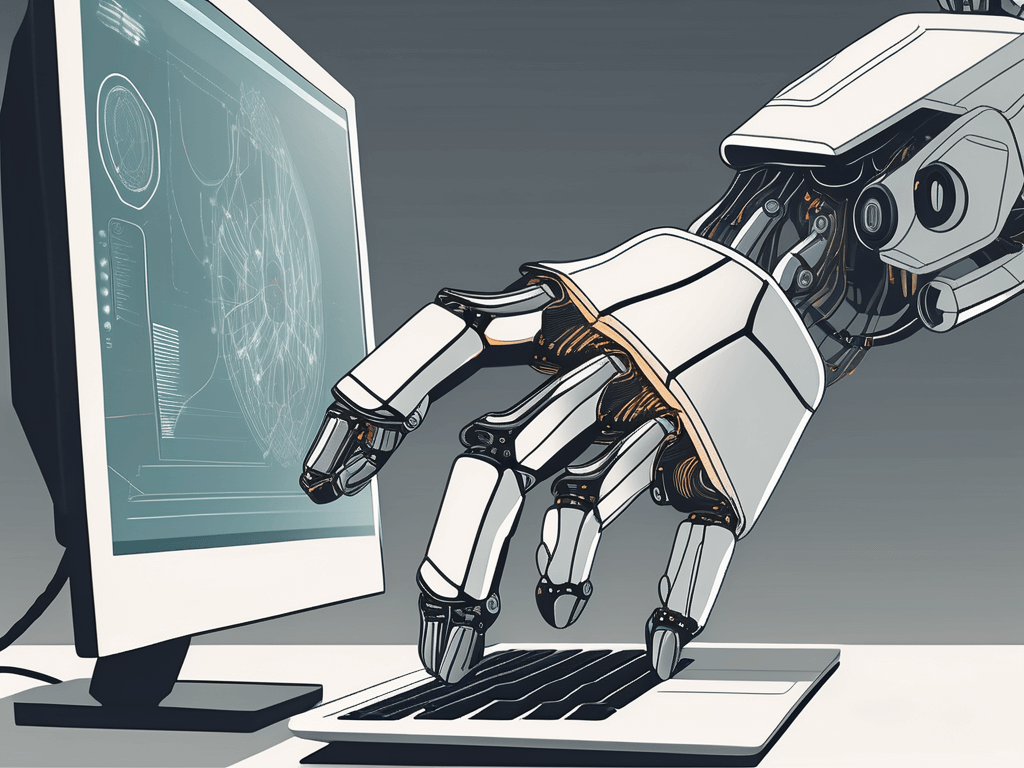
What happened: Copilot went from writing code to using your computer
On October 1, GitHub announced in its official changelog that Computer Use is in public preview, covering Copilot CLI and the Copilot app on macOS and Windows. It can read accessible app content and visual context, click controls, enter and edit text, press keys, scroll, drag, and navigate workflows across applications.
The official examples are telling: summarizing browser notifications, updating a slide deck, moving information through a desktop workflow. What they share — they are all trapped inside graphical interfaces.
Why now: automation always had an unreachable blind spot
For a decade, automation's boundary was clear: APIs for what has APIs, scripts for CLIs, MCP for the rest. But plenty of professional software has none of the three — aging business systems, niche desktop tools, internal apps at banks and governments. RPA tried to fill the gap, but RPA is record-and-replay: move a button and it breaks.
Computer Use takes a different path: let the AI see the screen like a human, understand the interface, and decide on the spot. Button moved? It finds it again. Popup in the way? It dismisses it first. This is a shift from scripted flows to understood intent. For vibe coders, it means internal tools and niche automation scenarios finally have an execution layer that needs no adapter code.
Safety design: off by default, approval every time
GitHub was notably restrained on permissions: the feature ships disabled — enable it with /computer on in the CLI or in the app's settings. Copilot asks for approval before controlling an app, and you can review or reset the always-allowed list. On macOS it walks you through Accessibility and Screen Recording permissions. Org admins can kill the whole feature via managed settings.
The design reflects hard lessons. In April, a Cursor agent with excessive permissions deleted a company's production database and its backups. Once AI can click a mouse, least privilege stops being a slogan — every screen permission you grant expands its blast radius. Default-off plus per-action approval is caution earned the hard way.
Our take: this is the agent's last mile — and its riskiest
Short term, Computer Use changes two groups first: people trapped in legacy software (finance, admin, ops) and indie developers doing internal automation. For the latter, it's a new category opportunity: systems you could never integrate with, Copilot can now click through — your value shifts from writing integration code to designing flows and fallbacks.
But don't hand over production flows yet. Public preview means behavior is still unstable: misclicked buttons, wrong windows, misunderstood dialogs are all likely. Our advice: start with reversible operations (lookups, drafts, summaries). For deletions, transfers, and outbound sends, wait at least two more versions. Growing hands is good news — learning not to touch everything comes first.
Sources
Related articles
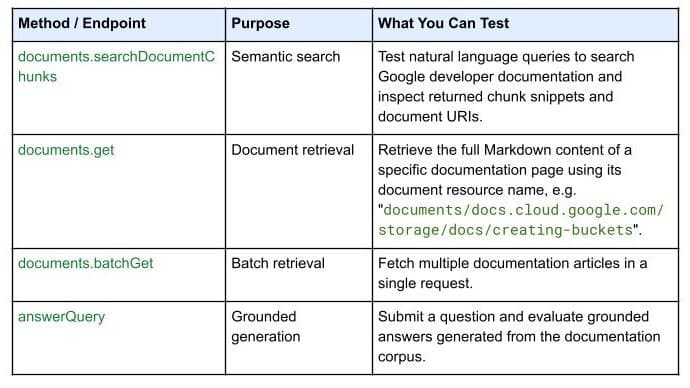
On October 7, 2026, Google Developers launched the Developer Knowledge API ecosystem: official Google Cloud, Firebase, and Android docs as a programmatic source of truth, with a gcloud CLI surface, an official Agent Skill (one-line install), an MCP server, and multi-language client libraries. Why 'docs as APIs' uproots vibe coding's classic failure of models misremembering APIs.

On September 30, 2026, Bitdefender launched AI Guardian in public beta: a security layer for autonomous AI agents that verdicts every tool call, file access, and credential use as allowed, flagged, or blocked. First on macOS, free during beta, supporting Claude Code and OpenClaw. Why this 'agent behavior firewall' arrives right on time for vibe coders.
On October 8, 2026, Google Cloud launched the Gemini agent at Gemini at Work 2026: a universal agent for work that takes objectives, plans by itself, auto-selects between Gemini and Claude models per task, and introduces 'coworker agents' with their own email, calendar, and directory seat. Four judgments on why the second half of the agent race is about 'agents that feel like colleagues.'