Solo Regression Testing in the AI Era: The Minimum-Cost Playwright E2E Playbook
AI's biggest fear when editing code: fixing A breaks B. This execution-layer companion to our AI Testing Strategy shows solo developers how to build an E2E regression moat with Playwright, 5 golden paths, a data-testid convention, and GitHub Actions — one hour to set up, one hour a week to maintain, inside the free tier, with copy-ready code.
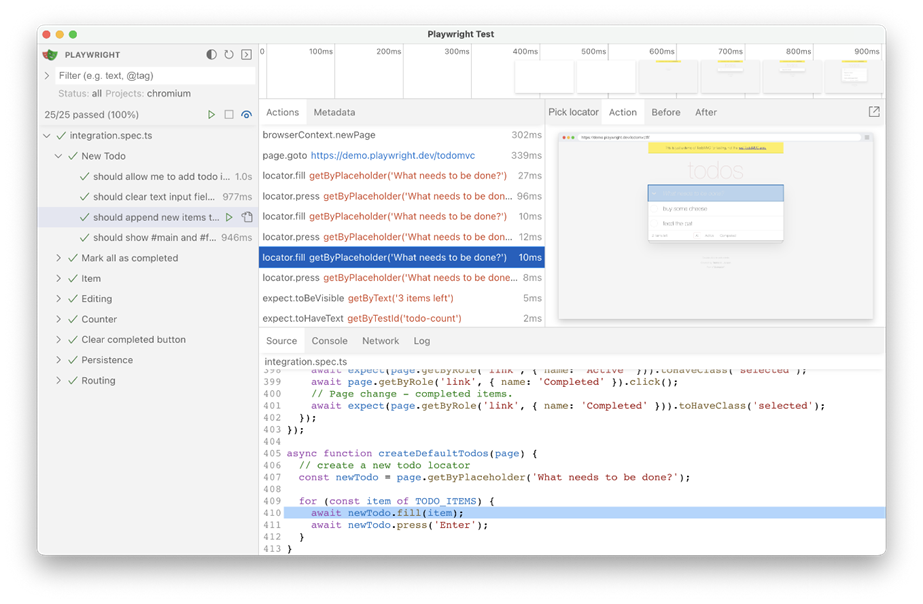
A note on scope first: this site previously published The AI Testing Strategy, which covers the strategy layer — what to test, why to test it, and how to think about the testing pyramid. This piece covers the execution layer — what to test with, how to test, and what it costs. Strategy answers "why set out"; execution answers "how to get there." They are upstream and downstream of each other, not duplicates. If you haven't read the strategy piece, read it first; this article assumes you already agree that regression testing is worth doing, and only solves "how one person does it affordably."
The core problem is concrete: the thing AI-assisted coding fears most is "fix A, break B." A solo project with no regression testing ships by clicking through everything by hand before every release — and shipping broken code is only a matter of time. This guide gives you a minimum-cost setup: Playwright + 5 golden paths + a data-testid convention + GitHub Actions. One hour to build, one hour a week to maintain, comfortably inside the free tier.
1. Why Unit Tests Aren't Enough: Three Classic Ways AI Breaks Code
A judgment call first: AI rarely breaks an individual function — it breaks the collaboration between them. And unit tests mock away every external dependency, which also mocks away the scene of the accident. You ask AI to refactor a component, unit tests go green, production goes red — every vibe coder has lived this script. Here are the three most frequent failure modes:
Failure 1: Style regression — "it runs, but it's unviewable." When AI refactors components, it loves to "optimize" classNames along the way. You ask it to turn the login form into a two-column layout, and it also renames the global button style classes. Unit tests stay green because the button's onClick logic didn't change. But users see a page of misaligned buttons. Unit tests assert behavior; E2E asserts what the user sees — visibility assertions on key elements are what catch this. My judgment: style regression is the single most frequent side effect of AI refactoring, and any solo project relying on unit tests alone will eventually crash on it.
Failure 2: Lost form validation — "the logic is right, the door is gone." You ask AI to add an optional "company name" field to the signup form. It adds the field but silently deletes the "password must be at least 8 characters" rule — because it rewrote the whole validation schema and only remembered the new requirement. If your unit tests only cover "the new field renders fine," this slips through. An E2E golden path for signup types a 6-character password, hits submit, and asserts the error message appears — write that case once, and "AI deleted validation by accident" is blocked forever.
Failure 3: Auth state leakage — "user A sees user B's data." This is the most dangerous category. When AI edits API routes it may reorder middleware or switch userId from session to query params. In unit tests, auth is always mocked, and mocks never betray you. E2E logs in with two real accounts and asserts A cannot see B's orders — the only way to catch auth regressions before release. Style regressions cost you face; auth regressions cost you everything.
The core conclusion: unit tests answer "is the function correct," E2E answers "can the user actually use it." AI's strength is writing functions; its weakness is guarding collaboration boundaries. So for vibe coders, the testing pyramid should be built upside down: build the E2E moat first, add integration tests second, unit tests whenever. This contradicts the textbooks, but it matches the actual distribution of AI-era failures — spend your energy where AI is most likely to break things, not where the textbook says you "should."
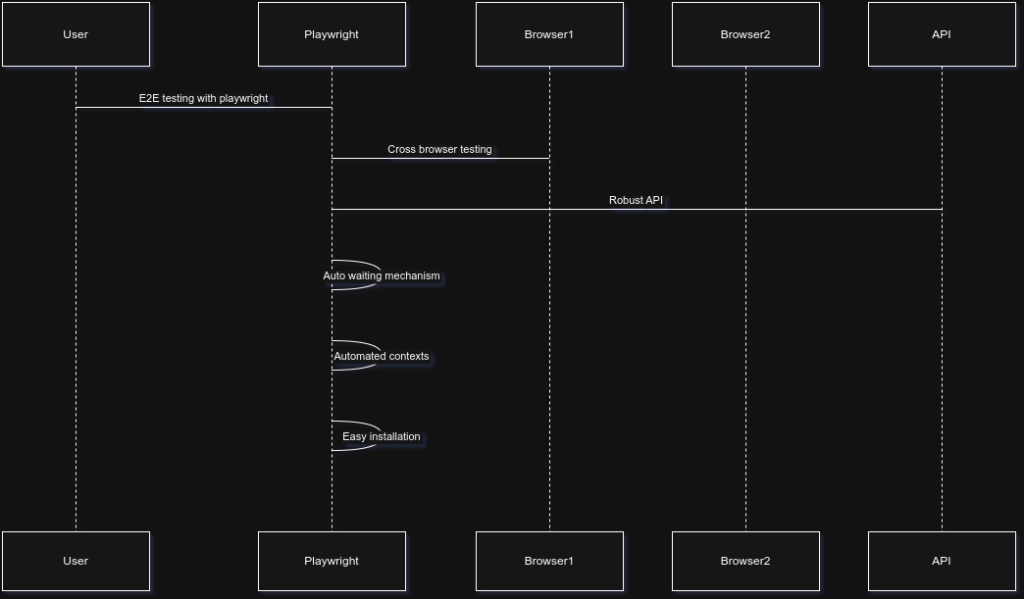 Playwright in a CI/CD pipeline architecture diagram
2. A Minimum Viable E2E Suite: 5 Golden Paths, Built in One Hour
An opinion up front: E2E never fails because it "tests too little" — it fails because it "tests too much and then can't be maintained." A solo team's E2E suite must be small enough that "a full run takes under 5 minutes and reading it takes under 10." My recommendation is deliberately restrained: test only 5 golden paths.
- Signup → login → logout: the identity chain, where failure mode 3 strikes most;
- The core flow, end to end: your product's "aha moment" path — posting, ordering, generating a report. Every product has exactly one; ask "why does the user pay" and you'll find it;
- The payment path: can place an order, can see the success state, in a sandbox — no real charges;
- Key page rendering: homepage, pricing page, core feature pages — no white screens, key copy present;
- Form validation: signup and core forms reject invalid input with visible error messages — purpose-built against failure mode 2.
My judgment: these 5 cover more than 90% of a solo product's "ship-and-crash" scenarios. From path number 6 on, marginal returns fall off a cliff while maintenance cost climbs in a straight line — restraint is the first virtue of E2E, and the CI cost breakdown below will show you that restraint converts directly into money saved.
One-Hour Setup: Playwright + TypeScript
Why Playwright instead of Cypress: auto-waiting kills the number-one source of E2E flakiness, and Playwright's assertions retry by default; multi-browser support, parallelism, video recording, and the trace viewer all work out of the box; TypeScript's type hints raise the quality of AI-generated code by a notch. Cypress works too, but for a new project in 2026, Playwright is the lower-maintenance choice — that's a judgment, not neutrality.
Installation is a single command; the official scaffolder handles everything:
npm init playwright@latestIt will ask about TypeScript, where to put the tests directory, and whether to generate a GitHub Actions workflow — answer Yes to all; it even generates the CI file for you. That's where the "one hour" confidence comes from: 5 minutes for scaffolding, 40 minutes writing the 5 cases (AI drafts the first version), 15 minutes for your review.
Minimal runnable config, playwright.config.ts:
import { defineConfig, devices} from '@playwright/test';

export default defineConfig({
testDir: './tests', // test directory: convention over configuration
fullyParallel: true, // run cases in parallel: 5 cases drop from 3 min serial to under 1 min
retries: 2, // auto-retry twice on CI failure: first line of defense against flakiness
workers: process.env.CI? 2: undefined, // 2 workers on CI, unlimited locally
reporter: 'html', // visual report: click in to watch the recording when it's red
use: {
baseURL: 'http://localhost:3000', // page.goto('/login') resolves automatically
trace: 'on-first-retry', // record trace only on retry: saves disk, enough for debugging
screenshot: 'only-on-failure', // screenshots on failure only: passing runs leave no junk
video: 'retain-on-failure', // keep video on failure only: same idea
},
projects: [
{ name: 'chromium', use: {...devices['Desktop Chrome']}},
// Solo team: chromium only for now. Add firefox/webkit when users
// actually file "broken on Safari" tickets. Running all three browsers
// = 3x the time, and the ROI is negative right now.
],
webServer: {
command: 'npm run dev', // spin up the dev server before tests
url: 'http://localhost:3000',
reuseExistingServer:!process.env.CI, // reuse a running server locally, fresh one on CI
},
});
Key lines explained — each one saves you money:
retries: 2: flaky tests don't get the death penalty; 90% of incidental failures pass on one retry, saving you from 3 AM CI triage;- The
only-on-failurestrategy fortrace/screenshot/video: E2E artifacts cost hidden disk and upload time — a suite that records everything costs ~30% more per run; webServer: a newcomer (including you three months from now) clones the repo and runsnpx playwright testwith zero manual steps — "runs with one command" is the precondition for a suite that doesn't rot;- Chromium only: add more browsers when you get the ticket, not before — adding them now is taxing your future self.
Your First Test File: The Signup → Login Golden Path
tests/auth.spec.ts:
import { test, expect} from '@playwright/test';

test('signup → login → logout: identity chain works end to end', async ({ page}) => {
const email = `e2e-${Date.now()}@example.com`; // fresh email every run: test data isolation
const password = 'Test1234!';

// 1. Sign up
await page.goto('/signup');
await page.getByTestId('signup-email').fill(email);
await page.getByTestId('signup-password').fill(password);
await page.getByTestId('signup-submit').click();
// Assert what the user sees, not URLs or internal state:
await expect(page.getByTestId('user-menu')).toBeVisible();

// 2. Log out
await page.getByTestId('user-menu').click();
await page.getByTestId('logout-button').click();
await expect(page.getByTestId('login-link')).toBeVisible();

// 3. Log in
await page.goto('/login');
await page.getByTestId('login-email').fill(email);
await page.getByTestId('login-password').fill(password);
await page.getByTestId('login-submit').click();
await expect(page.getByTestId('user-menu')).toBeVisible();
});
Three details decide whether this suite survives three months: first, everything uses getByTestId — no CSS selectors, no text matching (see the data-testid convention in section 3); second, the email carries a timestamp so every case uses isolated data (see "isolated test data" in section 4); third, assertions only assert what the user can see (the menu appeared, the login link appeared) — never localStorage tokens or similar implementation details, which AI will change on the next refactor.
3. The Right Way to Let AI Write Test Cases
An opinion: the quality of AI-written test cases depends on the constraints you give, not on the model's capability. A bare prompt ("write an E2E test for the login page") produces garbage — guessed selectors, invented assertions, sleep-based waiting. The correct posture is: conventions first, templated prompts second.
Four Iron Rules (Set the Rules Before Letting AI Work)
Iron rule 1: the data-testid convention — decouple test anchors from styling. Put data-testid on every interactive element, named <page>-<module>-<action>, e.g. login-submit, pricing-cta. Why? AI loves touching classNames and copy (failure mode 1) but almost never touches data-testid — it's "for tests," outside its refactoring instincts. Once test anchors are decoupled from styling and copy, AI can redesign the UI freely and tests still pass. This convention is the highest-ROI single requirement in the whole setup: five minutes to explain, pays off for the project's entire life.
Iron rule 2: the Page Object pattern — even with only 5 cases. Encapsulate the "login" action in a function or class that every case calls. When AI renames the login form's fields, you change one place instead of 5 files. Feels like overkill at 5 cases; saves your life at 15. Example:
// tests/pages/login.page.ts
import { Page, expect} from '@playwright/test';

export class LoginPage {
constructor(private page: Page) {}
async goto() { await this.page.goto('/login');}
async login(email: string, password: string) {
await this.page.getByTestId('login-email').fill(email);
await this.page.getByTestId('login-password').fill(password);
await this.page.getByTestId('login-submit').click();
// Login success = user menu visible: assertions converge here
await expect(this.page.getByTestId('user-menu')).toBeVisible();
}
}
Iron rule 3: assert only user-visible results. Allowed: button visible, copy present, navigation to a user-perceivable page, error messages shown. Not allowed: asserting localStorage, internal state, or API response JSON shapes — that's integration and unit testing's job. The biggest cost of E2E asserting out of bounds is "every implementation change breaks all tests," after which you stop wanting to maintain them.
Iron rule 4: ban waitForTimeout (hard sleeps). Playwright's expect auto-retries and waits; getByTestId(...).click() waits until the element is actionable. Any AI output containing await page.waitForTimeout(3000) gets rejected on sight — it's the number-one flakiness factory (see section 4).
Test-Generation Prompt Template (Copy and Use)
Generate Playwright + TypeScript E2E test cases for the user flow below.


<paste the user story, e.g. "user clicks Upgrade on the pricing page,
goes through Stripe sandbox checkout, returns to see the Pro badge">


1. Locate elements only with page.getByTestId('...'); if the page lacks
data-testid attributes, list the testids that need adding first —
never guess CSS selectors.
2. Assert only user-visible results (element visible, copy present,
page navigation); never assert localStorage / internal state /
API response bodies.
3. No waitForTimeout; use self-retrying assertions like
expect(...).toBeVisible().
4. Test data must be isolated: emails / usernames carry a Date.now()
timestamp or random string.
5. Reuse Page Objects under tests/pages/ for shared actions like login;
create one first if it doesn't exist.
6. One golden path per test, named: "<path>: <user-facing expectation>".


- Complete spec file code (including imports)
- List of data-testids to add (if any)
- List of page facts you're unsure about (actual copy, redirect URLs) —
do not invent them
The last item is the key one: force the AI to say "I don't know" instead of inventing a plausible-looking assertion. Hallucinations in test code are more lethal than in business code — business-code hallucinations crash when you run them, but test-code hallucinations "quietly test nothing," handing you false confidence.
Three Common AI Hallucinations in Generated Tests (and How to Review)
Hallucination 1: Inventing elements and copy out of thin air. Symptom: getByTestId('pay-now-btn') when no such testid exists in your code, or asserting toContainText('Payment successful!') when the actual copy differs. Review method: just run it. Playwright's error messages tell you exactly which locator timed out. The cheaper method is constraint 1 in the template — make it list the testid inventory first, and you check it against the page source in five minutes.
Hallucination 2: Sleep instead of waiting. Symptom: waitForTimeout(2000) everywhere — passes locally, randomly red on CI. Review method: global-search waitForTimeout and reject every occurrence. The replacement is always "assert some user-visible state," never "wait N seconds." This is a red line with no exceptions.
Hallucination 3: Over-assertion (writing integration tests disguised as E2E). Symptom: a single "place order" case asserting 12 things, including "order status in the database is paid." Review method: count the assertions. More than 5 assertions in a golden-path case deserves suspicion — ask "can the user perceive this?" If not, delete it or push it down to integration tests. E2E assertions are expensive (slow, brittle); spend them where they matter.
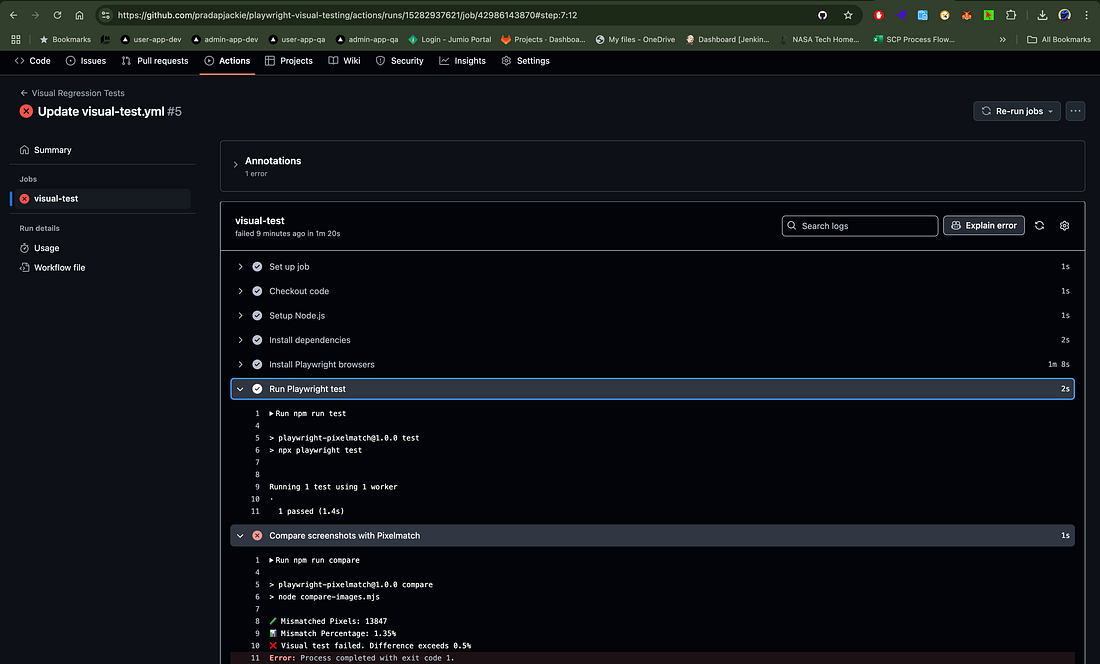 Playwright + GitHub Actions visual testing flow
4. The CI Cost Breakdown: Is the GitHub Actions Free Tier Enough?
The conclusion first: yes, with room to spare. Here are the actual numbers.
The quota math: GitHub Actions is fully free for public repos and gives private repos 2,000 free minutes per month. A 5-golden-path E2E suite running in parallel typically takes 2–4 minutes (with npm install cache hits and cached browser downloads). At 5 pushes a day with a full run each time: ~20 minutes a day, ~600 minutes over 30 days — under a third of a private repo's quota, and public repos don't even need the math. That's the economic meaning of a "minimum suite": quadruple the case count and CI time quadruples with it, and the free tier gets tight fast — restraint converts directly into savings.
Workflow config (.github/workflows/e2e.yml, copy-ready):
name: E2E

on:
push:
branches: [main] # only on merges to main: feature branches test locally
pull_request: # every PR runs it: blocks broken code from merging
branches: [main]

jobs:
e2e:
runs-on: ubuntu-latest
steps:
- uses: actions/checkout@v4

- uses: actions/setup-node@v4
with:
node-version: 20
cache: npm # dependency cache: install drops from 2 min to 20 s

- run: npm ci
- run: npx playwright install --with-deps chromium
# --with-deps installs OS deps; chromium only: see the ROI judgment in the config section

- run: npx playwright test
env:
# test credentials go through GitHub Secrets, never into the repo
TEST_USER_PASSWORD: ${{ secrets.TEST_USER_PASSWORD}}

- uses: actions/upload-artifact@v4
if: failure() # upload only on failure: saves artifact storage and time
with:
name: playwright-report
path: |
playwright-report/
test-results/
retention-days: 7 # keep reports 7 days: long enough to debug, then delete
Key lines explained:
on.push.branches: [main]+pull_request: feature-branch pushes skip CI (runnpx playwright testlocally); only main merges and PRs run it — the simplest way to halve your CI minutes;cache: npm: without caching, every CI run spends an extra 1–2 minutes installing dependencies — hundreds of minutes burned per month;if: failure()+retention-days: 7: E2E artifact storage costs money too; keep failures only, for 7 days — enough for debugging;- Secrets via environment variables: test account passwords live in Secrets, never hardcoded — AI-generated workflows often hardcode test passwords in YAML; that's the first thing to check in review.
Automatic upload of failure screenshots and videos is the upload-artifact step above. When CI goes red, open the failed run in Actions, scroll to Artifacts at the bottom, download playwright-report, open index.html in a browser — you get per-step screenshots, the failure-point recording, and the trace timeline. A solo team has no QA to reproduce bugs for you; this report is your "first responder kit." My judgment: setting up E2E without report upload is like installing security cameras with no monitor.
The Three-Step Flakiness Playbook (In Order, Don't Skip)
Step 1: Retry (retries: 2). Already in the config. It handles genuinely random failures — network jitter, slow CI machines. My judgment: if a case passes reliably with retries, it's flaky, not a real bug — let it through, fix the root cause later, and don't let it block your release at midnight. Retrying stops the bleeding; it doesn't cure the disease.
Step 2: Wait strategy. Replace every waitForTimeout with "assert a user-visible state." Playwright's auto-waiting polls until the condition holds or times out (default 5 s, adjustable). Ninety percent of flakiness dies here; fix this and flakiness drops by an order of magnitude.
Step 3: Isolated test data. Every case gets its own account and data (timestamped emails, random order numbers); cases share nothing and don't depend on execution order. The sneakiest flakiness source is "data created by case A deleted by case B" — once you run in parallel, that cross-contamination goes from "occasional" to "frequent." The ultimate fix is a dedicated test database per worker; for a solo project, timestamp isolation is usually enough.
A case that survives all three steps gets demoted: move it to a nightly run (once a day at dawn) so it stops blocking PRs. An E2E suite gets exactly one chance at credibility — a permanently red suite ends with "everyone starts ignoring CI," which is worse than having no tests at all. That's the lead-in to the maintenance philosophy.
5. The Maintenance Philosophy: Test Code Is AI-Maintained Too
This last section answers the ultimate question: once the suite is built, will it rot in three months?
The harsh truth first: E2E suites never rot because "writing tests is hard" — they rot because "requirements changed and tests didn't follow." You ask AI to turn a two-step signup into three steps (adding an email-verification page); it finishes the business code and clocks out, while the tests still assume two steps. Next CI run goes fully red, you spend a night fixing tests, and develop a permanent psychological aversion to E2E. The only way to break the cycle: write "sync the tests" into your requirements-change workflow, and let AI maintain test code the same way it maintains business code.
The Standard Process for Requirement Changes (Prompt Template)
Requirement change: <paste the requirement, e.g. "signup flow gains an email-verification step">
Affected test files: <paste the relevant spec files under tests/>

Tasks:
1. Update the test cases above to match the new flow, following the
existing conventions (getByTestId locators, assert only user-visible
results, no waitForTimeout, timestamp-isolated test data, reuse Page Objects).
2. List data-testids to add or change.
3. If a golden path needs splitting or a new one is warranted, explain why.
4. Do not touch test cases unrelated to this change.
Item 4 is the guardrail: AI has a "helpful refactoring" habit, and without the constraint it may "optimize" your entire tests/ directory — which is exactly the failure mode we're defending against.
The "One Hour a Week" Budget, Itemized
This is the cost promise of the article, broken down so you can audit it:
- Monday CI check (10 minutes): were last week's runs all green? If yes, close the tab. If red → open the report → real bug or flaky? Real bugs mean fixing business code (that's development time, not maintenance cost); flaky goes to the next item;
- Fix flakiness (30 minutes): feed the flaky case's failure recording and screenshot to AI with the prompt: "this case fails intermittently on CI; failure screenshot and trace attached; fix it with the three-step playbook (wait strategy → data isolation); only change this file." Most flakiness is a wait-strategy problem; AI fixes it in one round;
- Requirement sync (20 minutes): any requirement changes this week? Use the prompt above to have AI sync the cases; you review the diff. No changes? Keep the 20 minutes.
Sixty minutes total. One-person team, 5 releases a week, 5 golden paths — and that number assumes the suite stays minimal. When does it break? Two scenarios: first, you couldn't resist growing to 20 cases (flakiness and maintenance scale non-linearly); second, you ignored it for three months and accumulated a mountain of tech debt. Section 2's restraint handles the first; this weekly hour handles the second. My judgment: E2E maintenance isn't a technical problem, it's a discipline problem — and discipline is exactly the kind of thing you can outsource to a calendar reminder.
Three Counterintuitive Maintenance Judgments
First: the AI-generation ratio for test code should be higher than for business code. You review business code line by line; first drafts of test code can be AI-written with confidence — because running a test tells you immediately whether it's right. Verification cost is near zero. That's test code's unique advantage: it's self-verifying.
Second: deleting tests takes more courage than adding them, and matters more. When a golden path changes (say signup becomes invite-only), delete the old cases immediately instead of "keeping them around." One dead case damages suite credibility far more than one missing coverage.
Third: E2E is your collaboration contract with AI. You'll ask AI to make bigger and bigger changes; the E2E suite is what lets you let go. Without that moat, every prompt needs a pile of "don't break X" constraints — those constraint words will eventually exceed your token budget, while 5 E2E cases take 3 minutes to run.
One-sentence summary: the strategy piece told you why to test; this one gives you how — Playwright + 5 golden paths + the data-testid convention + GitHub Actions: one hour to build, one hour a week to maintain, inside the free tier. In the AI era, writing code keeps getting faster; the only scarce resource is the confidence to ship — and confidence can be engineered.
Related articles

Model, prompt, or tool changes can silently break your agent while you're busy celebrating the fix. This guide shows how to build an eval harness from scratch: a 20-case golden set from real traffic, deterministic code scorers plus calibrated LLM judges, a three-layer scoring split, an anti-self-deception checklist, and a CI gate that actually blocks merges — closing the loop with production sampling and shadow runs.

You don't need a support team — you need a support system. This guide walks solo developers through the full playbook: ticket triage, a three-layer defense funnel, ticket-deflecting FAQs, an AI draft pipeline with copy-paste prompt templates, five canned-response templates, automation red lines, and a weekly 30-minute review SOP. Every section ships with templates you can use today.
Five unrelated security teams - Google, JPMorgan Chase, Weaviate, France's DINUM and Indonesia's Tangerang City government - each independently confirmed and fixed the same SSRF flaw in their MCP servers. Independent researcher Syed Anas Mohiuddin's October update argues the bug is structural: the protocol's design, not anyone's implementation. We break down the Protocol Pivoting attack, compare the five fixes, and give vibe coders a defense checklist ahead of his 23 October MCPCon talk.