Solo Founder + AI in 2026: A Toolchain Guide With Real Tradeoffs
No optimal toolchain exists, only one that matches you. Three hard principles: escape hatches, agent-first, budget for disposability. Concrete picks for four slots, billing mindset, and an exit-plan template.

In 2026, building products as one person plus AI means drowning in tools: Cursor, Claude Code, Codex CLI, Windsurf, Lovable, Bolt — each with evangelists, each looking "essential." My take is blunt: there's no optimal toolchain, only one that matches how you work. But three hard principles exist, and violating any of them means paying tuition sooner or later. Three principles first, then concrete picks for four slots with my trade-offs, then the money math.
Why choosing got hard in 2026
Three years ago it was easy: VS Code + GitHub + Vercel, done. Now tools went from "helping you write code" to "making decisions for you" — Cursor versus Claude Code is no longer an editor choice but a workflow choice; Lovable versus self-hosting is no longer about speed but about control. Choosing got heavier because tools now shape your workflow instead of adapting to it. In that world, "which is best" is a fake question; "which is least likely to betray me" is the real one. All three principles aim at not getting betrayed.
Principle 1: Pick tools with an escape hatch
The first question for any tool: "If it dies, jacks up prices, or turns awful tomorrow, can I take my code and data with me intact?" Yes means escape hatch; no means hostage.
How to check: is the code in standard formats (git repos, plain files)? Can data export in one click (SQL dump, CSV)? Are configs open formats (MCP config, rules files)? Can history (transcripts, memory) migrate? Claude Code and Codex CLI are honor students here: they run in your terminal, code lives on your filesystem, switching costs zero. Cursor is fine: project files sync, rules are markdown. No-code tools (Lovable, Bolt.new) deserve the most caution: what they generate is standard code (much better than 2024), but "export and maintain it yourself" still feels worse than native development.
Counter-example: I've watched someone build an entire SaaS on a no-code platform, then — users arriving — need one feature the platform doesn't support, and discover exporting-and-modifying costs more than rewriting. Because AI-generated code "runs" but "nobody dares touch it" (run it against the previous guide's checklist: it probably fails 6 of 10). An escape hatch isn't "just in case," it's "eventually." Tool mortality in 2026 is real; budgeting for migration is adult basics.
Principle 2: Pick agent-first, not completion-first
2026 has an inflection point: completion is commoditized; agents are the watershed. Every major tool's completion is good enough; the gap is "can it finish a task alone." When choosing, stop comparing completion accuracy and compare agent strength: multi-file edits? Runs tests itself after changing? Needs babysitting step by step?
The corollary: be careful paying for the old paradigm. If a tool's 2026 pitch is still "20% faster completion," it's probably fallen behind — like a 2010 phone maker advertising boot speed. Your money and learning budget belong to "agent workflows": task planning, parallel execution, acceptance mechanisms. Completion remains useful (boilerplate), but it should be the free gift, not the selling point.
Principle 3: Budget for disposability
Tools die, prices change, APIs shift. In September 2026 alone, OpenAI launched the Ultrafast speed tier and Pro 500 ($500/month); Cursor's Projects is still beta and could reprice anytime. Any long-term all-in commitment bets on nothing changing — and in AI, change is the only constant.
In practice: subscriptions — buy quarterly at most, never yearly; usage-based API — set monthly caps and alerts; core workflows — keep a downgrade path (e.g., primary on Cursor, fallback Claude Code + terminal, switchable in 10 minutes if things break). "Disposable" doesn't mean don't invest; it means plan the exit while investing. The escape hatch is a technical question; disposability is financial and psychological — don't fall in love with tools.
Four slots, my picks and trade-offs
Writing code: IDE camp vs terminal camp vs fully-managed vs no-code. The hardest call; my trade-offs are explicit:
- Terminal camp (Claude Code / Codex CLI): for people who already know what to build. You own the architecture judgments; the agent executes. Escape hatch: perfect; composability: total (any editor, any model). Downsides: steep learning curve, unfriendly to beginners. The veteran indie dev's home.
- IDE camp (Cursor): for people who think while building. You're exploring; the agent explores with you. Since coordinator agents like Projects arrived, the IDE camp's ceiling opened — right for complex projects you haven't figured out yet. Downside: stronger lock-in feelings when switching.
- Fully-managed (Windsurf / Devin): for people who don't want to manage environments. Great out-of-box, well-polished agent flows like Cascade. Weakest escape hatch, most price-sensitive. Right for validation phases and hackathons.
- No-code (Lovable / Bolt.new): for idea validation. Unbeatable zero-to-demo speed, but must have a migration plan: after validation, keep iterating there or export and rewrite? Decide before users arrive, not after.
My personal answer: primary terminal camp (Claude Code), Cursor for messy exploration, Lovable for validation. I use all three, but there is exactly one primary — a toolchain's primary must be singular, or context scatters across three tools and nobody remembers anything.
Data layer: Supabase / Neon / local Postgres. The indie answer is simple: Supabase. Auth, database, storage, edge functions in one, free tier lasting until revenue. Neon suits "just Postgres, nothing else" people; its branching is agent-workflow friendly — one database branch per agent, no interference. Local Postgres suits the data-sovereignty maximalists, but you carry ops cost. Principle: the data layer must one-click-export SQL; all three qualify, so pick the laziest.
Deploy: Vercel / Cloudflare / Fly. Vercel is the default for frontend/full-stack; Preview Deployments (a preview URL per PR) are a superpower for agent workflows — the agent finishes, you get a link to look at. Cloudflare suits "global + cheap," and Workers is mature in 2026. Fly.io suits "stateful services / weird stuff." Principle: deploy where rollback is one click — when AI breaks things, instant rollback beats everything.
Misc: domains, monitoring, analytics. Domains on Cloudflare (cheap, fast DNS); monitoring on Sentry's free tier (AI-written code makes error monitoring a requirement, not an option); analytics on Plausible or Umami (light, doesn't sell user data). Don't cheap out on the small stuff: AI gets you launched in 3 days, but post-launch problems are ones AI can't see coming — monitoring has to tell you.
The money mindset: subscriptions vs usage, how to pay the speed tax
2026 billing comes in three flavors: subscriptions (Cursor $20/month etc.), usage (API tokens), speed tax (Ultrafast-style). My mindset:
- Subscriptions are cover charges: guaranteeing tools are there when you need them. Keep 1–2 primary subscriptions, no more. Three IDE subscriptions plus two API accounts is classic tool hoarding — each barely used.
- Usage is gas money: drive more, pay more. Set a monthly cap; when breached, stop and think — are prompts wasteful (priciest model on chores? see the model-tiering logic)?
- Speed tax is rush delivery: Ultrafast, Pro 500 — only when time literally is money: live customer demos, launch windows. Daily-driving on ultrafast is ordering express grocery delivery every day — delightful, ruinous.
Spend 10 minutes monthly on the bill: what each tool cost, what it delivered. Kill any subscription unopened for two straight months — the easiest savings there is.
Counter-example: tool hoarding disorder
A common affliction to close with: tool hoarding. Symptoms: five AI IDEs installed, three API keys configured, every tool "tried," none used deeply. Cause: FOMO — what if the unused one is the future?
The cure is admitting a truth: the gap between tools is far smaller than the gap between "deep in one tool" and "shallow in five." Reaching muscle-memory depth in one (shortcuts, agent habits, prompt templates) compounds far beyond "knowing a bit of each." 2026 has enough tools; what's scarce is the patience to master one. Pick a primary, give it three months, keep the rest as spares — if the primary genuinely fails after three months, switch then. People who switch constantly aren't choosing; they're avoiding the work of finishing things.
Appendix: the 10-minute exit-plan template for your primary tool
Principle 1 says "pick tools with escape hatches" — here's a fill-in template. Take your current primary, 10 minutes:
- Where's the code? (local git repo / cloud / inside the platform — "platform-only" is a red light)
- How many steps to fully export? (ideal: one command or button; "contact support" is a red light)
- How does data come out? (SQL dump / CSV export / API pull — screenshots don't count)
- Do configs migrate? (rules, prompt templates, MCP configs in standard formats, directly usable by the next tool?)
- What about history? (transcripts, memory, context — would losing it hurt? If yes, back it up periodically)
- Who's the spare? (primary dies — who can you switch to in 10 minutes? Installed, configured, test-driven once)
- How high is switching cost? (estimate in days; over 3 days means too coupled — time to decouple)
It doesn't need to be perfect; writing it down is the point. The act forces you to discover "I thought it exported, it doesn't" traps. My own lesson: a side project's user feedback lived only in some tool's cloud, exportable solely by manual copy-paste — discovered at 2,000+ entries. Ten minutes of planning buys freedom from that 3 AM cold sweat. Refill yearly (or whenever the primary changes); five minutes suffices.
One-line summary
Three principles (escape hatches, agent-first, budget for disposability) + one primary (terminal or IDE camp, pick one) + a monthly bill review. Unsexy, effective. Tools will churn, models will age, prices will swing — the only thing that doesn't expire is your relationship with tools: you're the owner, it's the wrench. The better the wrench, the more worth remembering: you pick it up, and you decide which bolt to turn. This week's actions: list every AI tool subscription you hold, kill what's been unopened two months; write the exit plan for your primary (where's the code, how data exports, who's the spare) — 10 minutes for real peace of mind.
Related articles
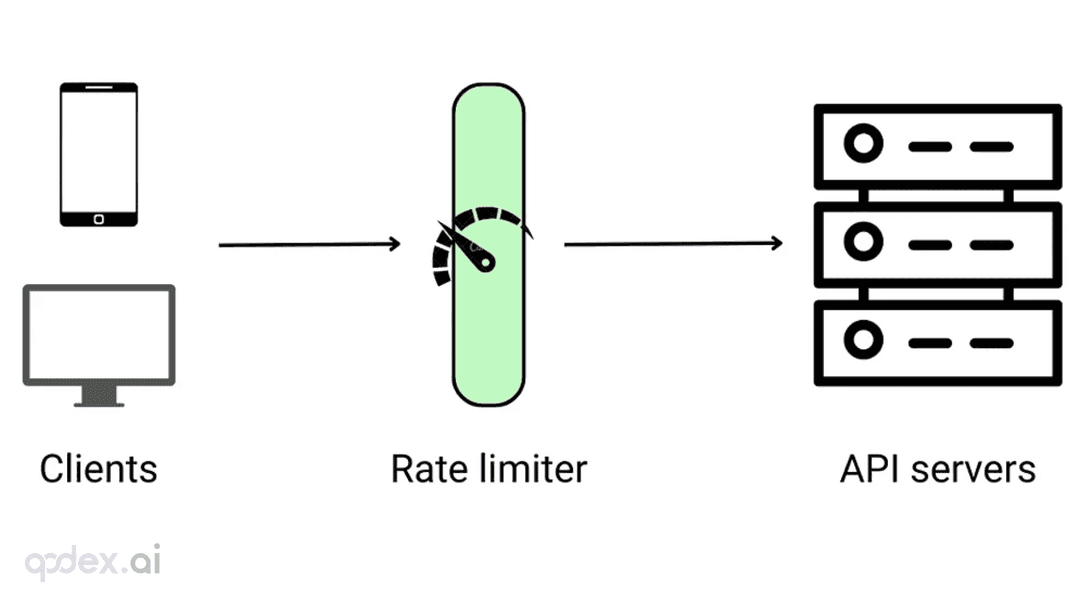
Every public endpoint will be called beyond your expectations some night. This guide builds a one-person-team rate-limiting system: algorithm choice (sliding window vs token bucket), four-layer defense, AI-endpoint money-burning protection, quota design, 429 response conventions, false-positive triage, and a launch checklist.
Every vibe project hits the same moment: a list page firing a dozen DB queries per load, the database melting under modest traffic. This guide starts from the three-question caching mindset, then layers HTTP cache headers, Next.js data caching, Redis application caching with key design and the penetration/breakdown/avalanche defenses, and AI result caching (semantic cache, prompt caching), plus invalidation strategy and a launch checklist.

On October 3, 'Sites in ChatGPT' hit the HN front page with ~209 points and 218 comments. Not a launch — a reckoning: is prompt-to-URL a toy, a prototype host, or a productivity tool? The four debates, the doc-backed facts (D1/R2, sign-in, custom domains), and three verdicts for vibe coders.