Caching Is the Highest-ROI Performance Lever in a Vibe Project — and the Biggest Bug Factory: a Hands-On Guide from Browser to AI Results
Every vibe project hits the same moment: a list page firing a dozen DB queries per load, the database melting under modest traffic. This guide starts from the three-question caching mindset, then layers HTTP cache headers, Next.js data caching, Redis application caching with key design and the penetration/breakdown/avalanche defenses, and AI result caching (semantic cache, prompt caching), plus invalidation strategy and a launch checklist.

Every vibe project hits the same moment: list pages load instantly in development, then on launch day, with real users, the database melts and pages spin for 5 seconds. AI built your CRUD in 10 minutes, but it never volunteered one truth — it ships with zero caching by default.
Caching is the highest-ROI performance lever in a vibe project: no architecture changes, no new servers, a few lines of config take responses from seconds to milliseconds. It's also the biggest bug factory: "why is the avatar still old after I changed it," "why is the order status out of sync" — nine times out of ten, it's invalidation done wrong. This guide's goal: a complete caching map from browser to AI results, with each layer's "when, how, and where the traps are."
Build the Mindset First: Three Caching Questions
Before touching anything, interrogate anything you want to cache with three questions:
1. Does it change? User avatars (rarely), product lists (sometimes), live stock prices (constantly) — change frequency decides strategy. Cache the unchanging boldly; cache the volatile cautiously.
2. How stale is acceptable? Not "how long can we cache," but "how long can users tolerate old data." A blog post cached for an hour goes unnoticed; an order status cached for a minute can trigger support tickets. TTL is a business decision, not a technical parameter.
3. What happens on a miss? Cache miss, cache down — can the system degrade gracefully to origin? If the answer is no, you haven't built a cache; you've built a single point of failure.
Remember the layers (requests flow top-down, higher is cheaper): browser → CDN → app/page cache → database query cache. Always optimize top-down — browser caching costs nothing, Redis caching needs operations. Don't invert the order.
Layer 1: HTTP Cache Headers — Stop Making the Browser Re-Ask
The most underrated layer, and it costs zero. AI-generated code routinely sets no cache headers at all, which tells the browser "ask me again every single time."
Static assets (JS/CSS/images with hashed filenames): give them a year:
Cache-Control: public, max-age=31536000, immutableA hashed filename means content changes rename the file, so immutable tells the browser "never ask again," eliminating even the conditional request.
Semi-static content (article pages, product details):
Cache-Control: public, max-age=60, s-maxage=300, stale-while-revalidate=60This reads: browsers cache 60s; CDNs cache 300s; for 60s after expiry, serve stale while refreshing in the background — stale-while-revalidate is a vibe project's secret weapon: users always feel fast, data is at most a minute old.
Strong-consistency endpoints (order status, balances):
Cache-Control: no-storeDon't substitute no-cache — no-cache means "you may store, but revalidate before use"; no-store means "don't store." AI-generated code constantly confuses the two; payment-related endpoints must use no-store.
Layer 2: Page and Data Caching (a Next.js View)
If you use Next.js (the most common vibe stack), AI defaults to fully dynamic rendering — every request queries the database from scratch. It's the most common performance hole, and the easiest to fix.
For read-heavy, write-rare data (category lists, config), wrap with unstable_cache:
import { unstable_cache } from 'next/cache';

const getCategories = unstable_cache(
  async () => db.category.findMany(),
  ['categories'],           // cache key: evolve it when business logic changes
  { revalidate: 3600, tags: ['categories'] }
);
Watch that second argument — the cache key. AI-generated code loves meaningless keys like ['data'], and shared keys across functions contaminate each other. Key convention: resource:version:params, e.g. product-list:v1:page-2.
Invalidate proactively on writes instead of waiting for TTL:
import { revalidateTag } from 'next/cache';

await db.product.update({ where: { id }, data });
revalidateTag('products');   // surgical invalidation, cheaper than revalidatePath
The trap vibe coders hit most: calling headers() or cookies() in a server component forces the whole page dynamic, voiding all your caching work. AI loves reading cookies in layouts for personalization — split personalization into a standalone client component and keep the main page cacheable.
Layer 3: Application Caching (Redis) and the Big-Three Defenses
When multiple instances and machines must share a cache, Redis (or in-memory caches) enters. The core pattern is one: get-or-set.
async function getProductList(page) {
  const key = `products:v1:page:${page}`;
  const hit = await redis.get(key);
  if (hit) return JSON.parse(hit);          // hit: return directly
  const data = await db.product.findMany({ skip: (page-1)*20, take: 20 });
  await redis.set(key, JSON.stringify(data), 'EX', 300);  // backfill 5 min
  return data;
}
But production has three classic failures, and AI-generated code defends against none of them — you patch them by hand:
1. Cache penetration: attackers hammer nonexistent IDs; every request hits the database. Fix: cache the nulls too — on a miss, store a short-TTL empty marker (e.g. "__nil__" with EX 60) so "not found" stops querying the DB every time.
2. Cache breakdown: a hot key expires at exactly the wrong moment; hundreds of requests repopulate simultaneously and the DB melts. Fix: a mutex — only one request repopulates while others retry the cache after 50ms; or logical expiry (timestamp inside the value, serve stale synchronously while refreshing asynchronously).
3. Cache avalanche: masses of keys expire together (e.g. identical TTLs from a batch write at the top of the hour). Fix: jitter the TTL — EX 300 + random(0,60); never let every key die in the same second.
One more hard lesson: when Redis dies, the app must not die with it. Wrap every Redis call in try/catch and degrade to direct DB queries — a cache is an accelerator, not a load-bearing wall.
Layer 4: AI Result Caching — 2026's New Required Course
Vibe projects increasingly call LLMs/agents, and model calls are expensive and slow — caching AI results has even higher ROI than caching databases. Three layers to work with:
1. Exact caching: same prompt returns the last result. Hash the prompt as the key; fits deterministic tasks like RAG Q&A and document summarization. Set temperature to 0 first — otherwise "same input, different output" makes caching meaningless.
2. Semantic caching: "how's the weather in Beijing" and "Beijing weather today?" are the same question. Use embeddings for similarity; above a threshold (e.g. 0.95), return the cached answer. Implementation is straightforward: store question vectors in pgvector/Redis, vector-search the nearest historical Q&A. For agents' high-frequency repeat questions (support, site search), this cuts 30–50% of model calls.
3. Prompt caching (provider-native): Anthropic, OpenAI, and Google all cache long system prompts/contexts — identical prefixes are billed once. In agent scenarios, system prompts plus tool definitions often exceed 70% of input; enabling prompt caching is a standing 10%-off coupon. It's 2026's most underrated money saver — one checkbox in the console.
When not to cache AI results: personalized output ("recommend based on my orders"), high real-time demands (prices, inventory), privacy-sensitive domains (medical, financial Q&A). The tokens saved never outweigh one wrong answer's support ticket.
Invalidation Strategy: the Hardest Part of Caching
The old saying: only two things are hard in computer science — cache invalidation and naming. There are exactly two invalidation strategies:
Passive TTL expiry: simple, fits "slightly stale is fine" data. Start with short TTLs (5 minutes); lengthen only after the business says it's fine. Better a short TTL and low hit rate than 24 hours on day one followed by a flood of "data out of sync" complaints.
Proactive invalidation on write: clear the cache the moment data changes. The crux is "clear what" — surgical invalidation depends on good key design. If your keys look like products:v1:page:2, a product update must clear all products:v1:page:*; use SCAN in Redis (never KEYS — it blocks), or keep a "version number": products:v3, bump the version on update, old keys die naturally — versioned invalidation is the lowest-maintenance scheme for vibe projects.
Honest advice: start with TTL only; skip proactive invalidation. Add it when real complaints about "I changed it but the page didn't" arrive. Premature, elaborate invalidation logic is the biggest source of cache bugs.
Launch Checklist
Tick each box before shipping:
□ Static assets hashed + immutable; HTML entry files uncached or short-cached
□ Payment/order/balance endpoints send Cache-Control: no-store
□ AI-generated dynamic pages audited: no accidental headers()/cookies() forcing whole-page dynamic rendering
□ Redis keys follow a convention (resource:version:params); no bare ['data']
□ Null-value caching and TTL jitter added; Redis calls wrapped in try/catch with degradation
□ Hot endpoints guarded by mutex or logical expiry against breakdown
□ Provider prompt caching enabled for agent system prompts
□ Write-path cache clearing verified (TTL-only is fine at first, but write it down explicitly)
□ Load-tested the cache-down scenario: kill Redis, the app keeps working — just slower
One-line summary: every caching layer answers "how confident are we this data is fresh." Vibe projects don't need all four layers on day one — get HTTP cache headers and a 5-minute-TTL Redis right, and 80% of performance problems vanish; let user growth vote on the rest.
Related articles
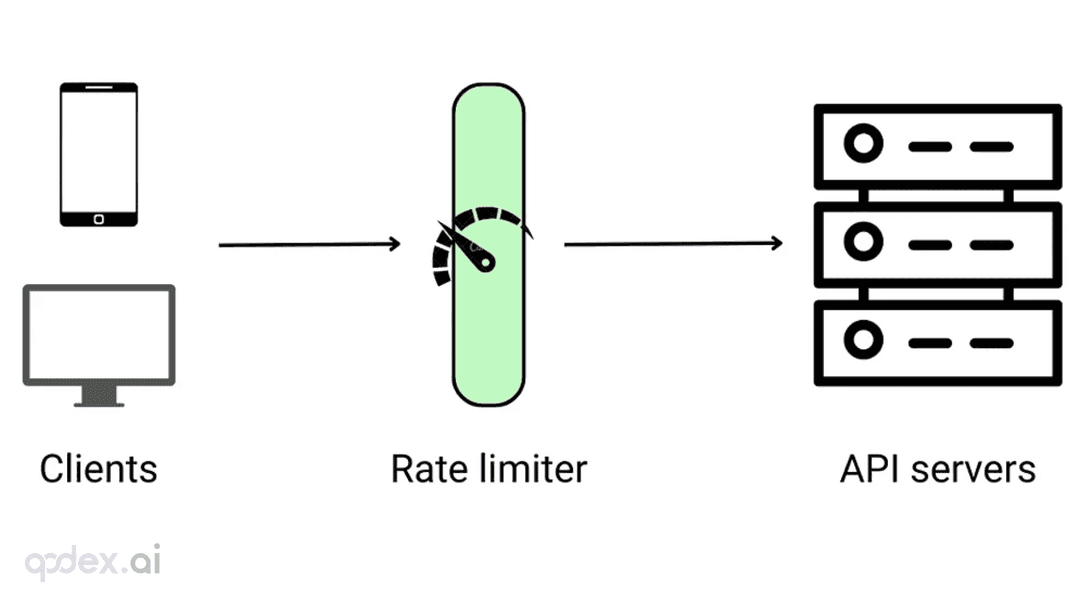
Every public endpoint will be called beyond your expectations some night. This guide builds a one-person-team rate-limiting system: algorithm choice (sliding window vs token bucket), four-layer defense, AI-endpoint money-burning protection, quota design, 429 response conventions, false-positive triage, and a launch checklist.
Every vibe project has the same darkly comic moment: your site goes white-screen and a friend tells you before your monitoring does. This guide builds a one-person-team error monitoring system: a 5-minute Sentry loop, error boundaries, report context design, backend structured logging, AI-call-specific protection, alert tiers, and a launch checklist.

Every vibe project eventually needs scheduled jobs: daily syncs, expired-order cleanup, billing reconciliation, scheduled reports. AI's first version is usually setInterval — fine for dev, fatal in production. This guide maps four scheduling options, cron expressions and timezone traps, idempotency, distributed locks against overlap, failure retries and alerting, run-log observability, and cron endpoint auth — plus a launch checklist.