The Cron Job Died at 3 AM and Nobody Knew — Cron Operations for Solo Teams
Cron jobs are the most neglected yet most costly-when-they-fail part of a product: they work while you sleep, and nobody shouts when they break. This hands-on guide covers the full solo-team cron ops loop — job triage, runner selection, idempotency, distributed locks, heartbeat alerting, structured logging, rerun SOPs, dependency-failure strategy, and a 5-minute weekly inspection checklist, with copy-paste-ready code.
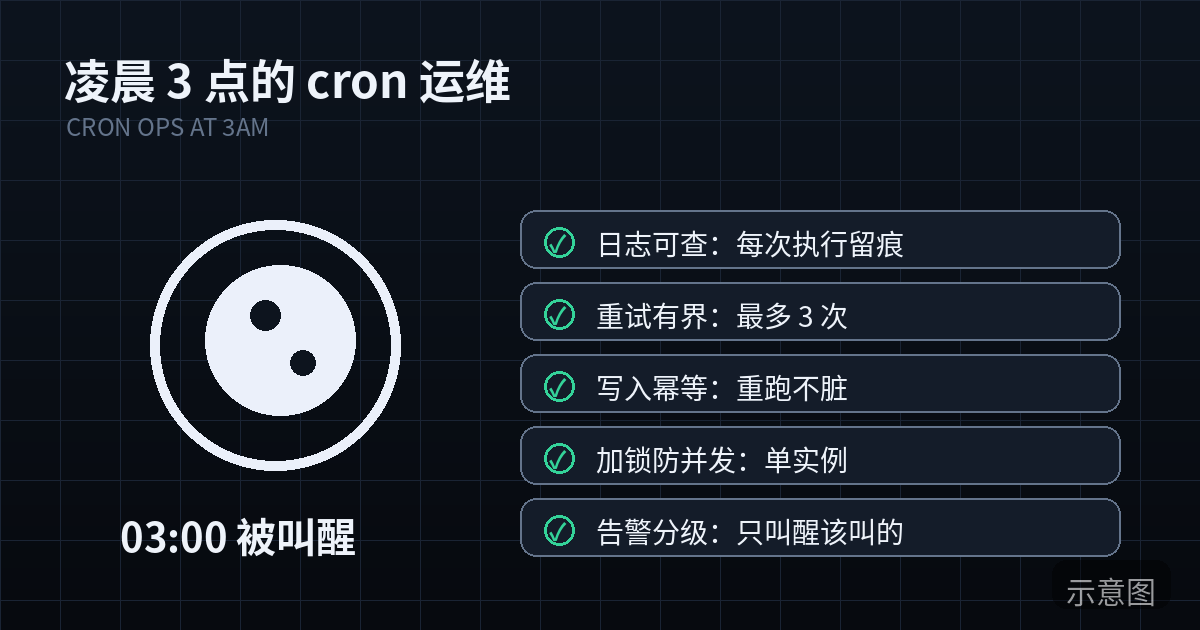
3:17 AM. Your phone is silent. Last night at 11 PM you had confirmed: the daily-report cron job would go out on time today. It didn't. Not with an error — an error would at least have woken you — but silently, it just never ran. Why? Last week you upgraded the server image, and the crontab didn't get migrated. That simple, and that fatal: at 9 AM the next morning, thirty paying users were asking in the group chat "where's today's report?", and only then did you find out.
This is a wall every solo team hits. Cron jobs are the most neglected yet most costly-when-they-fail part of a product: they work while you sleep, and when they fail, nobody shouts on the spot. By the time you notice, the damage has spread — emails unsent, data unsynced, bills unreconciled, expired trial accounts still freeloading.
This guide skips the theory and covers cron operations that a one-person team can actually ship: from selection, idempotency, locks, alerting, and logging, to rerun SOPs and a 5-minute weekly inspection. Every section maps to a real pit someone has fallen into, and the code is ready to copy.
1. The Solo Team's Cron Job Portfolio: Price Every Job's Cost of Failure First
The first step of operations isn't building monitoring — it's grading your jobs. A solo team doesn't have many jobs (usually 5–20), but their failure costs differ wildly. List your jobs and tag each by "how long until anyone notices, and what the loss is."
Here are the four most common job profiles, covering 90% of solo products:
| Job type | Typical example | Time until noticed | Cost of failure | Suggested alert level |
|---|---|---|---|---|
| Daily/notification | Daily data digest email, renewal reminders | Hours (users will ask) | Trust loss — users feel the product is unmaintained | P1: must know within 10 minutes of failure |
| Data sync | Pulling orders from a third-party API, syncing inventory | Half a day to a day (noticed when numbers don't add up) | All downstream decisions go wrong, and errors compound | P1, plus data-gap detection |
| Cleanup | Deleting expired files, purging trial accounts, archiving logs | Days or even weeks | Disk fills up, zombie accounts pile up | P2: a daily digest is enough |
| Billing reconciliation | Reconciling payment records, generating invoices | End of month (found during reconciliation) | Direct money loss — one missed order is real damage | P0: phone/SMS-strength alert immediately on failure |
Here's a counterintuitive conclusion: cleanup jobs have the lowest failure cost, yet they're the easiest to ignore. A full disk taking down the whole service — "a tiny job causing a huge outage" — happens all the time in solo teams. So grading isn't about "only caring about the important ones," it's about "matching each job with proportional protection" — P0 jobs get phone alerts plus human confirmation; a daily digest email is plenty for P2.
Field advice: keep a job inventory (Notion, Feishu/Lark tables, anything) with columns for job name, frequency, owner (that's you), failure-cost tier, and last successful run. Fill in the row before writing code for any new job. That table becomes your future inspection checklist.
2. Choosing How to Run Them: Four Options, One Decision for Solo Teams
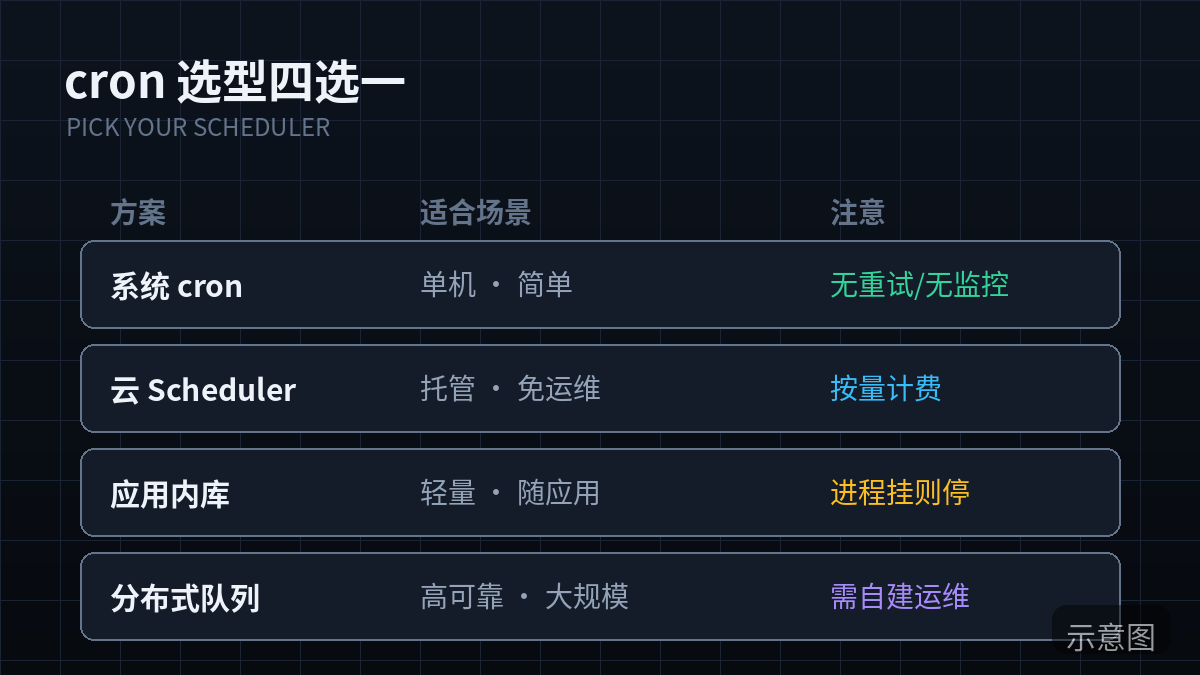
Many tutorials start by teaching you Linux crontab, but in 2026 a solo team has more options. Pick the wrong runner and your future ops cost doubles. This decision table is built around the solo-team constraint — you have no time for ops busywork:
| OS cron | Vercel Cron / platform schedulers | GitHub Actions (scheduled) | Queue delayed jobs (e.g. BullMQ) | |
|---|---|---|---|---|
| Cost | Free (you already have the server) | Free tier is enough; overage billed per run | Free for public repos; private repos billed per minute | Needs Redis, ~$5–10/month |
| Max single-run duration | Unlimited | Usually 60s–300s depending on plan | 6 hours (but don't do that) | Unlimited |
| Failure visibility | Near zero (build it yourself) | Platform run logs included | Logs and failure emails on the Actions page | Build your own dashboard |
| Best for | Long jobs, heavy batch processing, existing VPS | Light triggers ("wake me at this time") | Scrapers, data sync, backup scripts | Business jobs needing retries/delays/priorities |
| Biggest gotcha | Server migration loses the jobs; single point of failure | Timeout kills the process; cold-start delay | Free quota silently stops runs when exhausted; cron expressions are UTC | If Redis dies without persistence, jobs are gone |
Three pieces of selection advice for solo teams:
- Use a platform scheduler whenever you can instead of rolling your own. Vercel Cron, Cloudflare Workers Cron Triggers and the like hand the "does the job still run if the machine dies" problem to the platform. The ops time you save is worth far more than the cost.
- Don't put jobs longer than 5 minutes into platform schedulers. The right pattern is "platform cron as trigger only": the cron fires, drops a job into a queue, and a worker does the heavy lifting slowly. You get the platform's reliability without the timeout limit.
- GitHub Actions is the underrated cron. For scripts that run once a day and exit — data sync, backups, digest emails — Actions gives you free logs, failure email notifications, and versioning alongside your code, with near-zero ops. Two caveats: watch the minutes quota on private repos; schedules are written in UTC, so subtract 8 hours for Beijing time.
Hard lesson: don't hardcode cron expressions all over the place. Manage every job's schedule in one central config file (or environment variables) with a "Beijing time" comment. Timezone issues get their own section in part 10 — they're the number-one killer in the cron world.
3. Idempotency: Making Jobs Safe to Rerun
This is the most important technical section of the whole guide. Cron jobs will fail, and they will be rerun (manually or automatically). If one rerun sends the email twice or charges twice, your rerun SOP is empty words. Idempotent means: running the same job N times has the same effect as running it once.
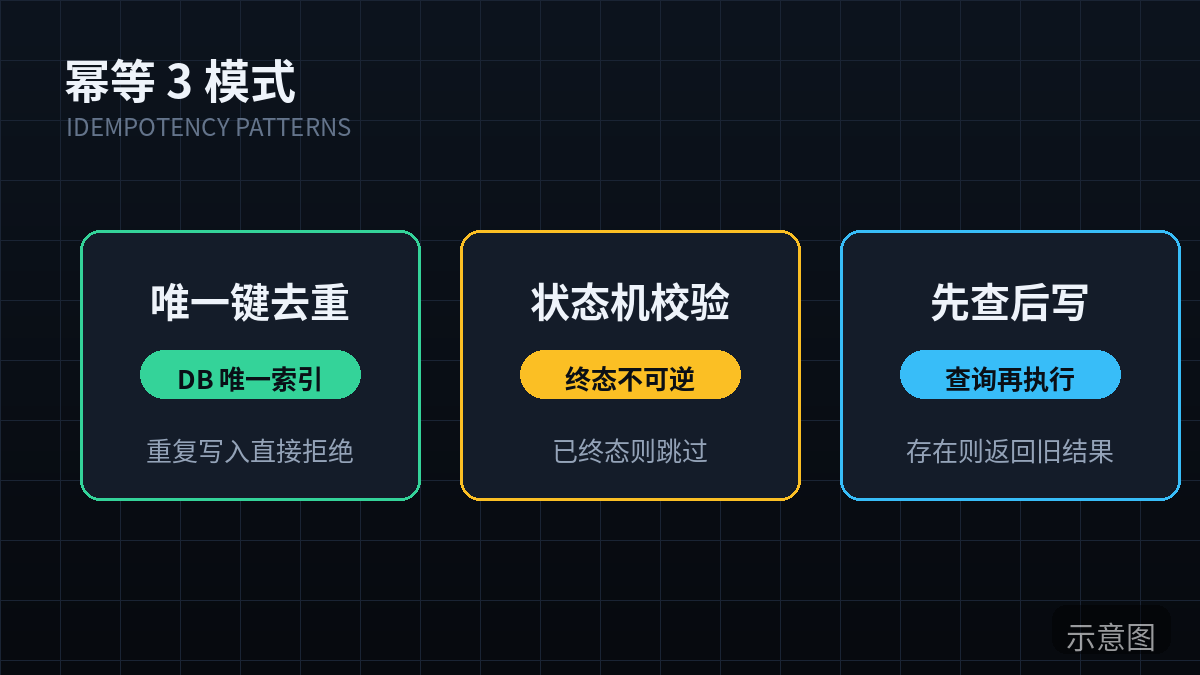
Three implementation patterns, in recommended order:
Pattern 1: Unique-key dedup (most common)
Give every "business action" a naturally unique key, and let a database unique constraint block duplicates. For digest emails, use user_id + date:
-- PostgreSQL: one unique constraint, done forever
CREATE TABLE daily_reports (
  id SERIAL PRIMARY KEY,
  user_id UUID NOT NULL,
  report_date DATE NOT NULL,
  sent_at TIMESTAMPTZ,
  UNIQUE (user_id, report_date)  -- a rerun's second INSERT conflicts here
);

-- Sending logic: INSERT ... ON CONFLICT DO NOTHING
-- 0 rows returned = already sent today, skip; 1 row = this run really sends
# Python: "claim" the slot first, only send if the claim succeeded
def send_daily_report(user_id, report_date):
row = db.execute("""
INSERT INTO daily_reports (user_id, report_date)
VALUES (%s, %s)
ON CONFLICT (user_id, report_date) DO NOTHING
RETURNING id
""", (user_id, report_date)).fetchone()
if row is None:
log.info("skip duplicate", extra={"user_id": user_id, "date": report_date})
return # already sent, safe to rerun
try:
mailer.send(build_report(user_id, report_date))
db.execute("UPDATE daily_reports SET sent_at = now() WHERE id = %s", (row.id,))
except Exception:
# Send failed: delete the claim so the next run can retry
db.execute("DELETE FROM daily_reports WHERE id = %s", (row.id,))
raiseNote the except delete: if the process is killed between claiming and sending, a "claimed but unsent" row remains. The next rerun's ON CONFLICT DO NOTHING would wrongly treat it as "already sent" and skip. The more rigorous fix is a state machine — pattern 2.
Pattern 2: State machine (for multi-step jobs)
When a job has multiple steps (pull data → compute → send email → record billing), track progress in a status column and resume from the breakpoint on rerun:
# States: pending -> pulling -> computing -> sending -> done
#           \-> failed (any step's exception lands here, preserving the scene)
STEPS = ["pulling", "computing", "sending"]

def run_pipeline(run_id):
    run = get_run(run_id)
    start_idx = STEPS.index(run.state) if run.state in STEPS else 0
    for step in STEPS[start_idx:]:
        set_state(run_id, step)          # persist before each step starts
        try:
            globals()[f"do_{step}"](run)  # do_pulling / do_computing / do_sending
        except Exception as e:
            set_state(run_id, "failed", error=str(e))
            raise
    set_state(run_id, "done")
The state machine's bonus is observability: during inspection you can see at a glance that "last night's job got stuck at the computing step" instead of staring at the word "failed."
Pattern 3: Time-window dedup (for data sync)
Sync jobs fear "pulling the same batch twice." The fix: record the max timestamp processed (a watermark) each run, and next time only pull data newer than the watermark:
def sync_orders():
    wm = get_watermark("orders_sync")  # max updated_at from last sync
    batch = upstream.fetch_orders(since=wm, limit=500)
    if not batch:
        return  # no new data; reruns are harmless
    upsert_orders(batch)  # unique key on order number; upsert is idempotent by itself
    set_watermark("orders_sync", max(o.updated_at for o in batch))
The three patterns combine: sync jobs use watermarks so nothing is pulled twice, unique keys so nothing is written twice, and state machines so multi-step jobs can resume from breakpoints. Remember: idempotency isn't an optimization — it's the bar for shipping a cron job. A job without idempotent design doesn't deserve automatic retries.
4. Timeouts and Locks: Stopping Jobs from Fighting Themselves
The second classic way cron jobs die: the previous run hasn't finished when the next one starts. Two instances running at once means duplicated work at best and data overwriting each other at worst. Data-sync jobs are the usual victim — the upstream API occasionally slows down, a 30-minute job stretches to 50, but your schedule interval is 30 minutes.
The fix is a distributed lock: grab the lock before the job starts; if you can't get it, exit. Three details that cause real damage when done wrong:
- The lock must expire. A killed process never releases its lock voluntarily — no expiry means the lock jams forever, which means the job never runs again. Use Redis
SET key value NX PX 300000(NX = set only if absent, PX = 5-minute expiry), one atomic operation. - Expiry should exceed the job's maximum reasonable duration, but not by too much. A practical rule of thumb: lock timeout = estimated duration × 3. If the job normally takes 2 minutes, set 6–10. Lock expired while the job is still running? That's a different problem — the job's duration is out of control and should alert, not get a longer lock.
- The lock value must be a unique run_id, verified on release ("is this lock mine?"). Otherwise: instance A's lock expires, instance B acquires it, then A finishes and deletes B's lock — the classic accidental-unlock incident.
import uuid, time
import redis

r = redis.Redis(decode_responses=True)

def run_with_lock(job_name, max_seconds, fn):
    run_id = str(uuid.uuid4())[:8]
    lock_key = f"cron:lock:{job_name}"
    # NX: can't get the lock = previous run still going; exit without piling up
    acquired = r.set(lock_key, run_id, nx=True, px=max_seconds * 1000)
    if not acquired:
        log.warning("skip overlapped run", extra={"job": job_name})
        return "skipped"
    try:
        # Watchdog: renew the lock periodically so long jobs aren't mistaken for dead
        stop = threading.Event()
        def watchdog():
            while not stop.wait(max_seconds * 1000 / 3 / 1000):
                # only renew if the lock is still mine
                if r.get(lock_key) == run_id:
                    r.pexpire(lock_key, max_seconds * 1000)
        threading.Thread(target=watchdog, daemon=True).start()
        return fn(run_id)
    finally:
        stop.set()
        # Lua script keeps "check + delete" atomic, never deleting someone else's lock
        r.eval("""
            if redis.call('get', KEYS[1]) == ARGV[1] then
                return redis.call('del', KEYS[1])
            end
            return 0
        """, 1, lock_key, run_id)
No Redis? PostgreSQL users can use pg_try_advisory_lock() — it's a session-level lock that releases automatically when the connection drops, so you don't even need to think about expiry. Plenty for a solo team:
-- only proceed when this returns true; otherwise exit immediately
SELECT pg_try_advisory_lock(hashtext('daily_report'));
-- released automatically when the job ends (or the connection drops);
-- can also release manually:
SELECT pg_advisory_unlock(hashtext('daily_report'));
Finally, timeouts: every job needs a "longer than this counts as abnormal" threshold. The point isn't to kill the process (killing can leave half-written data) — it's to alert. Simple implementation: record the start time, and have the wrapper fire a P2 alert "job running over time" when duration > threshold. Many "job hung" incidents are first caught by exactly this rule.
5. Failure Alerts: A Failed Job Must Reach Your Phone
Cron failures come in two flavors: ones that throw and exit, and ones that never start at all (server rebooted, crontab lost, scheduler stopped during deploy). Monitoring exceptions alone is not enough — you must also monitor "should have run but didn't."
Option 1: Heartbeat monitoring (catches "never ran") — Healthchecks.io / self-hosted Uptime Kuma
Flip the logic: instead of waiting for errors, require every job to "check in" after each run. No check-in on schedule means something broke:
# ping on success, ping /fail on failure
# Healthchecks.io free tier: 20 checks, enough for a solo team
curl -m 10 --retry 3 https://hc-ping.com/<your-uuid>       # success
curl -m 10 --retry 3 https://hc-ping.com/<your-uuid>/fail   # failure
Configure "expected check-in every 24 hours, 1-hour grace period" and alert when nothing arrives. It distinguishes "ran but failed" from "never ran at all" — the latter covers lost crontabs and dead servers, the most dangerous cases that exception monitoring can never catch.
Option 2: Exception push (catches "ran but blew up") — Feishu/Telegram bot, zero cost
Wrap every job in a uniform wrapper; any uncaught exception goes straight to your phone. Feishu group bots and Telegram bots are free and take 5 minutes to wire up:
import traceback, requests, os

def alert_to_phone(title, body, level="P1"):
    # Feishu group bot webhook (replace with yours)
    requests.post(os.environ["FEISHU_WEBHOOK"], json={
        "msg_type": "text",
        "content": {"text": f"[{level}] {title}\n{body}"}
    }, timeout=10)

def cron_wrapper(job_name, fn):
    run_id = str(uuid.uuid4())[:8]
    started = time.time()
    log.info("job started", extra={"job": job_name, "run_id": run_id})
    try:
        result = run_with_lock(job_name, MAX_SECONDS[job_name], lambda rid: fn(rid))
        log.info("job done", extra={"job": job_name, "run_id": run_id,
                                    "duration_ms": int((time.time()-started)*1000)})
        requests.get(f"https://hc-ping.com/{CHECK_UUID[job_name]}", timeout=10)  # heartbeat
        return result
    except Exception as e:
        log.error("job failed", extra={"job": job_name, "run_id": run_id,
                                       "error": traceback.format_exc()})
        requests.get(f"https://hc-ping.com/{CHECK_UUID[job_name]}/fail", timeout=10)
        alert_to_phone(f"{job_name} failed", traceback.format_exc()[-1500:], level="P1")
        raise
Alert tiers: not every failure deserves a 3 AM wake-up
| Tier | Definition | Channel | Example |
|---|---|---|---|
| P0 | Money involved, or core features down | Phone/SMS-strength alert; escalate if unacknowledged in 15 min | Billing reconciliation failed, payment callback processing halted |
| P1 | User-visible malfunction | Phone push (Feishu/TG), handle within 1 hour | Digest email never sent, data sync interrupted |
| P2 | Deferrable, no user impact | One digest email at 9 AM daily | Log archiving failed, cleanup job timed out |
The tiering's biggest value is protecting your attention. A solo team has no on-call rotation — you're on call 24/7. If a failed cleanup job buzzes your phone at midnight, in three months you'll turn off all alerts — and then you won't get the P0 either. P2 never disturbs you. That's iron law.
Level up: Healthchecks.io alerts can feed into PagerDuty's free tier or a phone gateway (e.g. Pushover, $5 one-time) for P0 phone alerts. For a solo team, spending a little to make the P0 channel solid is the highest-ROI investment there is.
6. Logging Spec: Whether You Can Pinpoint It in 5 Minutes Depends on How You Log Today
Woken by a P1 alert at night, all you have is your phone. Whether you can decide "do I need to get up" in 5 minutes depends on whether the logs carry the key fields. A solo team doesn't need the full ELK stack, but every cron job's logs must include these fields — structured (JSON) output, easy to grep and filter:
| Field | Description | Example |
|---|---|---|
| job_name | Job name, globally unique | daily_report |
| run_id | Unique ID for this run, threaded through every log line | a3f9c1d2 |
| started_at / finished_at | Start/end time, UTC + ISO8601 | 2026-10-11T19:00:00Z |
| duration_ms | Elapsed time — how you spot "getting slower" | 84213 |
| status | started / done / failed / skipped | failed |
| rows_affected | Volume of data processed — gap detection relies on it | 1284 |
| error_code | Business error code, not a stack trace | UPSTREAM_503 |
| error | Stack trace or message (truncated, to avoid log bombs) | Traceback... (first 1500 chars) |
| host | Where it ran: which machine/environment | worker-1 / prod |
| trigger | How it was triggered: schedule / manual / retry | manual (tells reruns apart at a glance) |
Three field notes:
- run_id is the soul. Without it, one run's dozens of log lines are scattered sand, unreadable on a phone. With it, one
grep a3f9c1d2 app.logreconstructs the whole scene. The wrapper in section 5 already generates run_id — make sure every sub-function passes it through. - rows_affected is a data job's ECG. When a sync job's rows_affected drops from 1200 to 0, the job itself may have "succeeded" (no exception) while the data stopped flowing. Add a rule for critical jobs: rows_affected at 0 twice in a row (or 50%+ off the 7-day average) fires a P2 alert.
- Log retention strategy. Cloud logging bills by volume and gets expensive: the solo-team approach is raw logs kept 7 days (enough for debugging), while each run's "summary line" (job_name/run_id/status/duration_ms/rows_affected) goes into a small database table permanently. A year later, when you want "this job's historical success rate," query the table instead of digging through logs.
-- one summary row per run; the table stays tiny, query it freely
CREATE TABLE cron_run_history (
  job_name TEXT NOT NULL,
  run_id TEXT PRIMARY KEY,
  trigger TEXT NOT NULL DEFAULT 'schedule',
  status TEXT NOT NULL,
  started_at TIMESTAMPTZ NOT NULL,
  duration_ms INT,
  rows_affected INT,
  error_code TEXT
);
CREATE INDEX ON cron_run_history (job_name, started_at DESC);
-- last-30-day success rate:
-- SELECT status, COUNT(*) FROM cron_run_history
-- WHERE job_name='daily_report' AND started_at > now() - interval '30 days'
-- GROUP BY status;
7. Rerun SOP: The Safe Steps for Manual Reruns
After a job fails, the most dangerous move is "quickly run it again by hand." Panicked reruns are the breeding ground of secondary incidents: rerunning before confirming idempotency causes double charges; rerunning the wrong time window corrupts data; rerunning without notifying users invites complaints. Print this SOP (or save it as your team doc — the team is you) and walk through it before every rerun:
- Confirm idempotency (30 seconds). Is this job safe to rerun? Check the dedup mechanism in the code (unique key / state machine / watermark). If the answer is "not sure," don't run it yet — add idempotency first (see section 3), or shrink the rerun scope to the minimum. A job you're unsure about is better left alone until morning.
- Read the logs to pin the cause (2 minutes). Use the run_id to find the failed run's logs. Three cases: transient blip (network jitter) → safe to rerun directly; upstream is down → see section 8 first; data/logic bug → fix the code, then rerun — rerunning the old code just fails a second time.
- Specify the time window (critical). Rerun commands must carry an explicit window, e.g.
--date 2026-10-11or--since/--until. Never allow "default to today." Defaults are the biggest source of rerun incidents: you meant to backfill yesterday, but it ran today all over again. - Mark it trigger=manual. Manual reruns log
trigger: manualso they're distinguishable in the summary table. When you're later puzzling over "I remember backfilling that day by hand," this is the only evidence trail. - Dry-run first, then run for real. For P0/P1 jobs, rerun with
--dry-runfirst to see what it intends to do (how many rows, how many emails), confirm the numbers look sane, then drop the flag. Dry-run isn't hard to build: wrap the write-to-DB / send-email calls inif dry_run: log only. - Watch the logs to confirm success. After rerunning, watch the logs until
status=doneand sanity-check rows_affected (backfilling yesterday's digest? rows should ≈ the historical average). Don't "run it and shut the laptop." - Notify affected users (if needed). For P1+ failures, send a short note after a successful rerun: "Today's digest arrived 3 hours late — sorry for the inconvenience." Users don't fear delays; they fear silence. That message costs you 2 minutes and buys back a lot of trust.
# what a rerun command should look like: explicit window + dry-run + reason note
python jobs/daily_report.py \
  --date 2026-10-11 \
  --trigger manual \
  --dry-run \
  --reason "cron missed, rerun per SOP"
# after confirming the output looks sane, run again without --dry-run
Cautionary tale: one indie hacker's sync job failed, so he SSH'd in and ran
python sync.pyby hand — the script defaulted to syncing "the last 7 days," rewriting 6 days that were already synced. With no unique key on writes, the orders table gained 4,000+ duplicates, and cleanup took a whole weekend. Remember: a rerun's blast radius is always bigger than the original failure.
8. Dependency Failures: When the Upstream API Is Down, Should the Job Retry, Skip, or Circuit-Break?
Cron jobs are rarely islands: they call payment APIs, third-party data APIs, read and write databases. When upstream goes down, your job goes down with it. Three strategies — and picking the wrong one is worse than picking none:
| Strategy | What it does | When to use | Don't do this |
|---|---|---|---|
| Retry (with backoff) | Wait 2s, 8s, 32s then try again, 3–5 attempts max | Transient network jitter, 429 rate limits | Upstream 500s for an hour straight — 100 retries is a DDoS on them |
| Skip (graceful degradation) | Don't run this time, log a P2, next schedule will handle it | Non-critical jobs where data can be a day late | "Skipping" the billing job — month-end reconciliation won't add up |
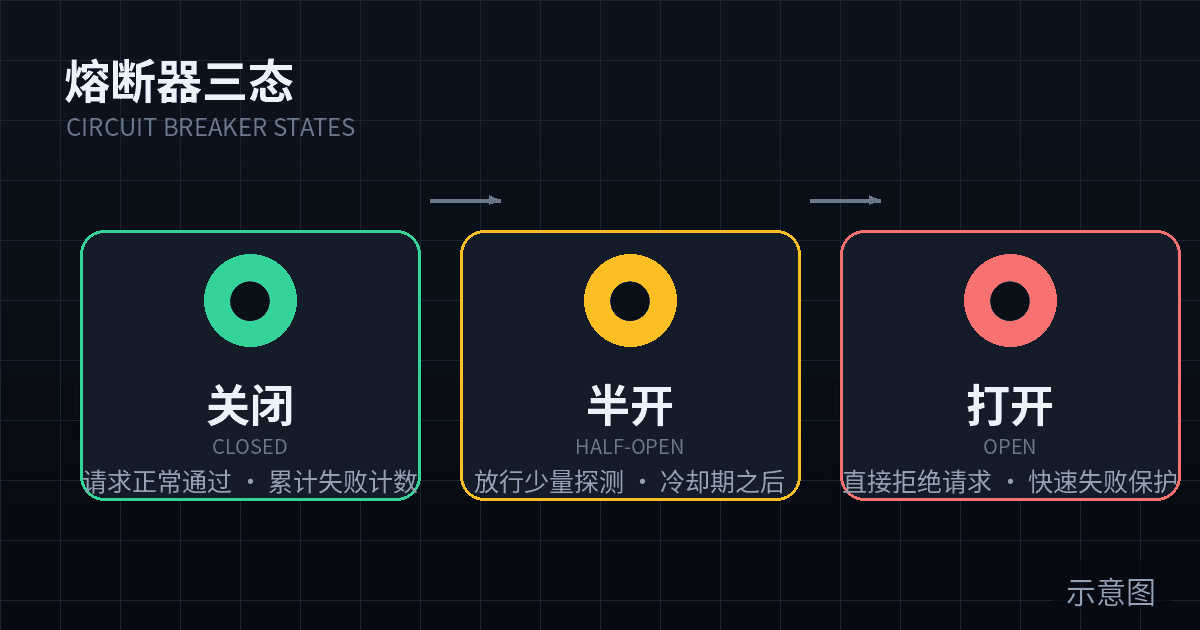
| Circuit break (fail fast) | After N consecutive failures, stop trying and raise P1 | Upstream is clearly down, retries are pointless | Threshold too low — one jitter trips the breaker and recovery needs a human |
The recommended solo-team combo: bounded retries inside the job (exponential backoff + jitter), circuit-breaker counting outside the job:
import random, time

def with_retry(fn, max_attempts=4, base_delay=2):
    for attempt in range(1, max_attempts + 1):
        try:
            return fn()
        except TransientError as e:  # only retry "transient" errors: timeouts, 429, 503
            if attempt == max_attempts:
                raise
            # exponential backoff + jitter: 2s, 4s, 8s... avoids thundering herd
            delay = base_delay * (2 ** (attempt - 1)) + random.uniform(0, 1)
            log.warning("retrying", extra={"attempt": attempt, "delay": round(delay, 1)})
            time.sleep(delay)
        except PermanentError:
            raise  # 401/404/bad params: 100 retries won't help, raise immediately

# breaker counter lives in Redis: 5 consecutive failures -> break for 30 minutes
def circuit_allows(job_name):
    fails = int(r.get(f"cron:fails:{job_name}") or 0)
    if fails >= 5:
        return False
    return True

# in cron_wrapper's except: r.incr(f"cron:fails:{job_name}"); on success r.delete(...)
The key detail: separate "transient" from "permanent" errors. Timeouts, connection resets, 429s, 503s are retryable; 401 (wrong key), 404 (endpoint retired), 400 (bad params) waste time on retry and flood your logs. Define two exception classes and classify upstream errors on receipt — that's the line between professional and amateur.
Real case: a SaaS sync job depended on a third-party API that sunset a version, returning 410 Gone. The retry logic retried indiscriminately for 6 hours, firing 2,000+ requests — the vendor billed per call, adding $300 to that month's bill. A 410 should circuit-break immediately + P1 alert "upstream API retired, human intervention needed."
9. The Weekly Cron Health Check: A 5-Minute Inspection List
No automation replaces a pair of eyes on a regular cadence. Every Monday morning (or Sunday evening), spend 5 minutes walking this list. Solo-team inspection needs no ceremony — what matters is fixed time, fixed actions:
- Check the heartbeat dashboard (1 min). Open Healthchecks.io (or your monitoring panel) and confirm every check is green. Watch especially for "gray" (never checked in — a new job whose heartbeat you forgot) or red "overdue."
- Check the 7-day success rate (1 min). Run the section-6 SQL for each job's
done / failed / skippeddistribution over the last 7 days. Open every failed one to see why; risingskippedcounts deserve suspicion — possibly lock contention or jobs slowing into overlap. - Watch duration trends (1 min).
SELECT job_name, AVG(duration_ms) ... GROUP BY job_nameversus last week. A job growing 10% per week will collide with its schedule interval in two months — optimize early, don't wait for the bang. - Watch rows_affected gaps (1 min). For data-sync jobs, confirm daily rows_affected sits in its normal band. A drop to 0 or a sudden doubling is worth opening the logs for.
- Clear the tech debt (1 min). Any new job not yet on heartbeat monitoring? Any temporary
--dry-runtest job forgotten and left behind? Any commented-out "zombie lines" in the crontab? Tidy as you go; keep the inventory clean.
Write these 5 steps on a card by your monitor (or as a weekly recurring todo). You'll discover: 90% of cron incidents showed warning signs in this list before becoming incidents — a job skipped three days straight, a job's duration doubled, a heartbeat gone gray. The inspection's whole point is catching those signs on Monday morning instead of in a user complaint.
10. Anti-Patterns: 5 Mistakes Solo Teams Make Most
1. Silent failure with no alerts
The job failed, an error line lies in the logs, nobody knows. The most common way to die, and the easiest to fix: any cron job without heartbeat + exception push counts as "doesn't exist." A new job's launch checklist starts with: is the heartbeat set up? Does the alert channel work? Send a test alert to confirm your phone receives it before discussing business logic.
2. Reruns causing duplicate side effects
The digest sent twice, users got two charge notifications — a rerun's side effects hurt more than the failure itself. The root cause is always "shipped without idempotency." Fix order: add unique keys to writes first (a 30-minute job), then add the state machine. If history is already dirty, write a one-off dedup script, then put "idempotency check" on every new job's launch checklist.
3. Two instances running at once
You ran it manually during local dev while the server cron ran it too; or you scaled to two worker containers, both with cron installed. Symptom: "occasional duplicate data, can't reproduce." Fix: section 4's distributed lock is standard issue; also let exactly one place own scheduling — all platform cron or all server crontab, never mixed. Debug locally with --dry-run; don't run for real against the production DB.
4. Hardcoded timezones
"Runs at 3 AM daily" — whose 3 AM? The server is UTC, you meant Beijing time, and daylight saving shifts it another hour. The bloody rule: store everything in UTC, render in local time; every cron expression gets a timezone comment. GitHub Actions schedules are UTC, Vercel Cron lets you pick a timezone, Linux crontab follows system time — when mixing all three, keep a conversion table instead of trusting your memory.
# Bad: what timezone is this?
0 3 * * * /opt/app/daily_report.py
# Good: timezone comment + UTC expression + convert to local inside the job
# Daily 03:00 Beijing = 19:00 UTC previous day (standard time; adjust for DST)
0 19 * * * TZ=UTC /opt/app/daily_report.py --tz Asia/Shanghai
5. Using cron as a queue
"Run every minute, scan the table for pending rows" — that's cron cosplaying as a poor man's message queue. Fine at small scale; collapses at large: each scan gets slower, lock contention, missed schedules. The test: if the trigger condition is "there's data waiting" rather than "it's time," it should be a queue consumer, not a cron job. Migrating to BullMQ / Cloudflare Queues costs far less than one "per-minute job piling up hundreds of instances" incident.
Closing: Cron Ops Is Really "Being Responsible for Yourself While You Sleep"
Looking back, it's just three principles:
- Failure will happen — so you need heartbeats (to notice "didn't run"), tiered alerts (to wake you), and structured logs (to pinpoint fast).
- Reruns will happen — so idempotency is the shipping bar, locks stop jobs fighting themselves, and a rerun SOP stops panicked reruns from causing secondary incidents.
- Neglect will happen — so a weekly 5-minute inspection catches the warning signs before they become incidents.
A solo team has no SRE, no on-call rotation — you're on call 24/7. Building this stack takes about a weekend: Saturday morning wiring heartbeats and alerts (section 5), afternoon wrapping existing jobs with locks and idempotency (sections 3–4), Sunday morning writing the inspection list (section 9). After that, when a 3 AM job dies, the first person to know is you — not your users. That's the entire point of cron operations for a one-person team.
Comments (0)
Related articles
Your vibe project stands on borrowed pillars: model APIs, payments, email, storage. This guide builds four layers of defense in order — timeouts, retries with backoff and jitter, a complete copy-paste TypeScript circuit breaker, and fallback paths — plus budget breakers, a /health probe, and a monthly chaos drill SOP.
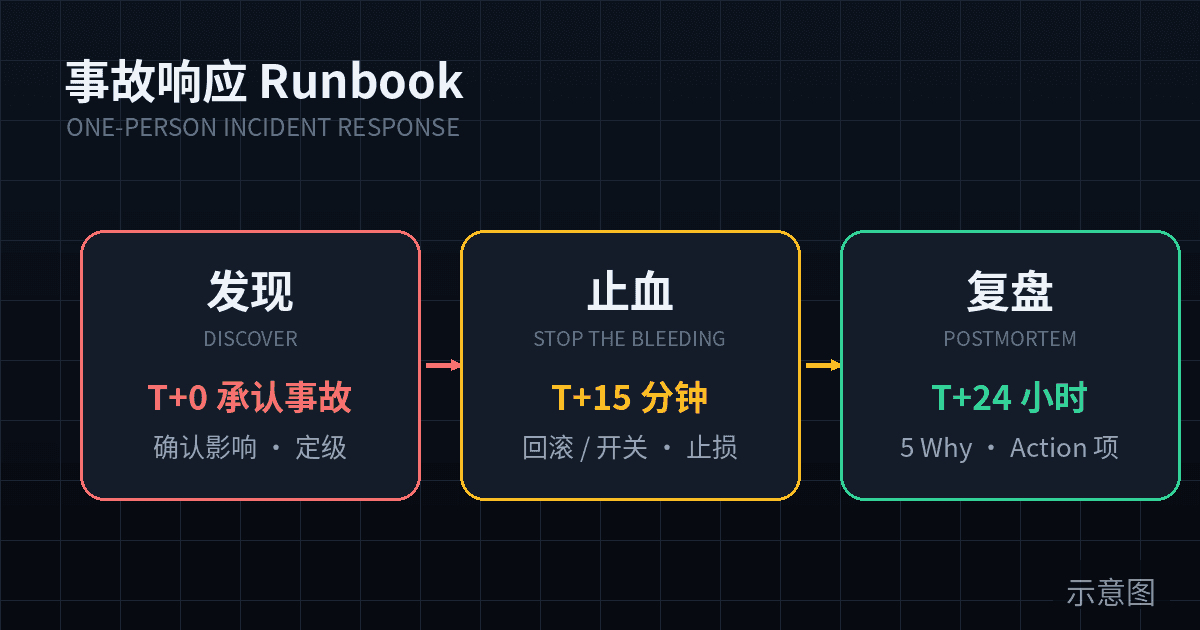
The alarm fired — now what? A practical incident-response playbook for one-person teams: a SEV1/SEV2/SEV3 triage checklist plus a 'when to let it go' list, a free alerting stack you can build in 15 minutes, the 5 fixed moves for the golden 15 minutes, a one-click rollback SOP, and copy-paste-ready timeline, communication, and blameless postmortem templates — plus 5 anti-patterns solo developers keep repeating.
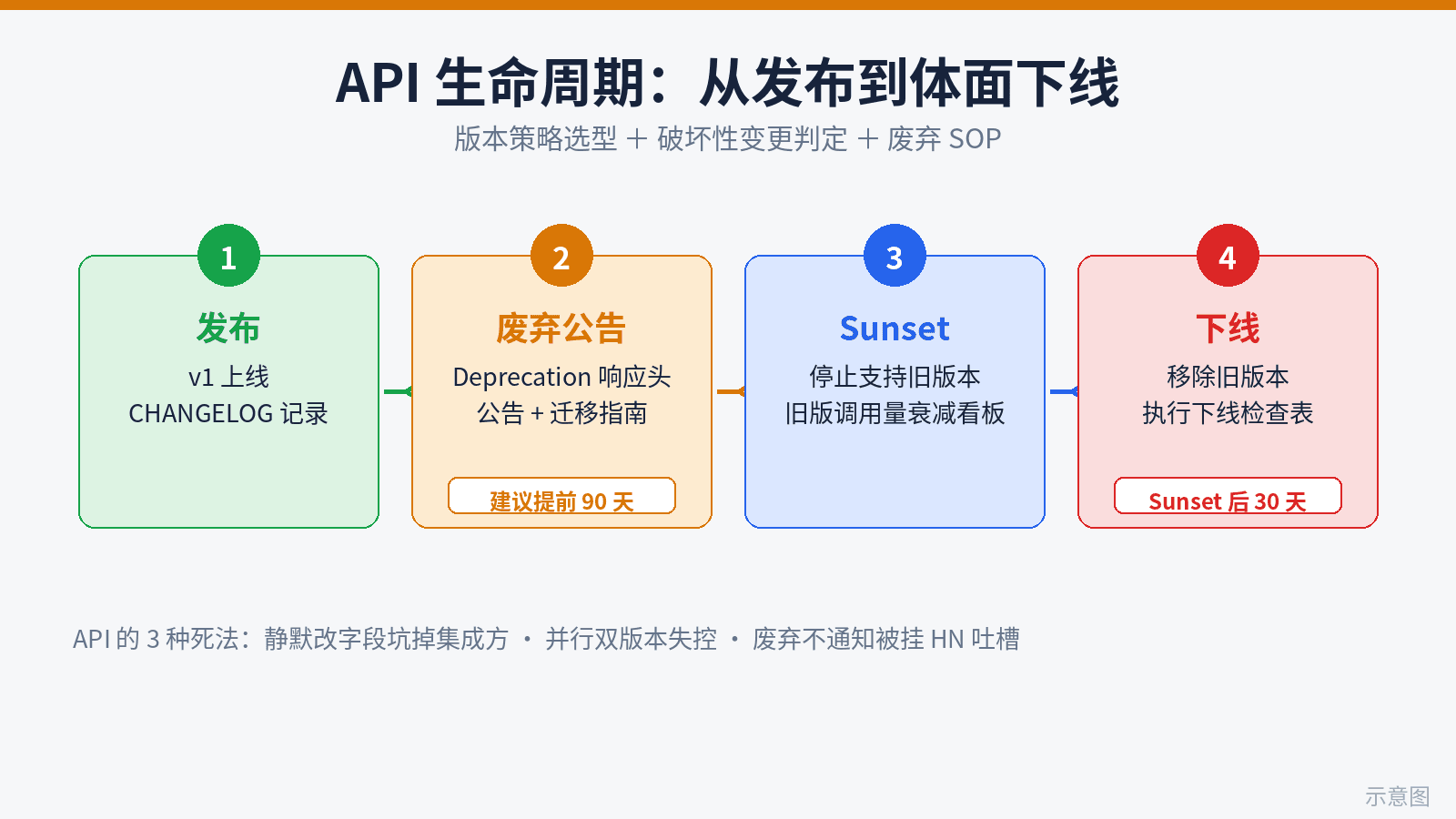
Vibe coding ships 10x faster than API contracts can move — where solo projects blow up. This guide fills the gap: 3 real ways vibe APIs die, a version-strategy decision table (URL path vs header vs versionless), a 12-rule breaking-change checklist, a 4-step deprecation SOP (headers, announcements, dual-run dashboards, sunset checklist), a copy-ready migration template, and the minimal solo setup: CHANGELOG-driven development plus CI auto-blocking breaking changes via openapi-diff.