Stop Handing Out Master Keys: Customer-Facing API Key Issuance & Scopes for Vibe Projects
Opening up your API means issuing keys to users — and most solo teams get it wrong: plaintext storage, one god-key for everything, no revocation, no usage attribution. This guide gives you a copy-paste-ready system: key format design, hash-only storage, scope permission models, rotation/revocation SOPs, and per-key rate limiting with usage attribution — with TypeScript templates, Prisma schemas, and a one-week rollout checklist.
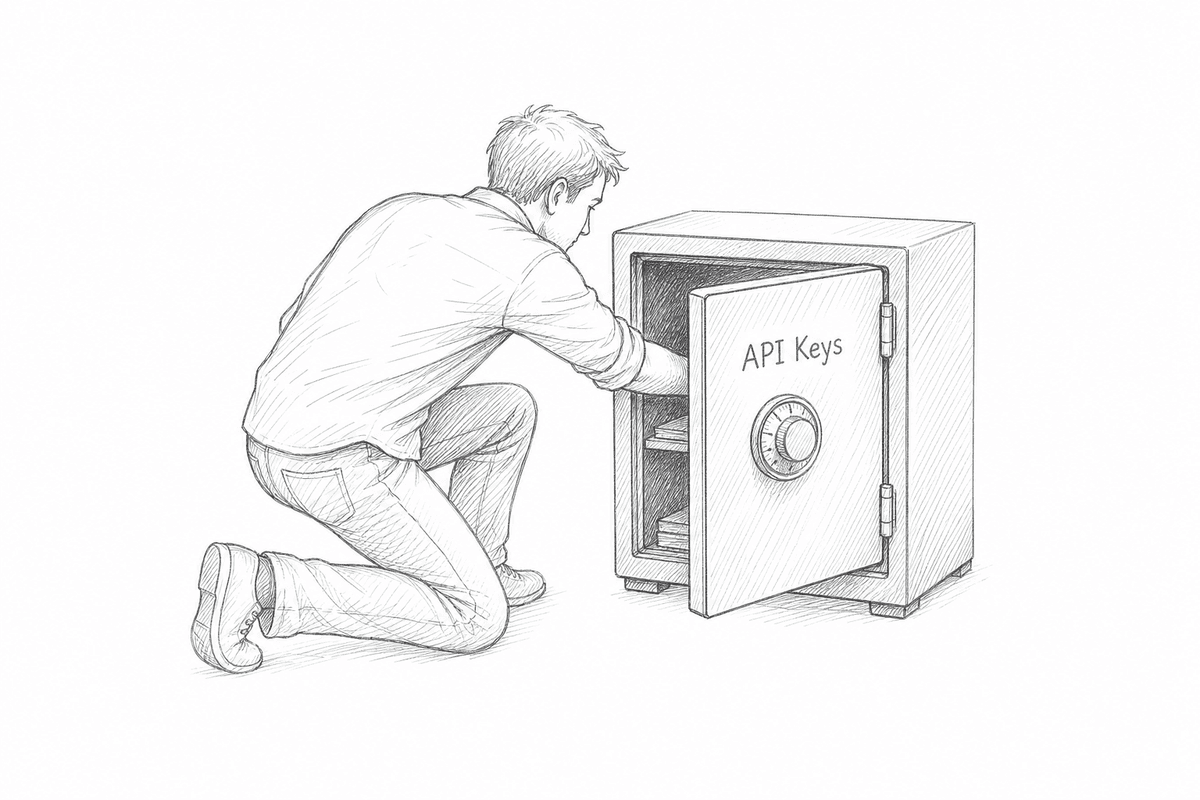
Your SaaS is running, and users start asking: "Do you have an API? I'd like to pipe your data into my system."
That's a good sign — it means the product is genuinely valuable. But 90% of solo teams then fall into the same trap: hand-generate a random string, stuff it into the database in plaintext, send it to the user, and pray nothing ever goes wrong.
I've seen too many keys like this: one key rules everything — reading, writing, and deleting data all ride on it. When a key leaks and you try to revoke it, you discover where api_key = 'xxx' hardcoded everywhere. When you want usage-based billing at month's end, you realize you can't tell which key made how many requests. Worse, the keys sit in your database in plaintext, so the day a database backup leaks, you've gift-wrapped every user's front-door key in one package.
This article isn't about "stopping hackers." It's about the operational lifecycle of keys: what a key should look like, what belongs in your database, what a key is allowed to do, how a key dies gracefully, and how the money a key spends gets attributed back to it. When you finish, you'll be able to copy a complete "revocable, scoppable, billable" customer API key system.
One boundary first: this is about customer-facing keys — keys you issue to users. Managing your own secrets (keeping them out of prompts, repos, and logs) is a different topic with completely different practices. Don't mix the two.
1. What a Key Should Look Like: Prefix + Entropy + Display Suffix
Look at how Stripe and OpenAI format their keys: sk_live_51H..., sk-proj-.... That's not aesthetics — it's engineering. A well-designed customer key has three parts:
- Prefix: identifies whose key this is and which environment.
vf_live_,vf_test_. The prefix does two hard jobs: instant recognition in logs (even redacted to prefix + last 4, you can locate it), and stopping users from pasting a test key into production without noticing. - Entropy: the actual security. Generated with a cryptographically secure RNG, at least 192 bits (24 bytes). Don't settle for UUID v4 — not because it's broken, but because its format bits waste entropy and it screams "generated by hand."
- Display suffix: the last 4 characters, stored in plaintext, purely for humans. "Your key ends in …8f3a" — the only way a user with five keys tells them apart.
Some people add a checksum, Stripe-style CRC. From real-world experience, that's over-engineering for a solo team: checksums guard against "user mistypes one character while copying a key by hand," and in 2026 users copy-paste. More implementation complexity, near-zero payoff. My call: prefix + 192-bit entropy + last-4 display is enough.
Here's a copy-paste-ready generation and verification template (TypeScript, Node 20+):
import { randomBytes, createHash, timingSafeEqual } from "node:crypto";

const BASE62 = "0123456789ABCDEFGHIJKLMNOPQRSTUVWXYZabcdefghijklmnopqrstuvwxyz";
const PREFIX_LIVE = "vf_live_";
const PREFIX_TEST = "vf_test_";

function randomBase62(bytes: number): string {
  const buf = randomBytes(bytes);
  let out = "";
  for (const b of buf) out += BASE62[b % 62];
  return out;
}

export interface IssuedKey {
  /** The full key in plaintext — shown exactly once */
  plaintext: string;
  /** SHA-256 hash for database storage */
  keyHash: string;
  /** Stored prefix, for fast lookup + log redaction */
  prefix: string;
  /** Stored last 4 chars, shown to the user */
  last4: string;
}

export function issueApiKey(env: "live" | "test" = "live"): IssuedKey {
  const prefix = env === "live" ? PREFIX_LIVE : PREFIX_TEST;
  // 32 bytes = 256 bits of entropy, ~43 chars in base62
  const secret = randomBase62(32);
  const plaintext = prefix + secret;
  return {
    plaintext,
    keyHash: createHash("sha256").update(plaintext).digest("hex"),
    prefix,
    last4: secret.slice(-4),
  };
}

/** Verify a presented key: hash first, then compare in constant time */
export function verifyApiKey(presented: string, storedHashHex: string): boolean {
  const presentedHash = createHash("sha256").update(presented).digest();
  const storedHash = Buffer.from(storedHashHex, "hex");
  if (presentedHash.length !== storedHash.length) return false;
  return timingSafeEqual(presentedHash, storedHash);
}
Three details worth noting:
plaintextexists only at issuance time. Show it to the user once, then never display the full key again. User lost it? Issue a new one — there is no "recover key" feature.- Verify with
timingSafeEqual, not===, to block timing attacks. Five minutes of work; no reason to skip it. - Is SHA-256 enough? The key itself is 256 bits of randomness — there's no "weak password to brute-force" premise, so you don't need a slow hash like bcrypt. A slow hash would only drag down your per-request auth path. Fast hash + high entropy is the right combination.
/media/content-media/a56f3ccd-38fe-490f-a5d3-6edb6bc228d5/2026/10/8d2e8077-27d5-4312-bad9-5f8567237a07.png
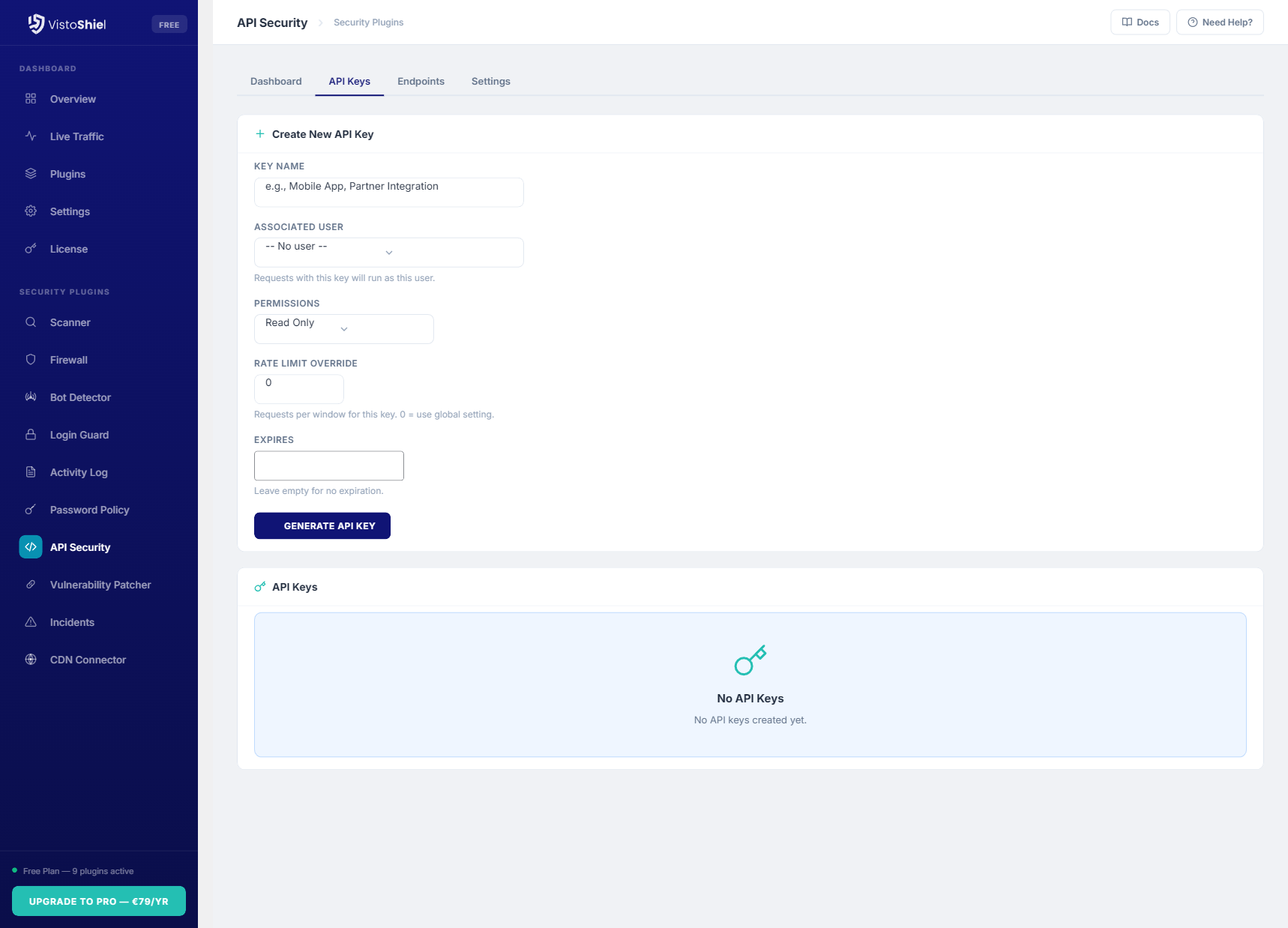
The screenshot above shows a typical key-management UI: name, associated user, permission selection, and expiry at issuance time. Your admin panel needs at least these four fields — otherwise in six months you won't be able to tell your own keys apart.
2. What Goes in the Database: Hash Only, Plus Audit by Design
Storing keys in plaintext is a red line — not just because of "leaks," but because your ops surface touches them by nature: database backups, logs, ORM debug output, staging dumps. Any one of those can carry a plaintext key out the door. Hash storage reduces the damage of the common "read-only database leak" scenario to zero.
Prisma schema template (Postgres):
model ApiKey {
  id          String    @id @default(cuid())
  userId      String
  user        User      @relation(fields: [userId], references: [id], onDelete: Cascade)

  name        String    // "Production - ERP sync", filled in by the user
  keyHash     String    @unique // SHA-256 hex — the only thing we store
  prefix      String    // "vf_live_", for log redaction and fast filtering
  last4       String    // last 4 chars for display

  scopes      String[]  // ["invoices:read", "invoices:write"], see section 3
  status      ApiKeyStatus @default(ACTIVE)

  rateLimitPerMin Int?  // per-key override, null = global default
  expiresAt   DateTime?
  lastUsedAt  DateTime?
  createdAt   DateTime  @default(now())
  revokedAt   DateTime?

  events      ApiKeyEvent[]
  @@index([userId, status])
}

enum ApiKeyStatus {
  ACTIVE
  ROTATING   // rotation grace period: old and new keys both valid
  REVOKED
  EXPIRED
}

/// Immutable audit trail: every issuance, rotation, revocation, expiry logged here
model ApiKeyEvent {
  id        String   @id @default(cuid())
  apiKeyId  String
  apiKey    ApiKey   @relation(fields: [apiKeyId], references: [id], onDelete: Cascade)
  type      String   // ISSUED | ROTATED | REVOKED | EXPIRED | USED_FROM_NEW_IP
  actorId   String?  // who did it (the user or an admin)
  ip        String?
  meta      Json?
  createdAt DateTime @default(now())
  @@index([apiKeyId, createdAt])
}
Three operational decisions are baked into this schema:
- Revocation never means deleting the row. It's a state transition,
ACTIVE → REVOKED; the row lives forever. Deleting breaks the audit chain — three months later when a user asks "why did my integration break on May 3rd," you'll find no such key and have nothing to say. - The
ROTATINGstate is the heart of the rotation SOP (section 4). Without this middle state, rotation means "kill the old key first, then issue the new one" — and the user's production jobs die at midnight, followed by angry messages. lastUsedAtis your zombie-key radar. Keys unused for 90 days get a "consider revoking" email; after 180 days they're auto-expired. Every big company does this hygiene; a solo team can do it with one cron job.
3. What a Key May Do: The Scope Permission Model
"One key to rule them all" is the most common solo-team design — and the most dangerous. The right approach is scopes: at issuance, a key declares which resources it can touch and what operations it may perform, named resource:action.
/media/content-media/a56f3ccd-38fe-490f-a5d3-6edb6bc228d5/2026/10/24c8d4e2-941e-433c-899b-d598f006d210.jpg
The screenshot above shows a "create restricted key" UI — the finer the permissions, the more confidently users hand keys to third parties. Fill in your scope design table along these lines:
| Scope | Meaning | Typical holder |
|---|---|---|
invoices:read | List and view invoices | Analytics scripts, BI sync |
invoices:write | Create / void invoices | ERP integration, finance systems |
customers:read | Read customer profiles | CRM sync |
webhooks:manage | Add / remove webhook subscriptions | Your own backend only — don't hand to third parties |
billing:read | View usage and bills | Customer's own FinOps scripts |
admin:* | Admin-surface operations (members, key management) | Never issued to users, internal only |
Three hard rules:
- Least privilege by default. The issuance UI pre-checks only
:read-style scopes; write access requires the user to expand an "I understand the risk" section. That one extra step blocks half of all misconfigurations. - A scope is a snapshot at issuance, not a live reference. The
scopesarray on the key row is the source of truth for auth — don't resolve "the user's current role" on every request. Otherwise, when a user downgrades their plan, the permission semantics of old keys become an unresolvable mess. - The auth middleware does exactly one thing: parse the key → look up the hash → check status → check the scope covers the route. No business logic in there. Example:
// Auth middleware skeleton, Express / Hono style
async function requireScope(scope: string) {
  return async (req, res, next) => {
    const presented = req.headers["authorization"]?.replace("Bearer ", "");
    if (!presented) return res.status(401).json({ error: "missing_api_key" });

    const key = await db.apiKey.findUnique({ where: { keyHash: sha256(presented) } });
    if (!key || !verifyApiKey(presented, key.keyHash)) {
      return res.status(401).json({ error: "invalid_api_key" });
    }
    if (key.status !== "ACTIVE" && key.status !== "ROTATING") {
      return res.status(401).json({ error: "api_key_revoked" });
    }
    if (key.expiresAt && key.expiresAt < new Date()) {
      await markExpired(key.id);
      return res.status(401).json({ error: "api_key_expired" });
    }
    if (!key.scopes.includes(scope)) {
      return res.status(403).json({ error: "insufficient_scope", required: scope });
    }
    // Update lastUsedAt async — don't block the request
    void db.apiKey.update({ where: { id: key.id }, data: { lastUsedAt: new Date() } });
    req.apiKey = key;
    next();
  };
}

// Declare the required scope right on the route — one line
app.get("/v1/invoices", requireScope("invoices:read"), listInvoices);
app.post("/v1/invoices", requireScope("invoices:write"), createInvoice);
4. How a Key Dies: Rotation & Revocation SOP
A key should only die two graceful deaths: rotation (the user swaps it proactively) and revocation (kill it immediately when something's wrong). The ungraceful way is "just delete it" — deleting a row destroys evidence, as covered above.
Rotation SOP (every 90 days, or user-triggered):
- User clicks "Rotate" → a new key is generated (same name, same scopes); the old key moves to
ROTATING, the new one isACTIVE. - Both keys work in parallel for 7 days. The gateway accepts both hashes. This is the user's migration window — write it into your docs.
- After 7 days, a cron flips overdue
ROTATINGkeys toREVOKEDand logs anApiKeyEvent. - If the old key still sees traffic during the ROTATING window, email the user: "your old key still made X calls — remember to switch to the new one."
Revocation SOP (leak / offboarding / suspicious traffic):
- One-click revoke: status goes straight to
REVOKED, effective immediately (the gateway reads from DB or cache — keep cache TTL under 60 seconds, or you'll get "revoked but still works for 5 minutes"). - Automatically log a
REVOKEDevent with the operator's IP. - Within 24 hours, email the key's user: "your key has been revoked; re-issue one if this was you." Never auto-issue a replacement — make the human confirm.
/media/content-media/a56f3ccd-38fe-490f-a5d3-6edb6bc228d5/2026/10/fc523065-77ce-4257-ad12-a7e4466e9ac3.png
The revocation UI should look like the screenshot above: each key on its own row with a clear revoke action and last-used timestamp. When a user discovers a leak at 3 AM, killing the key should take 10 seconds — not a treasure hunt through your docs for "please contact support@…".
5. What a Key Spent: Per-Key Rate Limiting & Usage Attribution
The final loop of a key system is money: which key made how many calls, cost how much, and should be billed what. Without usage attribution, API billing is guesswork.
Rate limiting: token bucket per key. Global rate limits stop DDoS; per-key limits stop "one user's buggy script blowing up your bill" (and your upstream provider's bill). In Redis it's one Lua script: key it as ratelimit:{keyId}:{window}, read the quota from ApiKey.rateLimitPerMin, fall back to the plan default when null.
Usage attribution: the keyId must be in your request logs. After the gateway authenticates, write keyId into access logs (or an ApiUsageDaily rollup table). The month-end reconciliation SQL looks like this:
-- Per-key usage and error rate for last month: billing + anomaly detection in one query
SELECT
  k.name,
  k.last4,
  u.user_id,
  SUM(u.request_count)          AS total_requests,
  SUM(u.error_count) * 1.0 / NULLIF(SUM(u.request_count), 0) AS error_rate,
  SUM(u.llm_tokens_in + u.llm_tokens_out) AS total_tokens
FROM api_usage_daily u
JOIN api_keys k ON k.id = u.api_key_id
WHERE u.day >= date_trunc('month', now() - interval '1 month')
  AND u.day <  date_trunc('month', now())
GROUP BY k.name, k.last4, u.user_id
ORDER BY total_requests DESC;
If you bill through Stripe metered billing, the integration checklist is three steps: create a meter on the api_requests event, report stripe.billing.meterEvents.create after each successful authenticated call (with keyId in metadata), and let Stripe generate the invoice at month's end. The key point: reporting is best-effort and async — never let Stripe's latency slow down your API responses. Push to a queue, retry 3 times on failure, then log for manual backfill.
6. Anti-Patterns: Three Things Not to Do
| Anti-pattern | Why it hurts | Do this instead |
|---|---|---|
| Mixing customer keys and your own secrets in one table | Your own secret rotation (CI injection, K8s secrets) and customer key lifecycles are completely different; mixing them pits two SOPs against each other — and one over-broad query can scoop up your production secrets too | Physical separation: api_keys (customers) vs service_credentials (yours), different tables, different DB roles |
| Revoking by deleting the row | Breaks the audit chain; you can't answer "when did my integration break"; accidental deletes are unrecoverable | State machine + immutable ApiKeyEvent trail |
| Handing every integrator a scopeless "root key" | One leak compromises everything; and you lose least-privilege plus per-key attribution | Scopes required at issuance; offer "one-click read-only key" to lower the UX cost |
7. One-Week Rollout Checklist
If you're currently on "one key to rule them all," migrate in this order — each step ships independently:
- Days 1–2: add
prefix / last4 / keyHashcolumns; all newly issued keys use the new format. Mark old keyslegacywith a 30-day rotation deadline. - Day 3: add scope checks to the auth middleware; declare required scopes on routes; backfill legacy keys with full scopes (for compatibility) while new keys must choose explicitly.
- Day 4: revoke/rotate endpoints +
ROTATINGdual-key logic + the audit event table. - Day 5: per-key rate limiting (Redis token bucket) +
keyIdin gateway logs. - Days 6–7: usage rollup table + reconciliation SQL verified; zombie-key reminder cron live.
Once this is in place, your API graduates from "a string you lose control of the moment you send it" to a real operational system. The next time a user asks "can I get a key," your answer isn't "sure, one moment" — it's a link: self-serve issuance, self-chosen permissions, self-service rotation. And you finally stop getting woken up at night by "my key leaked, what do I do" messages.
Comments (0)
Related articles
If your vibe project has anywhere users can type, you need moderation — and it isn't 'deleting posts,' it's tiered triage. This guide maps the three risk surfaces (traditional UGC, user-publishable content, AI-generated output), then builds the funnel: machines do 90% with a keyword-plus-API stack, user reports act as sensors with tiered SLAs, and you spend 30 minutes a week on the 1% of hard cases. Copy-ready guidelines template and disaster breakers included.
In the AI coding era, secrets leak because AI actively writes keys into code, comments, and commits — and pushes them. This guide gives vibe coders a five-state credential framework: generate, store, use, rotate, and incident response. Copy-paste ready: layered .env files, pre-commit hooks, production secrets-hosting picks, three AGENTS.md red lines, least-privilege third-party keys, a 30-minute leak SOP, and a monthly 5-minute inspection checklist.
The cheapest GPU is your user's GPU. This guide shows indie teams how to push suitable inference workloads to the browser and edge — WebGPU, transformers.js, WebLLM, llama.cpp, Ollama, Apple MLX compared; 1B–8B quantized models mapped to tasks; an edge-first degradation chain with drop-in fallback code; packaging "data never leaves the device" as a selling point; hard limits on load size, memory and heat; and a two-week pilot SOP. Cloud stays only as the safety net.