DM Systems for Vibe Projects: Conversation Shapes, Delivery Pipeline, and the Anti-Abuse Quartet
DMs are not just sending messages. This hands-on guide walks through a complete DM system for vibe projects: three conversation shapes, a three-table data model with a stranger-request state machine, WebSocket delivery with idempotency, read watermarks, the anti-abuse quartet, signed attachment URLs, silent push aggregation, delete semantics, and 12 launch test cases.
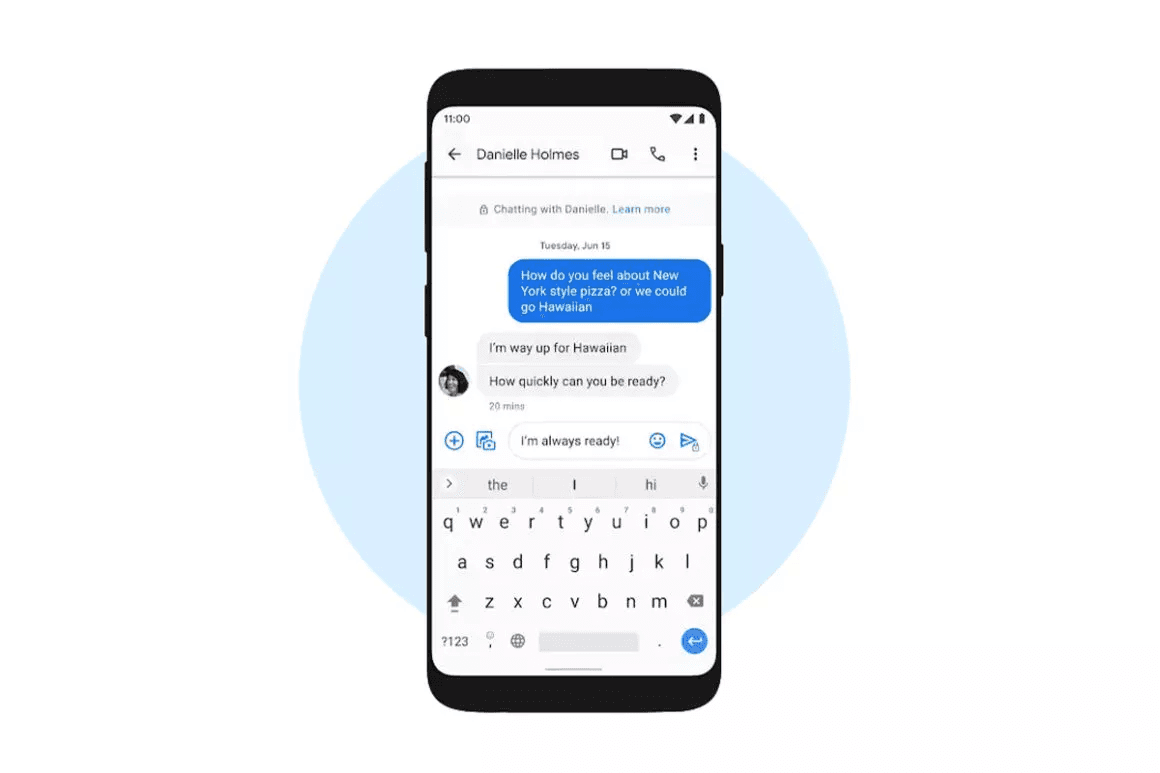
1. DM Is Not "Just Sending a Message": Three Conversation Shapes
Many vibe projects start their DM feature with a one-line spec: "users can message each other." Then they start building. Three months later the rewrite happens for almost always the same reason: three fundamentally different conversation shapes were crammed into one logic.
At the product level, DMs are actually three different things:
- 1:1 between contacts: both sides already know each other (mutual follows, friends, counterparties). Messages deliver directly, with read receipts, push, and typing indicators.
- Stranger outreach: one side initiates, the other hasn't confirmed. This isn't a "conversation" — it's a request. The recipient may ignore, decline, or block it, and the sender should never see "read but no reply."
- Small groups (3+ people): looks like "just two more people," but it's a different product — member management, join approvals, per-person read states, aggregated group notifications, admin permissions. Every item is a new system.
My take is blunt: v1 ships the first two; groups get a reserved field in the data model and nothing more. Not because groups are unbuildable, but because every group capability corrodes 1:1 simplicity: read state goes from "watermark" to "one receipt per person," push goes from "point-to-point" to "aggregated mute logic," permissions go from "block" to "kick/mute." Teams that build groups first end up rewriting their 1:1 logic.
One more product-level judgment decides whether the investment is worth it: if your vibe project is a showcase site, community, or matchmaking marketplace, the highest value of DMs is "making the connection happen" — not "becoming a chat app." Users want to "reach this author/buyer," not "install another WhatsApp." So the v1 bar should be: can initiate, can deliver, can resist abuse — not how pretty the bubbles look.
The stranger-outreach shape deserves a minute of thought on its own, because it determines how complex your state machine gets. WeChat's friend verification and LinkedIn InMail are two extremes: the former demands a relationship before any word is exchanged, the latter sells reach for money. Most vibe projects live in between: a message-request model — strangers may say one thing first, and the recipient decides whether to engage. The upside is minimal friction; the cost is that you must honor the "request" semantics in code: pending messages produce no read receipts, don't count toward unread badges, and don't trigger loud push. If your v1 renders stranger messages in the same conversation list with the same styling as contacts' messages, the request model exists in name only.
2. Data Model: Three Tables and a State Machine
For DMs I recommend three tables — the smallest complete structure that the most projects have validated:
- conversations: the conversation itself.
id,type(direct/stranger, reservinggroup),created_at. Note: no status here. - conversation_participants: who is in the conversation, and the conversation's status in their eyes.
conversation_id,user_id,status(for stranger threads:pending/accepted/declined/blocked),last_read_message_id,last_read_at,muted,deleted_at(for one-sided delete). - messages: the messages.
id,conversation_id,sender_id,client_message_id(client-generated UUID with a unique index for idempotency),body,attachments(JSON),status(sent/recalled),created_at.
Here's the key design judgment most people get wrong the first time: why do "accept/decline/block" live on the participant table instead of the conversation table? Because these actions are single-sided perspectives. After A blocks B, the conversation looks blocked from A's side while B's side may still show accepted — B's new messages are just silently rejected. Status on the participant side, one copy per side, no cross-contamination: that's what makes "blocking is invisible to the blocked" technically true.
The stranger-thread state machine is below. Note the product constraints of pending: only the first message (or a summary) is shown, no read receipts, no typing indicators — the sender sees nothing back. This is the first wall against harassment, not a UI detail.

Don't skip indexes — three are mandatory: messages(conversation_id, id) for in-thread pagination; messages(client_message_id) unique for idempotent dedup; conversation_participants(user_id, updated_at) for "my conversation list" sorted by recency. The list's "last message preview" can be denormalized onto the conversation row (last_message_preview, last_message_at), updated synchronously on write — one extra write buys a list page that never JOINs.
Unread counts come free with watermarks: unread = message count in thread − messages after last_read_message_id, a single count query with id > last_read_message_id. No unread-flag table needed. But pending threads must not count toward the badge total — a request is not a message; that's product semantics, not a SQL trick. Also reserve the group value in type now, even with zero group logic in v1. When groups arrive later, the participant table naturally supports "one status copy per person" (per-user mute, do-not-disturb, join time are all single-sided views) — future you will be grateful.
3. Delivery in Real Time: WebSocket Is a Notification Channel; the Database Is the Truth
The most common architectural mistake in DM real-time delivery is treating WebSocket as "the message bus": messages travel over the socket, and persistence is done "on the side." Disconnects, scaling events, restarts — every lost message is unrecoverable. The correct order is always: persist first, notify second. WebSocket only tells the other side "there's something new, come fetch it." The database is the single source of truth for messages.
For room naming I suggest dm:{conversationId}. Handshake auth is mandatory, and it must reuse your existing auth: validate the token on connect and verify the user is a participant of that room. Token-only checks without membership checks treat the room name as a password — and room names are enumerable. That's not a theoretical risk.
Offline catch-up is the other half: the client keeps lastSyncMessageId (or a timestamp cursor) locally, and pulls the delta on every connect or foreground return. This cursor and the read watermark in section 4 are two different things — don't mix them: the sync cursor tracks "did I fetch it," the watermark tracks "did I see it."
Idempotent dedup is what keeps you alive on flaky networks. On mobile, send-timeout → client retry → server receives it twice is daily life, not an edge case. The fix: the client generates a UUID as clientMessageId with each send; the server holds a unique index on it and returns the existing row on conflict. The client dedups by clientMessageId during catch-up too — belt and suspenders.

Settle heartbeats and reconnect backoff now: client heartbeat every 25–30 seconds (tune to your gateway timeout), reconnect with exponential backoff (1s, 2s, 4s… capped at 30s) so a gateway restart doesn't summon a reconnect stampede. Load-test exactly this — see section 9.
Multiple gateways are a matter of when, not if — decide the design now: with one gateway, room subscriptions live in memory; with several, subscriptions for dm:{conversationId} need a centralized pub/sub layer (Redis Pub/Sub or a topic on your existing message queue — pick what's already in your stack). After persisting, publish to the room topic; each gateway instance pushes only to its own connections. Decide this early, because "persist first, notify second" still holds with many gateways — the database is the single truth, fan-out scales horizontally, no conflict. Mobile adds one more reality: the OS kills the WebSocket when the app goes to background, so "real time" must degrade to push fallback. The server tracks each user's online state (gateway heartbeats); when offline, skip the WS push and go straight to section 7's aggregated push. Don't fight the OS on background keep-alive.
4. Read Receipts: Use a Watermark, Not Per-Message Receipts
The beginner's approach to read receipts is one receipt row per message: B reads 100 messages, you write 100 message_reads rows. That's a disaster in groups and waste in 1:1. The right approach is a read watermark: last_read_message_id plus last_read_at on the participant row — one record expressing "how far I've read."
The truth behind double-blue-checks is actually simple — two rules:
- Delivered (server-acked): the message is in the database, server acknowledged. Client shows single check / sent.
- Read: the other side's watermark satisfies
last_read_message_id ≥ this message's id. Shows double check / read.
Watermark update timing matters too: advance it not when "the message rendered" but when "the thread window is in the foreground and the user actually scrolled to the bottom." Otherwise a glance at the list marks everything read — that's not a bug, it's disrespect for attention. Watermarks only move forward (monotonic); guard concurrent writes with UPDATE ... WHERE last_read_message_id < new_value.
Typing indicators likewise never touch the database: the client sends a throttled heartbeat (say every 3 seconds), auto-cleared 5 seconds after typing stops; the server just relays within the room. Pure ephemeral state — persisting it is self-inflicted pain.
One last product judgment: let users turn read receipts off. But keep the rule symmetric — someone who disables receipts can't see the other side's either. The big messengers validated this convention long ago; copy it, don't reinvent it.
Multi-device sync is the watermark design's bonus: the watermark lives on the server-side participant record, so reading to message 100 on the phone means the desktop client renders from the watermark on open — "read" syncs naturally. No device-to-device sync protocol needed; that's what you buy by keeping state server-side. The cost is privacy: the server knows how far you read. If your product is sensitive about "read" itself (workplace social, say), state the watermark's existence plainly in your privacy policy — technically it's a record of "how far I read," it can't be hidden, so be upfront.
5. The Anti-Abuse Quartet: Ship It on Day One, Not After the First Complaint
The biggest difference between DMs and comment sections: harassment is targeted and invisible. Harassed users don't post angry threads — they quietly churn. So anti-abuse isn't a "moderation module"; it's core v1 scope for DMs. The quartet below follows the send pipeline in order:
- Stranger message requests: threads from non-contacts start
pending. The recipient sees "one message request" plus the first-message summary — no read receipts, no content push before acceptance. Cap how many messages a sender can fire before acceptance (say 1–3, tune to your business) so the request model can't be used for burst spam. - Block & report: blocking is a one-sided, silent action — the blocked party gets no signal and can't initiate again; reports flow into the governance funnel (human/automated review, evidence retention), which links to the governance pipeline covered in the content-moderation guide. The DM side only needs to hand over the reported message's metadata intact.
- Rate limiting: sliding-window limits keyed on the
(sender, recipient)pair. Redis sorted sets (timestamps as scores, count within window) or fixed-window counters both work — use what your team knows. Thresholds are tuned to the business; there is no standard number: stricter for fresh accounts, looser for mutual contacts, tighter for previously reported accounts. Return 429 on exceed, and have the client back off exponentially instead of letting users tap themselves into a lockout. - Pre-send sensitive-word filtering: the first gate in the send pipeline, intercepting before persistence. The word list must be configurable and hot-updatable; false positives are inevitable, so intercepted messages need a clear prompt ("contains sensitive content, please revise and resend") plus a human-review/appeal path. Never silently swallow messages — silent drops are the most disrespectful design toward users.

Order matters too: blocklist check first (a blocked sender isn't worth spending a counter on), then rate limiting (cheap), then sensitive-word scan (pricier), and only then persistence and request-gate evaluation. Put expensive checks later — basic cost awareness.
Risk tiering is the natural evolution of rate limiting, worth leaving an extension point for in v1: under the same (sender, recipient) framework, tier users. Fresh accounts, logins from new locations, previously reported accounts get the strict tier; mutual contacts and long-term users get the lenient tier. Store the basis in user profiles or risk tags; the rate-limit middleware reads tags without judging — judgment logic converges in one place, so adding "device-dimension" or "IP-dimension" limits later is just adding tags, no send-pipeline changes. One caution: device fingerprinting and behavioral profiling are a whole different system — don't touch them in v1. Tags plus tiers are enough.
6. Attachments & Images: Reuse the Upload Pipeline, Don't Build a Second One
For images and files in DMs, the laziest-correct option is reusing your project's existing file-upload pipeline (upload API, storage bucket, CDN) — not a separate upload service for DMs. Two upload pipelines mean two auth schemes, two cleanup policies, two bills. Pure negative asset in v1.
But one difference is critical: DM attachments must not use public, permanent CDN URLs. Once a public URL is out, it can't be taken back — anyone with the link can fetch it, which directly contradicts the meaning of "private message." The answer is a private bucket plus short-TTL signed URLs: attachments live in private storage, and the server mints expiring temporary URLs per view (on the order of 15 minutes — tune to your business; renew on demand as the user scrolls the image list).
Server-side validation is non-negotiable: MIME allowlist, per-file size caps, thumbnails generated for images (list views load thumbnails only; the full image mints its own URL on open). Clients compress before upload — saves bandwidth and storage spend.
One more stranger-scenario detail: in pending threads, attachments don't render the original by default — just a placeholder ("the other party sent an image/file") until acceptance. Cheap defense against malicious image blasts; harassers love firing dozens of images in a row.
Attachment content safety deserves its own note, because it's a different magnitude from text keyword lists: violating content inside images and video can't be caught by a word list. Depending on your target jurisdictions, you may need content-safety review (cloud vendors generally offer image/video moderation APIs, pay-per-use). My recommendation: start with "suspicious-first review" — stranger-sent attachments enter an async review queue (doesn't block the send pipeline; pending threads don't show originals anyway), contacts' attachments get sampled. Go full coverage when volume justifies it. Don't start with fully synchronous review — the latency and the bill will both teach you a lesson.
7. Push Integration: The Cardinal Sin Is Pushing Every Message
The biggest trap in wiring DMs to push is equating "message arrived" with "send a push." The other side fires 10 messages, the user's phone buzzes 10 times — the outcome is the user revoking notification permission, and your delivery rate goes to zero. That's burning your own road.
The correct posture is silent aggregation: the server holds a short window (tens of seconds — tune it), merging multiple messages into one summary push ("Zhang San: …and 3 more messages"). The exact window length doesn't matter; the existence of the mechanism does.
Two more product rules:
- Stranger requests never push content: pending threads push only "someone wants to chat," never the message body. Blocks harassment previews and keeps private content off the lock screen.
- Per-thread mute + quiet hours: users can mute individual threads; late-night hours (by the user's timezone) auto-degrade to silent push, delivered as a morning digest. Set the hour boundaries per business — don't hardcode a one-size "10pm to 8am."
Mind the division of labor with the notification-system guide: that one covers system→user one-way broadcast (announcements, marketing, status changes); this is user→user point-to-point triggers. The push channel can be shared, but aggregation policy and mute semantics belong to DMs alone — don't merge them into one table.
Push-token invalidation is the most overlooked link in the chain: users reinstall, switch phones, old tokens die, and push gateways return explicit error codes for them (handle per your provider's docs). On "token invalid," the server must mark that device's token cleared instead of firing into a black hole forever — otherwise your delivery-rate dashboard rots while you mistake it for user inactivity. Also, if a message inside the aggregation window gets recalled (section 8), fix the push copy accordingly — and recalls never trigger a new push; the user sees the state when they open the thread. That's enough.
8. Delete Semantics: One-Sided Delete, Mutual Recall, and Report Retention Are Three Different Things
"Deleting a message" in DMs is three completely different actions. Mixing them up is a support-ticket disaster:
- One-sided delete: removes only your own view. Implemented as
deleted_aton the participant row (or per-messagedeleted_message_ids); the other side is entirely unaffected. The most common "delete," with clear, unambiguous semantics. - Mutual recall: a product convention, not technical deletion. The server marks the message
recalledand wipes the body; the other side sees "a message was recalled." But be honest about its limits with users: the other party may have screenshotted it, the push may already have been delivered — recall can't take those back. The recall window (say 2 minutes) is a business decision — write it into the product copy, and don't let users believe it's "traceless destruction." - Report retention: a reported message's metadata (sender, timestamp, thread, content snapshot) must be preserved for review through the governance funnel. Retention periods follow the compliance requirements of your jurisdictions — don't fabricate statutes or numbers. That's legal's call, not engineering's.
Soft-delete everything at the database level. Hard deletes (physical row removal) happen only in explicit flows like account erasure or compliance requests, and they get audit logs. DMs are a high-incidence zone for user disputes — "the data is gone" is the most expensive answer.
Recall has one more push-side boundary to be honest about: once a message is sent, its push may already have reached the other phone through system channels. Major push services don't support "recalling a delivered push," so the "message recalled" system notice is only visible when the other party opens the app — the original push on the lock screen can't be taken back. Write that into your product copy and help docs; it's more dignified than letting users discover it in a support ticket. What technology can't do, product copy should admit first.
9. Launch Checklist: 12 Test Cases You Don't Skip
Before DMs go live, beyond routine functional testing, these are the places that specifically love to fail. Load tests first — three of them:
- Single-room fan-out: push latency with many connections subscribed to one room (v1 is mostly 1:1, but load-test up to your reserved ceiling).
- Reconnect storms: simulate every client reconnecting at once after a gateway restart; verify backoff actually engages and the server doesn't melt.
- Connection count: how many WebSocket long-connections one box holds — find the memory and file-descriptor ceiling first, and design the scale-out (multi-gateway + room routing / pub-sub) ahead of time.
Message auditing must be in place before launch, not after: who sent what to which thread and when, who blocked/reported/recalled — these operation logs aren't "nice to have later." They're the only thing you'll have when the first user dispute arrives.
The 12 must-run test cases — skip none:
- Offline reconnect: mid-send disconnect; after reconnect the message is neither lost nor duplicated (clientMessageId idempotency).
- Duplicate submit: same clientMessageId sent twice; the server stores exactly one row.
- Stranger pending: before acceptance, the sender sees no read receipts and no typing indicators.
- Block: after blocking, the other side's sends are rejected — silently (never tell them "you've been blocked").
- Recall: after recall, the other side's thread shows "recalled" and the body is no longer fetchable.
- Attachment signed URLs: expired URLs are rejected, renewed URLs work; pending-thread attachments show placeholders only.
- Rate limiting: exceeding returns 429; the client recovers after backing off.
- Sensitive words: interceptions show a clear prompt — never silently swallowed.
- Read watermark: monotonic forward only; read state syncs across multiple logged-in devices.
- Mute: muted threads aggregate silently, no buzzing.
- One-sided delete: deleting your own view leaves the other side's messages intact.
- Erasure compliance: the account-deletion flow triggers hard deletion of DM data, verifiable in audit logs.
One honest closing note: the hard part of a DM system isn't WebSocket — it's state machines and boundary semantics. How many conversation shapes exist, how many meanings "delete" has, what "read" actually means — get these product judgments right first; code is just translation. Make v1 solid at "can initiate, can deliver, can resist abuse"; groups, end-to-end encryption, per-person read precision can wait until users actually ask. First let two people talk properly — then worry about how a crowd talks.
On rollout pace: don't flip it on for everyone at once. Stage it: internal accounts → 5% of users → 50% → full, watching core metrics at each stage for three days (send success rate, push delivery rate, report volume, 429 triggers). DMs are a social surface — failures are felt instantly. Keep a master kill-switch for stranger outreach ready during rollout: if things go sideways, shutting the request entry off immediately beats an overnight bugfix. Switch first, feature second — the iron rule for every user-reaching feature.
Comments (0)
Related articles
A comment system is the module that looks simplest and fails most often. This guide walks through path-enumeration tree storage, two-level pagination, the six-stage write path, @mention events, four layers of anti-spam defense, soft deletes, and a launch SOP — everything a solo team needs to ship comments that survive real users.
Questionnaires, sign-ups, applications… once your vibe project grows its third form, hand-written maintenance starts to spiral. This hands-on guide builds a form builder from zero: JSON Schema as the data contract, UI schema for layout, a type-to-component registry for rendering, a rule engine for conditional logic, plus the drag-and-drop canvas and schema versioning — with an AJV/zod decision guide and a launch checklist.

A bounty program burns budget to save you from incidents. This guide covers when to launch, how to price, how to write scope, how to set up disclosure channels, how to choose a platform, how to triage and deduplicate, how to filter AI slop reports, how to communicate with hunters, and how to set remediation SLAs — a complete, ready-to-run bounty operations playbook for vibe projects.