Your Vibe Project's First Week Live: Monitoring, Logs, and Rollback — An Indie Developer's On-Call Manual
AI compressed your launch into a week, but nobody took your on-call shift. First-week users are the most forgiving — and churn the fastest. This manual covers error tracking, uptime monitoring, log hygiene, and rollback plans: set up four things the night before launch, then spend 15 minutes a day on patrol.
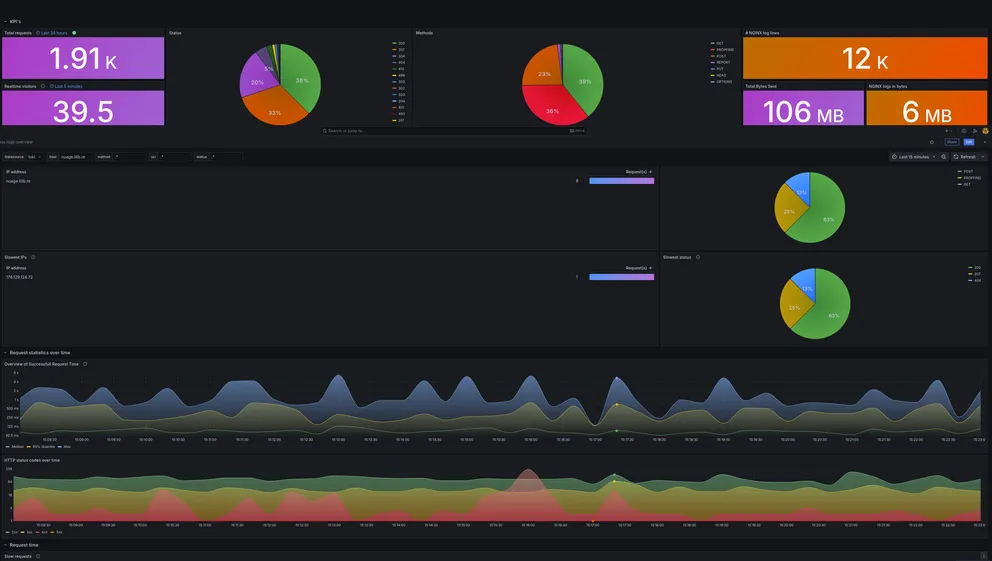
Launch isn't the finish line — it's when on-call starts
Vibe coding compressed "idea to launch" into a week, but it skipped the second half of the sentence: the week after launch decides whether the project lives or dies. Your first users are the most forgiving — they'll tolerate bugs; and they churn the fastest — one blank screen, one failed payment, and they're gone forever.
Indie developers have no SRE team and no on-call rotation. The on-call person is you, including while you sleep. So you don't need an enterprise observability platform — you need a manual that takes 2 hours to set up the night before launch and 15 minutes a day to patrol. Here it is.
The night before launch: four things, all non-negotiable
1. Error tracking (Sentry / GlitchTip). Highest priority. console.error only works while your terminal is open; your users hit the blank screen while you're asleep. Sentry's free tier is plenty for a vibe project. The first thing after setup is killing the noise: filter out known, harmless errors (like exceptions injected by browser extensions), or week one will bury you in 2,000 duplicate alerts until you start mark-all-reading — which is the same as having nothing. Ask your AI to write Sentry's beforeSend filter rules; it's genuinely good at that.
2. Uptime monitoring (Uptime Kuma / Better Stack). Ping your homepage and core APIs every minute; get a phone notification when they're down. Uptime Kuma self-hosts in one Docker container; Better Stack has a free tier. Key detail: monitor from the outside — don't curl yourself from your own server. The server being alive doesn't mean users can reach it.
3. Structured logging. AI-generated code loves debug fossils like console.log('here1'). Before launch, have the agent do a "log cleanup": delete debug logs, and switch critical paths (signup, payments, core actions) to structured logs carrying userId, requestId and timestamps. When you're tracing an issue in week one, you'll be grateful for those 30 minutes — logs without request IDs are just sentences that don't know each other.
4. A rollback plan (written down, not thought about). Vercel/Netlify one-click rollback, Docker images tagged with the previous version kept, database migrations with down scripts ready. Write the rollback as three lines in the project README: 1. vercel rollback / 2. restore DB snapshot / 3. post on the status page. When something breaks at 3 AM, your brain isn't trustworthy; paper is.
Week one: the 15-minute daily patrol
Make this checklist your first task each day (or have the agent run it while you review the results):
① Did error counts spike? Open Sentry for the last 24 hours: how many new error types appeared? How many users does each affect? Simple rule — fix new error types the same day; triage old ones by blast radius. No refactors in week one, no new features; fixing live bugs is the only priority.
② Is the core flow alive? Click through signup → core feature → payment/share by hand. AI-generated projects have a classic way to die: the developer tests daily in desktop Chrome while users open it in mobile Safari and get a blank screen. Borrowing a friend's phone for one pass in week one beats 100 unit tests.
③ What did users say? Put the most visible feedback entry point in the product (not buried three menus deep) and read it daily. Week-one user feedback is extraordinarily high-signal: free QA. Reply to every single one — not for support KPIs, but because the first user who reports a bug is your cheapest co-builder; don't let them feel they're talking to the void.
④ Is the bill behaving? In week one, what blows up first usually isn't a bug — it's the bill: AI-written polling hitting a paid API every 5 seconds, a large file downloaded repeatedly burning CDN bandwidth. Glance at cloud bills and API usage daily; set spending limits and alerts. Replit just announced deployment price hikes and paid database storage starting November — infrastructure money always moves faster than you think.
Counterintuitive advice: don't watch the dashboard in week one
One counterintuitive note to close. Don't stare at the UV/conversion dashboard in week one — the sample is too small, every wiggle is noise, and you'll be tempted to "fix the curve" by changing the product. A week-one product needs random changes least of all. Set up analytics (Plausible is light enough), but in week one watch only two kinds of data: errors and feedback. Errors tell you where the product is broken; feedback tells you where users are confused. Fix those two, and the curve takes care of itself.
When week one is over — errors converged, rollback never needed (hopefully), and you're getting "when will you add XX" messages instead of "it won't open" — congratulations, the project survived. Now look at growth data. Now plan week two.
Vibe coding let one person do a team's work; the first week live makes one person take a team's on-call. The good news: teams need meetings, you don't; teams need shift schedules, you need 15 minutes a day. Set up the manual, then go to sleep — let the alerts decide when you wake up, not anxiety.
Related articles

Every vibe project eventually needs scheduled jobs: daily syncs, expired-order cleanup, billing reconciliation, scheduled reports. AI's first version is usually setInterval — fine for dev, fatal in production. This guide maps four scheduling options, cron expressions and timezone traps, idempotency, distributed locks against overlap, failure retries and alerting, run-log observability, and cron endpoint auth — plus a launch checklist.
Every vibe project hits the same moment: a list page firing a dozen DB queries per load, the database melting under modest traffic. This guide starts from the three-question caching mindset, then layers HTTP cache headers, Next.js data caching, Redis application caching with key design and the penetration/breakdown/avalanche defenses, and AI result caching (semantic cache, prompt caching), plus invalidation strategy and a launch checklist.

Traffic is moving from the search box to the AI answer box. A vibe coder ships a product in a week — and nobody finds it. This guide turns the SEO fundamentals (sitemaps, JSON-LD, Core Web Vitals) and the new AI-discovery toolkit (llms.txt, per-page Markdown versions, FAQ schema, agent-readable pricing and API docs) into a shippable 30-day checklist. The core judgment: how well you document sets your product's ceiling in the agent economy.