Payments Are the First Place in a Vibe Project Where You Can't Vibe: A Hands-On Integration Guide
The Zephos team planted 16 launch-killer bugs in Notely, an agent-built Next.js + Supabase + Stripe notes app — two payment-related: unsigned webhooks accepted, pro granted from a self-declared client_reference_id. This guide turns those traps into a playbook: webhook signature verification, a server-side single source of truth, the subscription state machine, test clocks, and a launch checklist. Money logic must be hand-written or audited line by line.

The Zephos team ran a fascinating experiment on Indie Hackers: they had agents build a notes app called Notely from scratch on Next.js + Supabase + Stripe, then deliberately planted 16 launch-killer bugs in it to see whether the agents could find and fix them on their own. Two were payment-related: first, the Stripe webhook accepted events Stripe had never signed — signature verification simply didn't exist; second, the server granted pro access based on a client_reference_id the request body merely claimed to be. Both ran perfectly in the demo environment — pretty pages, smooth flows — but the moment real money moved, they were two wide-open doors.
This guide starts from those two traps and breaks "how a vibe project should integrate payments" into a practical, shippable playbook. The conclusion first, and the single most important judgment in this whole piece: payments are the first place in a vibe project where you can't vibe. Let agents freestyle the pages, let them write CRUD in one shot — but anything touching money (signature verification, amount decisions, subscription state) must be hand-written or audited line by line. Agents can write the boilerplate; get one line wrong here and you lose money, silently.
Killer Bug #1: Webhook Signature Verification — the Trio, All Three Required
Stripe's webhook mechanism is essentially "Stripe knocks on your door to tell you about money." The problem: anyone can knock on your door. The most common pattern in agent-generated code looks like this:
// The agent's favorite "looks like it runs" version
app.post('/webhook', express.json(), async (req, res) => {
  const event = req.body; // used directly as a Stripe event
  if (event.type === 'checkout.session.completed') {
    await grantPro(event.data.object.client_reference_id);
  }
  res.json({ received: true });
});
This works fine locally when you fire test events with the Stripe CLI — because test events genuinely come from Stripe. But it rests on a fatal assumption: every JSON POSTed to this address is trusted as if Stripe sent it. An attacker curls a forged checkout.session.completed with their own user ID in client_reference_id and gets pro for free. That's exactly the trap planted in Notely.
The correct posture is the trio: endpoint secret, constructEvent, idempotency — skip one and you're exposed.
Piece one: the endpoint secret. Every webhook endpoint gets its own signing secret in the Stripe Dashboard (whsec_...), different for test and live mode. It's the root of trust for signatures: never ship it to the frontend, never commit it to git. Agents have a bad habit of pasting the secret into .env.example as a "sample value," or hardcoding it for debugging convenience — if you see a whsec_-prefixed string in a repo during review, send it straight back.
Piece two: constructEvent, verified against the raw request bytes. Stripe's signature is an HMAC-SHA256 over the raw bytes, which means verification must happen before any JSON parsing. This is where agents most often go wrong: they habitually mount the express.json() middleware first, verify after parsing, the signature never matches — and then either verification "permanently fails" (so you turn it off to "get the flow working") or the agent skips verification entirely. The correct order looks like this:
import Stripe from 'stripe';
const stripe = new Stripe(process.env.STRIPE_SECRET_KEY);

// Note: this route must NOT use express.json(); use the raw body
app.post(
  '/webhook',
  express.raw({ type: 'application/json' }),
  async (req, res) => {
    const sig = req.headers['stripe-signature'];
    let event;
    try {
      event = stripe.webhooks.constructEvent(
        req.body,                       // raw bytes, never a parsed object
        sig,
        process.env.STRIPE_WEBHOOK_SECRET // whsec_..., per environment
      );
    } catch (err) {
      // Bad signature: 400, and not one word more
      return res.status(400).send(`Webhook Error: ${err.message}`);
    }
    // Only here is the event trustworthy
    await handleEvent(event);
    res.json({ received: true });
  }
);
One practical detail: in Next.js App Router, add export const dynamic = 'force-dynamic' to the route and grab the raw text with await req.text() before passing it to constructEvent — agent-generated Next.js webhook code almost always does await req.json() and passes the parsed object in, so the signature never matches. It's one of the most frequent payment bugs in vibe projects; when reviewing, check that line first.
Piece three: idempotency. Stripe may deliver the same event multiple times (retries, network jitter), so your handler must survive running twice. The straightforward approach: use event.id as a unique key and check whether the event was already processed before writing to the database. Agent-written handlers usually lack this layer — "Stripe only sends it once" is its default hallucination. Back it with a database unique constraint (stripe_event_id unique) so duplicate deliveries are stopped at the database level instead of relying on hope.
Killer Bug #2: Never Trust a Plan or Price That Came From the Client
Notely's second trap is subtler: the server opened pro access based on a client_reference_id the request body "claimed." Generalize that pattern and you get the number-one iron rule of payment security in vibe projects: any client-supplied information about "what was bought" or "how much was paid" can be treated as a comment at best, never as evidence.
Agents love writing this kind of code because it "flows": the frontend selects the Pro plan, passes { plan: 'pro' } to the backend along the way, the backend grants access on receipt. The whole chain looks flawless in the demo — until someone opens browser devtools, changes plan to pro, or edits the price field down to one cent. The frontend is territory the user fully controls; a plan arriving from the frontend is no different from a user writing "I am pro" on a slip of paper.
The correct mental model: the server has exactly one source of truth — the object Stripe returned, or the row in your own database that a webhook wrote. Price, plan, subscription status: all resolved server-side. In practice this splits into two layers.
Layer one: when creating the payment session, the price ID is hardcoded server-side. The frontend only sends a plan identifier (e.g. pro_monthly); the server maps it through a whitelist to the real Stripe Price ID (price_...) before creating the Checkout Session. The mapping looks like this:
// Server-side: allowed plan -> Stripe Price ID whitelist
const PLANS = {
  pro_monthly: process.env.STRIPE_PRICE_PRO_MONTHLY,
  pro_yearly:  process.env.STRIPE_PRICE_PRO_YEARLY,
};

app.post('/api/checkout', async (req, res) => {
  const { plan } = req.body;
  const priceId = PLANS[plan];
  if (!priceId) return res.status(400).json({ error: 'unknown plan' });
  // Whatever the frontend sent doesn't matter; the whitelisted priceId wins
  const session = await stripe.checkout.sessions.create({
    mode: 'subscription',
    line_items: [{ price: priceId, quantity: 1 }],
    client_reference_id: req.user.id, // binds the user, but only for association, never authorization
    success_url: '...',
    cancel_url: '...',
  });
  res.json({ url: session.url });
});
Layer two: when granting access, only honor the subscription state Stripe reports in the webhook event. On checkout.session.completed, take the subscription ID from the event and fetch the subscription object from Stripe again (or trust the verified event payload directly), confirm status === 'active' or trialing, then write to the database and grant access. "The user says they paid" doesn't count; "Stripe says they paid" does. With this layer in place, Notely's second trap is sealed shut.
One more agent-favorite mistake worth calling out by name: treating client_reference_id as "whatever the user sends is what it is." The correct usage is for the server to fill it in when creating the session (above, it's req.user.id from the login session, not the request body); the webhook reads it back only to answer "which user does this subscription belong to," never "what did they buy." Association and authorization are two different things — mix them and you have a vulnerability.
The Subscription Lifecycle State Machine: Every State Gets an Explicit "What To Do"
One-time purchases are linear: pay → activate, done. But a subscription is a state machine, and this is where agents most often crash — because they model a subscription as a boolean: isPro: true/false. A real Stripe subscription carries a chain of states — trialing → active → past_due → canceled (plus incomplete, unpaid, and friends) — and your system needs a defined behavior for each one. Boolean thinking drops an entire class of bugs here: the user's card expired, the renewal failed — what should the system do?
Let's lay the state machine flat, one action per state:
trialing: same access as a paying user, but the product must explicitly tell them "billing starts in x days," with a reminder before the trial ends. This is the product detail vibe projects most often skip — technically the access is granted, but expectation management is missing, so the moment the trial converts into a charge you get a support ticket. Listen for customer.subscription.trial_will_end and email three days ahead; Stripe built that event specifically so you don't have to count days yourself.
active: serve normally. The only state where "do nothing" is correct — and also the state agents default to assuming is permanent.
past_due: the state that demands the most product judgment. Stripe's Smart Retries will automatically retry the charge; a first failure doesn't mean the user ran away. My recommendation: keep access during past_due, but start a countdown and reminders. A blanket "downgrade on first failure" punishes real paying users whose card merely expired or is being replaced; keeping access forever is an open invitation to malicious non-payment. The middle path: a grace period tied to the retry window (downgrade only after Stripe's default retry cycle still hasn't succeeded), with two or three "update your payment method" nudges inside it. The grace period's length is a product decision, not a technical one — but it must be implemented explicitly in code, never left blank.
canceled: mind the two kinds of cancellation. A user with cancel_at_period_end = true is still a paying user until the current period ends — every minute they paid for must be honored, that's the floor; only a true canceled (period ended or immediate cancellation) triggers downgrade. Agent-written downgrade logic is often "downgrade on the canceled event," conflating "cancel at period end" with "cancel immediately," kicking paying users out early. When reviewing state-machine code, first check whether it handles the cancel_at_period_end field at all — if not, send it back.
The most practical shape for the state machine in code is an "event → action" mapping table, not if-else scattered everywhere:
const handlers = {
  'checkout.session.completed':    onCheckoutCompleted, // after verification: confirm subscription, grant access
  'customer.subscription.updated': onSubscriptionUpdated, // state transition: update access per new status
  'customer.subscription.deleted': onSubscriptionDeleted,  // downgrade, keep data
  'invoice.payment_failed':        onPaymentFailed,   // past_due: enter grace period, send reminders
  'customer.subscription.trial_will_end': onTrialEnding, // trial-ending reminder
};

async function onSubscriptionUpdated(sub) {
  // Only Stripe's status counts; nothing client-supplied
  switch (sub.status) {
    case 'trialing':
    case 'active':
      await setPro(sub.metadata.userId, true); break;
    case 'past_due':
      await startGracePeriod(sub.metadata.userId); break; // grace period + reminders
    case 'canceled':
    case 'unpaid':
      await setPro(sub.metadata.userId, false); break;    // downgrade, data retained
  }
}
Note the metadata.userId pattern: a server-written user ID attached at subscription creation, carried back with each event for association — again "written by the server, read by the server," never passing through client hands. Hand-write the state-machine code, then let the agent fill in unit tests (one case per state) — that's the most economical human-machine split: humans define the rules, agents exhaustively verify them.
Test Clocks: Turn "Next Month's Renewal" Into Something You Can Test Today
The hardest part of subscription logic to test is time. You can't wait a real month to verify "a failed renewal enters past_due." Stripe's Test Clocks exist for exactly this: create a virtual clock, attach test customers to it, then move time forward and watch how the subscription behaves at future dates.
The typical flow has four steps. First, build the clock and attach the user:
// 1. Create a test clock (frozen_time = today)
const clock = await stripe.testHelpers.testClocks.create({
  frozen_time: Math.floor(Date.now() / 1000),
});
// 2. Bind the clock when creating the customer
const customer = await stripe.customers.create({
  email: 'test@example.com',
  test_clock: clock.id,
});
// 3. Create the subscription normally (7-day trial, monthly billing)
// 4. Advance the clock: fast-forward 8 days, trial ends, charge fires
await stripe.testHelpers.testClocks.advance(clock.id, {
  frozen_time: Math.floor(Date.now() / 1000) + 8 * 86400,
});
After advancing, check the subscription and invoice states and assert that your webhook handler correctly processed trial_will_end and invoice.payment_failed (pair it with a card that fails charges, like the classic 4000000000000341 "attaches fine but charges fail" test card). Every branch of your state machine should map to a test-clock advance script. This is the watershed between "demo-grade" and "launch-grade" payment modules in vibe projects: a state machine with no time-travel tests is a state machine that was never tested.
Two practical cautions. First, test clocks only exist in test mode — there's no such concept in live mode — so clock-related code must be isolated from production logic; a testHelpers call must never have a chance to appear on a production code path. Second, advancing a clock takes effect asynchronously; Stripe needs seconds to tens of seconds to move states forward, so test scripts must poll and wait — never "assert immediately after advancing," or you'll get flaky tests that fail randomly, the exact mistake agent-written test scripts love to make.
Sandbox-to-Production Checklist: Tick Every Box Before Launch
The sandbox-to-production cutover is when payment incidents spike. The checklist below is ordered by "this will definitely blow up" priority — tick each item before launch:
1. Swap the webhook secret for the live one. Test-mode and live-mode whsec_... secrets are two separate values; regenerate in the Dashboard and update the environment variable. The most common agent move during environment migration is "copy .env, rename it," then forget the secret — production webhook signatures then never verify, and you're forced to turn verification off on launch night. Putting "swap the secret" at the top of the list exists to prevent exactly that.
2. Point the webhook endpoint at the production domain over HTTPS. Stripe won't accept non-HTTPS production endpoints. Also check which event types the endpoint subscribes to in the Dashboard: in testing you may have only ticked checkout.session.completed; before launch, tick the full set the state machine needs (customer.subscription.updated/deleted, invoice.payment_failed, trial_will_end). Missing event subscriptions fail insidiously: the flow looks "mostly fine" and only silently breaks on specific state transitions.
3. Switch the Price ID mapping table to live. Test price_... and live price_... IDs are two separate sets; the whitelist mapping must switch wholesale. Keep the mapping in environment variables rather than code constants, so test and live share one codebase with different config — and the agent can't make the "edited the code but missed one" mistake.
4. Minimize key permissions. Use a Restricted Key in production, scoped to only what webhook verification and subscription management need. Agents default to the all-powerful secret key and love printing it to logs while debugging — grep the whole project for sk_live before launch; every appearance in logs means rotating the key once more.
5. Amounts in the smallest currency unit, re-confirmed server-side. All money moves in cents (or the equivalent minor unit) — no floats. Before creating a session, have the server fetch the price from Stripe once to confirm amount and currency — the last gate against "the test price and the live price have different amounts."
6. Failure alerts before user complaints. invoice.payment_failed should feed your alerting channel (email, Slack, Sentry — anything), on top of triggering the grace period. Silent payment failure is the most expensive bug there is: users churn and you never learn why. Agents never add alerting on their own; this line has to come from a human.
7. One real small-amount payment, end to end. Run a minimum-amount charge on a real card through the full loop — pay → webhook → grant access → refund → downgrade — then refund it. It's the only way to verify that the live secret, live price, and live webhook URL are correctly paired. Don't begrudge the transaction fee; it's the highest-ROI item on this entire list.
Dividing the Work: Agents Write Boilerplate, Humans Hold Three Red Lines
Back to the opening judgment: payments aren't off-limits to agents — the work just needs clear boundaries. My split is concrete:
Safe to hand to the agent: Checkout Session creation boilerplate, the frontend pay button and success page, test-clock advance scripts, unit tests for each state-machine branch, first drafts of the dunning email copy. These are the "a mistake is discoverable and cheap to fix" parts.
Must be done by a human: those dozen lines of webhook verification, the price whitelist mapping, the state machine's state→action definitions, the product decisions on grace periods and downgrades, and the generation and configuration of production keys. These are the "a mistake is silent, and by the time you notice, money is gone" parts.
If you keep only one review method, keep the "three-question audit" and run it line by line over agent-generated payment code: question one, who supplied this value? — anything from the request body, query params, or frontend is untrustworthy, full stop; question two, was it verified? — anything claiming to be from Stripe gets checked for constructEvent first, and whether the raw body is correct; question three, what happens if this runs twice? — assume every handler will be called twice and check for idempotency. Payment code only passes when all three questions do.
Finally, translate Notely's two traps into one line and pin it in your project's README: "An unverified webhook is an unlocked door; a client-supplied plan is a receipt the user filled out themselves." Payments are the first place in a vibe project where you can't vibe — but once signature verification, the single source of truth, and the state machine are solid, payments can also be the module that ships first and sleeps best. After all, a product you can safely charge money for is a real product.
Related articles
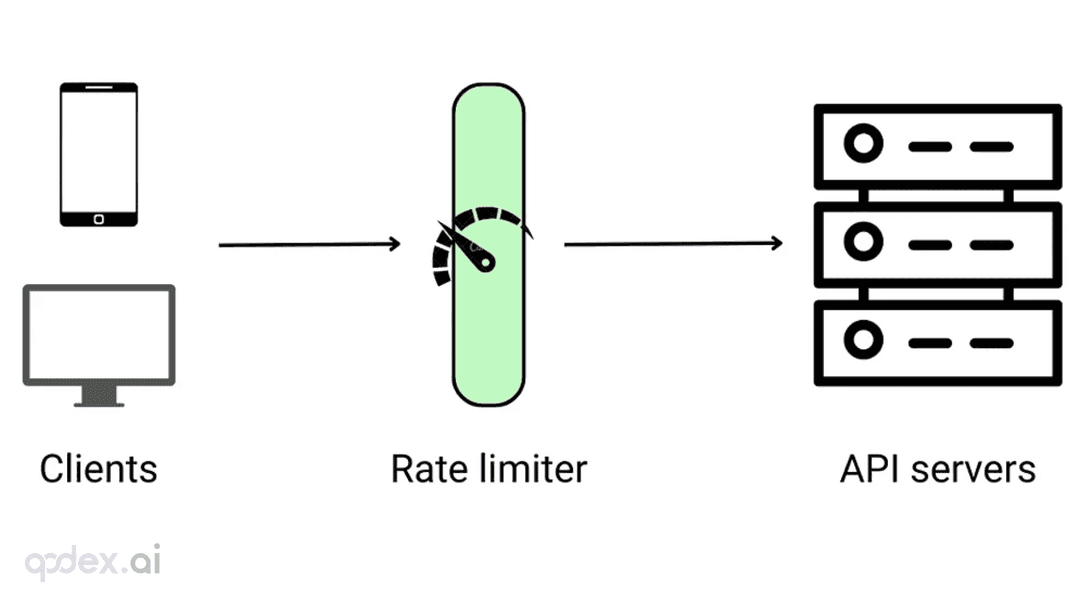
Every public endpoint will be called beyond your expectations some night. This guide builds a one-person-team rate-limiting system: algorithm choice (sliding window vs token bucket), four-layer defense, AI-endpoint money-burning protection, quota design, 429 response conventions, false-positive triage, and a launch checklist.

Every vibe project hits the same moment: a list page firing a dozen DB queries per load, the database melting under modest traffic. This guide starts from the three-question caching mindset, then layers HTTP cache headers, Next.js data caching, Redis application caching with key design and the penetration/breakdown/avalanche defenses, and AI result caching (semantic cache, prompt caching), plus invalidation strategy and a launch checklist.

On October 3, 'Sites in ChatGPT' hit the HN front page with ~209 points and 218 comments. Not a launch — a reckoning: is prompt-to-URL a toy, a prototype host, or a productivity tool? The four debates, the doc-backed facts (D1/R2, sign-in, custom domains), and three verdicts for vibe coders.