Don't Leave Users Talking to the Air: A Feedback Loop Playbook for Vibe-Coded Projects
Vibe coding ships fast — then feedback dies in scattered DMs and dead channels. This playbook builds a loop light enough for a solo dev: one main entry + one escape hatch, a 30-second submission rule, the fix/build/won't trichotomy, lightweight RICE scoring, changelog write-backs, a copy-paste three-sentence reply template, a 4-step bad-review protocol, and a 30-minute monthly review SOP — with a working feedback-widget + Discord webhook code sample.
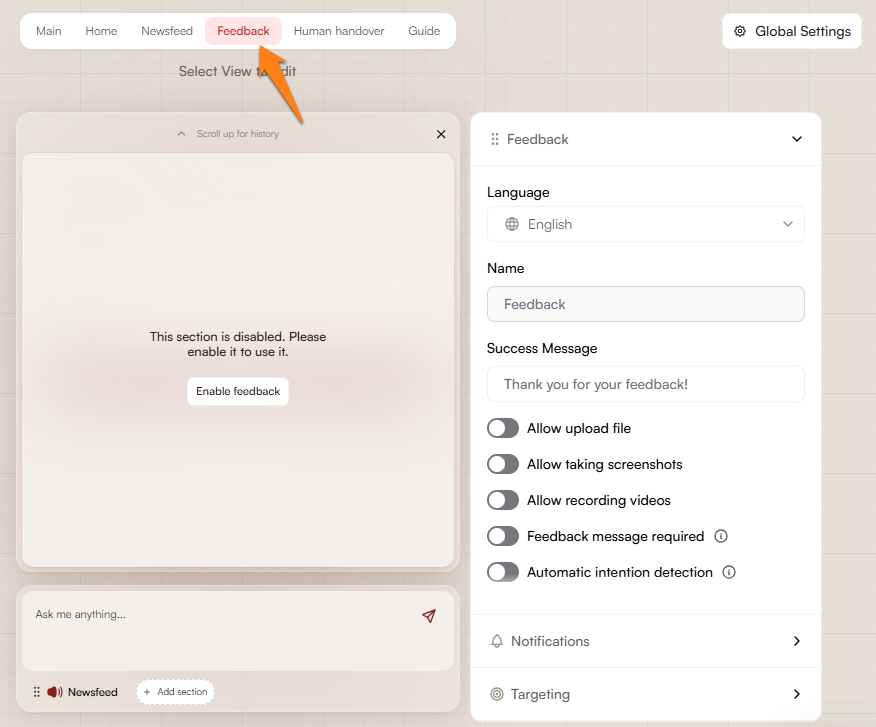
Your project is live. Now what?
We've all lived through that night: three days straight with Claude Code or Cursor, taking a small tool from spark of an idea to production; posting it to Hacker News, V2EX, or a product group chat and watching a couple hundred visits pour in; a few "this is so useful" messages in Discord, a few issues asking "why does export crash"; you screenshot it all and post to your socials. Then you wake up the next morning. Traffic is back to zero, feedback is scattered everywhere, and three months later you can't even remember what anyone said.
Vibe coding has pushed development cost to the floor — but it has also exposed an old problem: feedback dies. Not because there's no feedback, but because it never forms a loop. Users speak, nobody answers. A bug gets fixed, the reporter never finds out. A feature ships, and the people who wanted it most have already uninstalled. A team of one or two doesn't lose to big companies on code volume; it loses on the ability to close the loop.
This article isn't about "how to build a customer support system" — that's for mature products. You've got one person, one side project, and less than 40 minutes a day for maintenance. What we need is a feedback loop that's light enough to sustain, heavy enough to compound: one main entry point, one classification method, one write-back mechanism, one review cadence. Do this, and users start to feel "this developer is actually listening" — and that feeling is the cheapest, most effective growth lever a vibe-coded project has.
The counterintuitive first lesson: don't build "multi-channel feedback"
Textbooks will tell you: open a Discord server, launch GitHub Discussions, set up a support@ inbox, add a ticketing system… call it matrix coverage. The reality of one person monitoring five channels is five channels that all get slow replies. And a slow reply hurts more than no channel at all — talking to the void is worse than never being invited to speak.
The right posture for a one-person team is: one main entry point + one escape hatch. The main entry is where users find you first and where you see them first. The escape hatch is the back door for the minority who refuse to use the main entry — kept as cheap as possible.
| Channel | Main entry? | Real cost |
|---|---|---|
| In-app feedback widget (bottom-right floating button) | ✅ First choice | One snippet of code; context comes free (current page URL, app version auto-attached) |
| Dedicated feedback email | ⚠️ Works as escape hatch | Zero cost, but feedback arrives detached from context |
| Discord server | ❌ Don't | A 7-person server looks lonelier than no server, and you have to patrol it daily |
| GitHub Issues | ⚠️ OK for dev-tool projects | Too high a bar for ordinary users — they don't even want to log in |
| Ticketing system (Intercom / Plain) | ❌ Over-engineering | Monthly fee plus integration scripts — not worth it for a side project |
Note the counterintuitive call on Discord. Too many vibe projects treat "start a Discord" as step one of community building, and end up with a server containing only themselves and two zombie accounts. For a product with fewer than ~300 active users, Discord brings moderation burden, not community. Wait until users pass 500 and someone actually asks "do you have a Discord?" — then open one, and wire in the webhook from the code sample below so feedback flows into your channel automatically.
Designing the feedback entry: the 30-second rule and a pre-launch checklist
Remember one number: the maximum time a user will spend submitting feedback is 30 seconds. Rule of thumb: every additional required field cuts the submission rate by roughly a third. A form that asks for "name / email / product version / repro steps / expected behavior" is actively talking users out of giving feedback. A vibe project's feedback form needs exactly three things:
- One multiline text box — the default state, with zero required fields. A user writing down what's on their mind is already a win.
- A type picker (optional) — "Bug / Suggestion / Other", three tappable buttons, defaulting to "Suggestion". Almost free for the user, massively helpful for your later triage.
- A contact field (optional) — email or any contact handle, with a clear note next to it: "Only used to tell you when this gets fixed / shipped." Stating the purpose explicitly meaningfully raises the share of users who leave contact info.
Context — current page URL, browser model, app version, user ID — should be attached automatically by code, never typed by the user. When someone reports "export is broken" and you can't even tell which page they were exporting from, that feedback's value is reduced to pure sentiment.
Placement matters too. On desktop, a bottom-right floating button is the safest generic answer. On mobile, put a "✍️ Suggestions / Report a bug" row at the very top of the Settings / More page. Never bury feedback three menus deep — think about how often you've used the deeply buried "feedback" entry in any app yourself.
Entry self-check checklist (run through it before launch)
- □ A new user can find the feedback entry within 10 seconds (close your eyes, open them, count to ten)
- □ From opening the entry to successful submission takes under 30 seconds, no login required
- □ Zero required fields: text box, type, and contact are all optional
- □ Context auto-attached: URL, version, user identifier (generate a random ID for anonymous users)
- □ Instant confirmation on submit: "Got it, thanks! We'll reply within 24 hours" — never leave users guessing whether their feedback actually went through
- □ Exactly one main entry; the escape-hatch email lives in the footer or About page, with the same response-time promise
That last item deserves an explanation: promising a reply window turns feedback into a contract. Twenty-four hours isn't mandatory, but there must be an explicit number. "We read every piece of feedback carefully" with no time frame is the same as no promise at all.
Triaging feedback: lightweight RICE and the "fix / build / won't" trichotomy
Once feedback starts coming in, the first trap is an infinitely growing backlog. Staring at 100 items without classification leads to the same outcome: you fix whatever your mood picks, the three-day enthusiasm fades, everything rots. Classification doesn't need Jira-grade process — just two steps: sort into three buckets first, then score.
Step one: the trichotomy — decide each item's fate
Throw every piece of feedback into one of three buckets:
- Fix bug: something is broken, a flow is stuck, data is wrong. This bucket comes first, because bugs erode the trust of users you already have.
- Build feature: things users want that don't exist yet. The most dangerous bucket — it inflates the easiest and burns a one-person team fastest.
- Won't do: explicitly not doing it. Write it down, archive it, explain to the user when warranted. "Won't do" is the hardest call to make and the most valuable: a won't-do list is your product's boundary manifesto.
The trichotomy's power is that it forces a decision. Fuzzy feedback ("export feels slow") must go in a bucket too: reproducible means bug; not reproducible but raised by many means feature (performance work); mentioned once in passing — archive and watch. The thing to avoid is a fourth bucket: "later." "Later" is just "won't do" you're too afraid to admit.
Step two: lightweight RICE — ranking the "build feature" bucket
Full RICE (Reach × Impact × Confidence / Effort) is designed for teams; using the full version solo is self-harm. The lightweight version keeps two dimensions, each scored 1–5:
- Value score (1–5): how many users benefit? Core flow or edge case? Is the requester your target user?
- Cost score (1–5): how long will it take you alone? 1 = done within an hour, 5 = over a week — and factor in maintenance cost.
The ranking rule is brutally simple: value minus cost; highest score gets built first; negative scores move straight to the "won't do" bucket. Example: user A wants "export to PDF" — value 4 (closes the loop on a core flow), cost 2 (there's a ready-made library), score 2, build it. User B wants "custom themes" — value 2, cost 4 (requires reworking the entire style variable set), score −2, won't do — at least not this version.
Run this scoring once a month; don't turn it into a per-item ritual. Its real purpose is stopping the newest piece of feedback from hijacking you: yesterday's request sounds sexy, but the scoreboard holds three higher-scoring items — the ranking decides, not your mood.
Closing the loop: let users see that their words counted
Collecting and triaging are only the first half of the loop. The second half — the half most vibe projects are missing — is sending the outcome back to the person who spoke. This isn't mysticism: projects that reply to feedback typically see notably higher next-month retention among feedback-givers than among silent users. The logic is simple: someone writes 100 thoughtful words, you reply within 24 hours with three sentences, and they feel "there's a living human behind this project." Big companies can't buy that aliveness with any amount of push notifications.
Mechanism one: auto-write-back into the changelog
Don't write changelogs like "v1.2.3: fixed various issues" — correct and useless. Every changelog entry should carry a source tag: whose request this fix / feature answers. The format can be dead simple:
v1.3.0 — Export to PDF (@liming's request) · Fixed login redirect loss on Safari (#42)
The source tag isn't flattery; it's an evidence chain. New users reading the changelog can literally see "this project's updates come from listening to users." Over time, the changelog becomes your best marketing page — proof the product is evolving, and evolving in directions real users asked for.
Mechanism two: proactively tell the person who asked
This is the only legitimate use of the contact field. When a requested feature ships or a reported bug gets fixed, send that user an email or message telling them. It's the highest-ROI action in the entire loop: two minutes of cost, one loyal user gained.
A three-sentence template you can copy verbatim:
- Sentence one, state the fact: "The PDF export you asked about last month shipped this week."
- Sentence two, say thanks — concretely, not generically: "The scenario you described — 'exported tables won't open at the print shop' — is what set the priority."
- Sentence three, invite them back: "Update to the latest version and give it a try; just reply to this email if anything's off."
Note the craft of sentence two: quote a detail from the user's original words. It tells them "I actually read your feedback," as opposed to a bulk notification. Bulk notifications are marketing; one-to-one write-backs are relationships. Vibe projects need relationships.
Mechanism three: a public roadmap, even if it's three lines
A public roadmap doesn't need a Notion database. One fixed page with three columns — "Shipped / In progress / Planned" — is enough. Three to five lines per column, updated monthly. Its real job isn't showing off plans; it's intercepting duplicate feedback: "PDF export" is already in the "In progress" column, so the tenth user doesn't need to ask again and you don't need to answer ten times.
More importantly, the roadmap gives "won't do" a dignified voice. When someone asks "why no dark mode yet," you can point: "Current slots are taken by export and performance; dark mode is on the watchlist — if 20 people ask, it gets scheduled." That's not vaporware; it's making your prioritization logic transparent, and users accept it far better than a cold "not planned."
Bad reviews and negative feedback: extinguish first, review, then respond publicly
What vibe projects fear most isn't zero users — it's a user going public with a complaint. A one-star app store review, a callout tweet, a pile-on in the HN comments. Small teams have no PR department, so the process must be short and fast. Four steps, in this order — don't shuffle them:
- Respond privately within 30 minutes. Don't start by arguing in the public thread. DM or reply by email first: "Saw this, looking into it — can you tell me exactly which step broke?" One goal: move the battlefield from public to private.
- Reproduce and assign ownership. Your bug — own it. User error — teach. Expectation mismatch — explain the design intent. The worst move is apologizing indiscriminately before you know anything — apologies don't fix technical problems, and they make onlookers think you're guilty.
- Give a timeline, not an empty promise. "Fixed this week, I'll notify you after the release next week" beats "we'll handle it ASAP." If it can't be fixed, say why — honesty beats stalling by a factor of ten.
- Go back to the public thread with a follow-up once resolved. "Fixed in v1.3.1, thanks to @xxx for the report." What onlookers see isn't a train wreck; it's a demonstration of responsiveness. A well-handled bad review persuades more than ten good ones.
One more counterintuitive rule: don't delete hostile reviews (unless they're pure abuse). Deletions get screenshotted and become a second wave of damage. For genuinely malicious, product-irrelevant attacks, the best response is no response — your long-time users will speak up for you, provided you've actually been replying to them all along.
For recurring negative feedback, apply sentiment grading: one person complaining is noise, three people complaining about the same thing is a signal, ten is an incident. At "signal" level it auto-escalates to top priority, jumping the queue ahead of every feature request. Users can wait three months for a new feature; they can't tolerate the same bug for three weeks.
The monthly review SOP: 30 minutes to turn feedback into a roadmap
On the last weekend of every month, spend 30 minutes running this process. It's the engine of the whole loop — without the review, your feedback system is a black hole that only takes in.
Prep (5 min): export the last 30 days of feedback and do a rough trichotomy pass. Don't agonize over details at this stage; the goal is ten seconds per item into a bucket.
Step 1: count (5 min). Tally three numbers: bug items, feature items, won't-do items. Then count "how many people raised the same thing" — repetition is a natural vote for demand strength. Anything raised 5+ times goes straight onto next month's candidate list.
Step 2: score and rank (10 min). Run lightweight RICE (value minus cost) on the feature items. Score only the top 10 — never the full list; full-list scoring is procrastination in disguise.
Step 3: set next month's roadmap (5 min). Rules: clear all bugs first (no new features until the bug bucket is empty — that's iron law); take the top 2–3 features; archive the rest. Publish the roadmap page, note it in the changelog.
Step 4: close the loop (5 min). Send the three-sentence template to users whose feedback was adopted this month; for the important ones in the "won't do" bucket, reply with a one-line explanation. Don't skip this step — a review without write-backs is a loop left unclosed.
Put this SOP on your calendar as a monthly recurring reminder. Keep it up for three months and you'll get three things: a defensible roadmap, a core group of users you've "spoiled" into loyalty, and increasingly accurate product instincts. The last one is the most valuable: you start anticipating what users want instead of forever chasing feedback.
Code sample: a feedback widget + Discord webhook in 10 minutes
Theory's done — here's the code. Below is a minimal but production-ready feedback setup: a dependency-free floating-button widget on the frontend (plain HTML/CSS/JS), and a backend API route that forwards submissions to a Discord webhook — so your phone buzzes with user feedback in real time and you don't even need an admin panel. That's what a one-person team's feedback system should look like in version one.
Frontend widget (drop it into any page):
<!-- Feedback floating button: place before </body> -->
<button id="fb-btn" style="position:fixed;right:20px;bottom:20px;z-index:9999;
  padding:10px 16px;border-radius:999px;border:none;cursor:pointer;
  background:#111;color:#fff;font-size:14px;box-shadow:0 4px 16px rgba(0,0,0,.25)">
  ✍️ Suggestions / Report a bug
</button>
<div id="fb-panel" style="display:none;position:fixed;right:20px;bottom:70px;z-index:9999;
  width:320px;background:#fff;border-radius:12px;box-shadow:0 8px 32px rgba(0,0,0,.2);padding:16px">
  <div style="margin-bottom:8px">
    <button data-type="bug" class="fb-type" style="margin-right:6px">🐛 Bug</button>
    <button data-type="feature" class="fb-type">💡 Suggestion</button>
  </div>
  <textarea id="fb-text" rows="4" style="width:100%;box-sizing:border-box"
    placeholder="Tell us what you think — no login needed…"></textarea>
  <input id="fb-contact" style="width:100%;box-sizing:border-box;margin-top:8px"
    placeholder="Email (optional — only used to tell you it's fixed)" />
  <button id="fb-send" style="margin-top:8px;width:100%;padding:8px;
    background:#111;color:#fff;border:none;border-radius:8px;cursor:pointer">Send</button>
</div>
<script>
const panel = document.getElementById('fb-panel');
let fbType = 'feature';
document.getElementById('fb-btn').onclick = () =>
  panel.style.display = panel.style.display === 'none' ? 'block' : 'none';
document.querySelectorAll('.fb-type').forEach(b => b.onclick = () => fbType = b.dataset.type);
document.getElementById('fb-send').onclick = async () => {
  const text = document.getElementById('fb-text').value.trim();
  if (!text) return alert('Write something first~');
  await fetch('/api/feedback', {
    method: 'POST',
    headers: { 'Content-Type': 'application/json' },
    body: JSON.stringify({
      type: fbType,
      text,
      contact: document.getElementById('fb-contact').value.trim() || null,
      url: location.href,                       // auto-attached: current page
      version: window.__APP_VERSION__ || 'dev', // auto-attached: app version
      ua: navigator.userAgent,                  // auto-attached: browser info
    }),
  });
  document.getElementById('fb-text').value = '';
  panel.style.display = 'none';
  alert('Got it, thanks! We reply within 24 hours.'); // instant confirmation + time promise
};
</script>
Backend API route (Next.js App Router example, /app/api/feedback/route.ts): store the feedback in a database (or skip that entirely) and forward it to a Discord webhook for real-time phone push:
import { NextResponse } from 'next/server';

const WEBHOOK = process.env.DISCORD_FEEDBACK_WEBHOOK!; // Discord channel → Integrations → Webhooks

export async function POST(req: Request) {
  const { type, text, contact, url, version, ua } = await req.json();
  if (!text || text.length > 2000) {
    return NextResponse.json({ error: 'invalid' }, { status: 400 });
  }
  // TODO: persist to DB if needed (Prisma example omitted); forwarding directly here
  await fetch(WEBHOOK, {
    method: 'POST',
    headers: { 'Content-Type': 'application/json' },
    body: JSON.stringify({
      username: 'User feedback',
      embeds: [{
        title: type === 'bug' ? '🐛 New bug report' : '💡 New feature request',
        description: text.slice(0, 1000),
        color: type === 'bug' ? 0xe74c3c : 0x2ecc71,
        fields: [
          { name: 'Contact', value: contact || '(none left)', inline: true },
          { name: 'Version', value: version, inline: true },
          { name: 'Page', value: url },
        ],
        footer: { text: ua?.slice(0, 120) },
        timestamp: new Date().toISOString(),
      }],
    }),
  });
  return NextResponse.json({ ok: true });
}
The beauty of this setup is zero admin panel: feedback flows straight into your private Discord channel, phone push arrives in real time, and you can send the first "got it, looking into it" from the subway. Only when the channel gets flooded (usually past ~1,000 DAU) should you add a database plus a simple backend — infrastructure should always scale one step late; one step early is waste.
Two anti-spam notes: add basic rate limiting (max 5 submissions per IP per hour — a one-line config on Vercel / Cloudflare) and enforce the text.length cap. Getting spammed early on is unlikely, but getting spammed once without protection hurts.
Closing: the feedback loop is a vibe project's moat
Compress this article into an action list and tape it next to your monitor:
- Ship a feedback entry on day one: one main entry + one email escape hatch
- Submittable in 30 seconds, zero required fields, auto-attached context, a 24-hour reply promise on confirmation
- Spend 20 minutes a week sorting feedback into "fix bug / build feature / won't do"
- Rank features by value-minus-cost; negative scores go straight to won't-do
- Tag every changelog entry with its source; proactively write back to requesters with the three-sentence template
- Public roadmap with three columns — "Shipped / In progress / Planned" — updated monthly
- Respond to bad reviews privately within 30 minutes; follow up publicly once resolved
- Monthly 30-minute review: count → score → set roadmap → close the loop
Vibe coding gives one person the output of what used to take ten — but output is only the ticket to entry. Why would a user stay with a small project that AI could rewrite at any moment? Because "my words are heard here." A vibe project with a working feedback loop doesn't just have users of a tool — it has participants in a product's growth. And participation is the one thing no large model can generate.
Related articles

A pricing field guide for solo and small-team vibe coding projects: three-tier anchoring and decoy effects that don't get you caught; where to draw the free/paid line (usage quota vs feature gates vs seats); no-card vs card-required trials with real numbers; the three right moments for a paywall and copy that converts; five signals your pricing is wrong; Stripe details the docs skip; plus copy-paste Next.js paywall code and a pre-launch checklist.
Vibe projects die most often the same way: a new version shipped to 100% of users in one shot, one bug, and the whole site goes down with it. This guide gives solo developers a practical canary-release and rollback playbook — DIY TypeScript feature flags, percentage and segment rollout strategies, health metrics with automatic rollback triggers, a one-click rollback SOP, and the anti-patterns that turn canaries into false confidence.

Traffic is moving from the search box to the AI answer box. A vibe coder ships a product in a week — and nobody finds it. This guide turns the SEO fundamentals (sitemaps, JSON-LD, Core Web Vitals) and the new AI-discovery toolkit (llms.txt, per-page Markdown versions, FAQ schema, agent-readable pricing and API docs) into a shippable 30-day checklist. The core judgment: how well you document sets your product's ceiling in the agent economy.