Don't Ship to Everyone at Once: Canary Releases and Rollbacks for Vibe Projects
Vibe projects die most often the same way: a new version shipped to 100% of users in one shot, one bug, and the whole site goes down with it. This guide gives solo developers a practical canary-release and rollback playbook — DIY TypeScript feature flags, percentage and segment rollout strategies, health metrics with automatic rollback triggers, a one-click rollback SOP, and the anti-patterns that turn canaries into false confidence.
The Afternoon the Whole Site Went Down With It
I know an indie developer — let's call him K. His product was an AI resume tool. After half a year of grinding he'd scraped together 2,000 registered users, and paid conversions were finally picking up. One Friday afternoon, he had AI rewrite the resume parsing module — the prompt said "refactor the parsing logic, improve accuracy." The AI spat out 400 lines of new code. He glanced at it, ran it locally, hit deploy.
Two hours later, his inbox exploded. Every newly uploaded resume came back as garbled nonsense. The rollback took 40 minutes — because he couldn't remember which commit was the last stable one, and a database migration had deleted an old column, so the old code crashed against the new schema. He ended up fixing bugs until 3 AM, lost a dozen paying users, and collected two one-star reviews.
That's not just K's story. It's the most common way vibe projects die: shipping a new version to 100% of users in one shot — one bug, and the whole site goes down with it.
Traditional teams have QA, staging environments, on-call engineers. What does a vibe project have? You, plus AI. You're usually the only tester, and AI-written code has a fatal trait: it always looks right — clean naming, thorough comments, tests generated for you — but it has never met edge cases, concurrency, or the dirty data of the real world.
Canary releasing is the survival skill built for exactly this situation. The whole idea in one sentence: never let 100% of your users be guinea pigs at the same time. Let 5% try the water first, ramp up only when the metrics look fine; if something breaks, switch back with one click and nobody notices.
Why Vibe Projects Need Canary Releases Even More
Let's do the math. At big companies, canary releases are standard practice because SRE teams back them up. Indie developers need them more, for three reasons — each one stings.
Reason 1: AI-written code has paper-thin test coverage
You ask AI to build a feature, and it helpfully generates tests. Lovely. But AI-generated tests share one flaw: they test that "the code works as I understood the requirements," not that "the code works in the real world." It'll write you a test for "valid JSON in, 200 out," but not for "a user uploads an 87MB scanned PDF and the OCR returns half-Chinese half-garbage." Dirty real-world data, weird browsers, a network that's 3 seconds slow — that's the daily reality of production.
Worse, vibe-style development iterates fast. You can ship three versions a day; AI can refactor a module in an hour. The faster you go, the wider the regression-testing gap. A canary release uses real traffic as the final test — but only 5% of it. If it blows up, only 5% blows up.
Reason 2: You're the only QA, and you get sleepy
In a traditional flow, a test team clicks through the staging environment. What's your staging environment? Your own browser. You click three times, it "looks fine," and it ships. But you only ever test the happy path: your own account, your own data, your fast network.
A canary release turns real users into your QA team — painlessly. Five percent of users get the new version first, your monitoring dashboard watches the metrics for you, and you go to sleep on time. That's ten thousand times more reliable than you clicking around at 2 AM.
Reason 3: A full rollout has a blast radius of 100%
Blast radius is SRE jargon for the maximum share of users one incident can hit. Ship to everyone at once, and the blast radius is 100%. Your 2,000 users, your paying customers, your reputation — all bet on a single roll.
Canary at 5%, and the blast radius is 5%. A hundred people hit a bug, you post a notice, issue some refunds, and it's manageable. Two thousand people hit it at once, and your support inbox (which is you) melts down. Even a schoolkid can do this math.
The one-line summary: AI made you 10x faster at writing code, but it didn't make your code 10x better. Canary releasing is the only cheap way to decouple "speed" from "safety."
Four Tiers of Canary Strategy: The Selection Table
Canary releasing isn't one single technique. There are four tiers, lightest to heaviest. Which one you pick depends on your project stage and team size (team size = 1 or = 1 — pick your row).
- Tier 1: Feature flags — bury a switch in the code; the new feature ships dark and gets enabled per conditions. Same codebase, same server; only some users take the new code path.
- Tier 2: Percentage rollout by user — consistent-hash user IDs so 5% of users hit the new version. Invisible to users, evenly distributed.
- Tier 3: Rollout by user segment — beta list goes first, or paying users go first (or the reverse: free users are the guinea pigs, paying users upgrade last).
- Tier 4: Two versions side by side — preview.example.com runs the new version, the main domain runs the old one; route traffic manually or let users opt in.
Here's the selection table, with cost estimated for a solo indie developer:
┌────────────────┬──────────────┬───────────┬──────────────────────────┐
│ Strategy       │ Setup cost   │ Ops load  │ Best for                 │
├────────────────┼──────────────┼───────────┼──────────────────────────┤
│ Feature flags  │ Half a day   │ Low       │ Feature-level control    │
│                │              │           │ over exactly who gets    │
│                │              │           │ the new thing            │
├────────────────┼──────────────┼───────────┼──────────────────────────┤
│ User % (hash)  │ 1 day        │ Low       │ Version-level rollout,   │
│                │              │           │ the most general         │
│                │              │           │ "let 5% try it"          │
├────────────────┼──────────────┼───────────┼──────────────────────────┤
│ User segments  │ Half a day   │ Medium    │ You have a beta group /  │
│                │              │           │ paid tiers and want      │
│                │              │           │ targeted rollout         │
├────────────────┼──────────────┼───────────┼──────────────────────────┤
│ Parallel ver.  │ 1-2 days     │ High      │ Big rewrite, schema      │
│ (preview host) │              │           │ changes, needs human     │
│                │              │           │ sign-off                 │
└────────────────┴──────────────┴───────────┴──────────────────────────┘
My recommendation: start with feature flags + user percentage combined by default. They stack nicely — the flag controls "is the feature on," the percentage controls "for how many people." Add user segments once you have paid tiers. Parallel versions are the last resort, reserved for "I rewrote the core pipeline and don't dare ship it directly" rewrites.
A rule of thumb: if any part of you thinks "I hope nothing breaks" about this release, canary it. Intuition is cheap; incidents are expensive.
Feature Flags in Practice: A Minimal DIY Implementation
Many people hear "feature flag" and immediately think of LaunchDarkly. Don't reach for your wallet yet. At indie scale, a sub-100-line DIY implementation is plenty; consider a hosted service when you're at hundreds of thousands of users and dozens of flags.
Core code: a consistent-hash switch on user ID
The requirement is simple: given a user ID and a flag name, deterministically return on/off — the same user always gets the same answer, different users spread by ratio. In Node.js + TypeScript:
// flags.ts
import { createHash } from "crypto";

type FlagRule =
  | { type: "boolean"; enabled: boolean }
  | { type: "percent"; percent: number }      // 0-100
  | { type: "allowlist"; userIds: string[] };  // beta list

// A small table in your DB, or simplest: a JSON file / env vars
const FLAGS: Record<string, FlagRule> = {
  "new-parser":      { type: "percent", percent: 5 },
  "beta-dashboard":  { type: "allowlist", userIds: ["u_001", "u_007"] },
  "kill-switch-ads": { type: "boolean", enabled: true },
};

function hashToPercent(key: string): number {
  const h = createHash("sha256").update(key).digest("hex");
  // first 8 hex chars → a number in 0-100
  return parseInt(h.slice(0, 8), 16) % 100;
}

export function isEnabled(flag: string, userId: string): boolean {
  const rule = FLAGS[flag];
  if (!rule) return false;
  switch (rule.type) {
    case "boolean":
      return rule.enabled;
    case "allowlist":
      return rule.userIds.includes(userId);
    case "percent":
      // same user + same flag → same answer, every time
      return hashToPercent(`${flag}:${userId}`) < rule.percent;
  }
}
Note the detail in hashToPercent(`${flag}:${userId}`): the flag name goes into the hash input, so a user who lands in the 5% for flag A gets an independent roll for flag B — no "won one, won them all." That's a trick borrowed from LaunchDarkly's docs. Free of charge.
Using it in business code
// resume-parsing entry point
import { isEnabled } from "./flags";

async function parseResume(userId: string, file: Buffer) {
  if (isEnabled("new-parser", userId)) {
    return parseResumeV2(file);  // the canaried new version
  }
  return parseResumeV1(file);    // the stable old version
}
Ramping up is just changing "new-parser"'s percent from 5 → 25 → 50 → 100. Edit a JSON file, restart (or read from the DB for live updates) — no redeploy needed. That's the biggest win of feature flags: shipping code and shipping features are decoupled. Code can merge boldly; features open cautiously.
The admin page: a minimal switchboard
Flags living in a JSON file that you SSH in to edit is dumb. Spend an hour building a minimal admin page at /admin/flags (with admin auth, obviously — don't expose your kill switches to the world):
// admin/flags page logic (pseudocode, same in any framework)
// GET  /admin/flags          → list all flags: name, type, current value, hit count
// POST /admin/flags/:name    → update rule { type, percent | enabled | userIds }
// every change writes an audit log: who, when, what changed from what to what

// flags_audit table:
// id | flag_name   | changed_by | old_value | new_value | changed_at
//  1 | new-parser  | lee        | 5%        | 25%       | 2026-10-09 14:02
Don't skip the audit log. At 3 AM during an incident, the thing you most want to know is "who touched the switch just now." A flag system without an audit log is a car without brakes — you can drive it, but you don't dare drive fast.
When to switch to LaunchDarkly
The DIY approach has three ceilings. Hit any one of them and it's time to switch:
- More than ~20 flags — the JSON file becomes ancestral config nobody dares touch; changing one number means studying docs for half an hour.
- Complex targeting rules needed — e.g. "paid in the last 30 days, on the iOS app, not in the EU." Building that rule engine yourself is a bottomless pit.
- Audit trails, approval flows, multiple collaborators — you have a co-founder or contractors now, and switches can't be "whoever SSHes in edits them."
Hosted services' free tiers are generous to indie developers (usually tens of thousands of flag evaluations per month free), and migration mostly means swapping isEnabled for their SDK call. My call: until your revenue covers ~$100/month, DIY is fine. Spend the money on acquisition, not on flags.
Health Metrics and Automatic Rollback Lines
Once the canary is out, what do you watch? Not "nobody seems to be complaining." You need three hard metrics, each with a clear rollback line. Where do they come from? Sentry (errors), your APM (latency), your database / payment webhooks (conversion). The indie standard kit — Sentry's free tier plus Vercel Analytics or a self-hosted Prometheus — is enough.
Metric 1: Error rate
Server-side error rate (5xx / total requests) in a 5-minute window on the new version. Rollback line: error rate above 1% AND 3x the same-time baseline of the past 7 days.
Why "3x baseline" instead of a fixed number? Because every product's baseline differs. Your side project's baseline might be 0.1%, so 3x is 0.3%; someone else's might be 0.8%, so 3x is 2.4%. A fixed threshold is either too loose (misses incidents) or too tight (wakes you up at midnight for nothing). Relative thresholds are the low-maintenance choice for solo developers.
Metric 2: p95 latency
Don't watch average latency — watch p95, how slow the slowest 5% of requests are. The most common AI-refactor pitfall is "correct but 10x slower": say the new parsing logic added a serial embedding call; average latency rose 200ms, but p95 went from 800ms to 8 seconds.
Rollback line: p95 latency above 2x baseline for 10 minutes straight. Latency issues aren't as lethal as error spikes (users just feel slowness), so give it a 10-minute window to filter out random jitter.
Metric 3: Core conversion / payment success rate
This is the most important one and the easiest to forget. Error rate flat, latency flat — but the AI moved your pay button below the fold and payment success dropped 30%. All server metrics green, revenue bleeding.
Rollback line: core conversion events (signup / order / payment) success rate below 80% of the 7-day average, sustained 15 minutes. Conversion data lags, hence the 15-minute window.
The rollback trigger template
Write these lines up as a template on the wall (or as alert rules in Sentry / Uptime Kuma / a homegrown script):
# canary-alerts.yaml — automatic rollback triggers for canary releases
# any line hits → immediately set flag percent back to 0 (or cut to old
# version), investigate at leisure

alerts:
  - name: error-rate-spike
    condition: "5-min error rate > 1% AND > 3x 7-day baseline"
    action: auto-rollback (flag to 0) + SMS/email notification

  - name: latency-degradation
    condition: "p95 latency > 2x baseline for 10 minutes"
    action: auto-rollback + notification

  - name: conversion-drop
    condition: "core conversion success < 80% of 7-day avg for 15 min"
    action: auto-rollback + notification

  - name: manual-kill-switch
    condition: "human judgment: user complaints / data looks off / gut feeling"
    action: one click in admin sets every canary flag to 0
That last line, manual-kill-switch, is a backdoor for your gut. Metrics lag; intuition is sometimes faster. Give yourself a "turn everything off" button — at 3 AM you'll thank present-you.
The One-Click Rollback SOP
Rollback isn't "revert the code and redeploy." A real rollback SOP answers three questions: roll back to what, what about the data, and how fast. The goal: from detection to restored service in under 5 minutes, without needing to write code while half-awake.
Keep the last stable version instantly switchable
The mechanics differ by platform; the principle is the same: don't delete the old version — keep it as your lifeboat.
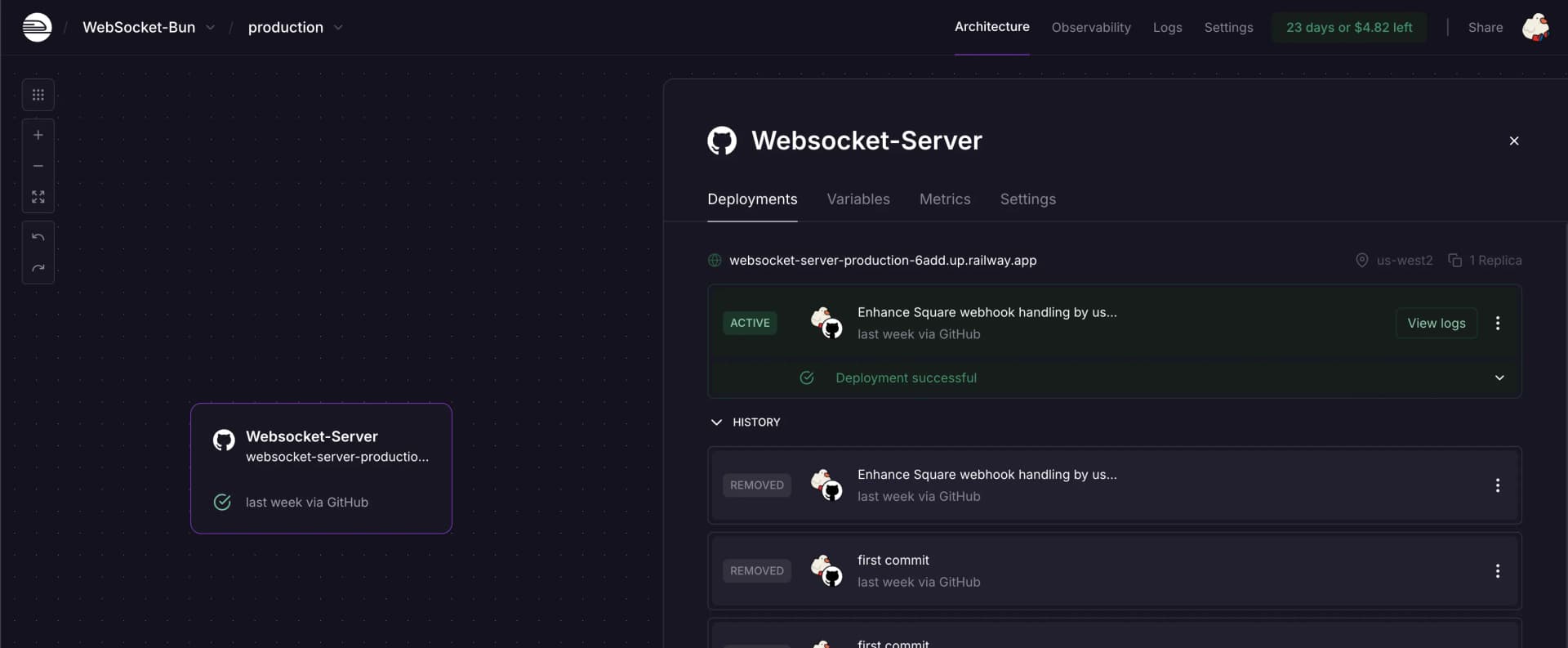
- Vercel: every deployment gets an immutable URL and one-click Promote. Rollback = open the dashboard, find the last stable deployment, hit Promote to Production, live in 10 seconds. Habit: annotate the production deployment before each canary ramp with "stable-2026-10-09".
- Railway / Render / Fly.io: keep the previous release around. Railway lets you redeploy a prior deployment directly; Fly.io uses
fly deploy --imagewith the previous image tag. Key habit: tag every production image semantically (prod-20261009-1430), neverlatest— withlatestyou can't tell which is which during a rollback. - Self-hosted Docker: your deploy script always keeps the previous container. Before
docker-compose upon the new version, rundocker tag app:current app:previous. Rollback is thendocker tag app:previous app:current && docker-compose up -d— one line.
# rollback.sh — the minimal rollback script. Write it NOW, not during an incident.
#!/bin/bash
set -e
PREV_TAG="app:previous"   # your deploy script tags this automatically each release
docker tag $PREV_TAG app:current
docker-compose up -d
echo "Rolled back to previous version, now running:"
docker inspect app:current --format='{{.Config.Image}} {{.Created}}'
Database migrations: the add-only compatibility window
The database is always the hardest part of a rollback. Code can switch in seconds; data can't. If this release dropped a column or changed a column type, rolling back the code means the old code can't read the new schema — that's exactly what killed K back then.
The fix is the expand-migrate-contract pattern in three steps — a decade-old big-company practice you can copy verbatim:
- Expand: add, never modify. Add new columns/tables; don't drop old columns or change old column types. New code writes both (dual-write); reads prefer the new, fall back to the old.
- Migrate: a one-off script moves old data into the new shape. This can run slowly; it doesn't block anything.
- Contract: after the new version runs stably for one to two weeks and nothing reads the old columns anymore, ship a release that drops them and cleans up the dual-write code.
The key: there must be a compatibility window between Expand and Contract — at least one full canary cycle. During the window, old and new code can both read/write the database; that's what makes rollback meaningful. A migration that violates "add-only" is you burning your own lifeboat.
-- Anti-pattern: changing a column type in place — rollback means death
ALTER TABLE resumes ALTER COLUMN parsed_data TYPE jsonb;
-- old code still reads text format → instant crash

-- Correct: add a new column, dual-write, drop the old one two weeks later
ALTER TABLE resumes ADD COLUMN parsed_data_v2 jsonb;
-- new code: write both parsed_data and parsed_data_v2, read v2 first
-- two weeks later, once no rollback is needed:
-- ALTER TABLE resumes DROP COLUMN parsed_data;
The rollback drill checklist
An SOP you've never drilled is no SOP at all. Fire drills don't wait for a real fire; rollbacks shouldn't either.
- How often: once a quarter, or before every major canary. Even solo — you're drilling for future-you.
- What to drill: ① time from alert to restored service — can you make 5 minutes? ② does the rollback script run in one shot (do the tags/images still exist)? ③ where is the database in its compatibility window (old columns dropped yet?)? ④ can the audit log show who touched the switch?
- Log the drill: one line — date, duration, issues found. The first drill will almost certainly reveal the rollback script is already broken (images pruned, tags never made). That's the whole point of drilling.
The cheapest possible drill: one Friday afternoon per quarter, pretend the new release broke something, actually run rollback.sh, watch monitoring go green. Fifteen minutes total, buys a quarter of peace of mind.
The Pre-flight Checklist
Pilots run checklists before takeoff — not because their memory is bad, but because humans are unreliable. Releases deserve the same. Print these three lists (or save them as a template) and tick them off every canary.
Before the canary (day before release)
- ☐ Last stable deployment/image is tagged; the rollback script dry-ran successfully once locally
- ☐ DB migration is add-only; compatibility window confirmed (old columns kept ≥ two weeks)
- ☐ Feature flag created, initial percent at 5 (or allowlist with only beta accounts); audit log on
- ☐ Baselines for the three health metrics confirmed (screenshot of same-time 7-day data archived); alert rules enabled
- ☐ The rollback owner is you — phone off silent, laptop lid open, reachable within 2 hours after release
During the canary (ramp-up)
- ☐ 5% runs a full 30 minutes, all three metrics green, before going to 25%
- ☐ At least 1 hour between ramps (5→25→50→100) to leave lag room for conversion metrics
- ☐ No other code merges, no config changes besides flags during ramp (one variable at a time)
- ☐ Someone watches the feedback channel (email / reviews / Discord) — metrics and human vibes, both legs
- ☐ Each ramp logged: time, percentage, metric screenshot at that moment
After the canary (24h at 100%)
- ☐ 24h at full rollout with stable metrics → retire the flag: merge the if/else into the new logic, delete the flag
- ☐ Audit log archived: this canary's timeline (ramp times, any alerts, who did what)
- ☐ Contract phase scheduled: deletion date for old columns / dual-write code set (two weeks out)
- ☐ 10-minute retro: any false/missed alerts this time? Tune thresholds? Write it down
- ☐ Rollback script and stable tag updated to the newest (the lifeboat must always be the previous version, not the one before that)
Anti-patterns: A Bad Canary Is More Dangerous Than None
Canary releasing is a good tool, but done wrong it buys you false confidence. Three anti-patterns I've seen more than one person step in.
Anti-pattern 1: canarying 1% — all whale customers
Hashing user IDs spreads evenly in theory. But if you have 200 paying users and 18,000 free ones, a 5% hash hits ~10 paying users — while 80% of your revenue comes from those 200. Worse, paying users go deepest and trip bugs first.
The fix: make canary strategy orthogonal to user tiers. Either paying users get their own allowlist (they upgrade last), or the canary targets "free users first." Remember: canarying controls blast radius, and blast radius should be measured in loss, not headcount. Ten whale customers can out-blast a thousand free users.
Anti-pattern 2: flags pile up into tech debt
Flags are born far more easily than they die. Three releases, five flags, "I'll clean up someday" — and someday never comes. Six months later your code holds 30 permanently-true flags, and the AI (or you, three months later) reads the code baffled: which branch of this if actually runs?
The fix: write the flag retirement rule in stone. Every flag gets a retirement date at creation (e.g. 14 days after full rollout); at expiry it's deleted or extended with a written reason. The admin page shows each flag's age; anything over 30 days goes red. My personal rule: never more than 5 live flags at once — pay down the debt before shipping new flags.
Anti-pattern 3: "let's watch it for a bit" human dashboard-staring
"Ship 5%, I'll keep an eye on it." Then you check your phone, come back, and the error rate has been spiking for 40 minutes. Human monitoring has two problems: you get sleepy and distracted, and your "looks fine" has no quantified bar — is 0.8% error rate a problem? While staring, it always feels like "let's observe a bit more."
The fix: alert rules instead of eyeballs, kill switch instead of hesitation. Thresholds go into config; a hit auto-rolls back. When in doubt, the default action is rollback, not observation. A rollback costs one re-ramp; observation can cost the whole site. Remember K's afternoon: if he'd cut back within 5 minutes, he'd have lost two hours for 5% of users — not a whole night for all of them.
The Minimum Viable Setup: One Weekend
That's a lot of talk — let's land it. If you're solo with one weekend, and want canary + rollback coverage, do it in this order. You'll get 80% of the value:
- Saturday morning (2h): copy
flags.tsabove into your project and wire it to one high-traffic feature (new parsing logic, new landing page). Skip the admin page for now; put flag config in env vars, restart to apply. - Saturday afternoon (2h): write
rollback.sh; add "auto-tag previous before release" to your deploy flow. In the Vercel/Railway dashboard, locate the last stable deployment and confirm you know where the rollback button is. - Saturday evening (1h): add the three alert rules to Sentry (or your existing monitoring): error rate, p95, conversion. Start with the relative thresholds from the template; tune after two weeks.
- Sunday morning (1h): save the pre-flight checklist as a template for next release. Run one rollback drill while you're at it: execute rollback.sh, watch the service recover within 5 minutes.
- Sunday afternoon (1h): audit your recent DB migrations for add-only violations. Set the expand-migrate-contract rule for the next migration.
Seven hours total, one weekend. After that, your release process goes from "all-in bet" to "send 5% scouts first." AI will still write bugs — it always will. But the blast radius drops from 100% to 5%, and rollback goes from 40 minutes of cold sweat to a 5-minute one-click operation.
What happened to K? He spent a weekend building exactly this. Three months later, another AI refactor blew up — the new version broke exports for 5% of users. The Sentry alert fired 3 minutes in; he hit the kill switch, 5% went back to 0%, and the other 95% never knew anything happened. He fixed the bug, re-canaried the next day, full rollout after. He was asleep by 11 PM that night.
That's the entire point of canary releases: turn incidents into non-events. An indie developer's life is a life too — don't sacrifice the whole site to an AI hallucination.
Related articles
Every vibe project has the same darkly comic moment: your site goes white-screen and a friend tells you before your monitoring does. This guide builds a one-person-team error monitoring system: a 5-minute Sentry loop, error boundaries, report context design, backend structured logging, AI-call-specific protection, alert tiers, and a launch checklist.

Every vibe project eventually needs scheduled jobs: daily syncs, expired-order cleanup, billing reconciliation, scheduled reports. AI's first version is usually setInterval — fine for dev, fatal in production. This guide maps four scheduling options, cron expressions and timezone traps, idempotency, distributed locks against overlap, failure retries and alerting, run-log observability, and cron endpoint auth — plus a launch checklist.

The Zephos team planted 16 launch-killer bugs in Notely, an agent-built Next.js + Supabase + Stripe notes app — two payment-related: unsigned webhooks accepted, pro granted from a self-declared client_reference_id. This guide turns those traps into a playbook: webhook signature verification, a server-side single source of truth, the subscription state machine, test clocks, and a launch checklist. Money logic must be hand-written or audited line by line.