AI Broke Your UI and You Didn't Notice: Visual Regression Testing for Vibe Projects
Every AI page rewrite can silently shift layouts: 8px button drift, white-on-white dark mode, collapsed breakpoints — while E2E stays green. This guide gives solo teams a half-day Playwright screenshot setup plus four false-positive countermeasures.
Three Ways AI Breaks Your UI (You've Seen All of Them)
The most frequent vibe-developer action is telling the AI to "tweak this page." And every time the AI rewrites a page, it may quietly leave behind little "gifts." Breakage #1 is the 8-pixel drift: you ask the AI to "nudge the button group right a bit," it rewrites the entire flex layout, the buttons move — and so does the input next to them, by 8px. E2E is fully green — buttons clickable, forms submittable — but the page looks off in a way you can't quite name.
Breakage #2 is the missed dark mode. Your project has light and dark themes; the AI finishes the light mode and declares victory, while the new card it added is still white-background in dark mode — with white text. White on white: invisible. This bug is unseeable on a developer's light-themed screen; it's usually discovered when a user screenshots it into the group chat.
Breakage #3 is the most infuriating: collapsed breakpoints. Desktop looks fine; the AI "improves" responsiveness along the way, and at 375px phone width two cards stack on top of each other, text crushing text. You develop in a desktop browser — you never open phone width to check.
All three share a trait: E2E fully green, TypeScript compiles clean, and no human doing pixel-by-pixel comparison will ever catch them. AI's UI problem is never "functionality broke" — it's "it looks different now." And "looks the same" is something nobody in your test suite is responsible for.
What Visual Regression Is (and Isn't)
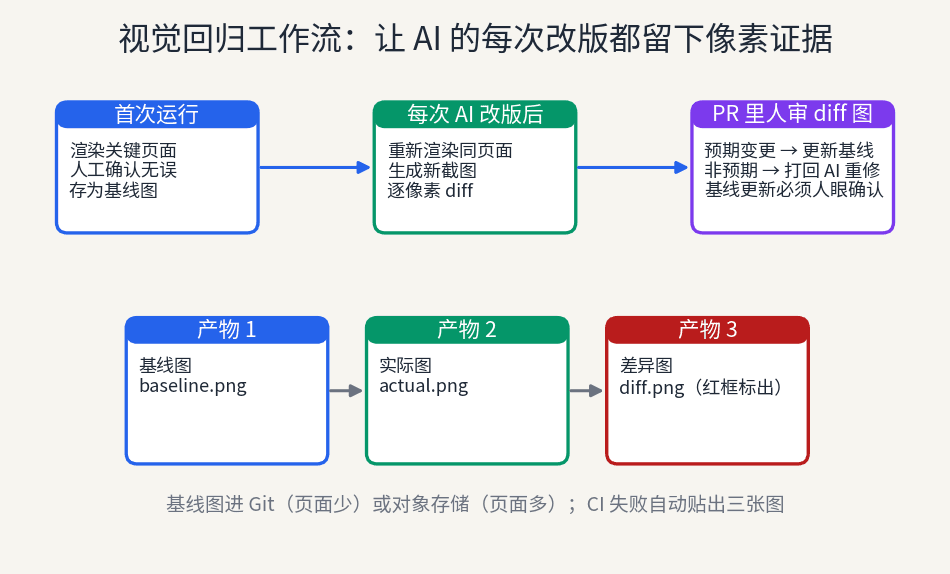
Visual regression testing does one blunt thing: it turns "what the page looks like" into a test assertion. On the first run, you photograph key pages as the "answer key" (baseline images). After every code change, you photograph again and diff pixel by pixel. One pixel off, and it tells you.
It is not an E2E replacement. E2E answers "can the button be clicked"; visual regression answers "does the button look like last time." These questions are orthogonal: an 8px drift keeps E2E green; an unclickable button that looks identical keeps visual regression green. You need both, not either-or.
Don't confuse it with component snapshot tests either. Snapshots compare DOM structure or render output — the AI swaps a div for a section, renames btn-primary to btn-accent, the snapshot goes red while the page looks pixel-identical. Reverse it: the AI changes one CSS line, the button drifts 8px, DOM snapshots stay green while the page changed. Snapshots test "the code structure didn't change"; visual regression tests "what the human eye sees didn't change." For vibe projects, the latter matters far more, because AI rewrites structure daily — users only care whether it looks the same.
A word of warning first: visual regression's biggest enemy isn't missed bugs, it's false positives. Fonts rendering half a pixel differently across machines, CSS animations caught mid-frame, "3 minutes ago" changing every minute — all turn the diff red. A visual suite with a high false-positive rate always ends the same way: people start ignoring red lights, and then it's dead. So this guide spends half its length on setup and half on false-positive triage. Any visual-regression tutorial that covers setup without triage is malpractice.
Baseline images are the crown jewels of the whole system: simultaneously the "answer key" and the "change log." Who updated a baseline and why must be as traceable as code review. A baseline library nobody dares update rots; one anyone can casually overwrite is worthless — striking that balance is section 4's job.
Minimum Viable Setup: Playwright Screenshot Assertions in One Line
If you already write E2E with Playwright, visual regression costs one line: await expect(page).toHaveScreenshot(). First run generates baselines; every run after diffs automatically. No new framework, no new service, no new concepts — my recommended starting point for every solo vibe project.
But raw usage drowns you in false positives instantly, so line two matters equally: the mask option. Timestamps, avatars, randomized recommendation slots — regions that render differently every time — must be masked before screenshotting. toHaveScreenshot({ mask: [page.locator('.timestamp')] }): paint the dynamic regions black, then compare. This isn't cheating; it's honesty. You never cared what the timestamp looks like — don't let it pollute the layout assertions you actually care about.
Third, configure failure artifacts. When a screenshot comparison fails in CI, Playwright produces three images automatically: baseline (what it should look like), actual (what it looks like now), diff (red boxes marking what changed). Make your CI upload all three as artifacts, not just print "2 snapshots differ." A red light without diff images carries zero information; the developer can only re-run locally — and after three local re-runs, patience is gone.
There's a small ritual for first-time baseline generation: open every baseline image and look at it yourself. Sounds like stating the obvious, but many people's first run is "it ran, so it must be right." Baselines are the "answer key" for all future comparisons — if the first one is wrong (say, screenshotted before the page finished loading), every subsequent "pass" is wrong too. Ten minutes of eyeballing each image is the highest-ROI ten minutes in the entire visual-regression setup.
Which pages first? My suggestion: homepage, the core conversion page (pricing/checkout), and the page the AI edits most. Three to five pages total, half a day to wire up. Greedy full-scale onboarding gets you buried in false positives, and you'll conclude "visual regression doesn't work" — wrong rhythm, not wrong technology.
One dimension people forget: viewports. The same page at desktop 1440px and phone 375px are two completely different screenshots; breakpoint layout bugs only show at small widths. Give the same test two viewports in Playwright and run each — double the cost, but it covers two bug classes. My ordering: get desktop green first, then add phone viewports — because your false-positive triage experience (what to mask, what threshold) transfers directly. Adding a viewport is "just run it again"; the mental overhead is tiny.

Where Baselines Live and How They Update: It's Management, Not Technology
Few pages (under 10)? Baselines go straight into Git. Small PNGs, tens of KB each, zero pressure on Git — plus free version history: git log shows "homepage baseline updated Oct 3 because the Hero section was redesigned." Many pages (dozens to hundreds)? Object storage (S3/R2), with only an index file in the repo. The dividing line is subjective; my rule of thumb: when git status starts annoying you with baseline images, it's time to move them out.
The baseline-update workflow must look like this: intentional UI change → run tests → review the diff images in the PR → human approves, then update the baseline. All four links required, especially "human approves." The most dangerous anti-pattern is "auto-update baselines when tests go red" — that hands the "answer key" to the code under test, and visual regression becomes performance art on the spot. Updating a baseline must be an explicit, reasoned action, peer to code review.
I've watched a baseline library rot in full: the team started diligent, eyeballing every baseline; two months later, with more pages, updating became "click approve," reason field "routine update"; a month after that, someone "updated" a visibly misaligned page into the new baseline just to turn CI green — from that day on, visual regression tested not "is it right" but "is it wrong the same way as last time." Once a baseline library loses credibility, rebuilding it is harder than rebuilding the codebase. So set an iron rule: baseline-update PR descriptions must state "what changed and why" — under 20 words doesn't merge. Bureaucratic, but it works.
Sync your AI instructions too: tell it "after changing UI, run visual regression; when the diff goes red, look at the diff image yourself first, decide expected vs. accidental, and only then submit a baseline update." AI is genuinely good at reading diff images — the red-boxed region tells it exactly what it touched. Put "screenshot comparison passes" in the AI's Definition of Done and let it run, look, and fix itself. You'll find AI fixes its own visual regressions far faster than logic bugs, because the evidence (the diff image) is so direct.
Taming False Positives, Four Moves: Kill the Noise First
False positives have four main sources, each with a standard fix. Triage in order, and one pass turns your suite from "crying wolf daily" into "red means something real."
Move 1: pin test fonts. Font rendering across machines and OS versions can differ by half a pixel — enough to turn a whole page red. Force the test environment to load one font fileset (WOFF2 in the repo or from a fixed CDN) and disable system font fallback. The cost: screenshots may render slightly differently from your local machine. Doesn't matter — you want "identical every time," not "pixel-identical to the design mock."
Move 2: disable CSS animations globally. Inject in tests: * { animation: none !important; transition: none !important; }. A mid-animation frame is a screenshot; every captured frame differs, so the diff always goes red. "But is it still the real page with animations off?" Yes — because you're asserting layout, not motion. Cover animation with dedicated motion tests (or human eyes); don't mix it into pixel diffs.
Move 3: freeze time. Mock Date so "3 minutes ago" and "2026-10-22" render the same value forever in tests. Playwright has official clock mocking; a few lines. Time is the sneakiest dynamic content — less obvious than an avatar, but it changes every minute.
Move 4: mask dynamic regions + set a threshold. Mask avatars, recommendation and ad slots; for the remaining micro-differences, set maxDiffPixels (say, 100 pixels). A threshold isn't "going easy" — it's acknowledging that sub-pixel rendering differences objectively exist. What value? Start at 0, loosen it each time a false positive annoys you, and settle where "false positives vanish but real issues still get caught." That point differs per project; tune it yourself.
Special callout for AI-generated pages' two biggest false-positive sources: random gradient backgrounds and lorem ipsum placeholder text. AI loves "pretty gradients" on cards, with different gradient parameters each generation — not one pixel in the screenshot will match. Countermeasures: either pin the AI to fixed color values (hardcode gradient parameters in the prompt) or mask the whole gradient region. Same for placeholder text: lorem ipsum varies in length each time, stretching layout differently — mask it or swap in fixed copy, pick one.

Going Further: Is Chromatic / Percy Worth It?
Once the native Playwright setup runs smoothly, you'll eye Chromatic and Percy: automatic diff images in PR comments, cross-browser rendering, baseline management UI. The experience is genuinely good; the problem is price. Free tiers cover personal projects, but costs kick in as page counts grow — and vibe-project page counts grow faster than you expect.
My verdict is blunt: for a solo vibe project with few pages, native Playwright is enough. The single trigger to upgrade: "a designer (or co-founder) needs to review every UI change." When you must send diff images to someone who doesn't read code and wait for their nod before merging, Chromatic's PR-comment experience earns its price. Until then, every dollar and every unit of complexity the native route saves is real.
Run the numbers two ways when deciding. First, false-positive cost: the native route makes you do the triage yourself (those four moves in section 5); SaaS does smart diffing for you (ignoring anti-aliasing, auto-detecting dynamic regions), saving threshold-tuning time. Second, collaboration cost: if only you ever look at diffs, native is fine; if three people need to see them, the SaaS comment-and-approval flow is worth it. For a solo project both ledgers read zero — so the answer is native. When you start paying "to show diffs to other people," your project has grown enough to deserve the spend. That's a good problem.
There's a middle option: auto-post Playwright's diff images as PR comments (CI artifacts + a small bot script, half a day to write). Eighty percent of the Chromatic experience at zero cost. Many teams stuck between "native is crude, SaaS is pricey" are really just missing that half-day of glue code.
Where It Sits in the AI Workflow: Make the AI Own the Diff
Visual regression's biggest value isn't in CI — it's inside the AI's work loop. The standard move: run visual regression after every major AI UI change. Not a daily cron — "run it right after the change." Vibe development changes too fast for cron granularity to keep up.
Go further: write screenshot comparison into the AI's Definition of Done. "This UI change is done when: 1) functional tests pass; 2) visual regression shows no unexpected diff; 3) expected visual changes have updated baselines explained in the PR description." Handed this DoD, the AI runs tests itself, reads diff images itself, and judges "is this red box my intended change or a slip." Your PR reviews change from "I changed the page" to "changed the page, diff here, baselines updated" — a different league of information density.
Make the prompt concrete — hand the AI the workflow directly: "After changing UI, run npx playwright test --grep @visual; if screenshot comparison fails, examine the red-boxed regions in the diff image first and judge expected vs. accidental; if expected, explain the reason in the PR description and update baselines; if accidental, fix and re-run until green." Also give it the judging rubric: "shifts over 5px, color changes, and element overlaps must be fixed; copy tweaks and 1–2px spacing float are acceptable." The more specific your rubric, the fewer misjudgments — same as managing humans: vague standards, guesswork execution.
Here's the counterintuitive bit: AI is actually a better first responder for visual regression than humans. Humans fatigue looking at diff images — by the third red box it's "probably fine." AI doesn't fatigue; it dutifully matches every red box against your change intent. The final call on updating a baseline must stay human, of course — AI discovers and explains, humans decide. Don't invert that division of labor.
Checklist: 8-Point Visual Regression Self-Check
1. Baselines human-confirmed: every baseline image was eyeballed as "correct" before storing — never auto-generated on first run.
2. Dynamic regions masked: timestamps, avatars, recommendation and ad slots all masked before screenshotting.
3. Animations off: tests inject global animation: none; no more mid-frame captures.
4. Fonts pinned: the test environment uses one font fileset; rendering is consistent across machines.
5. Threshold sane: maxDiffPixels sits at "false positives gone, real issues caught" — neither 0 nor infinity.
6. CI failures notify: when a diff goes red, all three images (baseline/actual/diff) upload as artifacts and ping a human.
7. Baseline updates go through PRs: updating is explicit, reasoned, human-confirmed — never automatic.
8. The AI's DoD includes screenshots: the AI's definition of done covers visual regression — it runs and reads diffs itself after UI changes.
Visual regression's essence is making "what the page looks like" an executable standard. Before the vibe era, that standard lived in designers' eyes; in the vibe era, AI ships 20 page revisions a day and human eyes can't keep up. If you don't test "looks the same," the AI will ship "looks close enough" — and "close enough" is where all visual rot begins. One line of toHaveScreenshot(), addable today.
Final accounting: setup costs half a day (3–5 pages, one assertion line, four false-positive moves); each AI revision after costs 2 extra minutes of test runs. The return: never again learning about white-on-white dark mode from a user's group-chat screenshot; reviewing AI PRs with diff images showing exactly what moved. For a vibe developer asking the AI to revise pages a dozen times a day, that math always works out. Visual debt compounds like code debt — the earlier you set the rules, the lower the interest.
Comments (0)
Related articles
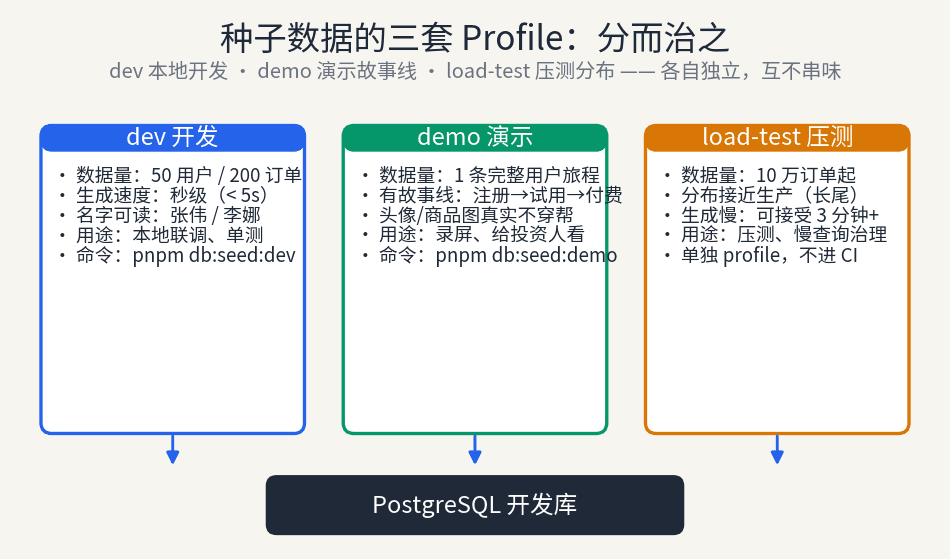
AI-written seed scripts always explode on day three: dangling foreign keys, timestamp collapse, unique-index collisions. This guide covers the three-profile split, deterministic seeding, factory patterns, and CI integration — turning pnpm db:seed into reliable infrastructure.

AI picks your stack for speed, not for year three. This guide gives solo developers a third path between toughing it out and rewriting from scratch: a six-step migration playbook where the old system stays live and every step rolls back.
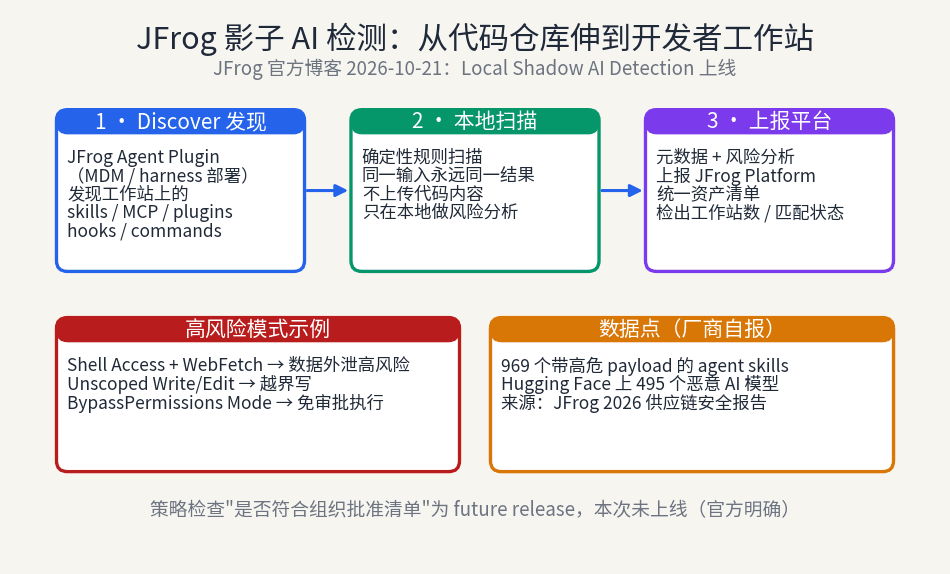
JFrog extends Shadow AI detection from repositories to developer workstations: the Agent Plugin discovers unregistered AI assets — skills, MCP servers, hooks — on laptops, scans them with deterministic local rules, and reports to a unified inventory. But the approved-list policy check is still a future release: visible, not yet stoppable. Individual developers should build their own skill inventory too.