Your Codex Changes Next Week: 0.161 Brings In-Session MCP Login as GPT-5.5 Retirement Countdown Hits October 14
Codex CLI 0.161.0 ships in-session MCP login, new Bedrock capabilities, and explicit Daybreak opt-in; GPT-5.5 retires from Codex on all plans October 14. This piece breaks down the four confirmed changes and gives a pre-October-14 migration checklist — from grepping your configs to pinning models.

Less than three days remain until October 14. If you write code with Codex every day, you may open your terminal next week to find two things: an old model name you have worked with for a long time is gone for good, and the CLI itself has just put on a new face. Codex CLI 0.161.0 shipped on October 7 with in-session MCP login, new Amazon Bedrock capabilities, and Daybreak moved to explicit opt-in — while the retirement countdown for GPT-5.5 keeps ticking toward October 14.
For vibe coding users, the scary part was never "the model got stronger." It is "the default model got swapped and the old one got pulled" — your scheduled tasks, custom agents, and CI scripts may still carry a model name that is about to stop working. This is a practical heads-up: first the four confirmed changes in 0.161.0, then a migration checklist you can work through item by item before October 14.
A note on sourcing
Full transparency first: the OpenAI official blog published nothing on this round. The facts here come from three places — third-party write-ups of the official docs changelog (learn.chatgpt.com/docs/changelog), third-party coverage of the Codex CLI 0.161.0 GitHub release notes, and a migration pitfalls analysis that checks each claim against the official docs. Where the text says "reportedly" or "according to write-ups," that is third-party reporting, and I have cross-checked the three sources for consistency; where it says "per the official docs," that is a documented statement quoted in the reporting. The pricing figures ($2 / $10) likewise come from the official docs changelog via third-party write-ups, and are labeled as such below.
The timeline, plainly stated
- September 29: gpt-6.1-sol took the default-model slot alongside Codex CLI 0.159.1, priced at $2 per million input tokens and $10 per million output tokens, with up to 272K input tokens of context (source: official docs changelog, via third-party write-ups).
- October 7: Codex CLI 0.161.0 (rust-v0.161.0) released.
- October 8: Ultrafast mode and faster steering shipped (follow-ups land sooner in the desktop app).
- October 14: GPT-5.5 retires from Codex, across all ChatGPT plans.
Note the relationship between the first two items — there is a clarification below on a point that is easy to get wrong.
The GPT-5.5 retirement: which sign-in chain is actually affected
The retirement covers GPT-5.5 on ChatGPT, ChatGPT Work, and Codex, on every plan — including Business, Enterprise, and Edu. There is exactly one key qualifier: it only affects Codex signed in with a ChatGPT account (ChatGPT sign-in); the OpenAI API is not affected. The workspace model availability docs put it plainly: a model setting in your ChatGPT workspace does not automatically carry over to the OpenAI API.
In practice, that means listing every Codex entry point you have, noting the auth method next to each, and only then deciding who is on the October 14 clock:
- The CLI on your laptop, if signed in with ChatGPT — on the clock; handle first.
- GitHub Action steps using
openai-api-key— they draw on your API organization's model quota; not affected. - Private CI runners using a Codex access token — they run under your ChatGPT workspace identity, so they are affected; do not skip them just because they live "on a server."
- Scheduled tasks in the desktop app sidebar — they do not live in your dotfiles, grep cannot see them, and each one must be opened to check its model setting.
Enterprise and Edu teams get an extra layer: GPT-6 family models ship off by default in enterprise workspaces, and GPT-6.1 Sol is no exception — an admin has to enable it first. Writing a new model name into your local config.toml does not grant you access to it. The subtler trap is managed configuration (for example /etc/codex/managed_config.toml on Linux and macOS, or a macOS MDM profile): managed defaults override your local config and any --config CLI overrides at startup. If an admin pinned gpt-5.5 there, your local edits will not survive a restart — that fix has to happen at the admin level.
Four confirmed changes in 0.161.0
1. In-session MCP login: /mcp login <name>
The most practical feature in 0.161.0: sign in to an MCP server without leaving your active terminal session — one command, no config shuffle. The release also updated the auth guidance, which no longer implies credentials always live in auth.json and now accounts for keyring storage. For heavy MCP users, login-state management has finally caught up with the always-on terminal workflow.
2. Amazon Bedrock: multi-agent V2, Ultra reasoning, GovCloud
On the Bedrock side, multi-agent V2 and Ultra reasoning arrive (compatible models are not named in the notes), and Bedrock Mantle now accepts AWS GovCloud regions. Teams on the Bedrock path can evaluate whether the new capabilities are worth switching for — but note the unnamed compatibility list: test on your own models before assuming full availability.
3. Daybreak becomes explicit opt-in
Daybreak on the CLI is now explicit opt-in: only --enable cli_daybreak or features.cli_daybreak=true turns it on; daybreak=true alone is not enough. By default, Daybreak controls and indicators are hidden, /daybreak is unavailable, and automatic Cyber routing is omitted — even for previously saved Daybreak threads. Saved preferences remain intact; they just are not auto-enabled.
To pick a Cyber access program per turn, use codex exec --cyber-access-program or the TypeScript SDK's cyberAccessProgram option; the explicit exec override stays available with cli_daybreak disabled and leaves the saved choice untouched. The practical meaning: Daybreak went from "on by default" to "only appears when you explicitly opt in." The safety boundary is clearer, but workflows that relied on automatic routing need a check.
4. Local voice-device selection, plus a batch of fixes
Voice conversations can now select the microphone, speaker, and microphone input channels, with the preference saved locally. Several fixes deserve to be called out individually, because they change what you are authorizing when you hit Approve:
- Approved filesystem escalation now grants broader write access: one approval can cover more writes than before, while denied reads and network restrictions stay in place. In other words, the "Approve" button covers more ground than it did last week — re-read the approval prompts instead of clicking from muscle memory.
- Background tasks keep the permissions of the turn that started them: no more permission drift as the session evolves; behavior is more predictable.
- Explicit launch permissions survive terminal reconnects and new sessions; implicit client settings no longer overwrite server-side or saved-thread web-search settings.
- Elevated Windows terminal sessions can start with an embedded server; sandboxed PowerShell preserves relative paths beneath protected user profiles; startup detects recoverable SQLite corruption earlier and keeps damaged databases as backups; response retries and WebSocket-to-HTTP fallback now honor server retry guidance, reducing premature failures during overload.
Upgrading to 0.161: three things to verify after the update
0.161.0 is a routine upgrade on its own, but stacked with the changes above, it is worth walking through in this order — ten minutes now saves three days of debugging later.
- Upgrade first, then check the default model. After upgrading, type
/modelto confirm the current default. If you never pinned a model, you are already on GPT-6.1 Sol; if you pinnedgpt-5.5, the upgrade will not change it for you — replace it manually before October 14. - Re-read the approval prompts, then run an MCP login. Filesystem escalation now covers more ground, so do not click Approve from muscle memory the first time after upgrading; MCP users should run
/mcp login <name>to confirm the login state, and double-check that the keyring holds the credentials you expect. - Confirm Daybreak's status. If you used Daybreak before, its controls and indicators will be gone after the upgrade — that is the intended new default, not a bug. Still need it? Turn it on explicitly with
--enable cli_daybreak. Do not? Leave it hidden; the smaller attack surface is a feature.
Two easy-to-miss operational fixes in the release notes deserve their own mention: startup now detects recoverable SQLite corruption earlier, and damaged databases are preserved as backups instead of quietly dropped — if you have ever lost thread history to a mysterious Codex restart, troubleshooting gets much easier from 0.161 onward. Thread resume now includes the latest committed history, so reconnecting after a dropped session brings back fuller context. Neither changes features, but both change how a 3 AM debugging session feels.
One more for Windows users: elevated terminal sessions can now start with an embedded server, and sandboxed PowerShell preserves relative paths beneath protected user profiles. If path quirks forced workarounds on Windows before, verify whether those scripts now run directly after upgrading.
A necessary clarification: when did GPT-6.1 Sol actually become the default?
This is the easiest point to get wrong — and the most misleading if you do — so it gets its own section: GPT-6.1 Sol became the default model in 0.159.1 (September 29, with the model release), not in 0.161.0. The 0.161.0 release notes merely list it again — "GPT-6.1 Sol is the default model in the bundled and Amazon Bedrock catalogs." The third-party "days from release to default: 8" score is likewise counted from September 29.
So the correct reading: 0.161.0 did not newly switch any default model; it only confirms GPT-6.1 Sol still holds the default slot. The one thing you actually need to do: open a terminal and type /model. If you never pinned a model, you are already on GPT-6.1 Sol; if you are on Enterprise or Edu and your admin has not enabled it yet, the fix is a conversation with your admin, not a config edit.
Seven places to check before migrating
The checklist below is adapted from a migration analysis that verified each claim against the official docs. Each of the seven pitfalls maps to a scenario that genuinely breaks. Work through them in order before October 14.
Pitfall 1: Not knowing which sign-in each workflow uses
List entry points first, note the auth method next to each (see "which sign-in chain" above). Only ChatGPT sign-in setups are on the October 14 clock; API-key setups are not. The most dangerous one is the private runner that "feels stable because it is on a server" — it carries your ChatGPT workspace identity and will break just the same.
Pitfall 2: Only changing the model picker
The picker changes one thing. The official checklist calls for replacing gpt-5.5 in workspace defaults, saved model settings, managed configurations, custom agents, scheduled tasks, and any script that selects a model. Locally that usually means:
modelin~/.codex/config.tomland in project-level.codex/config.toml;- Profile files such as
~/.codex/deep-review.config.toml(codex --profile deep-reviewlayers it over your base config). Note: since Codex 0.134.0,--profileno longer reads[profiles.name]tables inconfig.toml— if grep turns up such a legacy table, it is dead config; move anything you still need into its own profile file; - Custom agent files in
~/.codex/agents/or.codex/agents/, plusagents.default_subagent_modelunder[agents]; - Shell scripts and CI steps calling
codex exec -m gpt-5.5.
One command catches most of it:
grep -rn "gpt-5\.5" ~/.codex .codex scripts .github 2>/dev/nullTwo things grep will not find: scheduled tasks in the desktop app (open each one) and the managed configuration mentioned above (talk to your admin).
Pitfall 3: Leaving the model unpinned in automation
With no model set, Codex uses a recommended one — fine on your laptop, risky in an unattended script, because the recommendation can change with a CLI update. 0.161.0 already demonstrated exactly that. Pin the model deliberately in anything unattended:
# ~/.codex/config.toml
model = "gpt-6.1-sol"
model_reasoning_effort = "medium"
For one-off runs, pass it on the command line: codex exec -m gpt-6.1-sol "Review the current changes". The GitHub Action exposes model, effort, and codex-version inputs — leaving codex-version blank means "latest CLI forever," so pin that too if you want reproducible runs.
Pitfall 4: Assuming a config change grants access
The Enterprise/Edu trap: GPT-6.1 Sol stays off in these workspaces until an admin enables it, and managed defaults override local config. The person who fixes this pitfall is always the admin, never you.
Pitfall 5: Copying reasoning effort settings one-to-one
Reasoning effort levels do not map exactly across model generations; the docs suggest trying a familiar task at a lower setting first. Suggested starting points: the client default for GPT-6.1 Sol, high for Luna, Light (low in config) for Astra. Custom agents have a linked trap: an agent file that sets only model keeps the effort Codex already resolved from the spawn request — if the new model does not support that level, set both fields, for example:
# .codex/agents/reviewer.toml
name = "reviewer"
description = "PR reviewer focused on correctness, security, and missing tests."
model = "gpt-6.1-sol"
model_reasoning_effort = "medium"
sandbox_mode = "read-only"
Pitfall 6: Fixing a weak result with the biggest dial
When a new model feels off, the instinct is to max every knob — but the speed docs push back: most tasks do not need Max or Ultra. Ultra hands parts of the task to subagents, and subagent workflows burn more tokens than a comparable single-agent run. The price list is equally blunt:
- Fast (
/fastin the CLI): consumes included limits at 2.5x the Standard rate; - Ultrafast: supports GPT-6 Astra and GPT-6.1 Sol; included limits at 8x the Standard rate, credits billed at 6x; available only on Pro $500 and eligible Enterprise and Edu plans, and off by default for enterprise workspaces. API users call it separately via
gpt-6.1-solwithservice_tier: "ultrafast"in the Responses API.
Sensible order: get the model and effort right first, then add speed only for work where you are genuinely sitting there waiting.
Pitfall 7: Swapping the model without re-checking your own tasks
A clean config is not proof the new model fits your work. Pick two or three tasks you know well — a typical bug fix, a review prompt, your nightly scheduled job — and run each on the replacement before October 14. Judge the diff and the explanation, not just whether it finished. The October 8 faster-steering update helps here: in the desktop app, steering a running task with a follow-up now lands sooner, and Settings → General → Follow-up behavior controls whether follow-ups steer or queue — correct a drifting run early instead of waiting out a long one.
Pricing and replacement picks: background in one pass
Pricing first, since it is what most people want to know before pinning a model: gpt-6.1-sol costs $2 per million input tokens and $10 per million output tokens (source: official docs changelog, via third-party write-ups; up to 272K input tokens of context).
The retirement guidance names the replacements: GPT-6 Sol (gpt-6-sol) for Plus, Pro, Business, Enterprise, and Edu; GPT-6 Luna (gpt-6-luna) for Free and Go in the desktop app. For complex coding where your account already has 6.1, go straight to GPT-6.1 Sol. If you are unsure 6.1 has reached everyone on your team, gpt-6-sol is the safer shared default — survive October 14 first, optimize later.
One more note beyond per-token pricing: Ultrafast burns included limits at 8x, which means it only makes sense for work where you are sitting at the screen waiting for the result. Nightly scheduled jobs and CI review steps are cheaper on Standard — speed tier and model choice are two separate bills; do not mix them up.
Your before-October-14 runbook
- List every Codex entry point, note the auth method, and circle the ChatGPT sign-in ones.
- Run
grep -rn "gpt-5\.5" ~/.codex .codex scripts .githuband replace each hit; open every desktop Scheduled task and confirm its model. - Check for leftover
[profiles.name]tables (dead since 0.134.0); move anything still needed into standalone profile files. - Pin the model in everything unattended (
gpt-6.1-solorgpt-6-solrecommended); in the GitHub Action, also pincodex-version. - Enterprise/Edu: confirm the admin has enabled the replacement model; check managed configuration for a lingering
gpt-5.5pin. - Do not copy reasoning effort 1:1 — start one level lower, test on a familiar task; in custom agents, write both
modelandmodel_reasoning_effort. - After upgrading to 0.161.0, re-read the approval prompts (filesystem escalation now covers more), run
/mcp login <name>where MCP login is needed, and confirm Daybreak opt-in status. - Before October 14, run two or three core tasks for real on the replacement model.
Extra checks for two kinds of users: Bedrock and Daybreak
Teams on the Amazon Bedrock path can now evaluate whether multi-agent V2 and Ultra reasoning are worth switching to — but the release notes do not name compatible models, so run a round of tests on your own models in staging before touching production. GovCloud region support is good news for compliance-sensitive teams: if region restrictions previously ruled out Bedrock Mantle, the architecture is worth re-evaluating.
Daybreak users, note the behavior change: after the opt-in switch, saved Daybreak threads no longer route through Cyber automatically, and controls stay hidden by default. If your workflow relied on "open the CLI and you are in the Daybreak context," /daybreak will appear unavailable after upgrading — not a failure, the new default. When different turns need different Cyber access programs, specify them explicitly with codex exec --cyber-access-program; that is more controllable than depending on a global default anyway. Worth a line in your team's upgrade notice, so nobody files it as a regression.
How this differs from September's roundup
If you read this site's September piece codex-cli-september-releases — the Codex CLI September releases roundup — that one covered the version pipeline: everything the 0.159 series brought along the way. This piece has a different job: it is a countdown-driven practical warning that tracks exactly two things — the single October 14 deadline, and the config changes inside the single 0.161.0 release that require your action. The September piece told you what happened; this one tells you what to change before Wednesday.
One more reminder: several "coming soon" items from the September roundup have now shipped or changed defaults in 0.161 (Daybreak's opt-in, for example). If you configured things based on the September piece, walk through this article's checklist again — Daybreak and model pinning deserve a second look.
One last thought: model retirements are boring right up until a 3 AM scheduled job fails because it asked for a model that no longer exists. With three days left, work the checklist.
Comments (0)
Sources
Related articles

In an October 9 release-notes announcement, Google ended new sales of Gemini Code Assist Standard and Enterprise subscriptions: existing subscriptions auto-renew through 2026, with auto-renewal ending in 2027. From June's individual-tier shutdown to October's full sales halt, Google spent five months absorbing AI coding into the Antigravity enterprise agent platform. The era of standalone AI coding tools is ending; indie developers must now choose ecosystems, not single products.
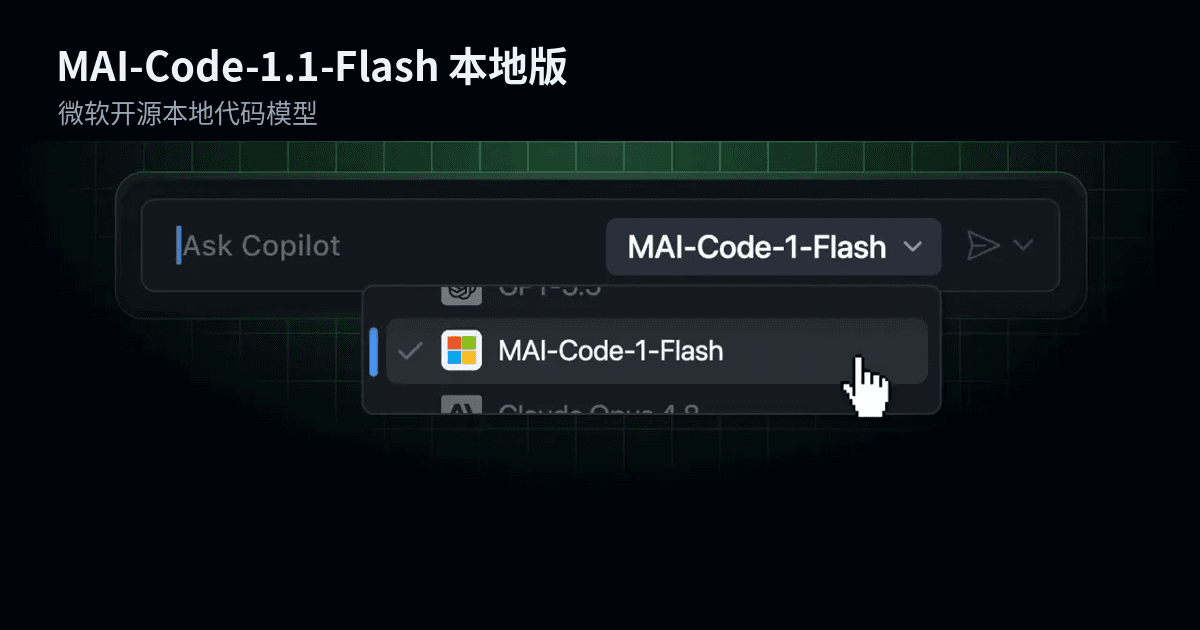
Microsoft's homegrown coding model MAI-Code-1.1-Flash now runs on-device: 3-bit quantization, full 256K context, zero inference charges for local calls — but Microsoft recommends 120GB+ RAM. Third-party measurements put the quantized build at 70.80% on SWE-Bench Verified versus 72.6% full precision. What "zero inference fees" really means for indie developers, and why Copilot's router is the actual moat.

Lenovo Tianxi AI's in-house code-agent framework TianxiCode, paired with DeepSeek-v4.1-Flash, topped the SWE-bench-Live Lite leaderboard at a 71% solve rate with official Verified certification. We unpack why this "real engineering" benchmark is harder, what "framework > model" really means, and three takeaways for vibe coding practitioners.