Cursor Now Ships What It Writes: Live Apps Turns a Prompt Into a Deployed App With a Link
On November 5, 2026, Cursor shipped Live Apps: tell a cloud agent to build an app and it scaffolds it, wires up Postgres and Cursor SSO, runs security checks and hands back a live link. The same week, OpenAI said it would cut Cursor's model access on November 12 — so Cursor's moat is moving from models to shipping.

The verdict first: Cursor's moat is moving from models to shipping

On November 5, 2026, Cursor shipped a feature in its changelog called "Build Live Apps in Cursor." The pitch is blunt: agents have lowered the cost of writing code, but most apps and tools users build never make it off localhost. Now you can build a live app directly in Cursor and share it with a link. Describe what you want, and Cursor handles the rest: build the app, set up a database, configure auth, and deploy it.
The subtext is worth noticing. For two years, AI coding tools competed on who writes code faster and supports more models. This step competes on something else: what happens after the code is written. Cursor is pushing the agent's finish line from "here's code that runs" all the way to "here's a link you can open." For anyone who builds things with vibe coding every day, that matters more than another model option: whether what you made can meet real users is the test of whether it was worth making.
From localhost to a link, in one sentence
The flow itself is deliberately short. Kick off a cloud agent and tell it explicitly that you want to build an app — that "explicitly" matters, because it won't deploy on its own initiative. Cursor then scaffolds the web app, spins up a Postgres database if needed, sets up authentication behind Cursor SSO, and provisions hosting. If the app needs to connect to your own systems, like a data warehouse, it asks for the secrets it needs instead of guessing.
At publish time, you pick a unique domain and Cursor hands back a live link. Apps can start from a new repository or deploy from an existing one; code can live on Cursor Origin or GitHub. GitLab support hasn't arrived yet — the official line is just "coming soon." So the first version covers Cursor's own Origin and the most popular host, GitHub, and the rest comes later.
Cursor's changelog lists what its own teams are already building, and it reads like an internal-tools catalog: ops tools for event registration, account assignments, and desk seating; multimedia presentations for customers that combine slides, videos, and interactive demos; training and onboarding experiences for new hires; live dashboards for sales teams; portals to manage engineering services. The examples are well chosen — they share one trait: the people who need them sit nearby, the users are colleagues, and ugly is fine as long as it works. Internal tools are the fattest use case for vibe coding: they used to stall at deployment, and now Cursor covers that last mile too.
Security checks first — and nothing ships without your say-so
The part of the publish flow most worth reading closely is the safety check. Before anything goes live, Cursor runs two layers of checks: deterministic rules plus an agentic review, catching common issues like secrets written into app files or exposed credentials. If a check fails, the agent tells you what needs fixing instead of silently blocking you. Even after the checks pass, nothing goes live until you explicitly publish. Both gates have to clear; one alone isn't enough.
Team admins get clear powers too. They can see every app and secret on the team, add their own rules to the security review, approve publishes the review blocked, and unpublish any app. Once deployed, an app can be shared with specific people, groups, or the whole team, all behind Cursor sign-in; on individual plans, apps can also be shared publicly. You can also provision a Cursor API key so a script or Grok Bot can use your app.
The thinking here is clear: the easier deployment gets, the more someone needs to be able to hit the brakes. Something an agent built on a casual request can end up visible on the company domain a second later. Cursor hands the brakes to two places: the automated check before publishing, and the admin's unpublish button. For small teams, the checks catch the most common beginner mistakes; for larger ones, the admin's full view matters most — otherwise nobody would even know someone shipped an internal tool with a real key in it.
Also in the same changelog: SDK, marketplace, and phone remote control
Live Apps wasn't the only item in this changelog, and the other three are worth knowing so they don't get confused with it. First, the Agent SDK is generally available: define an agent as a folder of code, test it with evals, and deploy it to Cursor or your own infrastructure. This site already covered that in a dedicated article on October 20, so there's no need to repeat it here. Second, the Origin App Marketplace now integrates with more than 20 apps across deployments, CI, code review, security, monitoring, and project management — partners include Cloudflare, Linear, Sentry, and Socket Security — and it is open to public submissions, so any team building developer tools can publish an app for Origin. Third, remote control for local agents: you can see and reply to the local agents running on your computer from the Cursor iOS app, with the computer staying on and online, on by default for everyone except Enterprise organizations.
Put the four together and Cursor's direction is clear: agents in the editor, agents in the cloud, agents as code, apps deployed from agents, and a phone remote for the whole thing. It's turning "agent" from a feature into a complete way of working. Live Apps is the piece closest to ordinary users, because it answers the most common question directly: when can something the AI wrote actually be used by someone else.
The other news that week: Cursor's models are being pulled away
The same week Live Apps shipped, Cursor had another story going in the opposite direction. OpenAI has said publicly that it is winding down its contract to provide models to Cursor, with a proposed shutoff date of November 12, 2026. In other words, the OpenAI models Cursor users rely on today could be gone next week. Cursor hasn't published details of a replacement, and OpenAI's date is described as proposed — but the background isn't hard to piece together.
Less than a month earlier, on October 12, Cursor changed how new customers buy: The X Subscription bundles Cursor, Grok, Grok Bot, and X Premium. Existing users can keep their old Pro plans; new users get the bundle. Meanwhile, reports say SpaceX has completed an acquisition of Anysphere, Cursor's parent company — but that claim has no confirmation in a Cursor announcement or filing, so it should be treated as a report, not a fact. Put the pieces together and the picture is this: Cursor's model supply is getting unstable, and what it can actually hold on to is shifting from "whose models it offers" to "whose workflow you work in."
That is exactly why Live Apps deserves a serious look. The models aren't Cursor's — Grok belongs to X, Claude to Anthropic, GPT to OpenAI — and any of them can raise prices, throttle access, or cut supply. But once your app, database, domain, login, and team permissions live inside Cursor, switching editors means moving house. Live Apps adds another lock beyond models: it bets users will stay for "write it and it's live," not for "which model is available today." Whether that bet pays off depends on how many people actually deploy real apps on it in the coming months instead of just sharing a trial link.
Does it collide with v0 and Lovable?
Building and deploying an app from one sentence isn't new. v0, Lovable, and Bolt have done it for a while, and so has Replit. Cursor's difference isn't whether it can deploy, but where it starts from. Those tools start from a prompt; Cursor starts from your existing codebase and your existing team: deploy from a repo you already have, manage logins with your team's SSO, and let admins see every app and secret. It targets not the person making a demo from scratch, but the team that has been writing code in Cursor for months and now wants to hand an internal tool over.
Another signal is worth noting. The same week, Vercel CEO Guillermo Rauch announced on X that Grok and Cursor can now build, deploy, and scale on Vercel. Cursor clearly doesn't plan to build every wheel itself — it's happy to hand deployment to a specialist platform. The real competitor isn't any one deployment tool; it's the "what happens after the code is written" step itself. Whoever makes that step the smoothest keeps the users who have already decided writing code is the easy part.
The first version's limits are also plain. It supports web apps only, and only the Postgres, SSO, and managed-hosting combination; other data sources and login methods need workarounds for now. GitLab isn't connected yet, and Free and Plus users don't get cloud agents — using this feature needs Premium or higher, Teams, Enterprise, or a legacy paid plan. The security checks catch "common issues," not compliance audits; don't treat them as the last line of defense before launch.
What to try it on first: three cheap first apps
If you want to try Live Apps now, pick a first app by a simple rule: the users are people you know, the data isn't sensitive, and if it breaks you can fix it right away. The first category that fits is small internal team tools — a page for collecting topics for the weekly meeting, a duty roster, a reimbursement-status lookup. These used to live in spreadsheets or not exist at all, because setting up a service for them wasn't worth it. Now one sentence gets you a link colleagues can open, and if it breaks you can fix it yourself, with almost no risk.
The second category is demo pages for clients or partners. Instead of recording a video or running localhost live in a meeting, send a link people can click and try. The changelog's example of customer material that mixes slides, video, and interactive demos is exactly this. One caution: keep real data and real keys out of demo pages — the checks can catch a key written into a file, but not a test account you paste in yourself.
The third is temporary event pages: an internal sharing session, a hiring push, a small closed test. They live for two days and then get unpublished, so a problem has a small blast radius. These show off Live Apps best: setting up deployment for a page that only lives two days used to cost more than the page itself; now building, shipping, using, and unpublishing all happen inside the editor. Once these three trial runs feel smooth — permissions, secrets, and the unpublish flow — you'll know whether to move anything more important over.
One more detail worth trying: deliberately get blocked by the checks once. Write a fake key into a file first and see what the check reports, how the agent fixes it, and whether publishing works after the fix. Triggering one failure yourself teaches you more about what the safety net covers — and what it doesn't — than reading the docs ten times. When you later ship an app with a real key, that rehearsal will save more time than it cost.
Don't rush a production system onto it
In the first week of any new feature, the safest uses are those three: internal tools, client demo pages, temporary event pages. They share one trait: the users are people you know, so when something breaks you can find it and fix it fast. Run the full loop once or twice first — build, pass the checks, publish, share, unpublish — and learn how permissions and secrets actually behave before deciding whether anything more important belongs there.
Two kinds of things shouldn't move yet. The first is a production system facing the outside world, especially one with real users and real data running on it. The first version's deployment hasn't been proven across many real projects, and if something breaks, you're the one fixing it, not Cursor. The second is an app carrying sensitive keys and connections to internal systems. The pre-publish checks exist, and admins can see all the keys, but "can see" and "has under control" are different things — get the permission flow working at small scale before expanding it.
One small reminder: after publishing, take a look from the admin side. Even on a one-person team, it's worth opening the app list to see what's actually running out there, where the keys live, and who it's shared with. Once deploying gets easy, the easiest thing to lose track of is how many of your apps are live right now. Cursor gives admins an unpublish button — but only if you remember to look.
Three things to watch next
Live Apps is one week old, so everything so far is on paper. Whether it's worth staying for comes down to three things. First, November 12: will OpenAI's proposed model cutoff actually happen, and what happens to Cursor users on OpenAI models if it does. If supply gets cut with no smooth replacement, most teams will stabilize what they have before trying new features. Deployment can be excellent and still lose to a missing model.
Second, when GitLab support and more data sources arrive. The first version covers Origin and GitHub, and the Postgres, SSO, and hosting combination — not enough for many teams whose code lives on GitLab, whose data lives elsewhere, and whose login uses their own identity system. Cursor says "coming soon," but "soon" in a changelog is an elastic word; it only counts once it ships.
Third, and most concrete: will any team actually move internal tools over and keep them there. Sending a link is easy; getting people to keep using it is the hard part. Over the next few months, watch whether Cursor publishes usage figures — how many teams built apps, how many are still running, whether there have been security incidents. Those numbers say more than any adjective in a changelog. If it's still being updated, fixed, and extended in six months, today's judgment holds; if it quietly goes quiet, it was another feature that was loud at launch.
Writing code got cheap. Shipping is next
Step back and Live Apps matters less for the feature itself than for the turn it marks. Over the past two years, agents made writing code cheap — an internal tool went from days to hours. But cost doesn't disappear, it moves: after writing comes deployment, permissions, domains, secrets, and who to call when it breaks. None of that went away. This step pushes the agent from "helps you write" to "helps you deliver." The bet is that the next phase of competition isn't inside the editor, but outside it — whether things reach users, and who's responsible once they do.
For people who build with vibe coding, the way to judge a coding tool should change with it. It used to be about how fast it writes and how many models it supports. Now there's another question: can it get things into users' hands? Once they're there, who manages permissions, where do the keys live, and can it be taken down with one click? Live Apps gives a reasonably complete answer to those questions, at least in version one. Whether that answer survives contact with real projects depends on the next few months — how many teams move their internal tools over, and stay. Sending a link is easy. Getting people to keep using it is the hard part.
Comments (0)
Sources
Related articles
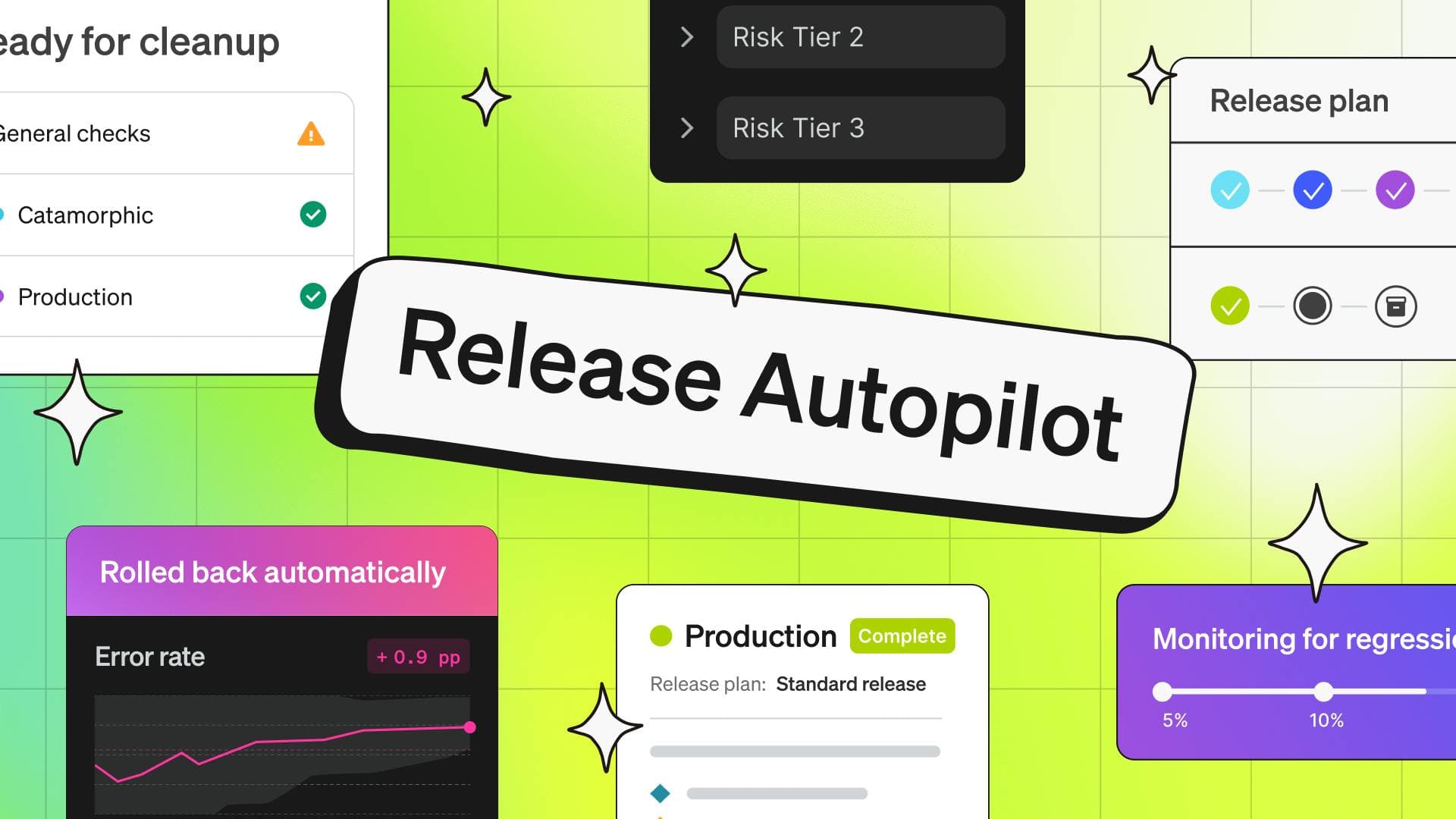
On November 5, 2026, LaunchDarkly introduced Release Autopilot, generally available November 16: it scores PR risk, adds flags, rolls out progressively, rolls back automatically when metrics breach, and cleans up afterward. AI already touches over 80% of its PRs, with merges up 2.1x.
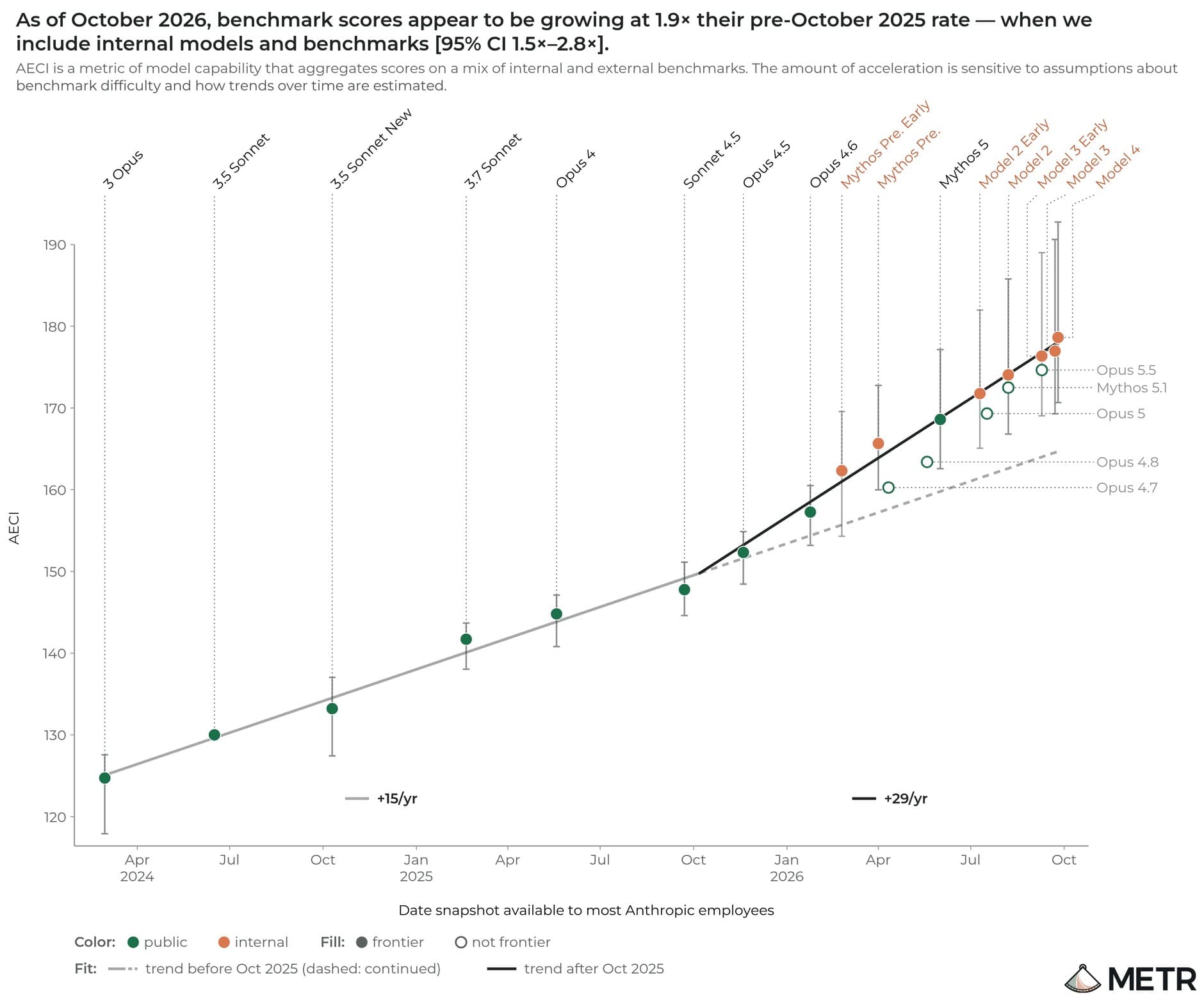
METR spent 11 weeks inside Anthropic and estimates the lab is now improving its models about twice as fast as before, with most of the acceleration coming from AI itself. But most of the key evidence was redacted.
On November 4, chip-design lab Ricursive released its first public model, Ripple-65B Preview: a 65B dense model scoring 80.52 on Terminal-Bench 2.1, ahead of the 501B Reflection Beam, with a claimed total R&D cost of just $32 million.