Google Turns AI Video Into Infrastructure: Gemini Omni 1.2 Flash Goes GA With 15-Second Clips at $0.07 a Second
On November 5, Google took Gemini Omni 1.2 Flash to general availability: 15-second clips, 720p at $0.07 a second, and multi-turn editing without regenerating. The real news is not longer and cheaper — it is AI video you can run as a production process.
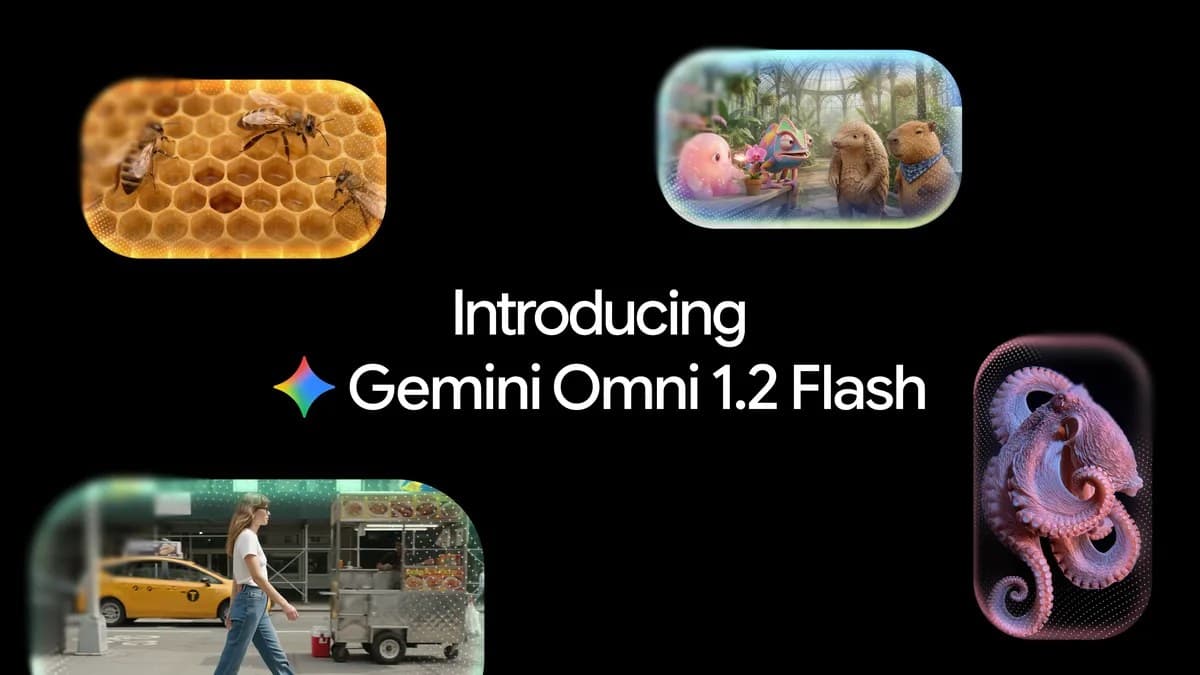
On November 5, Google moved Gemini Omni 1.2 Flash to general availability. This is not a routine point release: it is the first time a Gemini Omni video model has shipped as a formal product, with enterprise-grade backing and public pricing, for developers and businesses. On the same day, Google stretched the maximum clip length from 10 to 15 seconds and cut the price of 720p generation by 30%, to $0.07 per second. A 15-second 720p clip works out to about $1.05.

Put simply: AI video generation is crossing the line from "impressive demo, risky for production" to "something you can put in a budget and a launch plan." Length, price, and editing all moved at once, and all three matter. Longer clips without a price cut would be a toy for enthusiasts; a price cut without editing would be a one-off novelty. All three together are a tool for teams that need to ship video at volume.
What actually changed
Here is what Google's launch post lists. First, length: native generation and editing up to 15 seconds, up from 10, with duration selectable in one-second steps from 3 to 15 seconds. Second, price: 30% cheaper than Omni 1.1, at $0.07 per second for 720p. Third, multi-turn conversational editing: you can refine the same clip turn by turn — swapping a product or background, changing the lighting or weather, switching aspect ratio — without starting over, and it works across full 15-second clips. Fourth, better reference adherence: character, product, or style images, motion clips of up to three seconds, and audio cues can guide generation, so faces, garments, packaging typography, and brand colors hold steady across camera angles. Fifth, more natural speech: clearer lip-sync and distinct multi-speaker conditioning. Sixth, steadier camerawork: complex continuous moves like sweeping FPV flythroughs, dramatic zoom-outs, and orbits, with far fewer unwanted jump cuts.
Two quieter details matter just as much. On workflow: you can draft fast at 360p or 720p, fix details with follow-up edits, and only upscale your best work to 1080p or 4K — so the cost of experimenting is separated from the cost of the finished piece. On delivery: outputs carry an imperceptible SynthID watermark, and Provisioned Throughput is available to reserve capacity for high-volume work. Those two lines are written for procurement and legal teams, not for demo audiences.
Why 15 seconds is a meaningful number
Ten seconds versus fifteen looks like a small gap, but it opens different doors. Ten seconds covers a mood shot, a transition, or a product spin. Fifteen seconds covers a minimal story — a problem, a turn, a payoff — or the full shape of an ad: hook, selling point, call to action. Google's own examples make the point plainly: complete social ads, product explainers, a 15-second virtual try-on. That is not marketing language; 15 seconds happens to be a standard length for short-form ads and product-page video.
What matters more is that duration is selectable per second. A 6-second cut for a feed placement, a 12-second cut for a product page, a full 15 seconds for a brand spot — no need to pad or trim in post. For teams producing ad variants at scale, that flexibility is more useful than the headline maximum. The value of the range is not in the longest setting; it is that every setting is directly usable.
Cheaper — but do the math properly
At $0.07 a second, a 15-second clip costs about $1.05. That sounds cheap, but do not read it as "an ad costs a dollar." A real bill has three parts: drafting, revising, and upscaling. Omni 1.2 Flash prices those stages separately: drafts can be cheap at low resolution, edits change only what you ask for instead of regenerating the whole clip, and upscaling happens once, for the version you actually keep. The saving is not in the unit price; it is in not paying full price for every attempt.
The other side of the coin: the price cut applies to 720p generation through the API. Each entry point bills differently — Flow, Vids, the Gemini app, and Google Ads each have their own plans and allowances. The launch post notes that 15-second generation in Vids comes at no additional cost with a Google account or Workspace subscription, while in the Gemini app the 15-second option is rolling out to Google AI Ultra subscribers. The same 15 seconds can cost different amounts, in different places, on different dates. Check which door you are walking through before you budget.
The real selling point is not length — it is that edits are affordable
If you only read the spec sheet, 15 seconds and a 30% cut are the loudest lines. But for anyone who actually has to put AI video into a workflow, multi-turn editing is the change worth taking seriously. The biggest hidden cost of AI video was never the few seconds of generation; it was "change one word, regenerate everything." A new background meant a new render; a new line of dialogue meant a new render; a lighting tweak meant a new render — and each re-render could lose the parts of the previous version you already liked.
Omni 1.2 Flash treats a clip as something you keep talking to: the background can move turn by turn from a striped pavilion tent to an oak forest, a stable, a market fair, and a stone castle, while the characters' performances, armor reflections, and framing stay intact. Products can change, light can shift, aspect ratio can flip, and the foundation holds. For ad teams, that means one master can spin off variants for different audiences and placements without re-briefing the model each time. The competition in AI video is shifting from "whose frames look most stunning" to "whose edits are cheapest and most controllable."
The improved reference adherence follows the same logic. The virtual try-on example says it well: one model photo plus front-and-back shots of three outfits produces a 15-second sequence of 360-degree turns and match cuts, and the model's identity, each garment's cut, drape, and back details have to survive. That task tests not imagination but discipline — not drifting. For e-commerce and brands, one drifted frame is one unusable render. Consistency is not a bonus here; it is the pass mark.
What to be careful about: the numbers Google did not publish
There is a notable gap in the launch post: it contains no quantitative benchmark scores at all. Every claim about consistency, quality, and lip-sync rests on side-by-side examples chosen by Google, not on third-party benchmarks. Examples can show what a model does in scenes its maker picked; they cannot show how often it will do that in your scenes. Any write-up that turns those examples into general performance claims is doing Google's marketing for it.
Google also left a caveat in the post itself: fast sports action, rapid script changes, and complex physics are still being improved. In plain terms, fast motion and complicated physics remain weak spots. If you plan to shoot sports products, action scenes, or anything with intricate physical interaction, test with your own footage first instead of ordering based on launch examples.
One more reality check: GA does not mean everyone can use it today. The API and business side are the core of this GA; the Gemini app's 15 seconds is rolling out gradually to Ultra subscribers, and the Workspace rollout takes one to three days. Seeing "generally available" and expecting 15 seconds in the app immediately is a good way to be disappointed.
Who should try it now, and who should wait
Three groups should move now. First, teams already producing short-form ads and e-commerce content with fixed masters and a distribution pipeline: 15 seconds plus multi-turn editing maps directly onto the real job of "ship variants in bulk," and a side-by-side test against an existing master is cheap to run. Second, developers already building on the Gemini API or Google Cloud: GA means service-level agreements and reserved throughput are now on the table, so production workloads that were too risky in preview deserve a second look. Third, content teams making internal explainers and training videos in Flow and Vids: revision is cheaper now, so iteration can be faster.
One group can wait: anyone shooting a high-stakes brand film with zero tolerance for drift. The official examples look great, but no public benchmark backs them, and betting a flagship campaign on a first outing is a risk that sits with you, not with the model. Run a small batch, build your own comparison samples, and scale only after that. It is the slower path, and the safer one.
The verdict in one sentence
The real news about Gemini Omni 1.2 Flash is not "video can now reach 15 seconds." It is that Google is selling AI video, for the first time, as a product you can sign a contract for, budget for, and run production on: public pricing, reserved throughput, watermark compliance, multi-turn editing. Length and price make it cheap, editing and consistency make it usable, and GA makes it credible. Take any one of those away and "infrastructure" falls apart. This time all three are here — what remains is for each team to test it against its own real work. The examples are beautiful and the bill is small, but whether it works for your scenes is something only your own test run can answer.
Comments (0)
Sources
Related articles

On November 5, Thinking Machines released Inkling 2 Small: 594B total parameters, 17B active, a 31 on the Intelligence Index — and it trained a forecasting model unsupervised for 4.5 hours. But the weights are still closed; the Apache 2.0 release waits for next week's safety testing.
On November 5, 2026, OpenAI launched GPT-6 Cyber: 48.5% on ExploitGym, 948 working Linux privilege-escalation exploits in one scan, and 81 high-severity Firefox flaws. It is not open to the public — only approved Daybreak Red customers get access.
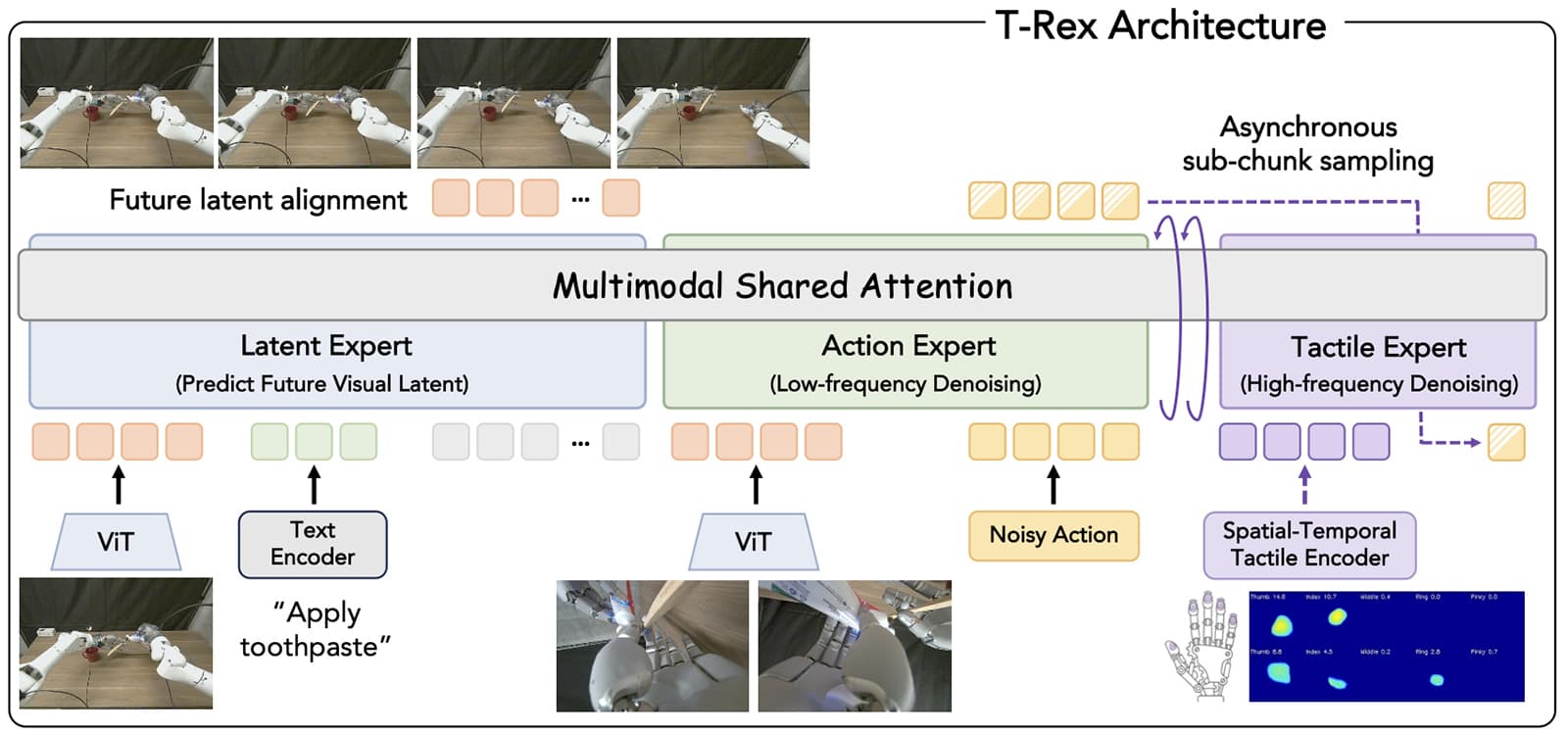
On November 5, 2026, Panasonic, UC Berkeley, NVIDIA, and Stanford unveiled T-Rex: a VLA model wired to ten fingertips, with 5 Hz motion planning and 20 Hz tactile correction running on separate clocks. It averaged 65% across 12 delicate tasks; the strongest baseline managed 35%, and T-Rex itself falls to 42% without touch.