Solo Dev's First Pipeline: The 5-Job Minimal CI/CD Setup
Release strategy and launch-day ops get all the attention, but nobody talks about step zero: what should the very first CI pipeline look like for a one-person vibe project with no code review? This guide gives you a keep-or-cut decision table for 5 jobs, a copy-paste-ready GitHub Actions template, preview deploys with AI visual review, a database migration gate, a 60-second post-deploy smoke check SOP, and 4 classic over-engineering anti-patterns.
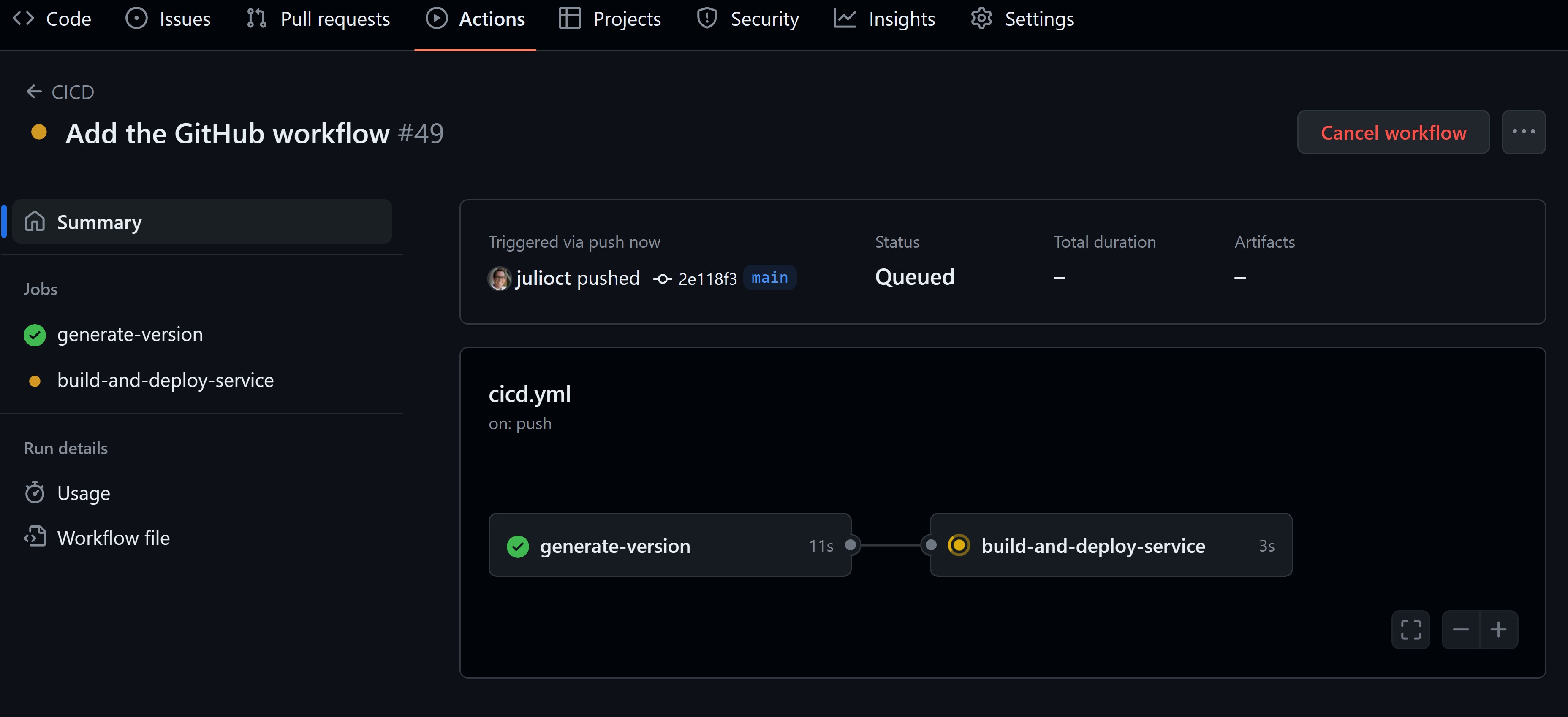
Vibe coding lets one person ship in a week what used to take a team a month. But there is one moment AI can't cover for you: the second you hit deploy and ask yourself, "am I sure this won't blow up?" Big teams have code review, QA, and on-call rotations to absorb that risk. You're alone. At 3am your agent just pushed a 40-file refactor and you hit deploy half-asleep — the only thing watching your back then is a pipeline.
This guide isn't about release strategy (canary deploys and rollbacks are a different article). It's about step zero: the minimal configuration for your very first CI/CD pipeline, built from scratch. Five jobs, one copy-paste-ready GitHub Actions template, full SOPs for preview deploys, migration gates, and smoke checks — plus four over-engineering anti-patterns to avoid. One goal: set it up tonight, and dare to hit merge before bed tomorrow.
Why Vibe Projects Need CI/CD Even More
Here's a counterintuitive claim: the bigger the team, the more CI is "engineering hygiene"; the more solo you are, the more CI is a survival need. Big teams have reviewers and QA engineers catching mistakes. You have no second pair of eyes — the pipeline is your second pair of eyes.
Worse, AI writes bugs differently than humans do. Human mistakes are mostly carelessness: a missing semicolon, a typo'd variable, obvious at review time. AI mistakes are confident hallucinations: importing a package that doesn't exist, renaming an interface in file A while missing three call sites in file B, deleting an environment variable that "looked unused" — and you, the committer, were scrolling your phone instead of reading the diff.
Three realities make this non-negotiable. First, frequency: pushing 20 times a day is normal for a vibe project, and manually verifying every release is neither realistic nor reliable. Second, the "works on my machine" trap: passing in the AI's sandbox doesn't mean passing in production — dependency versions, Node runtime versions, and environment variables always differ subtly between local and prod. Third, cost: GitHub Actions is free for public repos and gives private repos 2,000 free minutes a month; a solo project will burn through maybe 300. "No time to set it up" might be true. "Too expensive" never is.
So set a pragmatic goal for your first pipeline: not 80% test coverage, but this — when your agent pushes code at 3am, you wake up to either a green build or a message telling you exactly what's red. For a one-person project, CI isn't engineering vanity. It's sleep insurance.
The 5-Job Keep-or-Cut Decision Table
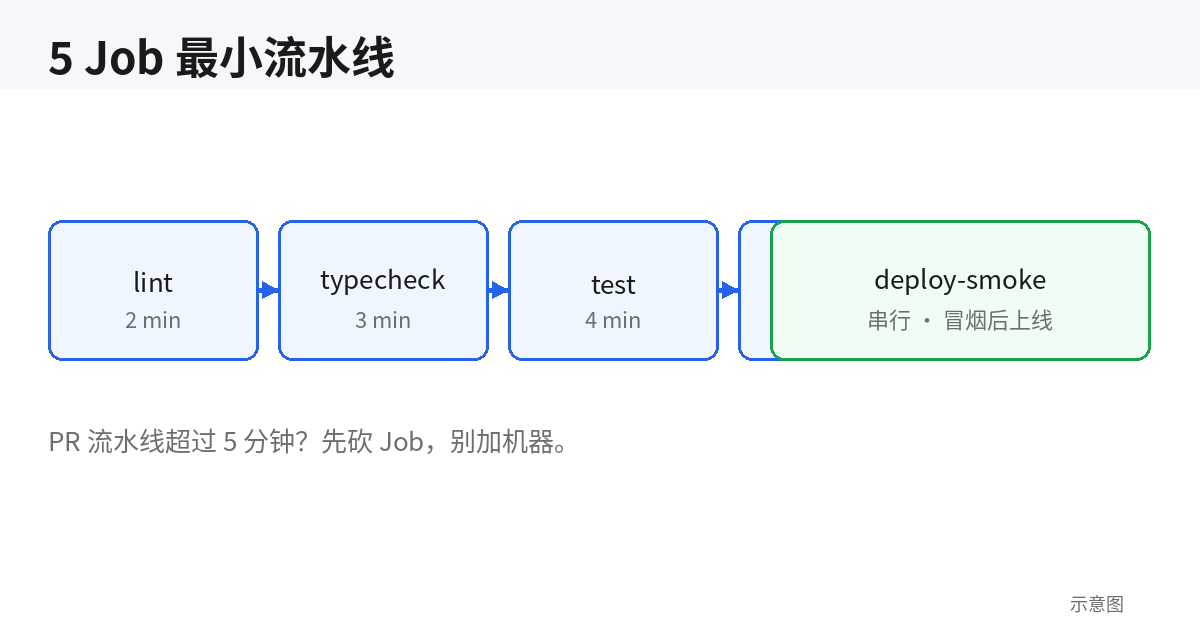
A minimal pipeline isn't "as few jobs as possible" — it's "every surviving job knows exactly what it's watching for you." The table below gives each job a keep condition and a cut condition. Check them against your project and you'll have your v1 config in five minutes.
| Job | What it watches for you | Keep it if… | Cut it if… | Time budget |
|---|---|---|---|---|
lint | Style drift and the ghost code AI loves to leave: unused imports, stray console.log, any everywhere | Always. 30 seconds, zero excuses | Only if this repo gets deleted in 7 days | ~30 sec |
typecheck | AI refactors' #1 bug source: a changed type definition with three call sites left behind — invisible to human review | TypeScript project, or typed Python | Pure-JS prototype, single-file script under ~300 lines you plan to rewrite | 1–2 min |
test | "Bugs that cost money": price math, permission checks, core pure functions | You have that kind of critical logic | Display-only landing page or marketing site — build + smoke checks pay off better | 1–3 min |
build | "Runs locally, explodes in prod": missing deps, unconfigured env vars, case-sensitivity path bugs (macOS ignores case, Linux doesn't — AI trips here constantly) | Almost always | Pure static HTML with no build step | 1–4 min |
deploy-smoke | The deploy is actually alive: health endpoint, key pages, login state | Anything real users touch | Cron scripts / scrapers — replace with a lightweight "heartbeat on completion" check | ~60 sec |
Now the reasoning behind each row, in full.
lint: never hold a meeting about rules. A solo project's lint has exactly one law: use the framework defaults. ESLint recommended, Biome defaults, straight out of the box. Debating rules is a luxury for teams of five or more; your only goal is catching the residue "even the AI forgot it wrote." Turn on no-unused-vars and no-console. Everything else can wait.
typecheck: the highest-ROI job in a vibe project. Why? Because AI specializes in "locally correct, globally inconsistent": it adds a required field to the User type, fixes the call in the current file, and has no idea three other files call that interface. Tests may not cover it, lint can't see it — only tsc --noEmit throws all three errors in your face within 90 seconds. A TypeScript project without this job is driving without a seatbelt.
test: beware AI-written "correct nonsense" tests. AI-generated tests have a chronic disease: they assert implementation details instead of behavior. You refactor, a dozen tests go red, you get annoyed and delete them all — that's the real-world path from "has tests" to "has no tests" in many vibe projects. For v1, write ~10 assertions, all aimed at "logic that costs money when wrong": price calculations, discount stacking, permission boundaries. Zero UI tests — preview deploys and smoke checks cover that ground.
build: detonate prod-environment differences early. This job's value isn't "compilation," it's "compiling in an environment identical to production." Pin the Node version (see the template below); a missing env var should explode at build time, not as a 500 when a user visits. macOS users, special warning: filename case bugs only surface on the Linux runner. AI writes import ... from './UserCard' while the file is actually usercard.tsx — runs fine locally, 404s on deploy.
deploy-smoke: its own template in section 6; the principle for now. It's the only job in the pipeline that runs at the moment "production was just deployed." The first four answer "is the code right"; it answers "is prod alive." Five assertions, under 60 seconds — details in section 6.
One master rule to close: if all five jobs take more than 5 minutes on a PR, cut something. A slow pipeline equals no pipeline — you'll start merging without waiting for results, and pay for it some night at 3am. Cache dependencies, run jobs in parallel (lint/typecheck/test/build don't depend on each other), treat those as the baseline, not optimizations.
The Minimal GitHub Actions YAML Template: Copy, Paste, Run
Below is .github/workflows/ci.yml — the decision table above, turned into a minimal working version. Copy it, change three things (Node version, package-manager commands, your deploy script), and it runs. The comments explain the reasoning behind every seemingly arbitrary choice.
name: ci

on:
  push:
    branches: [main]
  pull_request:

# When a branch gets a new push, auto-cancel runs that haven't
# finished yet. Saves Action minutes and saves you from waiting
# on stale results.
concurrency:
  group: ${{ github.workflow }}-${{ github.ref }}
  cancel-in-progress: true

jobs:
  lint:
    runs-on: ubuntu-latest
    steps:
      - uses: actions/checkout@v4
      - uses: actions/setup-node@v4
        with:
          node-version: 20
          cache: npm
      - run: npm ci
      - run: npm run lint

  typecheck:
    runs-on: ubuntu-latest
    steps:
      - uses: actions/checkout@v4
      - uses: actions/setup-node@v4
        with:
          node-version: 20
          cache: npm
      - run: npm ci
      # i.e. tsc --noEmit; define this script in package.json
      - run: npm run typecheck

  test:
    runs-on: ubuntu-latest
    steps:
      - uses: actions/checkout@v4
      - uses: actions/setup-node@v4
        with:
          node-version: 20
          cache: npm
      - run: npm ci
      - run: npm test -- --run

  build:
    runs-on: ubuntu-latest
    steps:
      - uses: actions/checkout@v4
      - uses: actions/setup-node@v4
        with:
          node-version: 20
          cache: npm
      - run: npm ci
      - run: npm run build
        env:
          # Build time gets only "public build-time" vars. Real
          # secrets live in the deploy job only — don't leak them here.
          NEXT_PUBLIC_SITE_URL: https://example.com

  deploy:
    needs: [lint, typecheck, test, build]
    # Only main deploys; PRs just run the four checks above.
    if: github.ref == 'refs/heads/main'
    runs-on: ubuntu-latest
    steps:
      - uses: actions/checkout@v4
      # Swap in your real deploy: vercel / fly / rsync / docker push
      - run: ./scripts/deploy.sh
      # 60-second post-deploy smoke check (script in section 6).
      # A failure here turns the whole pipeline red.
      - run: ./scripts/smoke.sh "$PROD_URL"
Four deliberate decisions are hiding in this template. Let me unpack each so you don't "optimize" them away.
One: npm ci, not npm install. ci installs strictly from the lockfile — the same dependency tree every time. install happily bumps patch versions, and half of all "green yesterday, red today" mysteries start there. A vibe project's dependencies were installed by an AI along the way; the lockfile is your only reproducibility. Don't throw it away by hand.
Two: every job checks out and installs independently — no artifact passing. It looks wasteful to install dependencies four times. Resist the urge to pass node_modules around as artifacts. Four jobs run in parallel, so total time is gated by the slowest one — those 40 seconds of install barely move the needle. Artifact passing, meanwhile, buys you a whole new failure taxonomy (compress, upload, download, extract, version alignment). Remember the master rule: if it finishes under 5 minutes, don't optimize. Optimize when it actually times out.
Three: pin Node 20 — and align it with production. The 20 in the template isn't a recommendation, it's a placeholder. Check your production runtime (Vercel's Node setting, your Dockerfile's FROM node:..., node -v on your server) and put in the same number. Running CI on a different major version than production is planting a "works on 20, explodes on 18" landmine for yourself.
Four: concurrency cancels stale runs. You push 20 times a day. Without this, push #3's CI result queues behind pushes #1 and #2 and arrives 15 minutes stale. With it, only the latest push ever runs — cutting your Action minutes roughly in half. The cheapest line in the template, the highest ROI.
Python projects: swap setup-node for setup-python + cache: pip, and typecheck for pyright or mypy — the skeleton is identical. Same for Go/Rust, just change the setup action. This template's value is its structure, not its language.
Preview Deploys: Make "AI Visual Review" a Standard Step
If I could keep only one "best value" item from the five jobs, it would be preview deploys — not because it's technically deep, but because it kills a bug class unique to the AI era: silent visual breakage.
AI edits CSS silently. It tweaks a flex layout, swaps a spacing token — lint green, types green, tests green, and the diff looks like a few changed classNames. You reviewing it by eye? Across a 20-file PR, you're not reading style diffs line by line. You find out when a user screenshots it into the group chat. Preview deploys fix exactly this: every PR automatically gets a clickable link. Vercel, Netlify, and Cloudflare Pages all do it with zero config, and their GitHub Apps post the link as a PR comment automatically.
A link alone isn't a process, though. Three steps make it one. First, add a checklist line to your PR template (.github/pull_request_template.md): - [ ] Opened the preview link; key pages visually confirmed with no regressions. Don't underestimate one line — it turns "take a look at the preview" from good intentions into policy.
Second, outsource the visual review to AI — yes, let AI review AI-written code. A prompt template you can reuse verbatim: "Open this preview link (URL), then open main's preview link for comparison. Screenshot the homepage, pricing page, and a 390px-wide mobile viewport. List every visual difference; ignore copy changes, report only layout, misalignment, overflow, and whitespace issues." AI is dramatically more thorough than humans at finding CSS regressions, because it actually compares pixel by pixel in its descriptions.
Third, a one-line screenshot script that lives in the repo as shared infrastructure:
# install once: npx playwright install chromium
# usage: ./scripts/shot.sh <preview-URL> <output-file>
npx playwright screenshot \
  --viewport-size=1440,900 \
  --full-page \
  "$1" "$2"
Add a --viewport-size=390,844 variant for mobile. The AI reviewer calls this script directly, screenshot paths are fixed, and the loop is closed.
Keep-or-cut: keep it for anything with a UI — this is the highest-ROI CI feature a vibe coder can get. Cut it for pure APIs, CLIs, and cron scripts, and use section 6's smoke checks instead. One bonus: the preview link is also the perfect thing to send a friend with "mind taking a look?" — human review and AI review run in parallel, no conflict.
The Database Migration Gate: Blow Up in Staging First
There's a classic script for how vibe projects nuke their databases — memorize it in advance. Your agent writes a migration turning a nullable column non-nullable. It passes on local SQLite, tests green, CI green, deploys to production — where the Postgres table has 30,000 legacy rows with NULL in that column. The migration locks the table and errors out, and you can't even find your way back. Code-level CI can't catch this, because the problem isn't in the code. It's in the data.
The fix is a dedicated gate for migrations. Four steps, landable tonight.
Step 1: migration files go through PRs, and CI runs them against a blank database. Add a small job (or fold it into test): spin up a throwaway database container and run every migration against an empty schema. Prisma: prisma migrate deploy against a test database. Drizzle: drizzle-kit migrate. Alembic: alembic upgrade head. This catches "the migration file itself is broken" — AI's SQL craftsmanship lags far behind its TypeScript, and syntax errors or references to nonexistent tables surface here.
Step 2: staging auto-runs migrations; production only ships after staging's smoke passes. You need a staging environment — it costs nothing extra: another preview environment on the same host or Vercel project, wired to its own staging database. Hard-code the pipeline order: deploy staging → run migrations → smoke check → deploy production → run migrations → smoke check. Staging can have tiny data volumes, but its schema must mirror production. This catches "the migration can't run against real data" — the NULL-column disaster above.
Step 3: destructive changes go expand-contract, across two releases. Dropping columns, changing column types, adding NOT NULL — never ship these in one go. The standard move: release one adds the new column and the code writes to both; once data catches up, release two drops the old column and the dual writes. Yes, that's two releases and one slower day. Compared against "production database down + data loss + an all-nighter," it's the cheapest day you'll ever spend. When you ask AI to write a migration, add one sentence to the prompt — "use the expand-contract pattern, split destructive changes into two migrations" — it follows that instruction more reliably than a hundred reminders from you.
Step 4: the iron rule — never run migration commands on production by hand. Migrations run only via the pipeline, never via an ssh session where you type it yourself. Hand-run migrations leave no record, no rollback path, and when things break you won't even know which statement actually executed. Write that in your deploy script's comments, addressed to yourself three months from now.
One-liners per ecosystem. Prisma users: prisma migrate diff --from-empty --to-schema-datamodel prisma/schema.prisma in CI catches "changed the schema, forgot to generate a migration" drift. Drizzle users: drizzle-kit check does the same. Alembic users: hand-write every downgrade() — AI-generated downgrades are wrong nine times out of ten, spend two minutes reading each one. The gate's essence in one sentence: let migrations explode somewhere users can't feel it, first.
The 60-Second Post-Deploy Smoke Check: 5 Automated Assertions
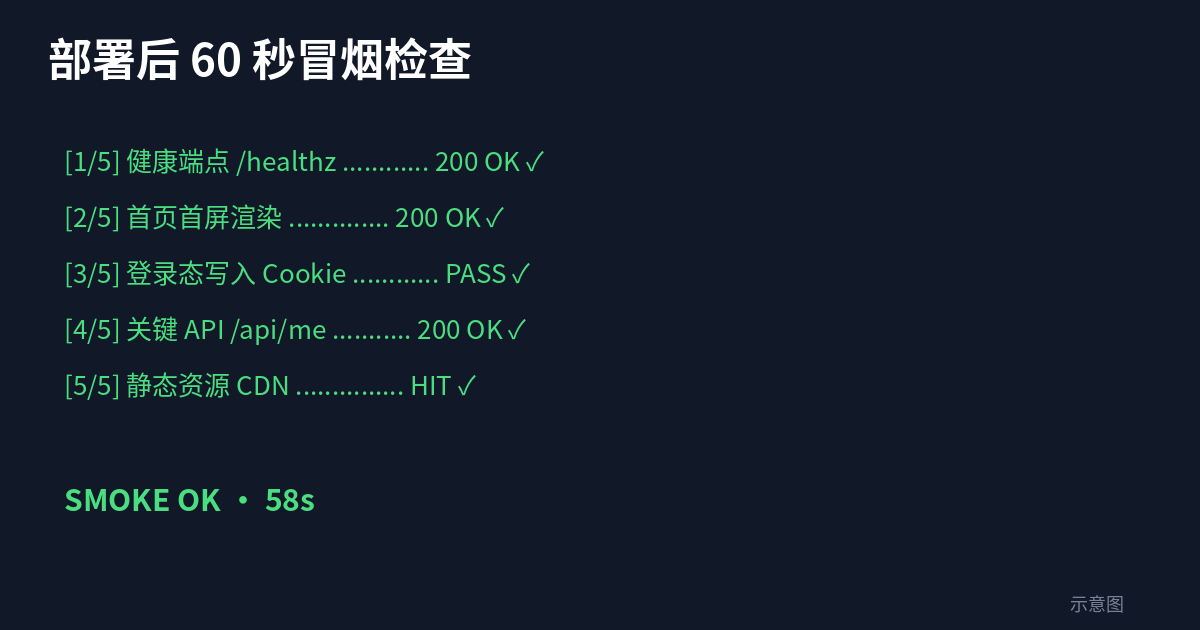
Everything so far answers "is the code right before release." The smoke check answers a different question: "is production actually alive — and alive correctly?" It's the only job in the pipeline that runs at the moment "production was just deployed." Think of it not as testing but as an on-call pager: five assertions, under 60 seconds, one more is one too many.
Assertion 1: the health endpoint returns 200, and the database is reachable. GET /api/health must return 200 with db: "ok" in the body. Note the second half: a health check that only proves the process is alive is self-deception. Half of all production incidents are "app alive, database unreachable," and users see nothing but 500s.
Assertion 2: the homepage returns 200 and contains a key marker. 200 alone isn't enough — a deployed blank page or a stale cached 502 page also returns 200. Assert the body contains your <title> or a unique copy marker, proving "what rendered is my site, not a skin."
Assertion 3: critical conversion pages return 200. Every product has one or two pages where "down" equals "not launched": pricing, checkout, the core feature page. List them, curl each. AI loves to "incidentally" break an unpopular route path during refactors, exactly where your tests don't cover.
Assertion 4: the login flow works end to end. Log in with a test account, take the token, hit an authenticated endpoint, expect 200. Auth middleware, JWT secrets, cookie domains — the high-risk trio during AI refactors, and the classic blind spot of "homepage looks fine, everything explodes the moment a user logs in." This assertion is worth its weight in gold.
Assertion 5: zero 5xx in the five minutes after deploy. Query your logs or monitoring API (Sentry, Logtail, and every cloud log service has one). No monitoring wired up yet? Degraded fallback: hit the health endpoint three times in a row with backoff retries (5s → 10s → 20s) to ride out cold starts and rolling-deploy instance swaps.
The implementation is one bash script, scripts/smoke.sh. Any failed assertion exit 1s, the deploy job goes red, and you get the failure notification. Skeleton below — adapt the paths to your site:
#!/usr/bin/env bash
# usage: ./scripts/smoke.sh https://your-site.com
set -euo pipefail
BASE="$1"

fail() { echo "SMOKE FAIL: $1" >&2; exit 1; }

# Assertion 1: health endpoint + DB connectivity
# (with backoff retries to ride out cold starts)
for i in 1 2 3; do
  BODY=$(curl -sf "$BASE/api/health") && break || sleep $((i * 5))
done
[ -z "${BODY:-}" ] && fail "health endpoint unreachable"
echo "$BODY" | grep -q '"db":"ok"' || fail "db not ok: $BODY"

# Assertion 2: homepage contains the key marker
curl -sf "$BASE/" | grep -q "<title>Your Site" || fail "homepage marker missing"

# Assertion 3: critical pages
for path in /pricing /app/dashboard; do
  curl -sf -o /dev/null "$BASE$path" || fail "critical page $path not 200"
done

# Assertion 4: login flow (test account password lives in CI secrets)
TOKEN=$(curl -sf -X POST "$BASE/api/auth/login" \
  -H 'Content-Type: application/json' \
  -d '{"email":"smoke@test.local","password":"'"$SMOKE_PASSWORD"'"}' \
  | grep -o '"token":"[^"]*"' | cut -d'"' -f4)
[ -z "${TOKEN:-}" ] && fail "login failed"
curl -sf -o /dev/null -H "Authorization: Bearer $TOKEN" \
  "$BASE/api/me" || fail "authed request failed"

echo "SMOKE OK"
Assertion 5 (the 5xx count) varies by monitoring vendor, so there's no universal script — the principle stands: query the API if you have monitoring; until then, the "three consecutive health hits" fallback holds the line, and wire up Sentry before adding the real check. And remember the smoke check's self-discipline: anything over 60 seconds or over five assertions isn't a smoke check, it's E2E — see anti-pattern #4 below.
Anti-Patterns: 4 Ways Vibe Projects Over-Engineer CI
Once the pipeline exists, the biggest enemy isn't "uncovered" — it's over-engineering. Among the ways solo-project CI dies, complexity crushes more pipelines than bugs do. Four patterns below; I've seen real cases of each, and in every case the "right way" is half as long as the "wrong way."
Anti-pattern 1: the test matrix. Node 16/18/20 × Ubuntu/macOS/Windows, nine jobs minimum. One question: how many runtimes do you deploy to? The answer is one — the one pinned in your Dockerfile, or the one Vercel gives you. Test the runtime you deploy to; the other eight matrix cells burn your free minutes. The only reason to keep a matrix: you're publishing an npm package for the world, and you can't control other people's environments. Solo project? One version, pinned, aligned with production, done.
Anti-pattern 2: too many environments. dev, staging, qa, preprod, canary — five environments and the CI yaml is longer than the business code. The truth: every extra environment doubles configuration-drift risk, and you have no ops team to keep them aligned. The solo answer is staging + prod, that's it — PR preview deploys (section 4) cover qa's job. Fewer environments means each one is actually taken seriously.
Anti-pattern 3: notification spam. Every job success pings Slack with "✅ lint passed" — 20 pushes a day, 100 green checkmarks in the channel. A week later you mute the channel — and the real failure alerts get muted along with it. The correct posture: notify on failure only, and the failure notification links straight to the failed log so one click shows the error. The best notification a green pipeline can send is silence.
Anti-pattern 4: full E2E on every push. Fifty Playwright cases, 20 minutes, 10% flake rate — and the process degrades into "red? re-run until green, then merge." At that point E2E has lost all meaning, and it has trained you to ignore red lights as a bonus. The correct posture: 3–5 critical-path E2E cases, run once before a PR merges to main; pushes to feature branches skip them entirely, and the 60-second smoke check from section 6 holds the line day to day. E2E is a luxury good — use it at luxury frequency.
One sentence behind all four: for a solo project's CI, simplicity is a feature, not a compromise. Every hour you spend maintaining the pipeline comes out of the hours you spend writing product.
The Tonight Checklist
If you've read this far, the action list is four items, in order, shippable tonight: one, copy section 3's YAML into .github/workflows/ci.yml, fix the Node version and deploy command, push once and watch it go green; two, write scripts/smoke.sh with assertions 1–4 today, add assertion 5 once monitoring is wired; three, turn on PR previews on Vercel/Netlify (probably already on) and add the visual-review checklist line to your PR template; four, put the staging gate in front of your database — migrations travel through the pipeline from now on, or they don't travel at all.
The order matters too: get the pipeline running and green first, then make it smart. V1 can honestly be just lint + build + smoke — a "flawed pipeline that watches your back every day" crushes a "perfect pipeline shipping next week."
Back to the opening question. The ultimate metric for CI isn't coverage or job count — it's a personal one: tonight, do you dare hit merge before going to sleep? If yes, the pipeline earned its keep.
Related articles

Vibe coding can build a browser extension in a week, but shipping it to a store is a different game. This guide covers picking among the three stores, 5 MV3 migration traps, permission minimalism, a privacy-policy template, listing asset SOP, a rejection first-aid kit, and staged rollouts — everything a solo developer needs to actually get listed.
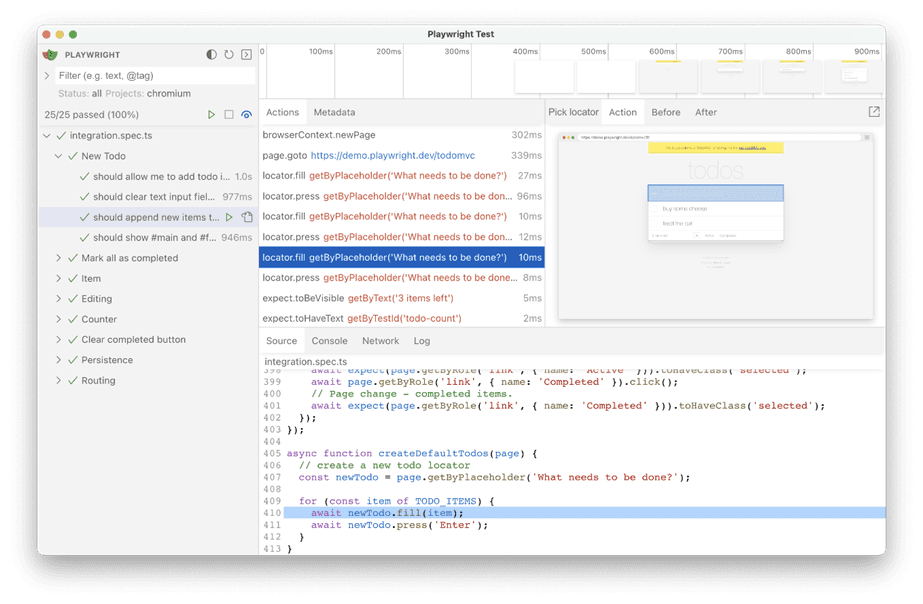
AI's biggest fear when editing code: fixing A breaks B. This execution-layer companion to our AI Testing Strategy shows solo developers how to build an E2E regression moat with Playwright, 5 golden paths, a data-testid convention, and GitHub Actions — one hour to set up, one hour a week to maintain, inside the free tier, with copy-ready code.
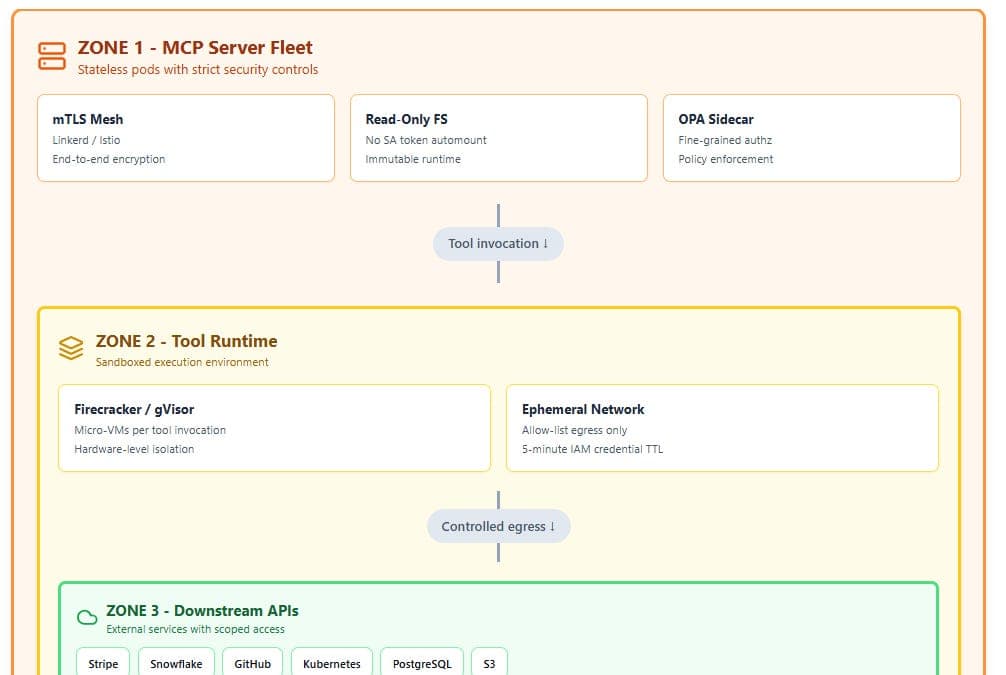
Five unrelated security teams - Google, JPMorgan Chase, Weaviate, France's DINUM and Indonesia's Tangerang City government - each independently confirmed and fixed the same SSRF flaw in their MCP servers. Independent researcher Syed Anas Mohiuddin's October update argues the bug is structural: the protocol's design, not anyone's implementation. We break down the Protocol Pivoting attack, compare the five fixes, and give vibe coders a defense checklist ahead of his 23 October MCPCon talk.