Stop Making Users Wait for You: Background Jobs & Queues for Vibe Projects
AI-written code has a default bias: cramming all logic into a single HTTP request. Sending emails, calling big models, bulk imports — users stare at a spinner for 30 seconds, then hit a 500 timeout. This guide covers when vibe projects must push work to the background, how to pick a queue (Inngest / Trigger.dev / BullMQ / pg-boss), idempotency and retries, and a task template for getting agents to wire it up right.

The agent's default mindset: cram everything into one request
Ask an agent to build "send a welcome email after signup" and it will likely do this: await sendEmail() inside the signup handler, returning only after the email is sent. Local test: email goes out in 800ms, page redirects, all is well. First week in production, the email provider has an 8-second latency spike — the user clicks signup, stares at a spinner for 8 seconds, then Vercel's 10-second function timeout returns a 500. The user assumes signup failed, registers again, gets two welcome emails, and leaves you a "this site has a bug" note.
That's not the agent's fault; it's its default mindset: it writes code that is logically correct with no regard for time. HTTP requests have timeouts (serverless platforms typically allow 10–60 seconds), users have patience limits (annoyance starts past 3 seconds), third-party APIs fluctuate — stack those three realities and any "do slow things inline in the request" code is a ticking bomb in production.
The fix is one sentence: push every piece of work whose result the user doesn't need immediately into the background. The request only takes the order — write the job to a queue and return 200 instantly; a worker does the real work slowly in the background. It's one of the oldest and most effective patterns in backend engineering, and exactly the one vibe coders skip, because agents never volunteer it.
This guide gives you the full mental model: which scenarios must be async, how to pick a queue, how idempotency and retries work, the hidden pitfalls of cron, and a task template you can paste straight to your agent.
Which scenarios must be async: a self-check list
The test is simple: if this operation takes more than 3 seconds, will users think the site is broken? If yes, make it async. Here are the six most common scenarios in vibe projects:
One, calling large models. Generating copy takes 10 seconds, generating a report takes 2 minutes — LLM calls are the most common slow operation in vibe projects. The right pattern: the request creates a "generation task" record and returns the task ID; the frontend polls or uses WebSocket for progress while a worker generates in the background and writes to the database. Note this doesn't contradict the "streaming" advice from the performance guide: streaming fixes the feel of "we decided to wait synchronously"; queues fix the architecture of "we should never have waited synchronously." Generation jobs over 30 seconds belong in a queue, full stop.
Two, email / SMS / push. Third-party latency spikes are a fact of life and entirely outside your control. Welcome emails, order notifications, password resets — all go in the queue, retried automatically on failure, invisible to users.
Three, file and image processing. A user uploads an image; you compress it, convert formats, generate thumbnails, watermark it, push to CDN — 5–10 seconds done serially. In a queue, users continue working the moment the upload finishes and get notified when processing completes.
Four, bulk operations. Importing a 5,000-row CSV, bulk tagging, data migrations — minutes-long by nature, never inside a request. Queue plus progress bar ("1,200/5,000 processed") is the standard answer.
Five, scheduled tasks. Nightly billing runs, hourly third-party syncs, weekly digests — cron scheduling is background jobs by definition.
Six, webhook receivers. Payment callbacks demand a 200 within 5 seconds or they'll retry-bomb you. The correct pattern: verify the signature, persist, return 200 — the real business logic (fulfillment, ledger entries) goes to the queue.
Remember: the request is the order-taker; the worker does the work. The order-taker's KPI is speed (millisecond responses); the worker's KPI is reliability (retries, eventual completion).
Picking a queue: from setTimeout to purpose-built
Options ordered by complexity. Pick by stage; don't bring Kubernetes thinking to an MVP.
Tier one: platform-native (side projects / MVPs). Vercel Cron, Cloudflare Workers Cron Triggers, Supabase pg_cron — scheduled tasks ride the platform, no DIY needed. The limitation: they only do scheduled triggers, not "user kicked off a slow job" scenarios.
Tier two: serverless-friendly hosted queues (recommended for most vibe projects).Inngest and Trigger.dev lead this lane: no resident processes, jobs run as functions (step.run("send-email", ...)), with retries, concurrency controls, scheduling, and observability dashboards out of the box. Inngest's free tier is generous for personal projects; Trigger.dev's dashboard is especially well designed. Guidance: if you're on Vercel/Netlify and want zero ops, pick this tier with confidence. The cost is platform limits (per-step timeouts, usage-based pricing) — consider self-hosting only at real scale.
Tier three: Redis queues (some backend experience).BullMQ (the Node ecosystem standard) with a Redis instance (Upstash's serverless Redis needs no ops) gives you mature delayed queues, priorities, rate limiting, and deduplication. Fits once job volume grows and you need fine control. Cost: one Redis plus keeping a worker process alive yourself (a resident worker on Railway/Fly.io works).
Tier four: Postgres-as-queue (already on Postgres, want zero new dependencies).pg-boss uses your Postgres as the queue, skipping Redis entirely. Not as fast as Redis-based options, but "one fewer component" is genuine happiness for indie developers. Supabase users can also look at the pgmq extension. One warning: don't hand-roll "a jobs table + setInterval polling" — concurrency, locking, retries, dead letters — pg-boss has stepped on those rakes for you.
One-line summary: MVPs use Inngest/Trigger.dev, growing products move to BullMQ+Redis, minimalists use pg-boss. I've seen all three run great vibe projects; none is embarrassing. What's embarrassing is never choosing and piling slow logic into requests.
Idempotency: retries that don't corrupt your data
Once you're on queues, the first concept to learn is idempotency: executing the same job twice has the same effect as executing it once. Why? Because queues always retry — workers crash, time out, restart on deploy, and jobs get redelivered. "At least once" is the default queue semantics; "exactly once" barely exists in distributed systems — so your job handler must make repeated execution safe by itself.
Anti-pattern: balance -= 100 in a charge job — one retry charges 200. Correct pattern: give every job a business-unique key (order number, or userId:2026-10-08 style), check "has this key been processed" before doing anything, skip if yes. Back it with a unique index on the key at the database level so concurrent redeliveries are caught by the database — the cheapest, most reliable idempotency scheme there is.
Three practical rules: one, payloads carry IDs, not objects. Put { orderId: "123" } in the queue; the worker re-reads the latest state from the database at execution time. Full objects go stale: a job that waits 10 minutes has ancient data inside. Two, make the state machine explicit. Orders go pending → processing → done/failed; workers only handle jobs in the expected state, and a redelivery seeing done returns immediately. Three, dedupe external calls. For operations where a retry causes real-world side effects — charging, sending SMS — use the provider's idempotency key (Stripe's Idempotency-Key exists for exactly this); never rely on "it probably won't retry twice."
When having an agent write worker code, put these three rules in the requirements — its default worker output almost certainly has zero idempotency protection. It won't add what you don't ask for.
The reliability trio: retries, dead letters, alerts
Getting jobs into the queue is the start; reliability rests on three pieces.
Retry policy: exponential backoff with a cap. Retry after 1 minute, then 5, then 30 — not a dumb fixed 10-second loop, which becomes a DDoS accomplice when a downstream service is down. Cap the attempts (say 5–10); beyond that, admit defeat gracefully. Giving up beats retrying forever.
Dead-letter queue (DLQ): jobs that exhaust retries don't get dropped — they rest in the dead-letter queue. The DLQ is your "needs human attention" inbox: glance daily, fix the data and replay, or fix the bug and replay. A queue without a DLQ either burns money retrying forever or silently loses jobs — both are production incidents.
Alerts: queue depth (how many jobs backlogged), failure rate, worker heartbeat — alert on all three. Inngest/Trigger.dev ship dashboards and notifications; self-hosted setups get Sentry plus a simple cron check script. The classic vibe-project death: the worker process died three days ago, nobody noticed, twenty thousand jobs piled up — one "no worker heartbeat for 5 minutes, page me" alert saves lives.
One agent-era-specific pitfall: job timeout settings. Set LLM-call job timeouts to "slowest expected model response × 2", not the 30-second default; size batch jobs by per-item cost × count. Timeouts too short mean jobs get killed mid-flight, retried, killed again — an infinite loop billed to your API account.
Three hidden cron pitfalls
Cron looks simple; all the traps are in the details.
Pitfall one: timezones. Is 0 9 * * * 9 AM UTC or 9 AM Beijing time? Cloud cron defaults are usually UTC, so your "9 AM daily digest" fires at 5 PM Beijing time. First thing when writing cron: confirm the timezone and set it explicitly.
Pitfall two: overlapping runs. An hourly data sync occasionally takes 70 minutes — the next cycle starts while the previous is still running; the two overlap, overwrite, double-process. Use a distributed lock (Redis SET NX, Postgres advisory locks) so only one instance of a job runs at a time; Inngest/Trigger.dev have built-in concurrency controls — just turn them on.
Pitfall three: silent failure. A cron job fails, nobody reads the logs, three months later someone notices billing never ran. Give every scheduled job a "success heartbeat": write a record on completion (or ping a service like Healthchecks.io); alert when the heartbeat is overdue. Inverted thinking: a cron without alerts is a cron that never ran.
In practice: a task template for getting agents to wire up queues
Copy-paste ready. Replace the bracketed parts with your project details:
Wire up a background job queue for [project name] using [Inngest / Trigger.dev / BullMQ + Upstash Redis]. Requirements:
1. When a user triggers [slow operation, e.g. AI report generation], the API only creates a job record (with idempotencyKey=[your business unique-key rule]) and returns the job ID — no actual processing in the request;
2. The worker checks idempotency by key before processing: look it up, return early if already handled; payloads carry IDs only, re-read state from the database at execution time;
3. Retry policy: exponential backoff (1min/5min/30min), max 8 attempts, then dead-letter queue plus a Sentry report;
4. State machine: [pending → processing → done/failed]; illegal transitions throw;
5. Frontend polls job status every 3 seconds, shows results on done, a retry button on failed;
6. Timeout set to [estimated worst case, e.g. 10 minutes], never the default.
Constraints: no business logic in API routes; worker functions must be independently testable; all third-party calls via environment variables.
This template's value is translating every pitfall in this guide — idempotency, retries, state machines, timeouts, payload design — into instructions an agent can execute. You'll find the worker code an agent produces with versus without this template is a different species.
Pre-launch checklist
□ Every operation over 3 seconds is async; APIs take orders, they don't do the work
□ Queue picked (one of Inngest / Trigger.dev / BullMQ / pg-boss) — not hand-rolled polling
□ Every job has a business-unique key plus a database unique index; redelivery is safe
□ Payloads carry IDs only; workers re-read from the database
□ Retries use exponential backoff with an attempt cap, not dumb fixed-interval loops
□ Dead-letter queue configured; someone glances at it daily
□ Alerts wired for queue depth, failure rate, and worker heartbeat
□ Cron jobs pin timezones explicitly, with distributed locks and success heartbeats
□ Timeouts estimated from worst cases, not defaults
□ Webhook receivers respond within 5 seconds: persist first, process slowly
One last thought: background jobs are one of the dividing lines between a vibe "toy" and a vibe "product." Demos can be fully synchronous — you're the only one clicking. But with 10 real users, the first timeout 500 will teach you the lesson. Better to ask, when the agent writes its first await sendEmail(): "what happens when this takes more than 3 seconds?"
Related articles
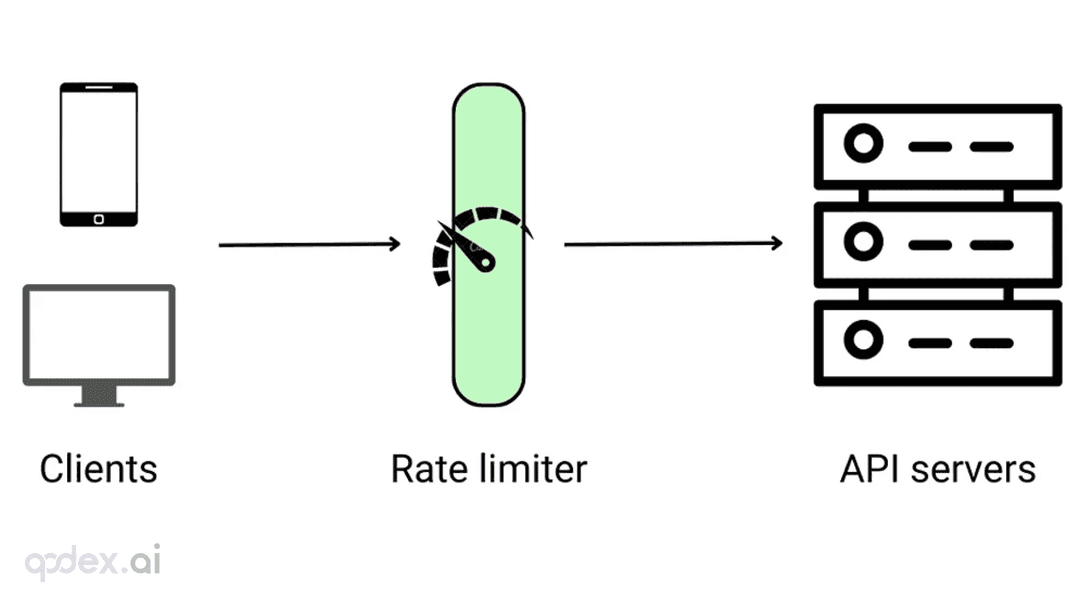
Every public endpoint will be called beyond your expectations some night. This guide builds a one-person-team rate-limiting system: algorithm choice (sliding window vs token bucket), four-layer defense, AI-endpoint money-burning protection, quota design, 429 response conventions, false-positive triage, and a launch checklist.
Every vibe project has the same darkly comic moment: your site goes white-screen and a friend tells you before your monitoring does. This guide builds a one-person-team error monitoring system: a 5-minute Sentry loop, error boundaries, report context design, backend structured logging, AI-call-specific protection, alert tiers, and a launch checklist.

Every vibe project eventually needs scheduled jobs: daily syncs, expired-order cleanup, billing reconciliation, scheduled reports. AI's first version is usually setInterval — fine for dev, fatal in production. This guide maps four scheduling options, cron expressions and timezone traps, idempotency, distributed locks against overlap, failure retries and alerting, run-log observability, and cron endpoint auth — plus a launch checklist.