After AI Writes Your package.json: A Dependency Upgrade and Maintenance SOP for Vibe Projects
AI wrote your package.json, but it will not merge Dependabot's 47th PR at 3 a.m. This solo-maintainer SOP covers lockfile discipline, tiered upgrade decisions, Dependabot/Renovate automation, major-upgrade review, CI verification matrices, CVE fix SLAs, a 5-minute rollback procedure, and quarterly health reviews — plus 8 hard-won pitfalls.
Scope Note: This Is Not About "What to Install"
If you have read our Dependency Supply-Chain Security Guide for Vibe Projects, you will remember it was about "what to install": how to spot malicious packages before npm install, defend against slopsquatting, and run a pre-launch security review — all before launch. This guide is about what comes after launch: how to keep dependencies updated during the maintenance phase — version strategy, tiered decisions, automation, rollback, and quarterly reviews. The two guides connect end to end on the timeline without overlapping: the earlier one guards the front door; this one keeps you from being dragged down by dependency upgrades for every day the project stays alive.
Here is a harsh truth: the vast majority of production incidents in vibe projects during maintenance are caused by dependency upgrades — either "upgrading felt great in the moment" or "no upgrades for three years, then one upgrade blows a giant hole." AI wrote your package.json, but it will not merge Dependabot's 47th PR for you at 3 a.m. This guide gives you a maintenance SOP a solo maintainer can actually run: lockfile discipline → tiered decisions → automation config → major-upgrade review → CI verification matrix → security SLA → rollback SOP → quarterly review, plus 8 hard-won pitfalls. Every section ships with copy-paste-ready configs and code.
1. The Maintenance-Phase Truth: Lockfile Discipline First
Before any upgrade strategy, settle one foundational question: your lockfile (package-lock.json / pnpm-lock.yaml) must be committed to Git, and CI must install with the lockfile frozen. This is the foundation of every SOP. Without a locked dependency tree, any "tiered decision" is fiction — what you install locally and what production installs may not even be the same versions.
Three lockfile rules:
- Rule 1: The lockfile goes into Git. Adding it to
.gitignoreis the most common form of self-sabotage. The lockfile is the single source of truth for your production dependency tree. - Rule 2: CI must use
--frozen-lockfile(npm cifor npm). If someone editspackage.jsonwithout updating the lockfile, CI fails loudly instead of silently installing a newer version. - Rule 3: Never hand-edit the lockfile. On conflict, delete and regenerate (
rm package-lock.json && npm install); do not attempt a manual merge — see the pitfalls section for the bloody details.
# .github/workflows/ci.yml — locked install is the first line of defense
jobs:
  test:
    runs-on: ubuntu-latest
    steps:
      - uses: actions/checkout@v4
      - uses: actions/setup-node@v4
        with:
          node-version: 20
          cache: 'npm'
      - run: npm ci        # note: NOT npm install
      - run: npm test
With pnpm, CI runs pnpm install --frozen-lockfile; with Yarn, yarn install --frozen-lockfile. The mantra: local dev may use install; CI and production always use frozen.
2. Tiered Upgrade Decision Table: Auto-Merge Patch, Review Changelog for Minor, Branch for Major
A solo maintainer's worst enemy is decision fatigue: deliberating over every single PR until Dependabot buries you within a week. The fix is to front-load the decision into a tier table — the version number determines the process, no re-thinking required each time.
The tiers follow SemVer: MAJOR.MINOR.PATCH. Patch (third digit) = bug fixes, theoretically fully compatible; minor (second digit) = backward-compatible features; major (first digit) = potentially breaking changes. Risk and process per tier:
- PATCH (e.g., 1.2.3 → 1.2.4): auto-merge. Extremely low risk. Dependabot opens the PR → CI passes → auto-merge, no human eyes needed. The only exception is security patches — those should merge even faster.
- MINOR (e.g., 1.2.3 → 1.3.0): skim the changelog + smoke test. Quickly scan the Release Notes for deprecation warnings, run a smoke test over the core flows, then merge manually. Batch them in 10 minutes a day.
- MAJOR (e.g., 1.x → 2.0): dedicated branch + full review. Never merge straight into main. Follow the major-upgrade review checklist in Section 4, run type checks + smoke scripts, apply codemods where available. Budget at least half a day even as a solo dev.

Figure 1: The tiered upgrade decision flow. Patch takes the auto-merge lane, minor takes changelog skim + CI verification, major requires a dedicated branch and human review. The three lanes never interfere — a solo maintainer only needs to watch the minor and major lanes each week.
One judgment tip: treat 0.x packages with extra caution — SemVer allows breaking changes in 0.x minors too. Handle 0.x packages at major tier.
3. Minimal Dependabot / Renovate Configuration
The value of automation tooling is not "upgrading for you" but turning upgrades into standardized PRs: with a diff, CI, and changelog links. Dependabot (GitHub-native) and Renovate (pick one) both support grouping, merge windows, and patch auto-merge. Below is a battle-tested minimal config you can copy verbatim.
Dependabot config (.github/dependabot.yml)
version: 2
updates:
  # 1. npm dependencies: grouped, one batch per week
  - package-ecosystem: "npm"
    directory: "/"
    schedule:
      interval: "weekly"
      day: "monday"
      time: "09:00"
      timezone: "Asia/Shanghai"
    open-pull-requests-limit: 10        # max 10 open PRs at a time, anti-spam
    groups:
      # bundle patches into a single PR to cut noise
      patch-updates:
        patterns: ["*"]
        update-types: ["patch"]
      # devDependencies in their own group, lower risk
      dev-dependencies:
        dependency-type: "development"
    labels: ["dependencies"]
    # ignore alpha/beta/rc prereleases (unless you want to live on the edge)
    ignore:
      - dependency-name: "*"
        update-types: ["version-update:semver-major"]
        # major upgrades handled manually: keep auto-PRs for majors off
  # 2. upgrade GitHub Actions themselves too
  - package-ecosystem: "github-actions"
    directory: "/"
    schedule:
      interval: "monthly"
    groups:
      actions-patch:
        patterns: ["*"]
        update-types: ["patch", "minor"]
Patch auto-merge (.github/workflows/automerge.yml)
# only patch-group PRs + fully green CI + non-draft get auto-merged
name: automerge-patch
on:
  pull_request:
    types: [opened, synchronize, reopened]
jobs:
  automerge:
    if: >
      github.actor == 'dependabot[bot]' &&
      contains(github.event.pull_request.title, 'patch')
    runs-on: ubuntu-latest
    permissions:
      pull-requests: write
      contents: write
    steps:
      - uses: actions/checkout@v4
      - uses: actions/setup-node@v4
        with: { node-version: 20, cache: 'npm' }
      - run: npm ci && npm test
      - name: auto merge
        if: success()
        run: gh pr merge --auto --squash "$PR_URL"
        env:
          GH_TOKEN: ${{ secrets.GITHUB_TOKEN }}
          PR_URL: ${{ github.event.pull_request.html_url }}
Key design decisions: auto-merge is patch-only; minor and major always need a human click. Auto-merge must run the full test suite (not just lint). The merge window is fixed to Monday mornings — a week's upgrade noise gets processed in one sitting instead of interrupting you daily. Renovate users can achieve the same with packageRules + automerge: true + matchUpdateTypes: ["patch"] in renovate.json.
4. Major-Upgrade Review Checklist: Changelog Keyword Scan + Type Check + Smoke Script
Major upgrades are the riskiest maintenance-phase operation, and a solo team has no QA department to catch fallout. This three-part review compresses a major upgrade into a manageable half-day:
Part 1: Changelog keyword speed-read (15 minutes)
Open the package's Release page (GitHub Releases or CHANGELOG.md) and Ctrl+F for: breaking, removed, deprecated, rename, migration, codemod, dropped support, requires. Focus on three questions: ① Is there an official codemod (e.g., Next.js ships npx @next/codemod for major upgrades)? ② Did peerDependencies requirements change? ③ Did the minimum Node version go up? List every breaking change found and mark each "affects my code / does not affect."
Part 2: Type check + unit tests (30 minutes)
# dedicated branch, upgrade, run the triple check
git checkout -b upgrade/next-16
npm install next@16   # upgrade ONLY the target package, no casual npm update
npx tsc --noEmit      # TypeScript projects: the type checker is your first net
npm test              # full unit test suite
npm run build         # production build must pass (many pitfalls only surface here)
For TypeScript projects, the type checker is a free lunch for major upgrades: changed API signatures get every call site flagged automatically. For JS projects, add a few key tests around the upgraded modules before upgrading.
Part 3: Smoke script (20 minutes)
Write a smoke script covering the core paths (login → core action → payment/key write → logout) and run it on staging after every major upgrade. Never substitute "I'll click through it manually" — humans forget, scripts don't.
// scripts/smoke.ts — core-path smoke test (example: Next.js + Playwright)
import { chromium } from '@playwright/test';

const BASE = process.env.STAGING_URL!;
const flows = [
  { name: 'homepage loads', run: async (p) => p.goto(BASE) },
  { name: 'login', run: async (p) => {
      await p.goto(`${BASE}/login`);
      await p.fill('[name=email]', 'smoke@test.dev');
      await p.fill('[name=password]', process.env.SMOKE_PW!);
      await p.click('button[type=submit]');
      await p.waitForURL('**/dashboard');
  }},
  { name: 'core write op', run: async (p) => {
      await p.goto(`${BASE}/dashboard`);
      await p.click('text=New');
      await p.fill('[name=title]', 'smoke-' + Date.now());
      await p.click('button:has-text("Save")');
      await p.waitForSelector('text=Saved');
  }},
];
(async () => {
  const browser = await chromium.launch();
  const page = await browser.newPage();
  for (const f of flows) { await f.run(page); console.log('OK:', f.name); }
  await browser.close();
})();
All three parts green → merge → ship per the rollout strategy in Section 8. Anything red → figure out which breaking change you missed instead of "reverting the lockfile and dealing with it later" — abandoned upgrade branches are the biggest source of tech debt. Either finish and merge, or explicitly document why you're dropping it.
5. CI Verification Matrix: Before/After Comparison, One Failure Sends the PR Back
CI for dependency upgrades must not test only "the current version" — it should run a matrix: multiple Node versions × before/after comparison. That way, when an upgrade PR's CI fails, you can instantly tell whether the upgrade broke something or the test was already broken.
# .github/workflows/dependency-verify.yml
name: dependency-verify
on:
  pull_request:
    paths: ['package.json', 'package-lock.json', 'pnpm-lock.yaml']
jobs:
  matrix:
    runs-on: ubuntu-latest
    strategy:
      fail-fast: true          # stop at the first failing combo, saves CI minutes
      matrix:
        node: [18, 20, 22]     # cover the LTS range you declare support for
    steps:
      - uses: actions/checkout@v4
      - uses: actions/setup-node@v4
        with: { node-version: ${{ matrix.node }}, cache: 'npm' }
      - run: npm ci
      - run: npm run lint
      - run: npm test -- --ci
      - run: npm run build     # verify the build artifact; many upgrade pitfalls hide here
  audit:
    runs-on: ubuntu-latest
    steps:
      - uses: actions/checkout@v4
      - run: npm ci && npm audit --audit-level=high
      # high-and-above vulnerabilities turn CI red; lower ones only warn
Three lessons from matrix design: ① Only cover the Node versions declared in your package.json engines — don't test Node 16 "for completeness" if your users shouldn't be on it; ② fail-fast: true saves money for solo teams — stop at the first failing combo instead of burning through all three; ③ when an upgrade PR's CI fails, run the same tests on the base branch first: if base fails too, the test is flaky or the environment is broken — not the upgrade's fault.
6. Auditing AI-Generated Dependencies: Phantom Deps / Deprecated Packages / Duplicate Versions
AI has bad habits when writing code: importing packages it never declares in package.json (relying on them coincidentally existing in node_modules), installing packages it never uses, or installing three or four overlapping packages for the same job. After launch, these become land mines in maintenance. Run these three checks monthly:
Check 1: Phantom dependencies
Code imports it, but package.json doesn't declare it — it only works because some transitive dependency happens to pull it into node_modules. The moment that transitive dependency drops it, your build explodes. One command finds them all:
npx depcheck
# sample output:
# Unused dependencies
# * lodash          <- in package.json, never used in code
# Missing dependencies
# * date-fns        <- imported in code, missing from package.json (phantom!)
# * sharp           <- same; common in AI-generated image code
Fix: add missing ones to dependencies, remove unused ones. Note depcheck has false positives on dynamic require — grep before deleting.
Check 2: Deprecated packages
npm install 2>&1 | grep -i deprecat
# or more systematically:
npx npm-check --skip-unused | grep -i deprecat
# typical hit: request@2.88.2 (deprecated…) → switch to got/axios/undici
Deprecated = abandoned by the author = no more security patches. AI loves "classic" packages from its training data (request, moment). If those are still in your project in 2026, they jump to the top of the fix list.
Check 3: Duplicate versions
npm ls some-pkg        # see how many versions of one package got installed
npm dedupe             # auto-merge compatible duplicate versions
# check the overall footprint:
npx cost-of-modules    # which packages dominate node_modules
# typical find: react 17 AND react 18 both present (dragged in by an old plugin) →
# force unification with overrides:
// package.json — force a single version of problematic transitive deps
{
  "overrides": {
    "lodash": "^4.17.21",
    "semver": "^7.5.2"
  }
}
Run the three checks as a monthly cron (GitHub Actions schedule) and have the report emailed to you. AI-generated code especially needs auditing — it will never tell you it installed three date libraries.
7. Security Upgrades vs. Feature Upgrades: CVE Fix SLAs by Severity
Not all upgrades are equally urgent. Separate security upgrades from feature upgrades and set SLAs by CVE severity — this is the most important time management in maintenance:
- Critical (CVSS 9.0+): fix and ship within 24 hours. Don't wait for Dependabot's weekly batch — upgrade manually. If a workaround exists, ship it first: e.g., use
overridesto pin a vulnerable transitive dependency to its fixed version instead of waiting for the direct dependency to release. - High (CVSS 7.0–8.9): fix within 7 days. Normal PR flow, but jump to the top of this week's queue.
- Medium and below: fold into the regular upgrade window. Don't derail your release rhythm for a medium CVE, but track it — never let it rot indefinitely.
# emergency CVE workaround: pin the transitive dep without waiting for upstream
# suppose CVE-2026-xxxx affects foo@<2.0.1 (a transitive dep of bar)
# package.json:
{
  "overrides": {
    "foo": "^2.0.1"     # force every foo to the fixed version
  }
}
npm install && npm ls foo   # verify only one version remains
# remove the override once bar ships an official fix (don't let it become permanent debt)
Subscribe to npm audit / GitHub Dependabot alerts / Snyk notifications, and make sure critical alerts reach your phone, not just your inbox. A solo maintainer's security SLA lives or dies on whether the alert can wake you up.
8. The 5-Minute Rollback SOP: Recovery After an Upgrade Blows Up
No amount of verification catches everything — the difference is how many minutes it takes you to recover when something blows up. Drill the rollback until it's muscle memory, not something you look up on the spot:
# 5-minute rollback SOP (timer starts)
# Minute 1: confirm the incident came from this upgrade (check the error-rate inflection point)
# Minute 2: revert the upgrade commit (no git reset, no force push)
git revert <upgrade-commit-SHA> --no-edit
git push origin main
# Minute 3: trigger redeploy (Vercel/cloud auto-deploys main; self-hosted runs the deploy script)
# Minute 4: clear the dependency cache, confirm the rolled-back versions
npm ci                          # reinstall from the reverted lockfile
npm ls <broken-package>           # confirm the version is back to the old one
# Minute 5: verify core paths recovered (run the smoke script), post "rolled back" in the incident channel
Four iron rules of rollback: ① Use git revert, never reset — revert leaves a trace and is auditable; reset mangles history. ② Revert the upgrade commit, not the whole main — if the upgrade PR mixed in feature code, revert first, then cherry-pick the feature part back. ③ Always clear the dependency cache and reinstall after a rollback — the CI cache may still hold the new packages. ④ Write a 5-line postmortem after every rollback (why didn't we catch it: skipped the changelog, smoke test gap, or a missing Node version in the CI matrix?) and file it in the Section 9 review table.

Figure 2: The full maintenance upgrade pipeline. The happy path runs left to right: automated PRs → CI matrix → staging smoke → production rollout. The red path is the rollback lane: monitoring alert → git revert → redeploy the last healthy build → cache invalidation and postmortem. You need both lanes.
9. Quarterly Dependency Health Review: Three Metrics for the Long Trend
Weekly triage handles "right now"; quarterly review watches "the trend." Spend one hour per quarter filling in this table — three metrics are enough to tell whether your dependencies are getting healthier or rotting:
- Stale major count: packages lagging a major behind, from
npx npm-check --skip-unusedornpm outdated. A rising trend means you're accumulating "upgrade debt" that will eventually demand one big painful payment. Health bar: zero major lag on core dependencies (framework, ORM, auth). - Security debt: unpatched high+critical findings from
npm audit, plus the longest-lived one. Any critical surviving past 24 hours is a red light. - Size growth: quarter-over-quarter change in
node_modulessize and production bundle size. AI-generated code's most common chronic illness is silent dependency bloat — check every quarter, and investigate anything growing over 20%.
# quarterly review one-liner collection (paste the output into your review table)
echo "=== stale majors ===";  npm outdated | awk '$4 ~ /^[0-9]/ {print}'
echo "=== security debt ==="; npm audit --json | python3 -c \
  "import json,sys; d=json.load(sys.stdin); m=d['metadata']['vulnerabilities']; \
   print({k:m[k] for k in ('critical','high','moderate','low')})"
echo "=== size ===";          du -sh node_modules; ls -lh .next/static 2>/dev/null || true
The real value of the review table is decision fuel: stale majors rising two quarters in a row → schedule an "upgrade week" next quarter; size growing steadily → time for a dependency slim-down sprint. Without data, a solo team's maintenance decisions run on gut feeling — and gut feeling is least reliable at 3 a.m.
10. Eight Pitfalls, All Paid For in Real Money
- Hand-merging a lockfile conflict. A branch merge conflicts on
package-lock.jsonand you "merge it" in the editor. Result: broken lockfile structure, CI fails onnpm ci, production deploy stalls. The fix:git checkout --theirs package-lock.json && npm installto regenerate. - peerDependencies hell. Upgrading to React 18 while some UI library's peerDependencies still say
^17.0.0—npm installdies with ERESOLVE. Don't reach for--legacy-peer-depsfirst (that buries the problem); check whether the library has a newer version supporting 18. If not, switch libraries — a peer conflict is a strong signal the library is dead. - Upgrading Next.js majors without the codemod. Every Next.js major ships an official codemod (
npx @next/codemod@latest upgrade latest) that auto-fixes ~80% of breaking changes. Hand-editing instead means one missedgetServerSidePropsrename can cost you half a day. - Auto-merge corrupting the lockfile. Two Dependabot PRs auto-merge concurrently; the second one's lockfile was generated against the old main, so after merging, the lockfile no longer matches package.json. Fix: enable a merge queue (GitHub's merge queue) to serialize auto-merges, or use fewer patch groups to reduce concurrent PRs.
- The
npm updateshotgun. Feeling lucky, you runnpm updateand a dozen packages jump minors at once — when it breaks, you have no idea which one did it. Always upgrade one package (or one Dependabot group) at a time so bisection works. - Testing only on the newest Node. Works on your local Node 22, production runs Node 18, and some package's new version uses a 20+ API — deploy explodes. The CI matrix must cover the Node versions production actually runs — the
enginesfield is not decoration. - Treating
overridesas permanent. The temporary override you added for a CVE is still there three months after upstream shipped the fix — and now it's blocking normal upgrades. Every override gets a comment like# TODO: remove after bar>2.1 ships, checked at each quarterly review. - Abandoned upgrade branches. You open the major-upgrade branch, CI fails two tests, "I'll fix it when I have time" — three months later the branch is 200 commits behind main and you delete it and start over. Rule: upgrade branches live at most two weeks; if you can't finish, revert, log it in the review table, and fight again next quarter. A rotting branch costs more than not upgrading.
Closing: Maintenance Is Won on Discipline, Not Skill
Dependency upgrades are not technically hard: SemVer tiers, automated PRs, a CI matrix, a rollback SOP — all established playbooks. The real killer for vibe projects in maintenance is missing discipline — unlocked lockfiles, shotgun upgrades, rotting branches, CVEs lying around for months. Turn this SOP into three actions: ① switch CI to npm ci today; ② set up Dependabot grouping + patch auto-merge this week; ③ run the three checks monthly and fill in the review table quarterly. Let the process handle the rest.
Comments (0)
Related articles

User emails and login tokens sitting in your console.log? This guide gives solo teams a complete log-redaction playbook shippable in a day: a four-tier PII classification table, copy-paste TypeScript redaction trio, minimal console.log-to-pino migration, request-logging middleware templates, Sentry beforeSend config, tiered retention and cost math — plus 8 real-world pitfalls.
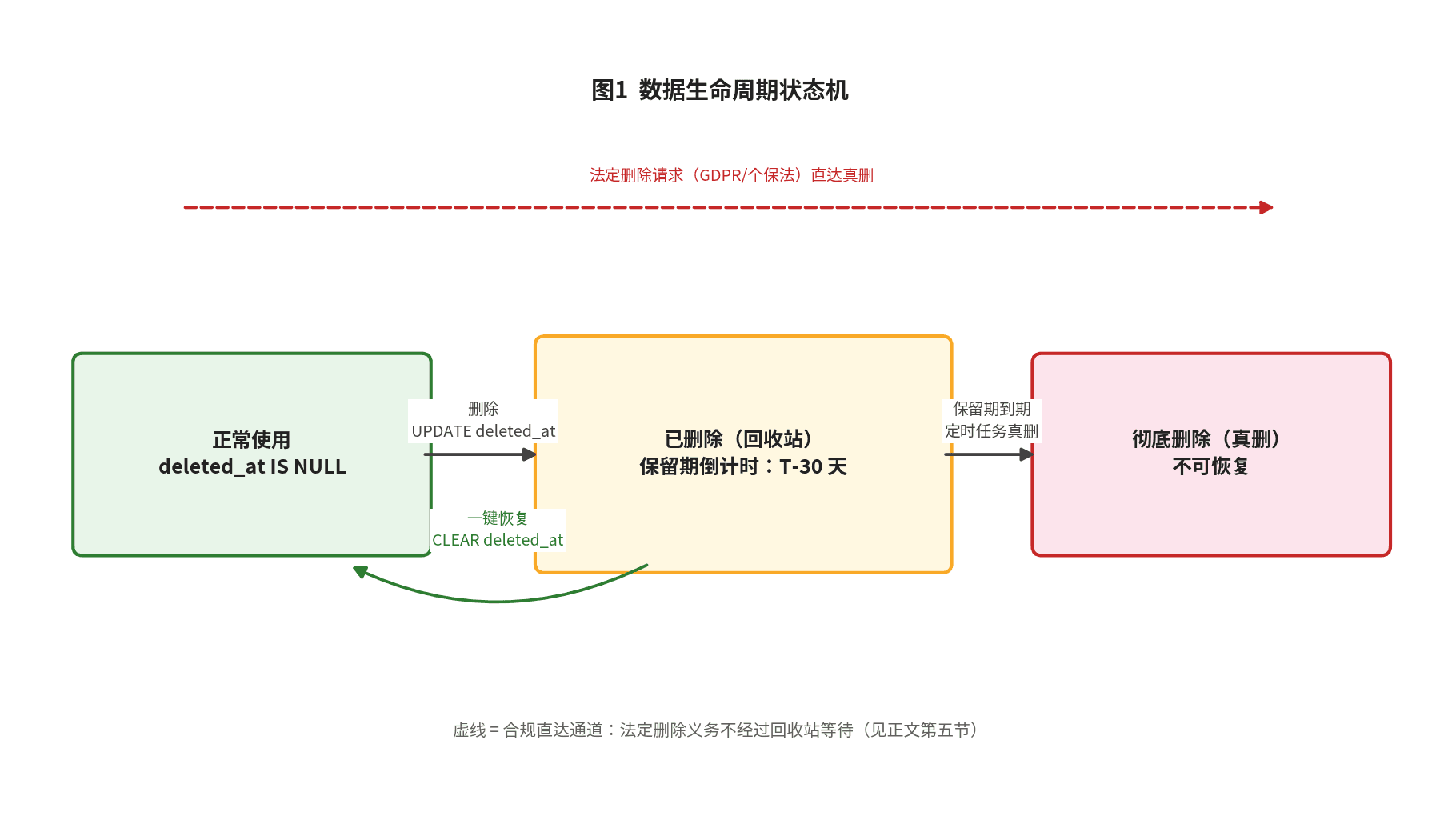
Backups are the last line of defense; the trash bin is the first. This hands-on guide covers the three delete semantics, deleted_at data modeling, partial unique indexes, Prisma query-layer guards, tiered trash-bin retention, GDPR/PIPL erasure reconciliation, and an 8-item launch checklist.
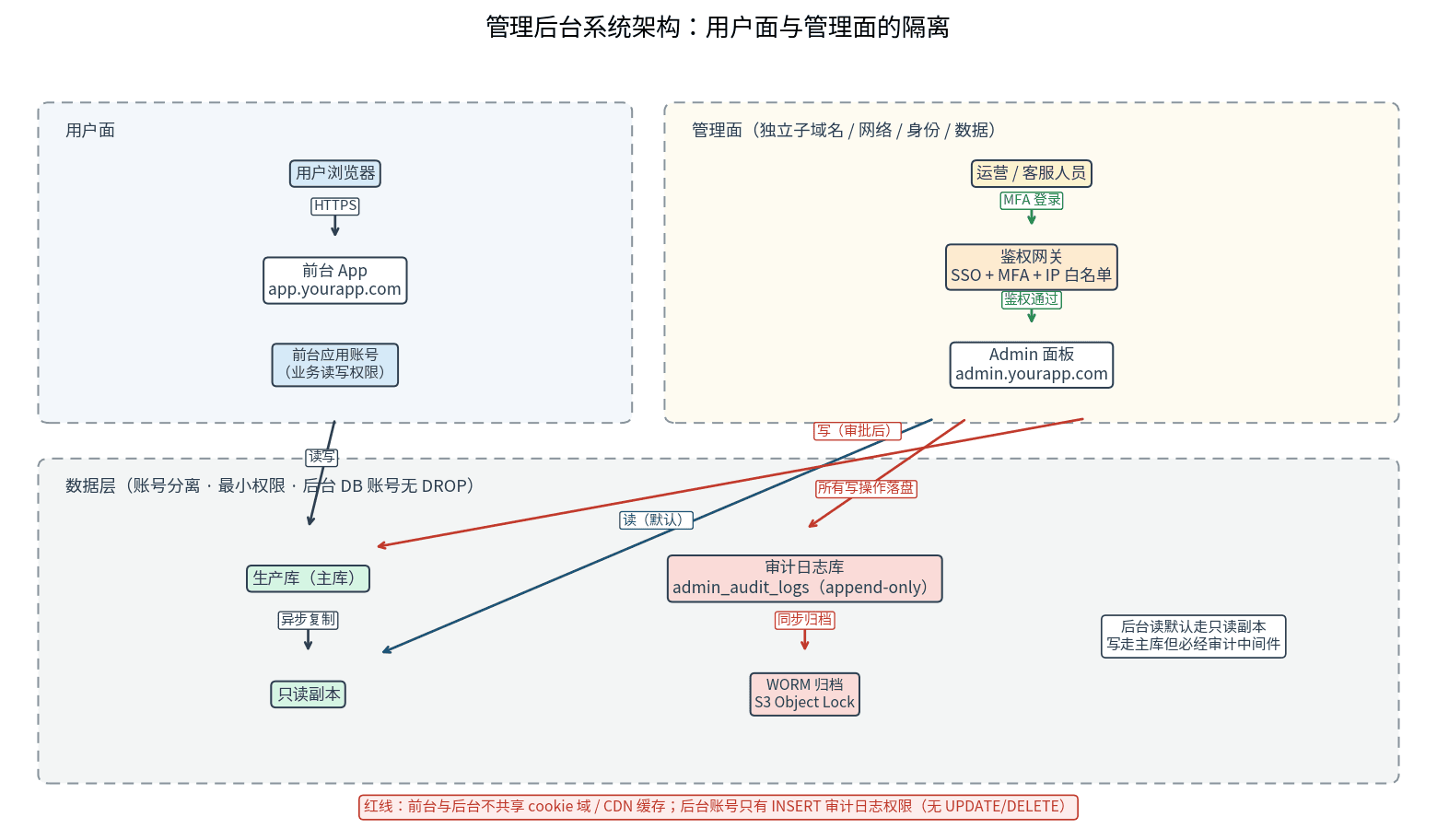
A launched project without an admin panel sends you back to hand-writing SQL over ssh at the first support ticket. This guide starts from the day-1 MVP feature list: the admin feature matrix across users, orders, content, and config; three role tiers with three isolation layers; human-review double confirmation for dangerous actions; append-only tamper-proof audit logs; a time-limited-token impersonation safety chain; plus a Retool-vs-custom build comparison and an 8-item launch checklist.