Deletion Shouldn't Be a One-Way Street: Soft Delete & Trash Recovery for Vibe Projects
Backups are the last line of defense; the trash bin is the first. This hands-on guide covers the three delete semantics, deleted_at data modeling, partial unique indexes, Prisma query-layer guards, tiered trash-bin retention, GDPR/PIPL erasure reconciliation, and an 8-item launch checklist.
Drawing the Line First: Backups Are the Last Line of Defense, the Trash Bin Is the First
Our earlier guide, A Backup You've Never Restored Is Just Paper: Database Backup and Disaster Recovery for Vibe Projects, covers the infrastructure layer: RPO/RTO targets, point-in-time recovery, weekly restore drills — it answers "the data is really gone, how do we pull it back from backups?" That is the last line of defense.
This guide covers the application layer: what should happen inside your system the moment a user clicks "Delete". Backups solve disasters — a dead disk, a database wiped by an Agent. The trash bin solves something far more common and more annoying: the user deleted the wrong thing themselves, and then files a ticket: "can you get it back for me?" Backups are the last line of defense; the trash bin is the first. This guide is about the first.
1. Three Delete Semantics Compared: Choose First, Build Second
The most common mistake indie developers make isn't shipping no delete feature at all — it's making every delete the same kind. AI-generated code especially loves a decisive DELETE FROM — it has no concept of "oops". Start by seeing the three semantics clearly:
| Dimension | Hard delete | Soft delete (deleted_at) | Trash bin (soft delete + retention + one-click restore) |
|---|---|---|---|
| Implementation | DELETE FROM, the row physically disappears | Flag it with deleted_at = now(), the row stays | Soft delete + a user-visible restore entry + automatic expiry cleanup |
| User perception | "Deleted" | "Deleted" | "Deleted, but recoverable within 30 days" |
| Recovery cost | Dig through backups, measured in hours | One UPDATE, measured in seconds | Self-service by the user, zero support cost |
| Storage cost | Zero | Keeps deleted data | Keeps deleted data + trash bin UI |
| Use for | Test data, data the law requires you to truly erase | The default for core business data | Content users create themselves: docs, projects, notes, files |
| Don't use for | Anything a user might regret deleting | Cases where you promise users "permanent deletion" | Statutory deletion requests that require immediate true erasure (see Section 5) |
The default answer for indie developers is blunt: soft-delete business data by default, productize a trash bin on top for user-created content, and treat hard delete as the exception that needs approval. Delete semantics is a product decision, not a database detail — it decides whether you have any cards to play when a ticket wakes you at 3 AM.
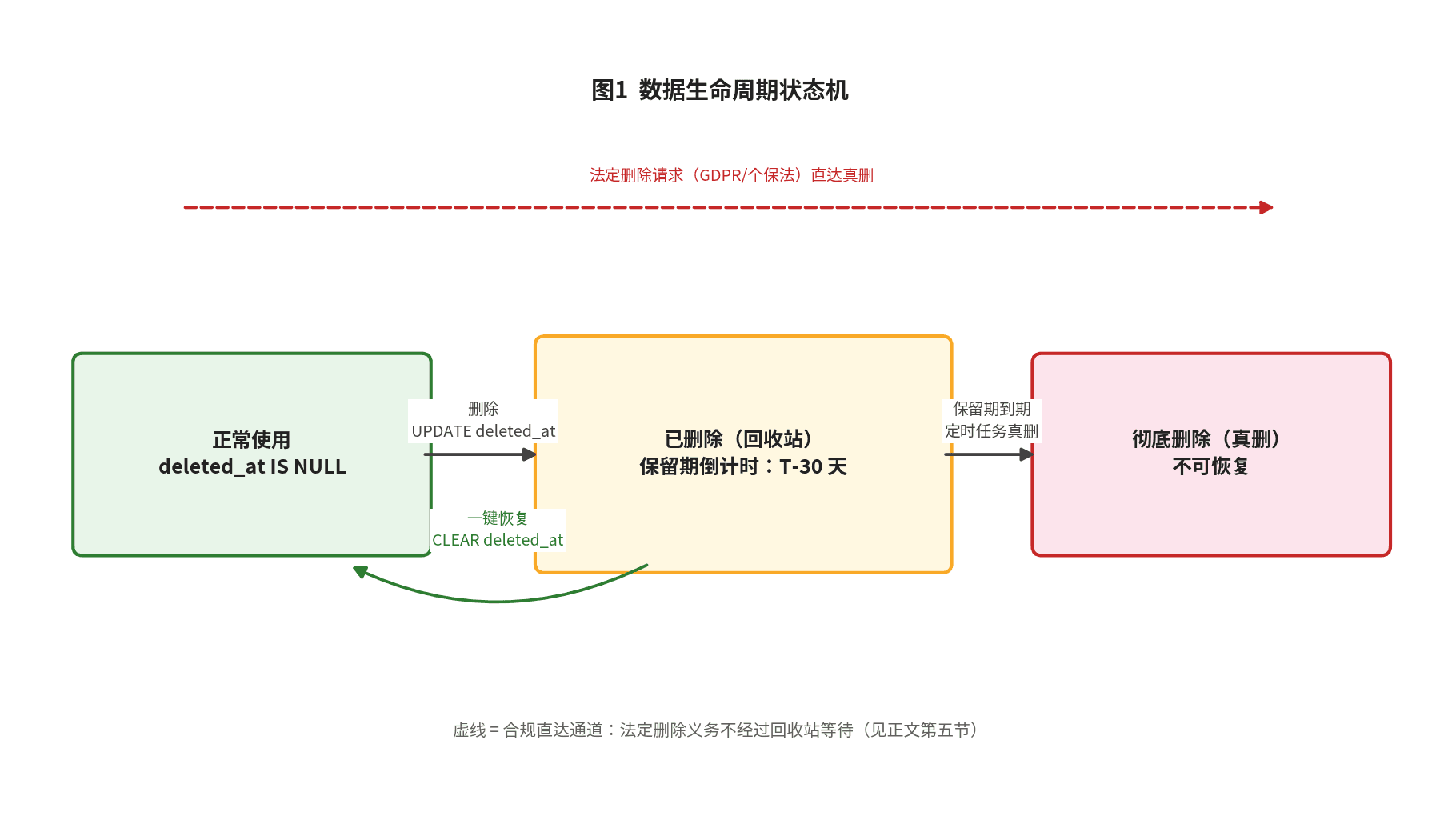
The three semantics are really one state machine; the full data lifecycle is shown in Figure 1. Notice the "retention countdown" branch: it's the essential difference between a trash bin and a bare soft delete — soft delete answers "is it deleted", the trash bin answers "can it still come back, and when is it gone for good".
" alt="Data lifecycle state machine: active → deleted (trash) → restored to active, or permanently purged when retention expires; statutory deletion requests go straight to purge">Figure 1: Data lifecycle state machine. Three key branches: a normal delete enters the trash bin and starts the countdown; within the countdown the user can restore with one click; when the countdown ends the data is truly deleted automatically. Statutory deletion requests (GDPR / PIPL) take the direct channel — this line exists because of compliance requirements, detailed in Section 5.
2. Data Model: Three Engineering Decisions for deleted_at
Decision 1: deleted_at, not is_deleted
Add a nullable timestamp column to every business table:
-- Migration example (Postgres)
ALTER TABLE projects ADD COLUMN deleted_at TIMESTAMPTZ NULL DEFAULT NULL;
CREATE INDEX idx_projects_deleted_at ON projects (deleted_at);
Why not a boolean is_deleted? Three practical reasons. First, deletion time is itself an audit asset — "when was this row deleted" determines when the retention countdown starts; a boolean can't tell you that. Second, the boolean approach always ends up needing a second column (deleted when / by whom) — go straight to the final design. Third, deleted_at IS NULL simply means "alive": clean semantics, easy query conditions. In Prisma:
model Project {
  id        String    @id @default(cuid())
  title     String
  deletedAt DateTime? @map("deleted_at") // null = alive, non-null = deleted
  tasks     Task[]
}
Decision 2: Unique-Key Conflicts — Soft Delete's Classic Trap
This is the number-one case where soft delete done wrong is worse than none: a user deletes their account, the row stays (deleted_at set), then they change their mind and re-register with the same email — UNIQUE(email) blocks them outright, or worse, the signup flow 500s. AI-generated schemas will almost always walk into this trap, because they only know @unique.
The fix is a partial unique index: uniqueness enforced only over rows that are alive.
-- Enforce email uniqueness only for non-deleted rows
CREATE UNIQUE INDEX uniq_users_email_active
  ON users (email) WHERE deleted_at IS NULL;
Note that Prisma's @@unique generates a whole-table unique index — it can't do partial. This belongs in a raw migration. And don't forget the companion policy: what happens on restore if the unique key is now taken by someone new? Decide in advance between two options: A. auto-rename/append a suffix on restore and tell the user; B. refuse the restore, flag the conflict, and let the user resolve it manually. There is no "we'll figure it out later" — later is a production incident.
Decision 3: Cascading Soft Delete — Don't Leave Orphan Child Rows
Delete a project — what happens to its tasks, files, comments? In the hard-delete era the answer was ON DELETE CASCADE: the database nuked everything for you. That doesn't work in the soft-delete era: foreign-key CASCADE only understands physical deletion. Cascading soft delete must happen in the application layer: when deleting a parent, stamp deleted_at on the child tables in the same transaction.
Set the policy per table. Two patterns compared:
| Pattern | Behavior | Use for |
|---|---|---|
| Follow delete | Parent's delete sends children to the trash bin together; restore brings them all back | Tasks, attachments, in-project docs — data meaningless without its parent |
| Stay independent | Children survive the parent's deletion, only the association display is cut | Order line items, comments, operation logs — data with independent audit/business value |
Restore in the reverse order of deletion: children first, then the parent; every unique-key conflict along the way follows the Decision 2 policy. Write down "which tables follow, which stay" as a document — that's checklist item 3. Don't keep it only in your head.
3. Query-Layer Defenses: Filter Deleted Rows by Default, Not by Memory
With the model in place, the real battlefield is the query layer. The iron rule of soft delete: business queries must not see deleted data by default, and this has to be a mechanism — not something every developer (or every snippet of AI-generated code) remembers to add as where deletedAt: null. Two mainstream implementations, pick one:
Option A: Prisma middleware as a global interceptor
// Every findXxx / count / aggregate automatically gets deletedAt: null
prisma.$use(async (params, next) => {
  const softDeleteModels = ['Project', 'Task', 'Document'];
  const readOps = ['findFirst', 'findMany', 'findUnique', 'count', 'aggregate'];
  if (softDeleteModels.includes(params.model) && readOps.includes(params.action)) {
    params.args = params.args || {};
    params.args.where = { ...(params.args.where || {}), deletedAt: null };
  }
  return next(params);
});
Option B: SQL views for isolation (reporting / read-only scenarios)
CREATE VIEW active_projects AS
  SELECT * FROM projects WHERE deleted_at IS NULL;
-- Reports, BI, and read-only accounts only get view access;
-- the physical tables are never exposed to humans
Choose by your stack: full Prisma shop → middleware, one interception point covering everyone; direct-DB reporting needs → add views. The point is one of the two must land — "I'll remember the where clause" doesn't count.
3 Checkpoints Where AI-Generated Code Drops the Filter
Even with middleware in place, AI-generated code has three bypass/leak spots. Walk through them one by one in code review:
Checkpoint 1: raw SQL ($queryRaw) bypasses middleware entirely. Prisma's $use only intercepts ORM methods; $queryRaw`SELECT * FROM projects` takes a different road. Every raw query must hand-write WHERE deleted_at IS NULL. Put this in the prompt before letting AI write raw queries.
Checkpoint 2: aggregations (count / sum / leaderboards). "It's just a number" is the easiest thing to overlook: the homepage claims "12,000 projects created" while 3,000 of them sit in the trash; revenue stats add back amounts from deleted orders. Grep every count( and sum( and confirm the filter.
Checkpoint 3: associated tables pulled in via include / join. The Project table is filtered by middleware, but include: { tasks: true } may return deleted tasks — verify middleware behavior on nested includes with a real test, and when in doubt add where: { deletedAt: null } inside the include explicitly.
Plus a checkpoint zero: cron jobs, seed scripts, and the admin panel's direct DB access — these "invisible" query entry points are written earliest, reviewed least, and leak deleted data most often. Finally, pin it down with an integration test: delete a row → run the core business queries → assert it's invisible. That test is soft delete's seatbelt.
4. Trash Bin Product Design: Give Users an Undo Button
Stringing the previous three sections together, the full chain from "user clicks delete" to "data recovered" is shown in Figure 2. Note the two starred nodes — unique-key conflict handling and cascade stamping/restoring are exactly where Section 2's two decisions land in the flow. If you can't find them in the flowchart, the implementation missed them.
" alt="Full delete-to-recovery flowchart: user deletes → soft-delete flag → trash bin → restore or scheduled purge after retention expires, with unique-key and cascade handling nodes marked">Figure 2: the full chain from "user clicks delete" to "data recovered". The soft-delete flag releases unique keys (partial index takes effect) and cascade-stamps child tables before data enters the trash bin; the restore branch passes a unique-key conflict check and cascade-restores children; with no restore, a scheduled job physically deletes the data after retention expires.
Tiered Retention: Don't Lazily Default to 30 Days
"Keep it 30 days" is the most common lazy answer. Tiering by data type is more defensible, graded on just three factors: recovery value × storage cost × compliance ceiling.
| Data type | Suggested retention | Rationale |
|---|---|---|
| User-created content (docs, projects, notes) | 30 days | Accidental-delete hotspot with the highest recovery value; 30 days covers the "I just realized I deleted the wrong thing" cycle |
| Orders / transaction records | 90 days | Reconciliation and refund disputes need them; financial compliance may demand longer — see Section 5 |
| Chat logs, ephemeral content | 7 days | Low recovery value, high volume — keeping it longer is just a storage tax |
| Account deletion / erasure | Goes through the compliance channel, not the trash bin | Erasure exercises the deletion right — see Section 5 |
Restore Flows: Three Granularities
Single-item restore: the "Restore" button in the trash list — one click clears deleted_at. The most-used path must complete in a single click; don't make users fill a form. Bulk restore: for "I deleted a whole folder by mistake" — multi-select + one transactional restore; one conflicted item doesn't block the rest; finish with a summary report (N restored, M conflicted). Cascade restore: restoring a project brings its tasks and attachments back by default; but if a child item was separately purged after the parent's deletion, the restore report must flag it explicitly — never silently drop things.
Expiry Cleanup: Four Requirements for the Scheduled Job
When retention expires, data must truly die. Hand that to a scheduled job running in the early morning: DELETE FROM projects WHERE deleted_at < now() - interval '30 days', each data type with its own retention. Four requirements: idempotent — delete in batches by primary key so re-runs are harmless; observable — log how many rows each run deletes, and alert on failure, because a silently-stalled cleanup job lets the trash bin grow forever; archival option — snapshot rows to cold storage (one JSON line per row on S3) before true deletion — negligible cost, lifesaving at the critical moment; never run at peak hours — 4 AM when nobody's around; an indie developer's server can't survive a lock-table scare.
Product-Surface Details
Put the trash bin entry in settings or at the bottom of the sidebar — not buried, not shouting. Show a countdown on every record — "permanently deleted in 23 days" drives action far better than "deleted on Oct 1". And should users get a "delete permanently now" button? Yes — but with double confirmation. Demanding immediate true deletion is the user's right (and a compliance plus); don't decide for them.
5. Compliance Intersection: Soft Delete Is Not Statutory Deletion
This section is for indie developers with EU or Chinese users. Others may skip — but first make sure you really don't qualify.
GDPR Article 17 (the right to erasure) and PIPL Article 47 both grant users a deletion right: when a user asks for deletion, the law wants true deletion — the data physically gone, not flagged and hidden. Soft delete doesn't count here. Nail that down.
The reconciliation approach: on receiving a deletion request → soft-delete first (user experience: it's "gone" instantly) → true-delete within the statutory deadline (compliance: GDPR requires responding within one month). Three hard constraints. First, the trash bin's retention ceiling must not exceed the statutory response window — don't end up with "the user exercised their deletion right and the data napped in the trash bin for 90 days". Second, true deletion needs an audit record: what was deleted, when, under which user request — and the audit record itself must not store personal data again, or you've deleted nothing. Third, copies in backups don't require digging through every backup: industry practice lets them expire with backup rotation (regulators accept rotation where immediate removal is technically infeasible) — but write that down in your DSR runbook.
For the concrete DSR intake flow — identity verification, response deadlines, the cross-system (database / backups / third-party services) deletion checklist — our on-site Data Subject Request (DSR) Handling Guide has the full SOP; this guide won't repeat it. That guide covers "what to do after a request arrives"; this one covers "how to design delete semantics so requests are answerable".
6. Launch Checklist: 8 Items, Check Them Off One by One
- Every business table has deleted_at, and default queries filter it all. Prisma middleware or SQL views — one must land; pin it with an integration test asserting "deleted data is invisible".
- Partial unique indexes are built. On staging, run the "delete A → create same-named B → restore A" regression and confirm no 500s, no silent overwrites.
- Cascade policy documented. Which tables follow, which stay, and the restore order — as a document, not just in your head.
- Trash bin UI fully clickable. List, countdown display, single restore, bulk restore, permanent-delete button — walk it as a user.
- End-to-end drill: delete, then restore. Fabricate realistic data with associations, attachments, and counters; delete → restore → verify integrity item by item. The most important click before launch.
- Cleanup job ran a full round. On staging, set retention to 1 minute and watch it delete, log, and alert. Production gets failure alerts.
- Statutory deletion channel separated from soft delete. DSR/erasure requests take the true-delete path with audit records; ordinary deletes go to the trash bin. The two paths must be separable as if/else branches in code — not by comments.
- Backup rotation written into the DSR doc. Backup copies expire with rotation — write it down so there's something to show when regulators ask (echoing the backup guide).
One honest closing note: the trash bin is the kind of feature users will never pay for — but a single "help me recover what I deleted by mistake" ticket will make those two days of work feel worth it. Delete semantics is insurance written for your future self. Hopefully you'll never need it, but on the day you do, you'll be glad it wasn't a one-way street.
Comments (0)
Related articles
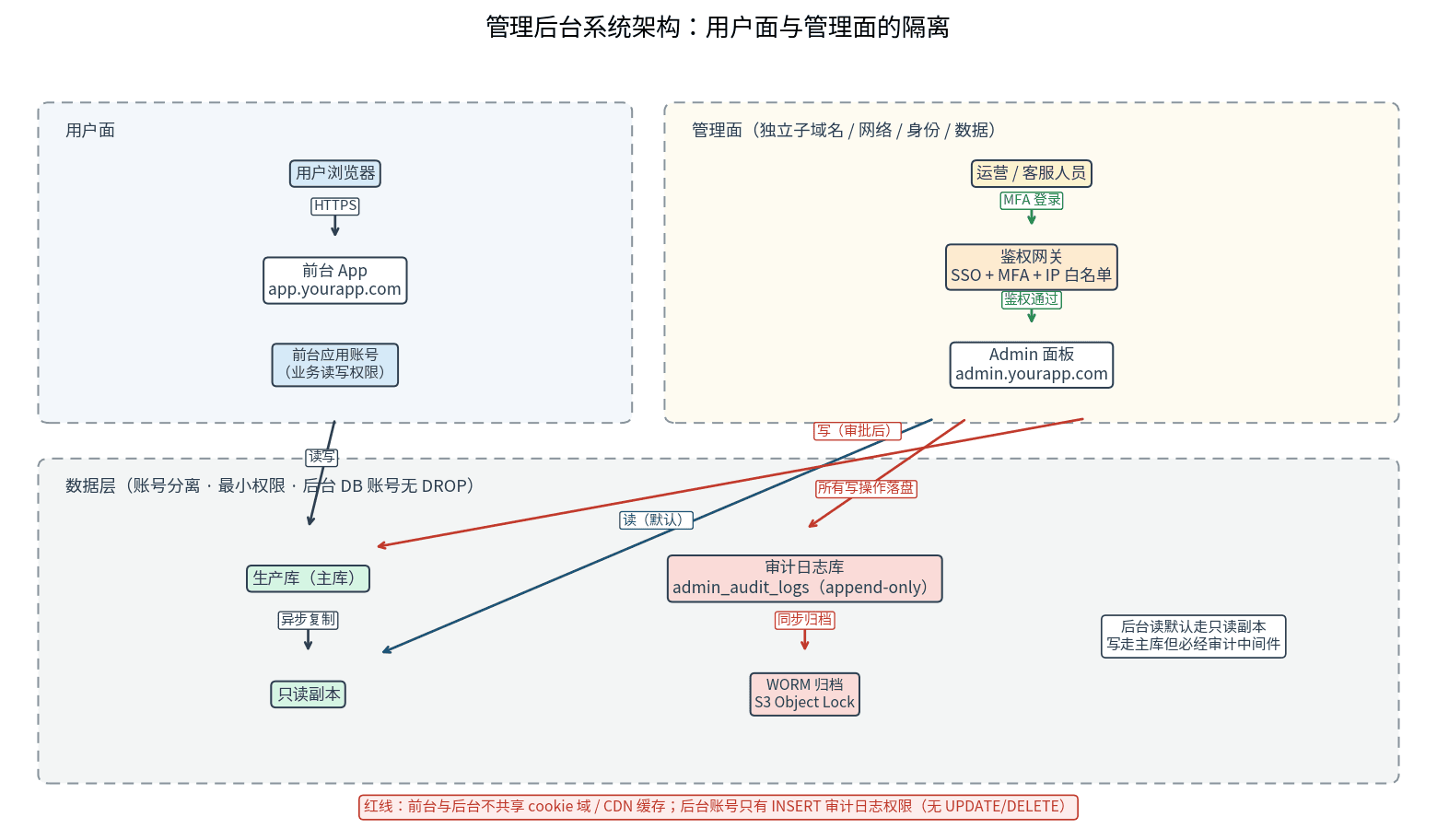
A launched project without an admin panel sends you back to hand-writing SQL over ssh at the first support ticket. This guide starts from the day-1 MVP feature list: the admin feature matrix across users, orders, content, and config; three role tiers with three isolation layers; human-review double confirmation for dangerous actions; append-only tamper-proof audit logs; a time-limited-token impersonation safety chain; plus a Retool-vs-custom build comparison and an 8-item launch checklist.
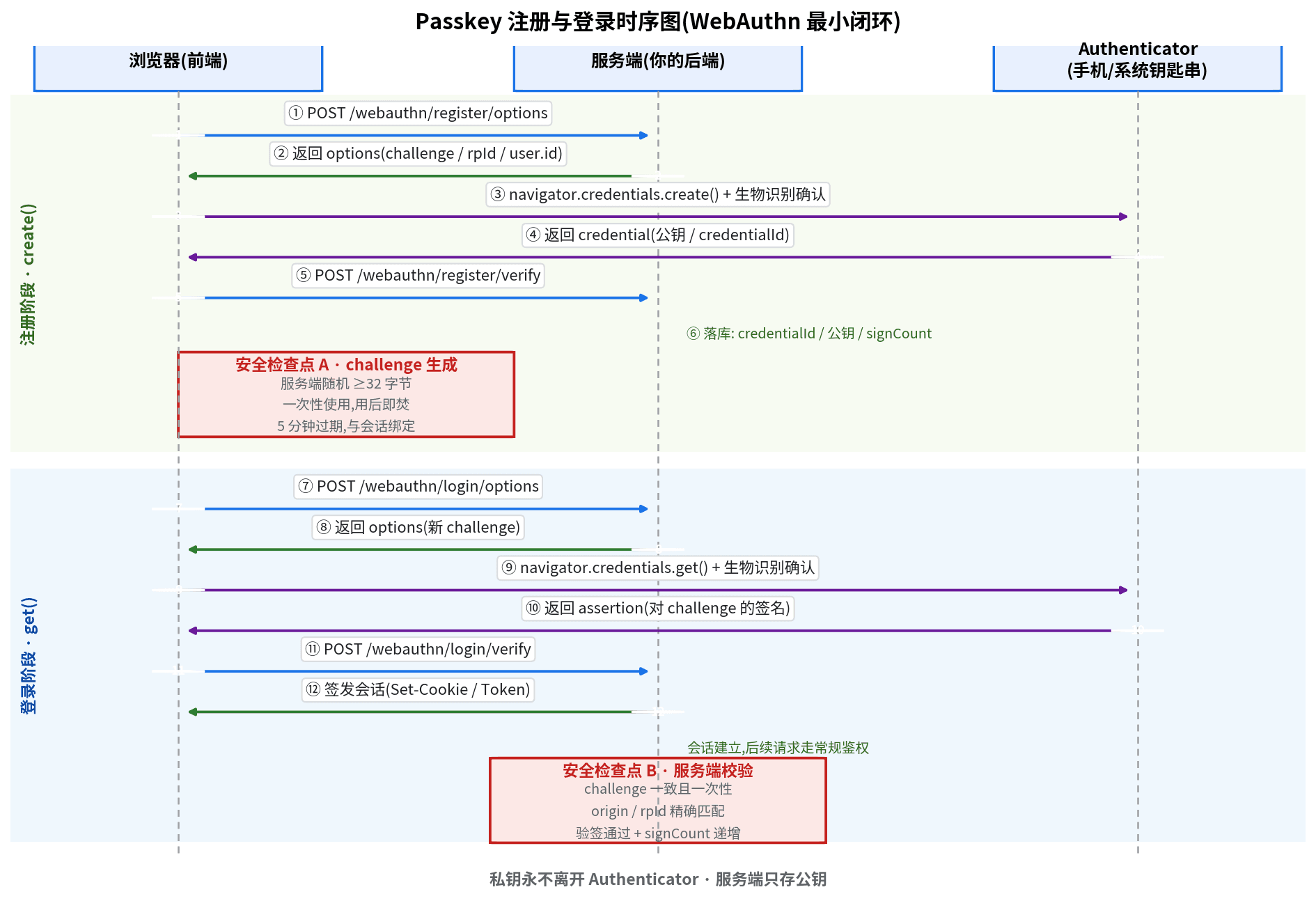
SMS codes burn money per message and still get intercepted. Passkey (WebAuthn) replaces SMS with device-side private-key signatures: the 7-step minimal loop, 5 security red lines, plus multi-device management, a loss-recovery playbook, and an 8-item launch checklist — zeroing out both login cost and entire attack classes.

User emails and login tokens sitting in your console.log? This guide gives solo teams a complete log-redaction playbook shippable in a day: a four-tier PII classification table, copy-paste TypeScript redaction trio, minimal console.log-to-pino migration, request-logging middleware templates, Sentry beforeSend config, tiered retention and cost math — plus 8 real-world pitfalls.