When the Web Isn't Enough: Packaging Vibe Projects as Desktop Apps (Electron/Tauri)
From npm run dev to a double-clickable installer: a solo-team field guide to desktop packaging for vibe projects. The 5 scenarios where the web hits its limits, an Electron vs Tauri decision tree, minimal packaging with electron-builder and the Tauri CLI, auto-update and 2026 signing costs, 6 moves to slim a 200MB installer to 30MB, a GitHub Actions three-platform matrix, and direct download vs. store distribution.
Scope first: what this guide covers (and what it doesn't)
This guide is about packaging and distribution, with a clear division of labor against three other guides on this site: vibe-project-dev-environment-standardization-guide (dev environment standardization) covers "the dev environment on your machine" — this one covers "the installer you ship to users" (development vs. delivery); vibe-project-self-hosting-guide (self-hosting) covers "where the server runs" — this one covers "how the client gets installed"; vibe-project-mobile-app-store-launch-guide (mobile store launch) covers "phone store review" — this one covers "desktop packaging and distribution."
The most common way vibe projects die isn't failing to write code — it's getting stuck right after "it runs on my machine." You send a friend a zip and they ask "which file do I double-click"; you send a GitHub link and they reply "I don't know how to install Node." Between "it runs" and "it installs" lies an entirely separate discipline: packaging, signing, notarization, installer slimming, auto-updates, cross-platform builds. AI can write your business logic, but it can't answer "why does double-clicking the dmg say it's damaged." This guide follows the real delivery order: first decide whether packaging is worth it, then pick a stack, then work step by step until users get automatic updates.
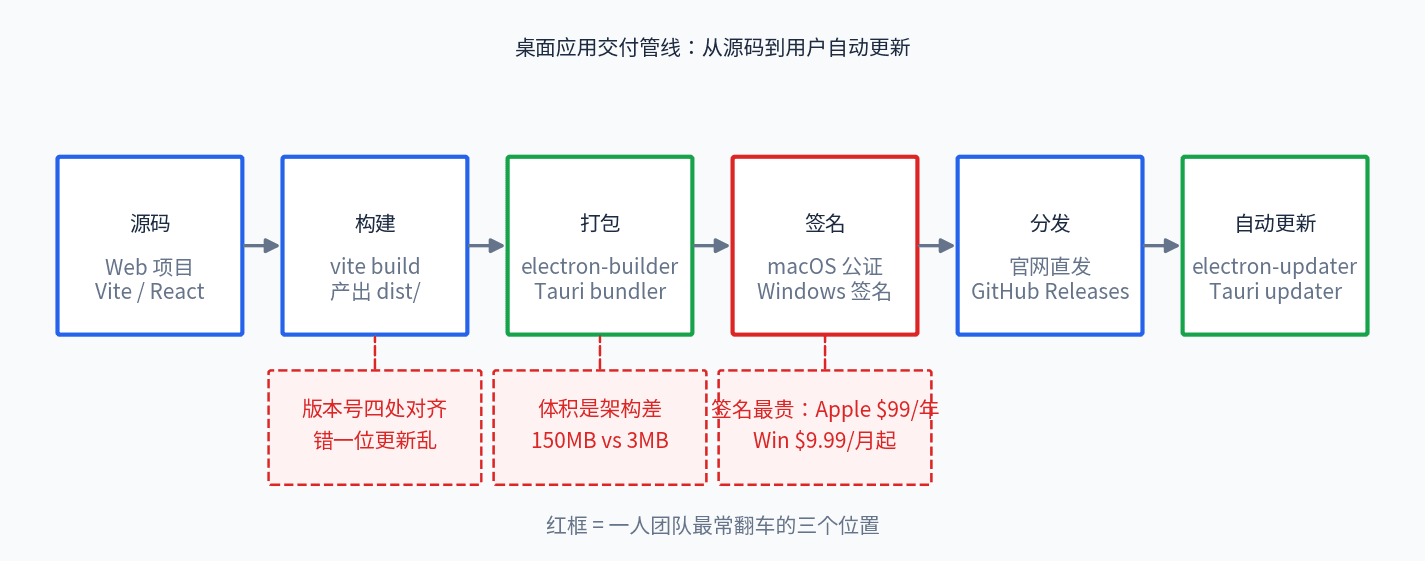
 Desktop delivery pipeline diagram: source, build, package, sign, distribute, and auto-update stages
Figure 1: The desktop app delivery pipeline — source code passes through build, packaging, and signing before it becomes a distributable installer; auto-update is the second lifeline after release. Red labels mark the three spots where solo teams most often trip.
1. When you actually need a desktop app: 5 scenarios the web can't cover
Cold water first: most vibe projects don't need a desktop app. The browser is already good enough. Packaging exists for needs the web genuinely can't fit. Each of the 5 scenarios below is a hard boundary of browser APIs:
1. Always-on system tray. Clipboard managers, screenshot pinnning, Pomodoro timers, network monitors — these tools are background residents. Close the browser tab and a web page's process is gone; a tray app can run windowless forever, with context menus and native notifications.
2. Global hotkeys. An Alt+Space launcher, select-and-translate, global screenshot OCR. Inside a browser you can't grab system-level hotkeys — when focus is in another app, your web page doesn't even receive keyboard events.
3. Deep local file access. Batch renaming, local video transcoding, indexing a personal knowledge base. The browser's File System Access API isn't unusable — it's that every access needs a user click, and directory permissions are lost on restart. Asking users to click "Allow" for 20,000 files is a churn machine.
4. True offline. Airplanes, high-speed rail, client sites with weak Wi-Fi. PWA offline caches handle "viewing," not "doing" — local SQLite plus the file system plus background tasks is real offline. Full-text search across 5 years of notes with no connection is an experience the web can't deliver.
5. Launch at login and background jobs. Automatic backups, scheduled sync, timely reminders. Web pages can't launch at login — that's a privilege the OS reserves for installed apps.
If any one of these matches, packaging is justified. Take a real solo-dev example: someone built a local Markdown knowledge base; the web version drew complaints about re-granting folder permission on every open, and after shipping a desktop build — where folder permission is granted once and kept — retention doubled. Same product, different form factor, completely different experience.
Conversely, do not package in these cases: pure content products (blogs, doc sites, portfolios) — the install barrier kills distribution; products that need SEO and share links — installers have no URLs; products still validating daily with direction changes three times a day — the release cadence of packaging, signing, notarizing, and updating can't keep up with the web's "git push is live" immediacy; and teams where nobody wants to own the dirty work of certificate renewals and notarization queues — signing isn't a one-time job, it's a recurring cost of annual renewals and per-release re-signing. 90% of vibe projects die from having no users, not from having no installer. Get 100 real users on the web version first, then talk desktop.
2. Electron vs Tauri: no cheerleading, just a decision tree
Framework debates are pointless; knowing your constraints isn't. Here's the five-dimension comparison (hello-world basis, measured 2026 data):
Bundle size: Electron ~150MB (ships all of Chromium) vs Tauri ~3–15MB (uses the OS webview). This isn't an optimization gap, it's an architecture gap. Idle memory: Electron 200–400MB vs Tauri 50–100MB. Ecosystem maturity: Electron is high — a decade of ecosystem, VS Code, Discord, and Slack behind it; if you hit a problem, Stack Overflow already has the answer. Tauri is mid — 2.x is stable (currently 2.12) and the plugin ecosystem is catching up, but niche needs may require writing Rust yourself. Learning curve: Electron is low — pure JS/TS, the whole Node toolbox transfers over. Tauri is mid — you can avoid writing Rust, but configuring builds, reading error output, and wiring native capabilities will confront you with Rust sooner or later. Update mechanism: both are mature — Electron has electron-updater (differential updates, staged rollouts); Tauri has a built-in updater (signature verification, latest.json manifest).
Now walk the decision tree: Can your team read Rust error output? No → Electron, don't make life hard. Is bundle size a matter of life and death? (users on weak networks, the product itself is a "tiny utility") Yes → Tauri; a 150MB "tiny utility" is a joke. Do you need complex native capabilities? (serial ports, USB devices, system-level hooks) → Electron (Node's ecosystem has ready-made libraries) or Tauri (write your own Rust plugin — only if you have Rust capacity). Already using Rust, or want to learn it on the job? → Tauri. Just want the first installable build as fast as possible? → Electron; electron-builder produces all three platforms' packages with one command.
Don't go all-in right after choosing: spend half a day building a minimal installer with the chosen stack — installable, launchable, showing a version number. Measure the three metrics (bundle size, startup time, first native API call) and the choice is validated. The most expensive mistake in vibe projects isn't choosing wrong; it's discovering three months later that it won't install.
The one-liner: need speed, ecosystem, and a pure-frontend team → Electron; need small size, low memory, and someone who can touch Rust → Tauri. One more thing few people mention: AI writes Electron configs with a notably higher success rate than Tauri — Electron's Q&A corpus is dozens of times larger, so "AI gets it right on the first try" is itself a selection factor in a vibe workflow. As for even lighter options like Neutralinojs (hello world under 2MB), the ecosystem is too thin and plugins must be hand-built — fine for internal company tools, avoid for user-facing products.
 Desktop delivery pipeline diagram: source, build, package, sign, distribute, and auto-update stages
Figure 2: Electron vs Tauri across five dimensions. Bundle size and memory are Tauri's decisive advantages; ecosystem and learning curve are Electron's home turf; update mechanisms are mature on both sides.
3. Minimum viable packaging: from web project to your first .dmg / .exe
The goal is concrete: before the end of today, your project installs with a double-click on someone else's machine and runs. Pick one of the two routes — don't mix them.
The Electron route (electron-builder v26, the community standard). Step one, install: npm i -D electron electron-builder, then write a 30-line main entry — create a BrowserWindow, loadFile pointing at your Vite-built dist/index.html, that's it. Step two, add a build section to package.json; three fields decide life or death: appId in reverse-domain form (com.yourname.app — never leave the com.example placeholder), productName for the display name, and a files whitelist containing only dist/**/* plus required assets, with asar: true enabled. Step three, build: npx electron-builder --mac dmg --win nsis --linux AppImage; artifacts land in dist/. The first run usually succeeds on the first try — electron-builder's defaults are designed for newcomers.
The Tauri route (Tauri 2.x, currently 2.12). With an existing Vite project: npm i -D @tauri-apps/cli, then run npx tauri init to generate the src-tauri/ directory. The heart is tauri.conf.json: identifier in reverse-domain form (same role as Electron's appId), bundle.targets per platform (["dmg", "app"] for mac, ["nsis"] for Windows, ["appimage", "deb"] for Linux — or just "all"). Then npm run tauri build: it runs your frontend build first, then invokes the Rust toolchain to package. Note that Tauri 1 is end-of-life — don't let AI generate v1 configs for you; the v2 config schema changed (v2 introduced the capabilities permission model), and mixing them errors out immediately.
Your first build will likely hit two classic errors — knowing them in advance takes the panic away: Tauri complaining about a missing Rust toolchain — install rustup; on Windows you also need the Visual Studio Build Tools (just the build tools, not the whole VS). Electron showing a white screen after packaging — 99% of the time it's a path problem in the main entry: development uses the dev server, the production bundle uses file:// relative paths, so don't pass absolute paths to loadFile. Get past these two and the rest is repetition.
3 mandatory checks for AI-generated configs (80% of packaging failures in vibe workflows come from these three): First, is the identifier / appId placeholder replaced? AI loves leaving com.example.myapp behind, and Tauri's identifier doubles as the identity of the auto-update channel — renaming midway severs updates for all existing users. Second, does the files whitelist include things that shouldn't ship? AI often writes "files": ["**/*"], packing .env, private keys, and test fixtures into the installer; after building, run npx asar list to see what's actually inside. Third, are the version numbers aligned in all three places — package.json, tauri.conf.json, and Cargo.toml (for Tauri projects) must carry the same version; the updater uses it to decide "is there a new version," and one digit off breaks update logic. Add a check script in CI that fails the build on mismatch — far cheaper than debugging after the fact.
4. Auto-update in practice: signing is the unavoidable gate
A desktop app without auto-update means shouting "everyone re-download from the website" in the group chat with every release. The update mechanism itself isn't hard; the signing in front of it is.
electron-updater is electron-builder's sibling: set publish.provider: "github" in package.json and the build automatically generates a latest.yml manifest uploaded to GitHub Releases. The client checks the manifest on launch and downloads new versions in the background — differential updates via blockmap download only changed data blocks, so a small release of a 150MB app might download just a few MB. Staged rollouts use stagingPercentage: push to 10% of users first, watch crash rates, then go full. This is the most battle-tested update solution on desktop.
The Tauri updater uses a different trust model: tauri signer generate creates a minisign keypair; the public key goes into tauri.conf.json and the private key becomes a GitHub Secret (TAURI_SIGNING_PRIVATE_KEY). Each build produces .sig signature files and a latest.json manifest alongside the installers. The client verifies the signature before updating and silently refuses on mismatch — note the "silently": a failed verification shows no error popup, it just doesn't update, so check the signature chain first when debugging.
Signing costs (2026 figures, solo-team budget). macOS: Apple Developer Program at $99/year, with no free route — an unsigned dmg gets intercepted by Gatekeeper, and "is damaged, move to trash" is what users see. The flow is three mandatory steps: sign with a Developer ID Application certificate → submit to notarization with notarytool (needs an Apple ID app-specific password or an App Store Connect API key) → staple the ticket with stapler. The concrete three commands, once run locally you'll remember them: xcrun notarytool submit MyApp.dmg --apple-id you@example.com --password <app-specific-password> --team-id TEAMID --wait (queue usually takes minutes to half an hour), then xcrun stapler staple MyApp.dmg to staple the ticket into the installer. Generate the app-specific password at appleid.apple.com — never use your login password; in CI, store it with the certificate p12 as secrets, security import the certificate in the workflow, then sign — the first setup takes an afternoon, after which it's fully automatic. Windows: the easiest path is Azure Artifact Signing (formerly Trusted Signing) at $9.99/month for Basic — keys live in Microsoft's HSM and CI calls it directly, no hardware to buy. The traditional route is an OV certificate around $200–400/year or EV around $300–700/year — but since June 2023 private keys must live on a FIPS hardware token or cloud HSM; "download a pfx file" no longer exists, and plugging a token into CI is a nightmare. Also note the CA/Browser Forum cut maximum certificate validity to 460 days starting March 2026, so renewals come more often than before. Linux: GPG signing is free and optional.
One more uncomfortable truth: signing doesn't mean no warnings. Windows SmartScreen is reputation-based — a new certificate and a new app still trigger the blue warning for the first few hundred downloads; reputation builds with download volume. EV certificates historically started faster, but since 2024 they're no longer a get-out-of-jail card either. The pragmatic combo for a budget-limited solo team: Azure signing ($9.99/month) plus a clear note on your download page — "on first run click 'More info → Run anyway'" — front-load the explanation cost instead of letting users guess at the blue dialog.
5. Slimming the installer: 6 moves from 200MB to 30MB
A Vite + React Electron app ships at roughly 180–220MB with zero optimization. Six moves, ordered by return on effort:
1. files whitelist + asar compression. Ship only dist/; exclude .map files, READMEs, test fixtures. asar itself compresses — this step saves roughly 30–40% and is the king of cost-effectiveness.
2. Per-platform bundles. Build --mac, --win, --linux separately; don't stuff all three platforms' native modules into one package. AI-generated configs often forget this, leaving mac and Windows binaries lying together in one "universal" package.
3. Sweep dependencies. devDependencies never ship anyway, but AI loves putting build tools and test libraries into dependencies; giants like monaco-editor and ffmpeg.wasm should be lazy-loaded or served from CDN rather than bundled.
4. Externalize large assets. Model files, video assets, font packs go on a CDN and download on first launch on demand; the installer keeps only the shell. This is the key leap "from 60MB to 15MB," at the cost of one extra download on first launch — completely acceptable for utility apps.
5. Switch architectures (radical but decisive). Electron's 150MB is Chromium's weight, not your code's. Switching to Tauri drops it to single-digit MB — an architecture-level gap no amount of optimization can chase. When bundle size is a matter of life and death, don't polish the optimization; change lanes.
6. Use differential updates as slimming. electron-updater's blockmap diffs make each update only a few MB. Users' perception of "bigness" comes half from the first download and half from every update; smaller updates halve the complaints.
Quantifying the path: unoptimized 200MB → whitelist + asar ≈ 120MB → removing giant dependencies + externalizing assets ≈ 40–60MB → switching to the Tauri architecture ≈ 8–15MB. Each tier is a measured range from real projects, not theory. One concrete case: a note-taking app with a built-in code editor switched monaco-editor from bundled to a lazily-loaded CDN version — the installer dropped from 96MB to 41MB with a three-line config change. The first principle of slimming is always "don't ship what the user might never use."
6. Cross-platform CI packaging: one tag, three installers
One core insight: you cannot cross-compile. Tauri's webview is each OS's native library — mac dmgs must build on mac runners, Windows nsis on Windows runners. So the standard posture is a GitHub Actions matrix, each platform building on its own:
jobs:
  publish-tauri:
    permissions:
      contents: write
    strategy:
      fail-fast: false
      matrix:
        include:
          - platform: 'macos-latest'
            args: '--target aarch64-apple-darwin'
          - platform: 'macos-latest'
            args: '--target x86_64-apple-darwin'
          - platform: 'ubuntu-22.04'
            args: ''
          - platform: 'windows-latest'
            args: ''
    runs-on: ${{ matrix.platform }}
    steps:
      - uses: actions/checkout@v4
      - uses: tauri-apps/tauri-action@v0
        env:
          GITHUB_TOKEN: ${{ secrets.GITHUB_TOKEN }}
          TAURI_SIGNING_PRIVATE_KEY: ${{ secrets.TAURI_SIGNING_PRIVATE_KEY }}
Platform differences: the Linux runner needs system dependencies installed via apt install first — note Tauri 2 requires libwebkit2gtk-4.1-dev; the v1-era 4.0 won't compile. For a mac universal binary use the dual-target form above. On the Electron side it's electron-builder --publish always, with mac signing fed through CSC_* environment variables from a certificate p12 stored as a secret.
Trigger on push.tags: v* — pushing a tag is a release. Fix the artifact naming convention: MyApp-1.2.3-mac-arm64.dmg, MyApp-Setup-1.2.3-win-x64.exe, myapp_1.2.3_amd64.deb — platform, architecture, and version all in the filename, reducing wrong-package downloads to zero. Create the Release as a draft, download and verify everything, then hit publish — the verification checklist is three items: fresh install runs, auto-update upgrades from the previous version, and the publisher name in the signature info is correct. Finally the version-number iron rule: git tag = package.json = tauri.conf.json = Cargo.toml, aligned in all four places; CI checks it as the first step and fails on mismatch — don't discover a typo'd version only when users stop receiving updates.
7. Distribution: direct download vs. stores
The package is built; there are three ways to get it to users, and the trade-offs are very real:
Direct download from your website: 0% commission, ship updates anytime, installer format is your call. The price is doing signing yourself, buying your own traffic, and earning trust yourself — when users hit the SmartScreen blue dialog on first download, the explanation cost is yours. This is the starting point for 90% of vibe projects, and the endpoint too.
Mac App Store: 15–30% commission, review rounds of 1–2 days, every update goes through review. In return: user trust, store search traffic, Apple handling payments. The hidden cost is the sandbox: entitlements are granted on a least-privilege basis, and capabilities like global hotkeys and launch-at-login are restricted or impossible inside the sandbox — half of the 5 scenarios from section one get discounted in the MAS. If you're building exactly a system-level utility, the MAS may not fit your product's shape at all.
Microsoft Store: a one-time $19 developer account, roughly 15% commission, and Microsoft signs the MSIX package for you — effectively $19 to buy your way out of SmartScreen dialogs. The costs: domestic users in some regions barely use the Microsoft Store, and the MSIX install shape is a different artifact from the exe on your website.
The recommended path for a solo team: start with direct website downloads plus GitHub Releases, and validate that "someone is willing to download and install" first; once you have stable paying users and a fixed update cadence, evaluate the MAS — Apple users' willingness to pay is high, and the 30% cut is only worth paying once "someone pays" is true. Don't forget the free middle routes either: winget (the Windows package manager) accepts unsigned installers (just pin the SHA-256), and technical users' first move on a new machine is winget install; the Snap Store covers Linux desktop users. Neither costs money — ideal for the cold-start phase.
One last word: packaging is the last mile from "runs on my machine" to "installs on everyone's machine." It's unglamorous — all certificate renewals, notarization queues, version alignment, and SmartScreen reputation. But when an update ships and users get the new version without doing anything, the dirty work feels worth it. Start with one double-clickable .dmg; let CI handle the rest — and may your first installer succeed on the first try.
Comments (0)
Related articles
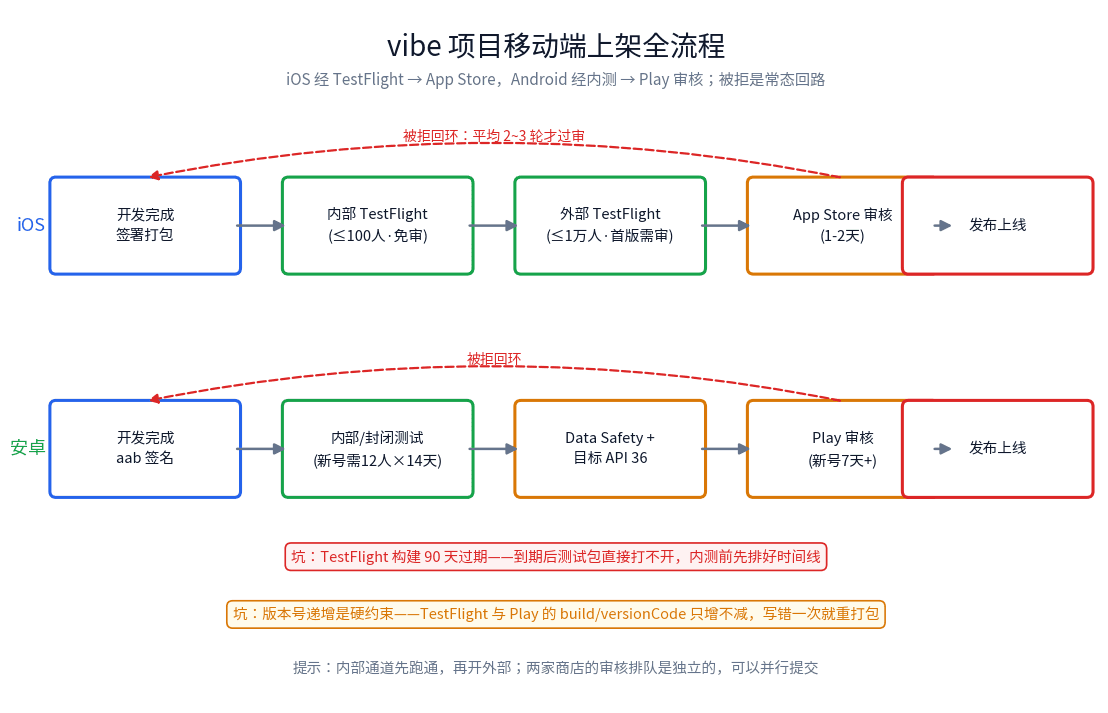
From TestFlight to App Store review: a solo-team field guide to shipping vibe-coded mobile apps. The 14-item pre-submission checklist, the three most common Apple rejection codes (5.2.1, 4.2, 2.1) and their typical failure shapes, privacy label traps with third-party SDKs, the in-app account deletion mandate, TestFlight SOPs, Google Play's 12-tester 14-day rule and API 36 gate, plus a rejection first-aid kit with appeal templates and expedited review.
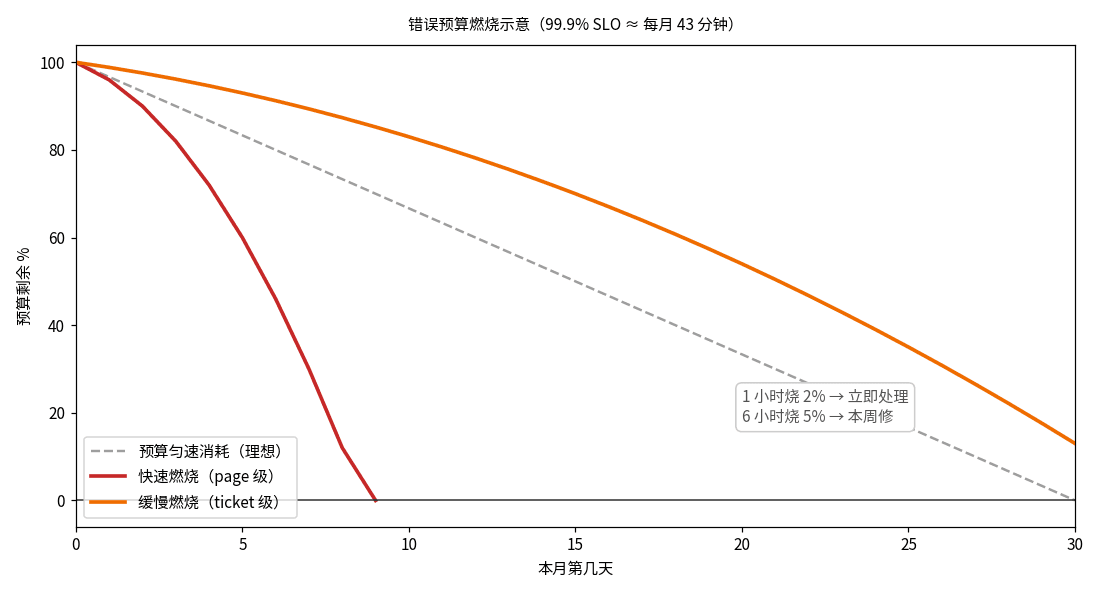
AI-generated code has no concept of reliability — everything is 'feels fast.' This guide gives solo teams the SRE decision layer: SLI/SLO/error-budget in plain terms, two-tier burn-rate alerting, and a minimal implementation (one SQL + one cron + one status-page line) plus the 'budget gone, releases freeze' discipline.
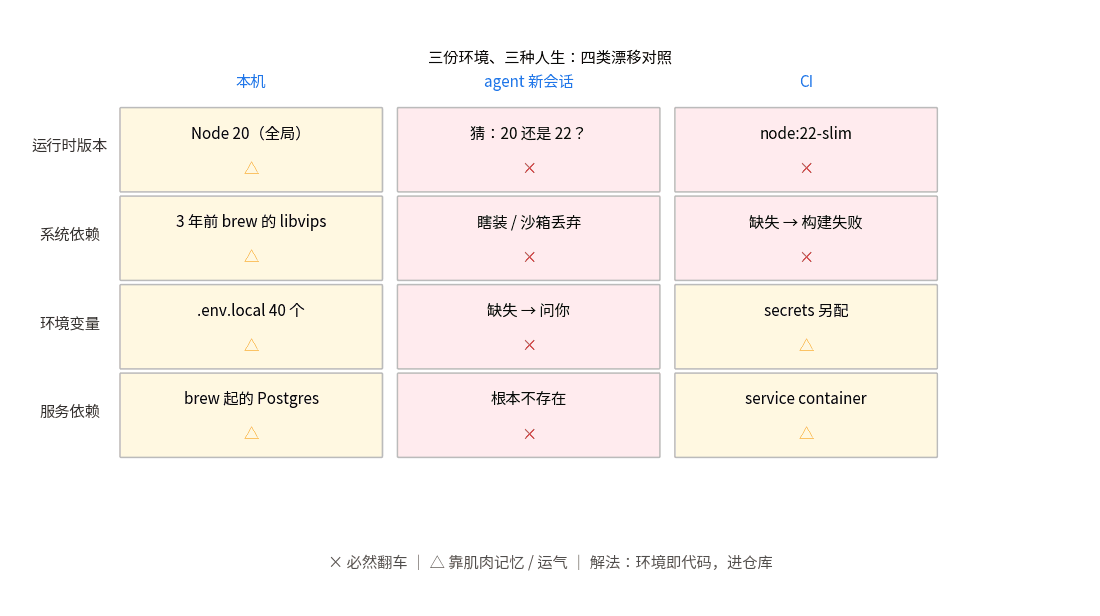
Your code runs in three different environments: your laptop, a fresh agent session, and CI — and they disagree. This guide standardizes the dev environment for vibe projects: a full devcontainer.json template (Node+Postgres), the nix-flakes endgame, and a 15-minute minimum viable version.