Stop Shipping Naked Link Previews: Dynamic OG Image Generation for Vibe Projects
AI-built sites either ship no OG image or render Chinese as tofu blocks. This guide wires up the satori pipeline end to end: JSX template to SVG to PNG, CJK font subsetting from megabytes to kilobytes, per-slug edge caching, and a fallback image on failure — a weekend build.
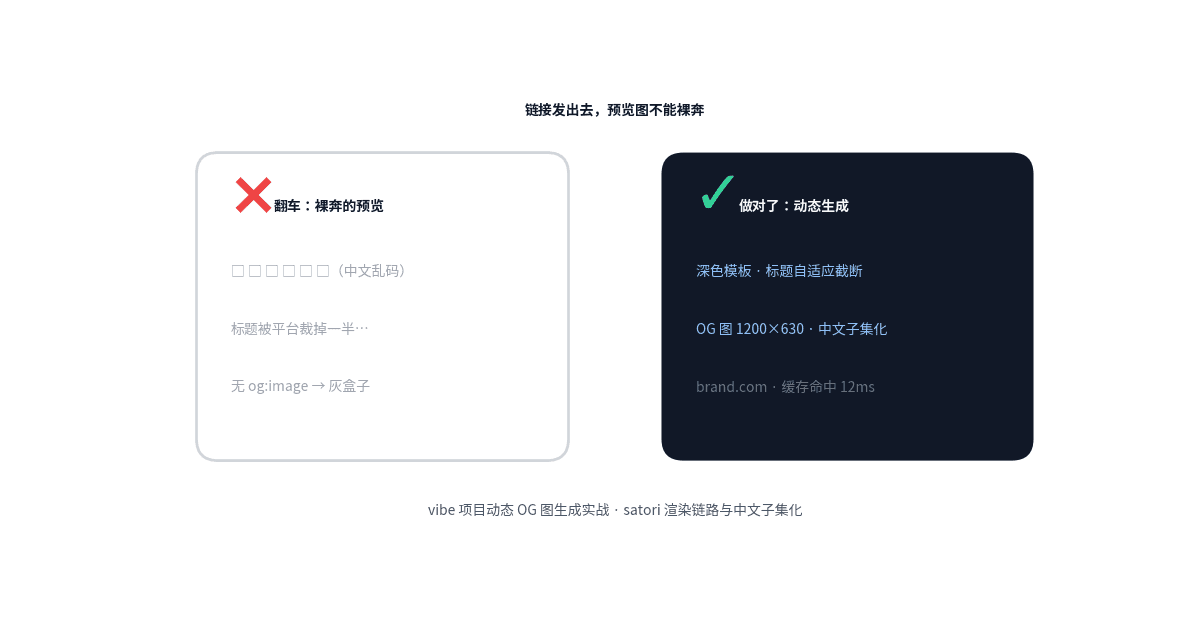
This piece is about how share preview images get produced, with a clear division of labor against two sibling articles on this site: vibe-project-seo-aeo-guide (the SEO/AEO playbook) covers "how to write OG tags" (the basic meta tags); this piece covers "how that og:image gets dynamically generated" (satori rendering, CJK subsetting, edge caching) — tags vs. image production, linking to each other at https://vibefix.work/zh/explore/vibe-project-seo-aeo-guide; vibe-project-share-links-guide (the share-links playbook, planned for the same batch) covers "which og tags the consumption side needs"; this piece covers "how the images those tags point to get made" — consumption vs. production, linking to each other at https://vibefix.work/zh/explore/vibe-project-share-links-guide.
1. Why the default OG image isn't enough
Drop a link into X, WeChat, Slack, or iMessage and glance at the expanded card — that is the user's first impression of your project. A link with no og:image looks exactly like you'd expect: a gray box, or a forcibly cropped favicon sitting next to an empty title. Links like that do not play in the same league as links with polished preview cards. The card is attention; the gray box is noise.
The wreckage is especially concentrated among AI-generated sites, because most vibe projects never had anyone handle this image at all:
- No image. Nine out of ten AI-built sites ship without an og:image tag. Share the link and you get the platform's default gray box. The page itself can be gorgeous — the moment it gets shared, it's running naked.
- Mojibake / tofu blocks. The dynamic pipeline is installed, but nobody loaded a CJK font, or loaded a Latin-only font. Chinese titles render as "□□□□", which is worse than no image: no image is lazy, mojibake is broken.
- Cropped. The image is 1200×630, the platform displays at 1.91:1; the title ran three lines, the platform shows two; the price, the date, the brand landed exactly outside the safe area. The image exists, but the information didn't survive.
All three failure modes share one trait: they strike at the instant "the link gets shared," a moment when you cannot intervene by hand. So the OG image has to be an engineering problem, not a design problem: templated, automated, with fallbacks.
2. Picking a stack: a three-way decision table
There are three mainstream roads to dynamic OG images. The verdict first, the reasoning after:
| Approach | How it works | Cost | CJK support | Dynamicity | Best for |
|---|---|---|---|---|---|
| satori (HTML→SVG→PNG) | Write the template in JSX, satori lays it out as SVG, convert to PNG | Low (pure computation, no browser) | Excellent after manual font loading + subsetting | Extremely strong (render per slug/title in real time) | Most vibe projects — this article's recommendation |
| Headless browser screenshots | Playwright/Puppeteer opens the page and screenshots it | High (slow Chromium cold starts, heavy memory) | Good (native browser font fallback) | Strong, but slow and expensive | When the page itself is the graphic and you don't want two templates |
| Static design image | A designer makes one image, shared by every page | Lowest | No problem (hand-made) | None (one image for the whole site) | Single-page sites, MVP validation phase |
Satori (open-sourced by Vercel, 14k+ GitHub stars, still actively iterated as of October 2026 — npm is at 0.38.x) is the de facto standard for this pipeline: it does exactly one thing, turning JSX+CSS into SVG, an order of magnitude faster than a browser, with no browser dependency — a natural fit for edge functions. Next.js's next/og (ImageResponse) is satori under the hood, and Vercel's OG image generation docs are still maintained, so Next.js users can just use the official wrapper.
One alternative worth knowing by name: in October 2026 a developer benchmarked swapping Astro's build-time OG generation from satori to Takumi (a Rust implementation of the same idea) and measured roughly 30% faster cold builds across 160 pages. If you generate in bulk at build time and care about build minutes, evaluate it; for per-request runtime generation, satori's ecosystem and documentation remain the safest pick.
When should you not pick satori? Three honest cases. First, if your template needs full modern CSS — container queries, complex grid auto-placement, backdrop filters — satori implements a deliberate subset of CSS (it documents exactly which properties behave like browsers and which don't), and fighting that subset costs more than a headless screenshot would. Second, if your OG images must be pixel-identical to a page the user already sees — a dashboard export, a certificate — screenshotting the real page guarantees WYSIWYG with zero template drift. Third, if your team ships zero JavaScript on the edge and wants everything pre-rendered at build time, a static-design pipeline with a designer-owned Figma file may honestly be the cheapest system to maintain. The table above is a default, not a dogma: the right answer is the one your one-person team will actually keep running.
A security note, since it touches this exact pipeline: on September 22, 2026, a vulnerability was disclosed around satori's SVG serialization (GHSA-wx4j-mvgx-mqwp) — improper escaping that could escalate to RCE in Next.js's Node-runtime ImageResponse (GHSA-vcvr-r3jv-pc5j / CVE-2026-94545). The fixed versions are satori ≥ 0.33.5 and Next.js ≥ 16.3.6 (or the hardened 15.5.26); the Edge-runtime ImageResponse was not affected. The takeaway is simple: install the latest versions and escape every dynamic parameter — Section 6 has the fallback pattern.
3. The CJK trap: font subsetting
This is the number-one reason Chinese-language projects break, and the mechanism deserves a full explanation. Satori does not use system fonts for text — it only recognizes font files you explicitly pass in the fonts array. A complete CJK font (e.g. Noto Sans SC) weighs several megabytes: ship that into an edge function and every cold start downloads and parses those megabytes — latency and memory both explode. Worse, many people skip the CJK font out of laziness, leaving Chinese characters with no glyphs at all, which renders as tofu blocks.
The fix is font subsetting: package only the glyphs the template actually uses. An OG template's copy is highly controllable — fixed labels ("Home", "Articles", "Try now") plus enumerable variables (article titles, project names). Collect the characters, cut a subset font of a few dozen kilobytes. Volume drops from megabytes to kilobytes, as illustrated below (order-of-magnitude illustration):
 Font subsetting: full CJK font at several MB vs. subsetted at KB scale (order-of-magnitude illustration, not exact byte counts)
A subsetting script you can run as-is (Node + fontkit):
// scripts/subset-font.js
const fs = require('fs')
const fontkit = require('fontkit')

// 1. Open the full CJK font
const font = fontkit.openSync('fonts/NotoSansSC-Regular.otf')
const subset = font.createSubset()

// 2. Collect every character the template will use: fixed copy + all titles
const fixed = 'HomeArticlesProjectsAboutTryNowDownloadShareRead·—…'
const titles = JSON.parse(fs.readFileSync('titles.json', 'utf8')).join('')
const chars = new Set((fixed + titles).split(''))

// 3. Package only those glyphs
for (const ch of chars) {
  const glyph = font.glyphForCodePoint(ch.codePointAt(0))
  if (glyph && glyph.id !== 0) subset.includeGlyph(glyph.id)
}

// 4. Write the subset font
fs.writeFileSync('fonts/NotoSansSC-subset.ttf', Buffer.from(subset.encode()))
console.log(`Subsetting done: ${chars.size} characters → fonts/NotoSansSC-subset.ttf`)
Field notes:
- When titles are variables, the character set must move with them. UGC titles can't be enumerated in advance: re-scan all site titles on a schedule (say, daily), re-run the subsetting script, and commit the output to version control or object storage. Run it at build time; production always uses the freshest subset.
- fontkit isn't the only tool. The Python ecosystem does it in one command with
pyftsubset(fonttools); the Google Fonts CSS API accepts a&text=your-charactersparameter for on-demand subsetting server-side — just cache the result instead of requesting it on every render. - Weights and the fallback chain. Satori's
fontsarray matches in order: put the bold subset first, then the regular subset, then a Latin font (a few hundred KB like Inter) for digits and English. A classic Chinese-site failure is shipping only the regular CJK weight while the template usesfontWeight: 700for titles — the bold silently degrades to faux-bold or falls back to the default font. Match a subset to every weight the template uses. - Handle emoji separately. Satori's built-in emoji support is limited; the correct move is loading a dedicated emoji font (Noto Emoji or Twemoji, subsetted the same way, keeping only the few emoji the template uses). Or simpler: no emoji in OG templates at all — use SVG icons instead. The most stable cross-platform rendering wins.
4. Template design constraints
The OG image is 1200×630, but the usable area is smaller. Platforms don't agree on display ratios (X's large card, the WeChat chat window, and Slack's expanded image each crop differently), so the rule of thumb is: keep critical information inside a central 1000×540 safe area, with roughly 100px margins on each side — logo and title never hug the edges.
Title overflow is the second-biggest failure mode. Dynamic titles have uncontrolled length, so the template must hard-code truncation:
- Single-line titles:
whiteSpace: 'nowrap', overflow: 'hidden', textOverflow: 'ellipsis'— long titles get the ellipsis. - Multi-line titles: fix the line count (usually 2) with
lineClamp: 2, truncating from line 3 on. Satori supports lineClamp, but note it doesn't apply to text after floated elements — don't put floats next to titles in templates. - Size tiers: auto-drop one font-size tier when the title exceeds ~20 characters. Don't count on fancy CSS — satori implements a subset of CSS, so write the most conservative styles.
Dark/light template pairs aren't about looks, they're about legibility: dark template with light text, light template with dark text, contrast maxed out. A share card on a phone is matchbox-sized; gray-on-gray is invisibility. Use brand colors as accents (a color bar, a logo), never as large backgrounds — platforms' thumbnail compression is unkind to large flat-color-plus-text compositions, smearing them into mush.
One last iron rule: no external image URLs in templates. Satori supports <img>, but fetching remote images at render time adds an uncontrollable network dependency to the pipeline. Inline fixed assets like logos as base64 or ArrayBuffers; for variable assets like avatars, download at build time to local files and read from disk at render time.
5. Edge deployment and caching
The full pipeline is shown below. The core idea in one sentence: rendering is expensive, so render exactly once, then serve everything from cache.
 The satori rendering pipeline: JSX template → satori → SVG → PNG → edge cache → platform crawlers
Minimal runnable code (Next.js App Router, Edge runtime):
// app/og/route.tsx
import { ImageResponse } from 'next/og'

export const runtime = 'edge'

// Load the font once at module scope — never re-read it per request
const fontData = fetch(
  new URL('./fonts/NotoSansSC-subset.ttf', import.meta.url)
).then((res) => res.arrayBuffer())

export async function GET(req: Request) {
  const { searchParams } = new URL(req.url)
  const title = (searchParams.get('title') ?? 'Default title').slice(0, 60)

  return new ImageResponse(
    (
      <div
        style={{
          width: '100%',
          height: '100%',
          display: 'flex',
          flexDirection: 'column',
          justifyContent: 'center',
          padding: '80px 100px',
          background: '#111827',
          color: '#F9FAFB',
          fontFamily: '"Noto Sans SC"',
        }}
      >
        <div style={{ fontSize: 72, fontWeight: 700, lineClamp: 2 }}>{title}</div>
        <div style={{ fontSize: 32, color: '#93C5FD', marginTop: 24 }}>brand.com</div>
      </div>
    ),
    {
      width: 1200,
      height: 630,
      fonts: [{ name: 'Noto Sans SC', data: await fontData, weight: 400, style: 'normal' }],
    }
  )
}
The caching design is the soul of this setup, in three layers:
- Cache key per slug. Design the route as
/og/[slug]/opengraph-image(Next.js'sopengraph-image.tsxfile convention auto-generates the matching og:image tag) — one image per content page, no cross-contamination. Title changed but slug didn't? Fold a hash of the title into the cache key, or actively purge on content updates. - Get Cache-Control right. OG images are content-bound static assets: start with
public, max-age=86400, s-maxage=31536000, stale-while-revalidate=86400. Crawlers fetching once a year is plenty; keep it on the CDN edge and off your origin. - Warm the cold start. The first render on an edge function — loading fonts, initializing satori — is the slowest of the whole pipeline. When new content ships, have the build script request the new slug's OG URL once (warming) so the crawler's first visit hits a hot cache. On platforms like Vercel, generating static PNGs at build time and writing them to disk is the most thorough option: zero runtime rendering.
One easy trap: don't put the OG route behind login. Crawlers carry no cookies; an auth middleware will block them, producing the maddening symptom of "the debugger fetches the image fine, but shared links show nothing." Give the OG route and its font files a public path with an explicit no-auth rule.
6. Degradation and fallbacks
The dynamic pipeline will fail: a corrupted font file, a rare character outside the subset, an edge-function timeout. The fallback strategy has exactly one rule: always return an image; on failure return the default image, never a 500.
export async function GET(req: Request) {
  try {
    return await renderOg(req) // the ImageResponse logic above
  } catch (err) {
    console.error('[og] render failed, serving fallback', err)
    // Fallback: serve a pre-generated default image (build artifact at public/og-fallback.png)
    const fallback = await fetch(new URL('/og-fallback.png', req.url))
    return new Response(await fallback.arrayBuffer(), {
      headers: {
        'Content-Type': 'image/png',
        'Cache-Control': 'public, max-age=3600', // shorter cache on fallback, easier recovery
      },
    })
  }
}
Set the timeout budget explicitly. Satori typically renders a 1200×630 image in a few hundred milliseconds — set a hard cap (say, 5 seconds): on timeout, go straight to fallback instead of leaving the crawler hanging. Some platform crawlers are less patient than you'd think — a complete default image beats a half-finished response every time.
Input-side fallback and security are the same thing: truncate the title (.slice(0, 60) is not decorative), strip control characters, escape HTML. September 2026's satori escaping vulnerability (Section 2) was exactly what happens when dynamic parameters flow into SVG untreated: upgrade to the fixed version + server-side escaping — both, not either.
7. Verification checklist: unfurl differences across platforms
Generated doesn't mean accepted. Every platform's crawler behaves differently — verify each before launch:
- X (Twitter). Run the official Card Validator once, confirming
twitter:cardissummary_large_imageand the 1200×630 image displays in full. X caches images separately; after swapping an image, re-fetch with the validator to refresh — take the actual cache duration from the validator's observed behavior, don't guess from experience. - WeChat. The chat-window share image comes from the page's og:image or its first image (custom sharing via the JS-SDK needs separate configuration). WeChat's fetching is sensitive to accessibility from within China: the image URL must open on WeChat's network — self-test anything hosted abroad. Note that the WeChat in-app browser cache is notoriously stubborn; use distinct URL parameters to version your tests.
- Slack. Slack's unfurl reads og tags, with size limits on images — oversized PNGs refuse to expand. Slack provides unfurl debugging; re-unfurl after swapping images. For intranet links, make sure the Slack crawler's IP ranges are allowed through the firewall.
- LinkedIn. LinkedIn's Post Inspector re-scrapes on demand and is the most forgiving of the bunch — use it as your first smoke test precisely because its errors are explicit. If LinkedIn renders fine but X doesn't, the problem is almost always X-side image caching, not your tags.
- iMessage. Apple's fetcher is the pickiest: HTTPS required, the image URL must be directly reachable with a correct Content-Type, and tolerance for redirect chains is low. There is no public iMessage debugger — real-device testing is the only option, so budget two devices (one to send, one to receive).
Crawler user-agent notes (universal):
- og:image must be an absolute URL (with the https domain). Relative paths are undefined behavior on the crawler side.
- Don't serve crawlers different HTML than users (cloaking) — but you can serve them a lighter response: when a crawler UA is detected, skip the heavy JS and return server-rendered HTML with complete og tags. That's not cheating; that's letting the crawler do its job.
- Write
Content-Type: image/pngcorrectly in the image response headers and don't dropContent-Length. Some crawlers give up on chunked transfer encoding. - For the first week after launch, hand-share a few new links daily to verify — every platform's fetch failures are silent. Nobody will tell you.
8. The solo-team minimum: a 10-item launch checklist
Compressing the previous seven sections into one weekend of work:
- Fix the template. 1200×630, critical info inside the central 1000×540 safe area, one dark and one light variant, hard-coded title truncation (single-line ellipsis / two-line lineClamp).
- Pick the pipeline. satori + edge functions by default; Next.js projects use
next/og'sImageResponsedirectly. Only evaluate Takumi if you generate in bulk at build time and care about minutes. - Pin versions. satori ≥ 0.33.5 (or just take the latest 0.38.x), Next.js on a version with the escaping fix. Commit the lockfile.
- Subset the font. Run Section 3's subsetting script; the output (tens of KB) deploys with the code. Cover every weight the template uses; subset emoji or swap them for SVG icons.
- Write the route.
/og/[slug]/opengraph-image, module-level font caching, title truncation + escaping, a 5-second hard timeout. - Build the fallback. Pre-generate a default image at
public/og-fallback.png; serve it on render errors/timeouts. Never 500. - Configure caching. Start with
Cache-Control: public, s-maxage=31536000; key the cache on slug (+ title hash); warm new content on publish. - Let crawlers in. Public path for the OG route and fonts, no login gate; absolute HTTPS image URLs; correct Content-Type headers.
- Verify per platform. X Card Validator, real-device WeChat, Slack unfurl, real-device iMessage — fetch each once, archive screenshots.
- Monitor. 5xx rate and p95 latency of the OG route go into monitoring; alert on fallback-image hits — frequent fallbacks mean a systemic template or font problem.
Related reading: the vibe-project SEO/AEO playbook (how to write OG tags — the tag side); the share-links playbook (which og tags the consumption side needs, shipping in the same batch). Together the three cover a link's full journey from "being shared" to "being clicked": tags tell platforms "there's an image here," this piece manufactures that image, and the share-links piece makes the tags point at the right image.
One sentence to close: an OG image isn't a design mockup, it's a rendering pipeline — satori does the layout, subsetting solves CJK, edge caching solves cost, fallbacks solve the 3 a.m. Build it in a weekend, and every shared link after that carries a respectable preview card.
A final habit worth installing: screenshot every platform's rendered card the day you launch and keep the screenshots in the repo next to the template. Six months later, when a title renders oddly or a platform quietly changes its crop, you'll diff against a known-good baseline in seconds instead of re-learning the whole checklist from scratch. OG images are infrastructure — treat them like infrastructure, with artifacts, versions, and a paper trail.
Comments (0)
Related articles
AI-generated tables are written for demo-sized data: full fetches that freeze the page, fake pagination, frontend sorting that silently misorders. This guide covers the interaction engineering of one table — offset vs. cursor pagination, sort whitelists, URL-synced filters, column preferences in JSONB, cross-page bulk selection, virtual scrolling test methods, and a 12-item launch checklist.
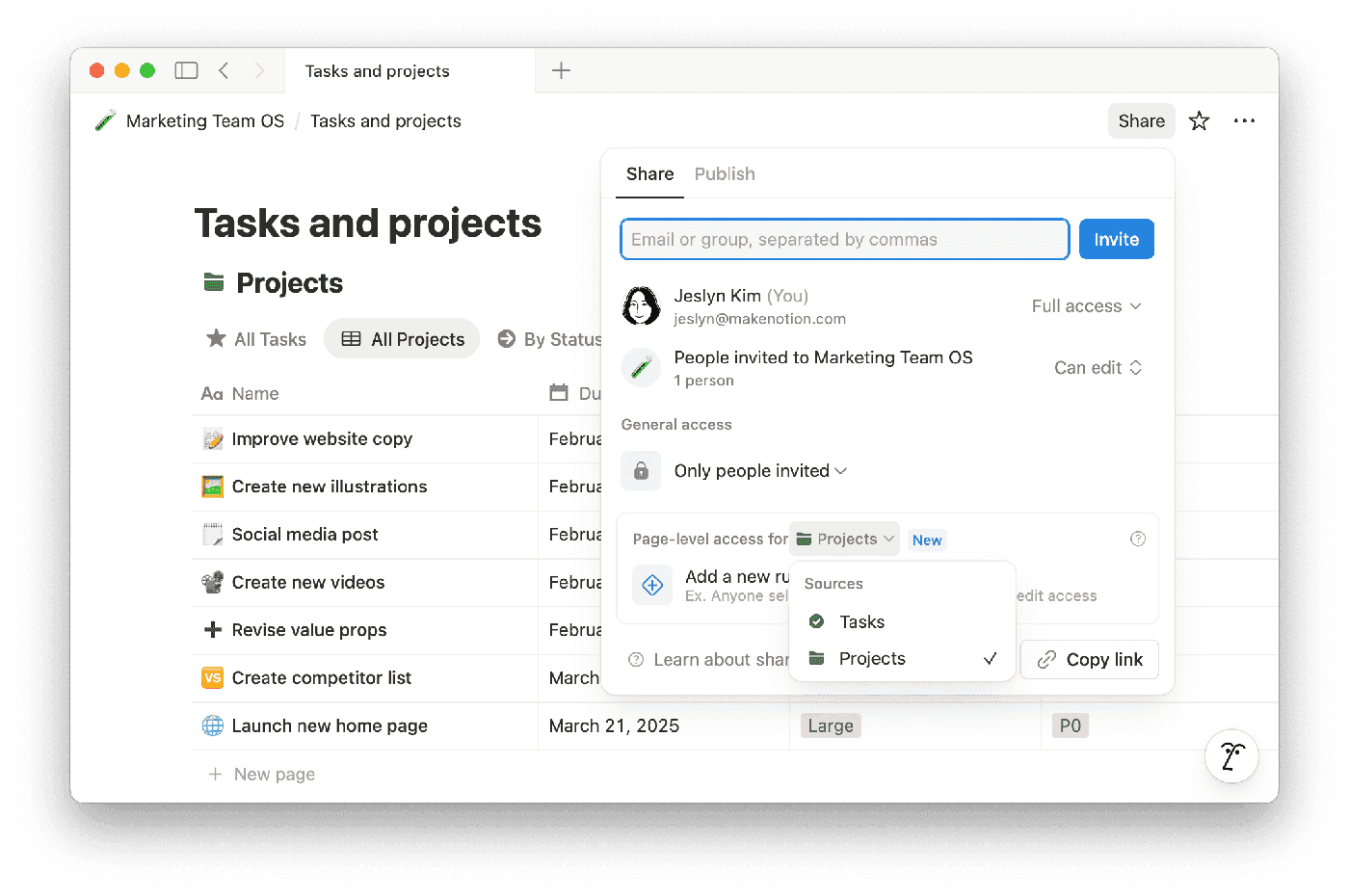
Copy-link sharing is SaaS’s cheapest growth loop — and the feature AI code most often ships naked. Three failures dissected (enumerable IDs, no expiry, dirty revocation), then the full fix: unguessable shr_ tokens, three-tier view/comment/edit permissions on three Postgres tables, a runnable expiry + usage-cap middleware, revoke/rotation with cache invalidation, anti-enumeration defenses, and consumption-side og tags. Closes with a solo-team weekend plan and a 10-item launch checklist.

Shipping is just the entry ticket. This guide covers native push end to end: APNs token vs certificate auth, FCM HTTP v1, the Expo shortcut, the device token pipeline, iOS permission copy, four push forms, server-side sending, deliverability and compliance, plus a 12-item launch checklist.