Don't Migrate Naked: 5 Rules for Schema Migration in Vibe Projects
In vibe coding, the database is where projects go to die: an agent changing schema is far less reversible than an agent changing code — one DDL and the data is gone. These 5 rules were paid for in real incidents, each with concrete steps and counterexamples.
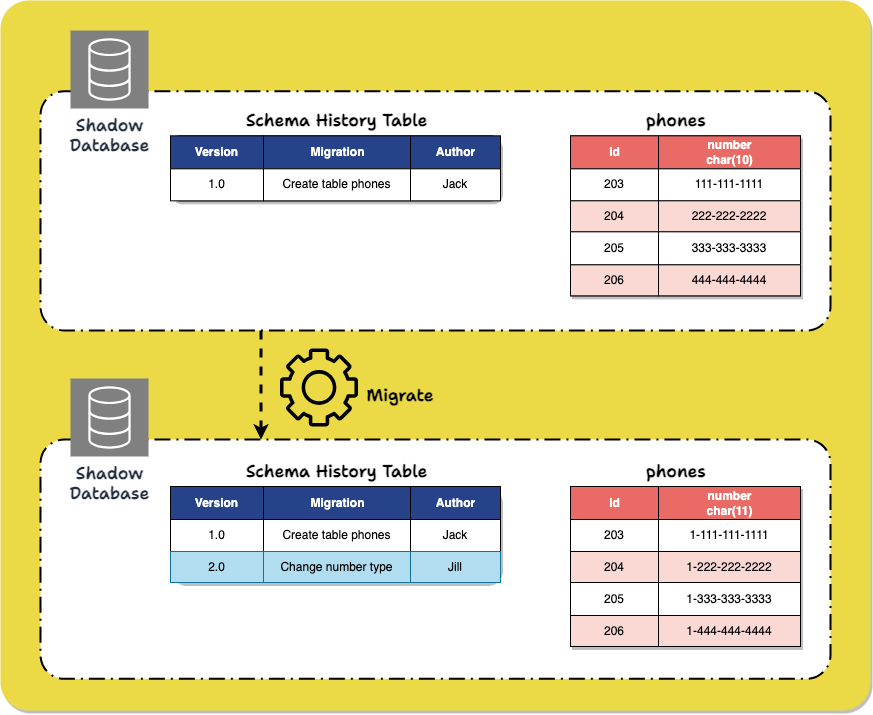
Why the database is where vibe coding goes to die
The biggest illusion in AI-assisted coding is "if it's wrong, I can fix it." Wrong code can be reverted with git; a database is different — one DROP COLUMN and the data is gone. No recycle bin, no Ctrl+Z. Worse, agents love connecting straight to the database and altering tables: you ask it to "add a field to the users table" and it may connect to production and run DDL without a single confirmation. Wrong code is a bug; wrong schema is an incident. Each of the 5 rules below was paid for by someone actually losing data.
Rule 1: Use migrations from day one — never hand-edit the production database
Why: Migrations are version control for your database. Without them, schema changes scatter across chat logs, some agent session, some SQL somebody typed once — three months later nobody knows why production looks the way it does. With migrations, every change is a timestamped file: traceable, replayable, auditable.
How: Set up the migration flow on the day you initialize the project. Prisma users start with npx prisma migrate dev --name init; Drizzle users configure drizzle-kit generate; Supabase users get a migrations directory out of the box. Write one iron rule into your AGENTS.md: "All schema changes must go through migration files; connecting directly to production to run DDL is forbidden." Agents read that file — it's the most effective way to constrain them.
Counterexample: An indie developer asked an agent to "add the missing index to the production database while you're at it." The agent connected, executed, the index was added — but later that week another agent session did the same thing. The two sessions knew nothing of each other, production ended up with duplicate indexes, and write performance halved. Afterwards nobody could even find out who added them or when — because there was no migration record at all.
Rule 2: Have the agent generate the migration file — not execute DDL directly
Why: SQL committed to version control means the change passes through human eyes. Agents are great at generating SQL, but they have zero intuition for "this table has 2 million rows in production — how long will adding a NOT NULL column lock it?" A human reviewing the migration file is the last brake before execution.
How: Instruct the agent to "generate the migration file and explain the impact of each step," not "change the table." After the file is generated, check at least three things: any destructive statements like DROP / TRUNCATE; whether adding columns or indexes to large tables accounts for locking (in Postgres, remember CONCURRENTLY for indexes); whether defaults and NOT NULL constraints will break existing writes. Only run it after review — and don't let the agent run it either. Type production commands like prisma migrate deploy yourself.
Counterexample: Someone asked an agent to "clean up unused columns." The agent generated ALTER TABLE orders DROP COLUMN note and executed it directly. That column held notes customer support had entered by hand. Gone means gone. In retrospect: if the SQL had landed on disk first, one glance at DROP COLUMN would have prevented the whole thing.
Rule 3: Every migration must be reversible — write up/down as a pair
Why: A migration is, by definition, a reversible change. Writing up without down is buying a one-way ticket. When you discover after deploy that the new column slowed queries or the data backfill had a bug, without a down migration you're hand-writing rescue SQL under pressure — exactly the thing Rule 1 was meant to eliminate.
How: Pair every migration with rollback logic. Prisma users, note: prisma migrate has limited native down-migration support, so the convention is to keep each migration's inverse SQL (create table ↔ drop table, add column ↔ drop column) in migrations/xxx/down.sql as a team agreement. More importantly, put rollback rehearsal on the deploy checklist: run up then down in staging, confirm the down actually runs and the data actually comes back, then ship to production. A rollback that was never rehearsed is no rollback at all.
Counterexample: A team shipped a migration converting status from string to enum. Twenty minutes later they found the old client was still writing the old string values — writes failing everywhere. Down migration? Never written. They spent 3 hours hand-writing inverse SQL with the service half-down. With paired up/down, rollback would have been a single command.
Rule 4: Rehearse on a branch / shadow database first — only then touch production
Why: A migration passing on an empty table doesn't mean it passes on production data. Data volume, dirty data, legacy NULLs — all of them can break SQL that was "theoretically fine." Branch databases exist for this: an environment matching production's structure and close to its data. Blow that up, not production.
How: Both Supabase and Neon offer one-click branch databases. The flow: branch from production → run the migration on the branch → run core queries to confirm nothing is slow or broken → then run it on production. Prisma users can preview SQL with prisma migrate diff and validate against a shadow database. Write it into the release process: "No migration ships to production without passing on a branch database."
Counterexample: A migration that passed on a developer's empty local database stalled halfway on production — the table had hundreds of thousands of historical rows, adding a NOT NULL constraint hit unexpected NULL values, the migration aborted, and the table was locked for 4 minutes. Running it first on a branch database (with a production data snapshot) would have surfaced the NULL problem in 5 minutes.
Rule 5: Decouple data migration from code deploys — the expand-contract dance
Why: The most dangerous change is "alter the table" and "alter the reading code" shipping in the same deploy. New code reads the new column while old code is still running — or the table changes first and the code isn't up yet. Any step failing mid-way is a production incident. Expand-contract splits one dangerous change into three safe ones, each rollback-safe at any point.
How (example: splitting name into first_name / last_name):
- Expand: Add new columns only, delete nothing.
ALTER TABLE users ADD COLUMN first_name TEXT, ADD COLUMN last_name TEXT;Deploy code that dual-writes: old and new columns written together. - Migrate data: Write a one-off script splitting old-column data into the new columns, then verify row counts match.
- Contract: Once all read traffic uses the new columns, ship a migration dropping the old one —
DROP COLUMN name— and remove the dual-write logic from code.
Three steps, three separate releases, each independently reversible. The ordering rule to remember: adding a column and dropping a column never happen in the same migration.
Counterexample: Someone put add-column and drop-column in a single migration. Mid-deploy they found a bug in the new code and had to roll back — the code rolled back, but the schema couldn't, and the old code couldn't read the dropped column. Site-wide errors. Under expand-contract, rolling back the code is enough; the schema stays compatible with the old code.
Two bonus iron rules
Back up before migrating — pg_dump is one line. pg_dump -h <host> -U <user> -d <db> -F c -f backup_$(date +%F).dump, and the Supabase console offers point-in-time recovery. Backups aren't "just in case" — they're a prerequisite step of the migration. No backup, no migration.
Small steps, fast cadence — one migration does one thing. Adding a column, building an index, backfilling data — that's three migration files. The smaller each migration, the faster you localize problems and the cleaner the rollback. Asking an agent to "fix the table structure in one go" is the most common way to crash; splitting it up is the fix.
Pre-deploy checklist
- Every schema change has a migration file; no manual DDL against production
- Migration SQL read line by line; no
DROP/TRUNCATEsurprises (or backup confirmed) - Each migration has a paired down rollback SQL, rehearsed in staging
- Migration passed on a branch/shadow database at realistic data volume
- Add-column and drop-column are not in the same release; expand-contract used where needed
- Backup taken before migrating (pg_dump or PITR), restore verified
- Production migrate commands are run by a human, never delegated to the agent
Related articles

Getting signups is only the start — users churn by day 3 and you have no horn to call them back. This guide covers notification systems for vibe projects: channel selection, email with Resend from day one, SPF/DKIM/DMARC done right, when SMS is worth the money, frequency caps and unsubscribe, retries and dead letters, plus a launch acceptance checklist.
Prompts in vibe projects live in code strings, admin text boxes, and docs — changed live, version unknown when things break. This guide shows how to treat prompts like code: a prompts/ layout, YAML frontmatter, semantic versioning, PR reviews, canary rollouts with one-click rollback, plus an evals baseline — and a real war story: one added sentence cost 12 points of classification accuracy.
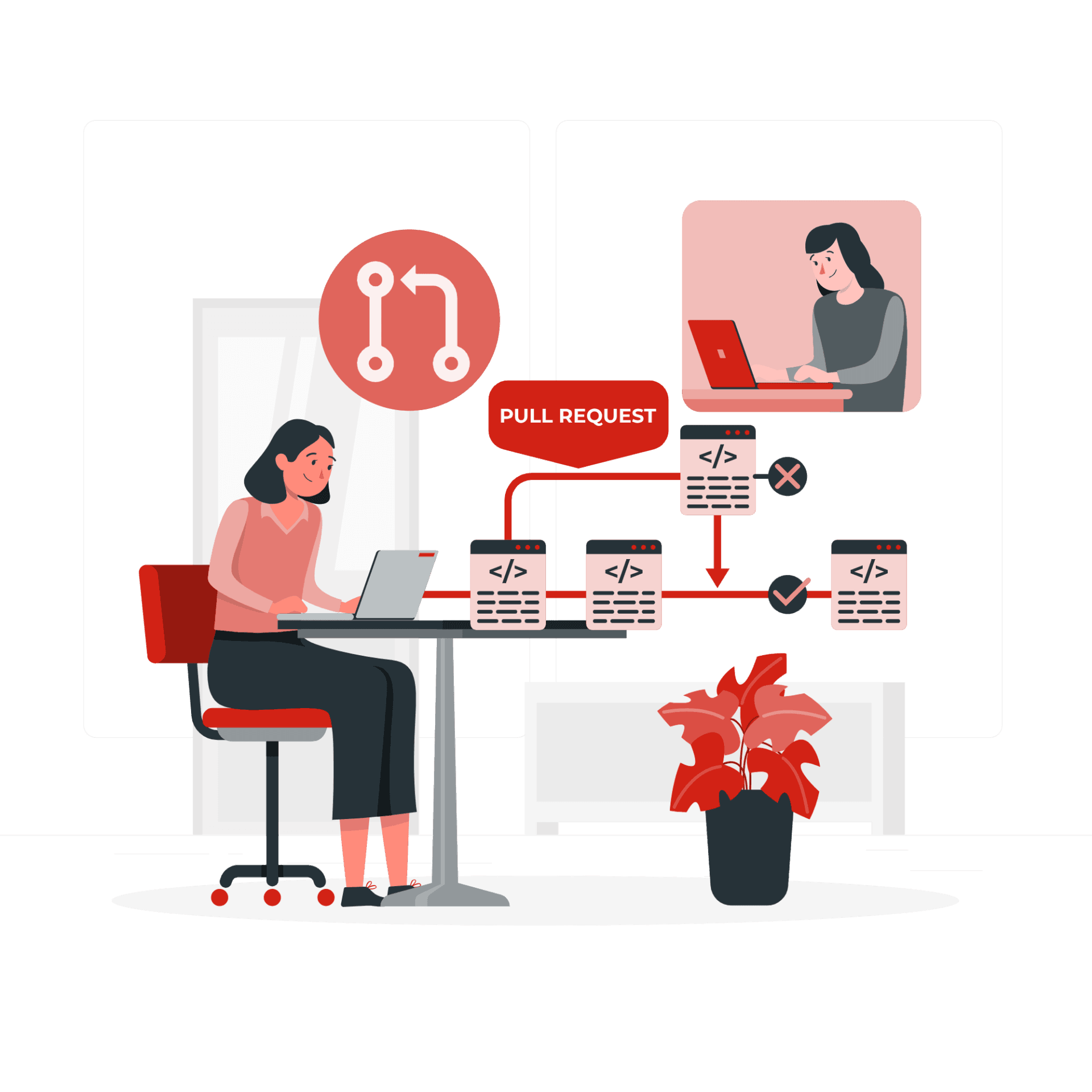
The faster AI writes code, the more review matters. Four layers: diffs for logic (boundaries, errors, concurrency — plus auth, payments, SQL, encryption, secrets), runtime for behavior (type checks, lint, security scans go green first), AI for first-pass screening (a second model reviews, humans read only flagged parts), humans for the final call (AI never clicks merge). Includes commit norms, PR template, branch protection, rollback plans.