Don't Play Dead When You're Down: Status Pages and Incident Communication for Vibe Projects
The incident Runbook teaches you to fight the fire; this guide teaches you to face your users: status page information architecture, four-status decision lines, lightweight picks across Better Stack / UptimeRobot / Upptime, auto-flipping status from monitoring, a three-part incident announcement template, subscription notifications and public postmortem granularity — plus a full-chain “pretend you're down” drill checklist.
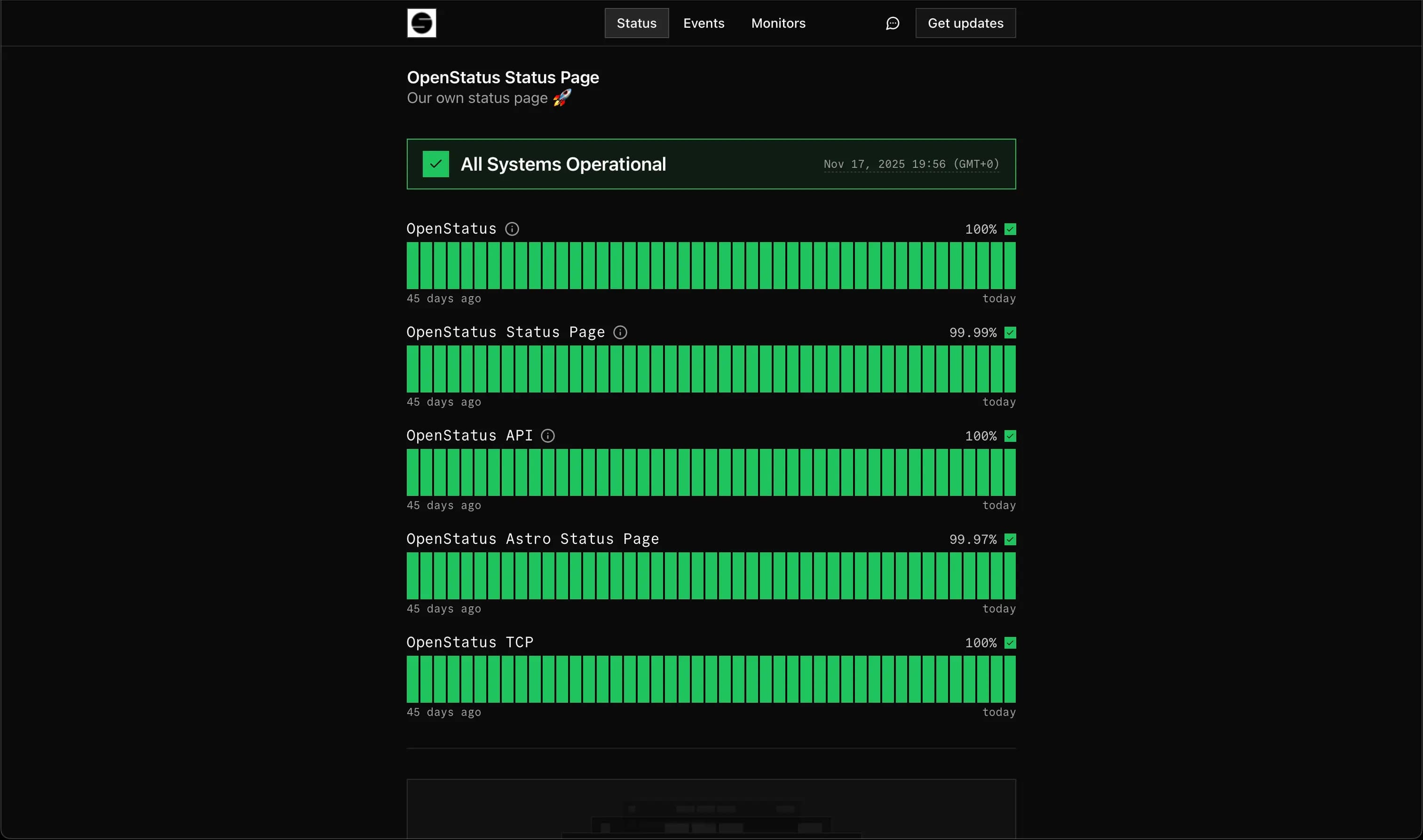
This guide is about external incident communication — the other side of the same incidents covered by three companion guides on this site, not a repeat: vibe-project-incident-runbook-guide (the incident response Runbook) covers "internal: how one person fights the fire after the alert"; this guide covers "external: how you face your users" — firefighting and facing users happen at the same time. See https://vibefix.work/zh/explore/vibe-project-incident-runbook-guide. vibe-project-observability-guide (observability) covers "installing eyes and ears to detect incidents"; this guide covers "broadcasting outward after detection". See https://vibefix.work/zh/explore/vibe-project-observability-guide. vibe-project-changelog-release-communication-guide (changelog) covers "the good-news communication of releases"; this guide covers "the bad-news communication of incidents" — a matched pair of joy and sorrow. See https://vibefix.work/zh/explore/vibe-project-changelog-release-communication-guide.
1. Why You Need a Status Page: The Three Audiences of Incident Communication
It's 3 AM. Your service is down. You're asleep, and your users are already @-mentioning you in the group chat. By the time you crawl out of bed and fix it, three people are asking whether the service has been abandoned. The fix took 40 minutes; the explaining and soothing took 4 days. That's daily life for a solo project without a status page.
Incident communication has three audiences, and none is optional:
- Paying users: they paid money, so an outage is close to a breach of contract. They don't want an apology — they want an account: what happened, how long it affects them, whether their data is safe.
- Free users: they didn't pay money, but they paid trust. One "quietly went down, quietly came back" episode is enough to send them to a competitor. They want evidence that this person is reliable.
- Yourself: a status page is your incident ledger. Every flip to yellow, red, and back to green is a timestamped public record. Three months later, when someone asks "how stable are you?", pointing at your status page history beats saying "we're very stable" ten thousand times.
The core question is this: do your users find out first, or do you announce first? These are two completely different trust outcomes. Users shout "it's down" in the chat, and you show up half an hour later with "we're aware" — what users remember isn't the outage, it's being kept in the dark. Flip it: you turn the status page yellow and post the first update before users even notice — same outage, but you've personally removed the "cover-up" penalty.
So a status page isn't technical infrastructure. It's trust infrastructure. It doesn't answer "how is the system doing" — it answers "is this person worth trusting." Solo teams need it most: you have no support team, no PR department. Your status page is your spokesperson, online 24/7.
Keep the dual-swimlane diagram below in mind: firefighting (internal response) and facing users (external broadcast) are two parallel lanes that run at the same time without blocking each other. You don't need to wait until it's fixed to speak — in fact, the earlier you speak, the less pressure you feel while fixing, because users already know you're on it.
 Screenshot of a dark-themed website status page dashboard showing per-component operational status
2. Status Page Information Architecture: Component Breakdown and Four Statuses
Split by what users can perceive, not by your code modules
Beginners' status pages often look like this: one big green light reading "All systems operational." Then login breaks, and the light stays green — because "the website loads." A status page like that is worse than none at all; it burns the last of your trust.
There is exactly one splitting principle: split by boundaries your users can perceive, not by your code modules. Users don't care about your microservice topology. They care about "can I log in," "can I pay," "will the app crash." A minimal split:
- Website frontend: the first thing users see;
- API service: the critical path — if it's down, everything is down;
- Mobile app: when a release bug only affects this client, don't make the whole site take the blame;
- Third-party dependencies: payments, email, cloud providers — list them separately. It's not your fault when Stripe goes down, but users only know you. Naming it is honesty, and it's also the correct way to point fingers.
Each component gets its own light. Users see at a glance "oh, just email notifications are delayed, core features are fine" instead of guessing at a single green lamp.
Write down the four-status decision lines before the incident
operational / degraded / partial outage / major outage — every status page uses these four words, but "where's the line between yellow and red" gets ten different answers from ten teams. You must write the decision lines down before the incident, because mid-incident you won't have spare capacity to debate "is this yellow or red." Reference lines:
- operational: all components normal, error rate within baseline;
- degraded: a non-critical component is misbehaving, or p95 latency has doubled — usable, but the experience is discounted;
- partial outage: a critical component affects some users — e.g., logins failing for one region;
- major outage: a critical component is fully unavailable — everyone, everything.
The more concrete the line, the steadier your hand when flipping the page. "P95 doubled" is a hundred times more actionable than "feels a bit slow." Write the line into your Runbook, and flipping the page becomes a true/false question instead of an essay.
 Screenshot of a dark-themed website status page dashboard showing per-component operational status
3. Picking a Lightweight Solution: Buy, Rent, or Free
A solo team picking a status page solution looks at four dimensions only: cost, setup time, automation level, and whether users can subscribe. The three below are solid options, each verified against its official site as of 2026-10-16:
- Better Stack (buy the service): the free plan already includes a status page publishable on a custom subdomain; built-in 30-second multi-location uptime checks flip the page automatically on downtime — no more waking up at midnight to click it yourself; incident management is linked — monitoring alerts, on-call, Slack channels, and status page updates are one chain. The free tier is enough to start solo; custom design, email & API subscriptions, and password-protected private pages start at $30/month, with additional pages from about $12/month each.
- UptimeRobot (buy the service): the free plan includes a public status page too — you get a unique link, plus CNAME support for your own domain; every status page can generate an SVG badge to embed in your GitHub README or docs footer, so people know whether you're up without opening the page; third-party dependency monitoring (e.g., Stripe, AWS component status) makes "is it me or is it upstream" obvious at a glance; SLA badges and email reports suit small teams that owe clients an SLA.
- Upptime (free self-host): an open-source template with a clever trick — GitHub Actions pings your endpoints every 5 minutes, GitHub Issues auto-open and auto-close to record incidents, and GitHub Pages hosts the status page. Zero server cost, all data in git, with an audit trail built in. The repo has 17,000+ stars, an MIT license, commits still landing on 2026-10-16 itself, and a fresh upstream package release in mid-October — very much alive. A good fit if you're already on GitHub and can spare half an hour to follow the template.
The decision advice: existing beats perfect. The solution you can ship today is the best solution. A solo team should start with the Better Stack free tier or Upptime, get the page live within half a day, and talk about brand customization later. One iron rule: don't build your own status page, and never host it on the same machine as your service. When your service dies and the status page dies with it, that's a kind of dark humor your users will remember forever.
When should you upgrade from free? Three signals: your subscribers exceed the free quota, you need a password-protected private page for big clients, or you want the vendor's branding removed. Any one of these means your project has grown enough to deserve the paid tier — that's good news, not a cost.
4. Monitoring Integration: Let the Status Flip Itself
The most embarrassing kind of status page incident: the service has been down for two hours and the page is still all green, captioned "All systems operational." Users screenshot it into the group chat, and you have no rebuttal — your status page is lying.
There is exactly one fix: status flips must be wired to monitoring, never to human hands. The problem with manual flipping isn't laziness — it's that humans sleep. Reference rules:
- after N consecutive heartbeat failures (say 3, roughly 15 minutes), automatically mark the component degraded;
- when a critical path is confirmed failing at scale, auto-escalate to partial / major outage;
- after M consecutive successes on recovery, flip back to green automatically and append a "recovered" timeline entry.
Choosing N and M is a trade-off between false alarms and missed incidents: N too small and one network jitter turns the page yellow, training users to ignore the boy who cried wolf; N too large and a real incident sits silent for half an hour. Start at 3 and tune against your false-positive rate.
The three solutions wire this up differently but share the idea: Upptime opens an issue when Actions detect downtime and closes it on recovery — the issue's open/close state is the incident's state; Better Stack's monitoring updates the status page directly on detection, triggering on-call and a Slack channel along the way; UptimeRobot's monitors and status page read from the same data, so flipping needs no second data entry.
Keep manual flipping as a fallback — e.g., a third-party dependency breaks that your monitoring doesn't cover — but it can't be the only path. The acceptance test is simple: while you're asleep, your status page must still know how to turn yellow.
5. Writing Incident Announcements: The Three-Part Template
Incident announcements need structure, not literary flair. Memorize the three-part template and fill it in:
[What happened] One sentence of fact. No emotion, no jargon.
[Who is affected] Which users, which features, since when.
[Next steps + ETA] What we are doing, when the next update lands.
A before/after rewrite. The bad version (depressingly common in the wild):
Due to an anomalous master-slave switchover in the upstream Redis cluster,
some API gateway timeouts are occurring. We are handling it urgently,
please try again later.
After reading it, users know exactly one thing: you're busy. They don't know "am I affected," "is my data lost," "how long do I wait." Rewritten:
[What happened] Since 14:20, login and checkout APIs are responding slowly;
some requests time out.
[Who is affected] All users who need to log in; already-logged-in sessions
are unaffected, and order history and data are safe.
[Next steps] We are switching to the backup path and will post the next update
by 15:00, confirming whether service is restored.
A few language rules — print them next to the template:
- Admit it, don't over-explain: "it's our fault" in one sentence is enough; users don't owe you an architecture lecture;
- Never blame the user: never write "please check your network" unless you're 100% sure;
- Never promise an ETA you can't keep: if "recovered by 15:00" is out of reach, write "next update by 15:00" — promising an update time is far safer than promising a recovery time;
- "Still investigating" is a valid update: update every 30 minutes even if the content is "still digging, ruled out A and B." Silence is the worst update.
Your audience is non-technical. Read it back to yourself when done: would my mom understand it? If not, rewrite.
6. Subscriptions and Notifications: Let Users Subscribe Themselves
Once the page is up, don't expect users to remember to refresh it during an incident. The right move is getting users to subscribe in advance, so notifications come to them. Three channels, in priority order:
- Email subscriptions: widest reach, nothing to install; incident posts and recovery notices push automatically;
- RSS: a seriously underrated channel. Zero cost, decentralized, technical users subscribe in their own readers — rock solid;
- Webhooks: for power users and for yourself — pipe status changes into Slack / Discord / your own on-call channel, and send yourself a copy so "the page flipped but I didn't know" can't happen.
Put subscription entry points where users can find them: the site footer, the help center, the error page. The dumbest hiding spot is "a status page URL nobody knows." In launch week, write a changelog entry — "we launched a status page, come subscribe" — and gather your first batch of subscribers. When an incident hits, these people are your cushion, not your powder keg.
While you're at it, settle the domain: status.yourdomain.com. Don't cheap out with the vendor's default subdomain — during an incident, users seeing your own domain in the address bar feels completely different. It's a 10-minute CNAME; don't economize here.
7. How Detailed Should a Public Postmortem Be
Within 24 hours of the incident ending, write the postmortem. Write two versions: internal and public. The internal one is for you — the more detail the better; the public one goes on the status page timeline for everyone. The dividing line:
- Publish: the full timeline (what happened at which minute), the blast radius (how many users, how long), the technical root cause, and the fixes already shipped plus prevention measures;
- Don't publish: blame aimed at individuals ("it's all Xiao Wang's fault"), security details you haven't fixed yet (that's an invitation to attackers), real business numbers (how many orders were lost).
My judgment: a public postmortem is the highest form of trust advertising. Users have no mental model for "a service that never breaks" (and nobody believes it), but "broke, explained it, fixed it properly" leaves a deep impression. A well-written postmortem gains more followers than ten release announcements. Cloudflare and AWS publish long write-ups after every major incident — not because they're idle, but because they've done the math.
Solo teams actually have the advantage here: no legal review, no PR sign-off — an honest postmortem ships in two hours. By the time a big company's process finishes, users have forgotten.
8. Drill Checklist: "Pretend You're Down" Before Launch
Status page, monitoring integration, announcement template, subscription channels — all four in place still isn't done. Before launch, run one full "pretend you're down" drill, in 5 steps:
- Step 1: pick a non-critical component (e.g., email notifications) and deliberately break it, or simulate a check failure;
- Step 2: time it — how long until monitoring alerts? How long until the page flips yellow automatically? Write the minutes down;
- Step 3: post a test announcement using the three-part template, and see how many minutes a decent announcement costs you;
- Step 4: check the subscription channels — did the test email arrive? Did RSS update? Did the webhook fire?
- Step 5: retro the drill itself. Where did it jam? Do the flip rules need tuning? Does the template need edits?
Acceptance criteria: the full chain runs end to end once, with each stage's timing recorded. Every breakpoint the drill surfaces is a pit that would have cost you 10 extra minutes of panic in a real incident. Drills aren't embarrassing; flailing in a real incident is.
Closing: Bad News Deserves Good Delivery Too
A changelog is a celebration announcement; a status page is a critical-condition notice. Anyone can write celebrations — bad news is where skill shows. A solo team has no brand department to speak for it; every incident communication is users scoring you in their heads.
The checklist from this guide, condensed: ship the status page (today), split the components (by user perception), freeze the decision lines (before the incident), wire monitoring (auto-flip), prepare the template (three parts), expose the subscription entry points, run the drill once. First item to last, one weekend is enough.
For the firefighting craft, see the incident response Runbook; for writing celebrations, see the changelog and release communication guide. Firefighting, facing users, celebrating — with all three in place, your project's external communication is a complete loop.
Comments (0)
Related articles
AI can slap together a page that looks like docs, but information architecture, versioning, search, and staying in sync with code are what make a docs site usable. This guide gives solo teams the full route: the README/help-center/docs-site decision table, a verified four-way tool comparison (Fumadocs/Starlight/Docusaurus/Mintlify), the four-block IA with two reader paths, snapshot versioning, DocSearch vs local search, OpenAPI-driven API reference, and a 10-item launch checklist.

Shipping is just the entry ticket. This guide covers native push end to end: APNs token vs certificate auth, FCM HTTP v1, the Expo shortcut, the device token pipeline, iOS permission copy, four push forms, server-side sending, deliverability and compliance, plus a 12-item launch checklist.
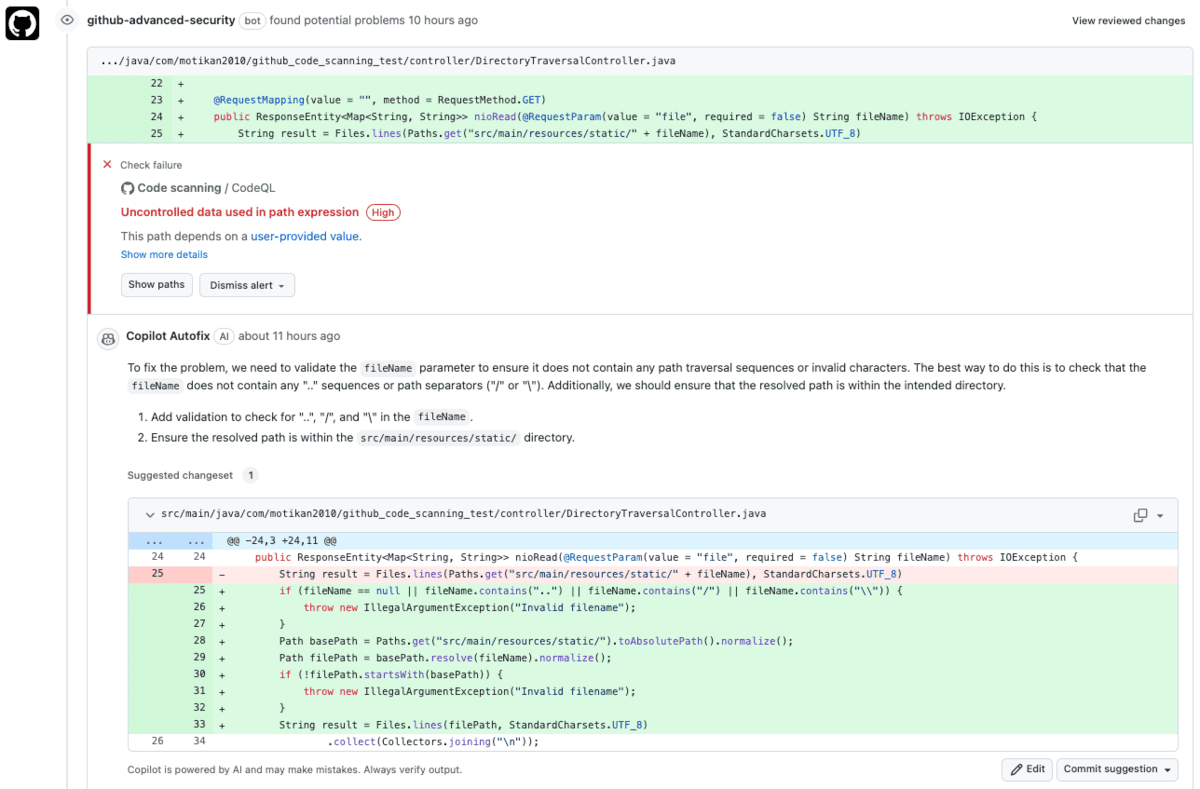
On October 15, GitHub's agentic autofix for code scanning went GA: alerts get assigned to Copilot, which explores the codebase, generates fixes, re-runs CodeQL to verify, and opens a draft PR. The free Generate Fix button is replaced by Assign to Copilot — billed in AI Credits plus Actions minutes, with an Advanced Security line on the enterprise bill.