No Audit Trail When It Mattered: Audit Logging for Vibe Projects
Audit logs are not business logs or ops logs. This standalone guide covers the actor/action/resource data model, hash-chain plus WORM immutable storage, three forensic query patterns (who deleted data, who exported reports, who changed prices), the deletion-right vs. audit-retention legal balance, and a minimal one-afternoon implementation for solo teams — with runnable code.
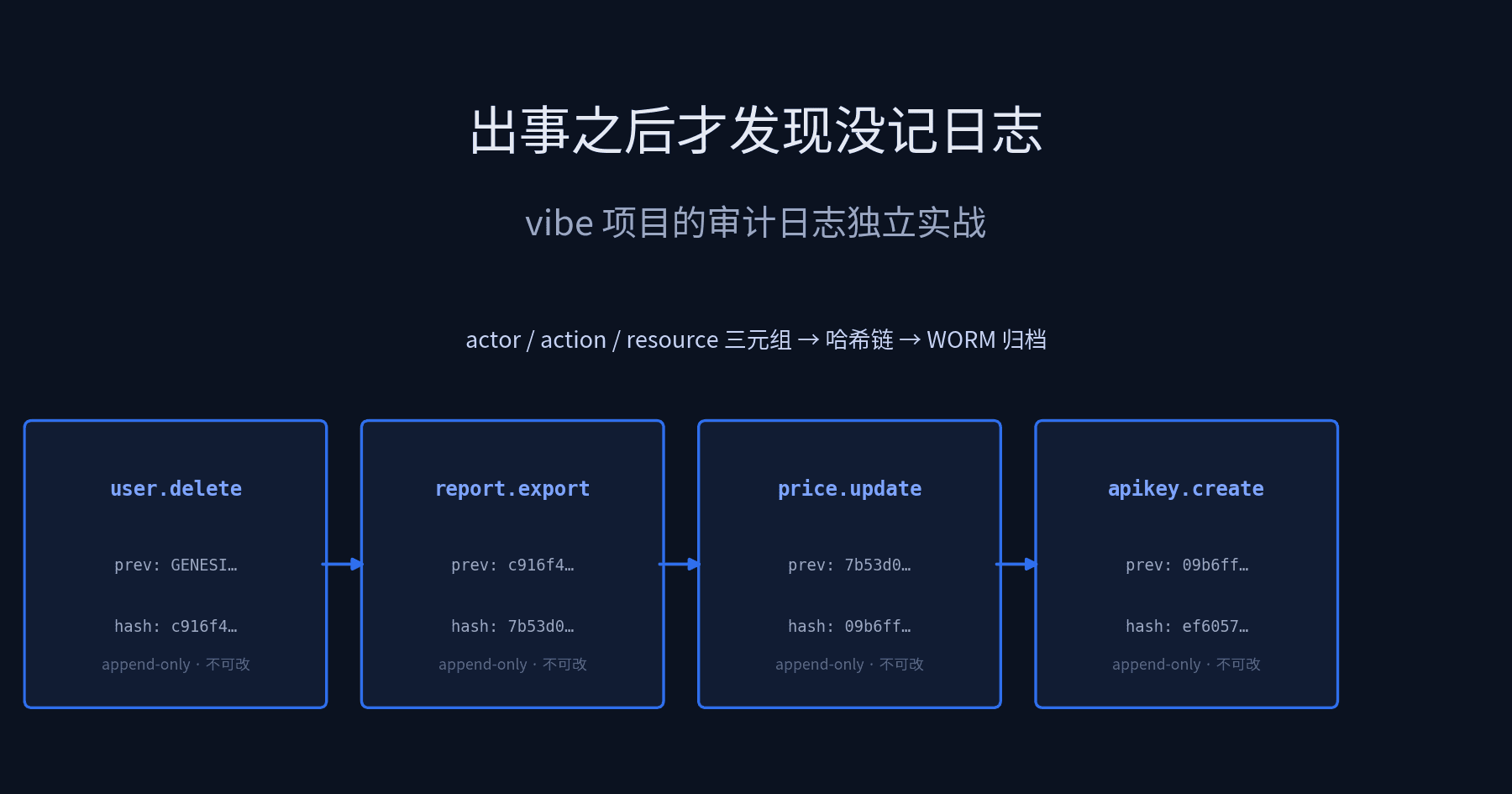
Scope first, so you don't open the wrong guide. This article is only about audit logs — the record that answers "who did what to which resource, and when." It is not business logs (orders created, payments succeeded — read by operations and product), and not ops logs (CPU at 99%, P99 spiking — read by the on-call engineer). The difference isn't format, it's readership and purpose: the reader of an audit log is your future self — the one who needs evidence after an incident, who needs to prove innocence, who needs to survive a compliance review. Business logs can be lost (worst case, a report misses a row); ops logs can rotate (the disk fills up, they get deleted). Audit logs cannot be lost: lose them, and you have no evidence in a dispute.
Four guides on this site already touch on "auditing," each owning a slice, and this one divides the work explicitly: vibe-project-rbac-permissions-guide (RBAC) governs "who can do what" — auditing there is a supporting chapter with a one-line "remember to leave a trail"; vibe-project-human-approval-workflows-guide (human approval) governs "high-risk operations need a human sign-off first" — audit is a byproduct of the approval ticket; vibe-project-soc2-compliance-guide (SOC 2) governs "how to build the compliance framework" — audit logging is one item on its checklist; vibe-project-log-redaction-guide (log redaction) governs "how to scrub phone numbers and tokens out of logs" — that's about cleaning ops and business logs. This guide is the last missing piece of that chain: how to do audit logging itself — how to design the data model, where to store it so it's tamper-evident, how to investigate when things go wrong, and how to handle its conflict with users' deletion rights. The four are neighbors; this one is the main subject. They reference each other without overlapping.
To summarize the problem this guide solves: three months after your vibe project launches, one morning you get an email — "Last night at 11 PM, someone deleted all the data in my account. Your platform is responsible." You open the database. The data is indeed gone. The three questions you most want answered right now: who did it? What else did they do around that time? And can you produce evidence even they can't alter to prove it? If your first instinct is "grep the application logs," this guide is written for you.
1. What audit logs record: "facts," not "process"
First, an actionable definition: one audit record = one statement of an already-happened, irreversible fact. "Already happened" means only successfully committed operations are recorded — a request blocked with 403 for insufficient permissions is a security event ("someone tried to overstep"), not an audit fact; store the two separately. "Irreversible" means once written it can't be changed — change it, and it's no longer evidence.
In practice I've seen two common ways to record the wrong things. The first is using the audit log as a business log: one record per button click, hundreds of thousands of rows a day, and three months later nobody dares query it because one query drags the database to its knees. The second is using the audit log as a debug log: stuffed with request params, stack traces, and raw user input — and when it's time to investigate, you discover the log is lying full of plaintext passwords and tokens, so before the investigation even starts you've handed yourself a data-breach incident. Both come from the same misunderstanding: that "more is better." The correct mindset for audit logs is the opposite — the fewer, the more precise, and the more immutable the records, the more valuable they are.
So which operations get recorded? Here's a brutally simple admission rule for a one-person team: only record "write" operations that change state visible to other people. Concretely, four categories:
- Identity: successful/failed logins, password changes, API key creation and revocation, permission changes. Failed logins must be recorded — brute-force forensics depends entirely on them.
- Destructive data operations: deletes, batch deletes, exports (an export is essentially "data leaving your system" — as irreversible as a delete).
- Money and configuration: price changes, coupon creation, subscription changes, system config edits, feature flag toggles. These are dispute hotspots.
- Admin console: admins viewing or operating on other people's data. Admins are themselves the biggest risk surface — "which admin looked at whose data" must be queryable.
Note what's not on this list: "user changed their nickname" — that's business-log territory. The filter for audit logs is always the same sentence: if this ended up in court — or on Hacker News — would you need to prove it happened? If yes, record it; if no, don't stuff it into the audit table.
2. The audit triple: actor / action / resource data model
The core of an audit record is a triple: who (actor), did what (action), to what (resource). Around the triple sits a set of "meta fields" that make records investigable and tamper-evident. That's the entire data model — no fancier abstraction needed. I've seen people design a 40-field "universal event model" for audit logs; all the maintenance cost went into filling fields, and when investigation time came, half the fields were empty.
Audit log guide cover: a hash chain of audit event blocks on a dark background, linked in append-only order" alt="Audit triple data model and hash chain: actor/action/resource form an audit event; events append in hash-chained order" />Figure 1: The audit triple forms one audit event; events append in order, each record carrying the previous record's hash, forming a chain that breaks on tampering.
Each position of the triple deserves care:
- actor (who): store a stable identity — a user id, a service account name — never mutable PII like email or phone numbers. People leave and emails get recycled; ids don't. Internal cron jobs and webhook callbacks need their own actor identities too (e.g.
system:cron-billing) — "the system did it" is not a free pass from investigation; quite the opposite. Historically, automation scripts have caused more damage than humans. - action (did what): use a controlled vocabulary, e.g.
user.delete,report.export,price.update— not raw routes likeDELETE /api/users/123. Routes get refactored; vocabularies don't. Maintain the vocabulary in a constants file; adding a new action requires code review — itself a line of defense: if anything can write anything into the audit log, the log's credibility is gone. - resource (to what): split into two columns,
resourceType+resourceId, not one combined column. 90% of forensic queries are "who touched this record of this type" — you need the split columns to build indexes. Store the id in resourceId, not the name — names change, ids don't.
Beyond the triple, the meta fields are all mandatory:
- occurredAt: when the event happened, in UTC, column type
timestamptz. Storing local time is a forensic disaster — during a daylight-saving transition your log timeline will show "things that happened first sorted after." Also note: occurredAt is when the business event happened, not when it was written; keep the two separate so write latency doesn't pollute the timeline. - result:
ok/denied/failed. Denied operations get recorded too (who tried to delete someone else's data, and when) — but queried separately from successes. - ip / userAgent: key to establishing "was it really them" during investigation. Note this is PII — handle per the redaction guide; audit-table IPs are only visible to roles with investigation privileges (which is what the RBAC guide's permission model governs).
- metadata (jsonb): only the minimum context forensics needs — e.g. old/new values of a price change, row counts of an export. Iron rule: no passwords, no tokens, no full request bodies in metadata — that's debug-log territory.
- prevHash / hash: the tamper-evident hash chain, detailed in the next section.
A Postgres + Prisma table you can copy directly:
model AuditLog {
  seq          BigInt   @id @default(autoincrement())
  occurredAt   DateTime @default(now()) @db.Timestamptz()
  actor        String   // who: user id / service account / anonymous
  actorType    String   @default("user")
  action       String   // controlled vocabulary: user.delete / report.export / price.update
  resourceType String
  resourceId   String
  ip           String?
  result       String   @default("ok") // ok / denied / failed
  prevHash     String
  hash         String   @unique
  metadata     Json?

  @@index([actor, occurredAt])
  @@index([action, occurredAt])
  @@index([resourceType, resourceId])
}
The three composite indexes map to the three most frequent forensic queries: what someone did, how often an action type occurred, who touched a given record. Build the indexes now — don't discover full-table scans on the day of the incident. Forensic queries run against the production database; one slow query can become a second incident.
3. Immutable storage: append-only is a mechanism, not a slogan
"Audit logs are immutable" is often understood as "we agree not to change them." Agreements are worthless when things go wrong — anyone who can write to the database can change the database, including you, and including an attacker holding your database credentials. Immutability must be a mechanism, not discipline. Here's a three-layer implementation for a one-person team, cheapest first:
Layer 1: tighten database permissions (do it today, zero cost). Revoke UPDATE and DELETE on the audit table from the application database role; keep only INSERT and SELECT:
-- the app role can only append and read, never modify or delete
REVOKE UPDATE, DELETE ON "AuditLog" FROM app_user;
GRANT INSERT, SELECT ON "AuditLog" TO app_user;
Two lines, immediate effect: application bugs, injected SQL, even your own slip in psql can no longer rewrite history. Note this guards the "application layer," not "anyone connecting to the database directly" — hence the next two layers.
Layer 2: hash chain (the math against "quietly editing one record"). On write, each record takes the previous record's hash (prevHash) plus its own content and runs SHA-256 over them to produce its hash. Once the chain forms, editing any historical record breaks every hash after it — tampering goes from "silent" to "obvious to everyone." The genesis block's prevHash is fixed as GENESIS. Write path:
import { createHash } from "crypto";

// Canonical serialization: recursively sort every object's keys (including
// nested keys inside metadata), so the same content always hashes the same.
// Arrays keep their order (order is semantics).
function canonical(value: any): string {
  return JSON.stringify(value, (_key, val) => {
    if (typeof val === "bigint") return val.toString();
    if (val && typeof val === "object" && !Array.isArray(val))
      return Object.fromEntries(
        Object.keys(val).sort().map((k) => [k, val[k]])
      );
    return val;
  });
}

export async function appendAudit(prisma: any, fields: {
  actor: string; action: string; resourceType: string; resourceId: string;
  ip?: string; result?: string; metadata?: object;
}) {
  // Read the chain tail. Note: under high concurrency this needs a row lock
  // or a single serialized writer, otherwise two concurrent writes compute
  // the same prevHash. See section 5.
  const tail = await prisma.auditLog.findFirst({
    orderBy: { seq: "desc" }, select: { hash: true },
  });
  const body = {
    occurredAt: new Date().toISOString(),
    actorType: "user", result: "ok", ...fields,
    // Normalize: missing ip/metadata become explicit null. JSON drops undefined
    // keys, but Prisma reads them back as null — without this, verification
    // false-alarms.
    ip: fields.ip ?? null,
    metadata: fields.metadata ?? null,
    prevHash: tail?.hash ?? "GENESIS",
  };
  const hash = createHash("sha256").update(canonical(body)).digest("hex");
  return prisma.auditLog.create({ data: { ...body, hash } });
}

// Verify the chain before any investigation: if any record fails,
// the whole chain is untrustworthy
export async function verifyChain(prisma: any) {
  const rows = await prisma.auditLog.findMany({ orderBy: { seq: "asc" } });
  let prev = "GENESIS";
  for (const r of rows) {
    const { hash, seq, ...body } = r; // BigInt seq is excluded from hashing
    if (body.prevHash !== prev)
      return { ok: false, at: seq.toString(), reason: "prevHash broken: records were deleted in the middle" };
    if (hash !== createHash("sha256").update(canonical(body)).digest("hex"))
      return { ok: false, at: seq.toString(), reason: "content hash mismatch: record was modified" };
    prev = hash;
  }
  return { ok: true, count: rows.length };
}
Two details not to miss. First, canonical must be the recursive function version, not the array form JSON.stringify(obj, Object.keys(obj).sort()) — an array replacer is a whitelist: nested keys inside metadata that aren't on the list get silently dropped, so "metadata changed, hash unchanged" and the chain becomes theater. Writing and verification must use the same serialization, or you can't even verify your own chain. Second, seq (BigInt) is excluded from hashing: it's the database's auto-incremented "row number," not part of the event content; the function version also converts BigInt to strings, avoiding JSON.stringify throwing on BigInt (a real pitfall). One more round-trip invariant: occurredAt is written as a toISOString() string and read back as a Date re-serialized via toJSON() — both are millisecond-precision ISO strings, and Postgres timestamptz's microsecond precision gets truncated to milliseconds when read back through Prisma, exactly matching the write side, so verification never false-alarms. Third, the undefined-vs-null round trip: JSON.stringify silently drops keys whose value is undefined, but Prisma reads missing fields back as null — "no such key" on the write side versus "key is null" on the verify side breaks the hash. So appendAudit explicitly normalizes missing ip/metadata to null, keeping both sides consistent forever.
A hash chain guards against "modification," not "deletion" — delete the last few records and the chain still verifies. So chain verification must be paired with row-count reconciliation: record each day's count during archiving, reconcile the next day; a shortfall means someone touched the tail. That's what layer 3 solves.
Layer 3: object-storage archiving + WORM (the last resort against "the whole database is gone"). Every morning, export the previous day's audit records as JSONL, compute a package hash, and upload to object storage (S3 / Alibaba OSS / R2) with Object Lock in compliance mode: during the retention period (say, 3 years), nobody — not even the root account — can delete or modify the objects. That's WORM (Write Once, Read Many): write once, read many times. Hot data stays in Postgres for convenient queries (keep 90 days); cold data goes to sealed long-term object storage. Core archiving logic:
// Runs daily at 03:00: export yesterday's audit log -> verify chain -> pack -> upload to WORM storage
import { S3Client, PutObjectCommand } from "@aws-sdk/client-s3";
import { createHash } from "crypto";

async function archiveYesterday(prisma: any, s3: S3Client, bucket: string) {
  const start = new Date(); start.setUTCHours(0, 0, 0, 0);
  start.setUTCDate(start.getUTCDate() - 1);
  const end = new Date(start); end.setUTCDate(end.getUTCDate() + 1);

  const rows = await prisma.auditLog.findMany({
    where: { occurredAt: { gte: start, lt: end } },
    orderBy: { seq: "asc" },
  });
  // Verify the chain BEFORE archiving: a broken chain means archiving garbage
  const v = await verifyChain(prisma);
  if (!v.ok) throw new Error(`chain verification failed seq=${v.at}: ${v.reason}, aborting archive`);

  const lines = rows.map(r => JSON.stringify(r, (_, val) =>
    typeof val === "bigint" ? val.toString() : val)).join("\n");
  const packHash = createHash("sha256").update(lines).digest("hex");
  const key = `audit/${start.toISOString().slice(0, 10)}.jsonl`;

  await s3.send(new PutObjectCommand({
    Bucket: bucket, Key: key, Body: lines,
    ObjectLockMode: "COMPLIANCE",                       // compliance mode: immutable during retention
    ObjectLockRetainUntilDate: new Date(Date.now() + 3 * 365 * 864e5),
    Metadata: { packHash, count: String(rows.length) },  // for count reconciliation
  }));
  console.log(`archived ${key}: ${rows.length} records, packHash=${packHash}`);
}
Note the JSON.stringify replacer converting BigInt to strings — the same pitfall as chain verification, solved consistently on both sides. The count in Metadata is for count reconciliation: when archiving tomorrow, read yesterday's Metadata; a mismatch triggers an alert. The three layers together: the application layer can't modify (permissions), stealth edits get caught (hash chain), and even a wiped database leaves a sealed copy (WORM). A one-person team with these three layers has more trustworthy audit storage than 90% of companies at the same scale.
4. Write path: a 30-line middleware + manual instrumentation
Model and storage are settled. The remaining question: who writes these records? Two write paths cover 95% of cases.
Path 1: HTTP middleware that automatically records all "write" operations. Mount it after the routes but before the error handler (so req.route is already populated). Intercept only POST / PUT / PATCH / DELETE — never record reads; recording reads is the most common cause of audit-log explosions. The core is 30 lines:
import { appendAudit } from "./audit";

const MUTATING = new Set(["POST", "PUT", "PATCH", "DELETE"]);
// Action vocabulary: route -> controlled term. New entries require code review.
const ACTION_MAP: Record<string, string> = {
  "DELETE /api/users/:id": "user.delete",
  "GET /api/reports/:id/export": "report.export", // export is a GET with "write" semantics; add manually
  "PATCH /api/products/:id/price": "price.update",
};

export function auditMiddleware(prisma: any) {
  return (req: any, res: any, next: () => void) => {
    const key = `${req.method} ${req.route?.path ?? req.path}`;
    const action = ACTION_MAP[key];
    // Write ops not in the vocabulary: don't record. Better to alert on a
    // suspicious unlisted op than to record a pile of unnamed ones.
    if (!MUTATING.has(req.method) && !action) return next();
    if (!action) return next();

    res.on("finish", () => {
      if (res.statusCode >= 500) return; // server error: the operation didn't happen; don't record
      appendAudit(prisma, {
        actor: req.user?.id ?? "anonymous",
        action,
        resourceType: action.split(".")[0],
        resourceId: String(req.params.id ?? req.params.reportId ?? "n/a"),
        ip: req.ip,
        result: res.statusCode < 400 ? "ok" : "denied",
      }).catch((e) => console.error("[audit] write failed:", e.message));
    });
    next();
  };
}
Three design tradeoffs, stated plainly. First, ACTION_MAP is an explicit vocabulary rather than "record every write automatically" — automatic recording would stuff business operations like "user changed nickname" or "liked a post" into the audit table until it explodes in three months; an explicit vocabulary forces the code-review question "is this operation worth auditing." Second, exports are GET requests with "write" semantics (data leaving the system), so the vocabulary adds one manually — the most commonly missed category; in real breach investigations, eight times out of ten the trail goes cold at "the export wasn't recorded." Third, audit write failures only log, never throw: auditing is a side channel; a failing audit table must not stop users from checking out. But failures must alert — the console.error here is a placeholder; in production wire it to your alerting channel (PagerDuty, a Slack/Feishu bot, anything). "Auditing silently stopped three months ago" is more dangerous than "no auditing" — the former gives you false confidence.
Path 2: manual instrumentation for what middleware can't reach. Three scenarios need hand-written appendAudit calls: cron jobs (e.g. system:cron-billing doing batch charges), admin-console "viewing someone else's data" (a read, but highly sensitive — add admin.user.view to the vocabulary separately), and third-party webhook callbacks (e.g. a payment-success callback should record what the system:stripe actor did). One rule for manual instrumentation: the actor must be specified explicitly — never fall back to "current logged-in user." Cron jobs have no logged-in user; a fallback means anonymous, which means unrecorded.
The concurrent-write pitfall: appendAudit's "read chain tail, then write with prevHash" is two steps. Under high concurrency two requests can read the same tail and compute the same prevHash — the chain forks. One-person projects rarely have the QPS for this to matter, but if it does, three tiers of fixes: serialize writes with Postgres pg_advisory_xact_lock (simplest); route audit writes through a single-consumer queue (replace appendAudit with "send message," one worker writes serially); or accept "seq order is chain order" and make prevHash "the hash of the previous seq," enforced by a database unique constraint. One sentence: audit writes must be serial — it's the precondition the hash chain rests on.
5. Forensic queries in practice: three questions you'll eventually face
Audit logs aren't valuable because they're "stored" — they're valuable because on the day of the incident you get answers within 5 minutes. The three queries below answer the three questions from that opening email, runnable directly in Postgres. Assume today is 2026-10-16 and the dispute happened late on 10-15.
Question 1: "Who deleted user data?"
-- First locate: all delete-type operations in the last 48 hours
SELECT seq, occurredAt, actor, action, resourceType, resourceId, ip, result
FROM "AuditLog"
WHERE action LIKE '%.delete'
  AND occurredAt >= now() - interval '48 hours'
ORDER BY seq;
It shows actor = 'u_918273' ran user.delete at 23:04 on 10-15, resourceId being the complainant's id. Don't stop — find out what else this actor did that night. People who delete data rarely delete just one row:
-- Then expand: everything this actor did that evening
SELECT occurredAt, action, resourceType, resourceId, result
FROM "AuditLog"
WHERE actor = 'u_918273'
  AND occurredAt >= '2026-10-15 22:00+00'
ORDER BY seq;
If the expanded query shows they ran report.export to dump the full user table at 23:01 and deleted data at 23:04 — that's not "a slip of the hand," that's "steal first, destroy after." A completely different situation, handled completely differently by legal. That's the value of auditing: it reconstructs behavior sequences, not single actions.
Question 2: "Who exported reports?"
-- Aggregate export operations by actor; look for anomalies
SELECT actor, count(*) AS cnt,
       max(occurredAt) AS last_export,
       string_agg(DISTINCT ip, ', ') AS ips
FROM "AuditLog"
WHERE action = 'report.export'
  AND occurredAt >= now() - interval '30 days'
GROUP BY actor
ORDER BY cnt DESC;
Watch for two anomaly signals: someone who normally exports twice a month suddenly exporting 40 times in a day; or export IPs in a different city from their usual IPs. The former is the classic "packing up before quitting" profile; the latter is the "account compromised" profile. If metadata records exported row counts (metadata->>'rows'), add sum((metadata->>'rows')::int) to quantify the leak — when talking to regulators or customers, "exported 120,000 rows" and "exported some data" are two entirely different conversations.
Question 3: "Who changed the price?"
-- Price changes: old/new values are in metadata; reconstruct the scene directly
SELECT occurredAt, actor, resourceId AS product,
       metadata->>'old' AS old_price,
       metadata->>'new' AS new_price,
       ip
FROM "AuditLog"
WHERE action = 'price.update'
  AND occurredAt >= now() - interval '7 days'
ORDER BY seq;
The forensic key for pricing disputes: old/new values must be recorded at the moment of the event. You can't reconstruct them later from the orders table (it only stores the transacted price, not "what it was before the change"). That's the metadata design principle in action: record only the minimum context forensics needs — but record it when the event happens. There is no "backfill later" option in auditing.
All three queries share one precondition: verify the chain before querying. Step one of any investigation is always running verifyChain. If the chain is good, the results are evidence; if it's broken, solve the bigger problem — "who touched the audit table" — before the original dispute. Never in the other order.
6. Deletion rights vs. audit retention: the hardest legal question
Now the thorniest part. A user exercises their deletion right (GDPR Article 17, China's PIPL Article 47) and demands you "delete all my personal data." But your audit log holds their actor id, IP, and operation history — delete, or not?
Audit log guide cover: a hash chain of audit event blocks on a dark background, linked in append-only order" alt="Decision flowchart: deletion right vs. audit retention — route deletion requests by legal basis into delete, pseudonymize, or restrict processing" />Figure 2: the decision flow after a deletion request — not a binary "delete all or keep all," but routing by legal basis.
Legal conclusion first, engineering second. GDPR Article 17(3) explicitly lists exceptions to the erasure right, including item (e): data necessary for the establishment, exercise, or defense of legal claims is exempt from erasure. In plain language: if your audit log is retained to defend yourself in future litigation, the law lets you keep it. China's PIPL Article 19 takes a different road: retention must be the minimum period necessary to fulfill the processing purpose — meaning you may retain, but you must have a deadline, and delete when it expires. Combined, the engineering answer is four steps:
- Triage: when a deletion request arrives, separate data types first. Business data (orders, profiles, uploads) goes through the
data-subject-request-dsr-guide(the site's DSR deletion-right guide) flow and gets fully deleted; audit logs go through the separate flow below. Two data types, two flows — a continuation of this article's opening scope split: that guide covers "how deletion rights work," this section covers "what happens when deletion rights meet audit logs." - Find your legal basis: what justifies retaining your audit log? Pick one of three, and write it down (in your privacy policy, not a code comment): legal obligation (e.g. tax or financial regulations mandate retention — retention period = the statutory period); legitimate interests (GDPR Article 6(1)(f): fraud prevention, dispute evidence — retention period = a reasonable period you define, e.g. 180 days or 3 years); user consent (weakest — avoid it, since consent can be withdrawn). Different bases, different retention periods; no basis, no justification for retention.
- Pseudonymize + restrict processing: the core balancing act. After a deletion request, replace the
actorin audit records with an irreversible pseudonym (e.g.HMAC(user_id, key), with the key stored separately or the mapping destroyed), truncate IPs to /24, and scrub names and emails from metadata. The record itself stays — the fact "on 2026-10-15 23:04 someone deleted user X's data" remains, the chain unbroken, but it can no longer directly identify a real person. Mark these records as "restricted processing": only legal/investigation roles can query them (this is where the RBAC guide's permission model earns its keep); day-to-day operations can't see them. - Auto-delete on expiry: when the retention period ends, delete from both archives and hot storage. S3 Object Lock means "undeletable during retention" — after retention expires, lifecycle rules can auto-expire the objects; the Postgres hot store deletes by monthly partitions. The key word is automatic — relying on someone remembering to delete is the same as not deleting.
Two mistakes one-person teams make most: first, "the user said delete, so I deleted everything, including the audit log" — three months later a dispute arrives and you hold no evidence; second, "I retain audit logs forever" — PIPL's "minimum necessary period" is not decorative, and over-retention is itself a violation. The right posture is the middle road: a legal basis, a deadline, pseudonymization, auto-deletion on expiry. Write these four into your privacy policy, follow Figure 2's flow when deletion requests arrive, and you'll have answers for the user, the regulator, and your future self alike.
7. Minimal implementation for a one-person team: live by this afternoon
Compress everything above into an executable checklist. In order — one afternoon:
- Create the table (30 min): copy the Prisma model from section 2 into your schema, run the migration, build the three composite indexes.
- Tighten permissions (10 min): the two SQL lines from layer 1 of section 3 — REVOKE the app role's UPDATE/DELETE.
- Write appendAudit + verifyChain (1 hour): use the code from section 3 as-is; mind the BigInt serialization pitfall. Then verify it against yourself: insert 3 records, modify one record's metadata, run verifyChain, and confirm it reports "content hash mismatch" — a tamper-evidence mechanism must be personally verified to actually alarm, or it's the same as not installed.
- Mount the middleware + set the vocabulary (1 hour): the section 4 middleware; start with just the 5 highest-risk actions (user.delete, report.export, price.update, apikey.create, admin.user.view) and grow slowly. Small vocabulary steps — don't start with 50.
- Archive script + cron (1 hour): the archiveYesterday from section 3, cron at 03:00 daily. Enable Object Lock on the S3 bucket (note: Object Lock must be enabled at bucket creation — it can't be added later. This is a real AWS limitation; plan for it upfront). Start retention at 1 year; adjust per legal advice later.
- Write it into your privacy policy (30 min): add an "audit log retention statement" — purpose (security and dispute evidence), retention period, and how deletion requests are handled (pseudonymization + restricted processing). The four steps of section 6 are the source material.
- Rehearse one investigation (30 min): simulate "data deletion" in staging, walk the three section-5 queries, time yourself. If it takes more than 10 minutes, your vocabulary or indexes need work — fix before going live.
Total cost: one afternoon plus a few dollars a month in object storage. In return: on the day of the incident, you're not gambling on grepping logs — you have a verifiable chain, queryable records, and evidence to hand over. The math is especially favorable for one-person teams — big companies have legal departments and forensics teams; you don't. Your audit log is your legal department.
8. Four pitfalls, all paid for in real money by someone else
Pitfall 1: no TTL on the audit table; it becomes a performance bomb in three years. Hot store keeps 90 days; anything older lives only in archives — that's architecture, not advice. The most common death: "the audit table hit 80 million rows, a forensic query dragged the primary down," followed by someone truncating the audit table to save the database — and the evidence with it. Partitioned tables + scheduled archiving + hot-store TTL: all three, no exceptions.
Pitfall 2: "who viewed" and "who changed" recorded in the same place, queryable under the same permission. Records of admins viewing other people's data (admin.user.view) are themselves sensitive — they reveal "who is under investigation." Query permissions for these must be stricter than ordinary audit access: at minimum "founder/legal only." The RBAC guide's permission tiers need one more notch here.
Pitfall 3: the hash chain is written but verifyChain never runs. A tamper-evidence mechanism is like a fire extinguisher — bought but never inspected means not owned. Wire verifyChain into your daily health check (alongside the archive script); alert the moment the chain breaks. "Verify before archiving" in the archive script exists for exactly this reason — encode the order in code, don't rely on memory.
Pitfall 4: the audit log records things it shouldn't, and the investigation exposes you first. Plaintext passwords, complete JWTs, raw user chat transcripts in metadata — hand that log to a third party (a lawyer, a regulator) during investigation and you've voluntarily submitted evidence of your own data breach. Add a CI check: scan metadata key names before audit writes; keys like password, token, secret reject the write and alert. Redaction is the vibe-project-log-redaction-guide's subject, and the audit table is where it matters most.
Back to that opening email. "Last night at 11 PM, someone deleted all the data in my account." With this audit setup, your reply can be: "We found it. At 23:04, account u_918273 deleted the data from IP x.x.x.x; at 23:01 the same account exported your data report. These are hash-verified audit records; the originals are sealed in object storage with a 3-year retention." — the dispute basically ends there. The version without auditing is: "We're looking into it…" — for three months.
Further reading: the RBAC guide (vibe-project-rbac-permissions-guide) tells you "who can do what"; human approval (vibe-project-human-approval-workflows-guide) gates high-risk operations beforehand; SOC 2 (vibe-project-soc2-compliance-guide) is the framework your audit logs must satisfy; log redaction (vibe-project-log-redaction-guide) keeps plaintext passwords out of your audit table; the full deletion-right flow (data-subject-request-dsr-guide) handles business-data erasure, while section 6 of this guide handles the audit-log exception. Four neighbors plus one DSR guide — together, the complete compliance puzzle for a one-person team.
Comments (0)
Related articles
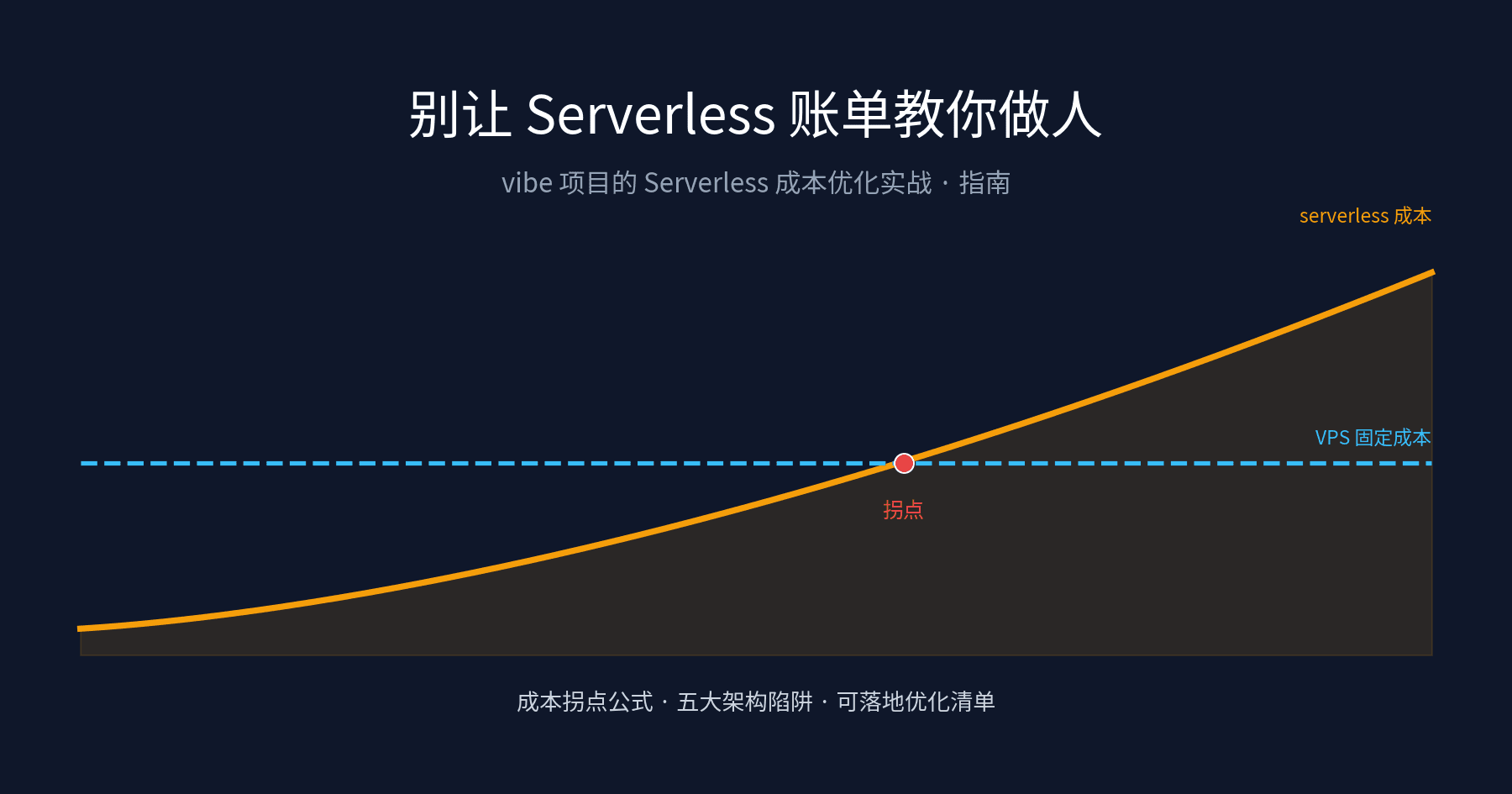
AI deploys your vibe project to serverless by default — then the bill arrives with an extra zero. This guide breaks down how Vercel, Cloudflare Workers and AWS Lambda actually bill, gives you a computable crossover formula for when serverless costs more than a VPS, exposes the five architecture traps AI-generated code falls into (WebSockets, local state, cron-as-worker, fat bundles, egress fees), and a six-step optimization checklist to run before you ever migrate.

Avatars in ./uploads blew up in week one? This guide covers presigned-URL direct uploads, three storage policies for public/private/image-variant files, zero-egress selection with R2, orphan cleanup, environment isolation, and migration — with a launch checklist.

User emails and login tokens sitting in your console.log? This guide gives solo teams a complete log-redaction playbook shippable in a day: a four-tier PII classification table, copy-paste TypeScript redaction trio, minimal console.log-to-pino migration, request-logging middleware templates, Sentry beforeSend config, tiered retention and cost math — plus 8 real-world pitfalls.