Let the Outside World Knock: Webhook Integration in Practice for Vibe Projects
A user just paid — how does your system know? Code was pushed to GitHub — how does deployment trigger itself? The answer is webhooks: APIs called in reverse. This guide breaks webhook integration into five pieces — receiver design, signature verification, idempotency, retries and dead letters, local debugging — walks you through complete Stripe and GitHub flows, and flags the three traps AI loves to fall into.
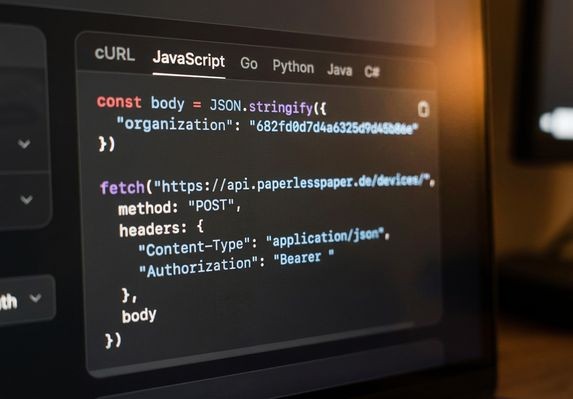
What webhooks are: APIs called in reverse
The APIs you usually write are "you call others": the frontend calls your endpoints, your backend calls Stripe's. But some things only make sense reversed — when a user finishes paying on Stripe, Stripe has to tell you; when someone pushes code to GitHub, GitHub has to notify your deploy service. Polling Stripe every 5 seconds with "anyone paid yet?" is dumb and expensive.
A webhook is an "API called in reverse": you give the other side a URL (e.g. https://yourapp.com/webhooks/stripe), and when something happens on their end, they POST a JSON payload to it. Your system goes from "asking" to "being notified" — realtime, cheap, architecturally clean.
Webhooks are essential-essential for vibe projects: Stripe payment callbacks (user pays → membership activated), GitHub push → auto-deploy, new-submission notifications from form tools (Tally/Typeform), CRM status syncs, even "poor man's cron" (a cron service pinging your endpoint on schedule). Frankly, a vibe project without webhooks is half a product — it can't plug into the real world's event stream.
But webhooks are also where AI-generated code goes to die: no signature verification, no idempotency, business logic inside the receiver causing timeouts. The other side retries three times; your system activates the membership three times and sends three emails. This guide splits webhook integration into five pieces, each explained thoroughly.
Piece 1: Receiver design — "fast" beats "complete"
Rule one of webhook receivers: return 200 as fast as possible; do business logic asynchronously. Platforms like Stripe time out webhook deliveries (usually 10–30s). If your handler synchronously calls three external APIs, sends email, and writes five tables, the timeout triggers a retry — while your business logic already half-executed. Retry equals duplicate execution.
The standard posture is two-phase: the receiver does exactly three things — verify the signature, persist (raw payload + event id), return 200; real business logic is consumed asynchronously by a background job queue (see our earlier guide on background jobs and queues). Persisting matters: the raw payload is the only ground truth for debugging; logic can be rewritten, lost events can't be recovered.
On routing, give each source its own endpoint: /webhooks/stripe, /webhooks/github — never one shared /webhooks distinguished by a field. Separate endpoints mean separate verification logic, separate rate limits, separate logs — clean to debug and clean to amputate. When having AI generate the code, explicitly require "independent routes and verification middleware per webhook source," or you'll get one omnipotent entrypoint.
Piece 2: Signature verification — AI's favorite trap, bar none
Your webhook URL is public; anyone can POST to it. Without verifying "this message really came from Stripe," an attacker can forge a "user paid" event and get your membership for free. Nearly every serious platform offers signatures, all on the same HMAC principle: the platform HMACs the payload with your shared secret and puts the signature in a header (Stripe: Stripe-Signature; GitHub: X-Hub-Signature-256); you recompute over the received body with the same secret and compare.
Three traps AI falls into here, each fatal:
Trap 1: parse JSON before verifying. Signatures are computed over the raw request bytes. AI-generated code loves const data = await req.json() first, then re-JSON.stringify-ing the parsed object to verify — JSON serialization doesn't preserve key order or whitespace, so the signature never matches. Correct: verify against the raw body (disable the default bodyParser in Next.js; use express.raw() in Express), parse only after verification passes.
Trap 2: comparing with ===. Signature comparison must use constant-time comparison (Node's crypto.timingSafeEqual) to resist timing attacks. AI defaults to === — fine 99% of the time, but this is a security red line, cheap to fix in review.
Trap 3: wrong secret. Stripe's webhook signing secret is a standalone key starting with whsec_ — not your API key. AI constantly verifies with the API key, then tells you "signatures never match, maybe a Stripe bug." Not a bug — wrong key. Test and production secrets differ too; keep env vars separate.
The one-line instruction for AI: "webhook verification must use the raw body + timingSafeEqual, secret read from the STRIPE_WEBHOOK_SECRET env var; write unit tests for the verification middleware before the business logic."
Piece 3: Idempotency — they will retry; you must survive it
Every webhook platform retries: your service 500s, times out, the network jitters — they send it again in a few minutes. That's by design, not a bug. So your handling must be idempotent — processing the same event 1 time or 10 times yields the same result.
The standard approach is an event-id dedup table: every webhook event has a unique id (Stripe: id like evt_123; GitHub: the X-GitHub-Delivery header). Before processing, check the table: id seen → return 200 immediately (and log "duplicate event skipped"); unseen → in a transaction: insert the event id first (unique constraint arbitrates concurrency), then run the business logic.
Mind the race between "check" and "act": two identical webhooks arriving together both see "unseen" and both execute. The fix is letting the database unique key arbitrate — the second insert conflicts and bails. This is where AI most often gets it wrong: application-level "select then insert" can't stop concurrency.
Idempotency must extend into the business actions themselves: "activate membership" should be written as "skip if already a member," not "blindly insert a membership row." At every database write, ask: "what happens if this runs twice?" — the soul-searching question of webhook code review.
Piece 4: Retries and dead letters — failure is normal; design for it
Even with verification and idempotency right, business processing still fails: a downstream API is down, DB replication lags, a bug in your code. Webhook architecture must assume failure is normal:
Consumer-side retries: when the background job fails on a webhook event, retry with exponential backoff (1 min, 5 min, 30 min, 2 hours…) — not immediate infinite retry, which kicks an already-overloaded downstream while it's down. Cap retries (e.g. 8 attempts); beyond that, the event goes to a dead-letter queue (DLQ).
Dead letters + alerting: dead-lettered events must be inspectable and manually replayable. Business-critical ones (payment callbacks) entering the DLQ must page someone — SMS/phone level, not "an email to read tomorrow." Vibe projects can do this lightly: a dead-letter table + a scheduled check + a push to your phone via Bark/ServerChan. Remember: a user paid but got no membership is the P0 of P0s — monitoring priority above everything.
Cooperating with the platform side: platforms like Stripe retry with exponential backoff for days. Your receiver must handle "a retry arriving days later" correctly — don't TTL the idempotency table too aggressively; keep 30 days minimum. Also, never return 4xx to "reject" event types you don't handle (ones you don't support yet): 4xx triggers furious retries. Correct: 200 for every signature-verified event; log-and-skip the ones you don't care about.
Piece 5: Local debugging — receiving real webhooks on localhost
The most newcomer-repelling part of webhooks is debugging: the platform POSTs to your public URL, but you're on localhost. Three tools:
Stripe CLI's stripe listen: the official tool — one command forwards Stripe test events to your machine, and stripe trigger payment_intent.succeeded generates test events on demand. Install it on day one of payment integration; don't use the "deploy to staging and try" caveman method.
ngrok / Cloudflare Tunnel: expose a local port as a public URL, paste it into GitHub/other platforms' webhook config. Note free-tier URLs change on restart — configure, test, repeat; use a fixed domain for long-lived integration.
Platform test-event panels: the Stripe Dashboard can resend historical events manually; a GitHub repo's webhook settings page shows "Recent Deliveries" with each delivery's request/response and manual redelivery. When debugging production, check the platform's delivery log first — "did they not send" vs. "did I mishandle," located in two minutes.
When having AI write webhook code, add: "also give local debugging steps (stripe listen / ngrok commands) and sample test events." Good AI hands you the debug commands with the code; bad AI hands you code only — a litmus test for whether it truly understands webhooks.
Two complete flows: Stripe payments and GitHub auto-deploy
Theory done — walk the two most common complete flows, threading all five pieces together.
Flow 1: Stripe payment → membership activation. 1) In the Stripe Dashboard create the webhook endpoint, subscribe to checkout.session.completed, put the whsec_ secret in env vars; 2) receiver /webhooks/stripe: raw-body verification → persist raw event → 200; 3) background consumer: check the idempotency table (event-id unique key) → find the user by client_reference_id → activate membership ("skip if already a member") → send welcome email; 4) failures → dead letter + phone alert; 5) locally, drill it with stripe listen --forward-to localhost:3000/webhooks/stripe. Watch out: take the amount from the Stripe event, never trust the frontend's price — the frontend saying "user paid 9.9" means nothing; Stripe's amount_total is the truth. That's the floor against price-tampering freeloaders.
Flow 2: GitHub push → auto-deploy. 1) Repo Settings → Webhooks, add your /webhooks/github, set a secret, choose "Just the push event"; 2) receiver: HMAC-SHA256 verification with the secret (the X-Hub-Signature-256 header) → only handle pushes to the target branch → 200; 3) background job: pull code → build → switch traffic only after health checks pass; 4) rollback + alert on deploy failure. Security note: keep the deploy script's permissions minimal — there are historical cases of forged GitHub webhooks injecting malicious code into servers; verification is this flow's lifeline.
Security red lines and the launch checklist
Closing with webhook security red lines — don't ship violating any: no verification, no launch (the floor of floors); secrets separated from code (whsec_ lives only in env vars); never log full payloads (webhooks routinely carry user emails and addresses — redact logs); beware replay attacks (Stripe's signature carries a timestamp; check t against now within a tolerance window, so intercepted old events can't be replayed); IP allowlists are auxiliary only (platform IP ranges change; they can't replace signatures).
The pre-launch checklist, tick each: does the verification middleware have unit tests (valid signature passes, tampered fails, stale timestamp fails)? Does the idempotency unique key hold (concurrent double-delivery executes once)? Have you rehearsed timeout-retry (kill the consumer, recover, no event lost)? Can the dead-letter alert wake you at night (trigger it once by hand)? Are production and test webhook secrets separated? Is the Dashboard endpoint URL the production domain (how many incidents came from staging using production keys)?
One last line: webhooks are the watershed where a vibe project turns from "toy" into "business" — the moment a user pays, your system must be present. Get these five pieces solid and your project plugs into the real world's event stream. After that, it's counting money and fixing bugs.
Related articles
Getting signups is only the start — users churn by day 3 and you have no horn to call them back. This guide covers notification systems for vibe projects: channel selection, email with Resend from day one, SPF/DKIM/DMARC done right, when SMS is worth the money, frequency caps and unsubscribe, retries and dead letters, plus a launch acceptance checklist.

AI-written code has a default bias: cramming all logic into a single HTTP request. Sending emails, calling big models, bulk imports — users stare at a spinner for 30 seconds, then hit a 500 timeout. This guide covers when vibe projects must push work to the background, how to pick a queue (Inngest / Trigger.dev / BullMQ / pg-boss), idempotency and retries, and a task template for getting agents to wire it up right.

One 10MB avatar upload and your Node server's memory is gone. Presigned direct uploads, browser-side compression, magic-number validation, chunked resumable uploads, orphan cleanup — seven opinionated sections covering the highest-crash-rate feature in indie projects.