Simon Willison Had Claude Spend 3 Hours on One Prompt to Build a Game: "Make Sure It Is Fun" Works Uncomfortably Well
On October 14, Simon Willison sent one prompt to Claude Opus 5.5 Max from the iPhone Claude app's chat mode; 3 hours 7 minutes of single-pass reasoning later, out came a playable cozy spot-the-difference game with music, animation, and achievements. His verdict: telling the model to "make sure it is fun" works "uncomfortably well".
One boundary to draw up front: on October 15 (the next day), Simon Willison ran another two-player experiment — a Pong-like game where two phones exchanged game state via microphone chirps. That's a separate event and this piece doesn't cover it; it only covers October 14's "Tree appreciator". The two experiments corroborate each other ("single-prompt game-making wasn't luck"), but the main thread stays on 10-14 to keep the piece focused.
On October 14, 2026, Simon Willison published "Another game experiment with Claude" on his personal blog. The story is short: he opened the default Claude app on his iPhone (note: chat mode, not Claude Code) and sent Claude Opus 5.5 Max a single prompt. Claude thought for 3 hours and 7 minutes and delivered a playable cozy spot-the-difference game — with music, animation, and an achievement system.
Willison's own verdict was one sentence, but a dense one: telling Opus 5.5 to "make sure it is fun" works "uncomfortably well" — and he admits it's "somewhat embarrassingly given my recent talk" (he'd just given a tech talk taking a contrary/related position).
Why does this deserve a long read? Because it's a celebrity-grade empirical test of vibe coding methodology. Willison isn't a random user — he's a Django co-founder and a longtime LLM-application researcher whose talk had just argued the other side, only to be proven wrong by his own experiment the next week. That kind of "gotcha-by-myself" evidence beats ten tutorials.
The prompt first: one paragraph, three layers
Here's the full prompt (factual quotation from the blog post):
Build a three js game called "Tree appreciator" - it shows you two algorithmically generated trees and the game mechanics is about appreciating the differences between them. Think hard about how to make sure it is both fun and beautiful.Unpacked, the prompt has three layers:
- Layer 1: what (the what). "Build a three js game called 'Tree appreciator'" — stack (three.js) and name, in one breath. No "React or Vue", no "how to manage state" — those details are all the model's problem.
- Layer 2: core mechanic. "it shows you two algorithmically generated trees and the game mechanics is about appreciating the differences between them" — two algorithmically generated trees; the gameplay is about appreciating their differences. Note he never said "make a spot-the-difference game with scoring rule X and levels Y" — he gave the mechanic's direction, not its details.
- Layer 3: the quality bar. "Think hard about how to make sure it is both fun and beautiful" — think hard about how to guarantee it's both fun and beautiful. The soul of the whole prompt: no technical spec, just one experience requirement.
Under 40 words total. No user stories, no acceptance criteria, no technical constraints — by traditional software-engineering standards, this "requirements doc" would fail review. But it's exactly the most effective prompt shape of the vibe coding era: direction fully given, details fully released, bar set at the experience layer.
 Willison's original blog screenshot: Tree Appreciator spot-the-difference game with two autumn trees, found differences circled
Why "make sure it is fun" works: experience instructions vs. technical specs
Willison's line deserves a re-read: telling Opus 5.5 "make sure it is fun" works "uncomfortably well". In plain language: you tell the model "make sure it's fun" and it genuinely pushes toward "fun" — so well it embarrassed Willison, given he'd just argued the opposite/adjacent position in a talk (the blog doesn't detail the talk, but "somewhat embarrassingly" says he probably dismissed this kind of "mystical instruction" on stage).
Why does a vague-sounding instruction like "make sure it's fun" outperform "implement features A, B, C"? Think deeper:
- 1. "Fun" is a high-dimensional objective, and the model knows better than you how to decompose it. When humans write specs, they decompose "fun" into "scoring + levels + sound effects" and feed that to the model; but human decomposition is low-dimensional (you only think of a few things). The model has seen thousands of "fun games" in training — its understanding of "fun" is distributed. "Think hard about fun" lets the model sample its own optimum from that distribution instead of executing your low-dimensional spec.
- 2. Technical specs are a ceiling; experience instructions are a floor. Write "implement a scoring system" and the model implements a scoring system — no more, no less. But say "make sure it's fun" and the model decides for itself "do I need scoring, achievements, music?" — the music, animation, and achievement system in the finished game were never named in the prompt; the model added them all in pursuit of "fun". Experience instructions license the model to improvise.
- 3. "Think hard" is the key modifier. The prompt doesn't just say "make it fun" — it says "think hard about how to make sure it is both fun and beautiful". "Think hard" tells the model: this problem deserves inference budget. Paired with a 3-hour-7-minute single inference run, the model genuinely thought for a long time — experience-level goals need long reasoning to unfold; short fast answers can't produce "fun".
For vibe developers: this is prompt craft you can use directly. For anything "made for humans" (little games, little tools, landing pages), end the prompt with an experience-layer requirement: "think hard about how to make it fun / beautiful / delightful". Don't write only a feature list — feature lists are ceilings; experience requirements are what let the model surprise you. Willison ran the embarrassing experiment so you don't have to: this line works, embarrassingly well.
The tool choice: the least developer-tool-like tool
The second counterintuitive point: Willison didn't use Claude Code. He used the default Claude iPhone app in chat mode.
Claude Code is agent mode: reads/writes files, runs commands, installs dependencies — a "work" tool. The iPhone app's chat mode is a "talking" tool: you talk, it answers, at most handing you code or a file. Intuition says a "engineering task" like building a game wants Claude Code — but Willison picked chat mode, and it worked.
That choice says something: when the prompt is good enough and the reasoning long enough, the tool's shape stops mattering. Chat mode has no filesystem, no terminal — but it had 3 hours and 7 minutes of reasoning, during which the model thought through every line of code, every asset, every interaction "in its head" and delivered in one shot. The tool's "execution ability" (run code, see errors, iterate) got partially replaced by "thinking it through once".
For vibe developers: stop agonizing over "which tool". The gap between tools (Claude Code vs. chat app vs. web) is far smaller than the gap between prompts and the gap between reasoning budgets. Willison's experiment controls the variables cleanly: weakest tool (phone chat), carefully designed prompt, longest reasoning (3h7m) — best result. The controlled experiment's conclusion: prompt × reasoning time dwarfs tool shape.
3 hours 7 minutes: the victory of single long reasoning
The third number worth amplifying: 3 hours 7 minutes, single inference.
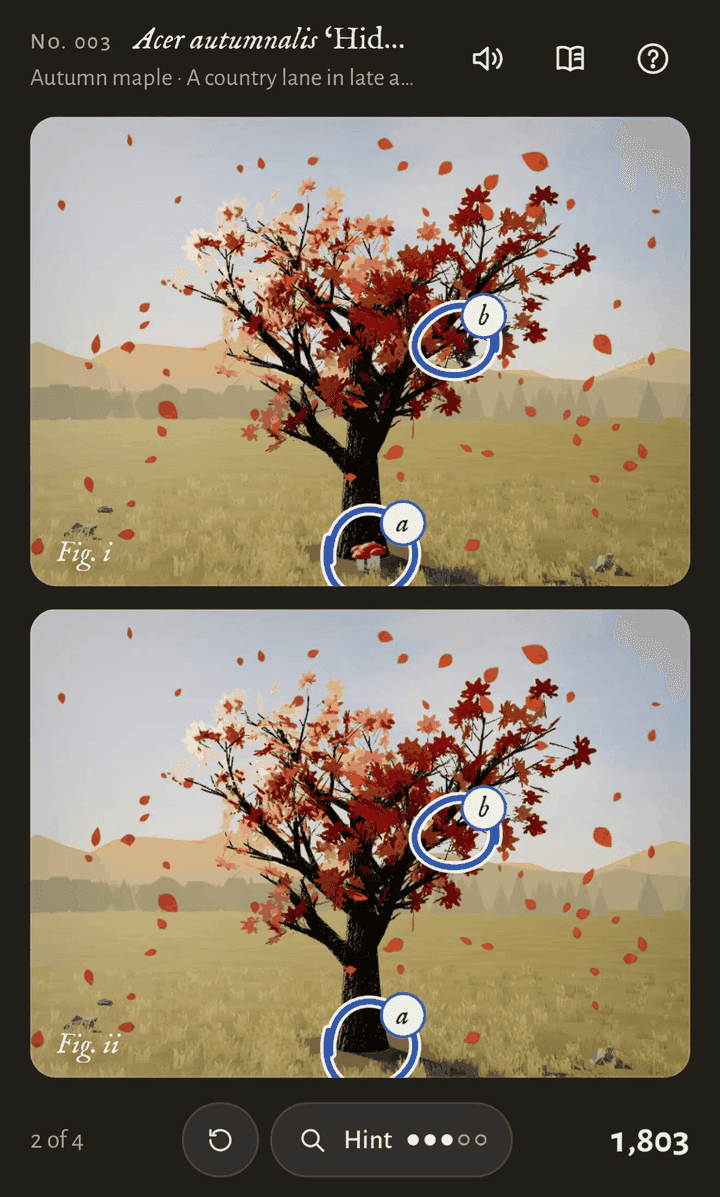
Note the "single": not "chatted for 3 hours across 20 rounds" — the prompt went out, the model thought once for 3 hours 7 minutes, then delivered. The output: a playable cozy spot-the-difference game with two algorithmically generated trees (echoing the prompt's "algorithmically generated"), spot-the-difference gameplay, music, animation, achievements. The blog screenshot shows level "No. 003 Acer autumnalis" (level 3, autumn maple), a score of 1,803, and a Hint point mechanic (spending hints costs points).
The screenshot rewards pixel-level reading, because it's the concrete answer to the abstract instruction "fun":
- Dark theme + warm foliage: dark background with red, orange, and pale-peach maple leaves, falling-leaf particles in the air — the "beautiful" half answered with palette and particles. The cozy-game visual formula (dark ground + warm subject + moving particles) picked up with no teaching.
- Two images stacked (Fig. i / Fig. ii): the classic spot-the-difference layout, but labeled like botanical plates — echoing the "Tree appreciator" name, the game framed as "specimen comparison". Tasteful.
- Found differences circled in blue: a small red mushroom at the trunk base (present in Fig. i, missing in Fig. ii), a patch of green leaves in the right canopy (green in Fig. i, red in Fig. ii) — the differences are "fair but hidden": the mushroom hides at the roots, the leaf-color difference hides in a sea of red. The difficulty curve is "not obvious at first glance, findable on inspection" — the core feel of spot-the-difference.
- Bottom bar: 2 of 4, reset button, Hint (three filled, two empty dots), score 1,803. A complete game loop: progress (2/4), an undo (reset), a paid hint (Hint points), positive feedback (score). A game made in 3 hours with a closed loop — that's the line between "playable" and "demo".
- Level name "No. 003 Acer autumnalis": a made-up Latin binomial plus numbering, implying "a series, one tree per level". World-building: a tree appreciator's handbook. The achievement system (mentioned in the blog) presumably lives in the same world.
Put together: the model delivered not just "a runnable spot-the-difference" but a work with a world, a visual language, and a complete game loop. That's what 3 hours of "think hard about fun and beautiful" buys — the time went into thinking, not typing.
It also shows what an Opus 5.5-class model's "think it through once" can already carry: a complete small work — gameplay, art, music, achievements, copy — in one pass. 3 hours 7 minutes sounds long, but compare: a human developer needs days for a game like this, and might skip the music and achievements. Single long reasoning already beats "human hand-rolling" and "ten rounds of short iteration" on cost-effectiveness for small works.
For vibe developers: for the next little game or tool, don't rush to split it into steps and multi-round chats. Try "one well-thought-out long prompt + generous reasoning time": direction, mechanic, and experience bar all stated once, then let the model think slowly. Ten rounds of iteration may take longer in total, burn more tokens total, and still come out worse. Long reasoning isn't "slow" — it's "thinking the thing through once".
"Algorithmically generated trees": why this detail matters
One easily missed technical requirement in the prompt: "two algorithmically generated trees". It's not filler — it determines the game's replayability.
If the two trees were fixed images the model "drew", the game would be dead after one play: the differences are fixed, memorize them and it's over. But "algorithmically generated" means every round generates the trees procedurally at runtime, with differences placed randomly — every round is a new round. Those six words Willison buried in the prompt are the foundation of the entire game's replayability.
It's a fine prompt-craft example for vibe developers: name the key technical decisions in the prompt; release the non-key implementation details to the model. "How the trees generate" is a key decision (it determines replayability), so Willison named it; "which random algorithm, what the trees look like" are non-key, so he didn't. The art of prompting is telling those two apart: name what's key, release what's not.
 Willison's original blog screenshot: Tree Appreciator spot-the-difference game with two autumn trees, found differences circled
Hands-on: a four-step checklist to replicate this experiment
Willison's experiment is fully replicable, in four steps:
- 1. Pick a "small work" target. Spot-the-difference, memory match, a snake variant — small enough to "think through once". Don't start with an MMORPG; single long reasoning has a scale ceiling.
- 2. Write the three-layer prompt: direction + mechanic + experience bar. Direction (one line on what), mechanic (what the core loop is, no details), experience bar ("think hard about fun/beautiful/delightful" — explicitly budgeting inference).
- 3. Name the key technical decisions. Like "algorithmically generated": decisions that set the work's floor shouldn't be left to luck.
- 4. Give it reasoning time; deliver in one shot. Don't poke the model while it thinks. 3 hours was Willison's measurement; yours might be 1 or 5 — the point is "think it through once", not "think it in ten sittings".
Afterwards, self-check against Willison's screenshot: is there a world (level names)? A complete loop (progress/hints/score)? Things the model improvised (music/achievements)? If all three are there, your prompt hit the experience-instruction leverage too.
Judgment calls: three empirical conclusions for vibe coding methodology
Judgment zone below; facts and opinions marked separately.
Call one: experience instructions are the high-leverage part of a prompt. Willison's experiment proves the leverage of "make sure it is fun": one sentence bought a full improv set — music, animation, achievements, botanical naming. Traditional prompt tutorials teach "state requirements clearly"; Willison's evidence adds the other half: "state the bar clearly". Requirements tell the model what; the bar tells it how good. Future prompts should split space evenly between feature lists and experience bars — if anything the bar matters more, because the model can infer features but can't infer the bar.
Call two: "think hard" is one of 2026's most important prompt modifiers. Note Willison wrote "Think hard about how to…", not "Make it fun". The former budgets inference; the latter just asks. 2026-class models (Opus 5.5) understand "this problem deserves a longer think" and actually stretch reasoning to 3 hours. Every word in a prompt is a parameter: "think hard" tunes reasoning depth, "fun and beautiful" tunes the objective. Vibe developers should choose prompt words like tuning parameters — each word does a job.
Call three: single long reasoning is replacing "many short rounds", at least for small works. 3 hours 7 minutes, one delivery, a complete playable game. The disruptive bit: it proves iteration isn't mandatory. Vibe coding's old standard pose was "small steps, many rounds" — because models couldn't think it through once, humans had to review-and-nudge across rounds. When a model can think for 3 hours straight, it doesn't need a chaperone. Vibe coding may bifurcate: small works go "long prompt + long reasoning + one delivery"; big engineering stays "multi-round + human review". Which route depends on the work's scale, not habit.
Call four: a celebrity experiment's value is its replicability statement. The blog's most valuable asset isn't the game (spot-the-difference isn't novel) — it's the replicability statement from someone who knows: one prompt, a phone chat app, 3 hours, you can too. Paired with his October 15 mic-chirp Pong experiment (the two corroborate "not luck"), it's a methodological evidence set for "single-prompt game-making". For vibe developers: next time someone scoffs "AI-made things are toys", send these two posts — Willison already answered.
What's unsaid
What the blog doesn't say: how many tokens (how much money) 3 hours 7 minutes of reasoning burned — Willison didn't say, though our earlier piece on his hard budget caps shows he's cost-sensitive; the omission might mean "within acceptable range", or he just forgot. Whether the game's code is open-sourced (the blog gives screenshots and the prompt, no repo link). "No. 003" implies at least 3 levels — what higher levels look like, unshown.
One question worth chasing: Willison says "make sure it is fun" works "uncomfortably well" — but what's the "uncomfortably" about? One reading: "so well it unsettles me" — it challenged his talk's position. Another: "so well my methodology feels overturned". The blog doesn't elaborate, but the discomfort itself is signal: when one of the people who best understands LLMs gets startled by a casual experience instruction, the models moved another step — past the point where even experts need to update their mental models.
Related reading: Simon Willison: hard budget caps for agent spending (same author: that piece was "empirical evidence about spending money", this one "empirical evidence about spending time" — 3h7m of reasoning is spending money too); Epic Games Launcher vibe-coded preview (vibe coding theme); Personal vibe-coded apps on Google Play (personal vibe-app theme).
One-line summary: Simon Willison made a spot-the-difference game with music, animation, and achievements from one prompt, the iPhone Claude chat app, and 3 hours 7 minutes of single-pass reasoning; "make sure it is fun" turned out to be embarrassingly effective — vibe coding's prompt craft gains a new rule: direction states the what, the bar states the experience, and "think hard" maxes out the reasoning budget. And don't forget his sheepish aside: when even the people who best understand models get startled by "make sure it's fun" — the models' sense of "taste" and "fun" may have been underestimated all along.
Comments (0)
Sources
Related articles
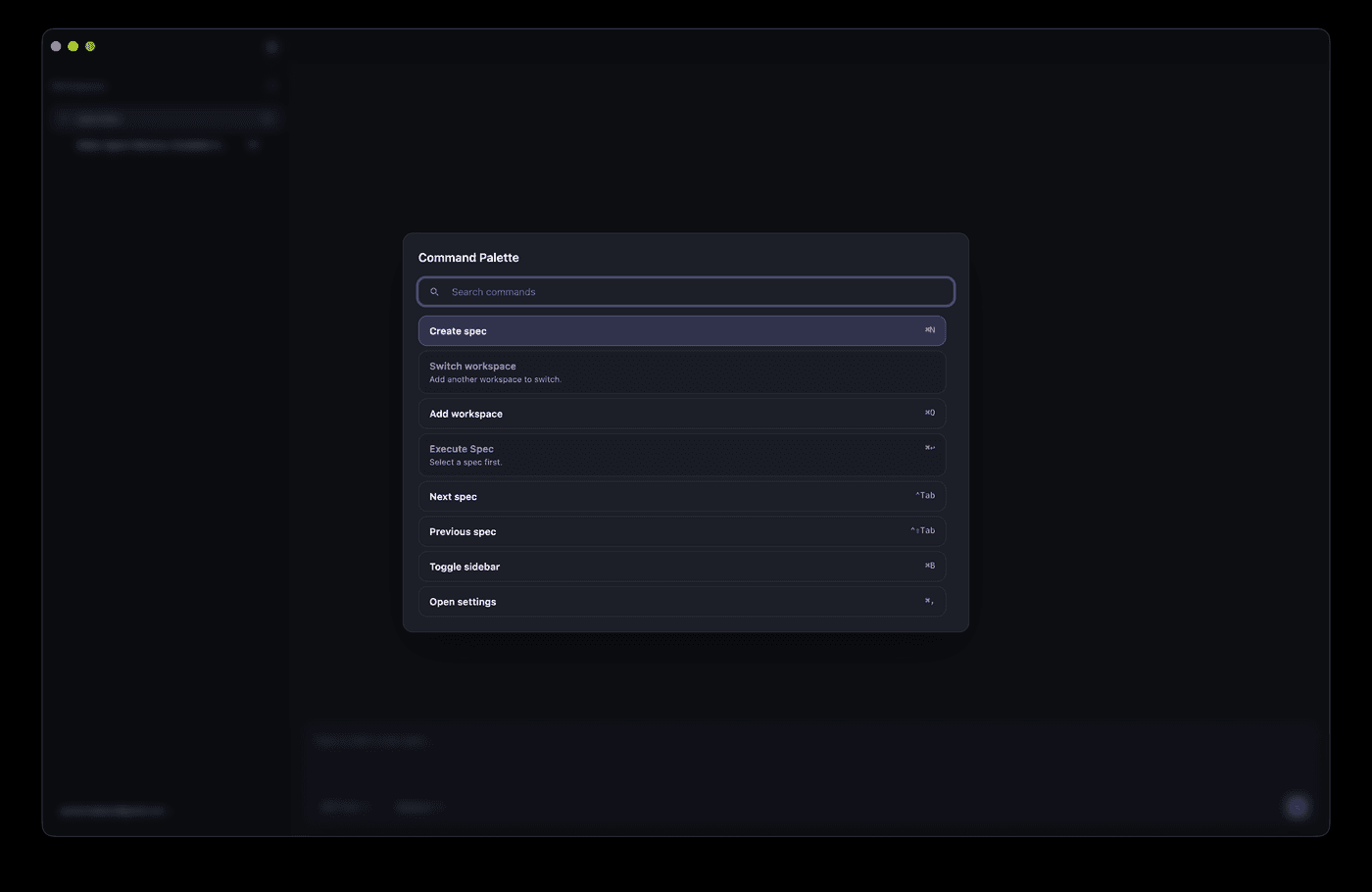
AI can ship a Cmd+K palette in half an hour, but match ranking, shortcut conflicts, IME flicker, and mobile degradation are where it breaks. This hands-on guide gives solo teams the full route: a command registry data model, a five-stage fuzzy scoring pipeline, a global shortcut system with conflict detection, the complete keyboard accessibility loop, mobile entry degradation, permission-linked commands, and a 10-item launch checklist.
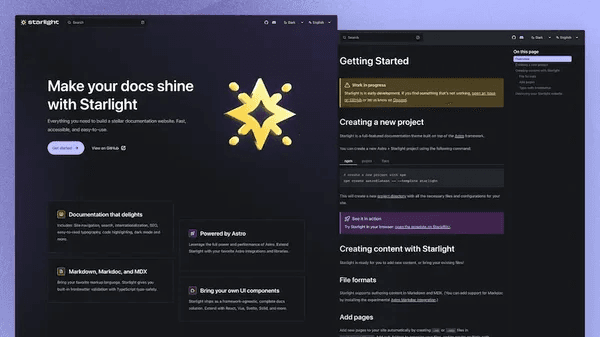
AI can slap together a page that looks like docs, but information architecture, versioning, search, and staying in sync with code are what make a docs site usable. This guide gives solo teams the full route: the README/help-center/docs-site decision table, a verified four-way tool comparison (Fumadocs/Starlight/Docusaurus/Mintlify), the four-block IA with two reader paths, snapshot versioning, DocSearch vs local search, OpenAPI-driven API reference, and a 10-item launch checklist.
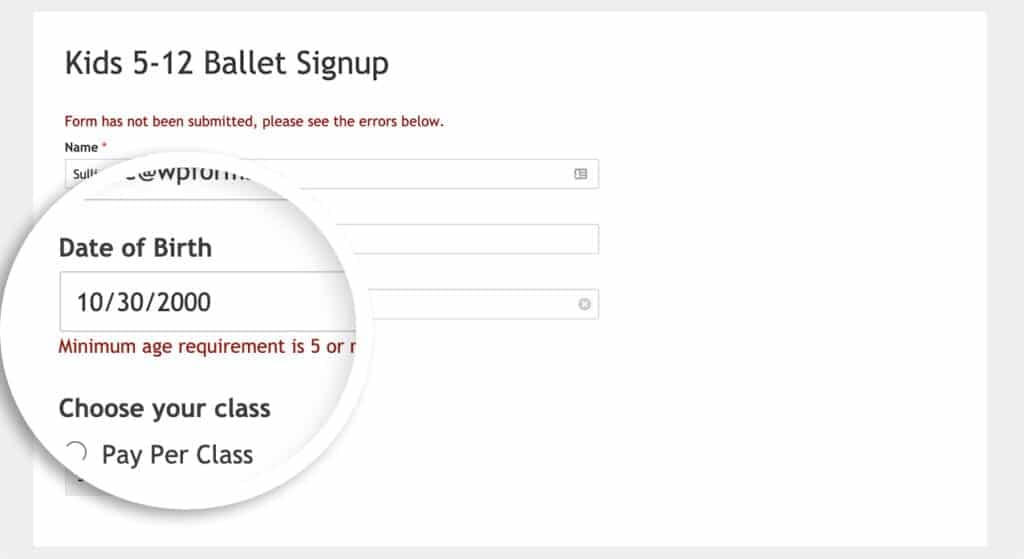
Every vibe project is full of forms, and AI-generated ones only stack `required` attributes — vague copy, async races, double submits, and lost drafts are where users bleed away. This hands-on guide gives solo teams the full practice: the three validation layers, error-copy rewriting, debounced race-safe async checks, the idle/submitting/success/error state machine with a triple double-submit guard, file-bearing forms, multi-step drafts, accessibility, and a 12-item launch checklist.